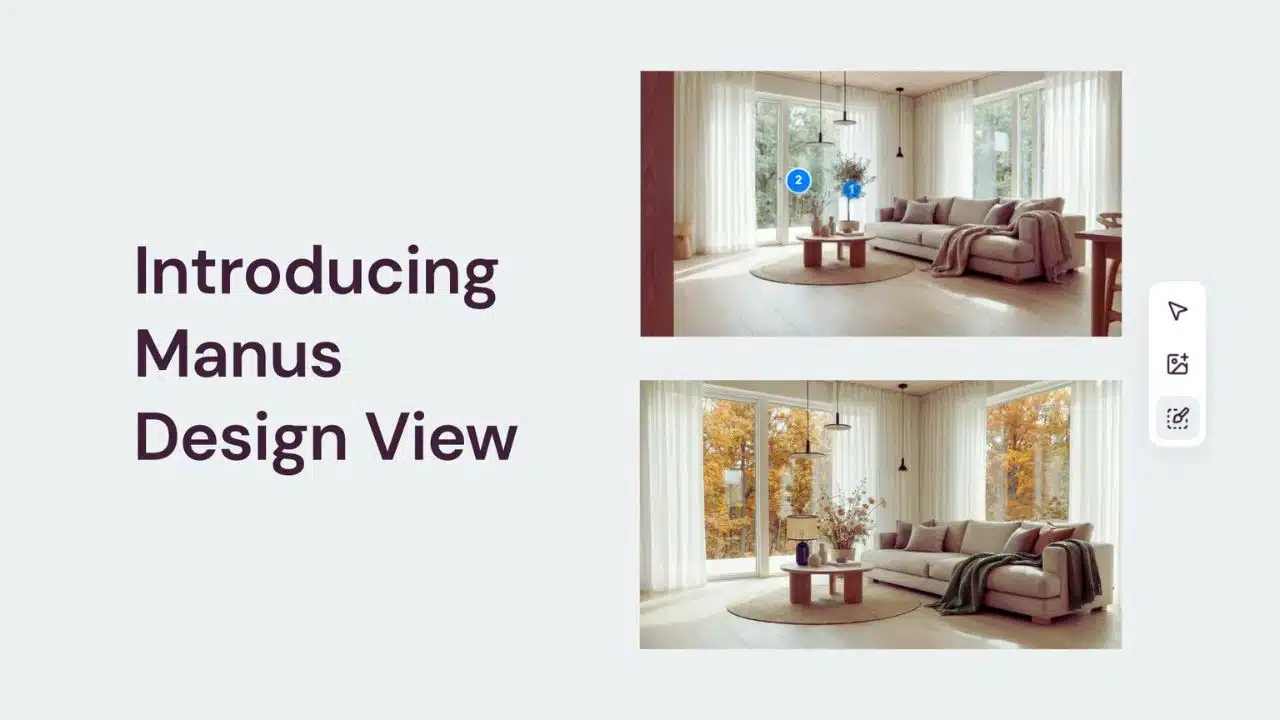
Manus has launched an AI design tool with precision editing that lets users generate visuals on an interactive canvas and then change specific objects or text without recreating the whole image, while also rolling out targeted edits for AI-generated slides made with Nano Banana Pro.
What Manus launched
Manus’ new Design View positions the product as an “AI design generator” where users can create and refine visual assets in one workspace rather than bouncing between separate tools for research, writing, and design.
The company says Design View supports “multi-modal generation” and can produce images, videos, and 3D assets on an interactive canvas.
Manus also says it uses a curated selection of models—naming Nano Banana Pro and “ChatGPT Image”—to let users access different state-of-the-art options inside the same workflow.
Precision editing for AI-generated slides
In a separate product update, Manus says presentations created in “image generation mode” with Nano Banana Pro are now editable at the element level, addressing a common frustration: one typo or small layout fix previously required regenerating an entire slide image.
Manus describes the update as bringing “precision editing” to AI slide generation while preserving the original slide’s visual quality.
The company says users can edit text, point-and-edit visual elements, compare before/after, and even run bulk edits across multiple selected areas.
How “precision editing” works in practice
Manus frames Design View as a shift from one-shot prompting to a more traditional “canvas + editor” workflow, where users can click objects and apply changes locally.
On its AI design page, Manus contrasts its approach with “traditional AI design tools,” arguing that many require full regeneration for minor edits, while Manus enables direct object-level edits without rebuilding the entire image.
Manus also says users can add “clean, editable text overlays” on the canvas, positioning this as an answer to the common problem of garbled text inside generated images.
For image editing, Manus highlights tools such as the Mark Tool and Remove Background, while noting that these AI-powered edits work best on images generated within Manus (even though users can upload images to the canvas for layout and mood-boarding).
Manus says typical image generation takes about 10–30 seconds, with longer times possible for more complex, research-integrated layouts.
On usage rights, Manus states that users retain ownership of images they create in Manus and may use them for personal or commercial purposes.
Why this matters for designers and teams
Manus is pitching Design View as a production workflow, not just an image generator—aimed at marketing teams, creative agencies/designers, and founders who need fast iteration and on-brand outputs.
A key value claim is “research-powered design,” where Manus can browse websites or read provided documents before generating assets, so the output reflects a project’s context rather than a single isolated prompt.
The slide-editing update follows the same theme: keeping AI speed while restoring the practical control people expect from standard design software when making last-mile changes.
Key capabilities (as described by Manus)
| Area | What Manus says it enables | Why it’s notable |
| Image creation + refinement | Generate an image and refine it directly on a canvas rather than repeatedly re-prompting | Faster iteration with fewer “start over” cycles |
| Object-level edits | Click/mark an element and apply local changes | More control over specific details |
| Text handling | Add editable text overlays on the canvas | Addresses common image-text quality issues |
| Slide editing (Nano Banana Pro) | Edit text, adjust visuals locally, run bulk edits, keep visual quality | Fixes small errors without regenerating whole slides |
Competition: the race to keep editing in-app
Manus’ push comes as major design platforms emphasize built-in AI editing so users don’t have to export assets to external tools for common fixes.
Adobe’s Photoshop “Generative Fill,” powered by Adobe Firefly, is designed to let users add or remove content using simple text prompts, and “Generative Expand” extends the canvas beyond an image’s borders.
Canva’s Magic Edit uses a brush/click-based selection workflow where users describe what to replace in the selected region, and Canva notes that Magic Edit isn’t available to free accounts.
Feature snapshot: Manus vs common alternatives
| Product/tool | Editing approach (high level) | Examples of edits supported (from public docs) |
| Manus Design View | Interactive canvas + point/click editing; emphasizes editable outputs | Click objects to edit; add editable text overlays; Mark Tool/Remove Background; bulk edits for slides (Nano Banana Pro) |
| Adobe Photoshop (Firefly Generative Fill) | Select an area + prompt to add/remove/replace; extend canvas | Add/remove content; generate similar variations; extend canvas with Generative Expand |
| Canva Magic Edit | Brush/click to select region + describe replacement | Replace/modify selected parts of a photo; feature access varies by plan |
| Figma (AI image editing tools) | Built-in, Photoshop-like tools inside design workflow | Remove objects, isolate elements, expand images within Figma tools (per product reporting) |
Availability, pricing signals, and what’s next
Manus says editing slides created with Nano Banana Pro is “available today to all users,” and that existing presentations made with Nano Banana Pro are now editable.
For Design View, Manus is publicly marketing the tool as available to try, including a “Get started free” call-to-action on its AI design page.
Earlier in 2025, Manus also introduced paid subscriptions and a mobile app, with reported plans starting at $39/month and a higher tier at $199/month (credit-based), signaling a push toward broader professional adoption beyond viral experimentation.
Timeline of recent Manus design updates
| Date (2025) | Update | What changed |
| Dec 18 | Nano Banana Pro slide editability | Targeted edits to AI-generated slide images without regenerating whole slides |
| Dec (mid) | Design View positioning | Manus markets Design View as an interactive canvas with object editing, editable text overlays, and multi-modal generation |
Final thoughts
If Manus’ “generate then precisely edit” workflow holds up at scale, it could reduce one of the biggest friction points in generative design—having to rerun prompts for small, client-driven revisions.
The more strategic move is extending the same precision-editing idea to presentations, where minor text or layout changes are frequent and deadlines are tight.
The next test will be how reliably these edits preserve layout consistency and brand standards across batches, especially as competitors keep adding native editing features inside their own ecosystems.