

Most homes do not need more gadgets. They need better habits. The problem is that habits break when you are busy, tired, or in a rush. That is where home security automation becomes useful. It turns your best intentions into actions that happen on time.
Automation also reduces “weak moments.” These are the small gaps that invite trouble. An unlocked door. A dark entryway. A garage left open. A missed alert. A good routine closes those gaps in the background.
In this article, you will get 14 routines that work in real life. They are simple, practical, and easy to test. You will also learn how to avoid false alarms, protect privacy, and keep things reliable.
Home security automation: why routines beat single devices
Home security automation is not a device. It is a system of rules that connects devices. It tells your home what to do when something happens. It can lock a door after you close it. It can turn on lights when motion appears. It can raise alerts only when it truly matters.
A single smart device helps in one moment. A routine helps every day. That is the difference. Routines create consistency, and consistency creates safety. You stop relying on memory. You stop checking the same lock twice. You stop wondering if the garage is open.
Routines also help you respond faster. Instead of opening five apps, you get a clear alert. Instead of fumbling in the dark, your lights guide you. Instead of missing a delivery, your entrance becomes bright and loud enough to notice.
Why routines matter more than gadgets
| Goal | Device-only outcome | Routine outcome |
| Fewer mistakes | You remember sometimes | It happens automatically |
| Stronger deterrence | One device reacts | Multiple devices react together |
| Faster awareness | Notifications pile up | Alerts are filtered and ranked |
| Better night safety | You do manual checks | A “night mode” locks and lights |
| Less stress | You second-guess | You trust the system |
What “supercharge” really means
It does not mean turning your home into a robot. It means making safety actions easier than unsafe actions. It means replacing “I should” with “it already did.” It means your home acts like someone is paying attention.
Supercharging also means layering. One step is good. Two steps are better. A door sensor can tell you it opened. A camera can show you who it was. A light can make the person visible. A routine can do all three.
Finally, supercharging means fewer false alarms. A home that screams all day is not secure. It is annoying. A secure home stays quiet unless something is truly off. Your routines should aim for that.
What counts as a security automation routine
A security routine is a clear rule made of three parts: a trigger, a condition, and an action. Sometimes you also add a delay. That is it. You do not need fancy terms. You need a simple “when this happens, do that.”
Triggers are events. A door opens. Motion appears. It becomes 11:00 pm. Everyone leaves. A smoke alarm sounds. Conditions reduce noise. “Only at night.” “Only when away.” “Only if the door stays open for 10 minutes.” Actions are what your home does next.
A good routine feels natural. It matches your daily pattern. It does not fight your household. It supports it. That is why the best routines are usually simple and repeatable.
Routine building blocks
| Part | Examples | Why it matters |
| Trigger | motion, door open, time, arrival | Starts the routine |
| Condition | away mode, night only, cooldown | Reduces false alarms |
| Action | lock, lights on, record, notify | Creates deterrence and response |
| Delay | 30–180 seconds | Prevents noise and mistakes |
| Escalation | gentle → urgent | Helps you act at the right time |
Triggers you can trust
Not all triggers feel the same in daily use. Time-based triggers are stable and predictable. Sensor triggers are fast but can be noisy. Presence triggers are convenient but can fail if a phone loses signal or battery.
For security, mix triggers when possible. Use time for bedtime routines. Use sensors for doors and motion. Use presence mainly for mode switching, but add extra checks to keep it safe.
Also keep triggers close to the risk. A door sensor at the front door is high signal. A motion sensor in a living room with pets can be lower signal. Put triggers where they mean something.
Actions that actually raise safety
Many automations are “fun” but not “secure.” Security actions should do at least one of these:
- Make an intruder visible
- Make entry harder
- Alert you quickly and clearly
- Reduce repeat mistakes
- Create a record for review
Good actions include locking, lighting, recording, and escalation alerts. Avoid actions that create new danger, like auto-opening doors. Keep safety actions defensive, not risky.
Before you build routines: a 10-minute safety-first setup
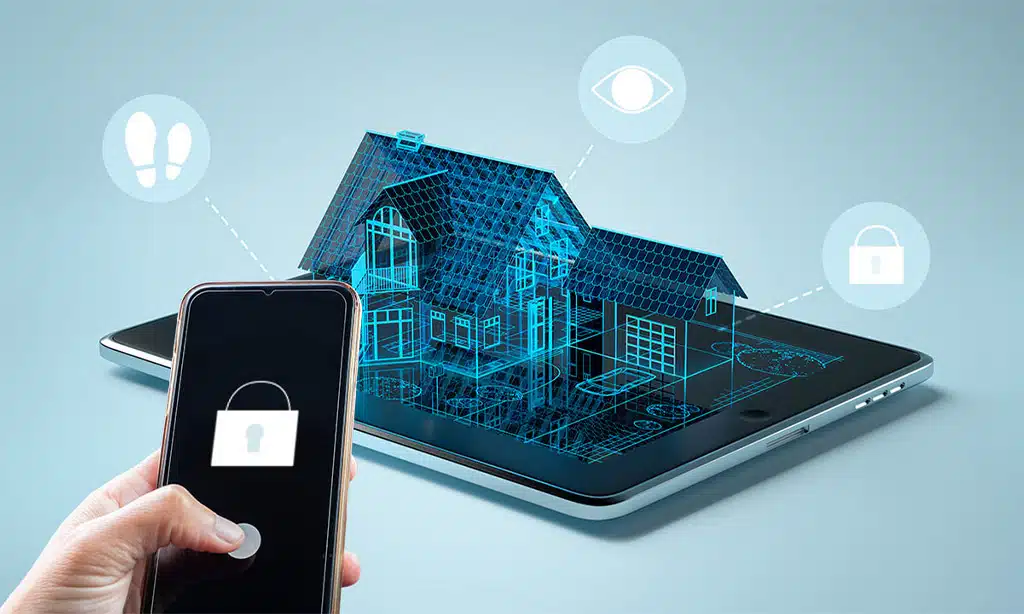
Before you automate your home, secure the accounts that control it. Smart homes are safe only when the controls are safe. If your account is weak, your routines can become weak too. This step is fast, and it matters more than any single device.
Also prepare your home for fewer false alarms. A routine that misfires will get disabled. People do not keep annoying systems running. So plan the routine so it stays quiet most of the day.
Finally, decide who gets alerts. Too many alerts to too many people creates confusion. One person should get urgent alerts. Others can get summary alerts.
Safety-first checklist
| Step | What to do | Why it matters |
| Passwords | Use unique passwords | Stops easy account access |
| 2-step verification | Turn on 2FA | Adds a second lock on your account |
| Updates | Update device firmware | Fixes bugs and improves stability |
| Access control | Limit admin users | Reduces misuse and mistakes |
| Notification plan | Set alert tiers | Prevents alert fatigue |
Basic account security, done simply
Use a password manager if you can. It removes guesswork. Turn on two-step login where available. Remove old devices and old shared access. Keep only the people who need control.
If you use shared devices in a family, set clear roles. One person can manage the system. Others can have limited control. This reduces accidental changes.
Also lock your phone. Your phone is often the remote for your home. If someone can unlock your phone, they can often unlock your home.
Reduce false alarms before they happen
False alarms usually come from three places: bad placement, too much sensitivity, and no conditions. Place motion sensors away from pets, fans, and windows with heavy sunlight. Use camera zones so moving trees do not trigger alerts. Add night-only conditions for many outdoor routines.
Delays also help. A 60-second delay can stop a pointless escalation. Cooldowns help too. A cooldown prevents the same sensor from triggering five alerts in one minute.
Start with calm routines. Add loud ones only after you trust the system.
The 14 automation routines
These routines are designed to fit most homes. You can build them in many platforms. You do not need all 14. Start with three. Test them for a week. Then add more.
Each routine below includes: goal, trigger, conditions, actions, and tips. Keep your rules short. If your rule needs a paragraph to explain, it is too complex.
All 14 routines at a glance
| # | Routine | Goal | Best trigger |
| 1 | Night Lockdown | Lock and set night safety | time/voice |
| 2 | Smart Auto-Lock | Lock without lockouts | door closed + delay |
| 3 | Door Left Open Escalation | Reduce “easy entry” moments | open duration |
| 4 | Away Mode Arming | Secure when everyone leaves | geofence leave |
| 5 | Welcome Home Disarm Safely | Convenience without weakness | arrival + unlock |
| 6 | Camera-Triggered Lights | Deterrence + better video | motion zone |
| 7 | Package Mode | Faster delivery awareness | doorbell event |
| 8 | After-Dark Perimeter Tripwire | Catch suspicious movement | night zone motion |
| 9 | Randomized Occupancy Lighting | Make the home look lived-in | away + sunset |
| 10 | Interior Motion When Away | High-signal break-in alert | indoor motion |
| 11 | Glass-Break Response | React to forced entry signs | sound/glass trigger |
| 12 | Garage Protection | Stop open-garage risk | open too long |
| 13 | Smoke/CO Emergency Mode | Life safety + exit support | alarm trigger |
| 14 | Silent SOS Check-In | Quiet help request | button/phrase |
Routine 1: Night Lockdown
Night is when most people miss small steps. You are tired. You want to sleep. You do not want to check every lock. This routine is your nightly safety reset. It reduces forgetting and keeps the home consistent.
Goal:
- Lock doors
- Set a night mode
- Prepare lights for safe movement
- Reduce noisy alerts
Trigger:
- Time (example: 11:00 pm)
- Or a voice command like “good night”
Conditions:
- Only run if someone is home
- Optional: skip if a door is still open
Actions:
- Lock all exterior doors
- Turn on pathway lights at low brightness
- Switch cameras to night profile
- Arm door/window sensors
Tips:
- Add a short delay so it does not lock while someone takes the trash out.
- Add a quick “cancel” option for 2 minutes after it starts.
Routine 2: Smart Auto-Lock with safe exceptions
Auto-lock is one of the most useful security routines. It fixes the most common failure: leaving a door unlocked. But you must build it safely. If you do it wrong, you lock people out. So the key is smart exceptions.
Goal:
- Lock after a door closes
- Avoid locking when the door is not fully shut
- Avoid locking while someone is stepping out briefly
Trigger:
- Door closes
Conditions:
- Door must remain closed for X minutes
- Optional: do not run if someone is still detected near the door
Actions:
- Lock the door after 1–3 minutes
- Send a quiet confirmation to one phone
Tips:
- Use a keypad or backup key plan.
- Add a “door not fully latched” alert if your sensor can detect it.
Routine 3: Door Left Open escalation
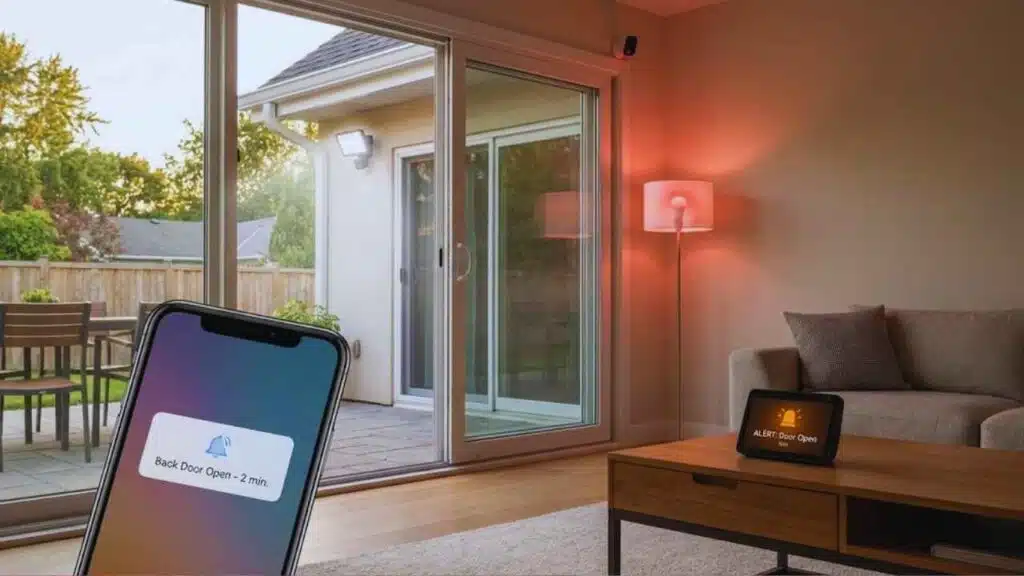
This routine is not loud at first. It starts gentle. It escalates only if the risk continues. This avoids panic and protects your attention.
Goal:
- Prevent doors from staying open too long
- Reduce easy access points
- Remind, then warn, then act
Trigger:
- Door opens
Conditions:
- Only escalate if it stays open past set times
- Optional: only run during certain hours
Actions (example escalation):
- After 2 minutes: notification
- After 10 minutes: higher priority alert
- After 20 minutes: turn on nearby light + optional camera recording
Tips:
- Use this on back doors and garage-to-house doors first.
- Keep early reminders quiet so you do not ignore them.
Routine 4: Away Mode arming with geofencing
This routine protects you when you are most likely to forget. When you rush out, you skip steps. Away mode can set the home to a safer posture automatically. But you should add a short grace period.
Goal:
- Arm when the last person leaves
- Reduce indoor power use
- Shift cameras to higher alertness
Trigger:
- Last person leaves the home area
Conditions:
- Wait 2–5 minutes before arming
- Do not arm if a door is still open
Actions:
- Arm sensors and alarm
- Turn off most indoor lights
- Turn on camera recording or alerts
- Optional: enable outdoor motion lights
Tips:
- If your household is busy, add a confirmation notification: “Arming in 60 seconds. Tap to cancel.”
- Use “away mode” as a condition for other routines too.
Routine 5: Welcome Home disarm safely
Auto-disarm can be risky if it happens too easily. So do not disarm on location alone. A safer method is to require a second event, like unlocking the door.
Goal:
- Reduce alarm mistakes
- Turn on helpful lights
- Keep disarming secure
Trigger:
- Arrival near home
Conditions:
- Must also detect an unlock event within a short window
- Optional: run only for trusted household members
Actions:
- Disarm entry sensors
- Turn on entry lights
- Lower outdoor alert sensitivity
- Optional: pause indoor camera notifications
Tips:
- If you use multiple phones, keep the rule simple.
- Consider leaving indoor cameras off unless you are away.
Routine 6: Camera-triggered lights
Light is a simple deterrent. People avoid being seen. It also improves video quality at night. This routine is strong because it changes the scene in seconds.
Goal:
- Make movement visible
- Improve camera footage
- Create a clear “someone is here” signal
Trigger:
- Camera motion detected in a defined zone
Conditions:
- Only after dark
- Cooldown to avoid repeated triggers
Actions:
- Turn on porch or flood lights for 2–5 minutes
- Start recording
- Send an alert only if motion lasts longer than X seconds
Tips:
- Use zones so cars do not trigger it.
- Aim lights to illuminate faces, not blind the camera.
Routine 7: Package mode for deliveries
Delivery moments are common theft moments. Package mode makes you aware fast. It also makes the entry look watched and active.
Goal:
- Notice deliveries quickly
- Improve visibility at the door
- Create a record of arrival
Trigger:
- Doorbell press
- Or delivery/visitor detection (if supported)
Conditions:
- Run only during delivery hours (example: 8 am–9 pm)
Actions:
- Turn on porch light
- Send a notification to the primary phone
- Optional: announce on a smart speaker
Tips:
- Keep speaker announcements low-volume to avoid disturbing neighbors.
- Use a short camera recording window for quick review.
Routine 8: After-dark perimeter tripwire
This routine is a fence made of rules. It watches the edges of your property at night. It should be strict but not noisy. The key is good zones.
Goal:
- Detect movement near entry paths
- Make outside movement obvious
- Alert you only at high-risk times
Trigger:
- Motion in driveway, gate, or side-yard zone
Conditions:
- Only at night
- Optional: only when away mode is on
Actions:
- Turn on exterior lights
- Record a clip
- Send a high priority notification
Tips:
- Avoid zones with heavy street traffic.
- Reduce sensitivity for small animals if needed.
Routine 9: Randomized occupancy lighting when away
A home that looks lived-in gets less attention. But fixed schedules can look fake. Random lighting looks more human. It is one of the simplest deterrence routines.
Goal:
- Make the home look occupied
- Avoid predictable patterns
- Support longer trips
Trigger:
- Away mode starts + sunset
Conditions:
- Run only when away for more than X hours
- Optional: pause if a neighbor is checking the house
Actions:
- Turn on 1–2 lights randomly in a realistic window
- Turn them off after 15–60 minutes
- Repeat 2–4 times in the evening
Tips:
- Use rooms people actually use, like living room and kitchen.
- Avoid turning every light on at once.
Routine 10: Interior motion when nobody’s home
Interior motion during away mode is a high-signal event. It often means something is wrong. That is why this routine should be urgent. It should also be protected from pet triggers.
Goal:
- Catch break-ins early
- Turn your home “loud” visually
- Give you quick evidence
Trigger:
- Indoor motion detected
Conditions:
- Only when away mode is active
- Optional: only if multiple sensors confirm motion
Actions:
- Turn on key lights inside
- Start camera recording
- Send urgent alert to one or two people
Tips:
- If you have pets, use pet-friendly sensors or place sensors higher.
- Add a second confirmation trigger if you get too many false alerts.
Routine 11: Glass-break or sound event response
Glass-break events feel urgent, but they can also be accidental. This routine works best with escalation. Start with lights and recording. Add sirens only if the event continues.
Goal:
- Respond quickly to forced-entry signs
- Illuminate the home and record evidence
- Avoid panic from one-off noises
Trigger:
- Glass-break sensor
- Or a loud sound event (if supported)
Conditions:
- Night-only or away-only works best
- Add a short delay for cancel
Actions:
- Turn lights on to full brightness
- Record immediately
- Send an urgent alert
- Optional: siren after 30 seconds unless canceled
Tips:
- Keep a clear “cancel” method in the app.
- Pair this with door sensors for stronger confirmation.
Routine 12: Garage protection
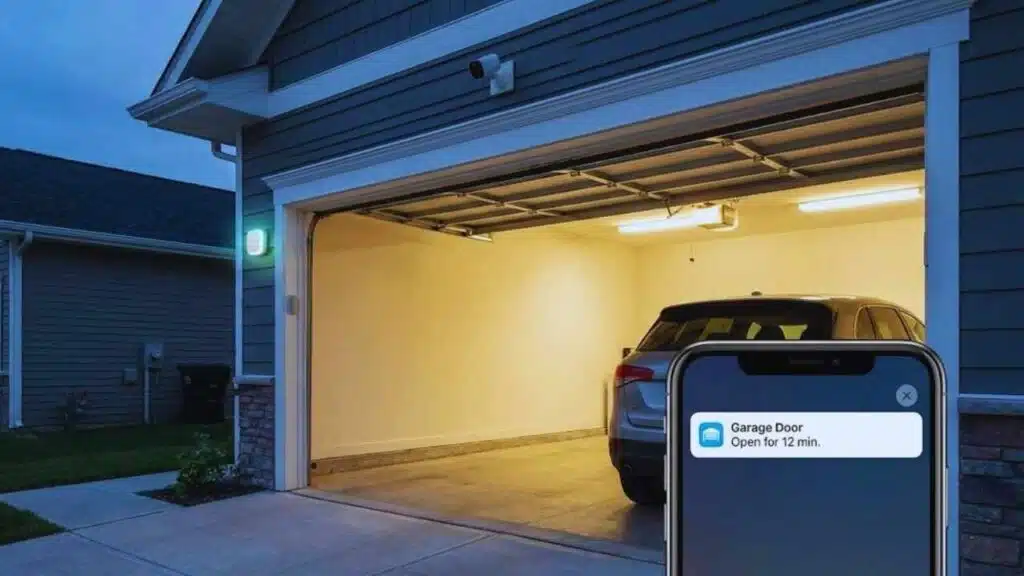
Garages are often forgotten. People leave them open while unloading, then forget. This routine protects that gap. It also helps you notice if someone leaves the garage open by mistake.
Goal:
- Prevent an open garage from staying open
- Protect the garage-to-house door
- Improve visibility in the garage
Trigger:
Conditions:
- If open longer than 10–15 minutes
- Optional: only after dark
Actions:
- Send reminder notification
- Turn on garage lights
- Optional: close the garage if safety sensors confirm it is clear
Tips:
- Use safe auto-close only if your system supports obstruction detection.
- Add a second reminder before any auto-close action.
Routine 13: Smoke/CO emergency mode
Security is not only about intruders. It is also about safe exit and fast awareness during emergencies. This routine focuses on life safety first.
Goal:
- Help people exit quickly
- Make the home visible inside
- Notify the right contacts
Trigger:
- Smoke alarm or CO alarm event
Conditions:
- None. Keep it simple.
Actions:
- Turn on all lights
- Unlock doors for exit (if you trust this behavior)
- Send urgent notifications to household contacts
- Optional: shut down HVAC if your setup supports it
Tips:
- Test this routine twice a year.
- Make sure it does not rely on one weak device.
Routine 14: Silent SOS check-in
Some situations need a quiet signal. This routine supports vulnerable family members, solo workers, or anyone who wants a private “help” button.
Goal:
- Send help signals discreetly
- Provide quick lighting and visibility
- Share key info with trusted contacts
Trigger:
- A button press
- A phone shortcut
- A specific phrase
Conditions:
- Run only for authorized users
- Optional: require a second press to confirm
Actions:
- Send an SOS message to chosen contacts
- Turn on hallway or entry lights
- Optional: start recording at entry points
Tips:
- Tell the household what it does and who gets alerts.
- Keep the contact list small and trusted.
Which routines should you start with
Starting with everything is a mistake. It creates chaos and false alarms. A better approach is to start with routines that are easy, quiet, and high-impact. Then expand once you trust your setup.
Think of routines like habits. You do not build 14 habits in one day. You build three habits, then add one more. The same rule applies here.
Choose routines based on your home shape and daily life. An apartment may not need perimeter tripwires. A house with a garage likely does. A household with kids may need smart exceptions.
Quick routine picks
| Situation | Best starter routines | Why they work |
| Beginner | 1, 3, 6 | easy, visible benefits |
| Frequent traveler | 4, 9, 8 | strong away protection |
| Family/roommates | 2, 5, 3 | fewer lockouts and mistakes |
| Night shift workers | 1, 6, 12 | night safety and deterrence |
| Delivery-heavy home | 7, 6, 3 | faster awareness |
A simple “first week” plan
Day 1: Build Night Lockdown.
Day 2: Build Door Left Open escalation for one door.
Day 3: Add Camera-triggered lights.
Day 4–7: Test and adjust zones, delays, and alerts.
After week one, add Away Mode arming. Then add garage protection if you have a garage.
Setup walkthrough: build routines that do not annoy you
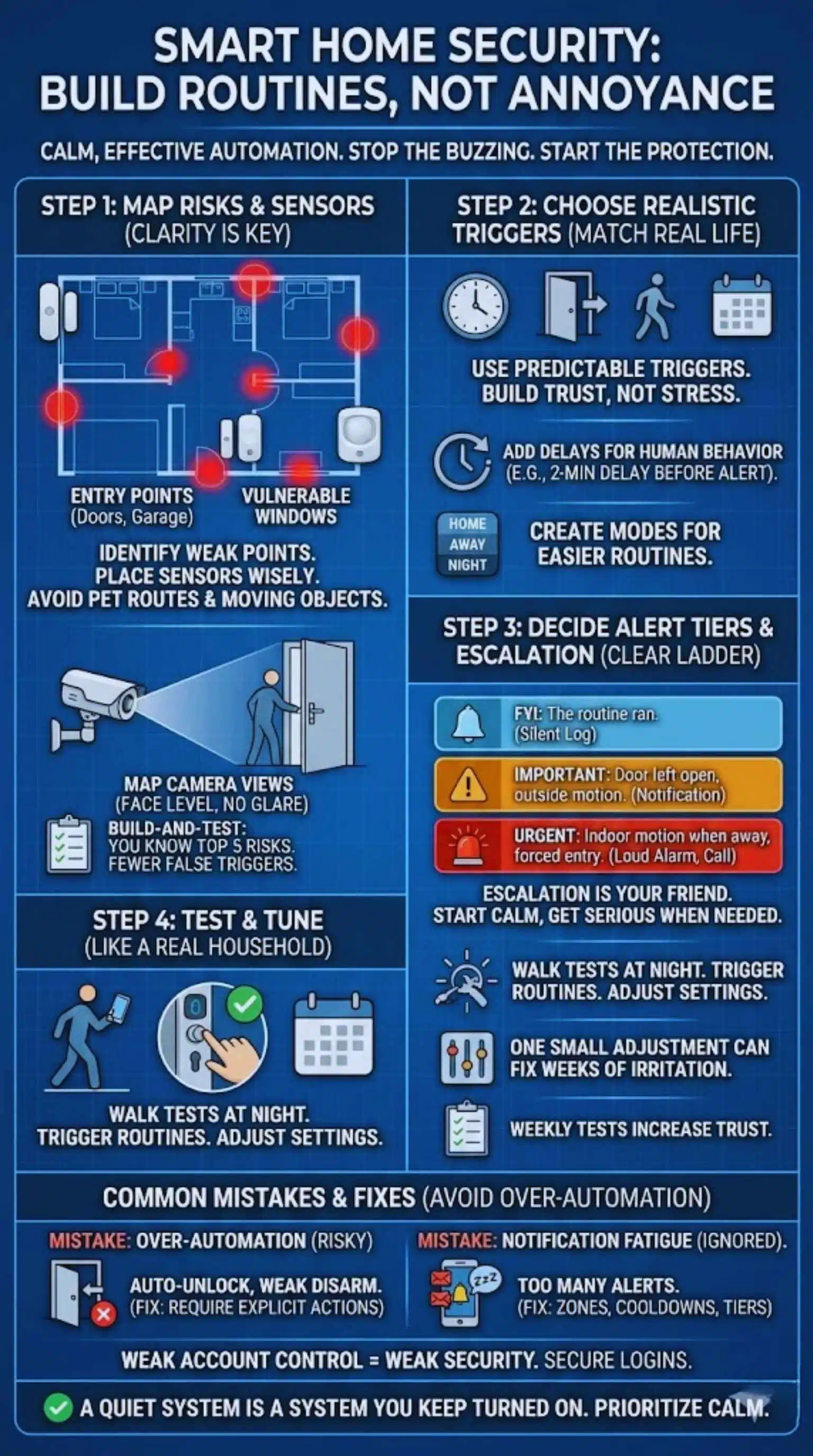
A secure system should feel calm. It should not buzz all day. It should not interrupt dinner. It should not wake you for harmless motion. Good setup makes the difference.
Start by mapping your home. Identify the doors that matter most. Identify the paths someone would take to enter. Then build routines around those paths. Do not build routines around random devices.
Also decide what “urgent” means. If every alert is urgent, none are urgent. Give your system a clear alert ladder.
Build-and-test checklist
| Step | What you do | What “good” looks like |
| Map risks | entries, windows, garage, paths | you know top 5 weak points |
| Place sensors | avoid pets, fans, moving trees | fewer false triggers |
| Create modes | home, away, night | routines become easier |
| Set alert tiers | FYI, important, urgent | less noise, faster response |
| Test weekly | walk tests, lock checks | trust increases over time |
Step 1: Map your entry points and zones
List your main doors and their risks. Include garage entry. Include sliding doors. Include ground-level windows if needed. Mark where lighting is weak at night. Those are priority points.
Also map camera views. Make sure cameras can see faces at entry points. Avoid placing cameras too high. Avoid pointing cameras at bright lights that cause glare.
A simple map on paper is enough. You only need clarity, not perfection.
Step 2: Choose triggers that match real life
Use time triggers for bedtime or morning. Use door sensors for doors. Use motion zones for outside movement at night. Use presence for mode switching, but avoid relying on it alone for disarming.
Choose triggers that you can predict. Unpredictable triggers cause stress. Predictable triggers build trust.
Add delays where human behavior is messy. A 2-minute delay can prevent five annoying alerts.
Step 3: Decide alert tiers and escalation
Create three levels:
- FYI: the routine ran, a door unlocked, a package arrived
- Important: a door left open, outside motion at night
- Urgent: indoor motion when away, forced entry sign, emergency alarm
Send urgent alerts to one or two people only. Too many recipients causes confusion. Also keep urgent alerts short and clear.
Escalation is your best friend. It lets you start calm and get serious only when needed.
Step 4: Test and tune like a real household
Walk around your home at night. See what triggers. Watch how lights affect camera footage. Trigger a door left open reminder and see if it feels fair. Try your cancel steps. If canceling is hard, the routine is too aggressive.
Then test again after changes. One small adjustment can fix weeks of irritation.
Common mistakes that weaken security automation
Most problems come from two extremes: doing too little and doing too much. Too little means you forget locks and lights. Too much means you get spammed and stop caring. The middle path is the goal.
Another common mistake is building routines that ignore real life. A routine should support your habits, not fight them. If you always take the dog out at 10 pm, do not lock everything at 10 pm without a delay.
Also avoid routines that create new risks. Auto-opening doors is risky. Auto-disarming with weak triggers is risky. Keep routines defensive.
Mistakes and fixes
| Mistake | Why it’s a problem | Better approach |
| Auto-disarm by location only | can misfire | require arrival + unlock |
| Too many alerts | you ignore real ones | tiers + cooldowns + zones |
| No testing | failures stay hidden | weekly mini test |
| Overly complex rules | hard to maintain | simple triggers + clear actions |
| Ignoring privacy | discomfort and risk | limit indoor recording |
Over-automation that adds risk
Avoid routines that unlock doors automatically. Avoid routines that disable security because a phone got close. Avoid routines that depend on one weak signal.
Instead, combine signals. Add delays. Require explicit actions. Make it hard for the system to disarm, and easy for the system to warn.
Security should not be fragile. Fragile security fails at the worst time.
Notification fatigue
If you get 30 alerts a day, you stop reading them. Reduce alerts by:
- Using zones
- Adding cooldowns
- Using conditions (night only, away only)
- Turning some alerts into silent logs
Also avoid sending the same alert to five people. One person gets urgent alerts. Others get a summary.
A quiet system is a system you keep turned on.
Weak account control
Even the best physical routines can be undone by weak accounts. Keep access limited. Keep logins protected. Remove old shared access. Avoid using the same password everywhere.
Treat your smart home account like a bank account. It controls real doors. It deserves real protection.
Cost and ROI: what to automate first on a budget
You do not need a full system to get real benefits. A few devices can support powerful routines. The key is buying devices that improve safety, not just convenience.
Start with the basics. Door sensors are cheap and useful. A porch light control is simple and strong. One camera at the main entry covers a lot. Then add a smart lock if it fits your household.
Also think about maintenance cost. Batteries, subscriptions, and replacements add up. Choose a system you can sustain.
Budget priorities
| Budget level | Best devices | Best routines |
| Low | door sensors + porch light control | 1, 3, 6 |
| Medium | add doorbell/camera | 6, 7, 8 |
| Higher | add smart lock + more sensors | 2, 4, 5, 10, 12 |
| Family-focused | keypad lock + sensors | 2, 3, 5 |
| Travel-focused | camera + lighting + away mode | 4, 8, 9 |
What to automate first (high value)
If you want the fastest improvement:
- Night Lockdown
- Door Left Open escalation
- Camera-triggered lights
- Away Mode arming
These four reduce the biggest daily gaps. They also build trust. Once you trust the system, you can expand to advanced routines.
Subscription vs no subscription (simple view)
Some people want cloud storage and rich alerts. Some prefer local storage and fewer features. Both can work. Your choice depends on what you need most:
- Long history vs short clips
- Advanced detection vs basic motion
- Convenience vs more local control
If you are unsure, start without a subscription. Add it only if you feel limited.
Takeaways
The best security feels simple. It does not demand constant attention. It runs quietly in the background. It locks doors when you forget. It turns on lights when motion appears. It escalates only when a risk continues. Start small. Build Night Lockdown first. Add Door Left Open escalation next. Add Camera-triggered lights third. Then build Away Mode arming. After you test and trust your system, expand to garage protection, perimeter tripwires, and interior motion rules.
When you build routines that fit your home and your habits, home security automation becomes one of the easiest ways to raise safety without adding stress.
FAQs
What is home security automation, and is it worth it?
Home security automation connects devices with rules so your home reacts by itself. It is worth it when it fixes everyday gaps like unlocked doors, dark entryways, and missed alerts. It also reduces stress because the home stays consistent.
Can I build these routines without expensive gear?
Yes. You can start with a few sensors and a light control. A single camera helps too. The goal is not a huge system. The goal is reliable routines that match your life.
Do these routines still work if the internet goes down?
Some routines depend on cloud services. Others can still run locally, depending on your setup. The safe plan is to assume outages can happen and keep basic safety steps in place, like manual locks and physical lighting.
Should I use geofencing for arming and disarming?
Geofencing is useful for arming. It is riskier for disarming. A safer method is arrival plus a second signal, like unlocking the door. That keeps convenience while reducing misfires.
How do I reduce false alarms from motion sensors and cameras?
Use zones. Reduce sensitivity. Add night-only and away-only conditions. Add cooldowns. Also place sensors away from pets, fans, and bright windows.
Are smart home routines a privacy risk?
They can be if you collect more data than you need or share access widely. Keep indoor recording limited. Restrict who can view footage. Use strong account controls. Keep routines clear and transparent for the household.






























