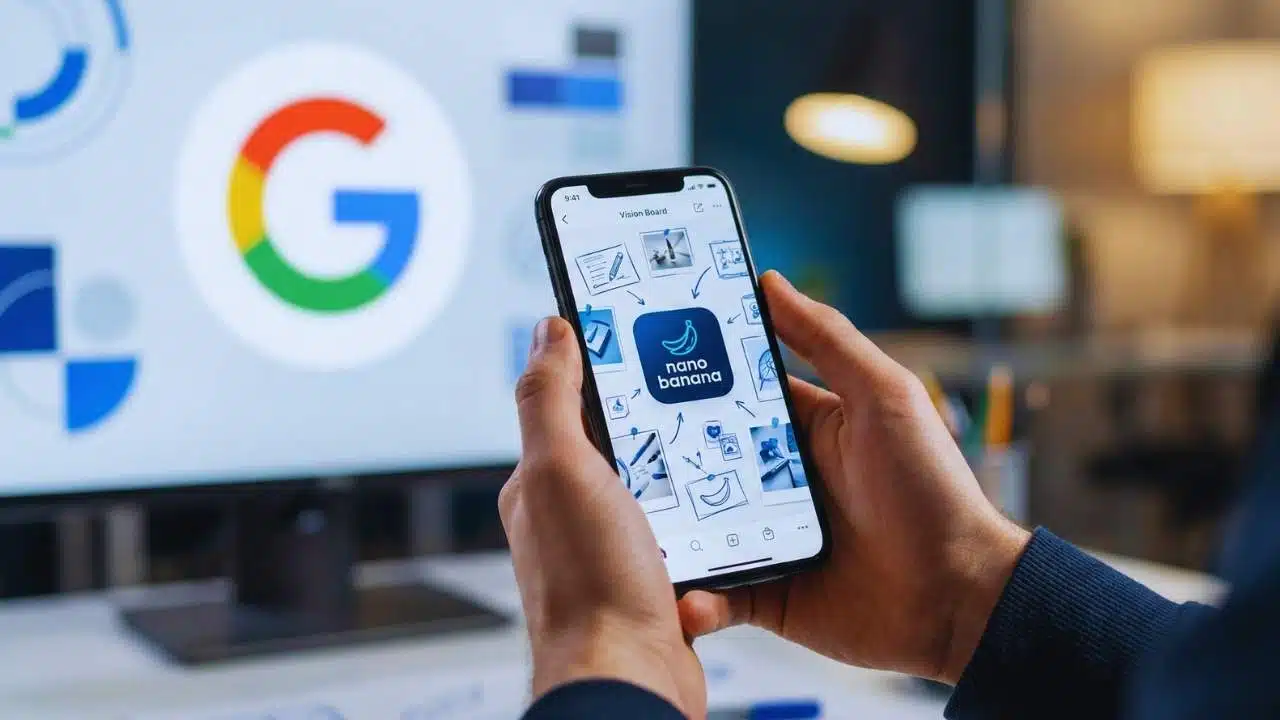
Google’s Gemini AI vision board trend is accelerating in early 2026 as users turn New Year goals into shareable image collages using Mixboard’s canvas and Nano Banana Pro’s higher-fidelity image generation.
What Google Announced And Why It Matters Now?
Google has been expanding Gemini’s image creation and editing tools across multiple products, and that momentum is now colliding with a seasonal habit: people mapping out New Year goals. The result is a fast-growing format where users describe what they want in 2026—career moves, travel, fitness, savings, learning—and let Gemini generate a “vision board” style collage that looks like a designed poster.
The most direct product driver is Mixboard, a Google Labs experiment built as an AI concepting board. Mixboard lets users place images and text on an open canvas and then refine the work in a loop: generate, edit, remix, and regenerate. Google recently added a high-impact upgrade: Mixboard can now transform a board into a presentation powered by Nano Banana Pro, Google’s latest Gemini image model for higher-fidelity visuals and clearer text.
Mixboard has also expanded what you can bring into the canvas. Users can add more starting materials—such as selfies and PDFs—and make more controlled edits by doodling directly on images and describing what should change. Google is also enabling multiple boards per project, so one idea can be split into separate boards (for example: inspiration, drafts, final layout), which fits perfectly with how a personal goal board evolves over time.
At the model level, Nano Banana is Google’s public name for Gemini’s native image generation capabilities. In the developer ecosystem, Google distinguishes two options:
- A speed-focused image model optimized for quick, high-volume tasks
- A “Pro” preview model built for professional asset production, better instruction-following, and higher-fidelity text rendering
That “clearer text” part is especially important for vision boards because many boards rely on readable labels—year markers, short goal lines, category headers, and mini checklists. Traditional image generators often struggle with accurate typography, which forces users to simplify. Google’s newer Pro model is designed to reduce that pain.
Key Milestones Behind The Trend
| Date | Product/Update | What Changed | Why It Boosts Vision Boards |
| 2023 | SynthID introduced | Invisible watermarking for AI-generated content | Sets foundation for later verification tools |
| 2025 | Mixboard public beta (U.S.) | AI concepting board with an open canvas | Makes collages and moodboards easy to build |
| Nov 2025 | Gemini image verification | Users can check if an image was made/edited with Google AI | Adds transparency as AI visuals spread |
| Dec 2025 | Mixboard presentations + uploads | Presentations with Nano Banana Pro; selfie/PDF uploads; doodle edits; multiple boards | Speeds up “from goals to finished board” workflows |
Inside Mixboard: The AI Canvas That Makes Vision Boards Easy To Build
Mixboard is designed for “visual thinking.” Instead of producing a single image and moving on, the product assumes users want to explore options and iterate until the output feels right. That’s almost exactly what a vision board is: a collection of ideas refined into a coherent picture.
Here’s what makes Mixboard especially suited for the Gemini AI vision board format:
- Open canvas creation: Users can start from a prompt or a pre-built board and then keep adding visual elements.
- Bring-your-own inputs: People can incorporate personal photos and reference images rather than relying only on AI output.
- Natural language edits: Instead of manually adjusting layers like in a design tool, users ask for changes in plain language.
- One-click variations: “Regenerate” or “more like this” makes it easy to test alternative looks quickly.
- Context-based text generation: Mixboard can generate text based on what’s on the board, which helps with labeling and short copy.
The latest Mixboard update goes further by turning boards into presentations. That may sound like a separate use case, but it matters for vision boards because many users want to export “goal boards” for different purposes: a phone wallpaper, a printable poster, or a deck they can revisit monthly. A board-to-presentation path supports all of those.
Mixboard’s newer upload features also change the “starting point.” For example, a user can upload a PDF goal worksheet, a budget plan, or a calendar layout, and then build a visual board on top of those real artifacts. This pulls the trend closer to practical planning and away from purely aesthetic collages.
Mixboard vs. Traditional Moodboards (Quick Comparison)
| Feature | Traditional Moodboard Apps | Mixboard Approach |
| Starting materials | Mostly manual: images you find and paste | Mix of uploads + AI-generated visuals |
| Iteration | Slow: replace pieces by hand | Fast: regenerate variations in seconds |
| Editing | Manual cropping/layout work | Natural language + doodle-based edits |
| Text labels | Manual typing and styling | Context-aware text generation support |
| Output | Static board export | Board + optional presentation generation |
The bigger takeaway: Mixboard is not just an image generator. It’s a workflow. And workflows are what turn a viral prompt into a repeatable habit.
Why The Gemini AI Vision Board Format Is Going Viral?
A “trend” needs more than a tool. It needs an easy format people can repeat, share, and personalize. The Gemini AI vision board trend is taking off because it hits several conditions at once:
1) It fits New Year behavior perfectly.
People already set goals in late December and early January. A visual board becomes a quick way to make that intention feel “real,” especially when it can be saved as a lock screen or shared to friends.
2) It reduces the time cost of design.
Classic vision boards take time: collecting images, matching styles, arranging the layout, printing. AI collapses that into minutes, which invites more participation—including people who would never open a design app.
3) It makes goals feel specific.
When users turn “get fit” into concrete visuals—running shoes, a weekly calendar, a meal plan grid—the goal feels more tangible. AI helps by generating those objects in a consistent theme.
4) It supports identity-driven personalization.
Many users don’t want generic “success” imagery. They want their real city, their real job type, their real learning path, their personal style. AI prompts allow that personalization at scale.
5) It creates shareable, low-risk content.
Unlike a long written post about goals, a collage can be shared quickly without heavy explanation. Viewers “get it” instantly.
What People Actually Ask Gemini To Generate?
| Vision Board Theme | Typical Visual Elements | Common Output Style |
| Career growth | laptop, resume icons, calendar blocks, awards | clean “editorial” poster with labels |
| Fitness & wellness | running shoes, meal prep, yoga mat, habit tracker | scrapbook collage or minimal grid |
| Travel goals | landmarks, boarding pass motifs, map pins | postcard collage or film-strip layout |
| Money goals | savings chart, no-spend calendar, goal jar | infographic-style with readable text |
| Learning goals | books, language flashcards, certificates | clean desktop flat-lay with notes |
This is where Nano Banana Pro becomes a big deal. If the model can render clearer text and follow layout instructions more precisely, it becomes easier to request a board that includes headings, categories, and short lines without getting scrambled lettering.
Nano Banana Pro: What’s New In Google’s Higher-Fidelity Image Model?
Nano Banana Pro is positioned as the “pro” tier of Gemini image generation—focused on control, quality, and usability in real-world creative work. In practice, that means improvements that directly map to vision boards:
- Clearer text rendering for posters, labels, and diagram-like layouts.
- Higher-fidelity visuals that look less “smudged” or inconsistent.
- More reliable instruction following, especially for structured compositions.
- Studio-style control, where users can guide outcomes more precisely.
Google also ties Nano Banana and Nano Banana Pro into multiple entry points:
- Consumer: generating and editing images inside the Gemini experience.
- Labs: building boards and turning them into presentations in Mixboard.
- Developers: calling the models through the Gemini API and experimenting in Google AI Studio.
That broad availability matters because trends spread faster when the same capability appears across tools: a consumer tries it in an app, a creator refines it in a canvas tool, and a developer builds a template or workflow around it.
Google Photos has also been integrating Nano Banana-powered features, including “ask to edit” style transformations and template-based creation flows. While Photos is not a vision board app, it helps normalize the behavior: describe what you want in plain language and let Gemini handle the visual transformation. That familiarity makes it easier for users to jump into goal collages when they see them on social feeds.
Where Nano Banana Pro Fits In The Ecosystem?
| Where You Use It | What It’s Used For | Why It Helps Vision Boards |
| Gemini (consumer) | create and edit images via prompts | fast iterations for board drafts |
| Mixboard (Labs) | collage building + presentation output | turning boards into polished assets |
| Google AI Studio | model experimentation and testing | testing layouts, typography, and styles |
| Gemini API | programmable image generation | templates for repeated board creation |
Trust And Transparency: How Google Is Tackling AI Image Verification?
As AI visuals spread, one problem grows at the same pace: viewers often cannot tell what’s AI-generated, what’s edited, and what’s real. This matters even for something as harmless as a vision board because the same tooling that creates goal collages can also create misleading imagery.
Google’s response includes SynthID, an invisible watermarking system designed to embed an imperceptible signal into AI-generated content. Google has also added image verification inside the Gemini app, allowing users to upload an image and ask whether it was generated or edited using Google AI. Gemini checks for the SynthID watermark and then returns context about what it finds.
Google has also discussed expanding these verification capabilities beyond images to other media formats and improving transparency signals across more surfaces.
It’s important to understand what this does—and doesn’t—mean:
- If an image was created or edited with Google AI systems that embed SynthID, Gemini may detect it.
- If an image comes from other AI systems, it may not contain SynthID, so Gemini can’t confirm origin the same way.
- Verification is not a universal “deepfake detector.” It is a provenance tool for content made with Google’s watermarking pipeline.
For journalists and media professionals, Google DeepMind has also described work around a SynthID Detector portal, positioned as a verification tool that can check whether content has been watermarked. This reflects a broader direction: moving from “trust me” claims to technical signals that can be verified.
AI Provenance Signals (Simplified)
| Method | What It Is | Strength | Limitation |
| Invisible watermark (SynthID) | hidden signal embedded into content | can be checked later without changing the image | only works if the content was watermarked |
| Metadata credentials | visible machine-readable origin info | supports transparency across platforms | metadata can be stripped in some workflows |
| Visual watermarks | logos or marks on the image | instantly visible to users | can be cropped or removed; not always desired |
For the Gemini AI vision board trend, transparency features may shape how users share their boards. Some creators may label the boards as AI-made to be clear. Others may rely on provenance tools in case the content is reposted or misunderstood later.
The Gemini AI vision board trend is growing because it turns a familiar habit—New Year goal setting—into a fast, highly visual workflow. Mixboard’s canvas makes it easy to assemble and refine a collage, while Nano Banana Pro makes it easier to produce cleaner visuals with readable text and structured layouts.
At the same time, Google is building verification tools like SynthID checks inside Gemini, signaling that the future of AI visuals is not only about creativity and speed. It’s also about clarity: what was generated, what was edited, and how people can know.
If the pattern holds, “AI vision boards” may evolve from a seasonal social trend into a recurring format people use throughout the year—monthly planning boards, habit trackers, project boards, and personal dashboards—powered by the same Gemini image engines that made 2026 goal collages go viral.