

Hey gamers, are you tired of your rig lagging behind on the latest titles? Maybe your gaming PC just can’t keep up with those jaw-dropping graphics in new releases. It stinks to miss out on epic battles, right?
Here’s a cool fact: investing in future-proof components for gaming PCs can save you from constant upgrades. With tech zooming ahead, having the right gear, like powerful GPUs and speedy DDR5 memory, keeps you in the game.
This blog will break down seven key parts to build a killer gaming computer that lasts. Stick around, let’s power up!
Key Takeaways
- Grab a high-core-count CPU like Intel Core i7-13700K with 16 cores or AMD Ryzen 9 7950X3D with 16 cores for top gaming in 2023.
- Get a next-gen GPU with at least 8GB VRAM and ray tracing support to handle future games with ease.
- Pick DDR5 memory with at least 16GB, or 32GB for better future-proofing, to keep your PC fast.
- Use NVMe SSDs for storage to cut load times and boost gaming performance over old HDDs.
- Choose a PSU with 650-850 watts and 80 Plus Gold or Platinum rating for steady power in your rig.
High-Core-Count CPU
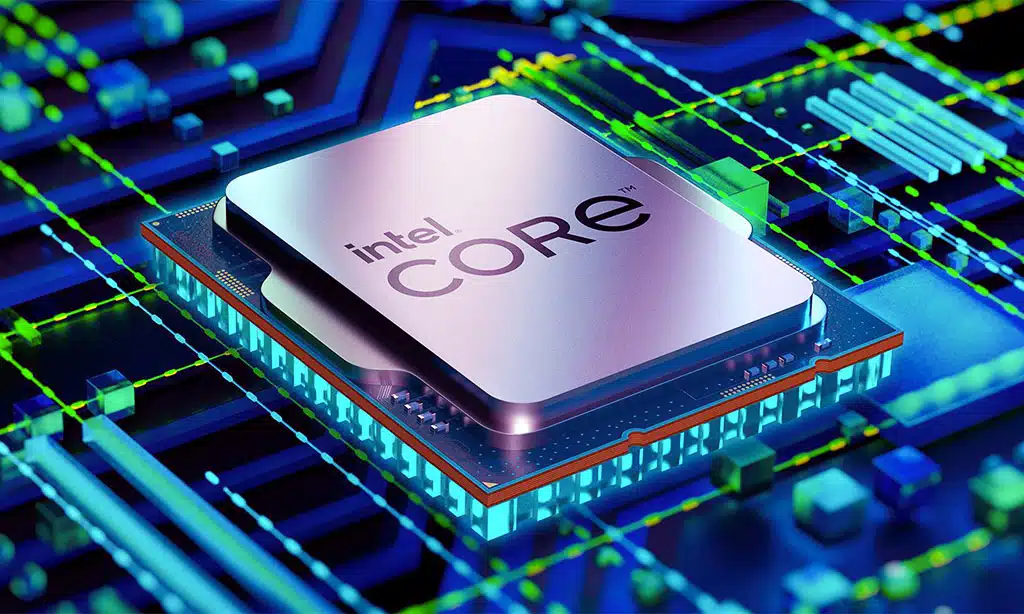
Hey, wanna keep your gaming rig ahead of the curve? A high-core-count CPU, like an Intel Core i7 or AMD Ryzen, is your ticket to smashing through tough games with ease!
Recommended Options for 2023
I’m thrilled to guide you through some top-tier CPU picks for 2023 that’ll keep your gaming rig roaring for years. Check out this table for the best high-core-count processors that match your needs, especially if you’re eyeing budget gaming laptops or high-end builds.
| CPU Model | Core Count | Boost Clock Speed | Best For | Price Range (USD) |
|---|---|---|---|---|
| Intel Core i7-13700K | 16 (8P + 8E) | Up to 5.4 GHz | High-end gaming, multitasking | $400-$450 |
| AMD Ryzen 7 7800X3D | 8 | Up to 5.0 GHz | Budget gaming laptops, pure gaming performance | $350-$400 |
| Intel Core i9-13900K | 24 (8P + 16E) | Up to 5.8 GHz | Extreme gaming, content creation | $550-$600 |
| AMD Ryzen 9 7950X3D | 16 | Up to 5.7 GHz | Premium builds, future-proof setups | $650-$700 |
Let me break this down for you, pal. All these CPUs pack at least 8 cores, which I’d say is the sweet spot for gaming now, and they blow past the 4.0 GHz boost speed benchmark for snappy performance. If you’re on a tighter budget, the Ryzen 7 7800X3D is your go-to for gaming laptops with solid muscle. Got a bit more to spend? Then, the Intel Core i9-13900K, with a wild 24 cores, is like having a beast under the hood.
Think of these picks as your ticket to lag-free zones. Whether you’re battling in the latest titles or streaming your epic wins, these processors, like the AMD Ryzen 9 7950X3D, have the grit to keep up. Stay with me as we explore more components that’ll make your setup a gaming fortress.
Next-Generation GPU
Hey, gamers, wanna turbocharge your gaming performance with a next-generation graphics processing unit? Stick around to uncover the slick features that’ll make your jaw drop!
Key Features to Look For
Let’s chat about picking the right graphics card for your gaming PC. Finding a next-generation GPU with solid features can boost your gaming performance big time.
- Strong VRAM Capacity: Go for a graphics processing unit with at least 8GB VRAM, though 12GB or more is the sweet spot for future-proofing. This ensures your system handles high-res textures and complex scenes without a hitch, keeping games smooth even years down the line.
- Ray Tracing Support: Pick a GPU that nails ray tracing, a tech that makes lighting and shadows look jaw-dropping real. Cards with this feature, like many in the RTX series, bring your games to life with cinematic visuals.
- Deep Learning Super Sampling (DLSS): Hunt for a card with DLSS or similar AI acceleration tricks. This neat tool uses smart tech to upscale graphics without tanking frame rates, giving you sharp visuals and fast gameplay.
- PCIe 4.0 or Higher Compatibility: Make sure your graphics card supports PCIe 4.0, or even PCIe 5.0 if you’re planning way ahead. These slots offer crazy fast data speeds, so your GPU chats with other parts like the central processing unit without lag.
- Avoid Low-End Models: Steer clear of budget GPUs, such as the RTX 4050, which might struggle with tomorrow’s games. Spending a bit more now on a stronger card saves you from early upgrades and keeps your rig competitive.
- Solid Clock Speeds: Look for a GPU with high clock speeds to push faster processing. This means quicker rendering of game worlds, so you’re not stuck staring at loading screens while your buddies are already in action.
- Future-Ready Ports: Check for modern outputs like HDMI 2.1 to match new monitors and TVs. Having these on your graphics card means you’re set for 4K or 8K gaming as displays evolve over time.
DDR5 (or Newer) Memory
Hey, wanna keep your gaming PC running like a race car on steroids? Grab some DDR5 memory, the latest speed champ, and watch your games load faster than a cheetah on a sprint!
Minimum Recommended Capacity
Let’s chat about DDR5 memory and the minimum capacity you need for gaming PCs. Modern games are hungry for more random access memory, and with growing file sizes, plus the need to multitask, you can’t skimp here.
Aim for at least 16GB of DDR5 memory in 2023 to keep your system running smooth.
Now, why settle for less when 32GB is even better for future-proof gaming performance? Bigger games and heavy software updates demand this extra power. Trust me, having that cushion feels like a safety net when you’re deep in a virtual battle.
Stick with DDR5, and your rig will thank you with lightning-fast speeds.
Fast and Generous Storage
Hey, wanna keep your gaming PC running like a race car? Grab some speedy NVMe SSDs to load games in a flash, and trust me, you’ll feel the difference!
SSD vs. HDD: Why SSD Is Essential
Solid state drives, or SSDs, outperform hard disk drives, known as HDDs, by a wide margin in gaming performance. Imagine SSDs as the high-speed race car of storage, while HDDs are more like a sluggish tractor.
With NVMe SSDs, you experience incredibly fast data access, which slashes game load times significantly. No more waiting endlessly on a loading screen, my friend!
Now, let’s talk about why SSDs come out on top every time. They provide superior speed and dependability compared to HDDs, ensuring your gaming PCs operate as smoothly as a well-oiled machine.
Whether you choose NVMe SSDs or SATA SSDs, you’re avoiding the delays that come with traditional hard disk drives. Go with SSDs, and your games will be ready to play before you even think about grabbing a snack!
Motherboard with Future-Proof Features
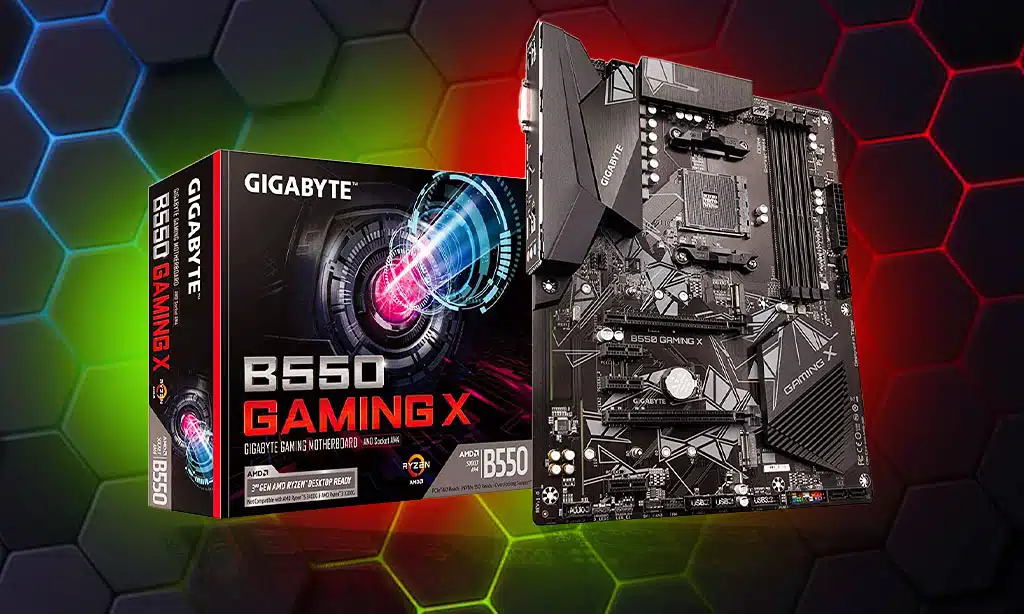
Hey, gamers, picking a motherboard with top-notch slots like PCIe support can keep your rig ready for tomorrow’s tech. Want to know which boards pack the best punch? Stick around for more!
PCIe Support and Expansion Slots
Let’s talk about building a gaming PC that lasts. Picking the right motherboard with solid PCIe support and expansion slots is a game-changer.
- PCIe support is your ticket to future-proofing your rig, especially with slots like PCIe 4.0 or 5.0, which offer lightning-fast speeds for the latest graphics cards and NVMe SSDs. These lanes let you hook up next-gen gear without a hitch, keeping your gaming performance top-notch for years.
- Expansion slots on motherboards give you room to grow your system, letting you add more hardware down the road. Think about tossing in an extra GPU for insane visuals or a fancy sound card to boost your audio game.
- Look for boards with multiple PCIe slots if you’re dreaming of a setup with several drives or cards, as this flexibility is key for system expandability. It’s like having extra seats at a party, ready for more guests whenever you are.
- Compatibility matters a ton with PCIe versions, so grab a motherboard that supports the newest standards to avoid bottlenecks. This keeps your gaming PCs ready for whatever tech drops next, no sweat.
- Don’t skimp on slots if you’re into heavy multitasking or plan to upgrade often with new tech like Thunderbolt 4. Having space means you won’t be stuck tearing your hair out when the latest gizmo needs a home.
- Check for PCIe lane distribution too, since some boards split bandwidth when you use multiple slots, which can slow things down. A good layout keeps your graphics card and storage humming along without a fight for resources.
- Finally, peek at the motherboard’s build for cable management around those slots, as a tidy setup helps with airflow and cooling systems. A neat computer case setup can save you from a hot mess, literally, while gaming hard.
Adequate Power Supply Unit (PSU)
Hey, gamers, let’s chat about your rig’s heartbeat, the power supply unit, or PSU. Pick a solid one, and keep your system running smooth, no matter the load!
Wattage and Efficiency Considerations
Let’s talk about powering your gaming rig. Picking the right power supply unit (PSU) can make or break your setup.
- First off, wattage matters a ton for gaming PCs. You need enough juice to handle high-performance CPUs and GPUs, especially if you’re running a beastly graphics card with ray tracing. Aim for at least 650 to 850 watts if you’re building a system with top-tier parts. That kind of power keeps everything humming without a hitch.
- Next up, think about efficiency ratings for your power supply. Look for a PSU with an 80 Plus certification, like Gold or Platinum. These ratings mean less wasted energy, lower heat, and a quieter system, which is pure gold when you’re deep in a game.
- Also, reliable power is key for system stability. A solid PSU prevents crashes and protects your pricey gear from sudden surges. This kind of steady flow adds years to your rig’s life, saving you cash down the road.
- Don’t skimp on quality, folks. A cheap power supply unit might save a few bucks now, but it could fry your setup later. Stick with trusted brands that promise consistent voltage, and you’ll dodge a real headache.
- Lastly, plan for the future with your PSU choice. If you upgrade to a beefier GPU or add more NVMe SSDs, you don’t want to swap out the power supply too. Get a unit with extra headroom in wattage, and you’re set for the next big thing in gaming performance.
Advanced Cooling Solutions
Hey, gamers, let’s chat about keeping your rig chill under pressure. A solid cooling setup, like a trusty fan system or a sleek water-based option, can save your gear from overheating during epic battles.
Air vs. Liquid Cooling Options
Let me break down the cooling dilemma for you, pals. Choosing between air and liquid cooling can feel like picking between a trusty old bicycle and a flashy sports car, but both have their place in keeping your gaming rig chill under pressure. Check out this table to see how they stack up, and pick what fits your vibe.
| Cooling Type | Pros | Cons | Best For |
|---|---|---|---|
| Air Cooling (with Quality Fans) | – Easy to set up, no fuss
– Costs less upfront – Reliable for everyday builds |
– Struggles with extreme heat
– Can get noisy under load |
– Casual gamers
– Budget setups – Less demanding systems |
| Liquid Cooling (AIO Systems) | – Top-notch thermal control
– Handles overclocked setups like a champ – Often quieter at high loads |
– Pricier to buy and install
– Small risk of leaks, though rare |
– Hardcore gamers
– Overclocked rigs – High-performance builds |
Now, let’s chew the fat a bit. Air cooling, with solid fans like those from Noctua, keeps things simple and gets the job done for most. It’s like your favorite diner, nothing fancy, just good eats. But, if you’re pushing your CPU or GPU to the limit with overclocking, liquid cooling, think brands like NZXT or Corsair, steps in as the heavyweight. It’s got better thermal performance, as studies show, and can tame those scorching temps like a firefighter dousing flames.
Ponder this for a sec. If your gaming setup is more of a weekend hobby, stick with air cooling and save some bucks. Got a beast of a machine that runs hot 24/7? Splash out on a liquid cooler, and watch those temps drop. What’s your rig like right now, too hot to handle or cool as a cucumber?
Takeaways
Hey gamers, ready to level up your rig for the long haul? Building a future-proof gaming PC with these seven key components means you won’t be left in the dust. Think of it as gearing up for an epic quest, only this time, it’s all about crushing those next-gen titles.
Got a question or a hot tip? Drop it below, and let’s chat about keeping your setup ahead of the game!
FAQs
1. Hey, what’s the big deal with a graphics card for gaming PCs?
Man, a top-notch graphics card is your ticket to jaw-dropping visuals. It powers up ray tracing, or as some call it, ray-tracing, to make game worlds look insanely real. So, if you’re serious about gaming performance, don’t skimp on this beast of a component.
2. Why should I care about DDR5 memory in my rig?
Listen up, DDR5 memory is like giving your gaming PC a turbo boost. It handles data faster than older types, keeping your games smooth as butter even with multiple cores running hot.
3. Are NVMe SSDs worth the hype for gamers like me?
Oh, absolutely, buddy, NVMe SSDs are a game-changer over any old hard disc drive. They slash load times to almost nothing, getting you into the action quicker via super-fast PCI Express lanes. Trust me, once you go NVMe, there’s no turning back.
4. Should I bother with liquid cooling for my setup?
Yo, if you’re pushing your Intel i7 to the limit, a liquid cooling system is your best pal. It keeps temps down way better than basic fans, protecting your precious gaming PC from overheating meltdowns during epic sessions.
5. How does the operating system tie into future-proof gaming?
Well, my friend, your operating system, or OS as we techies say, is the backbone of it all. It needs to play nice with system BIOS, neural engines, and even AI accelerators for peak gaming performance. Pick a solid OS, and you’re setting yourself up for success down the road.




























