Are you tired of chasing team members for updates, missing deadlines, or handling too many sticky notes on your desk? Project Management Tools are supposed to bring order, but sometimes they just turn into another thing to manage. Many people get lost in the mess and feel overwhelmed by all the moving parts.
Here’s something interesting. Some new tools now use Artificial Intelligence and automation to run tasks with little help from humans. They can set reminders, predict problems before they happen, and even suggest better ways to organize work.
In this post, you will learn what these smart project management tools do and how they make your job easier. I will show you which options could save you time and make teamwork less stressful. Your next big shortcut might be one click away. Keep reading!
What Are Project Management Tools?
Project management tools help teams plan, track, and finish work faster. These software solutions let groups set tasks, manage resources smartly, and check progress with just a click.
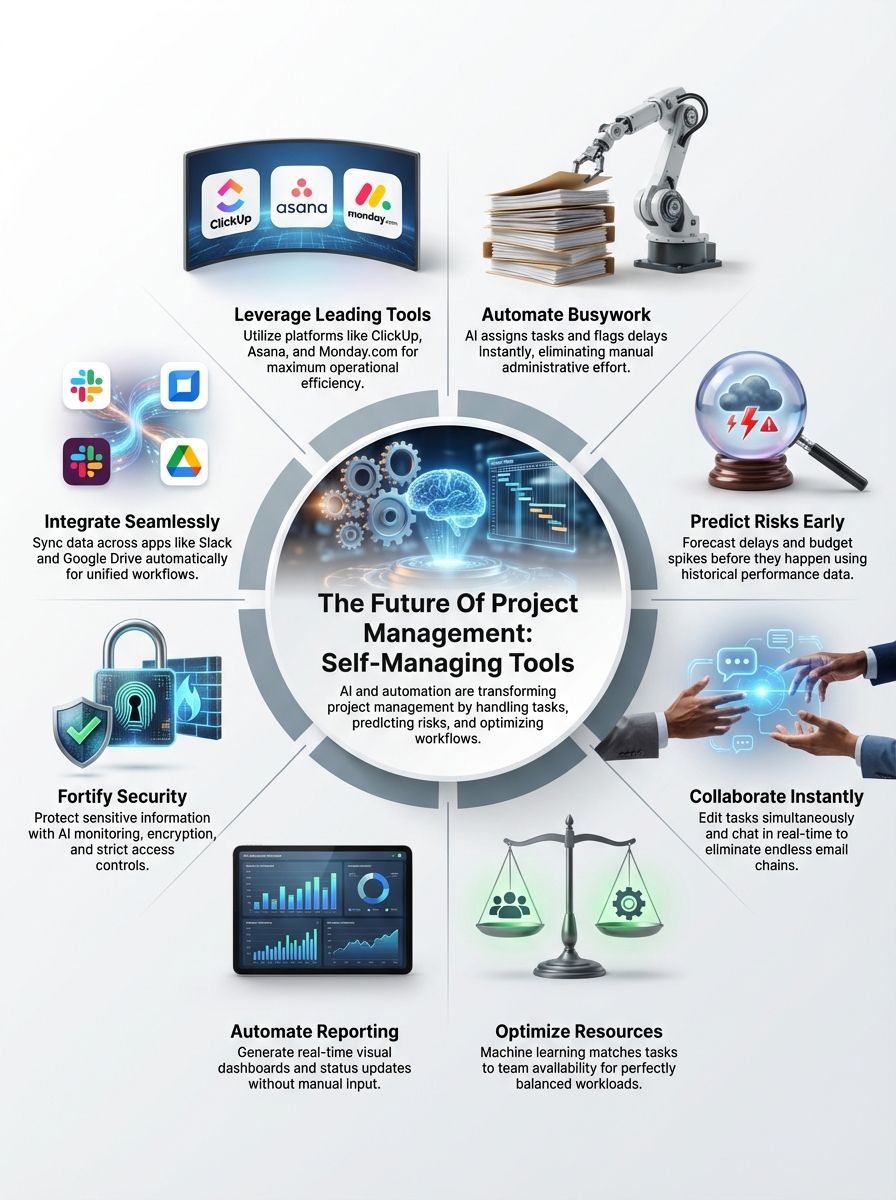
People use tools like ClickUp or Asana to keep things simple and tidy. Teams organize files, chat in real time, and handle deadlines with ease.
In the past, these tools were just digital checklists. Today, they act more like active team members. They use artificial intelligence to automate busy work and analyze data, making project planning smoother than ever.
Why Companies Need Smarter Project Management Tools
Missed deadlines can cost a company thousands of dollars. Teams struggle with lost files, mixed-up emails, and unclear plans. Simple task lists no longer get the job done in 2026.
Fast-changing goals mean people need powerful automation and AI integration to stay ahead. The cost of “work about work” is real. According to Asana’s Anatomy of Work Index, knowledge workers spend roughly 60% of their day on coordination tasks like searching for info or sitting in status meetings. That leaves only a small fraction of the day for the skilled work they were actually hired to do.
Tools that track budgets using predictive analytics help spot trouble before it grows. Platforms like Wrike can now catch risks fast, send alerts, and suggest fixes right away. This prevents a small delay from becoming a budget-killing problem.
Staff crave clear ways to work together from anywhere at any time. Old software slows teamwork down with endless email chains and manual updates that eat up hours each week. Smarter collaboration tools improve workflow optimization for hybrid approaches or remote staff.
Everyone stays on the same page with live updates and shared boards like those in ClickUp or Monday.com. Smart resource allocation features match tasks to team skill sets faster than managers ever could alone. This saves money while boosting project planning speed worldwide.
Key Features of Self-Managing Project Management Tools
These smart tools handle busy work, give you helpful hints, and make teamwork easier. Curious how they do it? Keep reading to find out.
AI-Powered Task Automation
AI takes care of tasks that used to eat up your time. No more sorting files or sending status updates by hand. Smart project management tools use artificial intelligence to assign jobs, flag delays, and follow up on overdue items with speed that human brains can only dream of.
In my experience as a front-end engineer, context switching is the enemy of productivity. ClickUp Brain is a great example of a solution here. It connects your tasks, docs, and people so you can ask it questions like “What did I promise to ship this week?” without digging through five different tabs.
In 2025, automation adoption surged. Agile teams get reminders before deadlines slip away and daily reports land in dashboards without extra clicks. AI integration keeps projects running like a well-oiled machine. Tools keep learning and adapting as new problems pop up.
Predictive Analytics for Deadlines and Budgets
Predictive analytics spots delays, budget changes, or risks before they turn into problems. Tools study past projects using artificial intelligence and data analysis. They compare current progress against plans, forecast if a project will finish on time, and flag cost spikes early.
For example, Wrike’s Work Intelligence uses historical data to flag projects that are at risk of slipping. It gives you a “Project Risk Report” so you can intervene weeks before the deadline is actually missed.
Managers use these numbers to react fast and keep spending in check. The system offers options like reassigning tasks or shifting timelines for better project optimization. This keeps teams focused and costs from snowballing out of control.
Even small businesses now find this technology easy to use, thanks to smarter automation built into modern platforms.
Real-Time Collaboration Enhancements
After using predictive analytics to spot problems before they crash your project, real-time collaboration tools step in to keep teams sharp. Coworkers can now edit the same task lists at once, chat live about blockers, and even vote on solutions without waiting for emails.
Messages pop up fast, so updates reach everyone right away. Atlassian’s Rovo helps here by letting you find information across Jira, Confluence, and even third-party apps like Slack. It acts like a universal search bar for your entire company.
Sticky notes are out. Instant tagging is here. These smart features save hours each week by cutting down on meetings and confusion. Teams work together from anywhere, as if sitting side-by-side.
AI highlights urgent issues for each member, so nobody misses a beat or drops the ball during peak deadlines. Project management feels less like herding cats and more like running a system that works for you.
Integrated Workflow Customization
Teams can move tasks, files, and approvals in one place, using tools that fit their style. ClickUp and Monday.com let users build steps by dragging boxes or clicking check marks. With AI Integration, these platforms adjust systems for different projects without extra coding.
A manager might set up alerts for overdue work or auto-sort new jobs with just a few clicks. Drag-and-drop makes workflow changes fast. Switch task order, add rules for who reviews what, or insert automatic reminders to boost efficiency.
Pro-Tip: For developers, Jira Automation is a lifesaver. You can set rules like “When a Pull Request is merged in GitHub, automatically move the Jira ticket to Done.” It removes the manual admin work that most devs hate.
Some tools use Predictive Analytics to recommend ways to speed up completion times. Wrike even tracks task dependencies. If Alice finishes early, Bob gets notified instantly, so nothing sits waiting in the project queue. This kind of flexibility raises team output and stops things from falling through the cracks.
Emerging Trends in Self-Managing Project Management Tools
New tools help teams work faster and smarter. These changes can save time, cut errors, and bring projects to the finish line with less stress.

AI-Driven Decision-Making
AI-driven decision-making spots trends and suggests next steps using data analytics. The software tracks project progress in real time, learning from past results. If a deadline looks risky or if resources run low, AI can alert the team fast.
For example, predictive analytics help managers see a budget issue before it becomes a problem. Teams work smarter since decisions rest on hard numbers instead of gut feelings. This shift helps boost efficiency and keeps projects on track even as plans change quickly.
Machine Learning for Resource Allocation
Machine learning spots the best way to share work and tools. It studies past project data, like how teams used time or money. Using this knowledge, it places people, funds, and gear where they help most.
If a team member finishes early, machine learning can send them new tasks right away. Tools like Resource Guru or the workload management features in Monday.com allow you to visualize who is burnout-prone and who has capacity.
This makes resource management faster and less stressful for everyone. Mistakes drop because you do not have to guess who has extra time or which tool is free. More companies now trust these systems in project planning for higher efficiency and fewer delays.
Automated Progress Reporting
Smart tools are not just good at dividing up work; they also shine at keeping everyone updated. Automated progress reporting uses AI to track tasks, mark milestones, and share updates with your team.
No more guessing who finished what or waiting for long email threads. These reports can show you graphs, highlight slowdowns in real-time, and even predict if you might miss a deadline.
Asana’s Smart Status uses AI to draft status updates for you. It pulls data from completed tasks and upcoming milestones to write a clear, concise report in seconds. Visual dashboards help teams see big wins and small delays right away.
Teams waste less time on meetings to give updates, so there’s more focus on actual work. Project managers get clear data through simple charts or color-coded warnings that break down every step of the project plan. This keeps projects moving fast and helps everyone spot problems before they grow bigger than needed.
Enhanced Data Security and Privacy
AI Integration in project management tools now watches over data like a guard dog. Strong encryption keeps files safe from prying eyes. Teams use two-factor authentication, so only the right people get access.
These tools follow strict rules, such as GDPR and CCPA, to protect user information better than old-school methods ever did. In the US, compliance with SOC 2 Type II standards is now a baseline expectation for any serious enterprise tool.
Data analytics helps spot odd behavior fast, which stops cyber threats before they cause harm. Cloud-based solutions store work on secure servers that are checked 24/7 for breaches or leaks. As automation grows, privacy features keep up with hackers and new types of scams, protecting every task and message along the way.
Top Tools Leading the Future of Project Management
Some tools already use smart features to help teams work faster and easier. These platforms offer a peek at what project management could look like soon.
ClickUp
ClickUp uses automation and AI integration to cut busywork. The platform moves tasks, sets reminders, and updates lists without you lifting a finger. Teams use ClickUp for simple workflows or complex projects.
Their standout feature is ClickUp Brain. It acts as an AI Knowledge Manager that can answer questions about any doc or task in your workspace. It also includes an AI Writer to help draft emails or project briefs.
Predictive analytics help with project planning by showing deadlines and helping manage budgets before problems start. With real-time collaboration tools, everyone stays on the same page, even if team members work from different places or time zones. You can add custom fields, build reports fast, and share progress in seconds.
Monday.com
Monday.com lets teams manage projects with clicks, not code. You get bright boards that track tasks, so nobody misses a step. The platform pulls in automation and AI integration for things like reminders and status updates.
Small teams or giant businesses both use Monday.com to move fast without chaos. A key feature here is Monday AI, which includes an “AI Solution Builder” that can generate entire workflow boards just from a simple text description.
It fits all types of work, from marketing plans to IT support tickets. Custom workflows help the system fit each group’s needs quickly. Real-time data analytics guide users on what matters most today and tomorrow. Collaboration tools keep everyone talking.
Asana
Asana helps teams keep track of projects with ease. Its clean boards let users move tasks like sticky notes, which keeps everyone on the same page. It uses automation for task management and reminders, saving hours each week.
Teams set deadlines, assign owners, and follow progress in real time. No more hunting through emails or spreadsheets. Asana Intelligence suggests due dates based on past data, helping teams avoid late work. It also connects with over 200 other tools, making it great for hybrid approaches.
Smart tags group related jobs together for fast searching. This boosts efficiency across big groups or small squads alike.
Wrike
Shifting gears from Asana, Wrike jumps in with smart automation and deep data analytics. Its AI-powered tools flag delays before they trip up your workflow. This platform handles both small teams and big projects, making it easy to plan tasks and track progress in real time.
Project managers use predictive analytics inside Wrike to spot risks early. Their Work Intelligence feature offers “Generative AI” that can digest long threads and summarize them instantly.
Users also get flexible dashboards that show every task’s status at a glance. Teams can adjust workflows on the fly, which helps speed up decision-making and boosts efficiency across any project size.
Jira
After talking about Wrike, it is time to look at Jira. Software teams use Jira daily for tracking tasks and bugs. Its automation features help save time with recurring jobs. The tool uses AI-powered suggestions to speed up task management and project planning.
Many developers trust its data analytics for smart reports on progress and deadlines. A massive win for devs is the new AI ability to convert natural language into JQL (Jira Query Language). You can just type “Show me all bugs from last week” instead of writing complex code queries.
Users get customizable boards that suit both Agile methodology and hybrid approaches. Integration with other apps boosts workflow optimization even more. Companies of all sizes pick Jira for its strong resource management tools, tight security settings, and easy collaboration features.
How to Choose the Right Self-Managing Tool
Picking a tool is like choosing shoes. It should fit your team just right, never too tight or loose. Ask questions, poke around in demos, and see what makes your day run smoother, not harder.
Evaluate Team Size and Needs
Small teams may only need basic task management with some automation. Big companies, especially those handling many projects at once, benefit from tools that offer more AI integration and predictive analytics.
Teams using hybrid approaches or Agile methodology often want real-time collaboration features and workflow optimization. A team of five works differently from one with fifty. Some tools like ClickUp and Asana work well for all sizes, while others like Jira shine in larger or tech-heavy groups.
Check if the tool handles your current size but also allows easy scaling as you grow. Always match tool features to both team numbers and project needs. Skipping this can slow down efficiency faster than a dropped internet connection on demo day!
Quantified Comparison for Clear Choices
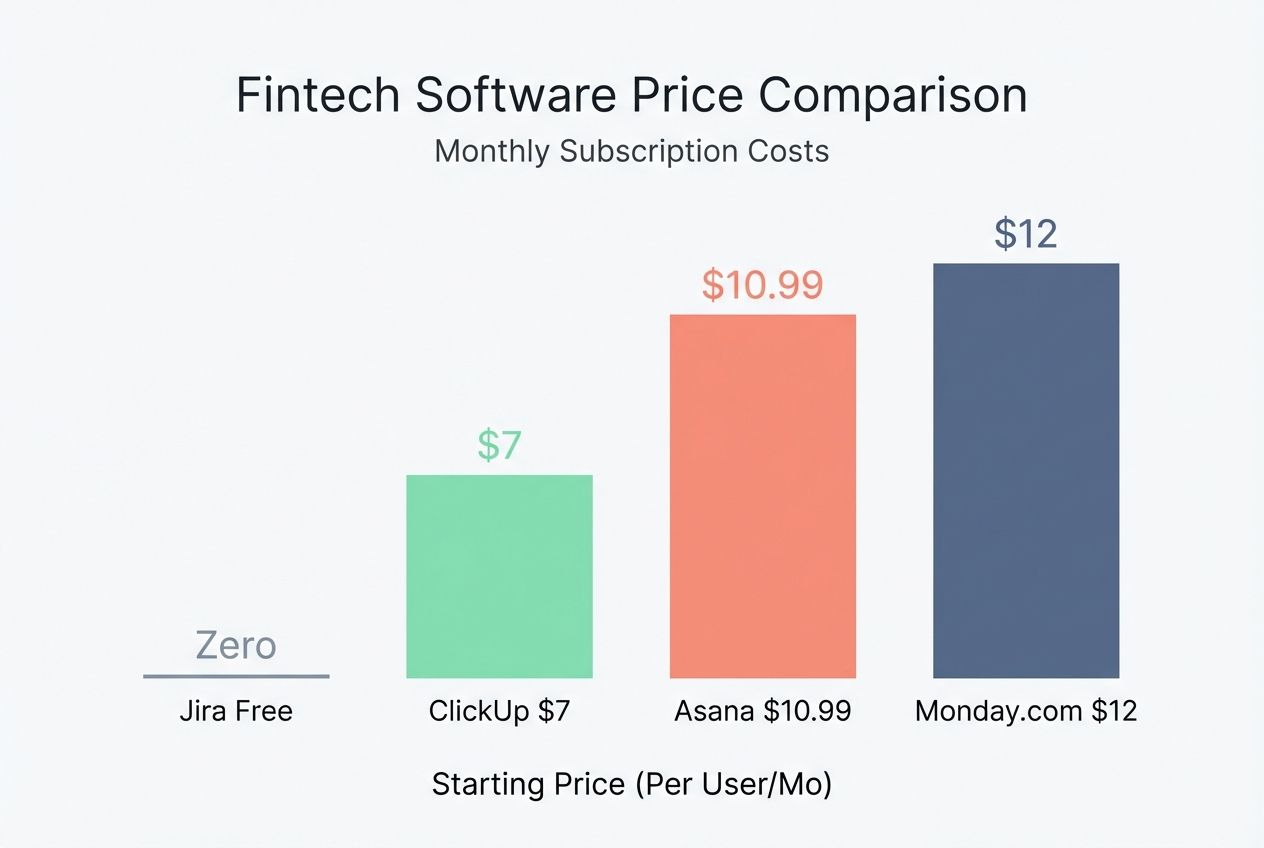
To help you decide, here is a quick look at how these tools stack up in terms of pricing and key AI features for 2026.
| Tool | Starting Price (Per User/Mo) | Key AI Feature | Best For |
|---|---|---|---|
| ClickUp | ~$7 (Unlimited) | ClickUp Brain (Knowledge Manager) | All-in-one productivity & value |
| Monday.com | ~$12 (Standard) | Monday AI (Workflow Builder) | Visual learners & creative teams |
| Asana | ~$10.99 (Starter) | Smart Status & Answers | General project tracking & clarity |
| Jira | Free (up to 10 users) | Atlassian Rovo (Dev Intelligence) | Software development teams |
Note: Prices are estimated based on annual billing in the US and may vary.
Assess Integration Capabilities
After checking your team’s size and needs, it is time to see how well a tool works with others. Integration lets project management tools connect with things like Slack, Google Drive, or GitHub.
Fewer clicks mean less stress for your team. Imagine setting up Asana so tasks show on your calendar, or letting Monday.com send files straight to Dropbox without extra steps. Good integration boosts efficiency by syncing data in real time across apps you already use daily.
Tools that support open APIs often play nicer with custom company systems too. Keep an eye out for features that allow easy switching between workflows or importing/exporting data quickly. This saves hours each week and cuts down on mistakes from manual entry. This way, AI integration and automation actually make life easier instead of adding more work to the pile.
Consider Scalability and Costs
Teams grow, shrink, and shift like a game of musical chairs. The right project management tool should handle more users or projects without breaking a sweat. Some tools charge per user, while others offer flat fees for bigger teams.
For example, ClickUp and Asana both use tiered pricing based on features or seats. Costs can add up fast if you miss the fine print or skip annual plans. Automated features may cost extra on platforms with advanced AI integration or predictive analytics. For instance, ClickUp Brain is often a separate paid add-on (around $5/member/month) on top of your base plan.
Check how easy it is to scale up without surprise bills popping out from behind the curtain. Choose what works today but will not trap you in high costs later as your team evolves.
Final Thought
Project management tools now use automation and smart features to work almost on their own. You have seen how AI, task automation, and strong data analysis help save time, cut mistakes, and boost teamwork.
These tools make it easy for anyone to plan jobs, track progress with clear reports, and respond fast if things change. Picking the right tool does not need special skills. Just match your needs with helpful features like real-time updates or smart reminders.