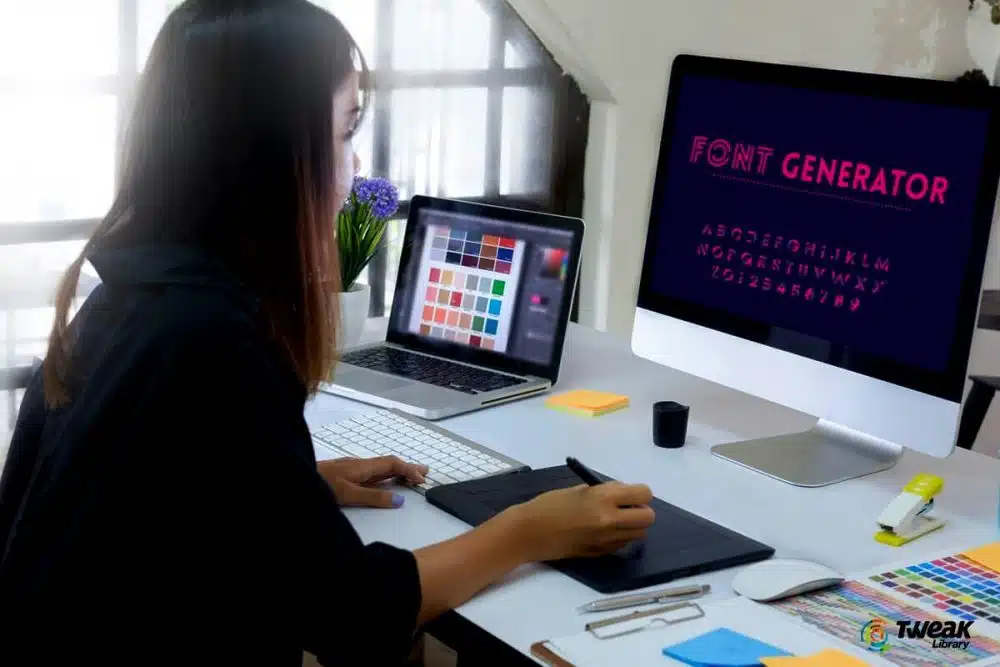
Why Do People Prefer to Use a Font Generator?

Font Generator

There are so many fonts on heatfeed to choose from that picking the ideal one might be challenging. Is font choice, on the other hand, really that important? Unquestionably. The way words are presented can have a significant impact on how they are perceived by the reader. The font you choose could have a big impact on the people who read what you’ve written. As a result, the meaning may vary considerably depending on the font employed. Fonts, in fact, may subconsciously influence us about where to go and what to buy. Fonts with a formal appearance, such as Helvetica, are treated with greater respect than other fonts. When multiple people read the same text in that font which is added via an app like fontgeneratorapp.com , the information is widely accepted, and there are fewer reader conflicts. A more humorous font, such as Comic Sans, on the other hand, has the opposite effect. The same information was not viewed with the same seriousness, and there were more content conflicts.

Why do people prefer to alter fonts?

Fonts provide both a functional and decorative purpose. In addition, some typefaces perform better in specific applications than others. The font you choose will convey a lot about your brand to present and potential customers. You should select a more traditional, sophisticated font if you have a more professional and large organization, such as a law firm. A comical typeface like Comic Sans should be utilized if your firm is more cheery, such as if you provide children’s birthday parties. Consider that some fonts elicit more confidence than others. You’ll want to pick a typeface that isn’t likely to turn off potential consumers.

To make the page more appealing in web design, designers will incorporate some extra effects in the font design, however, most users’ computers do not have these special fonts installed, thus the font-family property is used to identify these particular fonts.

View the Fonts That Have Been Installed

Activate the Control Panel (type Control Panel in the search field and select it from the results). Click the Fonts icon in the Control Panel’s Icon View. Windows displays all of the fonts that have been installed.

Fonts to Try Out

Select a single font (any font represented by a single page) and then click Preview or just double-click it. (You can also preview the font by right-clicking it and selecting Preview.) The Font Viewer allows you to see how the font looks at different sizes. If you need a printed copy of a font, you can print the content in the font viewer window.

Font Families Preview

If the font is part of a family (any font with numerous pages), double-clicking it brings up a page with each member of the family. After that, you can see a preview of each font separately. When you choose Preview for a font family, a number of viewers appear, each with a particular property, such as bold, italic, or bold italic. Windows first asks if you wish to open all of the viewer screens for font families that require more than a few. After that, you must close each preview window separately.

View Font Specifications

Click on a font to learn more information about it. The font is displayed in Windows with several features. To see the font in different sizes, move the slider left or right.

Personalized Preview

In the preview font window, you may also type a specific word or phrase to see how it looks.

Fonts should be added

More fonts can be added to Windows. Click the link to Fonts from the main Fonts panel. More fonts are available in the Microsoft Store.

Choose a New Font

The Microsoft Store lists all of the fonts that are available. The majority of fonts are free, with a few charging a little fee. Choose the font you’d want to use.




Subscribe to Our Newsletter

Related Articles

Top Trending

The Shift from Co-Pilot to Autopilot The Rise of Agentic SaaS
The Shift from "Co-Pilot" to "Autopilot": The Rise of Agentic SaaS
Polylaminin Breakthrough
Polylaminin Breakthrough: Can This Brazilian Discovery Finally Reverse Spinal Cord Injury?
Windows on Arm- The 2026 Shift in Laptop Architecture
Windows on Arm: The 2026 Shift in Laptop Architecture
LG CLOiD Home Robot Price
CES 2026: LG’s “Zero-Labor” AI Agent Robot Finally Has a Price Tag
Nvidia Thor Chip vs Tesla FSD
Nvidia’s “Thor” Chip vs. Tesla FSD: Jensen Huang Calls Musk’s Tech “World-Class”

LIFESTYLE

Travel Sustainably Without Spending Extra featured image
How Can You Travel Sustainably Without Spending Extra? Save On Your Next Trip!
Benefits of Living in an Eco-Friendly Community featured image
Go Green Together: 12 Benefits of Living in an Eco-Friendly Community!
Happy new year 2026 global celebration
Happy New Year 2026: Celebrate Around the World With Global Traditions
dubai beach day itinerary
From Sunrise Yoga to Sunset Cocktails: The Perfect Beach Day Itinerary – Your Step-by-Step Guide to a Day by the Water
Ford F-150 Vs Ram 1500 Vs Chevy Silverado
The "Big 3" Battle: 10 Key Differences Between the Ford F-150, Ram 1500, and Chevy Silverado

Entertainment

Samsung’s 130-Inch Micro RGB TV The Wall Comes Home
Samsung’s 130-Inch Micro RGB TV: The "Wall" Comes Home
MrBeast Copyright Gambit
Beyond The Paywall: The MrBeast Copyright Gambit And The New Rules Of Co-Streaming Ownership
Stranger Things Finale Crashes Netflix
Stranger Things Finale Draws 137M Views, Crashes Netflix
Demon Slayer Infinity Castle Part 2 release date
Demon Slayer Infinity Castle Part 2 Release Date: Crunchyroll Denies Sequel Timing Rumors
BTS New Album 20 March 2026
BTS to Release New Album March 20, 2026

GAMING

Styx Blades of Greed
The Goblin Goes Open World: How Styx: Blades of Greed is Reinventing the AA Stealth Genre.
Resident Evil Requiem Switch 2
Resident Evil Requiem: First Look at "Open City" Gameplay on Switch 2
High-performance gaming setup with clear monitor display and low-latency peripherals. n Improve Your Gaming Performance Instantly
Improve Your Gaming Performance Instantly: 10 Fast Fixes That Actually Work
Learning Games for Toddlers
Learning Games For Toddlers: Top 10 Ad-Free Educational Games For 2026
Gamification In Education
Screen Time That Counts: Why Gamification Is the Future of Learning

BUSINESS

IMF 2026 Outlook Stable But Fragile
Global Economic Outlook: IMF Predicts 3.1% Growth but "Downside Risks" Remain
India Rice Exports
India’s Rice Dominance: How Strategic Export Shifts are Reshaping South Asian Trade in 2026
Mistakes to Avoid When Seeking Small Business Funding featured image
15 Mistakes to Avoid As New Entrepreneurs When Seeking Small Business Funding
Global stock markets break record highs featured image
Global Stock Markets Surge to Record Highs Across Continents: What’s Powering the Rally—and What Could Break It
Embodied Intelligence
Beyond Screen-Bound AI: How Embodied Intelligence is Reshaping Industrial Logistics in 2026

TECHNOLOGY

The Shift from Co-Pilot to Autopilot The Rise of Agentic SaaS
The Shift from "Co-Pilot" to "Autopilot": The Rise of Agentic SaaS
Windows on Arm- The 2026 Shift in Laptop Architecture
Windows on Arm: The 2026 Shift in Laptop Architecture
LG CLOiD Home Robot Price
CES 2026: LG’s “Zero-Labor” AI Agent Robot Finally Has a Price Tag
Nvidia Thor Chip vs Tesla FSD
Nvidia’s “Thor” Chip vs. Tesla FSD: Jensen Huang Calls Musk’s Tech “World-Class”
Meta vs. The World- The Smart Glasses War Heats Up at CES
Meta vs The World: The Smart Glasses War Heats Up at CES

HEALTH

Polylaminin Breakthrough
Polylaminin Breakthrough: Can This Brazilian Discovery Finally Reverse Spinal Cord Injury?
Bio Wearables For Stress
Post-Holiday Wellness: The Rise of "Bio-Wearables" for Stress
ChatGPT Health Medical Records
Beyond the Chatbot: Why OpenAI’s Entry into Medical Records is the Ultimate Test of Public Trust in the AI Era
A health worker registers an elderly patient using a laptop at a rural health clinic in Africa
Digital Health Sovereignty: The 2026 Push for National Digital Health Records in Rural Economies
Digital Detox for Kids
Digital Detox for Kids: Balancing Online Play With Outdoor Fun [2026 Guide]