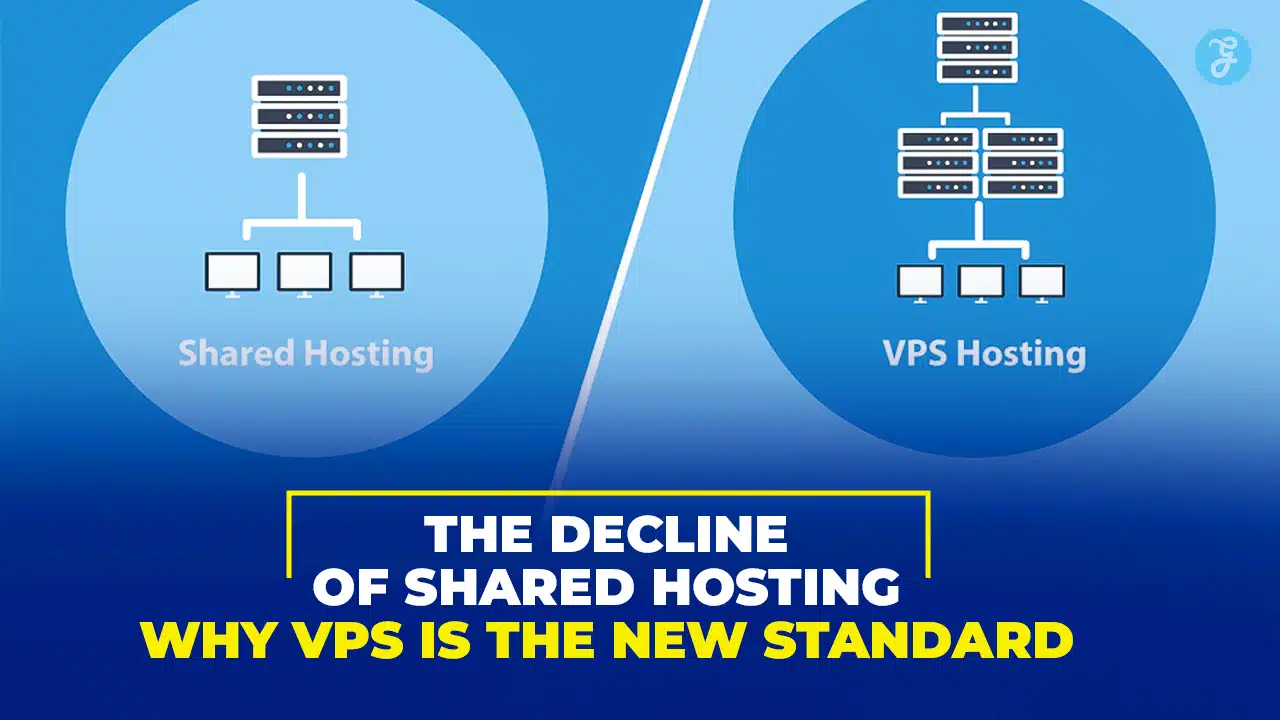
For over two decades, shared hosting was the default entry point for the web. It was cheap, accessible, and sufficient for the static internet of the early 2000s. But the digital landscape has shifted dramatically.
In 2026, user expectations are measured in milliseconds. Google’s “Core Web Vitals” now dictate search rankings, and security threats have become automated and relentless. In this high-performance environment, the traditional shared hosting model—where hundreds of websites compete for resources on a single server—is failing to keep up.
Industry data confirms this shift. While the shared hosting market remains large due to legacy sites, the VPS (Virtual Private Server) market is projected to grow at a CAGR of 16.2% through 2026, with 27% of shared hosting users planning to upgrade this year alone. This article explores why shared hosting is declining in relevance and why VPS has emerged as the necessary standard for modern websites.
To understand the shift, we must first analyze the architecture of shared hosting.
In a shared hosting environment, a single physical server hosts hundreds, sometimes thousands, of different websites.
- Single Tenant Architecture: Every website resides on the same Operating System instance.
- Communal Resource Pool: The CPU power, RAM, and disk I/O are shared. There is no “hard wall” separating your site’s resource usage from your neighbor’s.
Why It Was Popular
For years, this model was unbeatable for three specific reasons:
- Low Cost: Providers split server costs among thousands of users, driving prices as low as $2.99/mo.
- Simplicity: Pre-installed cPanel and “One-Click WordPress” installers required zero technical skill.
- Low Requirements: Early websites were largely text and images; they didn’t require the processing power needed for modern dynamic apps, heavy JavaScript, or personalized content.
The decline of shared hosting is driven by viability, not cost. Modern websites are dynamic applications that require resources shared environments cannot reliably provide.
The Noisy Neighbor Problem (Backed by Data)
The “Noisy Neighbor” effect occurs when one website on a shared server consumes excessive resources (due to a traffic spike, bad code, or a DDoS attack), degrading the performance of every other site on that server.
Recent benchmarks from 2025 show the impact of this resource contention:
| Metric | Average Shared Hosting | Average VPS Hosting | Impact |
| TTFB (Time to First Byte) | 800ms – 1.2s | < 400ms | Slower server response delays page rendering. |
| Uptime Stability | 99.5% – 99.9% | 99.99% | Shared servers reboot more often to clear stuck processes. |
| Load Handling | Fails at ~20-50 concurrent users | Handles 1000+ concurrent users | Shared sites “timeout” during traffic spikes. |
Poor Performance and Core Web Vitals
Google’s Core Web Vitals (CWV) metrics—LCP (Loading), INP (Interactivity), and CLS (Visual Stability)—are heavily influenced by server performance.
- High TTFB: Shared servers take longer to process PHP requests, directly hurting your LCP score.
- Database Lag: Shared SQL databases often choke during peak hours, causing high INP (delays in button clicks or interactions).
- SEO Penalties: Since 2021, Google explicitly uses page experience as a ranking factor. Slow hosting is an active SEO penalty.
Security Risks: Cross-Site Contamination
In a shared environment, file permissions are often lax to ensure compatibility.
- The Risk: If a hacker exploits a vulnerability in a neighbor’s website (e.g., an outdated plugin), they can potentially escalate privileges to infect the entire server directory.
- IP Reputation: You share an IP address with hundreds of others. If one neighbor sends spam, the entire IP—including your business emails—can be blacklisted by Gmail or Outlook.
What Is VPS Hosting and How It Works
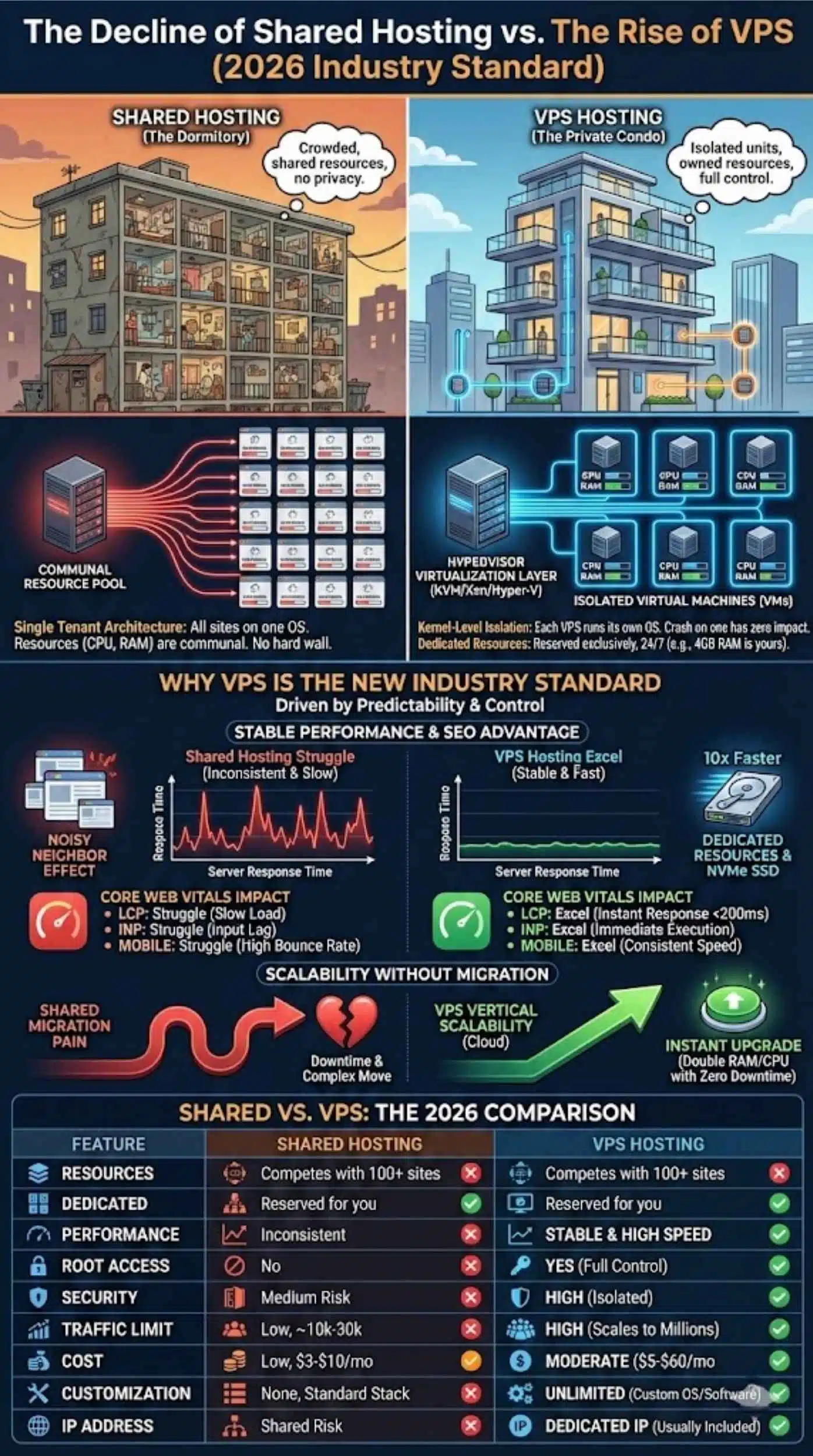
If shared hosting is a dormitory, VPS (Virtual Private Server) hosting is a private condo. You are in a larger building, but you own your unit.
Virtualization Technology Explained
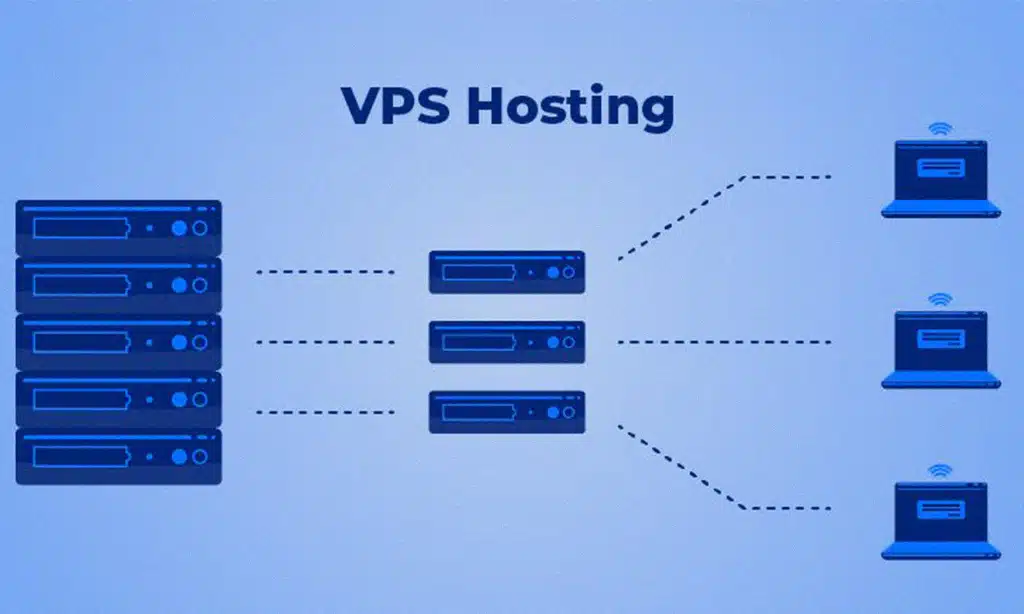
VPS hosting uses a Hypervisor (like KVM, Xen, or Hyper-V) to split a physical server into isolated virtual machines.
- Kernel-Level Isolation: Each VPS runs its own operating system (OS). A crash on one VPS has zero impact on another.
- Dedicated Resources: A VPS with 4GB of RAM has that RAM reserved exclusively for your use, 24/7. It is never “borrowed” by other users.
Why VPS Hosting Is the New Industry Standard
The migration to VPS is driven by the need for predictability and control. Here is why it has become the baseline for serious website owners in 2026.
Dedicated Resources for Stable Performance
- Guaranteed CPU/RAM: Your site speed does not fluctuate based on the time of day or other users’ activity.
- NVMe SSD Storage: Modern VPS providers use Enterprise NVMe drives, which are up to 10x faster than the SATA SSDs often found in budget shared hosting.
Better SEO and Page Experience Signals
Fast server response times are the foundation of good SEO.
| Core Web Vital | Shared Hosting Impact | VPS Hosting Impact |
| LCP (Largest Contentful Paint) | Struggle: High server response time delays load. | Excel: Instant server response (<200ms) helps hit the 2.5s target. |
| INP (Interaction to Next Paint) | Struggle: CPU throttling causes input lag. | Excel: Dedicated CPU ensures immediate script execution. |
| Mobile Performance | Struggle: Mobile devices rely heavily on fast server responses. | Excel: Consistent speed reduces mobile bounce rates (which are 53% for sites >3s). |
Scalability Without Migration
Scaling a shared hosting plan usually means a painful migration to a different server. With a VPS, scaling is vertical. You can often click a button to double your RAM or CPU cores instantly, with zero downtime. This “Cloud Scalability” allows your infrastructure to grow alongside your revenue.
Here is a side-by-side breakdown of the two hosting types based on current industry standards.
| Feature | Shared Hosting | VPS Hosting |
| Resources | Shared (Competes with 100+ sites) | Dedicated (Reserved for you) |
| Performance | Inconsistent (Fluctuates daily) | Stable & High Speed |
| Root Access | No (Restricted environment) | Yes (Full control) |
| Security | Medium (Risk of cross-contamination) | High (Isolated environment) |
| Traffic Limit | Low (Throttled at ~10k-30k visits) | High (Scales to millions) |
| Cost | Low ($3 – $10/mo) | Moderate ($5 – $60/mo) |
| Customization | None (Standard stack only) | Unlimited (Custom OS, Software) |
| IP Address | Shared (Risk of blacklisting) | Dedicated IP (Usually included) |
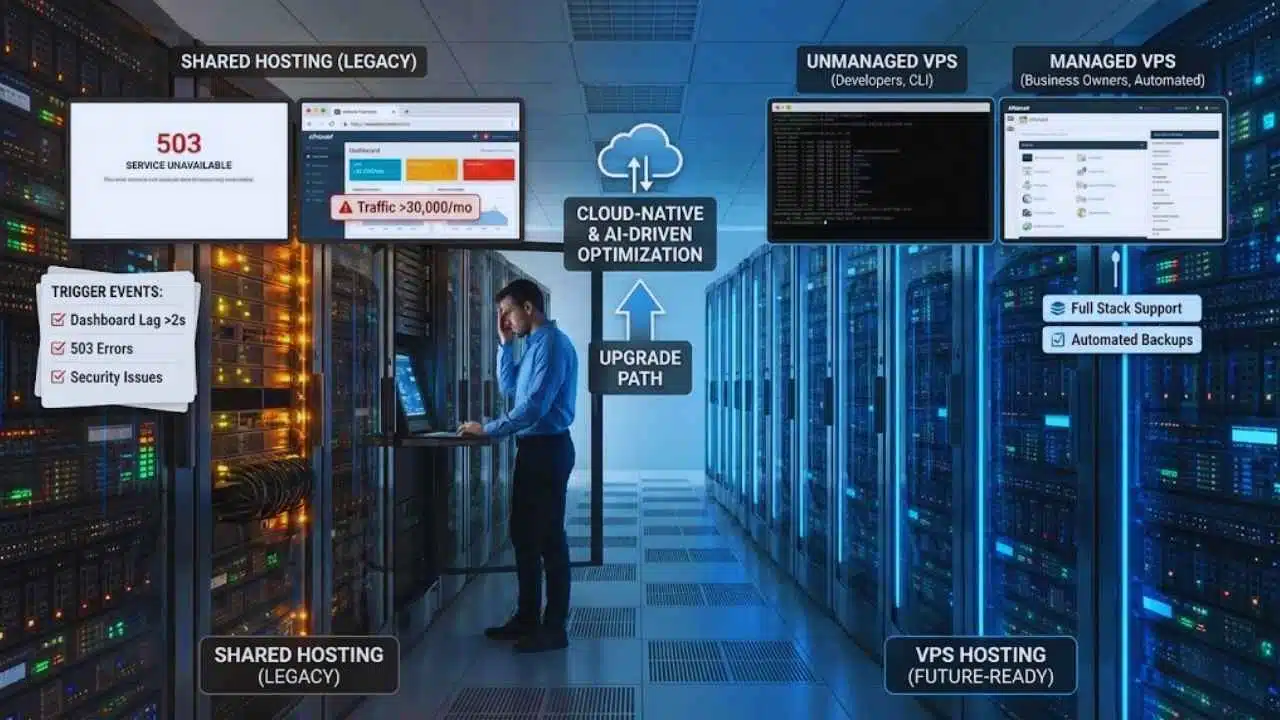
If you are currently on shared hosting, look for these specific “Trigger Events” that indicate you are losing money or reputation.
The Migration Checklist
If you check one or more of these boxes, it is time to upgrade:
- Traffic > 30,000/month: Your site slows down during peak hours.
- Dashboard Lag: The WordPress admin panel takes >2 seconds to load pages.
- 503 Errors: You see “Service Unavailable” or “Resource Limit Reached” errors.
- E-commerce: You are processing payments (speed directly correlates to conversion rates).
- Custom Needs: You need to run Node.js, Python, or a specific database version.
- Security Issues: You have had malware re-appear despite cleaning it.
Managed VPS vs. Unmanaged VPS
The biggest barrier to entry for VPS is technical complexity. However, the rise of Managed VPS has solved this.
Comparison of Responsibilities
| Responsibility | Unmanaged VPS | Managed VPS |
| Target Audience | Developers, SysAdmins | Business Owners, Agencies |
| OS Installation | User | Provider |
| Security Patches | User | Provider |
| Backups | User (Manual setup) | Provider (Automated) |
| Control Panel | Command Line (CLI) | cPanel / Plesk / Custom UI |
| Support | Hardware only | Full Stack Support |
| Price | Cheap (~$5/mo) | Higher (~$20 – $50/mo) |
Recommendation: Unless you are comfortable with Linux Command Line, always choose Managed VPS. The time saved on server maintenance is worth the extra cost.
The Future of Web Hosting
The trajectory is clear: Shared hosting is becoming a legacy product. We are moving toward “Cloud-Native” hosting. Even entry-level hosting is beginning to utilize containerization technology (like Docker/Kubernetes) to isolate users. Furthermore, AI-driven performance optimization is becoming standard on VPS platforms, automatically re-allocating resources during traffic spikes to prevent crashes.
Final Verdict
If you are building a hobby blog, shared hosting is still acceptable. But for any website intended to grow, generate revenue, or represent a professional brand in 2026, VPS is the only viable starting point. The performance gains (15-35% faster loads), security stability, and SEO benefits of a VPS significantly outweigh the small difference in monthly cost.