You know how practice management software updates can sometimes leave you scrambling to figure out a new login process. That might be your experience with the CentralReach member login, which recently got a major overhaul.
The platform has shifted to a modern, unified system to create a better, more secure experience for therapists, admins, and clients.
I’m going to walk you through exactly how the new system works, from the first-time setup to using its most powerful features. We’ll look at the security upgrades, the portal’s key tools, and how to get the most out of your CentralReach member area login.
Key Takeaways
- CentralReach member login now uses Single Sign-On (SSO) and Multi-Factor Authentication (MFA) to improve both security and convenience for users.
- SSO streamlines access by allowing you to use one set of credentials for all connected CentralReach platforms, which saves time and hassle.
- MFA is a critical security layer that requires a second verification step, like a code from an app, to protect sensitive client data.
- The Client Portal is your hub for managing everything from clinical notes and appointments to billing and secure messaging.
The Modern CentralReach Member Login Experience
The CentralReach member login has been completely updated to be more secure and user-friendly. The two biggest changes are the switch to Single Sign-On (SSO) and a strong emphasis on Multi-Factor Authentication (MFA).
The New Login Process
CentralReach’s updated login process is built around convenience and top-tier security. The goal is to make your life easier while protecting sensitive data.
The biggest change is the move to Single Sign-On (SSO). This technology means you no longer need different usernames and passwords for various CentralReach services. You simply go to login.centralreach.com and use one set of credentials to access everything.
A key pro-tip for a smooth transition is to ensure your primary email address is current in the system, as this is now your permanent username. For added protection of Personal Health Information (PHI), the platform strongly encourages enabling Multi-Factor Authentication (MFA).
Benefits of Single Sign-On (SSO)
The switch to a login via SSO offers some huge advantages for both individual users and the organizations they work for. It provides enhanced security and makes daily workflows much more efficient.
For starters, it dramatically reduces password fatigue. You only have to remember one strong password to access the main platform, CR Mobile, and the CR Institute for training. This saves time and lowers the security risk that comes from reusing passwords across multiple sites.
According to a 2023 report from the FIDO Alliance, 59% of people have more than 10 online passwords, which often leads to risky behaviors like password reuse. SSO helps solve this problem directly.
For larger practices, CentralReach’s SSO can often be integrated with existing identity providers like Google Workspace or Microsoft 365. This allows IT administrators to manage user access from one central dashboard, streamlining the onboarding process for new staff members.
The Critical Role of Multi-Factor Authentication (MFA)
In today’s digital environment, protecting sensitive client data isn’t just a good idea, it’s a requirement. This is where Multi-Factor Authentication (MFA) comes in, adding a vital layer of security to your CentralReach member login.
MFA requires you to provide a second piece of information after entering your password. This is usually a time-sensitive code from an authenticator app on your phone or a code sent to your email.
The need for this is clear. According to IBM’s 2025 Cost of a Data Breach Report, the average cost of a data breach in the healthcare industry is a staggering $7.42 million, the highest of any sector. MFA is one of the most effective defenses against the unauthorized access that leads to these breaches.
While email codes are an option, security experts strongly recommend using a dedicated authenticator app for the best protection. Popular and effective choices that work seamlessly with CentralReach include:
- Google Authenticator
- Microsoft Authenticator
- Authy
Setting up one of these apps is a small step that provides a massive boost in security for your practice and the families you serve.
Read Also: The Ultimate Guide to Access Book32 in Online 2024
Accessing the Client Portal
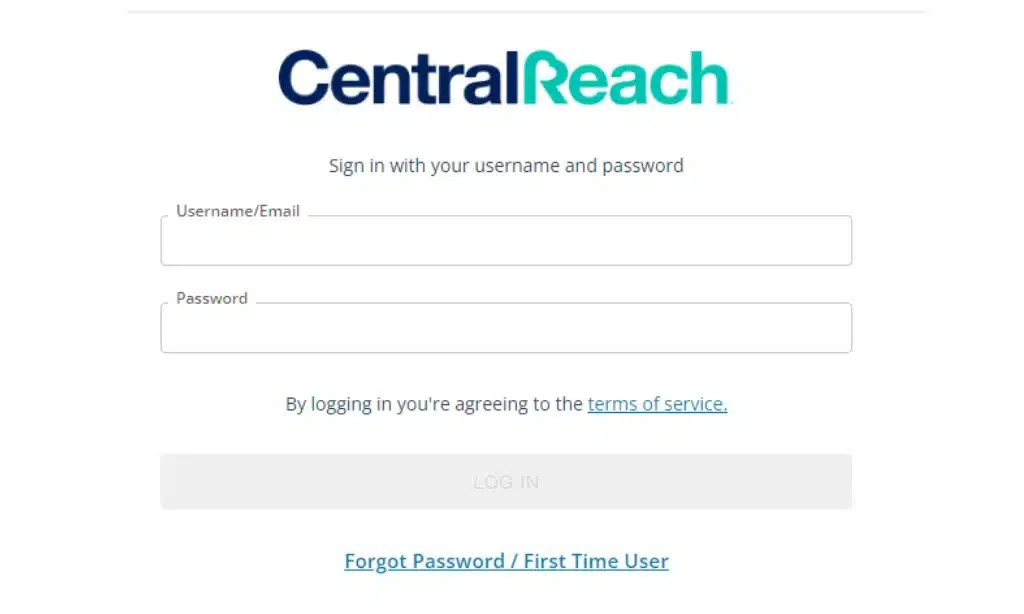
Getting into the Client Portal is straightforward. Whether it’s your first time or you’re a daily user, the process is designed to be quick and secure. You’ll use your unique credentials at the main login page or take advantage of the SSO feature by going to members.centralreach.com.
Logging in for the First Time
Your first login sets up your secure access to the CentralReach portal. The system is designed to get you authenticated and running quickly.
- Navigate to login.centralreach.com.
- Click on “First Time User?” to start the SSO setup process.
- Check your email for your login credentials from CentralReach. A common pitfall is this email landing in the spam or junk folder, so be sure to check there if you don’t see it.
- Follow the workflow to create a new, secure password. Using a password manager like 1Password or LastPass is a great way to generate and store a strong password you don’t have to memorize.
- Once your password is set, you can use your email and new password to log in.
Logging in with SSO
Once you’ve completed the first-time setup, logging in is simple. The SSO system remembers your verified identity, streamlining your access.
- Go to the CentralReach login page at login.centralreach.com.
- Enter the full email address associated with your account.
- Type in the secure password you created.
- Click the “Log in” button to access your dashboard.
You can also access your account on the go using the CR Mobile app, which uses the same SSO credentials for secure access from your phone or tablet.
The CentralReach Client Portal is the central hub for managing nearly every aspect of care. From the clinical menu, you can handle client notes, manage parent goals, schedule appointments, and communicate securely. The portal also provides full access to billing, scheduling, and task management tools.
Overview of the Clinical Menu
The Clinical Menu is where you’ll spend most of your time managing client care. It’s designed to give you quick access to all essential clinical data and documentation in a HIPAA-compliant environment.
| Feature | What It Does |
|---|---|
| Sessions/Data Sheets | View session notes, track progress against goals, and manage client targets. |
| Programs | Access and manage a client’s specific treatment plans, like their Behavior Intervention Plan (BIP). |
| Assessment Forms | Complete and review digital assessment forms, providing critical information for treatment planning. |
| Documents | Securely access and store important documents, such as behavior plans or instructional materials. |
It’s important to remember that the view in the portal can be customized by your organization’s administrator. If you believe a feature is missing, your first step should be to check with your admin to ensure you have the correct permissions.
Accessing Clients’ Notes and Forms
The portal makes it easy to manage all client-related documentation in one secure place. This feature is essential for maintaining compliance and ensuring continuity of care.
Here’s the process:
- Log in to the Client Portal.
- From the main dashboard, go to the Contacts module and select “Clients.”
- Search for the specific client by name or ID.
- Once in the client’s profile, click on the Notes tab to view all entries, including SOAP notes and session notes. You can filter these by date or category.
- Click the Forms tab to access and complete any necessary assessment forms.
Managing Appointments and Scheduling
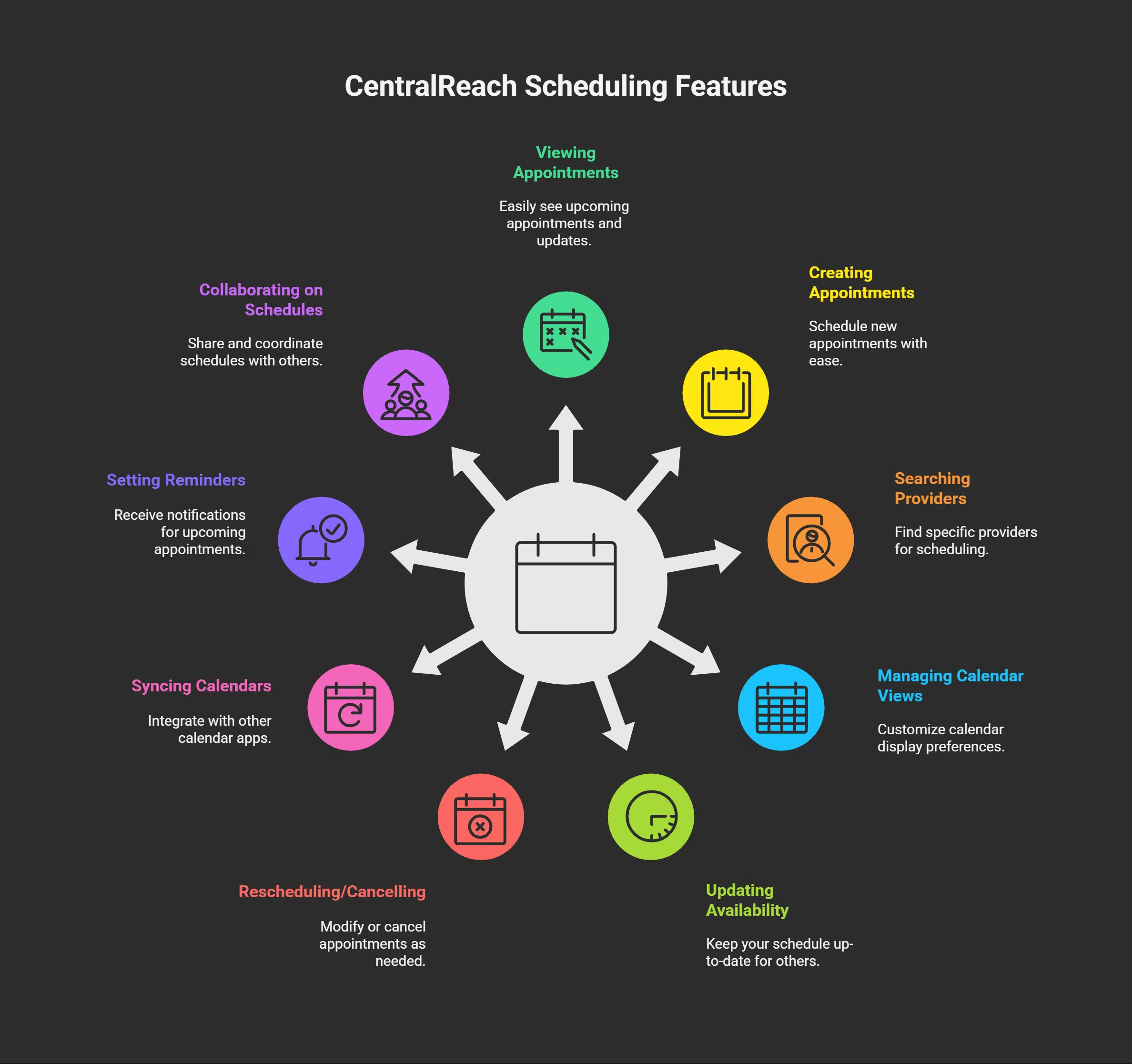
The scheduling tools within CentralReach are designed to be both powerful and intuitive, helping you manage complex schedules with ease.
You can view your calendar by day, week, or month, and a popular pro-tip is to use CentralReach’s color-coding feature to designate different service types or providers. This makes it much easier to see your schedule at a glance.
For even greater convenience, you can sync your CentralReach calendar with external applications. The platform provides an iCal feed link that allows you to subscribe to your schedule in calendars like Google Calendar or Microsoft Outlook, ensuring you never miss an appointment.
Viewing and Sending Messages
Secure communication is a cornerstone of HIPAA compliance, and the Client Portal’s messaging feature is built for that purpose. It provides a secure alternative to standard email or text messaging for any communication involving Protected Health Information (PHI).
Within the “Messages” menu, you can:
- View all messages from connected contacts.
- Compose and send new messages.
- Attach files securely within the platform.
To avoid having to constantly check the portal, you can configure your settings to receive email or text notifications whenever a new message arrives. This lets you stay responsive without compromising security.
Read More: How to Login and Check Mymorri Payslip?
Previewing, Downloading, Sharing, and Uploading Files
The “Files” section of the Client Portal acts as a secure digital filing cabinet for each client. This is the ideal place to manage documents that are critical for treatment and compliance.
You can use it to share essential files like:
- Signed consent forms
- Assessment reports, such as a VB-MAPP
- Parent training materials and resources
- Instructional videos for home-based interventions
All files are stored securely, and you have precise control over who can access them. This centralized system ensures everyone on the care team is working with the most up-to-date information and greatly simplifies convenient communication.
Adding and Viewing Activity and Call Notes
The “Activity & Call Log” widget on your dashboard is a simple but powerful tool for care coordination. It functions as a lightweight CRM, allowing you to track every interaction with a client or their caregivers.
Use this feature to log:
- Quick phone calls to confirm appointments.
- Notes from a conversation with a parent about progress.
- Reminders for follow-up actions.
Each entry is time-stamped, creating a clear and accessible communication history for the entire team. This ensures that any provider can quickly get up to speed on recent interactions, leading to more coordinated and effective care.
The billing menu streamlines all financial aspects of your practice, making it easier for both you and your clients to manage payments and documentation. This is a critical feature, especially since industry data shows a strong preference for digital financial tools.
A 2023 report from InstaMed on trends in healthcare payments revealed that 87% of consumers want to pay their medical bills online. CentralReach’s portal directly meets this demand.
The platform often integrates with secure payment processors like Stripe to handle transactions, ensuring that all financial data is protected. Within this menu, you can manage invoices, track payments, and allow clients to sign timesheets electronically, eliminating paperwork and speeding up the billing cycle.
Viewing and Paying Invoices
The Client Portal simplifies the invoicing process for everyone. Clients can easily access, review, and pay their bills online in just a few clicks.
From the “Billing” menu, users can:
- View a complete list of current and past invoices.
- Download invoices as PDFs for their records or for submission to an FSA or HSA.
- Pay outstanding balances directly through the portal if online payments are enabled.
- Review a full payment history to track all transactions.
Viewing, Creating, and Managing Tasks
CentralReach includes a task management feature that functions like a lightweight project management tool, similar to Trello or Asana, but fully integrated with client data.
This tool is perfect for improving team collaboration and accountability. For example, a BCBA can create and assign a task to an RBT to “Prepare new stimuli for manding session” and set a specific due date. The RBT receives a notification and can mark the task as complete when finished.
This keeps everyone on the same page and ensures that all the small but critical duties that support a treatment plan are completed on time.
Read More: A Step-by-Step Guide to Chat GPT Login and Signup
Frequently Asked Questions (FAQs) on Centralreach Member Login
Here are some quick answers to common questions about the CentralReach Member Login.
1. How do I access the Centralreach member login?
You can access the login page by going directly to login.centralreach.com. This is the primary portal for all users, including providers and clients.
2. What information do I need to log in to my Centralreach account?
You will need the email address associated with your account and the secure password you created during your first-time setup. If your organization has enabled it, you will also need a code from your Multi-Factor Authentication (MFA) app.
3. What should I do if I forget my Centralreach login password?
On the login page, click the “Forgot Password” link. The system will guide you through a process to reset your password, which typically involves sending a secure link to your registered email address.
4. Can I change my password for my Centralreach account?
Yes. Once you are logged in, you can change your password and manage your security settings. Just navigate to your account profile or settings section to find the option to update your credentials.
Takeaways
In short, mastering the CentralReach Member Login process is the first step to unlocking the full potential of this comprehensive platform. The system’s focus on Single Sign-On and Multi-Factor Authentication provides top-tier security without sacrificing convenience.
From the Client Portal, you have everything you need to manage clinical data, streamline scheduling and billing, and communicate securely. By taking advantage of these integrated tools, you can improve efficiency and focus more on what matters most, delivering exceptional care.
If you’re ready to enhance your practice management, the CentralReach community and its powerful software are excellent resources.