Staring at a blinking cursor while listening to a two-hour interview is a miserable way to spend an afternoon. Whether you run a popular podcast, conduct deep academic research, or need patient medical notes typed up securely, manually transcribing audio drains your time and your sanity.
You need a reliable tool to do the heavy lifting for you. Finding the best transcription services comes down to understanding your highly specific needs. Some complex audio files require the precise, nuanced ear of a human professional, while others just need a quick, automated scan from an AI bot. We tested, reviewed, and ranked the top platforms on the market right now to save you the headache of trial and error.
Why Choosing the Right Transcription Service Matters?
Picking a random platform and hoping for the best usually ends in a massive headache. If you upload a file with heavy background noise—like an interview recorded in a busy coffee shop—to a cheap AI tool, you will get a document filled with absolute gibberish. You will then spend more time fixing the broken text than you would have spent just typing it yourself from scratch. On the other hand, paying a premium human rate for a perfectly clear, single-speaker audio file is a fast way to burn through your budget unnecessarily.
Matching your audio quality, budget constraints, and strict deadlines to the right provider streamlines your daily workflow. It prevents embarrassing misquotes in your articles, keeps your legal documents compliant, and ensures you actually hit your publishing deadlines without pulling your hair out. The right service acts as a silent partner in your business, working in the background while you focus on the tasks that actually make you money.
| Impact Area | Consequence of a Poor Choice | Benefit of the Right Choice |
| Time Management | Hours spent manually editing errors | Ready-to-publish text immediately |
| Project Budget | Overpaying for simple, clear files | Cost-effective scaling for big projects |
| Data Accuracy | Missed quotes, lost context, embarrassing typos | Reliable, highly usable, exact data |
| Security & Privacy | Data leaks, breached NDAs, HIPAA violations | Fully compliant, locked-down files |
AI vs. Human Transcription: Which is Better for You?
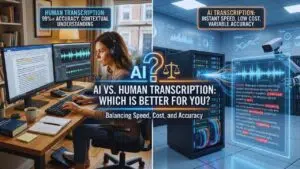
The industry currently splits right down the middle between human typists and automated software. You have to decide which route makes sense before you spend a single dime, as picking the wrong lane wastes both time and money. Humans bring contextual understanding, emotional intelligence, and a natural ear for heavy slang, while AI brings blistering speed and rock-bottom prices. The choice heavily depends on how clean your recorded audio is and what you actually plan to do with the final text document.
| Feature | Human Transcription | AI Transcription |
| Accuracy Rate | 99% or higher (Guaranteed) | 80% to 95% (Varies by audio quality) |
| Turnaround Time | 12 to 48 hours (Depending on length) | 5 to 10 minutes (Almost instant) |
| Standard Cost | High ($1.00+ per audio minute) | Low ($0.10+ per audio minute or flat monthly fee) |
| Ideal Use Case | Heavy accents, bad audio, legal, medical | Zoom meetings, rough drafts, clear podcasts |
When to Choose Human Transcription?
You should immediately hire a human service when absolute accuracy is non-negotiable for your project. If you are submitting legal transcripts to a judge, publishing peer-reviewed academic research, or dealing with highly sensitive medical records, a machine just will not cut it. Humans easily filter through terrible background noise like blaring sirens, loud coffee shop chatter, or wind hitting a camera microphone. They also understand complex human context.
If three people talk over each other in a heated, fast-paced podcast debate, a human typist can easily separate the distinct voices and figure out exactly who said what. A human knows that “let’s eat, grandma” and “let’s eat grandma” mean two very different things, whereas an AI might miss that subtle punctuation cue entirely. You pay a premium for this level of detail, but the peace of mind is worth every penny when your professional reputation is on the line.
When to Choose AI Transcription?
You should lean heavily on AI software when speed is your absolute biggest priority and your budget is tight. If you just stepped out of a massive marketing meeting and need the raw notes sent to your entire team before lunch, AI handles that task in seconds. It is also the smartest, most economical choice if you have a massive, dusty archive of old audio or video files that you want to make easily searchable.
As long as your speakers talk clearly into good-quality microphones without much background noise or aggressive crosstalk, the machine will give you a highly accurate draft. You will still need to do a quick skim to catch weird word mix-ups or missing commas, but the bulk of the heavy lifting is done instantly. AI tools are also phenomenal for creating quick, dirty subtitles for social media videos where a 95% accuracy rate is usually perfectly acceptable for your scrolling audience.
Top 7 Human Transcription Services
When evaluating the best transcription services for strict, uncompromised accuracy, these seven platforms consistently deliver top-tier results. They rely on massive networks of highly vetted freelancers and strict quality assurance teams to review the text. You pay more, but you get a document you can trust immediately without second-guessing the data.
1. Rev
Rev dominates the human transcription space because they figured out how to deliver massive files incredibly fast without dropping the ball on quality. They employ an absolute army of tested freelancers who must pass strict grammar and audio exams before they can claim a single job. When you upload a file to their server, a real person picks it up almost immediately. Rev guarantees 99% accuracy and usually hits that mark flawlessly. Their interactive online editor is a massive selling point that keeps users coming back.
Instead of just emailing you a flat, boring text document, they give you a dynamic dashboard. You can click any word in the transcript, and the audio instantly plays from that exact second. This makes double-checking questionable quotes ridiculously easy and saves you hours of manual scrubbing through a timeline. They do struggle occasionally if your audio has incredibly niche, complex technical jargon without a provided glossary, but for general business, hard journalism, and everyday content creation, they are incredibly reliable and fast.
| Platform Metric | Quick Details |
| Best Feature | Blistering fast turnaround and a dynamic text editor |
| Top Pros | 99% guaranteed accuracy, massive freelancer pool |
| Top Cons | Struggles slightly with highly technical, niche jargon |
| Starting Price | $1.50 per audio minute |
2. GoTranscript
GoTranscript purposely takes on the messy, horrible files that other premium companies flat-out reject. If you recorded a frantic interview in a crowded, echoing restaurant or have a speaker with a very thick, difficult-to-understand regional accent, this is exactly where you send the file. They rely on a rigorous multi-tiered review process where one person types the raw audio, another edits the draft, and a senior reviewer finalizes the document before it reaches your inbox. Because they willingly take on tougher, grittier audio, you might wait a little longer for your files compared to a speed-focused service like Rev.
However, their pricing is highly competitive, especially if you select their relaxed five-day delivery option to save some cash. They also offer excellent support for multiple foreign languages and complex specialized formatting. If you need strict timestamps every single minute or specific, custom speaker labels for a legal deposition, they handle those requests without breaking a sweat.
| Platform Metric | Quick Details |
| Best Feature | Excels at terrible audio and thick regional accents |
| Top Pros | Highly competitive pricing for relaxed delivery timelines |
| Top Cons | Slower turnaround times compared to immediate competitors |
| Starting Price | $0.84 per audio minute |
3. Scribie
Scribie hits the absolute sweet spot between a rock-bottom price and high accuracy for human-powered text. They operate on a highly structured, unique four-step process to ensure quality control never slips. A primary typist creates the rough draft, a dedicated editor reviews it, a fresh proofreader checks the edits, and a final quality controller signs off before delivery. This literal assembly line approach keeps their error rate incredibly low, even on their cheapest pricing tiers.
They are very upfront about their pricing structure and offer a generous free trial so you can test their accuracy on your own audio before committing your budget. The platform is highly favored by strict academic researchers who need intense verbatim transcripts. If your project dictates that you need every single stutter, awkward laugh, and filler word recorded for deep qualitative analysis, Scribie handles that granular detail perfectly without overcharging you for the extra effort.
| Platform Metric | Quick Details |
| Best Feature | Intense 4-step quality control review process |
| Top Pros | Budget-friendly pricing with flawless verbatim options |
| Top Cons | The absolute cheapest tier can take up to 36 hours |
| Starting Price | $0.80 per audio minute |
4. TranscribeMe
TranscribeMe built its entire platform and reputation around strict data security and absolute client privacy. Instead of handing one random freelancer your entire hour-long, highly confidential interview, their proprietary system chops the audio into tiny, unrecognizable micro-tasks. One person might hear ten random seconds of the intro, while another hears a disjointed ten seconds from the middle. No single person ever has access to your full recording or knows what the broader conversation is about.
This makes them the ultimate go-to choice for medical professionals, corporate lawyers, and massive enterprise corporations handling highly sensitive, proprietary data. The only downside to this intense micro-tasking method is that the final document can sometimes lack natural conversational flow. If your speakers are using a lot of dense industry slang, the isolated typists do not have the broader context of the conversation to figure out what the weird word actually means, leading to occasional blank spots.
| Platform Metric | Quick Details |
| Best Feature | Iron-clad data security using audio micro-tasking |
| Top Pros | Exceptional privacy for enterprise and medical data |
| Top Cons | Micro-tasking can occasionally ruin conversational flow |
| Starting Price | $0.79 per audio minute |
5. Speechpad
Speechpad operates as a reliable workhorse for professional video producers, ad agencies, and heavy media companies. While they certainly offer standard, everyday audio transcription, they really shine and pull ahead of the pack when it comes to closed captions and broadcast-ready subtitles. They integrate seamlessly with major enterprise video hosting platforms like Vimeo, Wistia, and Kaltura. This allows you to pull giant video files directly from your cloud account, transcribe them accurately, and push the formatted captions back automatically without ever downloading a file to your desktop.
Their customer support team is highly responsive, and they rigidly guarantee their delivery times. If you are working on a brutal, tight production schedule and need to know exactly when your text will arrive, Speechpad removes the guesswork. They are a bit pricey if you demand overnight rush delivery, but the sheer quality and formatting perfection justify the higher cost for video teams.
| Platform Metric | Quick Details |
| Best Feature | Seamless integration directly with video hosting platforms |
| Top Pros | Perfect for broadcast-ready closed captions and subtitles |
| Top Cons | Rush delivery fees add up incredibly fast for large files |
| Starting Price | $1.50 per audio minute |
6. GMR Transcription
GMR Transcription is entirely unique in this list because they exclusively hire typists who live and work natively in the United States. This gives them a massive, distinct advantage when transcribing fast North American accents, hyper-local slang, and obscure cultural references that offshore typists frequently miss or misspell. Academic researchers, local journalists, and domestic legal teams use them heavily for this exact reason. Another major financial benefit is that they do not maliciously upcharge you for having multiple speakers in a file.
Many competing services tack on hefty extra fees if an interview has more than two people talking, but GMR keeps their rate flat and predictable. Because they rely on a fully US-based workforce, their base rates are naturally higher than companies outsourcing to other countries, but the incredibly clean, culturally accurate text is worth the investment if you hate editing.
| Platform Metric | Quick Details |
| Best Feature | Employs an exclusive 100% US-based workforce |
| Top Pros | No hidden upcharges for multiple speakers in a recording |
| Top Cons | Base rates are noticeably higher than offshore competitors |
| Starting Price | $1.25 per audio minute |
7. CastingWords
CastingWords uses a highly unique pricing model built entirely around a quality grading system. You prepay for the transcription service, and the independent freelancers are paid out based directly on the final grade their work receives from senior editors. This system heavily incentivizes the workers to provide high-quality, error-free work right out of the gate. They are one of the absolute most affordable human services available on the internet today, provided you are not in a frantic rush to get your text back.
Their budget tier takes a few days to fully process, making it incredibly great for slow archival work, long-term book projects, or casual podcasts. The user dashboard is clean, simple, and avoids any confusing clutter. The only minor drawback is that because freelancers pick up random jobs from an open board, the specific formatting style of the transcript might vary slightly from file to file if you submit a massive, bulk batch of audio at once.
| Platform Metric | Quick Details |
| Best Feature | Unique, incentive-based grading system for typists |
| Top Pros | Extremely affordable for long-term or archival projects |
| Top Cons | Quality style can vary depending on which freelancer takes it |
| Starting Price | $0.68 per audio minute |
Top 6 AI Transcription Software
Many of the best transcription services now rely entirely on artificial intelligence to get the job done. The speech recognition engines powering these automated tools have improved drastically over the last few years, moving from clunky gimmicks to vital business tools. If you have clean audio and want instant results, these six platforms offer the best automated experience on the market.
8. Otter.ai

Otter.ai completely and utterly changed how modern corporate teams handle their daily meetings. Instead of forcing an intern to take frantic notes, you simply connect the software directly to your work calendar. An Otter bot automatically joins your daily Zoom, Google Meet, or Microsoft Teams calls without you having to click a thing. It listens to the entire conversation, types out everything in real time so latecomers can read what they missed, and sends a highly accurate, summarized recap with specific action items the second the meeting ends.
It is brilliant for maintaining organized internal team communication. You can easily search through months of messy meetings for specific keywords to find out exactly when a project was approved or what a client actually requested. The software does struggle heavily if people walk away from their laptop microphones or if multiple aggressive people yell over each other, but for standard, polite office communication, it is practically required software.
| Platform Metric | Quick Details |
| Best Feature | Live, automatic calendar and virtual meeting integration |
| Top Pros | Real-time transcription and automatic meeting summaries |
| Top Cons | Accuracy plummets if people step away from the microphone |
| Starting Price | $16.99 per month |
9. Trint
Trint was originally designed by a frustrated former broadcast journalist who absolutely hated typing out long, rambling interviews. The platform treats your heavy audio or video file exactly like a simple text document. Once the AI engine generates the raw text in a few minutes, you highlight the best quotes, strike out the boring parts, and organize your story’s narrative right inside your web browser. It is incredibly powerful and intuitive for busy content creators, newsrooms, and documentary film teams.
It integrates extremely well with professional editing software like Adobe Premiere Pro, allowing you to export your text edits directly to your video timeline. The major barrier to entry here is the hefty cost. Trint is built specifically for heavy, professional, daily use, and their steep pricing reflects that target market. It is definitely not the tool you buy to transcribe one casual podcast episode a month, but for power users, it is unmatched.
| Platform Metric | Quick Details |
| Best Feature | Edits raw audio and video exactly like a text document |
| Top Pros | Intuitive storytelling tools and Adobe Premiere integration |
| Top Cons | High monthly cost makes it tough for casual or solo users |
| Starting Price | $60.00 per month |
10. Sonix
Sonix operates incredibly fast and supports a truly massive range of global languages and obscure dialects. It is an absolute AI powerhouse that accurately turns audio into text in minutes and then offers robust, built-in translation tools. If you shoot a corporate video in English and suddenly need French, Spanish, and German subtitles generated quickly for your international branches, Sonix handles that entire complex workflow in one dashboard.
The platform thoughtfully provides a visual confidence score for specific words it struggles to understand, highlighting them in bright red so you know exactly where you need to check the audio manually. They use a slightly complex subscription model combined with a pay-as-you-go hourly rate. This setup can be slightly annoying to track for strict corporate budgeting if your audio volume changes wildly every month, but the sheer blazing speed and translation accuracy are exceptional.
| Platform Metric | Quick Details |
| Best Feature | Massive multi-language translation and fast turnaround |
| Top Pros | Visual confidence scores easily flag potential AI mistakes |
| Top Cons | Pay-as-you-go credit system gets confusing to track |
| Starting Price | $22.00 per month |
11. Descript
Descript is not just a standard transcription tool; it is a full, powerful audio and video editing suite disguised as a word processor. You drop your raw video into the software, and it rapidly generates a transcript. To edit the actual video, you simply highlight and delete words in the text document. If you highlight a rambling sentence and hit the backspace key, that exact part of the video is instantly cut from your timeline without you ever touching a razor tool.
This workflow feels like absolute magic for indie podcasters and solo YouTubers who hate traditional editing timelines. It includes brilliant AI tools to automatically strip out annoying filler words like “um” and “uh” across a two-hour file with a single click. Because it is a full, feature-rich editing program, the busy interface does have a bit of a learning curve. If you just want a simple text file to read, Descript is total overkill, but for active creators, it is a massive game changer.
| Platform Metric | Quick Details |
| Best Feature | Full studio audio and video timeline editing via text |
| Top Pros | Removes annoying filler words instantly with one click |
| Top Cons | Steep learning curve if you only want a simple text file |
| Starting Price | $15.00 per month |
12. Speak AI
Speak AI is built specifically for people who need to pull hard, actionable data out of their massive audio files. Digital marketers, user experience researchers, and data analysts use this unique tool to look for hidden trends across hundreds of files. You upload your messy customer interviews or focus group recordings, and the software transcribes the text, deeply analyzes the emotional sentiment, and builds beautiful charts showing the most frequently used keywords and phrases.
Instead of manually reading through forty hours of dense transcripts to find out what customers actually think about a new product feature, Speak AI gives you a clean dashboard highlighting the negative and positive themes instantly. The interface is absolutely packed with heavy data visualization tools, which makes it incredibly useful for intense research but slightly cluttered and overwhelming for a casual user just wanting a script typed out.
| Platform Metric | Quick Details |
| Best Feature | Deep emotional sentiment tracking and data analysis |
| Top Pros | Visualizes hidden themes from hundreds of interviews |
| Top Cons | Dashboard feels overwhelmingly cluttered for casual users |
| Starting Price | Pay-as-you-go system |
13. Happy Scribe
Happy Scribe offers a fantastic, highly practical hybrid approach to the entire industry. They intelligently give you the option to choose their fast, cheap AI engine or their premium, highly accurate human typists from the exact same clean dashboard. This flexibility is absolutely great if you are managing a massive project that has a wild mix of clear, perfectly recorded audio files and messy, complex, noisy field interviews. You can route the easy files to the robot and the hard files to the humans without ever switching websites.
They are incredibly popular in the European market due to their extensive, highly accurate language and regional dialect support. Their visual subtitle generator is also top-notch, allowing you to easily set strict, professional parameters for exactly how many characters appear on the screen and how long they stay there for optimal reading speed. The AI engine is very solid, though it occasionally falls slightly behind dedicated tools like Trint when handling highly complex English medical or legal terms.
| Platform Metric | Quick Details |
| Best Feature | Easy, seamless hybrid switching between humans and AI |
| Top Pros | Granular, highly customized subtitle formatting controls |
| Top Cons | AI engine occasionally struggles with deep medical jargon |
| Starting Price | $17.00 per month |
How We Ranked These Transcription Platforms?
Testing and ranking the best transcription services means putting them through brutal, realistic, everyday work scenarios. We did not just upload perfectly clear, silent studio audio to pad their stats; we tested files with heavy background noise, people aggressively overlapping their speech, and wildly varying microphone qualities. We wanted to see exactly how these highly praised platforms performed when things in the real world were not perfect.
We ruthlessly evaluated four main pillars to build this list. Accuracy is always the absolute baseline. If the text is fundamentally wrong, the tool is useless to you. Speed is the second critical factor, checking if platforms actually hit their aggressively promised delivery windows. User experience matters immensely, as a bad, clunky text editor makes proofreading a miserable experience. Finally, we weighed the pricing heavily against the actual value provided, ensuring there are viable options here for both starving college students and massive enterprise corporate teams.
| Ranking Criteria | What We Tested in the Lab | Why It Actually Matters to You |
| Raw Accuracy | Error rates on clean vs. highly noisy audio | Determines exactly how much time you waste editing |
| Delivery Speed | Turnaround times and live generation lag | Keeps your publishing projects strictly on schedule |
| User Experience | Dashboard layout, export options, text editors | Reduces massive frustration during the review phase |
| Value & Pricing | Hidden fees, subscription limits, overall cost | Ensures you stay comfortably within your project budget |
Final Thoughts
Picking the best transcription services depends entirely on exactly what you have recorded and what you desperately need to do with the final text. If you have a highly sensitive legal document, a complex medical file, or an important interview recorded in a terribly noisy cafe, you need to spend the money on a premium human service like Rev or GoTranscript.
If you just need simple weekly meeting notes or a fast, rough draft to start editing a YouTube video, AI platforms like Otter and Descript will save you countless hours of time and keep your project budget perfectly intact. Stop wasting your valuable day manually typing out audio files. Pick a smart tool that actually fits your workflow, automate the boring stuff, and get your free time back.