

Remote work is not slowing down, and your phone is no longer just a communication device. It is your hotspot, your meeting backup, your security key, and your quick work station when your laptop is not available. If you are shopping for the best smartphone for remote work 2026, the right choice is the one that stays reliable under pressure, not the one with the flashiest headline feature.
This guide is built for remote employees, managers, and SME owners who want a phone that supports real work. You will learn what specs actually matter, how to choose by role, and how to avoid expensive mistakes that show up after the return window closes.
What Remote Work Demands From A Smartphone In 2026
Remote work puts stress on a phone in ways casual use does not. A “good” phone becomes a bad phone when it drops calls, overheats during hotspot use, or dies before your last meeting.
Remote work smartphones should excel in these areas:
- Stable connectivity, especially when switching between Wi Fi and mobile data
- Strong hotspot performance for laptop backup
- Battery life that survives heavy video calls, travel days, and navigation
- Microphone and speaker quality for calls in noisy spaces
- Long software support for security updates
- Easy device management for teams, if you issue company phones
Your best choice depends on how your team works. A sales rep needs different strengths than a designer, and both differ from a support lead who spends all day in calls.
Best Smartphone For Remote Work 2026: The Non-Negotiables
If you want a phone that works for remote work without drama, focus on reliability first. These non-negotiables apply to almost every role.
Connectivity And Hotspot Reliability
For remote work, connectivity is not a nice-to-have. It is the foundation.
Look for:
- Strong modem performance and consistent signal holding
- Fast switching between Wi Fi and cellular without dropping calls
- Stable hotspot that does not crash under laptop use
- Support for modern Wi Fi standards, if you are often on home or office Wi Fi
- Dual SIM or eSIM options if you travel or separate work and personal lines
Hotspot quality matters more than headline speed. A slightly slower phone that never disconnects beats a faster phone that drops your meeting twice a week.
Battery Life That Matches Real Work Days
Remote work drains battery faster than casual use. Hotspot, GPS, video calls, and constant notifications add up quickly.
Prioritize:
- A battery that can last a full workday with mixed use
- Fast charging that can rescue you in 15 to 30 minutes
- Efficient power management that does not drain overnight
If you routinely hotspot your laptop, treat battery as a top-three requirement, not a bonus.
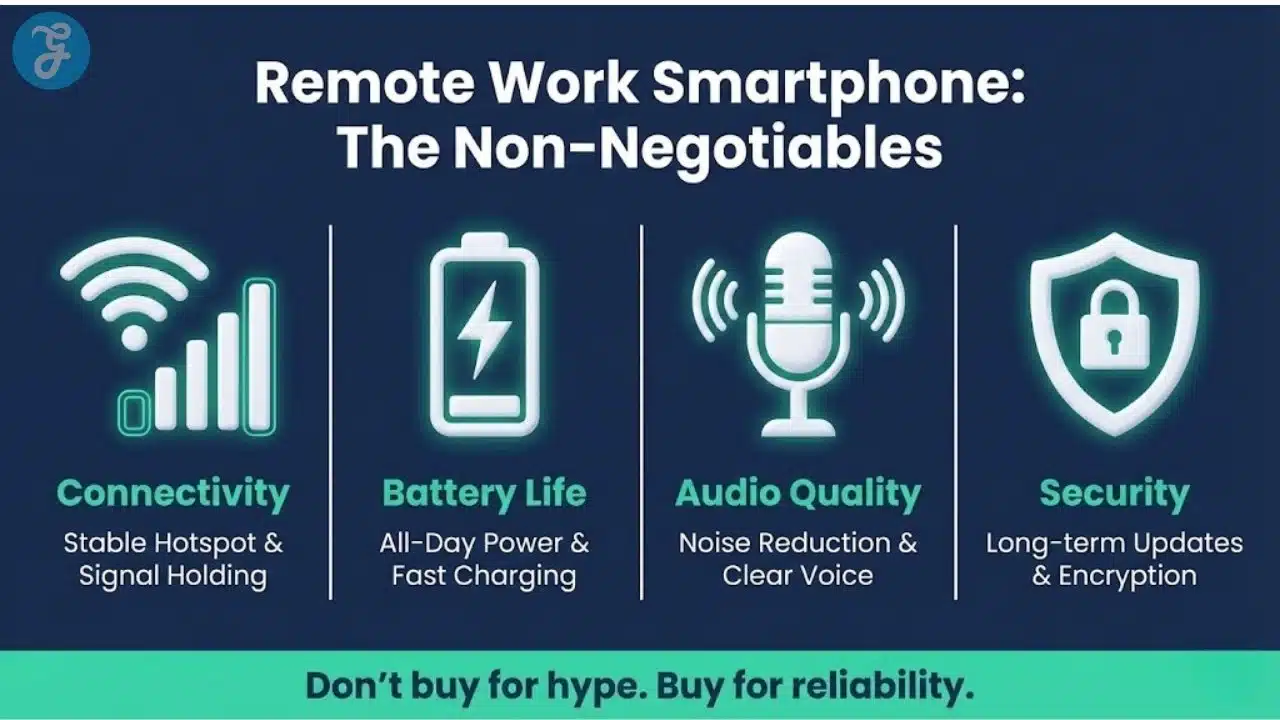
Audio And Call Quality
Remote work is full of calls. A phone with poor microphones becomes a daily frustration.
What to test:
- Microphone clarity in normal rooms and noisy locations
- Speakerphone performance for quick team calls
- Bluetooth stability for earbuds and headsets
- Noise reduction that does not distort your voice
This is one of the most overlooked areas in smartphone buying, and one of the most painful when it is wrong.
Security Updates And Support Longevity
A remote phone is a business device. Security updates are not optional.
Look for:
- A strong track record of consistent security updates
- Long software support so the phone stays safe for years
- Reliable biometric security, face or fingerprint
- Hardware encryption and secure device lock behavior
If a device does not have dependable updates, it does not belong in a remote work stack.
Performance That Stays Smooth Under Multitasking
Remote work involves jumping between email, chat, docs, calls, and browser tabs. You do not need the highest benchmark score, but you do need stability.
Prioritize:
- Smooth performance for video calls and screen sharing
- Enough memory for multitasking without reloads
- Heat control during hotspot use and long calls
A phone that throttles under heat can become unreliable right when you need it.
Remote Work Smartphone Buying Criteria Checklist
Use this quick checklist to filter options before you compare models.
- Stable hotspot and network switching
- All-day battery with fast charging
- Great microphones and speakerphone
- Long security update support
- Strong heat management under load
- Dual SIM or eSIM if needed
- Durable build and repair-friendly protection options
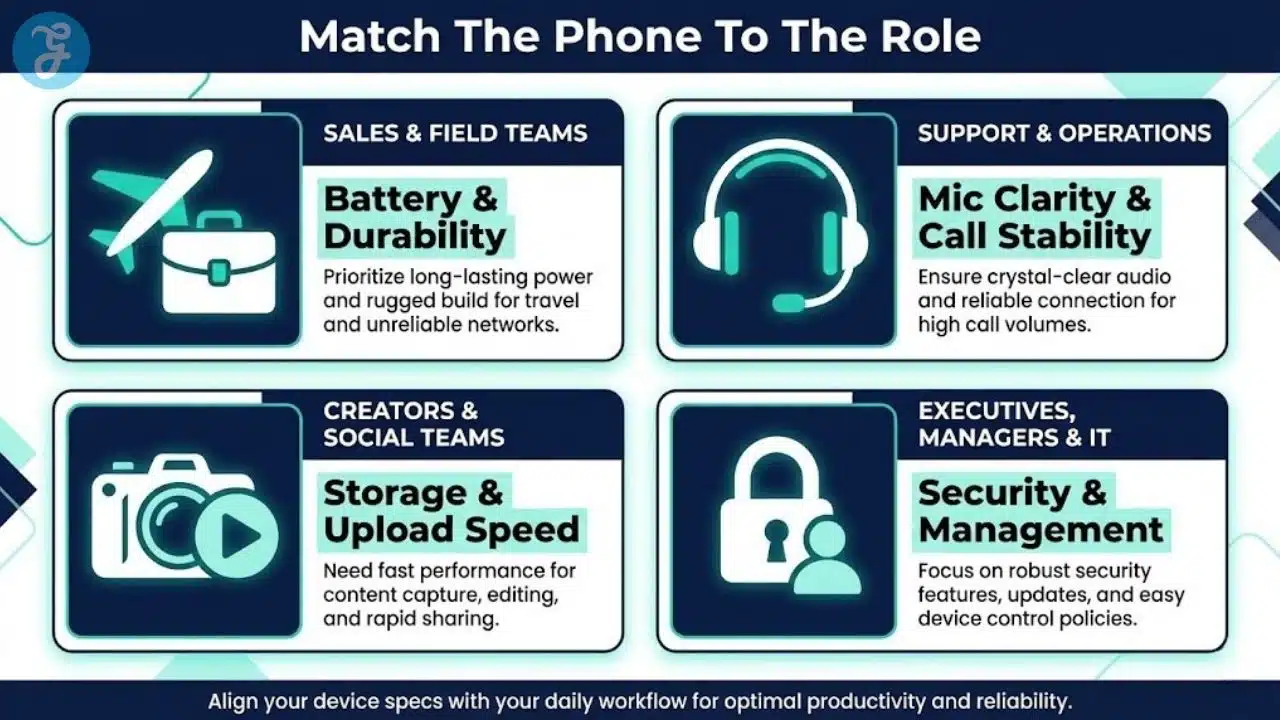
Remote Team Decision Table: Match Role To Features
Different roles stress different features. Use this table to align purchases with real work needs.
| Remote Role | Most Important Features | Why It Matters |
| Sales And Field Teams | battery, hotspot stability, bright screen, durability | travel and unreliable networks |
| Support And Operations | microphones, speaker quality, call stability | high call volume |
| Creators And Social Teams | camera, storage, fast editing performance | content capture and upload |
| Executives And Managers | reliability, security, premium call experience | constant communication |
| IT And Admin | device management support, update reliability | policy and control |
5G Reality Check For Remote Work
5G can help, but it is not magic. Many remote teams see bigger gains from stability than raw peak speed.
5G is most useful when:
- You rely on the hotspot as backup internet
- You travel often and work from various locations
- You upload large files or attend frequent video calls
- Your area has consistent 5G coverage
If coverage is uneven, a phone with excellent overall modem performance and antenna design will feel better than a phone that only wins in ideal conditions.
How To Choose The Best Smartphone For Remote Work 2026 By Your Situation
Instead of chasing one “best phone,” choose the best fit for your work pattern. This makes the decision easier and usually saves money.
For Heavy Hotspot Users
If your phone regularly replaces your home internet, prioritize:
- Battery capacity and fast charging
- Heat control under hotspot load
- Hotspot stability for multi-hour laptop sessions
- Strong signal holding in weak coverage areas
Practical tip: If you hotspot daily, consider a power bank and a charging habit that supports long sessions.
For Constant Meetings And Calls
If your day is mostly calls, prioritize:
- Microphone quality and noise handling
- Speakerphone clarity
- Bluetooth stability with headsets
- Strong call handoff between Wi Fi and mobile data
Practical tip: Test a phone in the environments you actually work in, like cafes, cars, or shared spaces.
For International And Cross Border Work
If you travel or manage multiple numbers, prioritize:
- eSIM support and easy switching
- Dual SIM if you need separate work and personal
- Strong band support and roaming behavior
- Battery life for travel days
Practical tip: A second data line can save meetings when one carrier is weak in a location.
For Content-Heavy Remote Roles
If you capture content or share visuals frequently, prioritize:
- Strong camera consistency, not just megapixels
- Good upload performance and stable connectivity
- Storage capacity and fast file handling
- Reliable performance in editing apps
Practical tip: Storage fills fast when you create content. Plan for it upfront.
Best Picks By Type Without Locking You Into One Model
Phone models change quickly, and availability varies by region. Instead of pushing one exact device, these are the safest “buyer type” picks that stay relevant.
Best Premium Choice For Reliability
If you want a premium device that just works, look at the latest flagship lines from the most established ecosystems. These are usually the safest for:
- Long support timelines
- Strong security standards
- Consistent call quality and performance
Premium devices make sense when downtime costs you money.
Best Value Choice For SMEs
Value choices are not cheap phones. They are phones that provide stable performance, strong battery, and good updates without top tier pricing.
A good value remote phone should:
- Stay smooth for calls and multitasking
- Offer reliable hotspot
- Get consistent security updates
- Have strong battery life
This is often the best fit for issuing phones at scale.
Best Choice For Creators On The Go
Creators should prioritize cameras and performance, but remote creators also need upload stability and storage planning.
Look for:
- Strong camera consistency across lighting
- Reliable stabilization for quick video
- Strong editing performance
- Fast upload and stable hotspot when needed
Best Choice For Security Focused Teams
Security-focused teams should prioritize:
- Long update support
- Strong biometric and device encryption
- Compatibility with device management policies
- Reliable patch cadence
For company-issued devices, consistency across the fleet matters more than marginal feature differences.
BYOD vs. Company-Issued Phones
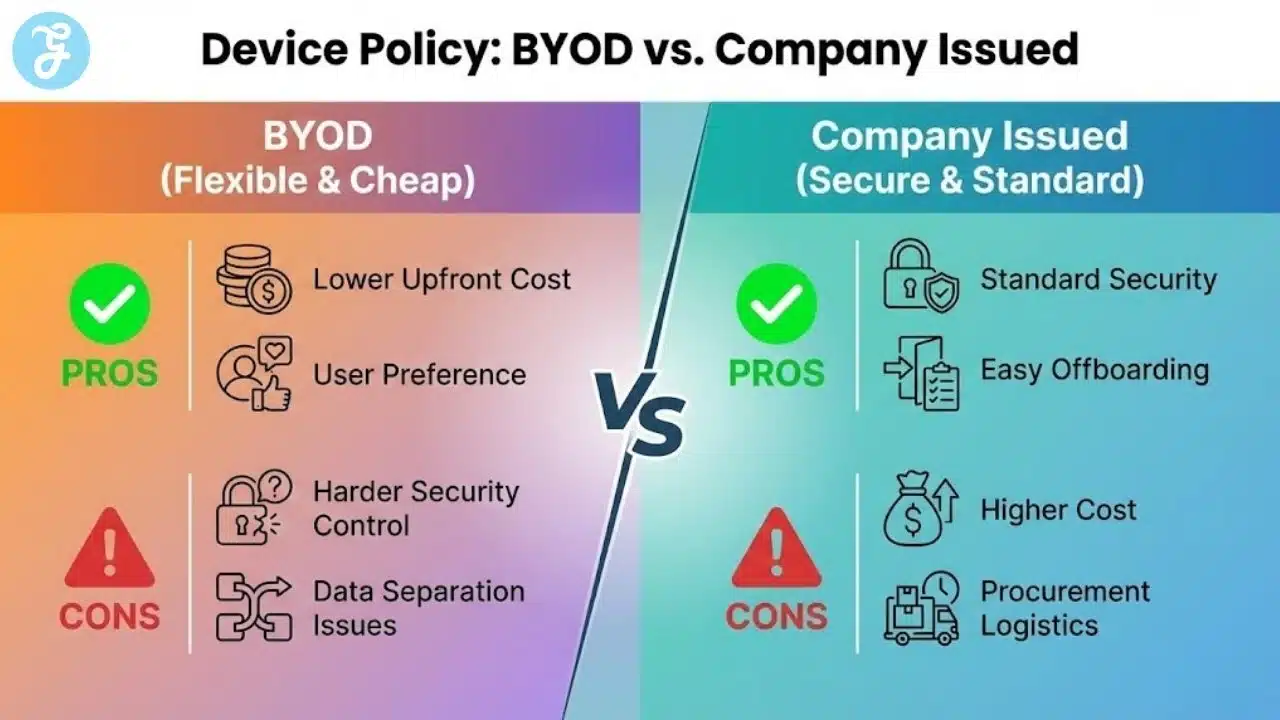
Remote teams often debate BYOD, bring your own device, versus company-issued phones. The right answer depends on budget, security needs, and how much control you require.
BYOD Pros
- Lower company cost upfront
- Employees use what they already prefer
- Faster onboarding in small teams
BYOD Cons
- Harder to enforce security standards
- More device variety, more support issues
- Data separation can get messy
Company Issued Pros
- Standard security and update controls
- Easier support and training
- Cleaner offboarding and access removal
Company Issued Cons
- Higher cost
- Procurement and replacement management
- People may still carry a personal phone
Simple Policy Recommendation For SMEs
If you are under 15 people, a hybrid policy often works best:
- BYOD allowed with minimum security rules
- Company issued for high risk roles, leadership, finance, customer data access
- A standard recommended list for everyone else
Remote Work Phone Security Checklist
This is a practical baseline you can implement without turning into an enterprise.
Minimum standards:
- Screen lock with strong passcode
- Biometric unlock enabled
- MFA on work accounts
- Password manager for logins
- Automatic updates enabled
- Device encryption enabled
- Remote wipe capability where possible
Team rules that prevent incidents:
- No work logins on shared family phones
- No saving sensitive files in random apps
- No forwarding work email to personal accounts
- Report lost devices immediately
At this point, many teams realize the best smartphone for remote work 2026 is not only about specs. It is also about the policy that keeps the device safe and consistent.
Mobile Device Management Light For Small Teams
You do not always need heavy device management, but a light approach helps a lot.
A practical light approach includes:
- Enforcing screen lock and encryption
- Enforcing OS update settings
- Ability to wipe a lost phone
- Restricting risky app permissions for work accounts
If you issue phones, standardize the model range. It reduces support pain and makes replacements easier.
Accessories That Make Remote Work Phones Better
You do not need many accessories, but the right ones improve reliability.
Best remote work add-ons:
- A high-quality headset for calls
- A compact power bank for travel or hotspot days
- A durable case that survives drops
- A fast charger you keep in your bag
- A car mount if you take calls on the move
Accessories often do more for day-to-day productivity than minor phone spec differences.
Carrier Plan And Hotspot Policy Reality Check
If you are shopping for the best smartphone for remote work 2026, do not judge the phone in isolation. Your carrier plan can quietly break an otherwise great device through hotspot caps, deprioritization, and roaming limits. For remote teams, the “best phone” is the phone-plus-plan combination that stays stable when networks get crowded.
What to verify before you buy or upgrade:
-
High-speed hotspot allowance and what happens after you hit the cap
-
Whether hotspot traffic is deprioritized more aggressively than on-device data
-
Wi Fi calling support and call quality on your home network
-
VPN performance on hotspot during a video call
-
eSIM support for travel and how fast you can switch carriers
-
International roaming rules and fair-use limits for data
Here is the practical way to think about plan features, not marketing labels.
| Plan Feature | What It Means In Real Work | Risk If You Ignore It |
|---|---|---|
| High-Speed Hotspot Allowance | Stable laptop backup for meetings and docs | Sudden slowdowns midweek |
| Deprioritization Rules | How you perform in airports and busy areas | “Full bars” but unusable data |
| Wi Fi Calling | Calls still work on weak cellular | Dropped calls at home |
| eSIM Flexibility | Quick backup line when a carrier fails | Downtime while traveling |
| Roaming Terms | Predictable cross-border work | Surprise caps or blocked data |
A One-Day Field Test Protocol Before The Return Window Closes
Specs do not reveal real hotspot stability, heat control, or call handoff behavior. A short, structured test catches most problems early and prevents expensive regret.
Run this test in your real environments:
-
Hotspot a laptop for 60 minutes while on a video call
-
Switch between Wi Fi and cellular during a call and note drops
-
Take a 10-minute call in a noisy place and record clarity feedback
-
Use GPS plus hotspot for 30 minutes and check heat and battery drain
-
Connect your main headset and test Bluetooth stability while walking
Score each phone on work reliability, not hype.
| Test Item | Pass Standard | Notes To Watch |
|---|---|---|
| Hotspot Session Stability | No disconnects, usable speed | Crashes, throttling, overheating |
| Call Handoff Reliability | No call drops | Wi Fi to cellular glitches |
| Audio Clarity | Clear voice in noise | Aggressive noise suppression |
| Battery Under Load | Predictable drain | Sudden drops after heat |
| Heat Management | Warm is fine, hot is not | Throttling during calls |
For teams, standardize this test and store results. If you approve two models, one premium and one value, you reduce support chaos while still matching different roles.
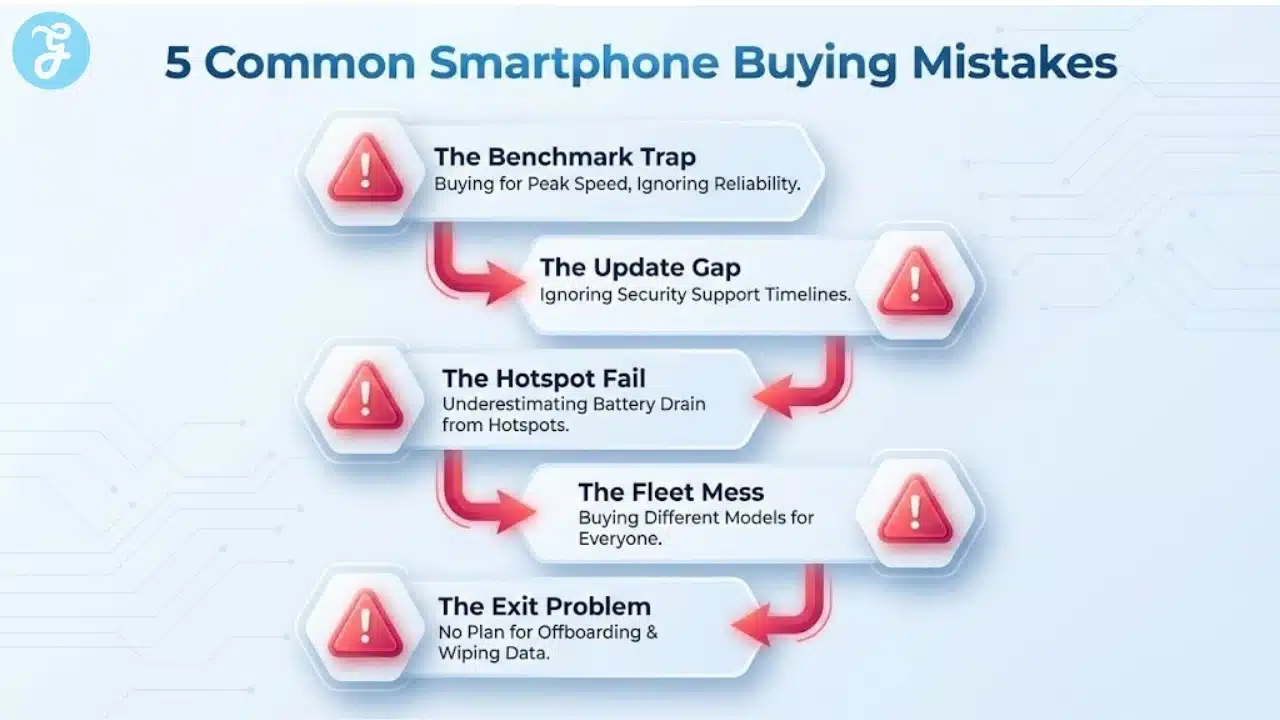
Common Mistakes When Buying Phones For Remote Teams
Avoid these mistakes because they create frustration after purchase.
- Mistake 1: Buying For Peak Specs Instead Of Reliability
Benchmark winners are not always real-world winners. Remote work needs stability. - Mistake 2: Ignoring Update Support
A phone that stops receiving updates becomes a risk, even if it still works. - Mistake 3: Underestimating Hotspot Needs
Many people only test the hotspot briefly. Remote work hotspot use is longer and heavier. - Mistake 4: Buying Different Phones For Everyone Without A Plan
Variety increases support time and creates inconsistent experiences. - Mistake 5: No Offboarding Plan
When someone leaves, access must be removed fast. Without a plan, company data stays on personal devices.
A Simple Shortlist Process For Teams
If you are choosing phones for a remote team, do not start with brands. Start with requirements.
Step by step:
- Define the top three work patterns in your team
- Define minimum standards for battery, hotspot, updates, and call quality
- Create a shortlist of 3 to 5 device options per pattern
- Test one device per pattern for a week, if possible
- Finalize the standard list and write a one-page policy
This makes decisions faster and reduces regret.
Comparison Table Template For Your Internal Decision
Use this table to compare your shortlist. You can fill it in with your options.
| Phone Option | Battery Under Calls | Hotspot Stability | Update Support | Call Quality | Device Management Fit | Best For |
| Option 1 | ||||||
| Option 2 | ||||||
| Option 3 |
Wrap Up And Next Steps
If you are searching for the best smartphone for remote work 2026, focus on what keeps remote work stable: connectivity, hotspot reliability, battery, call quality, and long-term update support. Then match the device to the work pattern, not the hype.
For SMEs, the best move is usually to standardize a small shortlist, set simple security rules, and review devices yearly. That approach keeps your remote team productive, reduces support friction, and prevents security headaches that cost more than any phone.
Frequently Asked Questions
Here are the most frequently asked questions people have about Best Smartphone For Remote Work 2026.
What matters most when choosing a smartphone for remote work
The most important factors are hotspot reliability, stable connectivity, battery life, call quality, and security updates. A remote work phone should handle long meetings, quick multitasking, and travel without overheating or disconnecting when you need it most.
Is 5G required for remote work in 2026
5G is not required for everyone, but it can be valuable if you rely on hotspot, travel often, or work from places with inconsistent Wi Fi. Stability matters more than peak speed, so prioritize consistent signal and good modem performance.
Should a company issue phones or allow BYOD
A hybrid approach works well for many SMEs. BYOD can reduce cost, but company issued phones are better for high risk roles that access customer data or financial systems. If you allow BYOD, set minimum security rules and enforce MFA.
How can I make hotspot work more reliable
Use a phone known for stable hotspot behavior, keep the device cool, and avoid running heavy background apps while hotspotting. Also use a fast charger or power bank during long sessions, since battery drain and heat are the most common hotspot killers.
What security settings should every remote worker enable
At minimum, use a strong screen lock, enable biometrics, turn on MFA, keep automatic updates enabled, use a password manager, and ensure device encryption is active. If the phone is lost, remote wipe capability helps protect company data.
How often should remote teams refresh company phone standards
A practical cycle is to review yearly and replace devices every 2 to 4 years, depending on update support and battery health. The goal is to keep devices within supported security update windows and avoid a fleet that becomes risky or unreliable.




























