

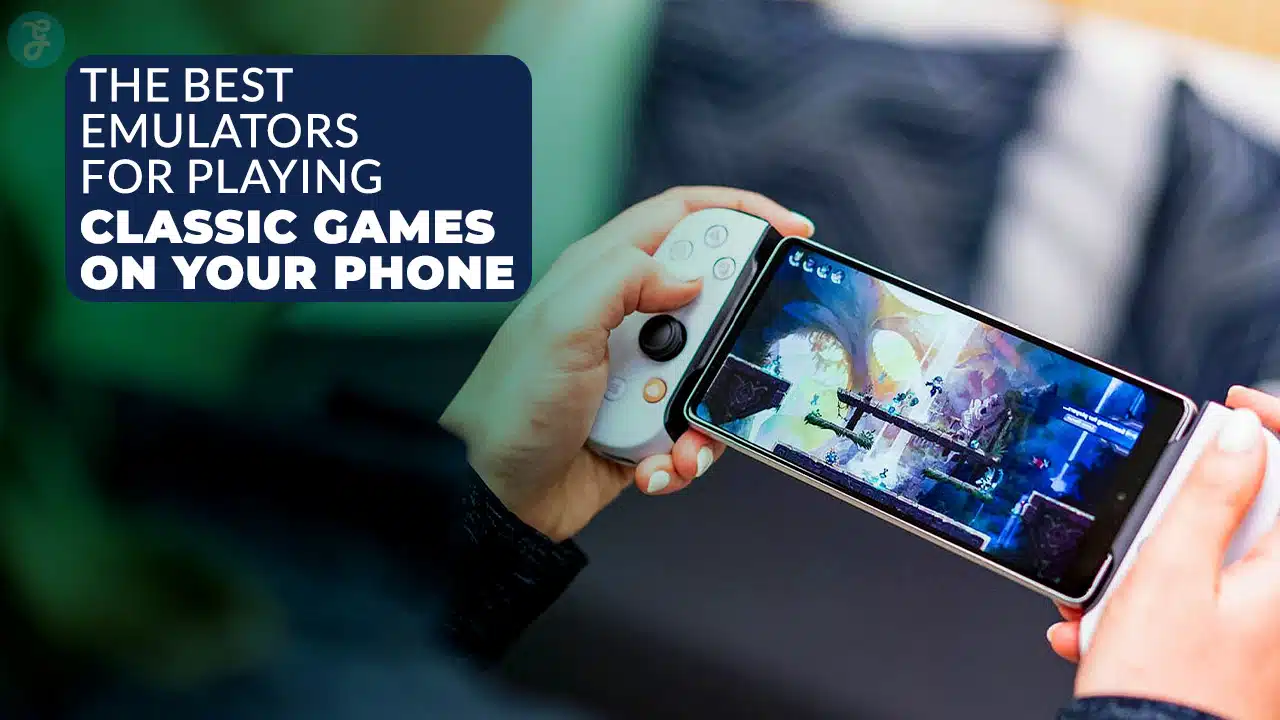
Hey there, are you tired of missing out on classic games like Super Mario Bros. or Sonic the Hedgehog? Maybe you’ve got an Android phone, but those old Nintendo DS or PlayStation 1 titles feel out of reach.
It’s a bummer, right, when you crave that retro gaming vibe but don’t have the old consoles around.
Here’s a cool tidbit, though; Android devices can bring those retro games back to life with the right apps. We’re talking about emulators that let you play everything from Game Boy Advance to Sega Genesis hits.
In this post, we’ve rounded up the 10 Best Emulators For Playing Classic Games On Your Phone, perfect for Android gaming fans. Stick around, we’ve got the list waiting!
Key Takeaways
- RetroArch is a top multi-console emulator for Android, supporting systems like Nintendo, Sega, and more with cores like Snes9x and Genesis Plus GX.
- Dolphin Emulator runs GameCube and Wii games smoothly on mid-range Android devices for free.
- DraStic DS Emulator, free since February 2025, is the best for Nintendo DS games on Android phones.
- M64Plus FZ is the leading Nintendo 64 emulator for Android, with a paid Pro version for extra features.
- PPSSPP is the top PSP emulator, offering a Gold version for just $4.99 with added benefits.
RetroArch: The Ultimate Multi-Console Emulator
Dive right into the action with RetroArch, a powerhouse for retro gaming on your phone. This app brings together tons of emulator cores in one smooth interface, making it a snap to play classics from various systems.
Think of it as a big toy box, stuffed with options for Nintendo, Sega, and more. You can jump into arcade hits with cores like Final Burn Neo or MAME-Current, or enjoy NES games using Nestopia and Mesen.
It’s all about giving you a buffet of choices without any hassle.
Got a soft spot for SNES titles? RetroArch has you covered with Snes9x Current and bsnes-hd. Love the old Game Boy Color vibes? Try Gambatte for that, and mGBA for Game Boy Advance fun.
For Sega Genesis fans, cores like Genesis Plus GX and PicoDrive bring those mega drive memories back to life. Available on the Google Play Store for Android phones, it’s a must-have for anyone into retro games.
Let’s roll on to see how Dolphin Emulator tackles GameCube and Wii classics next.
Dolphin Emulator: Perfect for GameCube and Wii Games
Hey there, let’s chat about Dolphin Emulator, a fantastic tool for playing GameCube and Wii games on your phone. This app shines bright, especially on mid-range devices, giving you smooth gameplay without needing a top-tier gadget.
Best of all, Dolphin is free to download and use, making it a sweet deal for android gaming fans. You can relive classics like never before, right in your pocket. Think of it as a time machine, taking you back to those epic gaming nights.
Stick with the main version of Dolphin, though, since outdated MMJR forks aren’t worth your time. They lag behind and can mess up your retro gaming vibe. With Dolphin, you get solid compatibility for tons of titles, from action-packed adventures to quirky Wii sports games.
So, grab this emulator, load up some rom files, and jump into the fun of seventh-generation consoles. Got a favorite GameCube hit? Drop it on Dolphin and play today!
DraStic DS Emulator: Best for Nintendo DS Titles
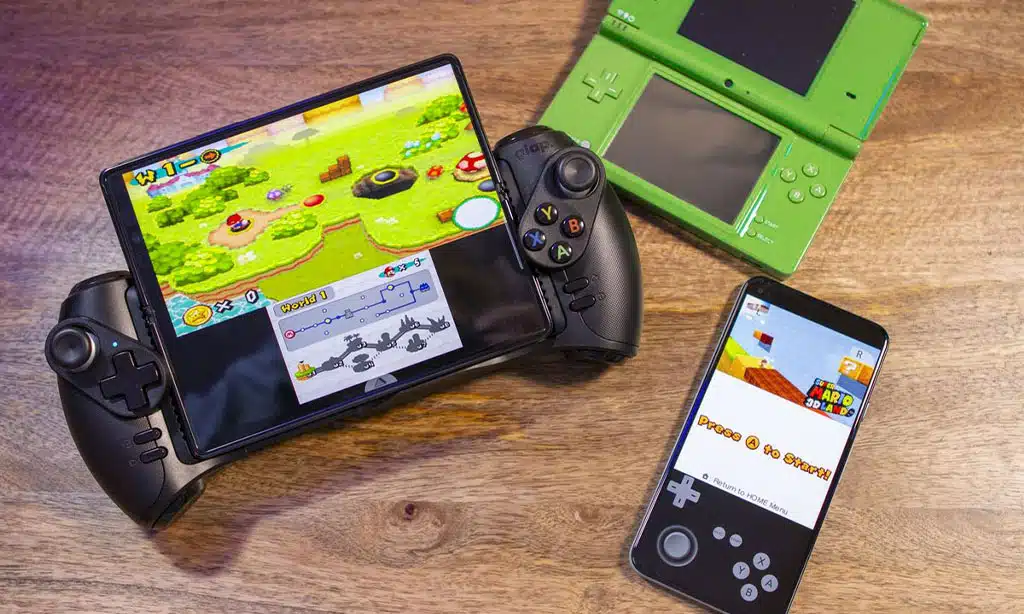
Moving on from the power of Dolphin Emulator for GameCube and Wii classics, let’s turn our attention to an excellent choice for handheld gaming. If you’re eager for some Nintendo DS action on your phone, DraStic DS Emulator shines as the best option.
It’s a treasure for experiencing all those cherished titles in a fresh way, right in your pocket. With seamless performance on most Android devices, it revives your favorite handheld games.
Imagine it as a portal, whisking you back to unforgettable adventures on the go.
What’s even more exciting about DraStic? This Nintendo DS emulator became free after the project was discontinued in February 2025. Now, you can enjoy retro gaming without spending a penny.
Load up your ROM files, use save states to continue where you stopped, and play classics effortlessly. It performs wonderfully for Android gaming enthusiasts who wish to rediscover the charm of DS handhelds.
So, download it from the app store, and let those nostalgic feelings flow!
M64Plus FZ: Leading Choice for Nintendo 64 Gaming
Hey there, gamers, let’s talk about M64Plus FZ, a top choice for Nintendo 64 gaming on your phone. This emulator is easily the best for Android users, no question. It brings classics like GoldenEye 007 to life with smooth controls and sharp graphics.
You can jump into retro gaming and feel like you’re gripping an old-school controller, complete with those challenging analog sticks. Best of all, it offers a paid Pro version that includes added benefits for a small price.
Now, picture yourself blasting through levels of your favorite Nintendo 64 titles anywhere, anytime. M64Plus FZ supports rom files and save states, so your progress is always safe.
It’s like carrying a time machine in your pocket, whisking you back to the golden days of N64 magic. Whether you’re into epic battles or racing games, this tool turns Android gaming into an absolute thrill.
Stay with me, and let’s keep checking out more amazing emulators!
DuckStation: The Top PlayStation 1 Emulator
Man, if you’re eager to play some classic PlayStation 1 games on your phone, DuckStation is the perfect choice. It’s easily the top standalone emulator for those old-school titles.
Think of games like Final Fantasy VII or Chrono Trigger, now running seamlessly on your device. Best part? It’s completely free, so you don’t have to spend a penny to relive those epic moments.
Just grab your ROM files, load them up, and you’re back in the golden age of retro gaming.
Now, envision relaxing with a virtual d-pad, blasting through levels on your Android phone. DuckStation stands out with its straightforward setup for PlayStation emulator fans. Unlike some options embedded in RetroArch, like SwanStation, this app operates independently.
You can adjust settings, save states, and immerse yourself in the original PlayStation magic without any trouble. For anyone craving that sweet nostalgia of PS1 classics, this tool is your gateway to hours of fun.
PPSSPP: The King of PlayStation Portable Emulation
Hey there, folks, let’s chat about PPSSPP, the top dog for PlayStation Portable emulation. This amazing tool lets you play PSP classics like Crisis Core right on your phone, no extra gear needed.
It’s smooth, fast, and works like a charm on most devices. Plus, it supports save states, so you can pause your game and pick it up later without a hitch. How cool is that?
Guess what? PPSSPP is the leading PSP emulator out there, and it even has a special Gold version for just $4.99. That small price gets you some neat extras to boost your retro gaming fun.
Whether you’re into action or RPGs on the PlayStation Portable (PSP), this app has got your back. Stick with me as we move on to explore Snes9x EX+ for all you Super Nintendo fans out there.
Snes9x EX+: A Reliable Option for Super Nintendo Fans
Moving from the handheld thrills of PPSSPP and PSP emulation, let’s jump into a classic console experience with Snes9x EX+. This gem shines bright for Super Nintendo fans itching to play retro games on their phones.
If you’ve ever wanted to relive those epic battles in Street Fighter or explore vast worlds on your Android device, this is your ticket. Snes9x EX+ stands out as the best SNES emulator around, and guess what? It won’t cost you a dime since it’s free and open-source.
Dig into this tool, and you’ll see why it’s a top pick for Android gaming. It runs smoothly, letting you load up ROM files for all your favorite Super Nintendo titles. Got a craving for old-school action? Pop in those save states, grab a SNES controller if you’ve got one, and play like it’s the ‘90s again.
This emulator makes retro gaming a breeze, no fancy tricks needed. Stick with me, pals, as we roll into more classic vibes with other awesome tools!
John GBAC: Excellent for Game Boy and Game Boy Advance Games
Hey there, folks, let’s talk about a true treasure for retro gaming on your phone. John GBAC stands out as the top Game Boy emulator available, hands down. It handles both Game Boy and Game Boy Advance games effortlessly.
You can download it for free, or pay just $4.49 for added features. Think about playing classics like Pokémon or Zelda, right in your pocket, without needing a clunky console. Isn’t that a trip down memory lane?
So, what makes this app even more impressive, you ask? John GBAC provides cloud backup options, ensuring your save states are completely secure. No more worrying about losing progress if your phone gets damaged.
Whether you’re into Game Boy emulator action or longing for some Game Boy Advance nostalgia, this tool supports you fully. It’s like having a reliable companion for all your Android gaming journeys.
So, get set to rediscover those pixelated memories. Ready to learn more? Let’s move on to Flycast: The Best Dreamcast Emulator next!
Flycast: The Best Dreamcast Emulator
Flycast stands out as the top pick for Dreamcast emulation on your phone. This app brings those classic Sega Dreamcast games, like Crazy Taxi, right to your fingertips. Best of all, it’s free to download and use, so you won’t spend a dime to relive your retro gaming days.
Whether you’re into epic battles or speedy races, Flycast handles it with ease on your Android device.
What’s more, this emulator supports online play, letting you challenge friends in arcade-style showdowns. It even works with other arcade systems, expanding your retro games library.
Grab your ROM files, set it up, and jump into the action. Trust me, it’s like stepping into a time machine, minus the clunky hardware. Let’s get those old-school vibes rolling on your screen today!
Yaba Sanshiro 2: Optimized for Sega Saturn Classics
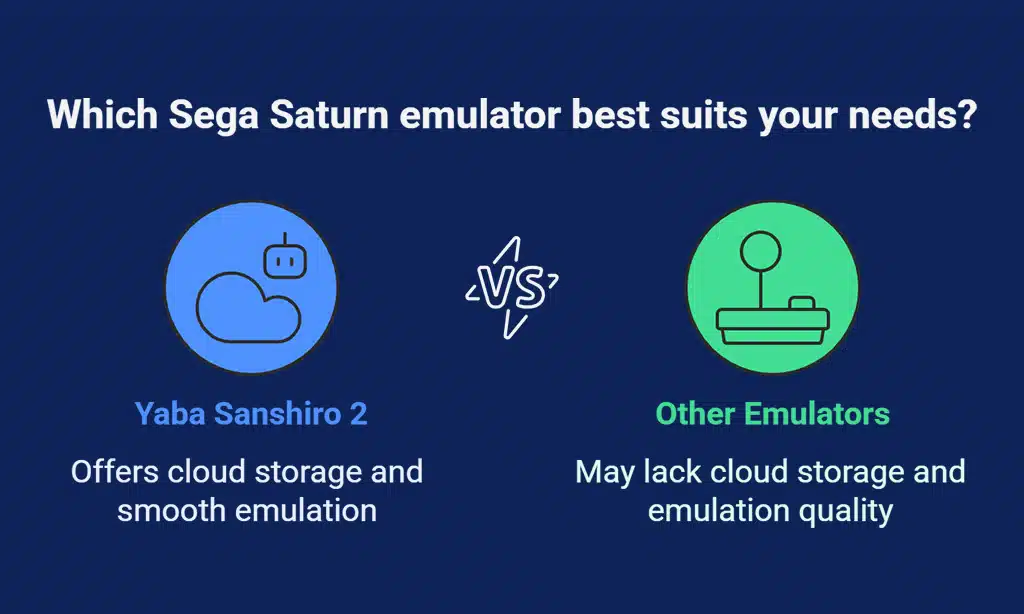
Hey there, let’s chat about Yaba Sanshiro 2, the top standalone Sega Saturn emulator for your phone. This app shines when you crave those classic Sega Saturn games, like blasting through old-school titles with smooth graphics.
It’s built to handle the quirks of Sega Saturn emulation, making sure your retro gaming feels just right. Pop in your ROM files, and you’re ready to roll on your Android device.
What’s neat about Yaba Sanshiro 2 is its cloud storage support. Save your game progress online, and never worry about losing those hard-earned wins. Whether you’re into Sega Saturn or just dipping into retro games, this emulator packs a punch for Android gaming fans.
Stick with it, and relive the magic of a classic gaming console right in your pocket.
Lemuroid: A Simple and User-Friendly Multi-Console Emulator
Hop on board, folks, for a neat ride with Lemuroid, a fantastic pick for Android gaming fans who crave retro games. This app stands tall as a solid option compared to RetroArch, and, boy, does it make things easy.
With a simple interface crafted for Android, you won’t get lost in tricky menus or confusing settings. Lemuroid supports tons of classic systems like Sega Genesis, Game Boy Advance, and even Nintendo DS emulator vibes.
Just load up your ROM files, and you’re good to go, no sweat. It’s like having a time machine in your pocket, ready to zap you back to the good old days.
Guess what makes Lemuroid even cooler? It’s totally free, so you can jump into retro gaming without spending a dime. This multi-console tool lets you play favorites from Super Nintendo to PSP emulator classics with ease.
Save states are a breeze too, so you can pick up right where you left off, no matter the game. Think of it as a trusty sidekick for Android emulators, always there to help you relive those pixelated adventures.
So, grab your phone, set it up, and let the nostalgia hit hard. Now, let’s move on to see what Delta Emulator brings to the table for iPhone users.
Delta Emulator: A Great Choice for iPhone Users
Moving from Lemuroid’s easy setup for multiple consoles, let’s talk about a great option for Apple enthusiasts. Delta Emulator stands out for iPhone users eager for retro gaming.
It’s a polished app that revives classics from Nintendo DS, Game Boy, and even Sega Genesis. You can enjoy those nostalgic vibes right on your phone, with no trouble at all.
This emulator excels with its seamless performance and user-friendly controls, making android gaming feel effortless on iOS. Load up your favorite rom files, use save states to pause whenever you want, and experience games in a fresh way.
Have a fondness for Nintendo’s classics? Delta delivers with precise emulation. Try it out, and let those childhood memories come alive!
Provenance: Another Solid iOS Emulator for Retro Games
Hey there, retro gaming fans, let’s talk about Provenance, a fantastic iOS emulator for your iPhone or iPad. If you’re craving some old-school fun, this app has got your back. It’s built to run classic games from various systems, bringing back those sweet memories of yesteryear.
Plus, with the boom in mobile gaming and nostalgia for retro games, Provenance fits right in for enthusiasts like us. You can enjoy your favorite titles anytime, anywhere, no clunky console needed.
Guess what else? Provenance offers cool perks like save states to pause and pick up later, and it even works with hardware controllers for that authentic feel. For iOS users into android emulators or game boy emulator vibes, this is a strong choice among mobile options.
It’s perfect for anyone hooked on retro gaming or curious about mobile tech. So, let’s keep the fun rolling and check out EmuBox next!
EmuBox: A Versatile Emulator Supporting Multiple Consoles
Moving from Provenance, an awesome pick for iOS users, let’s switch gears to a fantastic option for Android fans. EmuBox stands out as a flexible emulator that supports a bunch of classic systems.
It’s a solid choice if you’re into retro gaming on your phone. This app, totally free, lets you play games from consoles like Nintendo DS, PlayStation 1, and even Sega Genesis.
Talk about a blast from the past! You can jump into your favorite old-school titles with ease. Isn’t it cool to have all that nostalgia in your pocket?
Now, let’s chat about why EmuBox rocks for Android gaming. It handles multiple rom files smoothly, so you can switch between games fast. Want to save your progress? No sweat, it supports save states for quick pauses.
From Super Nintendo to Game Boy Advance, this emulator covers a wide range. Plus, it’s a great stand-in if you’re looking for something other than RetroArch. So, grab your phone, load up some classics, and relive those epic gaming moments.
What’s your go-to retro game to try first?
Takeaways
Hey there, retro gamers! We’ve just zipped through the top 10 emulators to bring classic games alive on your phone. From RetroArch to Dolphin Emulator, these tools let you relive Nintendo, SEGA, and PlayStation magic.
So, grab those ROM files, set up your save states, and jump back into Android gaming glory. What old-school title are you itching to play first?
FAQs
1. What are some top android emulators for retro gaming on my phone?
Hey, if you’re itching to dive into retro games, android emulators like M64Plus FZ for Nintendo 64, Dolphin Emulator for Wii, and Yaba Sanshiro 2 for Sega Saturn are fantastic picks. They bring old-school android gaming right to your fingertips. Gotta love reliving those classic moments with just a tap, right?
2. Can I play Sega Genesis games on my device?
Absolutely, pal, Sega Genesis, also known as Genesis/Mega Drive, is a breeze to play with the right emulation software. Grab an app supporting Sega-CD or Mark III, and load up those ROM files to jump into action.
3. What’s the deal with save states in game emulation?
Save states are your best buddy in game emulation, letting you freeze a moment in retro games like on Game Boy Emulator or SNES Emulator, and pick up right where you left off. It’s like hitting pause on life, but way cooler, don’t ya think?
4. Do I need BIOS files for emulators like PSP Emulator?
Yup, for rigs like PSP Emulator or even PS2 Emulator, BIOS files are often a must to get things rolling. Without ‘em, your PS Vita or Playstation 2 games might just sit there, mocking you. So, hunt those down before you load your ROM files, okay?
5. Are there emulators for less common systems like NeoGeo Pocket or Game Gear?
Hey there, you bet there are options for niche gems like NeoGeo Pocket, Game Gear, or even Commodore 64 with specific emulator cores. It’s like digging up buried treasure in the android gaming world, and trust me, the hunt is half the fun when you finally play those obscure retro games.
6. How do I get started with a Nintendo DS Emulator or Gameboy Advance?
Getting into a Nintendo DS Emulator or Gameboy Advance setup is as easy as pie, my friend. First, snag a solid app from the store that supports Nintendo’s classics, then load up your ROM files for instant nostalgia. If you’re stuck, poke around online for tips on SVP Chip quirks or Virtua Racing patches to smooth out any bumps in your emulated journey.































