

Managing hybrid teams feels like herding cats, especially when you can’t see who’s actually working and who’s binge-watching Netflix. Studies show that 87% of remote workers struggle with productivity tracking, making it tough for managers to support their teams effectively.
This guide breaks down 15 top employee tracking software options that help you monitor performance without turning into Big Brother. Ready to find your perfect match?
Key Takeaways
- Studies show 87% of remote workers struggle with productivity tracking, making employee monitoring software essential for hybrid workplaces.
- Pricing ranges from free (Clockify) to $14 per month (Teramind), with most platforms costing between $4.99-$10 monthly per user.
- Top-rated solutions include Clockify (4.7/5 on Capterra), EmpMonitor (4.9/5 on G2), and WorkStatus (4.6/5 on G2) for different needs.
- Essential features include automatic time tracking, real-time analytics, screenshot monitoring, GPS tracking, and integration with collaboration tools like Slack.
- Companies must balance productivity monitoring with employee well-being to avoid creating intrusive “Big Brother” surveillance environments in remote teams.
How does Hubstaff track time and boost productivity?
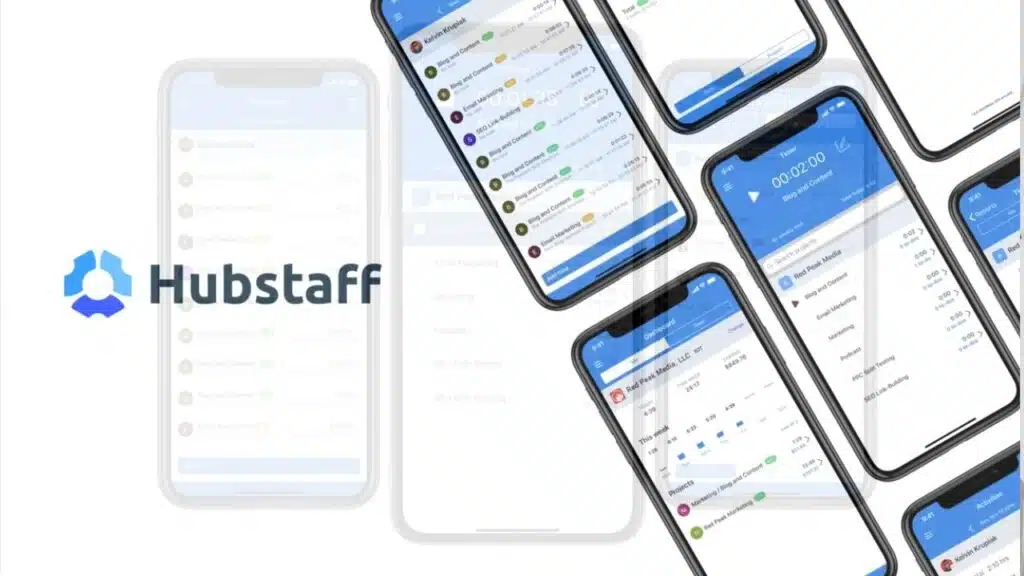
Hubstaff acts like a digital timekeeper that watches over your hybrid teams. This employee monitoring software tracks activity levels, work progress, and communication patterns across your distributed workforce.
The platform costs $4.99 per month and delivers detailed reporting of work hours through easy browser tracking and mobile apps. Teams can monitor inactivity periods, measure productivity management metrics, and even track team proximity for field work assignments.
The system integrates smoothly with popular collaboration tools like Trello, Slack, and Asana to support workflow automation.
Small teams with 10 to 15 employees might find the pricing steep for their budgets. Activity metrics can sometimes show inaccurate readings, and setup delays may slow down your initial launch.
G2 reviews praise the platform’s integration capabilities but point out discrepancies in activity monitoring features. Competing surveillance software options might offer more comprehensive user activity monitoring at lower fees, making cost-conscious businesses think twice about this choice.
What detailed work analytics does Time Doctor provide?
Time Doctor delivers comprehensive workforce analytics that go far beyond basic time tracking. The platform serves over 245,000 users and costs $6.70 per month, making it accessible for businesses of all sizes.
Managers get detailed performance metrics through custom summaries that break down employee productivity patterns. The system captures periodic screenshots, giving clear activity proof that helps supervisors understand how teams spend their work hours.
These visual records address privacy concerns while providing transparency in remote work environments. Time Doctor integrates seamlessly with billing systems, allowing companies to track billable hours with precision.
The software offers flexible plans for both individuals and larger organizations, adapting to different business needs.
Performance management becomes straightforward with Time Doctor’s analytical dashboard. The platform generates reports that highlight productivity trends, helping managers identify peak performance periods and potential improvement areas.
Employee monitoring software like this tracks keystroke logging and activity monitoring to create detailed work profiles. Some users report system freezes and crashes, which can disrupt workflow tracking.
Employees sometimes find the monitoring intrusive, as noted by reviewer Roxanne Marie V, who highlighted concerns about constant surveillance. Auto-restarts may occur even when disabled, causing frustration for remote teams.
Despite these challenges, the software provides valuable data analytics that support goal setting and employee engagement initiatives. Companies can scale up their monitoring capabilities while maintaining GDPR compliance and protecting sensitive information from data breaches.
How can ActivTrak give insights into team behavior?
ActivTrak works like a digital detective for your hybrid teams. This employee monitoring software costs $10 per month and digs deep into behavioral analysis. The platform tracks every click, keystroke, and application your team uses during work hours.
Real-time activity tracking shows you exactly what happens on each computer screen. Your dashboard displays which websites employees visit, how long they stay idle, and which programs they use most.
The software groups users into teams, making it easy to spot patterns across departments.
Weekly dashboards paint a clear picture of employee productivity trends. ActivTrak sets up alerts for specific behaviors, so you know when someone spends too much time on social media or gaming sites.
The system logs URLs and creates custom reports that break down work habits by hour, day, or week. This activity monitoring helps managers understand if their hybrid work environment truly boosts employee engagement.
The user-friendly interface makes setup simple, though some advanced features need higher subscription tiers. G2 reviews mention the software lacks Linux support and quick block lists, but most users find the analytics valuable for improving time management across remote and office workers.
What makes DeskTime effective for automatic time tracking?
DeskTime shines with its automatic time tracking that runs quietly in the background. This employee monitoring software captures work hours without constant manual input from your team.
The platform tracks deadlines and budgets automatically, making project management much simpler for busy managers. At $6.42 per month, it offers solid value for hybrid teams looking to improve employee productivity.
The system manages billable hours and project time with ease, giving you clear insights into how your workforce spends their day.
Real-time activity monitoring helps managers spot productivity patterns across their teams. DeskTime integrates smoothly with payment systems, which streamlines your billing process from start to finish.
The software handles absence scheduling and user grouping features that make workforce management less complicated. G2 reviews highlight the strong reporting capabilities, though some users mention sync issues with shared screens.
The mobile app feels outdated compared to newer alternatives, but the core time tracking features work reliably for most businesses.
Why is Teramind best for comprehensive employee monitoring?
Teramind stands out as the gold standard for comprehensive employee monitoring software because it combines productivity tracking, data loss prevention, and threat management in one powerful package.
At $14 per seat per month, this platform delivers real-time monitoring through a centralized dashboard that gives managers complete visibility into their hybrid teams. The software excels at keystroke logging, activity monitoring, and internet monitoring while maintaining GDPR compliance and strong cybersecurity measures.
Companies can track employee productivity without sacrificing employee well-being or creating a Big Brother atmosphere. User Maria Anglica G. praises the non-intrusive interface that doesn’t make workers feel like they’re under constant surveillance.
The platform’s data loss prevention features include robust access control, encryption, and instant login alerts that protect sensitive company information. Teramind integrates seamlessly with existing systems, offering remote access capabilities without requiring app relaunches.
The software supports both Android and iPhone apps, making it perfect for bring-your-own-device policies and working from home arrangements. While some users like Rob S. initially experienced antivirus conflicts with agent updates, the responsive customer support team quickly resolved these issues.
The system does face occasional lags and downtime, and custom rule configuration can be complex for new users. Despite these minor drawbacks, Teramind’s comprehensive monitoring capabilities make it the top choice for organizations serious about employee engagement and productivity management.
How does Insightful manage remote workforce effectively?
Insightful tackles remote workforce management with a smart blend of transparency and data-driven insights. At $6.40 per month, this employee monitoring software delivers real-time tracking that keeps hybrid teams connected and accountable.
The platform captures screen recordings and location data, giving managers a clear picture of how their distributed workforce operates. Time tracking becomes automatic, while attendance monitoring helps spot patterns that might signal employee engagement issues.
G2 user Ahmed A. praises the detailed reports and auto time tracking features, though he notes the lack of mobile-friendly access creates some friction for on-the-go managers.
Project accounting features help teams track billable hours across different clients and tasks. The intuitive user interface makes workforce analytics accessible to HR teams who need quick insights into employee productivity trends.
Live chat support keeps users moving when technical hiccups arise. The system’s data collection capabilities extend beyond basic time tracking to include comprehensive activity monitoring that respects employee well-being concerns.
Ahmed A. points out that historical data for former employees becomes inaccessible, which can complicate long-term workforce planning efforts.
What are the features of We360. ai for real-time performance tracking?
We360.ai brings real-time analytics, time tracking, and automated reporting to your fingertips. This employee monitoring software features an intuitive dashboard that makes tracking simple for managers and teams alike.
Productivity analytics show active time, idle periods, and application use patterns clearly. Screenshot monitoring captures work activity, while live streaming offers non-intrusive management options.
User Shivani B. praises the platform for self-evaluation, noting its ease of use and strong customer support.
Automated insights help boost employee productivity without micromanaging your hybrid teams. The software provides customizable clock-in and clock-out features that adapt to different team needs and KPIs.
Data security stays protected through encryption methods, meeting privacy laws requirements. User Yogesh K. points out one drawback: the rigid idle time calculation can miscount productive thinking periods during complex tasks.
The free version lacks HRMS integration, which might limit some human resource management functions for growing companies.
How does BambooHR support HR-centric employee management?
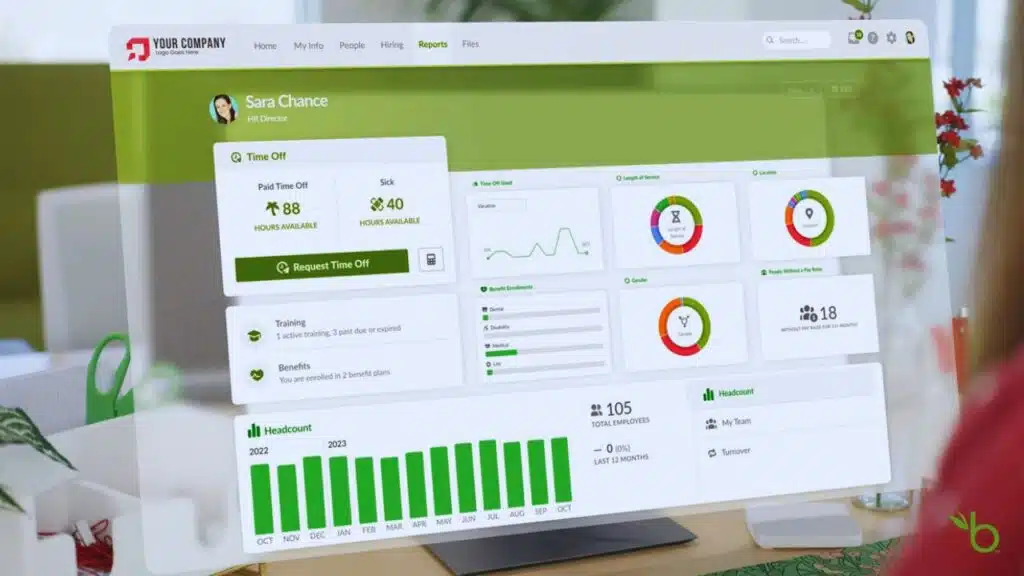
BambooHR transforms human resource management systems into a streamlined powerhouse for hybrid teams. This platform handles the complete employee lifecycle from recruitment to offboarding with impressive efficiency.
New hire processes become a breeze through onboarding automation that includes e-signatures and customizable templates. Manual HR tasks disappear as the system reduces paperwork and speeds up administrative work.
The software integrates seamlessly with existing HRMS systems, creating a unified database for all employee data management. HR teams can track everything from talent management to employee turnover without jumping between multiple platforms.
Compliance with labor laws and company policies stays on track through built-in monitoring features. The system earned solid ratings of 4.4/5 on G2 and 4.6/5 on Capterra, proving its value to real users.
Customizable reporting and analytics give HR professionals the insights they need to boost employee satisfaction and retention. The platform connects easily with productivity monitoring tools and collaboration software like Microsoft Teams and Google Workspace.
Employee recognition programs run smoothly through the system’s user-friendly interface. Performance appraisals become less stressful for both managers and staff members. The software supports single sign-on capabilities, reducing password fatigue across the organization.
Human capital management gets simpler as BambooHR handles everything from goal tracking to employee engagement metrics. Teams can focus on building better workplace culture instead of drowning in paperwork.
The platform adapts well to remote work environments, making it perfect for companies managing distributed teams across different locations.
What simplifies monitoring and reporting in EmpMonitor?
EmpMonitor automates monitoring and reporting for managers and HR teams. This employee monitoring software eliminates manual intervention through real-time analytics and productivity scoring.
Daily tracking provides detailed activity logs for quality review and compliance. The platform manages employee engagement and productivity while preventing insider threats. Customizable dashboards serve different user roles with specific data views.
Integration with other HR and project management platforms streamlines workflow processes.
Managers access comprehensive reports without spending hours collecting data. The system generates productivity scores automatically, making performance reviews simple and fair. EmpMonitor’s real-time analytics help teams spot issues before they become problems.
Remote workforce oversight becomes effortless with automated tracking features. The platform earned a 4.9/5 rating on G2 and 4.4/5 on Capterra from satisfied users. Time tracking and activity monitoring work together to give complete visibility into team performance.
How does WorkStatus handle attendance and task management?
WorkStatus transforms attendance tracking from a daily headache into smooth sailing. GPS tracking pinpoints exact employee locations, making clock-ins crystal clear for hybrid teams.
Live analytics show who’s working where and when, giving managers real-time workforce visibility. The platform automates attendance management completely, cutting out manual timesheets and guesswork.
Remote workers can clock in from anywhere, while office staff follow traditional schedules. Flexible shift scheduling adapts to different work patterns across your organization.
Task management gets a major upgrade with WorkStatus’s integrated approach. Project tracking becomes effortless as employees log time directly to specific tasks. Real-time performance metrics reveal productivity patterns and bottlenecks instantly.
Customizable reporting helps HR teams and managers make data-driven decisions about workforce allocation. The system earned a solid 4.6/5 rating on G2, proving its effectiveness in real workplace scenarios.
Secure data handling keeps sensitive employee information protected while maintaining full compliance with organizational policies.
What makes Clockify the best free time tracking software?
Clockify stands out as the champion of free time tracking software because it delivers premium features without charging a penny. This employee monitoring software supports unlimited users and projects in its free version, making it perfect for growing hybrid teams.
The platform offers idle detection and app tracking that helps managers understand employee productivity patterns. Automated timesheets save hours of manual work each week. Real-time activity monitoring keeps everyone on track without being intrusive.
Browser extensions make time tracking as easy as clicking a button. Teams can export reports in PDF and CSV formats for presentations and record-keeping. The software integrates smoothly with popular project management platforms and collaboration tools.
Users love Clockify’s user-friendly interface that requires zero learning curve. The platform earned impressive ratings of 4.5/5 on G2 and 4.7/5 on Capterra from thousands of satisfied customers.
Small businesses appreciate the unlimited project tracking that typically costs hundreds of dollars in other solutions. Remote teams benefit from GPS tracking features that help with field work management.
The software includes helpful reminders that prevent forgotten time entries. Keystroke logging and activity monitoring provide detailed insights into work patterns. Clockify proves that excellent time tracking doesn’t need to break the budget.
Companies can scale from startup to enterprise without worrying about user limits or hidden fees.
How does Basecamp facilitate team collaboration and task tracking?
Basecamp brings teams together with its simple project management tools. This platform helps hybrid teams stay connected through real-time chat features. Team members can organize tasks and assign them across different departments.
The software creates centralized communication channels that keep remote workers in the loop. Document sharing becomes easy with built-in file storage options. Calendar integration helps teams track deadlines and project milestones.
Users can customize notifications to cut down on distractions during focused work time.
Project management software like Basecamp streamlines workflow automation through third-party integrations. Teams can prioritize tasks based on importance and deadlines. The platform supports collaboration tools that make remote work feel less isolated.
G2 users rate Basecamp 4.1 out of 5 stars for its user-friendly interface. Capterra reviewers give it 4.3 out of 5 stars for overall performance. Task tracking becomes straightforward with clear assignment features.
Virtual meetings connect with the platform to keep all project details in one place.
Why is Asana ideal for project and workflow management?
Asana delivers AI-powered work management that transforms how hybrid teams handle projects. This project management software combines task tracking with smart notifications to keep everyone on the same page.
Teams can create visual project boards that make complex workflows simple to follow. The platform offers automated reminders and deadline tracking, so nothing falls through the cracks.
Users love the workflow customization options that adapt to any team’s needs. Analytics and reporting features provide clear insights into project progress and employee productivity.
Integration capabilities make Asana shine in today’s connected workplace. The software connects seamlessly with Slack, Microsoft Teams, and Google Workspace for smooth collaboration tools experience.
Mobile app access keeps remote teams connected from anywhere. Departments can work together across different projects without missing a beat. Users rate Asana 4.4 out of 5 on G2 and 4.5 out of 5 on Capterra.
These high ratings reflect the platform’s user-friendly interface and strong employee engagement features. Goals become achievable when teams have the right project management software backing their efforts.
How does Jira support software development teams?
Jira transforms project management for software development teams through its specialized boards and dependency management features. Development teams use Jira’s sprint planning tools to organize work cycles and prioritize their backlog items effectively.
The platform excels at issue tracking, making it simple for teams to log bugs, feature requests, and technical tasks in one central location. Teams can customize workflows to match their specific development processes, while automation rules handle repetitive tasks automatically.
Jira integrates seamlessly with CI/CD tools and version control systems, creating a smooth workflow from code commit to deployment. This integration helps hybrid teams stay connected, whether they work from home or the office.
Software teams rely on Jira’s reporting tools to track velocity, monitor burndown charts, and measure team performance across projects. The platform supports agile workflows perfectly, allowing teams to adapt quickly to changing requirements.
Developers can access REST API functionality for custom integrations with their existing tools and systems. Users rate Jira highly, giving it 4.3 out of 5 stars on G2 and 4.4 out of 5 stars on Capterra.
These ratings reflect how well Jira serves development teams who need reliable project management software. The platform handles complex software projects while maintaining a user-friendly interface that keeps teams productive and engaged throughout their development cycles.
Takeaways
Finding the right employee tracking software can feel like searching for a needle in a haystack. Your hybrid teams need tools that boost productivity without crushing morale. These 15 solutions offer different approaches to time tracking, activity monitoring, and project management software.
Smart companies pick tools that respect employee well-being while delivering real results. Choose wisely, and your team will thank you for it.
FAQs
1. What features should I look for in employee tracking software for hybrid teams?
Look for time tracking, activity monitoring, and collaboration tools that work seamlessly across locations. The best software includes project management features, virtual meetings support, and a user-friendly interface. You’ll also want GDPR compliance and multi-factor authentication to keep your data safe.
2. How does employee monitoring software impact employee satisfaction and productivity?
Good monitoring tools actually boost employee productivity by helping workers stay focused and organized. When done right, these systems improve employee engagement rather than hurt it. The key is choosing software that feels helpful, not like spyware watching every keystroke.
3. Can employee tracking software integrate with existing systems like Outlook and HRIS?
Most modern tracking platforms play nice with popular tools like Outlook, Citrix, and human resource management systems. This integration helps create a smooth user experience without forcing employees to juggle multiple passwords or learn completely new workflows.
4. What privacy protections should hybrid workplace tracking software include?
Strong employee tracking software must have HIPAA compliance for healthcare data and robust consumer privacy controls. Look for features like secure remote desktop access, content filtering options, and proper identity management. Biometrics and GPS tracking should always be optional, never forced.
5. How do these tools help with employee well-being and retention in remote work settings?
Smart tracking software includes employee recognition features and helps prevent burnout through productivity management insights. Many platforms offer room booking for office visits and visitor management for seamless hybrid transitions. When employees feel supported rather than surveilled, employee retention naturally improves.
6. What’s the difference between basic time tracking and comprehensive employee monitoring?
Basic time tracking just logs hours worked, while full monitoring might include keystroke logging, internet activity, and detailed productivity reports. The best solutions for hybrid teams focus on collaboration tools and project outcomes rather than micromanaging every click on the keyboard.






























