
Your Steam Deck is a powerhouse for gaming on the go. But without the right gear, you might struggle with short battery life, sore hands, or missing ports.
The right accessories can fix these issues fast. Here’s a list of the 10 must-have accessories for Steam Deck users to boost your gaming setup. Keep reading to upgrade your playtime.
Key Takeaways
- The Jsaux ModCase ($30) protects your Steam Deck with a semi-hard shell and includes a kickstand. It adds storage pockets and a textured grip for comfort.
- A Baseus 6-in-1 Dock expands ports, adding HDMI (4K 120Hz), USB-A, and fast charging. Turns your handheld into a desktop setup effortlessly.
- The Jsaux 20,000mAh power bank (65W) ensures long gaming sessions with fast charging. It meets the Steam Deck’s power needs for uninterrupted play.
- Upgrade storage with the SanDisk Ultra 1.5TB microSD card or the faster WD Black SN770M SSD. More space means more games without slowdowns.
- The Razer Barracuda X (2022) headset offers wireless Bluetooth audio and lightweight comfort for immersive gaming on the go.
Protective Case
Your Steam Deck deserves armor against bumps and drops. The Jsaux ModCase offers tough, comfy protection that fits like a glove.
No bulky mess—just lightweight defense for gaming on the go. Slide it into your bag without a second thought.
Jsaux ModCase: Durable and ergonomic protection
The Jsaux ModCase gives your Steam Deck tough yet comfy protection. It costs $30 and comes with a detachable kickstand, gummy stand, and extra accessory hooks. The semi-hard shell keeps your device safe while doubling as a handy stand for gaming on the go.
This case fits snugly and offers storage pockets for small extras. The textured grip makes it easy to hold during long sessions. It’s built for portable gaming, whether you’re traveling or playing at home.
The kickstand props up your Steam Deck at the perfect angle.
Screen Protector
Keep your Steam Deck’s screen safe from scratches and glare with the Jsaux Tempered Glass, a tough shield that doesn’t mess with your view—game on without worry, and check out what else can level up your setup.
Jsaux Tempered Glass: Anti-glare and scratch-resistant
Your Steam Deck’s screen needs protection. The Jsaux Tempered Glass comes in a 2-pack for just $10, giving you extra peace of mind. It’s anti-glare, scratch-resistant, and works whether you prefer matte or clear finishes.
Installation is easy with the included tools. This protector offers 9H hardness, just like Ivoler’s ultra-thin option, but stays crystal clear at 99.9% transparency. No more worrying about glare during long gaming sessions or scratches from travel.
A simple upgrade keeps your display safe without compromising visuals.
Docking Station
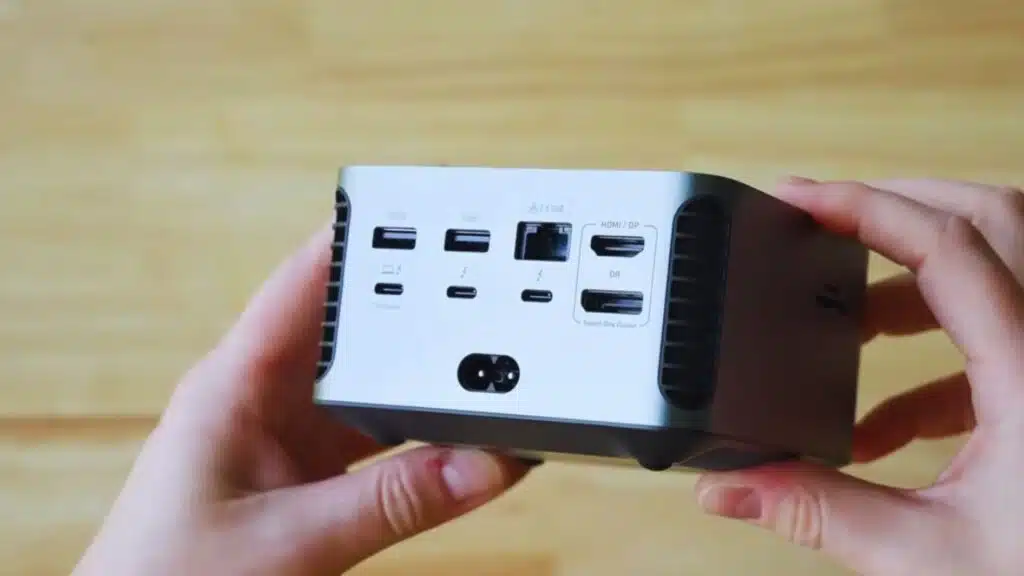
Want to plug your Steam Deck into a bigger screen? The Baseus 6-in-1 Dock adds HDMI, USB ports, and charging all in one sleek hub.
No more cable clutter—this docking station turns your handheld into a desktop gaming powerhouse.
(Entities: HDMI, USB ports, charging, desktop gaming, handheld gaming)
Baseus 6-in-1 Dock: Expand ports and connect external displays
The Baseus 6-in-1 Dock is a game-changer for Steam Deck users. It adds three USB-A ports, a high-speed USB-C port, and HDMI 2.0 for 4K 120Hz output. You can hook it up to a gaming monitor or TV for big-screen play.
This dock keeps your setup clean and compact. It works with other devices too, like laptops or the Nintendo Switch. No more juggling cables or missing ports. Just plug in and play.
Power Bank
Running low on battery mid-game? The JSAUX 20,000mAh power bank keeps your Steam Deck alive for hours. With 65W fast charging, it’s like a portable outlet in your backpack.
No more scrambling for plugs—this powerhouse fuels both your device and controller without breaking stride. It’s light enough to toss in your case but beefy enough to handle marathon sessions.
Jsaux 20,000mAh 65W: Long-lasting portable power
The Jsaux 20,000mAh 65W power bank is a game-changer for Steam Deck users. It delivers enough juice to keep your sessions going for hours, packing a hefty 20,000mAh capacity. With 65W fast charging, it tops up your device quickly.
This power bank hits the sweet spot for portable gaming. It meets the Steam Deck’s 3A@15V power needs, so you won’t face slow charging. Compared to the Anker PowerCore+ (26,800mAh, 45W), it’s lighter but still reliable.
No more low-battery panic mid-game.
Plug in, play on. The USB-C port ensures smooth charging without fuss. Perfect for travel or couch gaming marathons.
(Keywords: Steam Deck, power bank, fast charging, portable gaming, USB Type-C, battery pack)
Controller
The Asus ROG Raikiri Pro gives your Steam Deck a serious upgrade, with responsive triggers and extra buttons that make gaming feel smoother.
Want more must-have accessories? Keep reading.
Asus ROG Raikiri Pro: Enhanced controls for immersive gaming
The Asus ROG Raikiri Pro is a top-tier wireless controller built for Steam Deck gamers who want precision. Its Bluetooth and 2.4G connectivity options let you switch between devices fast, while the rechargeable battery lasts over 20 hours per charge.
The ergonomic grips and responsive buttons make long gaming sessions comfy.
For docked play, this gamepad stands out with its extra triggers and customizable inputs. It works seamlessly with SteamOS desktop mode, giving console-like ease on bigger screens.
Pair it with an Xbox Wireless Controller for local multiplayer, or keep things smooth in portable mode without missing a beat.
Charger
The Acefast Power Station Z4 juices up your Steam Deck fast, with a USB-C port for quick top-ups on the go. No more low-battery panic during long gaming sessions—this charger keeps you in the game without slowing you down.
Acefast Power Station Z4: Fast and reliable charging solution
The Acefast Power Station Z4 keeps your Steam Deck powered without delays. With USB-C and USB-A ports, it delivers fast charging for gaming on the go. Its compact size fits easily in a bag, making it perfect for travel.
For best performance, pair it with a 65W GaN charger like the UGREEN Nexode 100W. No more low-battery interruptions during long sessions. This combo ensures quick top-ups whether you’re couch gaming or away from an outlet.
Headset
The Razer Barracuda X (2022) keeps things light and clear for Steam Deck gaming, whether wired or wireless. With its balanced sound and comfy fit, you won’t miss a single battle cry or explosion.
Need more bass? SteelSeries Arctis Gamebuds pack punchy audio into tiny earbuds, perfect for on-the-go play without bulky cans. Both options ditch the hassle while keeping your game sounds sharp.
Razer Barracuda X (2022): Lightweight and versatile audio companion
The Razer Barracuda X (2022) is a great wireless gaming headset for Steam Deck users. It weighs just 250 grams, making it comfortable for long play sessions. The earcups are soft, and the sound quality keeps you immersed in games.
This headset works with multiple devices, including PCs and consoles like the PS4. It has Bluetooth connectivity and a USB-C dongle for lag-free audio. With clear mic quality and solid battery life, it’s perfect for on-the-go gaming.
No need to worry about tangled wires or poor sound while playing your favorite titles.
Keyboard
The Cherry MX-LP 2.1 gives your Steam Deck a crisp, responsive typing experience, whether you’re tweaking settings in desktop mode or chatting mid-game.
Ready to upgrade your setup? Keep reading for more must-have Steam Deck gear!
Cherry MX-LP 2.1: Compact and responsive typing experience
The Cherry MX-LP 2.1 keyboard is a game-changer for Steam Deck users. Its low-profile design keeps things portable while offering a smooth typing experience. Mechanical switches provide quick, tactile feedback perfect for gaming or desktop mode.
This wireless keyboard pairs easily with the Steam Deck via Bluetooth. The compact size fits well in any portable gaming setup but doesn’t skimp on performance. For those tired of cramped controls, this upgrade delivers comfort and speed without bulk.
RGB lighting adds flair, but the real win is how responsive it feels during long sessions. Whether docked at a station or playing on the couch, it bridges the gap between handheld and PC gaming effortlessly.
Mouse
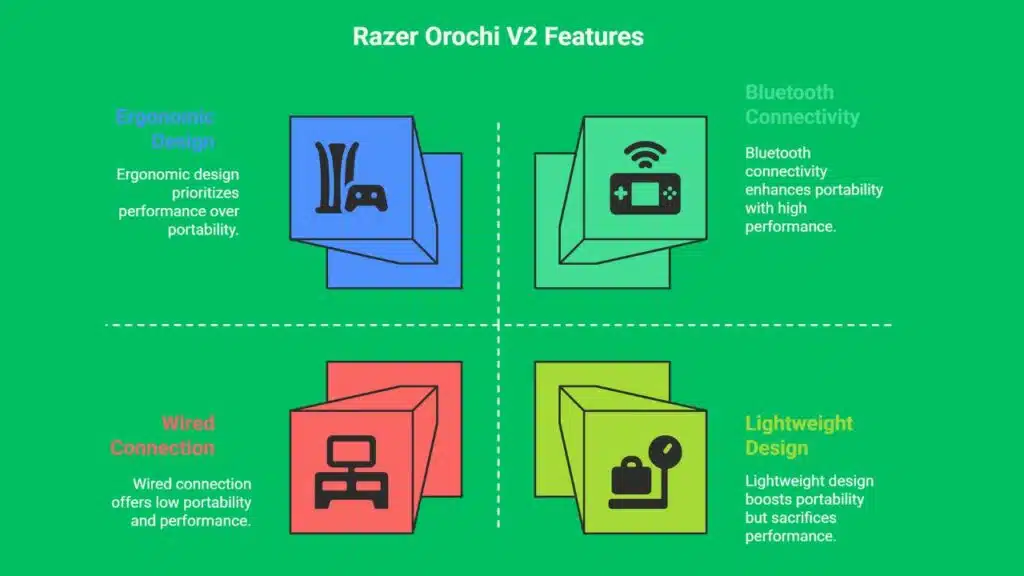
The Razer Orochi V2 is a pocket-sized gaming mouse that packs a punch, with smooth tracking and snappy clicks. Its lightweight design and Bluetooth option make it perfect for on-the-go Steam Deck gamers who need precision without the bulk.
Razer Orochi V2: Portable and precise gaming mouse
The Razer Orochi V2 is a top pick for Steam Deck gamers who need a portable mouse. It’s lightweight, fits easily in a bag, and delivers sharp precision for gaming on the go. With wireless Bluetooth connectivity, you won’t deal with tangled cords while playing.
Comfort is key for long sessions, and this mouse nails it with an ergonomic shape. It works with multiple devices, making it great for both gaming and everyday use. Plus, its responsive buttons give you an edge in fast-paced games.
If you want a compact, high-performance mouse for your Steam Deck setup, the Orochi V2 ticks all the boxes.
Storage Expansion
Running low on space? A high-capacity microSD card keeps your game library growing without missing a beat.
Slip in the SanDisk Ultra 1.5TB card, and you’ve got room for hundreds of titles while keeping things portable.
SanDisk Ultra 1.5TB microSD Card: Ample space for your game library
Running out of storage on your Steam Deck? The SanDisk Ultra 1.5TB microSD card gives you room for dozens of games without emptying your wallet. It’s a budget-friendly way to expand your library beyond the built-in SSD, letting you store AAA titles and indie gems alike.
For faster load times, consider the Sabrent Rocket 1TB NVMe SSD ($100-$110), but if you need portable storage, this microSD card does the job. Slip it in, download your games, and take your collection anywhere.
No fuss, just extra space when you need it most.
SSD Upgrade
Boost your Steam Deck’s speed with the WD Black SN770M SSD, cutting load times and giving you more space for games—no more waiting, just playing.
Upgrade now and leave slow storage in the dust!
WD Black SN770M: Faster load times with internal storage boost
Upgrade your Steam Deck’s storage with the WD Black SN770M SSD. It boosts game load times and adds more space for your library. This NVMe drive fits snugly inside, swapping out the slower stock drive for better performance.
The SN770M delivers speedy transfers, making games run smoother. Compared to microSD cards, internal SSD storage gives faster access to data. It’s a solid upgrade for serious portable gaming.
Prices vary, but TeamGroup’s MP44S offers similar specs at lower costs if you’re budget-conscious.
Takeaways
Your Steam Deck is awesome, but the right extras make it even better. A good case, quick charger, and power bank keep it safe and running. A solid dock, headset, or controller can take your gaming up a notch.
Don’t forget extra storage—games eat space fast! Grab these accessories and play smarter, not harder.
FAQs
1. What are the best Steam Deck accessories for portable gaming?
A docking station, wireless earbuds like the Steelseries Arctis Gamebuds, and a power bank make gaming on the go smooth. Don’t forget a microSD card for extra storage.
2. Do I need a screen protector for my Steam Deck?
Yes, a screen protector like the JSAUX model keeps your display safe from scratches. It’s cheap insurance for your handheld.
3. Can I use my Steam Deck like a gaming PC?
Absolutely. Hook it up to a gaming monitor with a USB Type-C dock, add a wireless mouse and keyboard, and you’re set for SteamOS desktop mode.
4. What’s the best headset for the Steam Deck?
Gaming headsets with active noise cancellation (ANC) block distractions. The Steelseries Arctis line works great, or try wireless earbuds for couch gaming.
5. Should I upgrade my Steam Deck’s storage?
If you play big games, a solid-state drive (SSD) speeds things up. A 1TB model gives you room to grow without juggling files.