Have you ever felt like your browser tabs are reproducing on their own? One minute you have three open; the next, you’re drowning in twenty. You open Slack to answer a ping, switch to Google Drive to find a doc, jump into Asana to check a due date, and by the time you look up, you’ve forgotten what you were actually trying to do. In the tech world, we call this the “context switching loop,” but it has a more common name: Integration Fatigue.
It’s not just you. A 2025 report from Okta reveals that the average business now uses over 101 different apps. That is a lot of logins to remember. In this guide, I’ll walk you through why this fragmentation is draining your team’s energy and how the new wave of “All-in-One” platforms can help you reclaim your day. Let’s debug your workflow.
What is Integration Fatigue?
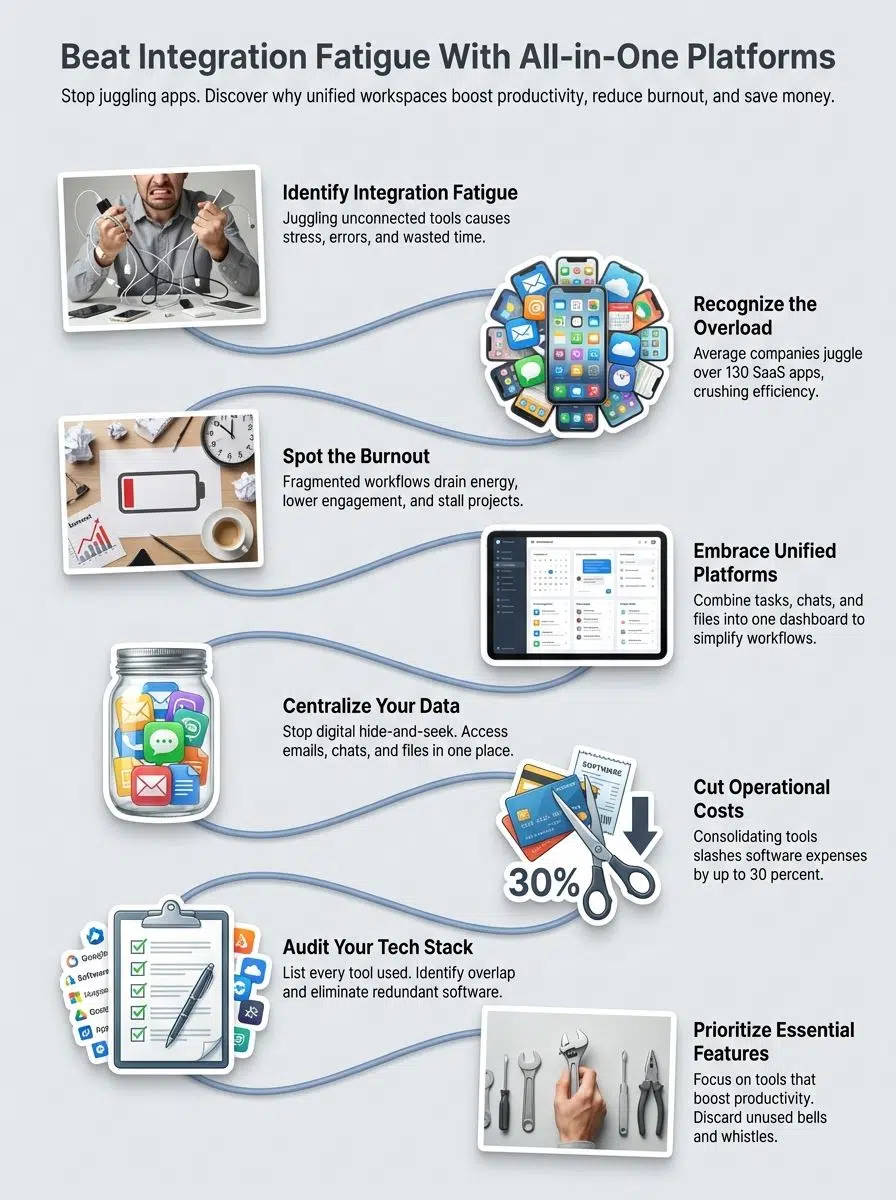
Integration fatigue happens when the tools meant to help you work actually get in the way of the work itself. It’s the exhaustion that comes from constantly juggling disjointed systems that don’t talk to each other.
Definition and context in technology and business
Think of integration fatigue as “digital friction.” Every time you have to copy-paste data from a CRM to a spreadsheet, or manually download a file from one app just to upload it to another, you lose momentum. In my work as a developer, we see this when APIs don’t connect cleanly; the whole system slows down.
For your team, the cost is measurable. A study by Harvard Business Review found that the average employee toggles between apps and websites nearly 1,200 times a day. This constant flickering of attention creates what experts call the “toggle tax”, roughly four hours a week lost just to reorienting yourself after switching screens. That is five full weeks a year that vanished into thin air.
“I feel like a human router, just passing data between apps instead of actually solving problems,” said a Lead Engineer at a mid-sized SaaS company.
This fatigue isn’t locked inside the office. It bleeds into our personal lives, too. You probably have a WhatsApp group for friends, a Discord for your hobby, Slack for work, and emails for everything else. It’s overwhelming.
This fragmentation creates a sense of “always-on” anxiety. Microsoft’s 2025 Work Trend Index calls this the “Infinite Workday.” Their data shows that 48% of employees feel their work is chaotic and fragmented, leading to a blur where you never truly disconnect because the notifications come from everywhere, all the time.
People are craving simplicity. That’s why “All-in-One” platforms are becoming the preferred architecture for modern teams, they bring the chaos under one roof.
Causes of Integration Fatigue
Why did things get so complicated? It usually starts with good intentions, “there’s an app for that”, and ends in a tangled mess of software spaghetti.
Overreliance on fragmented tools and platforms
We often fall into the trap of “best-in-class” buying. You buy the “best” chat app, the “best” project tool, and the “best” file storage, assuming they will work together. They rarely do without heavy lifting.
According to Productiv’s 2024 data, the average SaaS portfolio has ballooned to 342 apps for larger enterprises. This is known as “SaaS Sprawl.” Each new tool adds a cognitive load. Marketing lives in Monday.com, Engineering is in Jira, and Sales is in Salesforce. When these teams need to collaborate, they hit a wall because their tools speak different languages.
High maintenance and resource allocation
Maintaining a fractured stack is expensive. IT teams aren’t building cool new features; they are stuck managing permissions and resetting passwords for 100+ different accounts.
The Financial Reality:

- Wasted Spend: A 2024 report by Zylo found that companies waste an average of $18 million annually on unused software licenses.
- Utilization Rates: Shockingly, about 52% of purchased licenses sit idle.
It’s like renting a massive storage unit and leaving it half-empty, but continuing to pay for the premium climate control.
Lack of cohesive strategies for integration
Most companies don’t plan their tech stack; they grow it by accident. A manager swipes a credit card for a new tool to solve an immediate problem (we call this “Shadow IT”), ignoring the long-term complexity.
Without a “Master Plan” or a unified API strategy, you end up with data silos. You can’t see the big picture because your data is scattered across twenty different dashboards. This lack of cohesion forces your team to do manual data entry, the sworn enemy of productivity.
Impact of Integration Fatigue
The stress of managing too many tools drains even the brightest minds. When your brain is busy managing tabs, it has no energy left for creative problem solving.
Reduced productivity in organizations
Let’s talk about flow state. You know that feeling when you’re deeply focused and getting great work done? Constant pings kill that.
Microsoft’s 2025 research reveals a startling stat: the average worker is interrupted every 2 minutes. Between checking 117 emails and 153 Teams messages a day, there is almost no time left for deep work. The result? Teams are busy, but they aren’t productive. They are spinning their wheels in the mud of communication overhead.
Burnout among teams and individuals
When you spend your day fighting your tools, you burn out. It’s that simple. The cognitive load of remembering where a file is saved, was it in Dropbox? Or attached to that Trello card? It is mentally exhausting.
This leads to what I call “alert fatigue.” When everything is urgent and beeping, nothing is prioritized. Microsoft found that 60% of an employee’s time is now spent on communication (email, chat, meetings), leaving only 40% for the actual creative work they were hired to do.
Declining motivation to adopt new tools
If you tell your team, “Hey, we have a great new tool!” and they groan, you have hit adoption saturation. People are tired of learning new interfaces.
If the user experience (UX) is clunky or requires yet another login, your team will find a workaround. Usually, that workaround is a spreadsheet or a sticky note. When tool overload hits, engagement drops. You can buy the most expensive software in the world, but if your team is too fatigued to open it, it’s worthless.
Why “All-in-One” Platforms Are the Solution
Think of an all-in-one platform like a well-organized IDE (Integrated Development Environment) for your business. Instead of opening five different programs to write, test, and deploy, you do it all in one window.
Simplified workflows and reduced complexity
Platforms like ClickUp, Notion, or Microsoft Loop are winning because they consolidate functions. You can have your docs, your task list, and your team chat in a single view.
This kills the “toggle tax.” If you can verify a spec, assign a task, and ask a question without ever leaving the tab, you stay in your flow. Gartner reports that 84% of software buyers now prefer a suite that solves multiple problems over disjointed “best-of-breed” solutions. It’s simply more efficient.
Unified data management and accessibility
When everything lives in one database, you unlock powerful features. You can link a customer interview (Document) directly to a feature request (Task) and the roadmap (Timeline).
The “Single Source of Truth”:
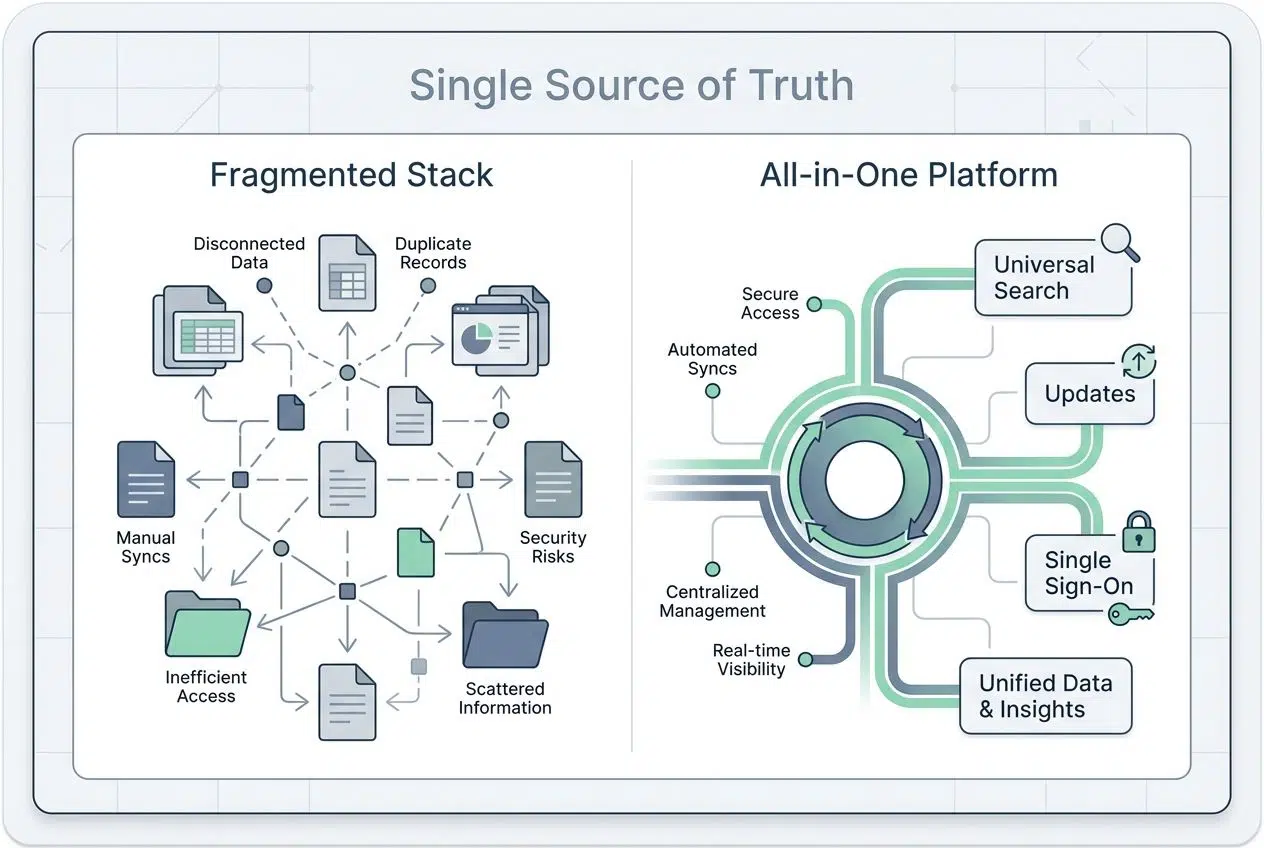
| Feature | Fragmented Stack | All-in-One Platform |
|---|---|---|
| Search | Search 5 different apps | Universal Search finds everything |
| Updates | Manually update 3 dashboards | Update once, reflects everywhere |
| Access | Manage 10+ user lists | Single Sign-On (SSO) for all |
This unification means fewer versions of the same file floating around and less time wondering, “Is this the final draft?”
Cost and time savings
Consolidation is a budget-saver. Instead of paying $10/user for a chat app, $15/user for project management, and $20/user for a wiki, you might pay $25/user for a platform that does it all.
Beyond the subscription fees, the administration savings are huge. Onboarding a new employee takes 10 minutes, not two days. You create one account, and they have access to everything. That is scalable efficiency.
The shift toward unified digital workspaces
The market is voting with its feet. We are seeing a massive consolidation trend. It’s no longer about who has the most features; it’s about who has the most connected features.
Tools like Slack are evolving into “productivity surfaces” where you can approve expenses or run polls without leaving the chat. Microsoft Teams has become an operating system of its own. The companies that are thriving are the ones moving toward these “digital HQs.”
This shift isn’t just about software; it’s about creating a calm, orderly environment where work can actually happen.
Key Features of Successful “All-in-One” Platforms
Not all platforms are created equal. If you are shopping for a solution, don’t just look for a long feature list. Look for these core architectural strengths.
Seamless integration capabilities
A true all-in-one platform plays nice with others. It should be the “hub” that connects your other essential tools. Look for native integrations with the big players (Google, Microsoft, AWS).
Pro-Tip: Check the platform’s connection with automation tools like Zapier or Make. If it has a robust API, you can automate the boring stuff. For example, you can set it up so that a new email specifically from a “VIP Client” automatically creates a high-priority task in your workspace.
Customization and scalability
Your business isn’t static, so your tools shouldn’t be either. You need a platform that lets you build your own workflows.
- Databases: Can you add custom fields? (e.g., “Priority Level,” “Client Budget”).
- Views: Can a developer see a Kanban board while a manager sees a Gantt chart of the same data?
- Permissions: Can you hide sensitive financial docs from freelancers?
Tools like Notion excel here because they act like LEGO blocks; you build exactly what you need.
Intuitive user interfaces
This is my favorite part: UI/UX. Complex power means nothing if the interface is scary. The best platforms focus on “progressive disclosure”; they show you simple features first and hide the complex buttons until you need them.
Look for features like “Command Palettes” (usually opened with Cmd+K or Ctrl+K). These allow power users to navigate the entire system using only their keyboard. It sounds small, but once you get used to it, you can fly through your work.
How Businesses Can Transition to All-in-One Platforms
Switching tools is daunting; it’s like moving houses. You have to pack everything up and hope you don’t lose the fine china. Here is a safe roadmap to make the move.
Assess current tools and identify redundancies
First, you need a full audit. You can’t fix what you don’t measure. The “Shadow IT” Hunt: Don’t just ask your team what they use; they will forget half of it. Go to your finance department and pull the expense reports. Look for recurring charges to “SaaS” vendors. You will likely find three different teams paying for three different project management tools.
Another trick? Check the “Sign in with Google” security page on your company admin panel. It lists every app your employees have granted access to. The list might shock you.
Prioritize essential features for consolidation
Don’t try to replicate every single feature of your old tools. That leads to bloat. Instead, focus on the 80/20 rule.
What are the 20% of features your team uses 80% of the time? Usually, it’s assigning tasks, commenting, and sharing files. Find a platform that nails those basics perfectly. If the new tool does 90% of what the old specialized tool did, the benefit of having it integrated outweighs the loss of that niche 10% feature.
Develop a long-term maintenance strategy
Migration isn’t a one-time event; it’s a process. Appoint a “Tool Champion” for the new platform. This person (maybe you?) will be the go-to expert for questions and setting up best practices.
Schedule a “Quarterly Tech Clean-up.” Review your workspaces, archive old projects, and check permissions. Treat your digital workspace like a garden; if you don’t weed it occasionally, the weeds (and the fatigue) will come back.
Finally: Integration Isn’t Just Tech, It’s Business Strategy
Smart leaders know that your tech stack mirrors your culture. If your tools are fragmented and chaotic, your team’s communication will be too.
By moving to unified, all-in-one platforms, you aren’t just saving money on licenses. You are buying back your team’s focus. You are reducing the friction that leads to burnout. And most importantly, you are building a foundation where work feels less like a struggle and more like a rhythm.
The future belongs to the focused. Is your toolkit helping you focus, or is it just making noise?