

PS5 and Xbox Series X can look incredible on the right 4K TV, but only if you get the console basics right: 4K/120, VRR, ALLM, and low input lag. This list focuses on the 12 Best 4K TVs for console gaming that feel fast and smooth, while still looking great for movies and streaming.
If you want:
- The best all-around console experience, prioritize HDMI 2.1 port count and VRR stability
- To play in a bright room, prioritize Mini-LED brightness
- The perfect blacks and HDR pop, prioritize OLED or QD-OLED
Comparison Table
| TV | Panel | 4K/120 + VRR | HDMI 2.1 Ports | Best Strength | Best For |
|---|---|---|---|---|---|
| LG C5 OLED | OLED | Yes | 4 | Gaming feature balance | Best overall console gaming pick |
| LG C4 OLED | OLED | Up to 4K/144 + VRR | 4 | Full bandwidth HDMI 2.1 | Multi-device gamers |
| LG B4 OLED | OLED | Yes + VRR | 4 | Budget OLED with full HDMI 2.1 | Best value OLED |
| Samsung S95D | QD-OLED | Up to 4K/144 + VRR | 4 | Glare control + high-end OLED punch | Bright-room OLED gaming |
| Samsung S90D | OLED | 4K/144 + VRR | 4 | Strong OLED value tier | Value OLED alternative |
| Samsung QN90D | Mini-LED | 4K/144 + VRR | 4 | Bright gaming without burn-in worry | Bright rooms + sports |
| Sony Bravia 8 II | QD-OLED | Yes | 2 | Sony processing + OLED realism | Best picture purist pick |
| Sony Bravia 9 | Mini-LED | 4K/120 + VRR | 2 | Flagship brightness | HDR in bright rooms |
| Sony Bravia 7 | Mini-LED | 4K/120 + VRR | 2 | Strong value Mini-LED | Sony look for less |
| TCL QM8K (2025) | Mini-LED | 144Hz class | Varies | Big brightness + gaming focus | Big-screen value |
| TCL QM851G (QM8 2024) | Mini-LED | 4K/144 + VRR | HDMI 2.1 | High-end value Mini-LED | HDR impact per dollar |
| Hisense U8N | Mini-LED | 4K/144 + VRR | HDMI 2.1 | Bright, feature-loaded value | Best budget-bright pick |
12 Best 4K TVs for Console Gaming
Here they are:
1) LG C5 OLED
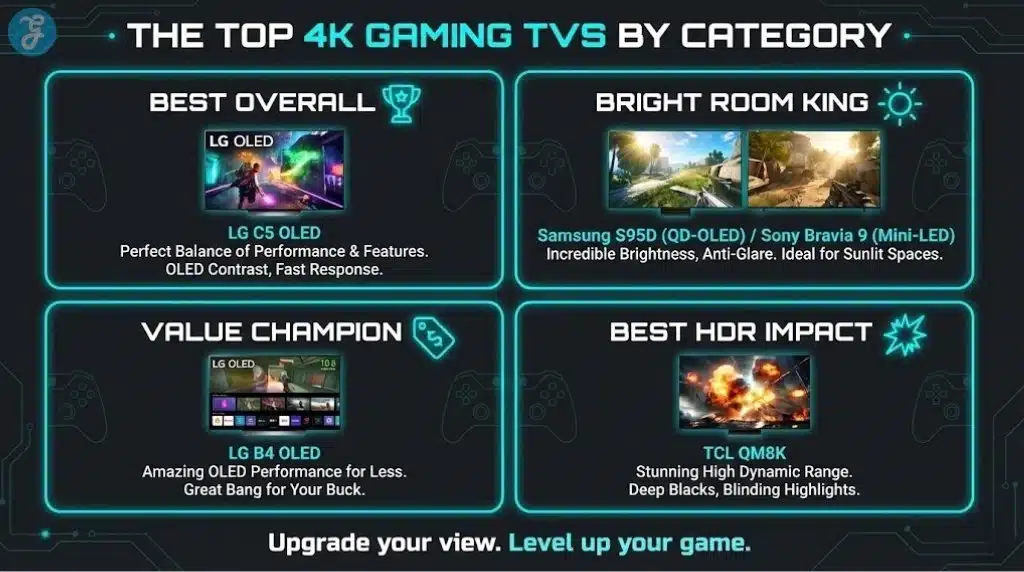
LG’s C-series is a go-to for console gaming because it nails the balance of OLED contrast, fast response, and gamer-focused features, with strong gaming support highlighted in 2026 TV roundups. It is the safest “buy it and be done” TV for PS5 and Xbox Series X if your budget allows
-
Best For: Most console gamers who want OLED without overthinking
-
Pros: Excellent gaming focus, strong overall picture, widely recommended for gaming
-
Cons: OLED pricing is higher than Mini-LED value picks
2) LG C4 OLED
The LG C4 is built for multi-device setups because it supports full HDMI 2.1 bandwidth on all four ports, plus VRR and high refresh gaming support. It is a great choice if you have both consoles and want room left for a soundbar eARC and a PC.
-
Best For: Two-console households and HDMI-heavy setups
-
Pros: 4 HDMI 2.1 ports with full bandwidth, strong gaming performance
-
Cons: OLED brightness can be less forgiving in very sunny rooms
3) LG B4 OLED
If you want OLED blacks and smooth VRR gaming without paying C-series money, B4 is the value move. It steps up to full HDMI 2.1 bandwidth on all four ports, making it much more console-friendly than older budget OLEDs
-
Best For: Budget OLED buyers who still want full console features
-
Pros: 4 full HDMI 2.1 ports, strong bang-for-buck
-
Cons: Lower overall brightness than higher-end OLED and premium Mini-LED sets
4) Samsung S95D (QD-OLED)
S95D is the “OLED in a bright room” answer, pairing QD-OLED color pop with strong gaming support including VRR and high refresh over HDMI 2.1 across all four ports. If glare is your enemy, this is one of the most compelling premium console screens
-
Best For: Bright rooms and players who want vivid HDR color
-
Pros: 4 HDMI 2.1 ports, VRR on all ports, 4K up to 144Hz support
-
Cons: Premium pricing
5) Samsung S90D
S90D is a strong alternative if you want Samsung OLED gaming performance but want to spend less than S95D. It targets high refresh gaming with modern motion features and sits in Samsung’s more attainable OLED tier
-
Best For: Value-focused Samsung OLED buyers
-
Pros: Great OLED gaming baseline, strong motion support
-
Cons: Not the top-tier anti-glare flagship experience like S95D
6) Samsung QN90D (Neo QLED Mini-LED)
QN90D is the easy pick for bright rooms where you still want fast gaming and excellent HDR impact, with four HDMI 2.1 ports supporting features like VRR and 4K/144. It is also a smart choice if you worry about OLED burn-in risk from static HUDs.
-
Best For: Bright rooms, sports, and HUD-heavy games
-
Pros: 4 HDMI 2.1 ports, VRR support, very strong brightness
-
Cons: Mini-LED can show some blooming in extreme scenes
7) Sony Bravia 8 II (QD-OLED)
Bravia 8 II is for people who love Sony’s picture processing and want QD-OLED depth and realism, with Google TV and strong HDR support. The catch is Sony’s typical limitation: only two HDMI 2.1 ports, so you may need to plan ports carefully
-
Best For: Picture purists who want Sony processing for games and movies
-
Pros: Excellent overall image realism, strong HDR, Google TV
-
Cons: Two HDMI 2.1 ports, which can be limiting for multiple consoles
8) Sony Bravia 9 (Mini-LED)
Bravia 9 is Sony’s brightness monster, built for HDR punch in rooms where OLED can look dim. It supports HDMI 2.1 gaming features like 4K/120, VRR, and ALLM, but also follows Sony’s pattern of limited HDMI 2.1 port count
-
Best For: Bright rooms and HDR highlight lovers
-
Pros: Flagship Mini-LED brightness, HDMI 2.1 gaming features
-
Cons: Only two HDMI 2.1 ports
9) Sony Bravia 7 (Mini-LED)
Bravia 7 gives you a lot of the Sony “premium LED” look for less than Bravia 9, with strong brightness and gaming support up to 4K/120 and VRR. It is a great mid-tier choice if you want Sony’s processing and a more affordable Mini-LED route
-
Best For: Sony fans who want Mini-LED without flagship pricing
-
Pros: Great brightness, VRR support, strong overall balance
-
Cons: Two HDMI 2.1 ports and input lag are not class-leading for competitive play
10) TCL QM8K (2025)
QM8K is TCL’s 2025 flagship Mini-LED line aimed at gamers, with a 144Hz class panel and a mode that can push higher refresh at lower resolution for responsiveness. It is a strong big-screen pick when you want brightness, HDR impact, and gaming features without premium-brand pricing
-
Best For: Big-screen gaming value in bright rooms
-
Pros: 144Hz refresh class, Mini-LED brightness, gaming-focused features
-
Cons: Model availability and sizing can vary by region
11) TCL QM851G (QM8 2024)
QM851G is TCL’s 2024 high-end value play, loaded with console-friendly features like HDMI 2.1 bandwidth, VRR, and up to 4K/144Hz support. If you want strong HDR brightness and a gaming feature checklist at a lower cost than Sony and Samsung flagships, it is a smart pick
-
Best For: Best HDR impact per dollar
-
Pros: HDMI 2.1 bandwidth, 4K/144Hz support, VRR
-
Cons: Motion handling can vary by content and settings on value brands
12) Hisense U8N
Hisense U8N is a budget-friendly Mini-LED that still brings serious gaming support, including HDMI 2.1 features and up to 4K/144Hz with VRR. It is one of the best choices if you want a bright, modern gaming TV but want to keep spending under tighter control
-
Best For: Bright-room gaming on a budget
-
Pros: HDMI 2.1 features, 4K/144Hz support, high brightness
-
Cons: Often fewer HDMI 2.1 ports than LG and Samsung (commonly two)
How to Choose a 4K Gaming TV Without Overspending
Console-First Priorities
-
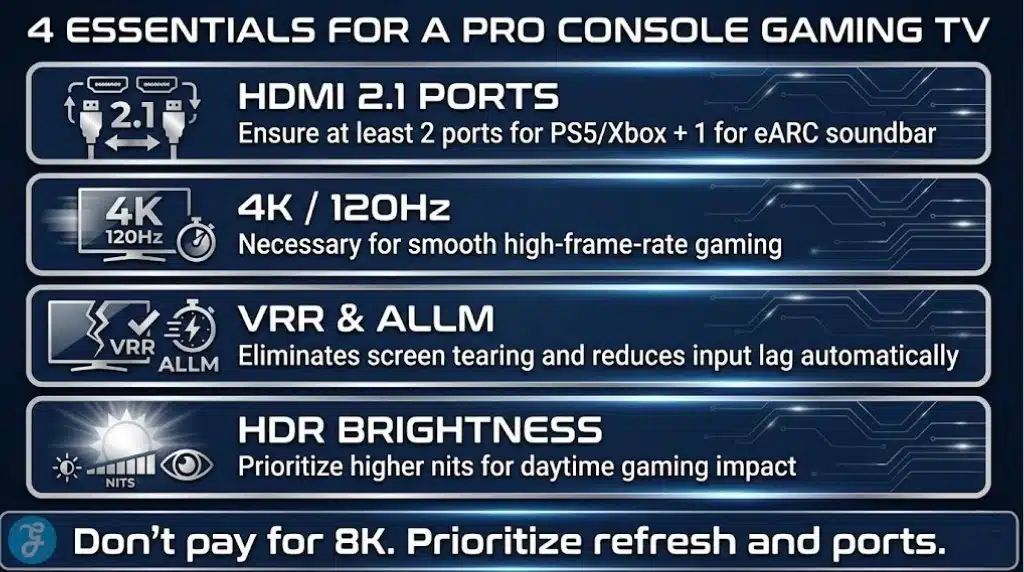
4K/120 support for 120fps modes
-
VRR to smooth frame dips
-
ALLM to switch to game mode automatically
-
Enough HDMI 2.1 ports for PS5 + Xbox + eARC soundbar
-
Good HDR brightness if you game in daylight
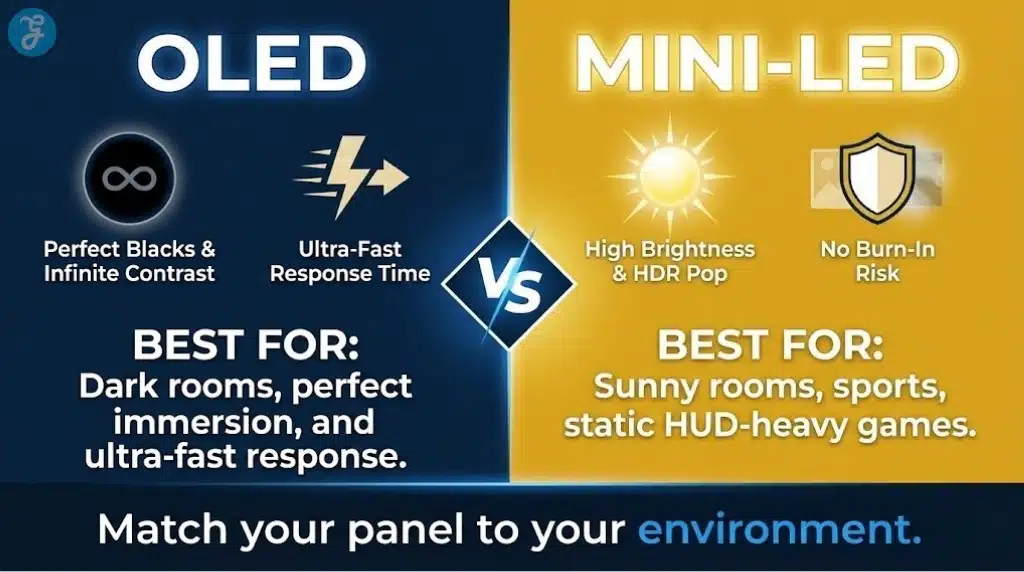
OLED vs Mini-LED
-
OLED: Perfect blacks, fast response, best dark-room gaming feel
-
Mini-LED: Much brighter, great for sunny rooms, no burn-in worry, can have some blooming
Quick Decision Table
| Your Situation | Best Direction |
|---|---|
| You play at night and want the best contrast | OLED (LG C5/C4, Samsung S95D) |
| You play in a bright room | Mini-LED (Samsung QN90D, Sony Bravia 9, TCL QM8K) |
| You need many HDMI 2.1 devices | LG C4 or LG B4 (4 ports) |
| You want value with strong gaming features | TCL QM851G or Hisense U8N |
Checklist Before You Buy
-
Confirm how many HDMI 2.1 ports you will actually need
-
Reserve one port for eARC if you use a soundbar or AVR
-
Choose brightness based on your room, not store lighting
-
Pick size based on viewing distance and where you sit
-
If you fear static HUD burn-in, consider Mini-LED over OLED
Settings to Turn On for PS5 and Xbox Series X
Just follow the instructions:
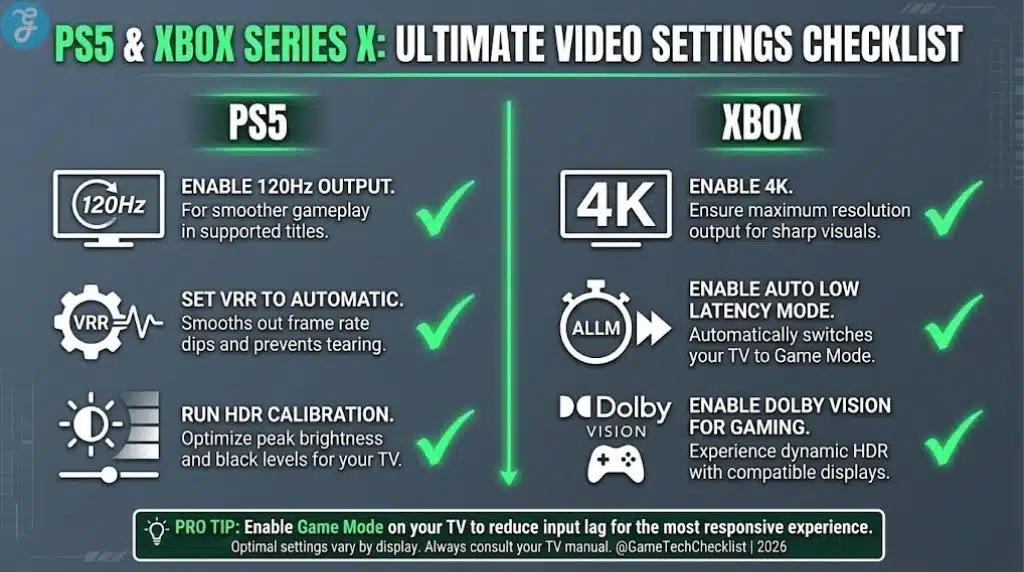
PS5 Video Settings Checklist
-
Set Resolution: Automatic
-
Enable 120Hz Output: Automatic
-
Set VRR: Automatic (and apply to unsupported games if you want)
-
Run HDR Calibration in PS5 settings
-
Enable ALLM/Game Mode on the TV
Xbox Series X Video Settings Checklist
-
Enable 4K
-
Enable 120Hz
-
Enable VRR
-
Enable Auto Low Latency Mode
-
Run HDR Game Calibration
-
If supported, use Dolby Vision for Gaming where you prefer it
HDR and Game Mode Tips
-
If HDR looks washed out, re-run console HDR calibration
-
Avoid extra motion processing in game mode
-
Use the TV’s game dashboard to confirm VRR and 120Hz are active
Common Mistakes Console Gamers Make When Buying a TV
-
Buying a TV with too few HDMI 2.1 ports for PS5, Xbox, and eARC audio
-
Assuming OLED is always best, then putting it in a sun-blasted room
-
Paying for 8K features instead of prioritizing VRR and game mode
-
Ignoring size and seating distance, then feeling underwhelmed
-
Leaving game mode off and blaming the console for input lag
Wrap-Up
If you want the simplest recommendation, start with LG C5 for the best all-around console experience, or LG B4 if you want OLED value with full HDMI 2.1 support. If your room is bright, step into Mini-LED with Samsung QN90D or Sony Bravia 9, and if you want big-screen impact without premium pricing, TCL QM8K is the value hitter.























