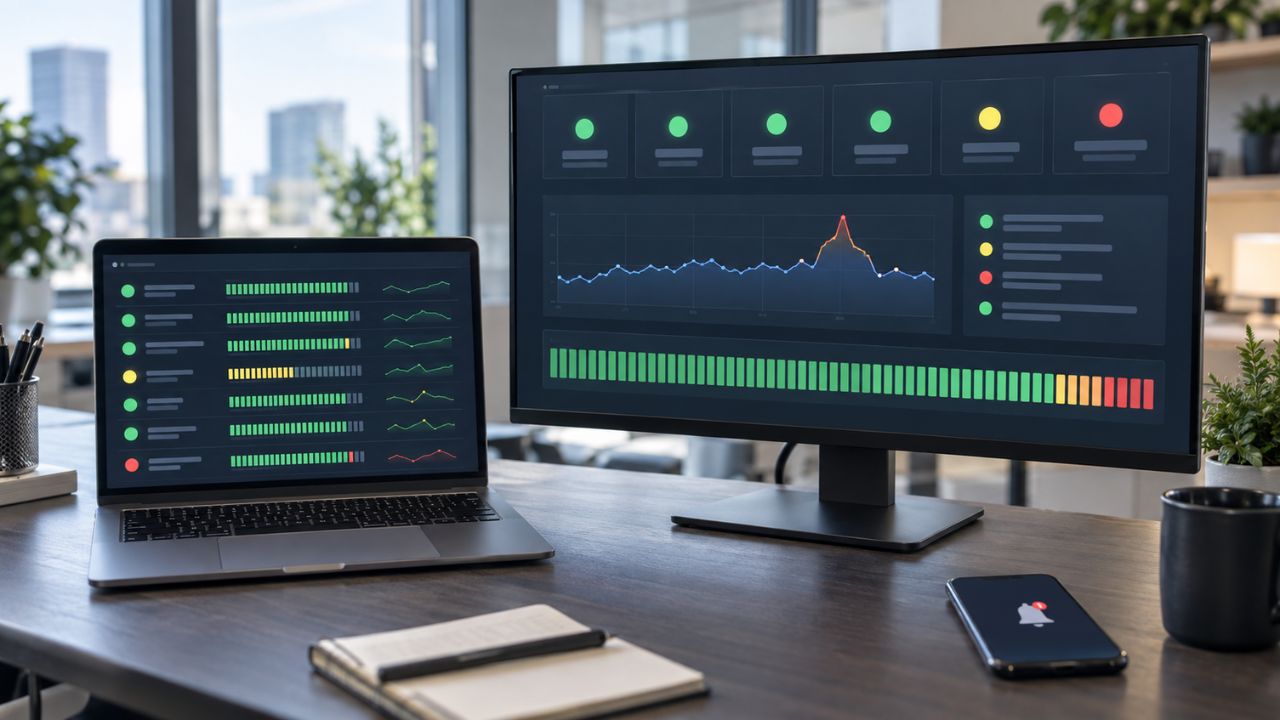
The digital nomad lifestyle is often sold as a dream: a laptop on a beach, a coconut in hand, and total freedom. But anyone who has actually lived out of a suitcase knows the reality is a bit grittier. It’s back pain from working eight hours on a wooden café chair. It’s the hollow feeling of loneliness in a crowded hostel. It’s the brain fog that hits you after crossing three time zones in a week. This is where wellness apps for remote workers quietly step in, helping nomads manage sleep, posture, focus, and mental balance while constantly on the move.
To survive and thrive in this lifestyle, you need more than just a passport and Wi-Fi. You need an infrastructure for your health. Since you can’t pack a gym, a kitchen, or a therapist in your carry-on, you have to digitize them.
This review covers the 20 best wellness apps for remote workers, curated specifically to handle the unique challenges of location independence: isolation, lack of routine, dietary struggles, and physical strain. We’ve analyzed these apps based on their offline capabilities, cross-platform availability, and specific utility for the traveling professional.
Why Digital Nomads Need a Dedicated Wellness Stack
Before we jump into the list, it’s important to understand why “normal” apps often fail nomads. Standard fitness apps assume you have a gym. Standard meditation apps assume you have a quiet room.
Remote workers face specific “health taxes”:
- The Ergonomic Tax: Working from beds, sofas, and airplane trays destroys posture.
- The Circadian Tax: Constant jet lag wreaks havoc on sleep and immunity.
- The Isolation Tax: The lack of a physical community can lead to rapid burnout.
- The Nutritional Tax: Relying on street food and convenience stores often leads to energy crashes.
The apps below aren’t just tools; they are anchors that keep you grounded when your environment is constantly changing.
Quick Picks: The Best Apps by Category
| Category | Top Pick | Best For | Cost |
| Mental Health | Calm | Sleep & Jet Lag | Freemium |
| Therapy | BetterHelp | Professional Support | Paid |
| Fitness | Sworkit | No Equipment Workouts | Paid (Free Trial) |
| Nutrition | HappyCow | Finding Healthy Food | Freemium |
| Focus | Forest | Preventing Distraction | One-time / Free |
| Routine | Fabulous | Building Structure | Paid |
| Health Triage | Editorialge Online Health Assistant | Symptom Checking & Panic Relief | Free |
Category 1: Mental Health & Emotional Stability
Protecting your mind against travel anxiety, loneliness, and burnout.
1. Calm: The Antidote to Travel Anxiety & Jet Lag
The first night in a new city is always the hardest. Your brain is on high alert, the street sounds are different, and the pillow feels wrong. Calm is our top pick for nomads because of its “Sleep Stories.” These aren’t just meditations; they are audio-engineered narratives designed to settle the “fight or flight” response that travel triggers.
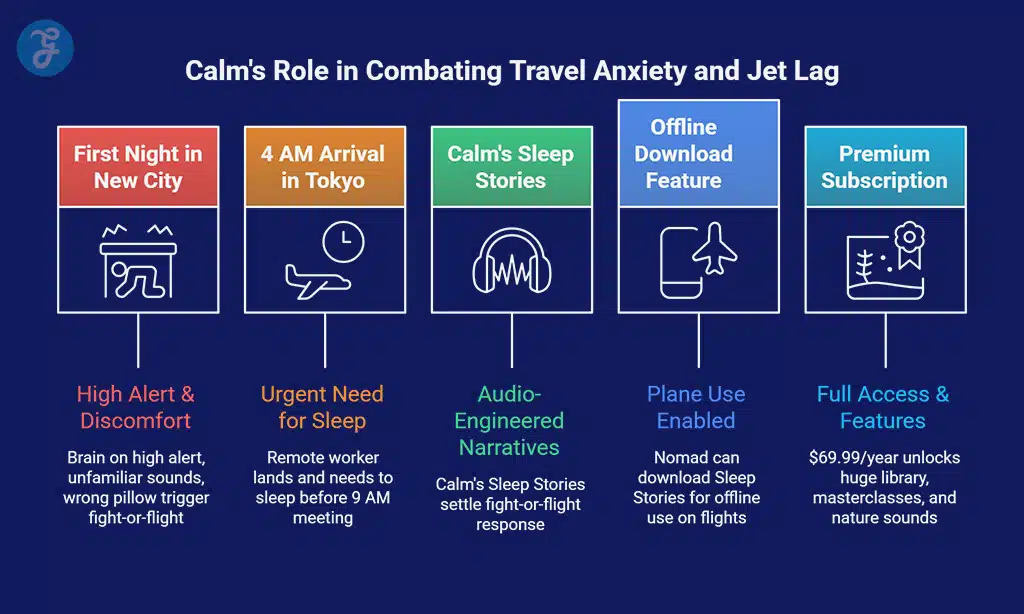
Why it matters for Remote Workers: When you land in Tokyo at 4 AM and have a meeting at 9 AM, you need to sleep now. Calm’s sleep library is the most effective tool we’ve found for hacking sleep in new time zones.
Review & Ratings:
- iOS Rating: 4.8/5 (Trusted by millions for stability)
- Nomad Utility: High. Offline download features allow you to use it on planes.
- Pros: Huge library of Sleep Stories; “Mental Fitness” masterclasses; high-quality nature sounds.
- Cons: Premium subscription is pricey (~$69.99/year); the free version is limited.
- Pricing: Free limited version; Premium $69.99/year.
2. Headspace: The SOS Button for Work Burnout
If Calm is for sleep, Headspace is for the panic that sets in when the Wi-Fi cuts out before a deadline. Headspace differentiates itself with “SOS” meditations—short, 3-minute interventions designed to de-escalate acute stress.
Why it matters for Remote Workers: Nomadic life is full of micro-stressors. Headspace acts as a clinical intervention in your pocket. Their “Move” mode also offers low-impact exercises to shake off the stiffness of a long flight.
Review & Ratings:
- iOS Rating: 4.9/5 (Industry leader in UI/UX)
- Nomad Utility: High. The “Wake Up” mode is great for establishing a morning routine.
- Pros: Structured courses for specific issues; “SOS” sessions; playful interface.
- Cons: Can feel repetitive after a year; expensive monthly subscription.
- Pricing: Free basics; plus $12.99/month.
3. Insight Timer: The Budget-Friendly Spiritual Anchor
Subscription fatigue is real. For nomads bootstrapping a business or freelancing on a budget, Insight Timer is the best option. It offers the largest library of free meditations in the world (over 100,000).
Why it matters for Remote Workers: It connects you to a global community. You can find teachers from the specific region you are visiting, adding a cultural layer to your practice.
Review & Ratings:
- iOS Rating: 4.9/5 (Highest rated free app)
- Nomad Utility: Medium. Great content, but offline mode requires a paid subscription.
- Pros: Incredible amount of free content; diverse range of teachers; community groups.
- Cons: Volume of content can be overwhelming; the UI is cluttered.
- Pricing: Mostly free; Member Plus for offline mode.
4. 7 Cups: The Cure for Digital Loneliness
Loneliness is the number one reported downside of the digital nomad lifestyle. 7 Cups connects you to “Active Listeners”—volunteers who are there just to hear you out, 24/7.
Why it matters for Remote Workers: When it’s 3 AM in your current location and everyone you know back home is asleep, 7 Cups provides immediate human connection. It’s empathy on demand.
Review & Ratings:
- iOS Rating: 4.7/5
- Nomad Utility: Critical. It fills the “social void” of solo travel.
- Pros: Free access to listeners 24/7; Anonymous; Upgrade options for therapy.
- Cons: Volunteer quality varies; Dated interface.
- Pricing: Free for chat; ~$150/mo for therapy.
5. BetterHelp: Professional Therapy on the Go
While 7 Cups is great for chatting, BetterHelp is for when you need professional clinical support. It matches you with licensed therapists for text, voice, or video sessions.
Why it matters for Remote Workers: Finding an English-speaking therapist in a foreign country is difficult. BetterHelp ensures you have a consistent therapist regardless of which country you are in this month.
Review & Ratings:
- iOS Rating: 4.8/5
- Nomad Utility: High. Consistent care across borders.
- Pros: Access to licensed professionals; Flexible communication (text/video); Financial aid available.
- Cons: Expensive compared to self-help apps; Therapist matching can be hit-or-miss initially.
- Pricing: ~$65-$90/week (billed every 4 weeks).
6. Online Health Assistant: The AI Triage for Medical Panic
Getting sick in a foreign country is a digital nomad’s nightmare. Instead of “doom-scrolling” symptoms on search engines and inducing panic, the Online Health Assistant acts as a rational first line of defense. It is an AI-powered micro-SaaS tool designed to analyze your symptoms logically, offer potential causes, and guide you on whether you need a home remedy or an emergency room.
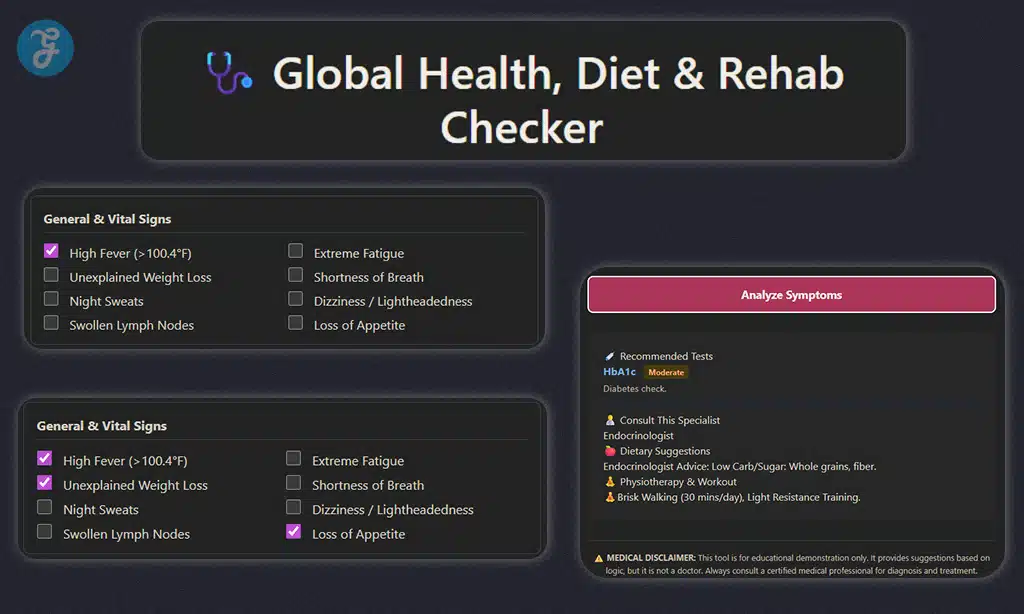
Why it matters for Remote Workers: It acts as a crucial intermediary between “feeling off” and seeking professional help, especially valuable when alone in a foreign country. It helps organize symptoms into clear, clinical language (e.g., refining “stomach ache” to “upper right quadrant pain”), which is invaluable when communicating with non-English-speaking doctors. It also provides a private, judgment-free zone for sensitive health questions when you lack a local support network.
Review & Ratings:
- Platform Rating: 4.8/5 (Web & Android Utility)
- Nomad Utility: Critical.
- Pros: Completely private and judgment-free interface; helps triage emergencies versus minor issues effectively; prepares a professional symptom summary for doctor visits.
- Cons: It is an informational tool only, not a substitute for professional medical diagnosis; it requires an active internet connection to function.
- Pricing: Free.
Category 2: Physical Fitness & Nutrition
Staying fit without a gym membership or a kitchen.
7. Sworkit: Fitness for the “No Gear” Lifestyle
“I don’t have a gym” is no longer an excuse. Sworkit (Simply Work It) builds workouts based on the time and equipment you have.
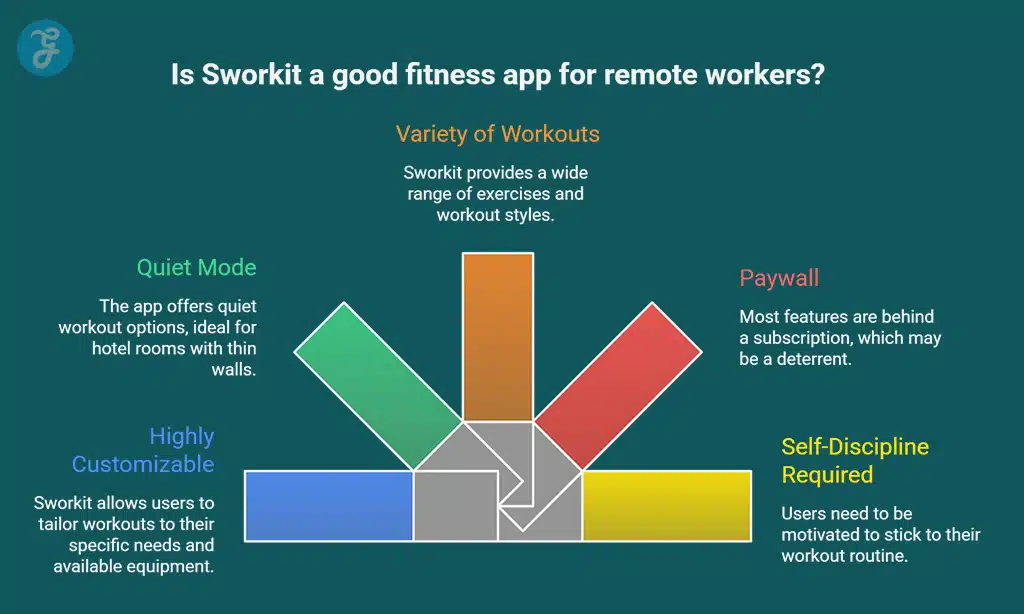
Why it matters for Remote Workers: Nomads often stay in Airbnbs with thin walls. Sworkit has “Quiet” workout options that don’t involve jumping, making it the ultimate hotel-room fitness companion.
Review & Ratings:
- iOS Rating: 4.8/5
- Nomad Utility: High. Unmatched customizability.
- Pros: Highly customizable; quiet mode; great variety.
- Cons: Most features are behind a paywall; requires self-discipline.
- Pricing: Free trial; ~$9.99/month.
8. Nike Training Club (NTC): World-Class Coaching in Your Pocket
NTC offers robust programs that help you maintain a routine even when your location changes every week, with high-production-value guidance.
Why it matters for Remote Workers: Consistency is hard when you travel. NTC offers multi-week programs that remain constant even as you hop countries.
Review & Ratings:
- iOS Rating: 4.9/5
- Nomad Utility: High. Entirely free premium content.
- Pros: Completely free; “Small Space” filters; High-quality video.
- Cons: Large app size; Downloads slow on bad Wi-Fi.
- Pricing: Free.
9. Down Dog: The Infinite Yoga Studio
Yoga is perhaps the perfect nomad exercise—it requires no shoes and the space of a towel. Down Dog generates a unique yoga practice every time you log in, so you never do the same class twice.
Why it matters for Remote Workers: You can customize everything: the duration, the level, the voice of the teacher, and the music. It’s perfect for squeezing in a 15-minute stretch before a flight.
Review & Ratings:
- iOS Rating: 4.9/5
- Nomad Utility: High. Downloadable practices for offline use.
- Pros: Never repetitive; great music integration; highly customizable.
- Cons: Subscription only (after trial); no community features.
- Pricing: ~$9.99/month or $60/year.
10. Strava: Explore New Cities on Foot
Strava isn’t just for tracking stats; it’s a heatmap of where locals run and cycle.
Why it matters for Remote Workers: Running in a new city can be intimidating (and unsafe if you get lost). Strava’s heatmaps show you the popular, safe routes used by locals, allowing you to explore your new home while getting cardio.
Review & Ratings:
- iOS Rating: 4.8/5
- Nomad Utility: Medium. Great for exploration, requires data.
- Pros: Community features; route discovery; safety beacons.
- Cons: Privacy concerns (needs settings adjustment); premium features are pricey.
- Pricing: Free; Subscription ~$11.99/month.
Eating out is a minefield of hidden calories. MyFitnessPal helps you track what you eat with a massive database of international foods.
Why it matters for Remote Workers: The barcode scanner is a lifesaver in foreign supermarkets where you can’t read the nutritional labels. It keeps your nutrition honest amidst the chaos of travel.
Review & Ratings:
- iOS Rating: 4.7/5
- Nomad Utility: Medium/High. Essential for body composition.
- Pros: Largest food database; barcode scanner; macro tracking.
- Cons: Aggressive ads; premium is expensive.
- Pricing: Free; Premium ~$19.99/month.
12. HappyCow: Finding Healthy Food Anywhere
In many parts of the world, finding a meal that isn’t fried or meat-heavy is a challenge. HappyCow is the Yelp of healthy, vegetarian, and vegan food.
Why it matters for Remote Workers: It saves you hours of wandering around hungry. Even if you aren’t vegan, it’s the best way to find fresh vegetables and smoothie bowls in a new city.
Review & Ratings:
- iOS Rating: 4.8/5
- Nomad Utility: High. Essential for dietary health.
- Pros: Extensive global listings; user photos and reviews; filters by “Health Store.”
- Cons: Paid app on iOS (free on Android/Web); dependent on user updates.
- Pricing: ~$3.99 one-time.
13. WaterMinder: The Foundation of Cognitive Function
Travel is dehydrating. WaterMinder gamifies hydration with a visual representation of your body filling with water.
Why it matters for Remote Workers: Dehydration causes brain fog. By tracking intake, you ensure you can actually work when you sit down.
Review & Ratings:
- iOS Rating: 4.8/5
- Nomad Utility: High. Simple maintenance.
- Pros: Visual interface; Apple Watch integration; weather-based goals.
- Cons: Paid app; Manual logging.
- Pricing: ~$4.99 one-time.
Category 3: Focus, Routine & Biohacking
Building a portable office and mastering your biology.
14. Forest: Gamifying the Flow State
Forest asks you to plant a virtual tree to stop you from touching your phone. If you leave the app, the tree dies.
Why it matters for Remote Workers: Working from a beach bar is distracting. Forest forces you to focus, and they partner with organizations to plant real trees, aligning with nomad values.
Review & Ratings:
- iOS Rating: 4.9/5
- Nomad Utility: High. External discipline.
- Pros: Effective gamification; real-world impact; affordable.
- Cons: “Whitelisting” apps is tricky; tree withering is sad.
- Pricing: ~$3.99 one-time.
15. Freedom: The Nuclear Option for Distraction
While Forest is gentle, Freedom is strict. It blocks apps and websites across all your devices simultaneously.
Why it matters for Remote Workers: When you have 4 hours to finish a project before your flight, you can’t afford to scroll Instagram. Freedom ensures you literally cannot access distractions.
Review & Ratings:
- iOS Rating: 4.6/5
- Nomad Utility: High. Essential for deep work.
- Pros: Blocks across phone and laptop; The schedule-ahead feature, “Locked Mode,” prevents cheating.
- Cons: VPN-based blocking can glitch; subscription-based.
- Pricing: ~$8.99/month or $3.33/mo (yearly).
16. Portal (or Noisli): Curating Your Sonic Environment
Portal masks noise with 3D binaural soundscapes (e.g., thunderstorms, forests).
Why it matters for Remote Workers: It allows you to “teleport” your ears from a noisy cafe to the Swiss Alps, creating a consistent auditory environment for deep work.
Review & Ratings:
- iOS Rating: 4.8/5
- Nomad Utility: High. Deep focus in public spaces.
- Pros: Best-in-class audio, Philips Hue integration, minimalist.
- Cons: Large file sizes; iOS-centric.
- Pricing: Freemium.
17. Fabulous: The Pocket Coach for Routine
Nomads often lose their routine entirely. Fabulous uses behavioral science to help you rebuild habits, starting with baby steps (like “drink water first thing”).
Why it matters for Remote Workers: When you arrive in a new country, your routine resets to zero. Fabulous acts as a coach to help you re-establish your “morning ritual” and “shutdown ritual” regardless of your location.
Review & Ratings:
- iOS Rating: 4.6/5
- Nomad Utility: High. Structure for unstructured life.
- Pros: Scientifically backed; beautiful art style; holistic approach.
- Cons: Can feel a bit “naggy”; subscription is expensive.
- Pricing: ~$39.99/year.
18. Time Out (Mac)/Stretchly: The Ergonomic Conscience
These apps force you to take breaks by fading your screen out to prevent RSI.
Why it matters for Remote Workers: You don’t have an ergonomic chair. Frequent micro-breaks are your only defense against back pain.
Review & Ratings:
- Mac Store Rating: 4.5/5
- Nomad Utility: Critical. Injury prevention.
- Pros: Customizable; micro/macro breaks; free options.
- Cons: Annoying when in the “zone”; setup required.
- Pricing: Free.
19. Sleep Cycle: Mastering the Circadian Rhythm
Sleep Cycle tracks sleep phases and wakes you up during your lightest sleep phase.
Why it matters for Remote Workers: It helps mitigate sleep inertia when switching time zones, ensuring you wake up feeling rested for early client calls.
Review & Ratings:
- iOS Rating: 4.7/5
- Nomad Utility: High. Bio-hacking jet lag.
- Pros: Gentle wake-up; sleep statistics; and snore detection.
- Cons: Battery drain; subscription for trends.
- Pricing: Freemium; Premium ~$39.99/year.
20. Timeshifter: The Astronaut’s Guide to Jet Lag
While Sleep Cycle tracks sleep, Timeshifter helps you shift your sleep. It uses the same science used by astronauts and F1 drivers to create a light-exposure plan.
Why it matters for Remote Workers: It tells you exactly when to see light, when to wear sunglasses, and when to drink coffee to shift your body clock to a new time zone before you even land.
Review & Ratings:
- iOS Rating: 4.7/5
- Nomad Utility: Critical for frequent flyers.
- Pros: Based on real circadian science; highly effective; pre-travel plans.
- Cons: Requires strict adherence; the first plan is free, then paid per trip or yearly.
- Pricing: ~$24.99/year.
Methodology: How We Selected These Apps
We didn’t just pick the most popular apps. We selected these wellness apps for remote workers based on criteria vital to the nomadic lifestyle:
- Offline Capability: Can it function on a long-haul flight? (e.g., Calm, Down Dog).
- Space Efficiency: Does it require zero gear? (e.g., Sworkit, NTC).
- Cross-Border Utility: Does it work globally? (e.g., BetterHelp, HappyCow).
Wellness Stack Comparison
| Category | Free Option | Paid/Premium Option | Best for… |
| Fitness | Nike Training Club | Down Dog / Sworkit | Workouts in small spaces |
| Mind | Insight Timer | Calm / Headspace | Sleep & Anxiety |
| Support | 7 Cups | BetterHelp | Loneliness vs. Therapy |
| Food | MyFitnessPal | HappyCow | Tracking vs. Finding Food |
Final Thoughts
The freedom of the digital nomad lifestyle is incredible, but it requires a new kind of discipline. You are the CEO of your own health.
By building a “digital toolkit” with these 20 wellness apps, you create a portable infrastructure that supports you. Whether it’s Timeshifter helping you crush jet lag, HappyCow finding you a smoothie in a new city, or Forest keeping you off social media, these tools ensure that your body and mind can keep up with your adventures.
Ready to upgrade your remote life? Don’t try to install all 20 at once. Start with one for your mind (Calm) and one for your body (Sworkit), and build your stack from there. Safe travels!
Disclaimer: The wellness apps mentioned are designed for general well-being and lifestyle support, not medical or mental health treatment. Features and effectiveness may vary, and this article is for informational purposes only, not professional advice.