Ever had a “smart home” moment where everything works fine until the one time you need an alert right now? That’s exactly why Alexa, Google & HomeKit Security Integrations You’ll Actually Use exists.
Your lights can blink, your cameras can record, and your locks can respond, but if they don’t work together, you still end up guessing.
So here’s the plan: I’m going to walk you through practical, copy-and-paste integrations that make your home security simpler, faster, and less stressful.
The Benefits of Security Integration in Smart Homes
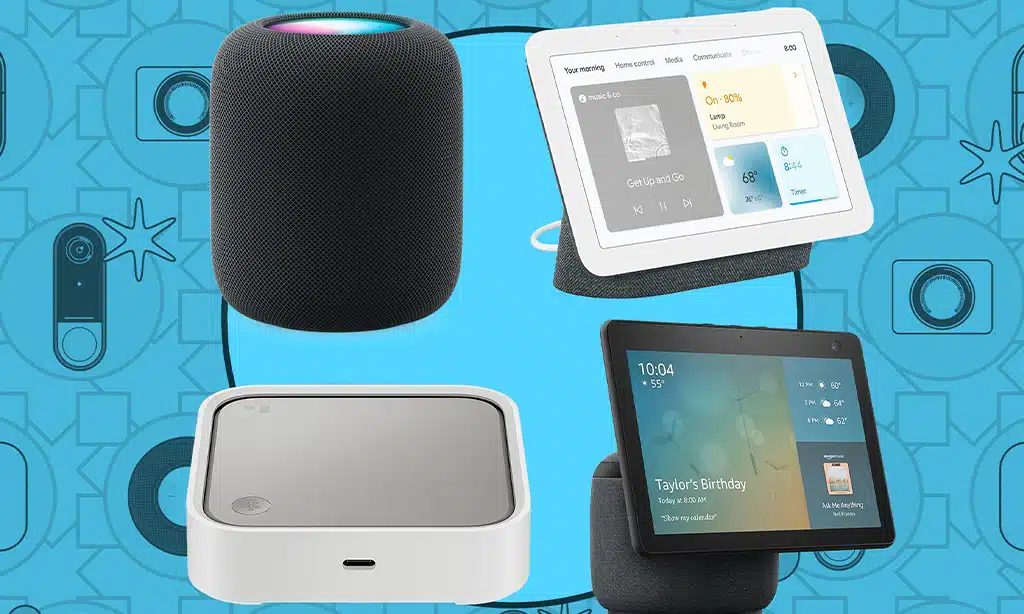
When your security devices share signals, you stop reacting late. A doorbell press can trigger lights, a lock can trigger an “arm” mode, and a motion sensor can start recording before you even open an app.
The real win is reducing “noise.” Instead of five different apps sending five different alerts, you build one clear chain of actions that matches how you actually live.
One timely upgrade worth knowing about is Matter. In the 2025 Matter 1.4.1 update from the Connectivity Standards Alliance, setup improvements like tap-to-pair and multi-device onboarding aim to cut the fiddly setup steps that frustrate people.
12 integrations you can use this week
| Integration | What it solves | Simple way to use it |
|---|---|---|
| Doorbell press → porch lights on (Alexa) | No more opening the door into a dark entry | Create an Alexa Routine triggered by doorbell, action is turn on lights for 5 minutes |
| Motion → Echo Show live view (Alexa) | Instant “what’s going on?” without grabbing your phone | Use a camera motion trigger to show the live feed on a display |
| Night mode → lock all doors (Alexa) | Stops the nightly “did I lock it?” loop | Schedule a routine to lock at bedtime, add a spoken confirmation |
| Home/Away lighting randomizer (Alexa) | Presence simulation when you’re out | Enable Away Lighting and tie it to your Away mode |
| Nest Doorbell → smart display chime (Google) | You hear and see the visitor faster | Turn on doorbell announcements to your speakers and displays |
| Package alert → entry light on (Google) | Makes drop-offs safer at night | Use a camera or doorbell event to trigger a light scene |
| Home/Away → adjust camera behavior (Google) | Stops indoor cameras from recording when you’re home | Use Home/Away status as the starter, then set camera state |
| HomeKit Secure Video camera recording (Apple) | Private recording without a separate camera cloud account | Add an HKSV-compatible camera in the Home app and set recording rules |
| Motion sensor → lights + recording (Apple) | Captures the moment before you notice it | Automation: motion detected, turn on lights, set camera to record |
| Apple Home Key lock access (Apple) | Fast entry without shouting voice commands | Use a HomeKit-compatible lock that supports Home Key for tap-to-unlock |
| Abode as a bridge across ecosystems | One alarm system, multiple voice assistants | Connect Abode to your preferred assistant, then mirror key sensors into routines |
| IFTTT “glue” for odd combos | Links devices that don’t talk natively | Use a simple trigger-action Applet, keep it to one trigger and one action for reliability |
- Best first move: pick one “starter” event (door opens, doorbell rings, motion detected) and one “finisher” action (lights on, recording on, announce on speakers).
- Best second move: add a quiet confirmation, like a spoken announcement or a single push notification, so you know it worked.
- Best third move: build a Home and Away behavior, so your system adapts without you touching anything.
Top Alexa Security Features for Your Safety
Alexa is great for security integrations because it connects to a wide mix of devices. The trick is keeping your setup simple, and making sure every automation has a clear purpose.
Amazon Guard: Home Protection with Alexa
Most people still say “Alexa Guard,” but the safer way to think about it today is this: use Alexa for Home and Away behavior, then add emergency help only if you want the subscription layer.
Amazon announced Alexa Emergency Assist pricing at $5.99/month or $59/year for new U.S. customers. If you want hands-free help, that cost is the difference between “I got an alert” and “I got a real human who can help contact emergency services.”
- Put an Echo device where it can actually hear, like a main hallway or living area, not tucked behind a TV.
- Set up Home and Away behavior so lights and announcements change automatically when you leave.
- Store critical info (address, gate code, pet notes) so you don’t scramble in a real emergency.
Practical tip: Don’t treat sound detection as your only safety layer. Use it as the early warning, then back it up with real smoke and CO alarms and good notifications.
Smart Locks Compatible with Alexa for Secure Access
Smart locks are one of the fastest “quality of life” security upgrades, as long as you set them up with the right guardrails. You want convenience, but you also want to avoid making it easy for a random voice to unlock your front door.
A reliable approach is to use voice for locking and use your app, keypad, or a trusted tap-to-unlock method for unlocking. If you do enable voice unlock, use Alexa’s voice code feature so the command needs a second step.
- Guest access: use time-limited codes for dog walkers, cleaners, and family visits.
- Night safety: create a routine that locks doors and turns on a hallway light at bedtime.
- Quiet verification: add a spoken confirmation like “Front door locked” so you don’t guess.
Alexa-Enabled Security Cameras for Reliable Monitoring
For cameras, Alexa shines when you pair them with a screen. Being able to say “show me the driveway” on a display turns a stressful alert into a quick glance.
If you’re using Ring cameras, it helps to plan your subscription up front. Ring’s support documentation lists Ring Home Basic at $4.99/month or $49.99/year, and higher tiers step up from there depending on features like longer recording and advanced tools.
| If you want… | Prioritize… | Why it matters |
|---|---|---|
| Less false-alarm stress | Activity zones and person detection | You cut “tree shadow” notifications and focus on real events |
| Clearer evidence | Higher resolution and stable Wi-Fi | Faces and plates are easier to identify, if your network can keep up |
| Faster response | Display integrations | You see what happened without switching apps |
Key Google Assistant Security Features
Google’s strength is how tightly it pairs with Nest and the Google Home app. You can build a really clean monitoring flow, especially if you already use Nest cameras, doorbells, and smart displays.
Nest Cameras by Google for All-Around Surveillance
You can use Nest cameras without paying a subscription, and still get useful alerts. A recent guide from WIRED notes you can get short event clips stored for a limited time, which is enough for quick “what was that?” checks.
If you want longer video history and smarter alerting, Google has shifted Nest Aware into Google Home Premium. Google’s own product messaging describes two tiers, Standard and Advanced, built around longer history and more advanced camera features.
- Use Standard if you mainly want “what happened today?” playback and smarter alerts.
- Use Advanced if you need longer history plus continuous recording for higher-risk areas.
Doorbell Cameras that Sync with Google Assistant
The doorbell is where Google integrations feel the most natural. Doorbell press alerts on speakers, live view on a smart display, and a light turning on together can make your entryway feel much safer.
If you’re comparison-shopping, one recent U.S. example is Ecobee’s Smart Doorbell Camera, priced at $160 in a 2025 update. That same update notes it can require a subscription for longer cloud storage, so it’s smart to compare total cost, not just the device price.
- Set your porch light to turn on when the doorbell detects a person, not just any motion.
- Turn on indoor chime announcements so you don’t miss a ring while your phone is on silent.
- Create a “night delivery” routine that turns on lights and saves a clip when packages are detected.
Google Assistant-Controlled Smart Lighting Solutions
Lighting is underrated security. A light that turns on at the right moment prevents the “what is that?” panic, and it also makes your cameras capture better video.
- Arrival lighting: if a camera detects a person after dark, turn on a pathway light for a fixed time window.
- Vacation presence: randomize a couple of rooms, and keep the schedule believable.
- Silent alerts: flash a specific lamp color or brightness level for a door open event, great when kids are sleeping.
Must-Try Apple HomeKit Security Enhancements
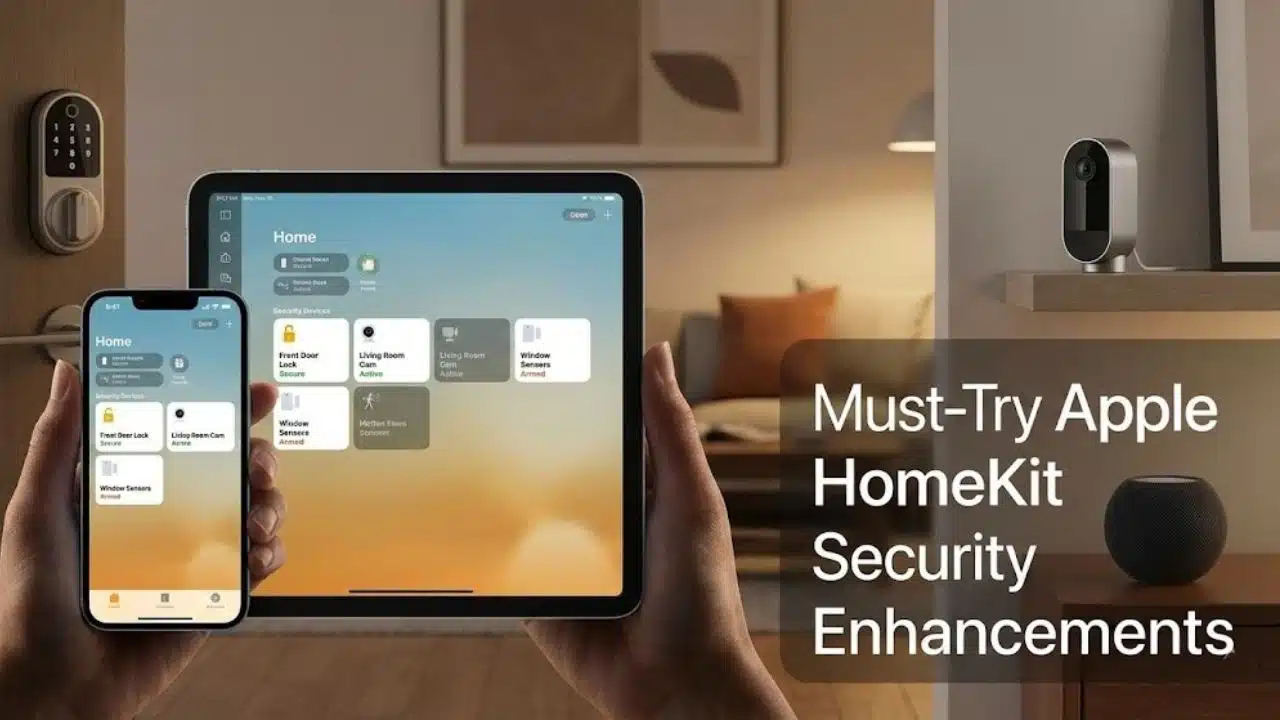
Apple Home (HomeKit) is the “set it up once, then forget about it” approach, especially if privacy is your top priority. The tradeoff is that you have fewer device options, and you need the right hub setup for the best results.
HomeKit Smart Locks for Effortless Entry
If you want the cleanest day-to-day experience, tap-to-unlock beats shouting commands across the house. Schlage confirms the Encode Plus (BE499) supports Apple Home, and it can use Apple Home Key, which puts a digital key in Apple Wallet for tap access.
Schlage also notes that an Apple Home Hub is required for certain Home Key features (like having more than one Home Key or using Express Mode on multiple devices). That sounds technical, but it’s simple in practice: if you want this to feel seamless for everyone in the household, plan for a HomePod or Apple TV hub.
- Use Home Key for daily entry, and keep a keypad code as backup.
- Set an automation that locks the door when the last person leaves.
- Use a “goodnight” scene that locks doors and turns on a low night light.
Motion Sensors Integrated with HomeKit for Increased Security
Motion sensors shine in HomeKit because you can chain them into scenes. Think less “security gadget,” more “smart trigger.”
- Hallway motion after 11 p.m. can turn on a dim light at 10% brightness.
- Garage motion can trigger a camera recording rule and a light, so you get clearer footage.
- Interior motion can trigger a spoken alert only when the home is set to Away.
HomeKit-Compatible Security Cameras for Your Peace of Mind
If you want private recording, HomeKit Secure Video is the standout feature. Apple says HomeKit Secure Video is end-to-end encrypted, the video doesn’t count toward iCloud storage, and you can view the last 10 days of activity.
Apple also lists clear camera limits by iCloud+ plan: 50 GB supports 1 camera, 200 GB supports up to 5 cameras, and 2 TB and above supports unlimited cameras. That makes the planning part easy, you can match your camera count to the plan before you buy hardware.
Quick planning rule: If you want more than five HomeKit Secure Video cameras, you’ll want an iCloud+ tier that supports unlimited cameras.
A HomeKit performance note for 2026
If you still rely on an iPad as a home hub, it’s worth planning ahead. A 2025 update reported Apple will end iPad support as a Home hub on February 10, 2026, so moving to a HomePod or Apple TV can prevent surprise automation failures.
Versatile Multi-Platform Security Solutions
If your home is already mixed, a multi-platform approach can work well. The key is choosing one “center,” then keeping the rest as supporting players.
Abode: A Comprehensive Multi-Platform Security System
Abode is popular in mixed homes because it can connect with major ecosystems, and it can also bring its own sensors into your automations. MacRumors reported Abode’s iota was designed to work with Amazon Alexa and Google Assistant, while also offering HomeKit compatibility for Apple users.
Pricing matters with security systems because it’s a long-term relationship. As listed by Abode, its Standard plan is $74.99/year, and its Pro plan is $239.99/year (with promotions sometimes offered for the first year).
- Use Abode as your alarm core: door and window sensors, motion sensors, and arming modes.
- Use your preferred assistant for daily control: “arm stay,” “goodnight,” lights off.
- Keep automations simple: build around arming states, not around dozens of one-off triggers.
IFTTT for Streamlined Security Automation Across Platforms
IFTTT is helpful when you have one odd device that refuses to join the rest of your system. The best IFTTT security automations are the boring ones, one clear trigger, one clear action.
IFTTT’s Help Center spells out the main limits: the Free plan supports basic one-trigger, one-action Applets, Pro supports up to 20 Applets, and Pro+ allows unlimited Applets plus more advanced logic tools.
- When a door sensor triggers, turn on a specific light for 3 minutes.
- When your system arms, set a “status” device like a plug or light to a specific on or off state.
- When a camera detects motion, send one notification and stop, don’t spam your phone.
Essential Factors in Smart Home Security Integration
Most smart home security problems come down to two things: compatibility and reliability. You can fix both with a little planning before you buy more devices.
- Check for local control: devices that can keep working during cloud outages are easier to live with.
- Plan your network: place your router and mesh nodes where cameras and locks have strong signal, especially near exterior doors.
- Prefer standards where you can: Matter support can reduce lock-in, and updates like enhanced multi-admin in Matter 1.4 aim to make multi-ecosystem life less painful.
- Budget for subscriptions: video storage and advanced alerts often cost more over time than the hardware.
Watch out for support shutdowns
Smart devices can lose features when cloud support ends. Belkin has announced it will end support for nearly all Wemo smart home devices starting January 31, 2026, and that can affect cloud features like remote access and voice assistant integration.
In 2025, another example hit lighting users: Sengled was removed from Amazon’s Works With Alexa program, and its Alexa skill ended August 1, 2025. If you want your system to age well, prioritize devices that can run locally or work across ecosystems using standards like Matter.
Privacy and Data Security in Smart Home Systems
Alexa, Google Home, and Apple HomeKit each make different tradeoffs. You can get strong safety and strong privacy, but you have to turn on the right settings.
Make account security non-negotiable
CISA’s consumer security guidance is clear: turn on multi-factor authentication wherever you can. For Apple households, Apple also emphasizes two-factor authentication as a key layer that protects your account even if someone learns your password.
- Turn on multi-factor authentication for your Apple, Google, and Amazon accounts.
- Use a password manager, so your smart home accounts do not share passwords with anything else.
- Review sharing permissions, especially who can unlock doors or view camera feeds.
Lock down your home network
The FBI’s IoT safety guidance recommends basics that matter a lot for smart home security: change default passwords, keep firmware updated, and consider separating IoT devices from your computers on different networks. It also warns about router features like UPnP, which can increase risk if left on.
- Create a separate Wi-Fi network for smart devices if your router supports it.
- Turn off UPnP unless you truly need it.
- Update your router firmware and your camera and lock firmware on a schedule.
Use privacy-first recording where it fits
If you want a privacy-forward approach, HomeKit Secure Video is designed around end-to-end encryption, and Apple says the video doesn’t count toward iCloud storage. For many homes, that’s a clean way to get surveillance without juggling a separate camera account.
Takeaways: Selecting the Best Security Integrations for Your Smart Home
Pick the integrations that match your routine, your devices, and your comfort level with subscriptions and cloud services.
If you want the simplest next step, start with one of the 12 Alexa, Google & HomeKit Security Integrations You’ll Actually Use that turns an alert into an action, like doorbell to lights or motion to recording.
Once that feels solid, add one more layer, and enjoy a smart home that actually helps with safety instead of creating extra work.
FAQs on Alexa, Google & HomeKit Security Integrations
1. What are security integrations for Alexa, Google, and HomeKit?
Security integrations link voice assistants, apps, and smart home gear, so cameras, locks, and sensors work together. They let you get alerts, control devices by voice, and run automations from one place.
2. Which devices work best with these security integrations?
Doorbell cameras, indoor and outdoor cameras, smart locks, and motion sensors work best. Smart lights and smart plugs also add value by joining routines and automations.
3. How do routines and automations help my home security?
You can make a routine that locks doors, turns on lights, and starts cameras when you leave, or when a sensor trips. That cuts false alarms, gives instant notifications, and logs events. It’s like a quiet guard, on call day and night.
4. Are these integrations safe, and do I need extra steps?
Yes, but take simple steps, use strong passwords, and turn on two-factor login. Keep apps and device firmware current, limit third-party access, and check your notification settings often.