A resident of Southern California, Lawrence Klein, has taken Microsoft to court over its decision to stop providing regular updates and support for Windows 10. The lawsuit, filed in San Diego Superior Court, claims that ending support will render millions of computers vulnerable and push users toward buying new hardware that can run Windows 11 and its advanced AI tools.
Klein owns two laptops that run Windows 10, and neither meets the technical requirements for Windows 11. He alleges that Microsoft’s decision is part of a long-term strategy to dominate the emerging generative AI market by encouraging consumers to purchase newer, AI-capable devices.
Windows 10 Still Used by Millions Worldwide
Although Windows 11 launched nearly four years ago, a significant portion of users have not switched. As of August 2025, Windows 10 still powers about 43% of all Windows desktops worldwide, while Windows 11 has about 53%. This shift in market share only occurred in July 2025, making Windows 11 the most widely used version for the first time.
Market analytics from StatCounter show that the adoption rate of Windows 11 has been slower compared to previous version transitions. Many users cite hardware compatibility issues, the absence of a clear need to upgrade, and concerns over privacy as reasons for remaining on Windows 10.
Shorter Support Cycle Compared to Past Versions
Klein’s complaint highlights that Microsoft is ending Windows 10 support sooner than it has in the past with other versions. Historically, users had around seven to eight years to transition to a newer version. With Windows 10, Microsoft is providing only four years from the launch of Windows 11 before ending routine support.
This shorter timeline leaves millions of devices still actively in use without official updates, a situation that did not occur during the transitions from Windows 7 or Windows 8.1.
What Happens After October 14, 2025
Microsoft will officially end support for Windows 10 on October 14, 2025. This means no more security updates, bug fixes, or technical support for most users. While the operating system will continue to function, its lack of updates will make it increasingly vulnerable to malware, cyberattacks, and software incompatibilities.
Some Microsoft 365 applications will continue to receive security updates for a limited time, but without Windows 10 patches, the overall system security risk will grow.
Extended Security Updates: Paid Option and Limitations
To address security risks, Microsoft offers an Extended Security Updates (ESU) program:
-
For individual consumers: $30 per device for the first year, covering security updates until October 2026.
-
For businesses and educational institutions: $61 per device in the first year, doubling each subsequent year to $244 by the third year.
In addition, Microsoft offers a free year of ESU if users sign in with a Microsoft account and sync their settings, or redeem 1,000 Microsoft Rewards points. However, even paying customers must now link their devices to a Microsoft account to qualify—removing the option for local-only accounts.
This change has drawn criticism from privacy-conscious users who prefer not to tie their PCs to online accounts.
Environmental Impact: Potential Surge in E-Waste
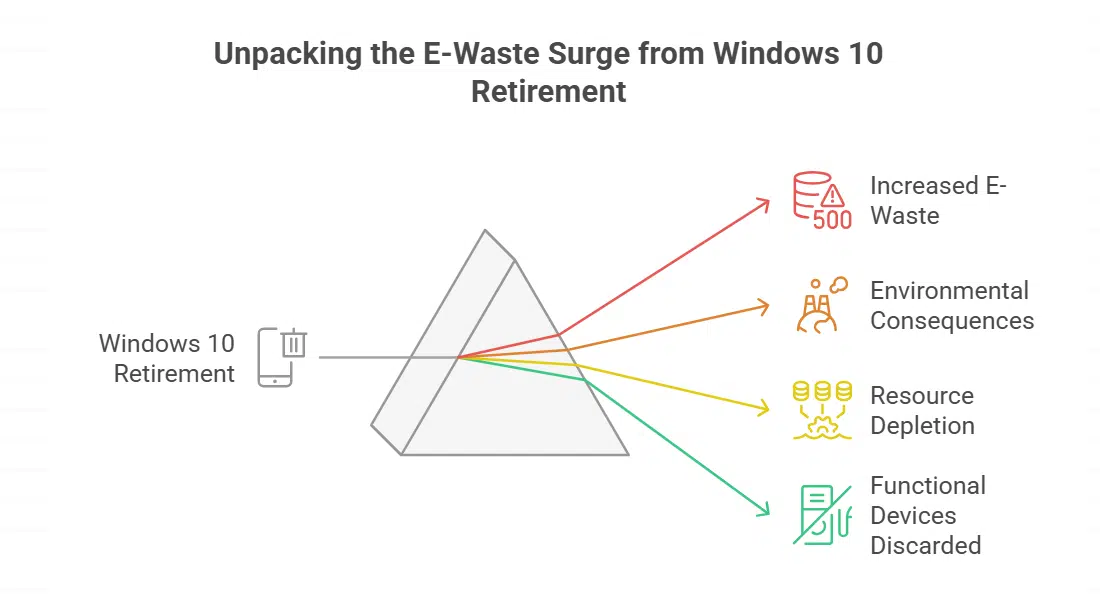
Klein and several consumer advocacy groups warn that the early retirement of Windows 10 could lead to a massive increase in electronic waste. Estimates suggest that more than 240 million devices could be discarded worldwide because they cannot meet Windows 11’s hardware requirements. Some environmental groups place this number closer to 400 million.
Critics argue that most of these devices are still functional and could serve users for years if given continued software support. The disposal of such a large volume of electronics could have severe environmental consequences, from increased landfill waste to resource depletion.
Gaming and Software Compatibility Concerns
Some software developers are already discontinuing support for Windows 10 in line with Microsoft’s schedule. For example, the online game Final Fantasy XIV has announced that it will not provide assistance for Windows 10 users after the operating system’s end-of-support date. This trend may extend to other applications, leaving non-upgraded users without access to new software updates or customer service.
What the Lawsuit Demands
Klein’s legal action does not seek personal monetary compensation. Instead, it asks the court to order Microsoft to continue providing free Windows 10 updates until fewer than 10% of Windows devices are using it. The lawsuit also calls for Microsoft to ease hardware restrictions for Windows 11 upgrades and to communicate more clearly with users about the security risks of losing support.
Alternatives for Users
While Microsoft encourages upgrading to Windows 11, users with unsupported hardware have limited options:
-
Windows 10 LTSC (Long-Term Servicing Channel): A specialized version supported until 2032, primarily for enterprise and embedded systems. It is not widely available to consumers.
-
Unofficial Windows 11 installs: Users can bypass TPM 2.0 checks to run Windows 11 on older devices, but this voids official support and can cause stability issues.
-
Switching to Linux: Open-source operating systems such as Ubuntu or Linux Mint can extend the usable life of older computers and avoid licensing costs.
Outlook for the Case
With less than two months remaining before support ends, it is unlikely that the court will rule before the deadline. Microsoft is expected to defend its decision strongly, citing product lifecycle policies and the need to focus resources on newer technologies.
If the court sides with Klein, the ruling could set a precedent affecting how major tech companies handle software transitions and consumer support in the future.