

Dozens of online graphic editing tools are used to make Instagram stories, posters, and, more recently, TikToks! In recent terms, VistaCreate has emerged as a primary choice for users looking for a TikTok video maker. Whether you’re looking to make TikToks for your small business or for any other reason, VistaCreate has got you covered. It’s available on both Android and IOS. This tool is free to use – only requiring signup and also has a paid service packed with even more features for only $10 per month. Read on further to find out more about all the best features, pros, and cons Vista brings to you.
TikTok, which debuted in 2016, is one of the world’s fastest-growing social media platforms, and it was the second most downloaded app in 2020. Users of the mobile-first video production and sharing site are encouraged to express themselves in bite-sized video chunks.
Interface
Unlike many other video editing tools that have a very clunky and cluttered design, Vista has a very easy-to-use interface and is not too into your face. Anyone can start editing TikToks on this platform. Not only is it simple to use, but it’s very accessible as well. VistaCreate has apps for both Android and IOS, and all you need to do to start designing is sign up.
Customization
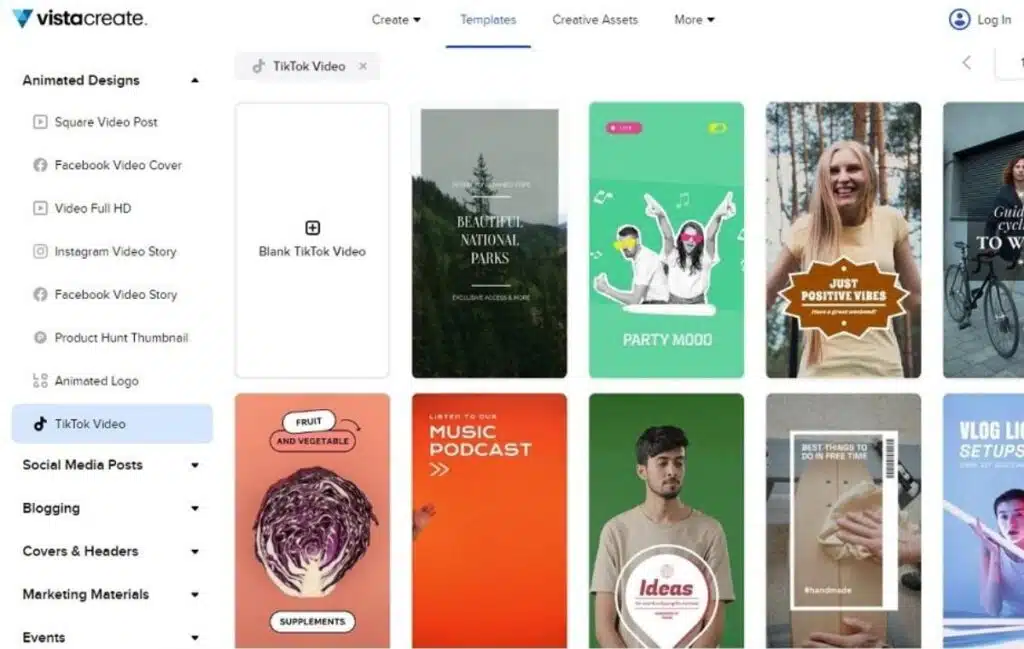
TikTok is founded on vertical videos. TikTok, unlike other platforms, does not allow you to experiment with the aspect ratio of your video. Keep your TikTok videos at 9:16 to fit the screen of a smartphone.
What makes this editor stand out from the rest is its large collection of templates. With more than a thousand different video templates at your disposal, VistaCreate makes editing TikTok videos a whole lot easier and is by far their greatest strength. This feature is especially useful for small businesses looking to design advertisements for their TikTok audience. These templates aren’t only limited to TikTok videos. You can find everything here, from templates for social media posts to templates for Instagram stories. You can even design thumbnails! Even with a huge variety of templates to choose from, it never hurts to have even more templates, and this lack of templates is my only complaint with this feature.
Royalty-Free Music
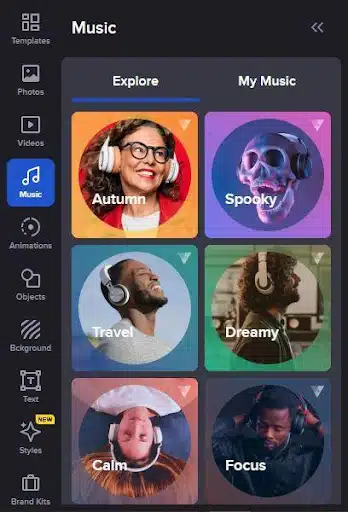
Finding the right type of music that is free to use for your TikTok videos can be hard. With VistaCreate, you get access to a wide array of royalty-free music across different genres. Finding the right type of music to add to the background of your TikTok is never going to be an issue with Vista, and it makes editing TikToks much more convenient and less of a hassle.
Animation, Pictures, Graphics, and More
VistaCreate has a decent variety of animations that can come in handy for making TikTok ads or videos. Not only that but also a ton of good quality still images to choose from, which helps make social media posts and even TikToks. It relies on clever and unique ideas. Avoid utilizing advertising that appears like ads. Allow your imagination to go wild. It’s never been simpler to demonstrate your creative talent with ready-made animations and motion graphics.
Fonts
Fonts are a handy tool to have when making social media posts, Insta stories, or Tiktoks. VistaCreate has a cool feature where you can import your fonts and use them for your needs.
Teams
One of their premium features is a collaboration function that enables you to invite up to 10 people to work on a single project which is ideal for businesses with their own graphic in-house design team.
Brand Kits
This premium feature allows you to add your brand logos, custom fonts, and unlimited colors to your color palette, which is a handy feature for a business to have. This is extremely helpful when designing ads and media posts for your company.
Conclusion
Overall, VistaCreate is a must-have Tiktok video maker tool for any business or brand operating a TikTok account and makes designing TikTok a whole lot easier and quicker. The premium features are also pretty worth it, but the free tool is good on its own as well.























