

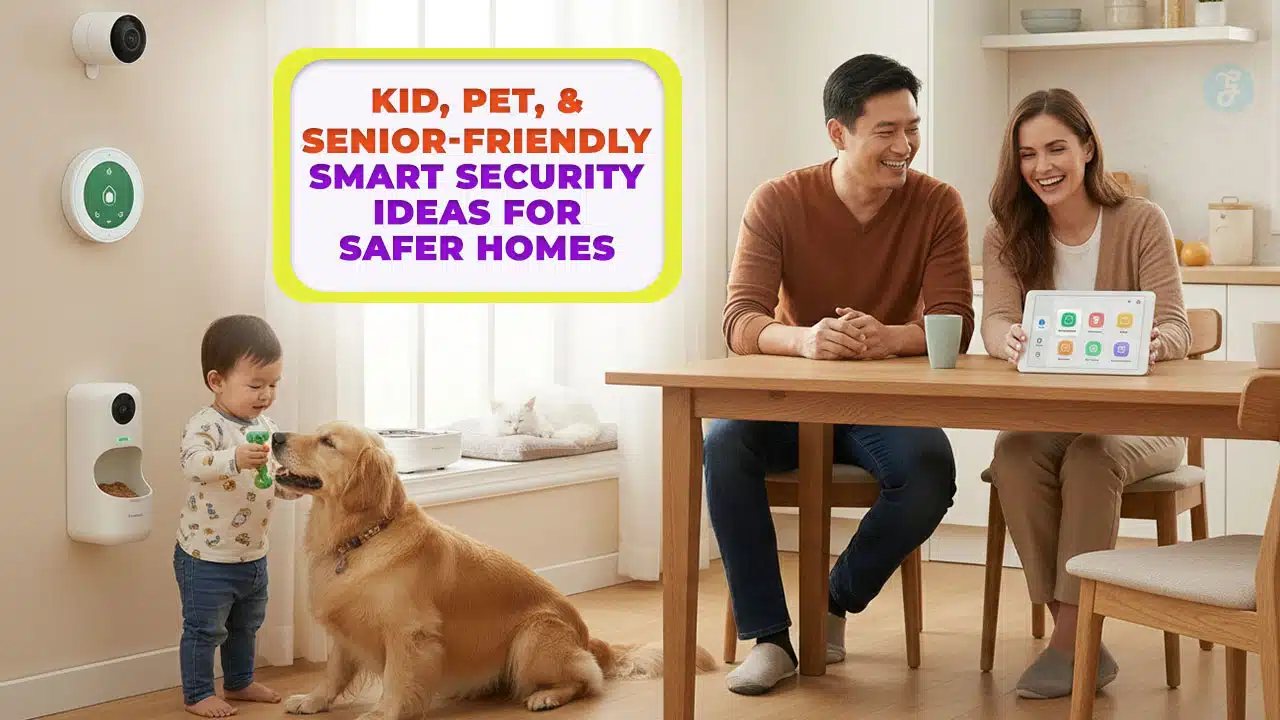
Smart home security for families is different from security for a quiet home with one or two adults. Your home has movement, noise, visitors, and changing routines. Kids run, pets roam, and older adults may need extra support at night. A “regular” system can feel stressful if it beeps too much or triggers false alarms.
This guide keeps things practical. You will learn 14 smart security ideas that fit real family life. You will also see simple setup combos, privacy rules, and budget priorities. The goal is not to buy everything. The goal is to build a safer home that feels calm, clear, and easy to use.
If you only remember one thing, remember this: the best system is the one your family will actually follow. Simple wins over complicated. Quiet alerts beat constant sirens. And smart automation should reduce stress, not add it.
Why “Family-Friendly” Smart Security Needs a Different Approach
Family life is busy. Security should not compete with that. A good family setup works in the background and only speaks up when it matters. It should also respect privacy and avoid creating tension at home. That is why family-friendly security focuses on fewer devices, better placement, and smarter rules.
A kid-friendly system reduces confusion. It uses clear alerts and predictable routines. A pet-friendly system reduces false triggers and noisy notifications. A senior-friendly system improves lighting, access, and emergency support. When you combine those needs, you get a security plan that looks very different from a standard “alarm-only” system.
Think of your home like a small team. Everyone has different abilities and habits. Your job is to design security that works for the whole team. That includes guests and caregivers too. The best plan is one that helps you respond fast without making the home feel watched.
| What changes in a family home | Why it matters | Family-friendly solution |
| Kids move fast and forget routines | Doors open often and unpredictably | Simple locks, clear alerts, easy fallback |
| Pets trigger motion detection | False alarms cause alert fatigue | Pet-immune motion sensors and tighter zones |
| Older adults may miss cues | Falls and delayed responses are a real risk | Night lighting paths and emergency options |
| More people need access | Shared keys and weak passwords create risk | Unique codes, roles, and permissions |
| Privacy concerns are stronger | Cameras can feel uncomfortable | Smart placement, privacy mode, limited access |
The 3 problems this article helps you solve
Most families face the same set of headaches. First, you want to prevent unwanted entry and reduce porch problems like package theft. Second, you want to stop false alarms so your household does not ignore real alerts. Third, you want to support aging-in-place needs like nighttime safety and quick help during emergencies. These problems are connected. If your system is too sensitive, you will mute it. If it is too complicated, people will bypass it. If it is too intrusive, people will dislike it. The solution is not more devices. The solution is smarter choices and cleaner rules.
This guide focuses on what you can control. Placement matters more than brand. Zones matter more than extra cameras. Access control matters more than fancy features. You will learn how to build safety without turning your home into a surveillance zone. You can use this article as a checklist. Start with the sections that match your home. Then add one upgrade at a time. That pace makes settings easier and reduces wasted money.
Before You Buy Anything: A Simple Family Safety Plan
Shopping first is the most common mistake. Planning first is faster and cheaper. A simple walkthrough helps you avoid buying devices that do not match your layout. It also helps you choose alerts that support your life instead of interrupting it.
You do not need a long spreadsheet. You need a short map of your doors, windows, and daily routines. Walk through the home once during the day and once at night. Notice where you feel unsure. Notice where the lighting is poor. Notice the spots where kids and pets move the most.
Also think about who needs access. Parents, kids, grandparents, babysitters, cleaners, dog-walkers, and caregivers all create access needs. When you plan for this early, you avoid the “shared code” problem. You also build better privacy rules.
Finally, decide how you want to be notified. Some families want quiet push notifications. Others want a chime. Seniors often prefer simple audio cues. Your alert style should fit the household.
| Step | What to do | What you learn |
| Map entry points | Doors, garage, balcony, ground windows | Highest-risk openings |
| Map “kid zones” | Play areas, stairs, backyard | Where you need gentle alerts |
| Map “pet zones” | Pet doors, furniture, feeding area | Where motion should ignore activity |
| Map “senior zones” | Bedroom-to-bathroom route, entry | Where lighting and simple controls matter |
| Pick alert style | Push, chime, voice, or mixed | What your family will follow |
A 10-minute walkthrough checklist
Start outside. Stand at your front door and look for blind spots. Then walk around the home. Look at the back door, side gate, and any low windows. Notice where shrubs or fences create cover. Do the same for balconies or terrace access if you have them.
Now go inside. Watch the hallway traffic. Identify the “high movement” areas where kids and pets will trigger sensors. These areas usually need tighter motion zones or no motion sensors at all. Entry points matter more than living rooms.
Then walk the night route. Many falls and accidents happen in the dark. Identify where a simple motion night light or smart bulb would reduce risk. This is one of the most senior-friendly upgrades you can make.
Finally, list your top three fears. It could be package theft, a child opening the door at night, or an older adult getting up without enough light. Your system should target those fears first.
Smart Home Security for Families: 14 Family-Friendly Ideas That Actually Work
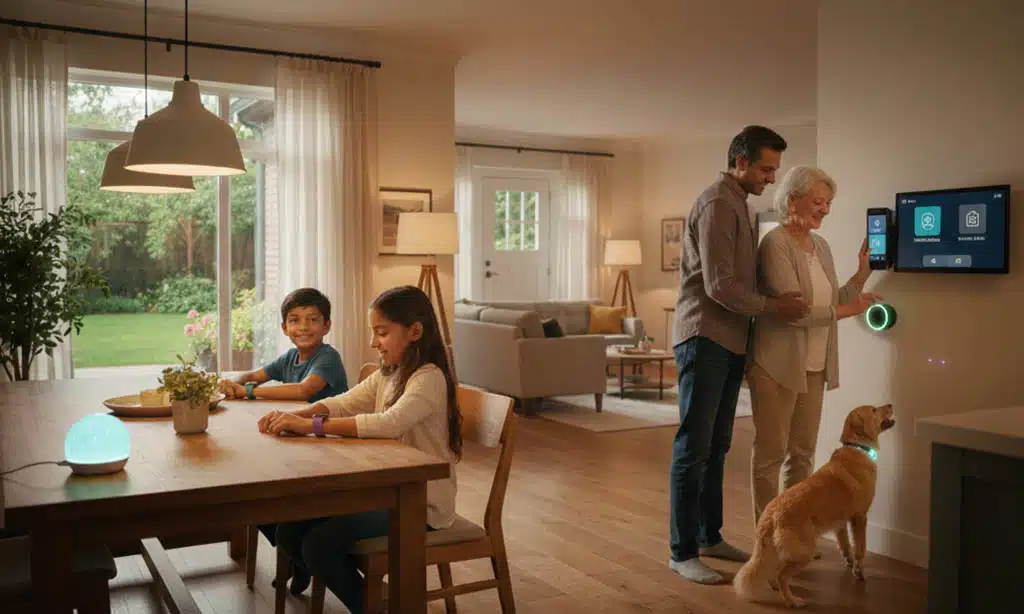
This section is the heart of the guide. These are practical ideas that you can combine. You do not need all 14. Most households do best with 5 to 8 upgrades, installed carefully and tuned well.
The best approach is to start with the front door, then add access control, then add awareness. After that, add safety sensors like smoke, CO, and water alerts. Only then consider extra cameras or advanced automation.
Each idea below includes a simple purpose. It also includes setup tips that reduce frustration. The most important rule is to keep alerts meaningful. If a device triggers too often, it becomes background noise.
Use these ideas like building blocks. Choose the ones that match your home type, your family size, and your privacy comfort level. Make small changes, test them, then move forward.
| Idea # | Upgrade | Best for | Main benefit |
| 1 | Video doorbell with person alerts | Visitors and deliveries | Better screening, fewer missed events |
| 2 | Smart lock with unique codes | Kids and caregivers | Controlled access, no spare keys |
| 3 | Priority door/window sensors | Key openings | Quiet alerts, better awareness |
| 4 | Pet-immune motion sensor | Homes with pets | Fewer false alarms |
| 5 | Indoor camera privacy rules | Shared spaces | Safety without discomfort |
| 6 | Alert reduction rules | Busy homes | Less noise, better attention |
| 7 | Smart lighting automation | Night routes | Safer movement and deterrence |
| 8 | Glass-break or vibration sensors | High-risk windows | Stronger perimeter coverage |
| 9 | Smart smoke/CO alerts | Whole-home safety | Faster response when away |
| 10 | Water leak sensors | Kitchens and laundry | Less damage and fewer slip risks |
| 11 | Wander-aware door routines | Dementia safety | Caregiver awareness without chaos |
| 12 | Emergency response options | Aging-in-place | Faster help in real emergencies |
| 13 | Backyard safety bundle | Gates and yards | Better coverage where it’s quiet |
| 14 | Access roles and permissions | Privacy and control | Right access for each person |
1. Video doorbell with person detection and clear two-way audio
A video doorbell is often the best first device. It protects the most active zone in most homes. It helps you see visitors, talk to delivery workers, and check the porch. It also helps older adults avoid opening the door when they are unsure.
For families, doorbells reduce the “who is there?” stress. Kids can hear a chime and wait for an adult. Seniors can screen visitors before opening. You can also review missed activity later, which helps with deliveries and safety checks.
Keep it simple. Use person alerts if available. Reduce motion sensitivity so you do not get alerts for every passing car. If your door faces a sidewalk, set a tight motion zone around the porch. That reduces noise.
Small tip that matters: make sure the camera angle captures faces, not just foreheads. Many doorbells are installed too high. A better angle improves usefulness and reduces confusion.
2. Smart lock with custom codes for kids, caregivers, and dog-walkers
A smart lock improves security and daily convenience. It reduces the need for spare keys. It also creates clear, trackable access. That matters in family homes where multiple people come and go.
Give each person a unique code. This prevents the “everyone uses the same code” problem. It also helps you revoke access without changing everything. If a babysitter leaves, you can disable that code. If a cleaner changes schedule, you can adjust access hours.
For kid-friendly use, choose a lock that is easy to operate and has a clear indicator. Some locks have auto-lock. Auto-lock can be great, but only if your family is ready for it. If you use auto-lock, set a delay and keep a backup entry plan.
For senior-friendly use, ensure there is a simple method. If a phone app is required, that can be stressful. A keypad with a short code is often easier than a phone-only lock.
3. Door/window sensors on “must-know” zones
Door and window sensors are simple, cheap, and powerful. The trick is not to put them everywhere. Put them where an alert helps you make a decision. When alerts are meaningful, you respond. When alerts are constant, you ignore them.
Start with primary doors: front door, back door, and the door between garage and house. Then add the windows that are most exposed, such as ground-floor windows on the side or back. If you have a balcony slider, that is a high-priority opening.
Family-friendly alerts should be gentle. A chime can be enough during the day. At night, a push notification might be better. For kids, you can set a quiet alert if a door opens after bedtime. That supports safety without scaring anyone.
Sensors also support pet safety. If you have a pet door, you can monitor the exterior door that leads to the yard. This is useful during storms or when a gate is open.
4. Pet-immune motion sensors to reduce false alarms
Motion sensors can be great, but pets can ruin them. A pet-immune motion sensor reduces false triggers by ignoring smaller heat signatures and common animal movement patterns. This is one of the best upgrades for homes with cats, dogs, or both.
Placement matters. Install the sensor at the recommended height. Aim it away from couches, stairs, and furniture pets climb. If your cat jumps on a shelf, a motion sensor aimed at that shelf will trigger often. Use zones and angles to keep motion focused on human-height movement.
Also consider when you actually need motion sensing. Many families do better with door/window sensors plus a doorbell camera first. Motion sensors are most useful in hallways or entry routes where you expect human movement and want an extra layer.
If you already have a motion sensor and it triggers too often, do not give up. Reduce sensitivity, change the angle, and tighten activity zones. You can often solve false alarms with setup changes, not new hardware.
5. Indoor camera placement rules that protect privacy
Indoor cameras can help, but they can also damage trust at home if they are placed poorly. Privacy matters more in homes with kids and seniors. The goal is safety, not constant observation.
If you use indoor cameras, keep them in public areas and focus on entry routes. Avoid bedrooms and bathrooms. Avoid pointing cameras at couches, play areas, or dining tables where family life happens. These placements can make people feel watched and uncomfortable.
Use privacy mode when possible. Some cameras have a physical shutter. Others have a “privacy zone” setting. If your system supports schedules, you can turn cameras off during family time and on when you leave the home.
Also control access. Not everyone who needs doorbell alerts needs indoor camera access. Use roles. Keep admin access limited. This is one of the simplest ways to protect privacy without losing security.
6. AI alerts that reduce notification overload
A family home produces constant motion. If you treat every motion as a threat, you will drown in alerts. The solution is smarter filtering and calmer notification rules.
Use person detection in high-traffic zones. Use package alerts at the porch. Use activity zones so you only monitor the areas that matter. If you can choose alert frequency, pick “high priority only” or “digest” settings.
A useful rule: alerts should answer a question. For example, “Is someone at the door?” or “Did the garage door open?” If an alert does not help you act, remove it or reduce it. Less is more.
Also consider quiet hours. Many systems let you reduce notifications during sleep times. That is helpful for parents and seniors. If something important happens, your system can still alert you, but it will not keep buzzing for minor motion.
7. Smart lighting automation for safer nights and better deterrence
Smart lights are one of the best safety upgrades for seniors and families. They prevent trips and falls. They also make the home feel occupied, which can discourage opportunistic entry.
Create a night path. Set motion-triggered lights in the hallway and bathroom route. Keep brightness comfortable. You want enough light to see, not so much that it feels harsh. If you have stairs, prioritize stair lighting.
Outside, use porch lights and driveway lighting. A simple automation is “on at sunset, off at bedtime.” Add motion lighting near gates and side paths. This supports safety without needing cameras everywhere.
Lighting also helps kids. A soft night light in the hall can prevent accidents. It also reduces fear at night. A calm home is a safer home.
8. Glass-break or vibration sensors for high-risk windows
These sensors are useful in specific places. They are not needed everywhere. Choose them for windows that are easy to approach unnoticed, such as side windows behind shrubs, basement windows, or back windows near fences.
Glass-break sensors listen for certain sound patterns. Vibration sensors detect shaking. Both can help, but they also can trigger accidentally if installed in busy areas. That is why placement is key.
Use them as part of a perimeter plan. Combine them with door/window sensors and good lighting. This creates layers. If a window sensor triggers and the porch light turns on, you gain time and awareness.
In many homes, a camera plus door/window sensors may cover most needs. Choose glass-break or vibration sensors only where you truly need extra protection.
9. Smart smoke and carbon monoxide monitoring
Home security includes safety hazards. Fire and CO risks can be as dangerous as break-ins. Smart smoke and CO alerts can notify you when you are away, which is useful if kids or seniors are home alone.
Place alarms in key zones. Follow local safety guidance for placement. Test alarms regularly. Many homes have alarms installed but not tested. A smart system can remind you.
For family use, consider interlinked alarms. When one alarm triggers, others sound too. This matters in larger homes. It also helps older adults who may not hear a distant alarm.
Do not rely only on phone alerts. An alarm should still be loud and clear in the home. Technology should add backup alerts, not replace the basics.
10. Water leak sensors near kitchens, bathrooms, and laundry
Water leaks can cause huge damage and create slip hazards. Leak sensors are simple. They detect water early and send alerts. This is especially useful if an older adult lives alone or if the home is empty during work hours.
Place sensors under sinks, near toilets, behind washing machines, and near water heaters. These are common leak points. If you have a basement, consider placing one near the sump pump area.
Many smart homes also add an auto shutoff valve. That is optional but powerful. It can stop a major leak quickly. If your household has had water damage before, this may be worth it.
For families, leak alerts reduce stress. They help you act early. They also reduce repair costs and cleanup time.
11. Wander-aware door routines for dementia safety
This is a sensitive topic. The purpose is safety and awareness, not control. Wander-aware routines can help caregivers know when a door opens at unusual times, especially at night.
A simple setup uses door sensors and gentle chimes. If the front door opens between certain hours, the caregiver receives an alert. You can also add lighting that turns on softly, so the person can see where they are going.
Keep privacy and dignity in mind. Be transparent with the household. Use the least intrusive tools first. Many families can achieve safety without indoor cameras.
The best systems are calm. Loud alarms can distress people with cognitive decline. Gentle cues and quick caregiver awareness often work better.
12. Fall detection and emergency response options
Aging-in-place safety often comes down to response time. If someone falls, faster help reduces harm. There are several ways to support this, and each has tradeoffs.
Wearables can detect falls, but only if the person wears them. Pendants can be easier but still require consistent use. Voice assistants can help, but only if the person can speak clearly and the device hears them.
Some homes use camera-based detection, but this raises privacy concerns. If you consider this route, use it only in non-private spaces and keep access very limited.
For many families, the best plan is a layered plan. Use lighting to prevent falls, then add an emergency option for backup. Prevention first, response second.
13. Backyard safety bundle: gate sensor + motion lighting + clear zones
Backyards are often quiet entry routes. They also have family risks like pool gates, sheds, and side doors. A backyard bundle helps you cover these areas without turning the yard into a high-alert zone.
Start with a gate sensor. If the gate opens, you get an alert. Add a motion light on the path from gate to door. Then add a camera only if you need it, and aim it carefully to avoid neighbor privacy.
For families with kids, gate alerts can support safety. If a child opens a gate at night or early morning, you can get notified. For pet owners, gate alerts help prevent escapes.
Keep alerts calm. Many families use a gentle chime during the day and a phone alert at night. This supports safety without creating constant noise.
14. Family access management: roles, permissions, and safe habits
Access control is where many smart homes fail. When everyone shares the same login, you lose accountability and control. When too many people have admin access, privacy risk increases.
Use a simple structure. Keep one or two admins. Give others limited roles. For example, a grandparent may need doorbell alerts, but not indoor camera access. A dog-walker may need a lock code, but not app access.
Also use strong passwords and two-factor authentication when available. Make sure devices get updates. Smart security devices are small computers. They need basic digital hygiene.
Finally, write down your “what if” plan. What if a phone is lost? What if Wi-Fi goes down? What if a lock battery dies? A family plan should include simple fallback steps.
Recommended Setup Combos You Can Copy Today
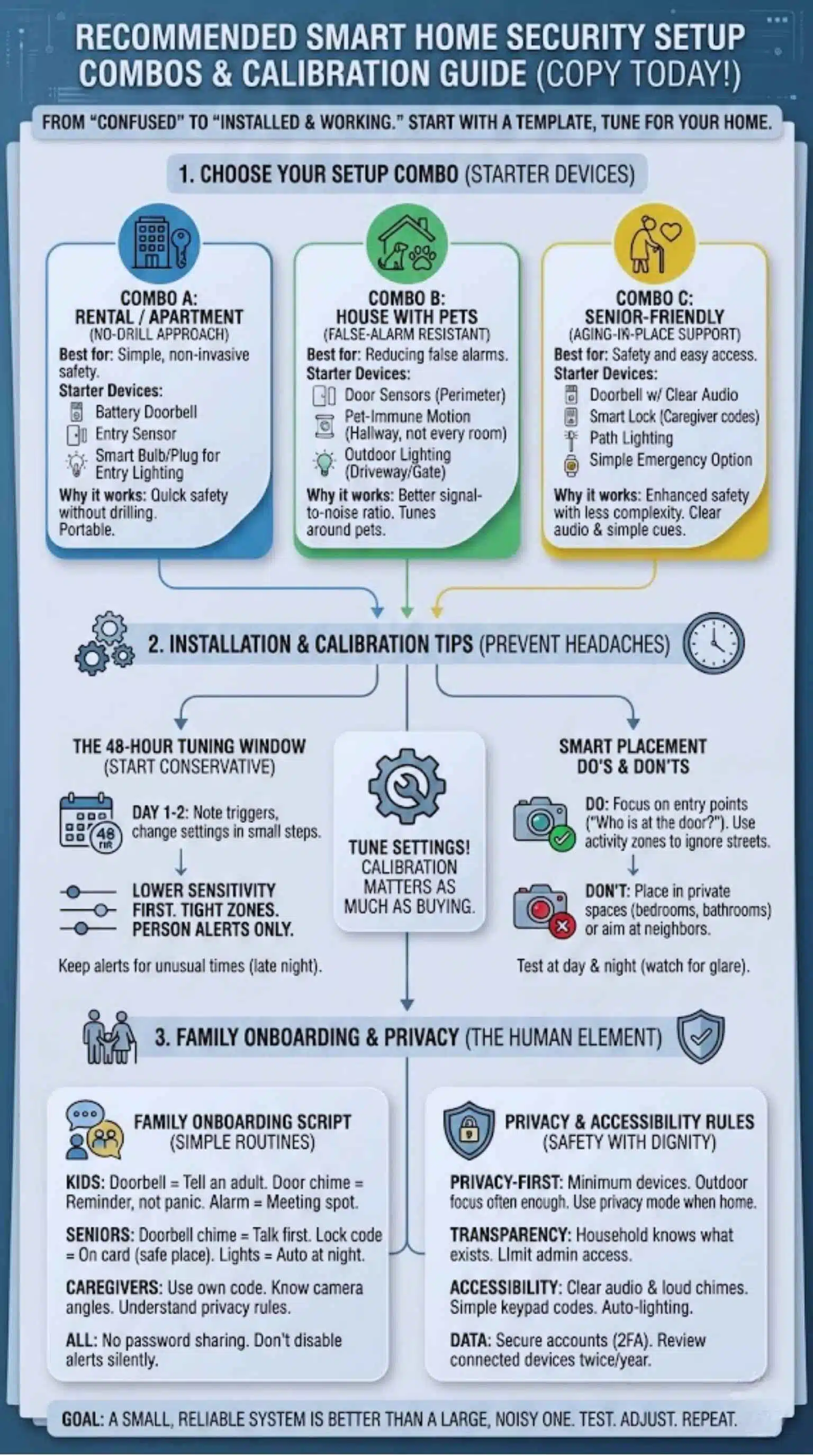
A plan is easier when you can start from a template. These combos are designed for common home situations. You can follow them as-is or adjust them. The goal is to get you from “confused” to “installed and working.”
Each combo focuses on a few high-impact devices. It also assumes you will tune settings. Tuning matters as much as buying. A doorbell that alerts for every car is not helpful. A motion sensor that triggers on a dog is not helpful.
Choose the combo that matches your home type. Then add one device at a time. Test for two days. Adjust. Then add the next. This prevents frustration and keeps the household calm.
If your home includes seniors, prioritize lighting and easy access. If your home includes pets, prioritize pet-immune motion and tight zones. If your home is a rental, prioritize non-drill options and portable devices.
| Combo | Best for | Starter devices | Why it works |
| A: Rental / apartment | Simple and non-invasive | Doorbell, entry sensor, smart lights | Quick safety without drilling |
| B: House with pets | Reducing false alarms | Door sensors, pet-immune motion, lighting | Better signal-to-noise |
| C: Senior-friendly | Aging-in-place support | Doorbell, smart lock, path lights, emergency | Safety and access with less complexity |
Combo A: Apartment / rental-friendly (no drilling approach)
Start at the entry door. Use a battery doorbell if wiring is not allowed. Add a door sensor to know when the door opens. Add a smart bulb or smart plug for entry lighting. This alone improves safety and comfort.
If you want an indoor camera, point it only at the entry route. Use privacy mode when home. Keep it simple and avoid placing it in living areas where family relaxes.
For kids, keep controls simple. Teach one routine: ring the bell, wait, and let an adult respond. For seniors, make sure the chime is loud enough and easy to hear.
Finally, reduce alerts. Tight motion zones. Person alerts only. Quiet hours. A small system that is calm is better than a big system that annoys everyone.
Combo B: Family house with pets (false-alarm resistant setup)
Start with perimeter awareness. Put sensors on key doors and sliding doors. Add a doorbell for front porch awareness. Then add pet-immune motion in one hallway, not in every room.
Use lighting to support deterrence. Motion lights outside near the gate and driveway are often more useful than extra cameras. Lights also help you see what is happening before you step outside.
Tune settings around pet behavior. If your dog sleeps in the hallway, avoid placing a motion sensor there. If your cat climbs shelves, aim sensors away from those routes. Use zones to ignore the pet’s favorite spots.
Also plan for pet sitters. Give them a unique lock code. Set it to work only during the schedule. This protects your home and keeps access organized.
Combo C: Senior-friendly aging-in-place starter kit
Start with access and lighting. A doorbell with clear audio helps seniors screen visitors. A smart lock with caregiver codes helps family support them without spare keys. Path lighting helps prevent trips and falls at night.
Add a simple emergency option next. Choose the simplest method the person will actually use. Many families succeed with a wearable or a panic button plus clear instructions.
Avoid making the home feel complicated. Seniors often prefer simple cues. A loud, clear chime is easier than a phone app. An automation that “just turns lights on” is easier than a manual setting.
Also plan for power and Wi-Fi issues. A senior-friendly plan should include a basic fallback method and clear instructions on paper.
Installation and Calibration Tips That Prevent Headaches
Most smart security problems are not hardware problems. They are setup problems. People install devices quickly, leave default settings, and then hate the system. The fix is calibration.
Calibration means adjusting motion zones, sensitivity, and alert rules. It also means testing with real family movement. A system must work when kids run, pets jump, and grandparents move slowly. It must also work during sleep times.
Give yourself a short “tuning window.” The first two days after install are the best time to adjust. During this window, note what triggers alerts. Then change settings in small steps.
Also involve the family. Teach one or two simple routines. If people do not understand the system, they will bypass it. The system should feel predictable.
| Common issue | Why it happens | Simple fix |
| Too many alerts | Default zones too wide | Tight zones and reduce sensitivity |
| Pet triggers | Sensor sees pet movement | Pet-immune sensor and better angle |
| Seniors dislike it | Too many steps | One device routine + backup plan |
| Devices go offline | Weak Wi-Fi in key areas | Router placement or mesh system |
| Privacy complaints | Cameras feel intrusive | Move cameras and use privacy mode |
Camera placement do’s and don’ts for family homes
Do place cameras where they answer a clear question. The best question is, “Who is at the entry point?” Entryway coverage is often enough for indoor cameras. Outdoor cameras should focus on doors, driveway, and gate routes.
Do use activity zones. Ignore busy streets and moving trees. This reduces alert fatigue. It also makes real alerts more meaningful.
Do not place cameras in private spaces. Avoid bedrooms and bathrooms. Avoid pointing cameras at places where the family relaxes. Privacy comfort matters.
Do not aim cameras into neighbor spaces. Even if it is unintentional, it can create conflict. Keep your camera view inside your property lines as much as possible.
Finally, test at day and night. Glare and shadows can change what the camera sees. Adjust angle and lighting so the image remains clear.
Reduce false alerts in the first 48 hours
Start conservative. Use lower sensitivity at first. Add zones around doors and porches. Turn on person detection if available. Leave general motion off in busy areas.
Next, watch your alert patterns. If you get alerts at the same times every day, it is likely normal household movement. Reduce alerts for those patterns. Keep alerts for unusual times like late night.
For pets, change placement first. Small angle changes make a big difference. Move a sensor higher or rotate it slightly. Avoid aiming at stairs and furniture pets climb.
If you feel overwhelmed, remove a device temporarily. It is better to have a small, reliable system than a large, noisy one.
Family onboarding script that actually works
Teach kids a simple routine. If the doorbell rings, do not open the door. Tell an adult. If a door sensor chimes, it is a reminder, not a panic. If an alarm sounds, go to the family meeting spot and call for help.
Teach seniors one routine too. Keep it simple. Example: the doorbell chime means you can talk first before opening. The lock code is written on a card stored safely. The lights turn on automatically at night.
Teach caregivers your rules. They should use their own code. They should know where to stand when using the doorbell camera. They should understand any privacy expectations.
Also teach the family what not to do. Do not share passwords. Do not disable alerts without telling others. Do not ignore low battery warnings.
Privacy, Ethics, and Accessibility for Homes With Kids and Seniors
Family security must protect people and respect them. That means privacy, consent, and clear expectations. The safest home is one where everyone feels comfortable and understands how things work.
Privacy is not just about cameras. It is also about data. Many smart devices store clips in the cloud. Some send alerts through third-party services. You should know what you are using and who can access it.
Accessibility matters too. A system that is hard to operate fails during emergencies. Seniors may struggle with small buttons or complex apps. Kids may struggle with long codes. Your system should reduce steps.
Ethics matters when monitoring adults who need help. The goal should be safety with dignity. Use the least invasive tools first. Choose gentle alerts and avoid “always watching” when possible.
Finally, consider social boundaries. Guests should know if there is a camera at the door. House rules prevent confusion and avoid conflict.
| Principle | What it means | Example rule |
| Minimum monitoring | Fewer devices, smarter placement | Doorbell + sensors before indoor cameras |
| Transparency | Household knows what exists | Family agreement on camera locations |
| Access control | Roles and permissions | Caregiver sees door alerts, not indoor feeds |
| Data hygiene | Secure accounts and updates | Strong passwords and 2FA where possible |
| Accessibility | Easy to use | Loud chimes, simple codes, auto lighting |
Privacy-first rules you can follow today
Start outside. For many families, outdoor coverage plus door sensors provides enough protection. Indoor cameras are optional. If you use them, keep them limited and purposeful.
Use privacy mode when home. If your camera supports a shutter or scheduled off-time, use it. This protects household comfort and reduces the feeling of being watched.
Limit admin access. Too many admins increase privacy risk. Keep admin rights to one or two trusted adults. Give others viewer rights only when needed.
Create a written rule for clip sharing. Decide who can download or share video clips. This matters in multi-family homes and caregiver situations.
Finally, check your settings twice per year. Update passwords. Review connected devices. Remove old users. A simple audit keeps your home safer.
Accessibility checklist for kids, seniors, and caregivers
Choose devices with clear audio and simple controls. A loud chime is often more useful than a fancy feature. A keypad can be easier than a phone app for many seniors.
Keep codes short but secure. Avoid birthdays or simple patterns. Use unique codes for each person. This is safer and easier to manage.
Use automation to reduce steps. Motion lighting at night reduces the need to search for switches. Auto-lock with a delay can help, but only if it does not cause lockouts.
Create a backup plan. If Wi-Fi fails, can you still unlock the door? If a phone is lost, can you still manage access? A reliable fallback keeps the system stress-free.
Train the household. One short practice session can prevent confusion in real situations.
Cost and Value: What to Spend Money On First
It is easy to overspend on cameras and ignore basics. Most homes get more value from better locks, better lighting, and better sensor placement than from extra screens.
Start with the devices that reduce real risk and support daily routines. For families, access control and awareness are usually top priorities. For seniors, lighting and emergency support matter most. For pets, false-alarm control matters most.
Also consider ongoing costs. Some features require subscriptions. If you want cloud video history and advanced alerts, you may pay monthly. If you prefer no monthly costs, look for local storage options and basic alerts.
A smart plan balances price and simplicity. A small system that is tuned well is better than a large system that is not tuned.
Finally, budget for maintenance. Batteries, firmware updates, and occasional replacements are part of the smart home lifecycle. Planning for this prevents surprise headaches later.
| Priority order | Best first purchase | Why it matters |
| 1 | Smart lock or reinforced door awareness | Controls access and stops easy entry |
| 2 | Doorbell + porch lighting | Improves screening and deterrence |
| 3 | Key sensors + pet-immune motion | Reduces false alarms and improves awareness |
| 4 | Smoke/CO + water sensors | Improves safety beyond crime prevention |
| 5 | Optional cameras and advanced AI | Useful after basics are stable |
Subscription vs no-subscription: how to decide
Ask what you really need. If you want to review clips from last week, cloud storage helps. If you only need live view and basic alerts, you may not need a subscription. Think about who uses the system. If multiple family members want easy access to recorded events, a subscription may reduce frustration. If only one person monitors and wants fewer costs, local storage can be enough.
Consider travel and caregiving needs. If you travel often, recorded clips and smarter alerts can help. If you support an older adult, dependable alerts may matter more than long clip history. Also consider your internet reliability. Cloud-dependent systems rely on stable internet. If your internet is unstable, choose devices with stronger local functionality. Do a simple cost check. Calculate one year of subscription cost and compare it to the cost of upgrading to local storage hardware.
Takeaways
Smart home security for families works when it fits real routines. It should be calm, not noisy. It should be simple, not complicated. And it should protect privacy, not create tension. Start with the front door and access control. Add a doorbell and a smart lock with unique codes. Add sensors on key openings. Then reduce false alerts with pet-friendly settings and tight zones. Add lighting to support safety at night. Finally, add safety sensors like smoke/CO and water leak alerts for full-home protection. If you want a simple next step, choose one combo from this guide and install one device this week. Tune it. Teach the family one routine. Then expand slowly. When you do it right, smart home security for families becomes part of the home’s comfort. It supports kids, pets, and seniors without taking over your life. It helps you respond faster and worry less. And that is the real goal of smart home security for families.
FAQs
What is the best smart home security setup for families with kids and pets?
Start with a doorbell camera, a smart lock with unique codes, and sensors on the most-used doors. Add a pet-immune motion sensor only after you confirm placement and zones. That sequence prevents the “alert flood” problem.
How do I stop my dog or cat from triggering motion sensor alarms?
- Use a pet-immune motion sensor designed to ignore animal movement patterns.
- Consider dual-tech motion sensors in tricky areas.
- Raise the sensor and aim it away from furniture pets climb.
Are smart security cameras safe to use around children and seniors?
They can be, but the safer choice is often fewer cameras and better placement. Follow FTC-style basics: secure accounts and keep devices updated.
































