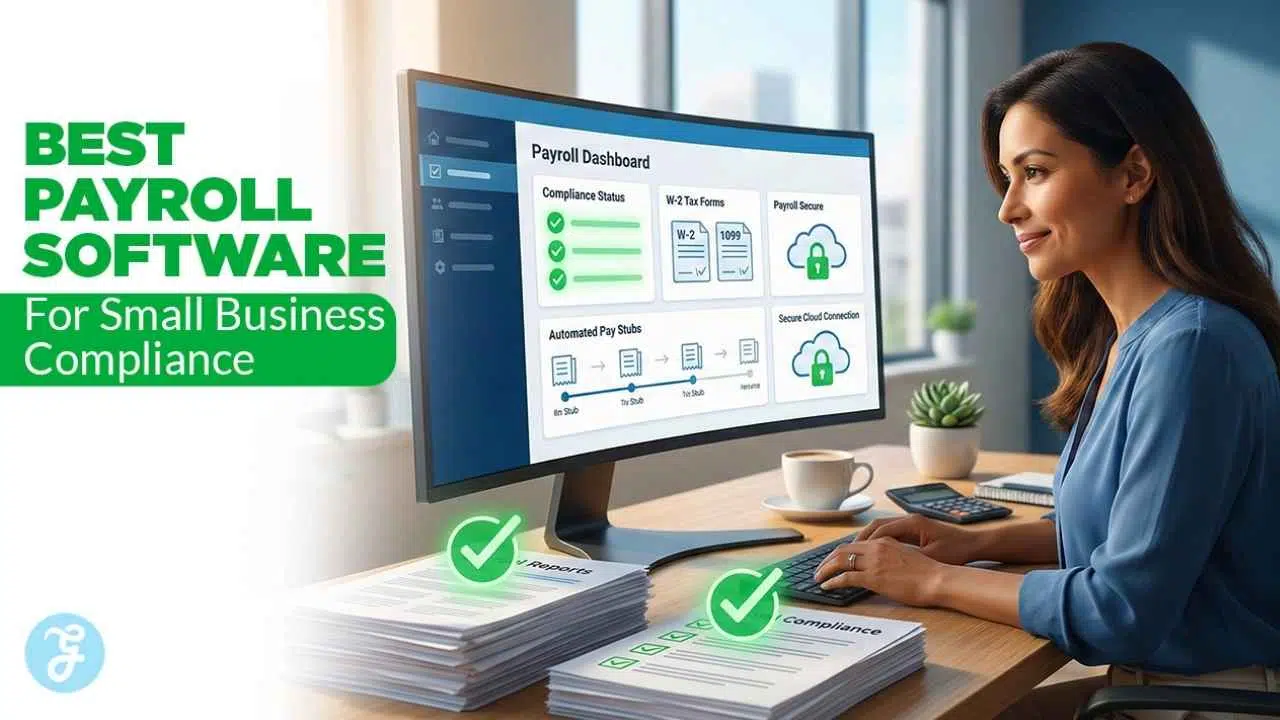
Let us talk about the reality of running a company today. You already have a million tasks on your plate every single morning. Managing employee paychecks and manually calculating tax tables should absolutely not be one of them. I have seen too many founders try to handle their withholding taxes using a messy spreadsheet just to save a few dollars.
It almost always leads to a frustrated team, a massive mathematical error, or a nasty penalty letter from the government. Payroll compliance simply means following every local, state, and federal rule when you pay your workers. You have to calculate the exact withholding for income taxes, manage worker compensation funds, and send out perfectly accurate tax forms at the end of the year. Doing this by hand is a massive risk.
This is exactly why finding the best payroll software for small business compliance matters so much to your bottom line. A solid platform automates the complicated math, tracks regulatory changes in the background, and keeps your records completely spotless. You get your time back to focus on growing your brand, and your team gets paid accurately and on time. Finding the right tool means you never have to act like a tax accountant again.
Essential Features of Payroll Compliance Software
Before you pull out your credit card and sign up for a monthly subscription, you need to understand what makes a system actually worth your money. You do not just want a digital calculator that requires you to enter all the data manually. You want a tool that does the heavy lifting, tracks regulatory changes, and keeps government agencies off your back. Think of a good system as having a dedicated compliance officer working quietly in the background of your business. Here are the core features you absolutely need to look for before making a decision.
| Feature Category | Why It Matters for Your Business | Real-World Benefit |
| Automated Tax Calculations | Eliminates manual math errors entirely. | Prevents costly IRS late fees and penalties. |
| Multi-State Compliance | Keeps you legal if you hire remote workers. | Automatically registers new state tax accounts. |
| Digital Portals | Meets digital access mandates for staff. | Saves you from printing and mailing pay stubs. |
| Benefits Administration | Stops deduction errors for health plans. | Syncs insurance premiums directly to paychecks. |
| Year-End Form Generation | Generates W-2 and 1099 forms instantly. | Removes the January headache of tax paperwork. |
Automated Tax Calculations and Filings
The absolute biggest reason to invest in a software platform is to handle your taxes automatically. Federal, state, and local tax rates change constantly, and keeping up with them manually is nearly impossible for a busy founder. A full-service platform calculates the exact amount of tax to withhold from every single paycheck based on the most current tax tables available. Beyond just doing the math, the software then automatically files the necessary paperwork and transfers the tax money to the correct government agencies on your behalf. This completely removes the risk of late payment penalties or missing a quarterly filing deadline. If the software makes a calculation mistake, many top-tier providers will actually pay the resulting fine for you, giving you total peace of mind.
Multi-State Tax Compliance Handling
Remote work is the new normal, especially if you run a digital agency or a media publisher. You might live in one state, hire a brilliant freelance writer in another, and bring on a web developer who lives across the country. Every time you hire someone in a new state, you have to follow that specific state’s labor laws and tax codes. Good software tracks compliance across state lines effortlessly. It prompts you to register with the right local tax agencies and ensures you withhold the correct amounts no matter where your employees open their laptops. This feature prevents you from accidentally breaking local labor laws simply because you did not realize a remote worker moved to a new city over the weekend.
Employee Self-Service Portals
Your employees want to check their pay history without sending you three emails and waiting for a response. Furthermore, new labor regulations in many jurisdictions actually require employers to provide secure, on-demand digital access to payslips. A self-service portal gives your staff their own secure login on their phone or desktop. Through this portal, they can view their old pay stubs, update their personal mailing address, change their direct deposit bank accounts, and download their own tax forms. This hands-off approach drastically reduces your administrative workload. You no longer have to spend your Friday afternoons hunting down an old paycheck record for an employee who is trying to apply for a mortgage.
Benefits Administration and Deductions
If you want to attract top talent, you have to offer health insurance, retirement plans, or commuter perks. However, offering these perks means you have to manage highly complex paycheck deductions every single cycle. The rules surrounding pre-tax and post-tax deductions are strict, and making a mistake can mess up an employee’s annual tax return. Your payroll platform should integrate these benefits directly into the payment flow. When a worker signs up for a health plan during open enrollment, the system automatically subtracts their specific portion of the premium from their gross pay. It adjusts automatically if they change their coverage tier, ensuring you never overcharge or undercharge an employee for their benefits.
Year-End Tax Form Generation
January is traditionally a miserable month for small business owners because of the massive tax paperwork burden. Your software should automatically generate accurate W-2 forms for your regular salaried staff and 1099 forms for your independent contractors. You should not have to type this data in manually from old records. The best platforms go a step further by filing these forms directly with the IRS and delivering secure digital copies to your workers’ portals. This saves you from buying expensive specialty paper forms, dealing with printer jams, and spending hours standing in line at the post office. It turns a week-long administrative nightmare into a process that takes about ten minutes to approve and finalize.
10 Best Payroll Software for Small Business Compliance
I reviewed the top platforms currently on the market to see how they actually perform in the real world. I looked specifically at how they handle tax automation, how easy their interfaces are to navigate, and whether their pricing makes sense for a growing company. Some are built for tiny local retail shops, while others are engineered for fast-growing global tech startups. Here is my detailed breakdown of the best payroll software for small business compliance this year.
1. Gusto

Gusto is easily one of the most popular and highly recommended choices for modern small businesses looking to streamline their operations. It strips away the confusing interfaces of older corporate software and replaces them with a bright dashboard that actually makes sense to a normal person. Starting at a very accessible $49 per month base fee plus $6 per employee, it works incredibly well for businesses that want to handle their payroll, health insurance, and employee onboarding in one single, centralized place. It handles all automatic tax calculations and files federal, state, and local taxes at no extra charge on its standard plans.
The employee self-service portal is fantastic, giving workers lifetime access to their tax documents even if they eventually leave your company. The only real downside is that if you want advanced features like a dedicated HR support hotline or complex time-tracking tools, you have to upgrade to their Plus tier, which increases the cost significantly.
| Feature | Details |
| Starting Price | $49/month + $6/employee |
| Best Used For | All-in-one HR, benefits, and payroll management |
| Compliance Strength | Automatic multi-state tax filing included |
| Main Advantage | Highly intuitive design perfect for beginners |
| Potential Drawback | Advanced HR support requires expensive premium tiers |
2. OnPay
I really appreciate OnPay because they refuse to play games with their pricing structure, making them incredibly attractive for budget-conscious owners. Many software companies lure you in with a cheap base rate and then quietly charge you extra for W-2 printing, multi-state payroll, or direct deposit setup. OnPay takes a different approach by charging one flat monthly base fee of $49 plus a small $6 per-employee cost, and you get absolutely everything they offer without hidden upgrades. Their system handles full-service payroll seamlessly, including automated tax filing across all fifty states, which is rare at this price point.
They also offer excellent built-in HR tools for new hire reporting, which is a massive federal compliance requirement that many owners accidentally forget about. While they lack a dedicated mobile app for employees to download, their mobile web interface works perfectly fine on any smartphone browser, keeping things simple.
| Feature | Details |
| Starting Price | $49/month + $6/employee |
| Best Used For | Budget-friendly operations wanting predictable billing |
| Compliance Strength | Zero extra fees for multi-state tax runs |
| Main Advantage | Transparent pricing includes all premium features |
| Potential Drawback | Lacks a dedicated native mobile app |
3. ADP RUN
ADP is an absolute giant in the financial world, and you have probably seen their logo printed on a paycheck at some point in your life. ADP RUN is their specific, streamlined platform designed exclusively for small businesses to leverage that massive corporate infrastructure. It takes their enterprise-level compliance backing and scales it down so a local shop owner or a small tech founder can actually use it without feeling overwhelmed. They offer incredibly fast automated tax updates, robust error detection that flags weird paycheck numbers before you process them, and unparalleled 24/7 customer support.
They also feature excellent tools for managing complex compliance issues like state unemployment insurance claims and wage garnishments. The main drawback is their custom quote-based pricing model, which requires you to call their sales team to get an exact number, making it slightly harder to compare costs directly online.
| Feature | Details |
| Starting Price | Custom pricing quote required |
| Best Used For | Growing businesses needing enterprise-level backing |
| Compliance Strength | Deep expertise in wage garnishments and unemployment |
| Main Advantage | Massive scalability and 24/7 expert support access |
| Potential Drawback | Pricing is not transparent on their website |
4. QuickBooks Payroll
If you are already using QuickBooks Online to handle your business bookkeeping and expense tracking, this is by far the most logical choice you can make. QuickBooks Payroll integrates flawlessly with your accounting ledger without any complicated third-party API setups or constant manual imports. When you run your payroll cycle, the journal entries happen automatically in the background, keeping your books perfectly balanced. You never have to type the same number twice, which completely eliminates a massive source of human data entry error that often leads to audits.
On their premium tiers, starting around $88 a month, they offer an incredible tax penalty protection program where they actually pay the IRS fines for you if their system makes a calculation mistake. It can get a bit expensive compared to standalone apps, but the countless hours you save on bookkeeping make it incredibly worthwhile for most owners.
| Feature | Details |
| Starting Price | $50/month + $6.50/employee (Core plan) |
| Best Used For | Current users of QuickBooks Online accounting |
| Compliance Strength | Tax penalty protection guarantee on higher tiers |
| Main Advantage | Flawless, instant syncing with your general ledger |
| Potential Drawback | Can be expensive if you do not use their accounting software |
5. Patriot Software
Patriot Software is built specifically for the frugal business owner who wants a simple, cheap, and highly reliable tool without paying for unnecessary bells and whistles. They offer a highly affordable basic tier starting at just $17 a month where you handle the actual tax filings yourself, but I always strongly recommend their full-service tier at $37 a month where they automate the tax payments completely. They offer unlimited payroll runs every single month at no extra charge, which is fantastic if you pay your staff weekly or need to run off-cycle bonus checks frequently. Their customer support team is entirely based in the United States and has a stellar reputation for holding new owners’ hands during the initial, often stressful, account setup phase. It lacks the heavy, complex human resources features of bigger platforms, but it executes the core payroll compliance basics flawlessly.
| Feature | Details |
| Starting Price | $17/month + $4/employee (Basic non-filing plan) |
| Best Used For | Micro-businesses needing simple, cheap payroll |
| Compliance Strength | Guaranteed accurate tax filing on the Full Service plan |
| Main Advantage | Unlimited payroll runs without extra processing fees |
| Potential Drawback | Basic plan leaves the tax filing burden entirely on you |
6. Paychex Flex
Paychex is another legacy payroll and human resources company that operates similarly to ADP, offering a deeply customizable experience. Their Paychex Flex platform allows you to pick and choose the exact modules your specific business needs right now, meaning you do not pay for software you will never use. It is particularly strong for businesses operating in heavily regulated industries, like healthcare or finance, that require strict compliance reporting and highly specialized benefits tracking.
They offer excellent built-in support for tricky situations like workers’ compensation audits, detailed retirement plan integration, and shift differential pay calculation. You also get access to dedicated payroll specialists who can help you navigate confusing state tax scenarios over the phone. Their interface can feel a bit corporate and slightly dated compared to modern startups, but their compliance backbone is undeniably rock solid.
| Feature | Details |
| Starting Price | Custom pricing quote required |
| Best Used For | Highly regulated industries needing custom reporting |
| Compliance Strength | Dedicated specialists available for complex tax scenarios |
| Main Advantage | Highly modular system grows exactly as you need it |
| Potential Drawback | Interface feels slightly corporate and less modern |
7. Rippling
Rippling operates entirely differently from the other traditional options on this list by deeply automating your entire back-office workflow. It is designed to combine your payroll, your human resources data, and your IT device management into one perfectly unified dashboard. When you hire a new remote developer, Rippling can put them on the payroll, mail them a pre-configured laptop, and set up their software passwords all with a single click.
Their compliance tracking is elite, automatically registering new state tax accounts the moment you hire an employee who lives across state lines, preventing massive legal headaches down the road. They also handle global payroll easily, letting you pay international contractors in their local currencies without leaving the app. It is an absolute powerhouse for fast-growing tech startups, though it is massive overkill if you just run a local coffee shop.
| Feature | Details |
| Starting Price | $35/month base + $8/employee |
| Best Used For | Tech startups and remote-first digital teams |
| Compliance Strength | Automatic state tax registration for remote hires |
| Main Advantage | Unifies payroll with IT device provisioning |
| Potential Drawback | Modular pricing gets expensive quickly as you add features |
8. Remote
Hiring a brilliant developer in Germany or an editor in Japan used to cost small businesses thousands of dollars in foreign legal fees just to ensure basic compliance. Remote is a software platform built specifically to solve this exact international hiring problem by acting as an Employer of Record. This means they establish the legal corporate entity in the foreign country on your behalf and legally hire the international worker for you.
They run the local payroll in the correct currency and completely assume all the intense legal compliance risks associated with navigating foreign labor laws. They manage currency conversions without massive hidden bank fees and ensure you meet local rules regarding mandatory paid time off and strict severance packages. It is the undisputed best choice if you are building an international digital team, even with its premium monthly cost.
| Feature | Details |
| Starting Price | $599/month per EOR employee ($29 for contractors) |
| Best Used For | Hiring full-time employees outside your home country |
| Compliance Strength | Assumes full legal liability for foreign labor laws |
| Main Advantage | Removes the need to open foreign corporate bank accounts |
| Potential Drawback | Very expensive monthly cost per international employee |
9. SurePayroll

SurePayroll is actually a specialized subsidiary owned by Paychex, but it operates completely independently to serve the smallest micro-businesses on the market. If you hire a private nanny, a senior caregiver, or a full-time housekeeper, you have very specific household employer tax rules to follow that most software ignores. Standard business payroll apps simply do not handle the confusing nanny tax correctly, often resulting in messy year-end paperwork.
SurePayroll caters exactly to this niche, offering highly specialized tax calculations for domestic workers and very affordable pricing for businesses with only one or two total employees. They even offer reliable evening and weekend customer support, which is absolutely perfect for busy families managing their household payroll after normal business hours. The reporting is basic, but it handles the specific household compliance perfectly.
| Feature | Details |
| Starting Price | Roughly $30/month + $5/employee |
| Best Used For | Household employers paying nannies or caregivers |
| Compliance Strength | Specialized handling of the household nanny tax |
| Main Advantage | Evening and weekend customer support hours |
| Potential Drawback | Reporting tools are too basic for larger businesses |
10. Paylocity
Paylocity bridges the gap between basic small business software and massive enterprise-level workforce management suites. It is designed specifically for growing mid-market companies that need extreme visibility into their complex labor costs across different departments and state lines. It actively combines reliable payroll compliance with advanced expense reimbursement, customized shift scheduling, and modern corporate communication tools inside one app.
My absolute favorite feature is their powerful pre-processing audit tool that scans your data before you hit submit. It proactively flags any weird anomalies, like an employee suddenly logging forty hours of unexpected overtime, catching expensive errors before money actually leaves your bank account. It takes a bit longer to set up than the simpler apps, but the high-level financial control and compliance protection are incredible.
| Feature | Details |
| Starting Price | Custom pricing quote required |
| Best Used For | Mid-market companies with complex, multi-department needs |
| Compliance Strength | Pre-processing audits catch anomalies before submission |
| Main Advantage | Replaces multiple disconnected HR and expense tools |
| Potential Drawback | Implementation and setup process is highly involved |
How to Choose the Right Software for Your Business
Reading through a massive list of ten excellent platforms can still leave you scratching your head and feeling a bit overwhelmed. You do not want to guess and pick the wrong one, because migrating historical payroll data to a new system later is a massive headache. To figure out the best payroll software for small business compliance for your specific situation, you need to look deeply at your current setup. Here is how I usually tell founders to make their final decision.
| Decision Factor | Key Questions to Ask Yourself | Recommended Action |
| Team Size | Do I have 2 local employees or 50 remote workers? | Micro-businesses fit Patriot; large remote teams fit Gusto. |
| Worker Types | Are they W-2, 1099, or international hires? | Use Remote for global hires; use OnPay for domestic mixes. |
| Budget Constraints | Can I afford increasing per-employee monthly fees? | Prioritize platforms with transparent pricing and zero hidden fees. |
| Software Stack | Does it need to sync with my current accounting tool? | If using QuickBooks Online, stick with QuickBooks Payroll. |
Assess Your Current and Future Team Size
Think carefully about exactly who you are paying right now and who you genuinely plan to hire over the next twelve months. If you only have three local employees on a fixed, predictable salary, you just need a simple, lightweight tool like Patriot Software. You do not need to pay for advanced performance review modules or global hiring features. Conversely, if you plan to hire twenty hourly workers across four different states and two different countries, you need a highly robust system. A platform like Gusto or Rippling is essential in this scenario to handle multi-state tax registrations effortlessly.
Evaluate Integration Capabilities
Your new payroll system cannot exist in a vacuum; it absolutely needs to talk to the software tools you already use every day. If your warehouse staff uses a specific mobile app to clock their hours, make sure your new payroll platform integrates directly with it. This prevents you from having to type employee hours manually from one screen to another. Most importantly, you must check that the payroll software syncs cleanly with your primary accounting platform. Whether you use Xero or QuickBooks, the payroll data needs to flow directly into your general ledger to keep your bookkeeper happy.
Understand Pricing Structures and Hidden Fees
Payroll software usually looks incredibly cheap on the main pricing page until you actually read the fine print. Most companies charge a flat base monthly fee, plus an additional fee for every single employee you pay during that month. You need to calculate what your total monthly bill will be right now, and what it will be if you double your headcount next year. Furthermore, verify exactly what is included in that advertised base price. Some providers will quietly charge you an extra fee to generate year-end W-2s, file taxes in a second state, or process direct deposits faster than three days.
Prioritize Accessible Customer Support
When a software glitch prevents your entire staff from getting paid on a Friday morning, you are going to panic. You simply cannot afford to submit a support ticket and wait two days for a generic email response. Your employees have rent and bills to pay, and a delayed paycheck severely damages their trust in your leadership. Before you commit to a year-long contract with any platform, research their customer support reputation extensively. Look for providers that offer live chat, dedicated account managers, or actual phone support during your specific business hours.
Common Payroll Mistakes to Avoid
Even if you buy the most expensive, highly advanced software on the entire market, you can still ruin your company’s compliance if you feed the system bad data. Software brilliantly automates the math, but you as the owner are still entirely responsible for following the actual legal rules. I constantly see smart founders make the same three mistakes repeatedly. Keep these specific traps in mind before you run your very next payroll cycle.
| Common Mistake | Why It Destroys Your Compliance | How to Easily Avoid It |
| Worker Misclassification | Triggers massive back-tax penalties from the IRS. | Use the strict IRS control test before labeling someone a 1099. |
| Missed Tax Deadlines | Results in immediate late fees from state agencies. | Turn on auto-pay and auto-file features inside your software. |
| Poor Record Keeping | Fails Department of Labor audits instantly. | Choose cloud software that archives pay stubs for three full years. |
Misclassifying Employees versus Contractors
This is easily the number one way to trigger an aggressive audit from the IRS. Business owners often purposefully label workers as independent contractors to avoid paying standard payroll taxes, unemployment insurance, and health benefits. However, the government has very strict definitions about what constitutes an actual employee. If you dictate the worker’s daily schedule, provide their company laptop, and heavily control exactly how they execute their job, the government almost certainly considers them a W-2 employee. Misclassifying them results in massive financial penalties.
Missing Federal or State Tax Deadlines
The federal and state governments simply do not care if you were busy pitching a new client or if you forgot what day of the week it was. Payroll taxes must be deposited into government accounts on extremely strict, uncompromising schedules. Depending on exactly how much total payroll you run, you might have to deposit taxes monthly or even semi-weekly. Missing these specific deadlines results in immediate financial penalties that compound quickly over time. The easiest and most reliable way to avoid this stress is to verify that the automated tax payment feature in your payroll software is fully activated.
Failing to Keep Accurate Historical Records
Under the federal Fair Labor Standards Act, you are legally required as an employer to keep specific payroll records for a minimum of three years. This critical data includes detailed records of daily hours worked, specific payment rates, and every single tax deduction taken from a paycheck. Keeping this in a physical filing cabinet is risky and outdated. If a disgruntled former employee suddenly disputes their final paycheck amount, you must produce these precise documents quickly. Always rely on high-quality cloud-based software that automatically archives all your historical data securely.
Final Thoughts
Handling employee paychecks does not have to be a source of constant, lingering anxiety every two weeks. By making the smart decision to invest in the best payroll software for small business compliance, you actively protect your company from severe government penalties. You save yourself countless hours of tedious manual data entry, and you ensure your hardworking team gets paid accurately and exactly on time.
Whether you choose the highly intuitive, user-friendly interface of Gusto, the radically transparent flat pricing of OnPay, or the seamless bookkeeping synchronization of QuickBooks, automating your payroll is a brilliant move. Stop trying to act like a professional tax accountant when you should be acting like a CEO. Automate your complex compliance rules today, secure your business against unnecessary audits, and get back to doing the creative work you actually love.