Listen to the Podcast:
Since OpenAI’s ChatGPT became a surprise hit, there has been a rush to use generative AI in everything from search engines like Bing to customer relationship management tools like Salesforce.
Microsoft, an extensive partner of OpenAI, is adding the same technology to its Office 365 productivity suite with “Copilot for Work.” This tool will add generative AI to Word, Excel, Powerpoint, and Outlook, and a new Business Chat tool will be released.
Microsoft has access to its large language models as part of its $10 billion investment in OpenAI. So far, the company has built this into many products, such as Bing Search, its CRM platform Dynamics 365, and integration with the Azure cloud service. An AI chatbot tool in Bing works like ChatGPT and is powered by OpenAI’s New GPT-4. It gives more relevant results based on the situation.
Today, CEO Satya Nadella and Jared Spataro, corporate vice president for modern work and business applications, held an online event to discuss Copilot for Work. Nadella called it a “whole new way of working” that moves AI from “autopilot to copilot.”
He said, “We think it will unleash a new wave of productivity growth by letting us get back to the fun of making things.” Just like we can’t imagine computing without a keyboard, mouse, or multitouch, we won’t be able to imagine computing in the future without natural language prompts and human copilots.
Spataro said it was the beginning of a new era in computing. “Work isn’t just supposed to be a job. “At its best, work not only feeds our families, but it also feeds our souls. But today, we spend too much time on the struggle of work, so it doesn’t always live up to that promise,” he said. “The tools that are supposed to help us get things done often get in the way.”
“We need a whole new way to work to get back to the heart of work. We’re going to tell you about Microsoft 365 Copilot. It combines the power of large language models with company data and 365 apps,” he said, intending to turn “your words into the most powerful productivity tool.”
The AI has been fully built into Microsoft 365, including apps like Word, Excel, PowerPoint, Outlook, and Teams that people use daily. Users can add content to existing documents, summarize texts, write a whole document, and even turn a Word document with descriptive words into a PowerPoint document. In Excel, you can look at data and ask questions using natural language. You can also use natural language to create formulas. This could also include “what-if” scenarios that suggest new ways to solve the problem.
Each product gets a Copilot update
Word’s Copilot feature can be used as a copilot rather than an autopilot to write, edit, summarize, and produce text “alongside the user.” “With just a few instructions, Copilot in Word will produce a first draft for you, including data as necessary from throughout your organization. To make a paper more compact, Copilot can add material, summarize text, and rework individual paragraphs or the entire document. To assist you in hitting the proper pitch, you can obtain suggested tones, ranging from formal to dynamic and informal, so grateful.
Using Excel, you can ask questions about the data set and get natural language answers, eliminating the need for complicated formulas. You can also find connections, suggest what-if scenarios, and even get formula suggestions depending on your questions. To drive diverse outcomes, it may spot trends, make visualizations, and solicit advice.
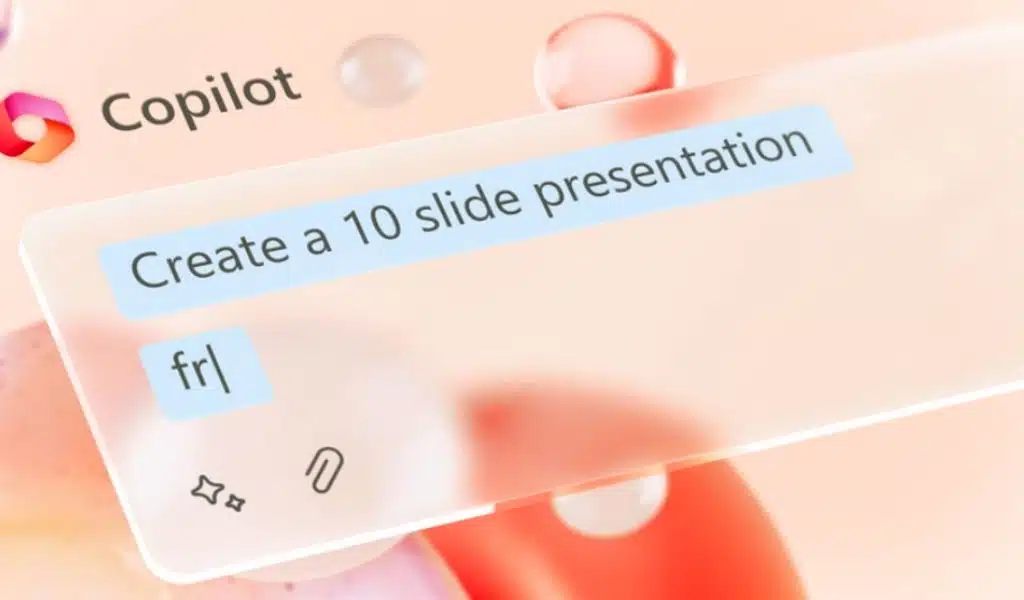
The Copilot PowerPoint add-in was created as a “storytelling companion” to convert textual content into decks, including speaker notes and sources. It can also condense a long presentation with the push of a button, including retiming animations, and do this from a straightforward prompt or outline.
Outlook can summarize lengthy, complicated email threads, even if they contain several people and voices with divergent opinions, and perform better email triage. It can highlight unanswered questions, respond promptly to an email, or transform notes into a formal statement. It has access to data and content from all of Microsoft 365.
Microsoft has also launched a brand-new item called Business Chat. Natural language search access works across the LLM, the Microsoft 365 apps, and user data from calendars, emails, chats, documents, meetings, and contacts. According to Microsoft, you can ask it questions in natural language, such as “inform my team how we revised the product strategy,” and it will produce a status update based on the morning’s meetings, emails, and chat threads.
A whole new product category within Microsoft 365 is being marketed as allowing customers to “spend less time focusing on the tools and more time focused on the most important tasks,” according to the company. Asking it to summarize all of the conversations, emails, and documents on a specific customer escalation is one example of a possible prompt, as is inviting it to indicate when the next project milestone will be reached, and any risks will be highlighted. Afterward, tasks based on those discoveries can be completed using the various 365 apps.
The products are now being evaluated among 20 customers, eight of which are Fortune 500 companies, to grow this number in the upcoming months. Over the forthcoming months, specific price information will be released.
Microsoft Copilot for Work Follows Google’s AI Workspace Tools
This comes after the announcement that Google intends to integrate Workspace with its own enormous 540 billion parameters PaLM large language model, initially beginning with Documents and Gmail and enabling users to generate content from a straightforward prompt. Workspace already has a few AI features, such as Gmail’s Smart Compose and Documents summaries, but it doesn’t yet have the full generative power of programs like ChatGPT or Wordtune Spices from AI21 Labs.
According to Google, new capabilities will be available to generate content once you type in a topic. This will quickly produce a draft that can be modified as necessary. In the upcoming weeks, these functionalities will be gradually introduced to a small group of testers, although it is unclear when they will be broadly accessible.
Incorporating generative AI into the common office and productivity tools, according to Forrester Analyst Rowan Curran, has the potential to “significantly change people’s workflows in whatever role they have.” For example, summarizing a white paper into a blog post within a core productivity app makes it easier to integrate various tools.
If they don’t immediately take off in their initial version, these capabilities may be used more frequently once the major productivity suite providers start enabling this capability. However, these models are not nearly as powerful in their foundational version as when they have been fine-tuned on a company’s specific data. The effects might not change the workplace tomorrow, but the ball has already started moving in this direction.
Tech Giants must Address Issues of AI Trust and Security
According to AJ Grotto, a former director of cybersecurity policy at the White House, “Bill Gates promised in a document twenty years ago that Microsoft would put security first and not rush features and products to market. Has Microsoft withdrawn this memorandum? With its haste to incorporate ChatGPT—a product with a history of issues—into Office 365, it certainly appears to be the case.
The technology underlying ChatGPT is now a practical application that millions of people will soon use to boost their productivity, according to Marshall Choy, SVP of Product at SambaNova Systems. However, he cautioned that the one-size-fits-all approach isn’t appropriate in all circumstances.
What happens when the models are at the core of businesses, as opposed to only employing generative AI to enhance business operations like content creation? Where things become interesting is with these basic models, claims Choy. Customized owned models deliver enormous efficiency savings that give firms a clear competitive edge in their lines of business in comparison to one-size-fits-all models where your data must be handed off to a third-party API.