
In the vast world of web hosting, making the right choice can feel overwhelming, especially with so many options available. As you embark on your journey to establish an online presence, understanding the key differences between shared, VPS, and dedicated hosting is crucial.
Each hosting type has its unique set of features, advantages, and limitations, making it essential to choose the right one based on your specific needs.
This article will provide a comprehensive overview of the three primary hosting options: shared hosting, VPS (Virtual Private Server) hosting, and dedicated hosting.
We’ll break down their key differences, explore their respective pros and cons, and ultimately guide you toward the best choice for your website. By the end, you’ll be equipped with the knowledge needed to make an informed decision that aligns with your goals.
Shared hosting is the most common and cost-effective option available, making it an attractive choice for individuals and small businesses. In this model, multiple websites reside on a single server, sharing its resources such as CPU, RAM, and storage. While shared hosting is budget-friendly, it comes with certain limitations that can impact performance and control.
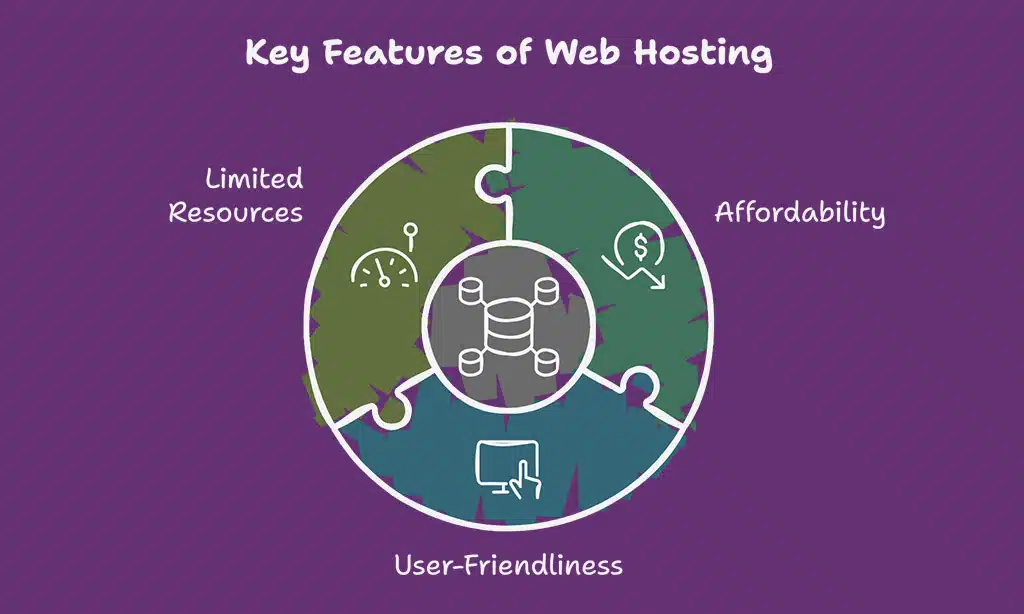
Key Features of Shared Hosting
- Affordability: Plans typically range from $2.99 to $10 per month.
- User-Friendly: Most providers offer intuitive control panels, simplifying the website management process.
- Limited Resources: Resources are shared, which can lead to performance issues if one site experiences high traffic.
| Feature | Description |
| Cost | $2.99 – $10/month |
| User Access | Shared access to server resources |
| Ideal Users | Beginners, personal sites, small businesses |
- Cost-Effective: The low price point makes it accessible for startups and individuals.
- Ease of Use: One-click installations for popular CMS like WordPress make it beginner-friendly.
- Maintenance: Providers handle server maintenance, updates, and backups.
- Resource Limitations: Performance can suffer if another site on the server experiences a spike in traffic.
- Security Risks: If one site is compromised, others may be at risk.
- Limited Control: Users have restricted access to server settings, which may hinder customization.
Example: A Personal Blog
Consider a personal blog that started on shared hosting. Initially, the blog ran smoothly with low traffic, thanks to the affordability of shared hosting. However, as the blog gained popularity and traffic surged, performance issues began to arise, leading to slow load times and downtime. This experience highlights the limitations of shared hosting, particularly for growing websites.
What is VPS Hosting?
VPS hosting offers a significant upgrade from shared hosting by providing users with dedicated resources from a single physical server. This model allows for better performance, security, and customization, making it suitable for medium-sized businesses and websites with moderate traffic.
Key Features of VPS Hosting
- Dedicated Resources: Each user has allocated CPU, RAM, and storage, resulting in consistent performance.
- Root Access: Users gain root access to the server, allowing for custom software installations and configurations.
- Scalability: VPS plans can be easily scaled up or down based on traffic and resource needs.
| Feature | Description |
| Cost | $20 – $100/month |
| User Access | Dedicated resources with root access |
| Ideal Users | Growing websites, moderate traffic |
Advantages of VPS Hosting
- Improved Performance: Dedicated resources lead to faster load times, even during traffic spikes.
- Greater Control: Users can customize their server environment to meet specific needs.
- Enhanced Security: Each VPS operates independently, reducing the risk of security breaches.
Disadvantages of VPS Hosting
- Higher Costs: VPS hosting is more expensive than shared hosting, making it a larger financial commitment.
- Technical Knowledge Required: Managing a VPS requires a certain level of technical expertise, which may not be suitable for all users.
- Resource Limitations: While better than shared hosting, resources are still limited compared to dedicated hosting.
Example: An E-commerce Website
An e-commerce website that transitioned from shared to VPS hosting experienced significant improvements in performance and security. With dedicated resources, the site could handle increased traffic during sales events without crashing. Additionally, the ability to customize the server environment allowed for enhanced security measures tailored to customer transactions.
What is Dedicated Hosting?
Dedicated hosting provides users with an entire physical server solely for their website or application. This option is ideal for large businesses or high-traffic websites that require substantial resources, performance, and enhanced security.
Key Features of Dedicated Hosting
- Full Control: Users have complete control over the server, including operating system and software installations.
- High Performance: With exclusive access to server resources, dedicated hosting delivers optimal performance.
- Enhanced Security: Reduced risk of attacks, as there are no other websites sharing the server.
| Feature | Description |
| Cost | $100+/month |
| User Access | Full control over server resources |
| Ideal Users | High-traffic sites, e-commerce stores |
Advantages of Dedicated Hosting
- Optimal Performance: Capable of handling large amounts of traffic without slowing down, ideal for high-demand sites.
- Custom Configuration: Users can tailor the server environment to meet specific requirements.
- Robust security: High-level security measures can be implemented without the risk posed by other websites.
Disadvantages of Dedicated Hosting
- High Costs: Dedicated hosting is the most expensive option, requiring a significant financial investment.
- Requires Technical Expertise: Managing a dedicated server often requires advanced technical skills.
- Longer Setup Times: Setting up a dedicated server can be time-consuming due to custom configurations.
Example: A Large E-commerce Platform
A major e-commerce platform moved to dedicated hosting to accommodate its growing customer base. This transition allowed the site to handle thousands of transactions daily without downtime. The company benefited from complete control over its server environment, enabling them to implement custom software solutions that enhanced user experience.

Understanding the key differences between shared, VPS, and dedicated hosting is essential for making an informed choice. Below is a detailed comparison across various criteria.
1. Resource Allocation
Shared Hosting: In shared hosting, multiple websites are hosted on a single server, sharing its resources like CPU, RAM, and disk space. This means that your website’s performance can be affected by the activities of other sites on the same server. For instance, if one site experiences a surge in traffic, it may consume more resources, leading to slower load times for your site.
VPS Hosting: Virtual Private Server (VPS) hosting offers a middle ground. While multiple users share the same physical server, each user is allocated dedicated resources. This means your site has guaranteed CPU, RAM, and storage, ensuring more stable performance. This setup allows you to handle moderate traffic levels more effectively than shared hosting.
Dedicated Hosting: With dedicated hosting, you have an entire physical server exclusively for your website. All resources—CPU, RAM, disk space—are dedicated to your site alone. This ensures maximum performance and stability, making it ideal for high-traffic websites and applications that require extensive resources.
2. Performance
Shared Hosting: Performance can vary significantly in shared hosting environments. Since resources are shared, your site may slow down during peak times if other sites consume excessive resources. This makes shared hosting suitable for low-traffic websites, but it can become problematic as your site grows.
VPS Hosting: VPS hosting provides improved performance due to dedicated resources. Even if other VPS accounts on the same server experience high traffic, your site won’t be affected. This makes VPS a good option for growing businesses that need reliable performance without breaking the bank.
Dedicated Hosting: Dedicated hosting delivers the best performance. With no other websites sharing resources, your site can handle heavy traffic loads efficiently. This is essential for large e-commerce platforms or sites that rely on high availability and fast loading times.
3. Security
Shared Hosting: Shared hosting is generally less secure due to the resource-sharing model. If one site on the server is compromised, others may also be at risk. Basic security measures are usually in place, but the lack of isolation makes it a less-than-ideal choice for sensitive data.
VPS Hosting: VPS hosting offers better security than shared hosting. Each VPS operates in its own isolated environment, meaning that security breaches on one VPS don’t affect others. While users still need to implement their own security measures, the inherent isolation provides a more secure setup.
Dedicated Hosting: Dedicated hosting provides the highest level of security. With complete control over the server, you can implement advanced security protocols tailored to your specific needs. Since there are no other websites on the server, the risk of cross-contamination from other users is eliminated.
4. Control and Customization
Shared Hosting: Users have limited control in shared hosting environments. Most providers offer a standard set of features and configurations, leaving little room for customization. This can be frustrating for users who need specific software or server configurations.
VPS Hosting: VPS hosting allows for much greater control and customization. Users typically have root access, enabling them to install software, configure settings, and optimize the server environment according to their needs. This flexibility is a significant advantage for businesses looking to tailor their hosting environment.
Dedicated Hosting: With dedicated hosting, users have complete control over their server. You can choose the operating system, install custom software, and configure security settings. This level of customization is crucial for businesses that require a tailored environment to meet specific operational needs.
5. Scalability
Shared Hosting: Scalability in shared hosting is limited. If your website outgrows the resources available in your plan, you typically need to upgrade to a higher-tier plan, which might involve significant changes. This can be inconvenient for growing sites that experience sudden spikes in traffic.
VPS Hosting: VPS hosting offers good scalability. As your website grows, you can easily adjust resources—such as RAM and CPU—without needing to migrate to a new server. This flexibility allows businesses to scale efficiently as their needs change.
Dedicated Hosting: Dedicated hosting is highly scalable. You can upgrade your server’s hardware or add more resources as needed, making it suitable for businesses with rapidly changing requirements. This is particularly beneficial for enterprises that anticipate significant growth.
6. Cost Comparison
Shared Hosting: This is the most affordable hosting option, with plans typically ranging from $2.99 to $10 per month. Its low cost makes it an attractive choice for personal blogs and small businesses. However, the trade-off is that you may face limitations in performance and resources.
VPS Hosting: VPS hosting is moderately priced, usually between $20 and $100 per month. This cost reflects the increased resources and performance compared to shared hosting. While it’s more expensive, the investment is often justified by the improved reliability and control.
Dedicated Hosting: Dedicated hosting is the most expensive option, with plans starting at $100 per month and going up significantly from there. The high cost reflects the exclusive access to a physical server, making it suitable for large businesses that require top-tier performance and security.
7. Ideal Use Cases
Shared Hosting: Ideal for personal websites, blogs, and small business sites with low traffic. It’s a great entry point for beginners who want to establish an online presence without a significant investment.
VPS Hosting: Suitable for growing websites, e-commerce platforms, and applications that need reliable performance. If you anticipate moderate traffic and require better control than shared hosting provides, VPS is an excellent choice.
Dedicated Hosting: Best for high-traffic websites, large e-commerce stores, and enterprises with significant resource needs. If your business relies on a robust online presence and requires the highest levels of performance and security, dedicated hosting is the way to go.
Wrap Up
Choosing the right hosting type for your website is critical for ensuring its success. Understanding the key differences between shared, VPS, and dedicated hosting allows you to evaluate your options based on your specific needs, budget, and technical expertise.
If you’re just starting or running a low-traffic site, shared hosting may be the best fit. Its affordability and ease of use make it an attractive option for personal blogs and small businesses.
For those who anticipate growth and require better performance, VPS hosting provides a balanced solution. It offers dedicated resources and customization options that can support growing websites.
Finally, if you manage a high-traffic site or handle sensitive data, dedicated hosting stands out as the premier choice. Its optimal performance and robust security measures justify the investment for larger enterprises.
Take the time to assess your current and future needs, and choose the hosting solution that aligns with your goals. With the right hosting, you can deliver an exceptional experience for your users and set the stage for your website’s success.