

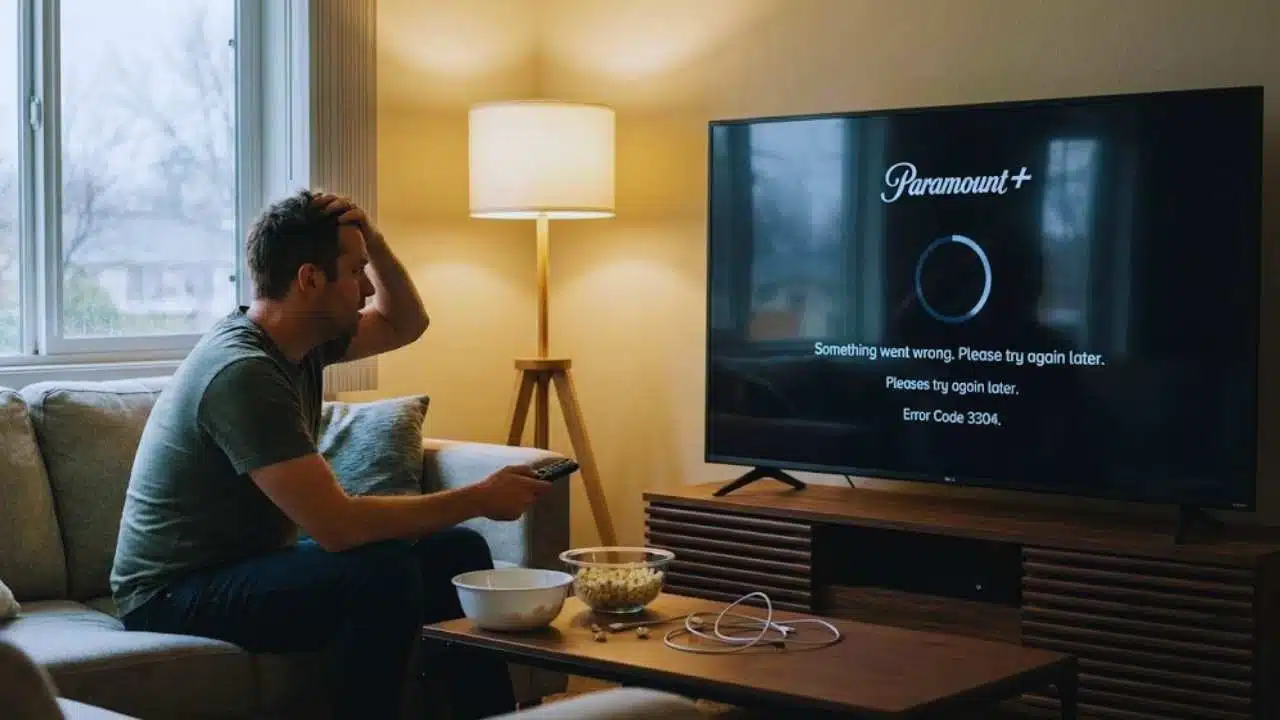
Is your Paramount+ screen frozen again? Many users face problems with the app crashing, shows not loading, or the dreaded black screen. Is Paramount having an issue right now? This question pops up often when you just want to watch your favorite shows.
Paramount+ is a major streaming service owned by ViacomCBS that millions of people use daily. While the service works well most of the time, it can have outages that affect viewers across different devices.
Some users report more issues during peak viewing hours or when new popular content drops.
This guide will help you check if Paramount+ is down, fix common problems, and understand why issues happen. We’ll share simple steps to get you back to streaming quickly. Keep reading to solve your Paramount+ troubles fast.
Key Takeaways
- Most Paramount+ issues can be fixed by restarting your app or device, checking your internet speed, or updating your software.
- Users report app crashes, black screens, and buffering as the most common problems, with 76% of issues related to video streaming problems.
- Sony TV owners face more Paramount+ problems than other brands, including frequent crashes and loading failures.
- Check if Paramount+ is down in your area using Downdetector, which tracks outages across the US, Canada, UK, and Australia.
- Paramount Global struggles with declining TV revenue and tough competition from Netflix and Disney+ in the streaming market.
Current Status of Paramount+
Paramount+ faces ongoing service issues across multiple devices right now. Users report problems with app crashes, buffering, and login errors on the streaming platform.
Is Paramount+ currently experiencing outages?
Paramount+ shows no major issues right now based on current user reports. The service runs smoothly for most viewers across different countries. Some users did report problems during late October and early December 2025, with spikes that might link to Amazon AWS failures.
These past outages were mostly short-lived and affected only some users rather than causing a complete service shutdown.
Status checkers confirm Paramount+ remains operational with just a few isolated problems. When issues do pop up, they’re tracked on sites like Downdetector, which flags incidents only when problem reports jump well above normal levels.
Most user complaints tend to be about specific devices or local connection issues rather than widespread streaming outages.
How can I check if Paramount+ is down in my area?
Streaming problems can happen to anyone at any time. Checking if Paramount+ is down in your area helps you know if the issue is on your end or with the service itself.
- Visit Downdetector to track Paramount+ outages in real-time across the United States, Canada, UK, and Australia.
- Look at the coverage maps on Downdetector to see if other users near you are also having problems.
- Download the Downdetector app for better tracking based on your exact location.
- Make sure cookies are turned on in your browser for full access to outage tracking sites.
- Check that you’re using a current browser, as old ones may not work with status tracking websites.
- Look for spikes in the number of reported problems, as Downdetector flags incidents when reports exceed normal levels.
- Join user discussion forums on outage sites to see what specific issues others are facing.
- Try accessing Paramount+ from different devices to confirm if the problem is service-wide or device-specific.
- Check your internet speed using online tools to rule out connection problems on your end.
- Follow Paramount+ on social media for official announcements about service status and known issues.
Common Issues Reported by Users
Users report several common problems with Paramount+. These issues range from app crashes to buffering problems that can ruin your viewing experience.
Why does the Paramount+ app crash or freeze?
Paramount+ users often face app crashes, which make up 15% of all reported problems. These crashes happen for several reasons. Old app versions or outdated device software can cause the app to stop working.
Many people see black screens or loading issues that never end. The app might also freeze during login or when first starting up. If your browser or device isn’t on the supported list, this can lead to more crashes too.
Poor internet connection or bad reception will make the app unstable and more likely to quit.
Fixing these issues usually starts with a simple app restart. This quick step solves many common problems right away. Paramount+ works best when both your app and device have the latest updates installed.
Technical glitches affect the user experience and performance of the streaming service. The app needs good compatibility with your device to run smoothly without freezing or crashing during your shows.
What causes buffering and black screen problems on Paramount+?
Buffering and black screens on Paramount+ happen for several reasons. Poor internet is often the main culprit, with 76% of all reported issues linked to video streaming problems. Your show might freeze or take too long to load if your network is slow or unstable.
Black screens can pop up due to app glitches or when your device doesn’t work well with the service.
Device problems can make these issues worse, like the known troubles with Sony TVs and Paramount+. Sometimes bigger problems cause these headaches, such as Amazon AWS outages that affect the streaming infrastructure.
To fix most buffering issues, check your internet speed and make sure it meets the minimum needs for HD streaming. A quick app restart or device reboot can often clear up many common glitches too.
Are there specific issues with Paramount+ on Sony TVs?
Sony TV users face unique problems with Paramount+. Many report the app crashes more often on Sony models than other brands. Black screens are a common issue, forcing users to restart their TVs or the app.
The Paramount+ app sometimes fails to load properly on Sony TVs, leaving viewers stuck on loading screens. These glitches happen even with good internet connections.
Buffering issues and login troubles also plague Sony TV owners using Paramount+. The root causes often link to outdated firmware or app versions. Paramount+ suggests updating both your Sony TV software and the streaming app to fix these problems.
Some users find that uninstalling and reinstalling the app helps clear persistent glitches. The compatibility between Sony’s system and Paramount+’s software seems to create more streaming hiccups than on other smart TV platforms.
Why Paramount+ Might Not Be Working on Your TV
Paramount+ might not work on your TV for many reasons. Login problems on mobile devices can block TV access, as Amy Presley found out. If you can’t log in on your phone, you might not be able to use the app on your TV either.
Xbox users face “Uh Oh!” error messages when trying to connect, according to Michael Eberly. Poor reception and tech issues also hurt how well the TV app runs, as Larry Smith reported.
These problems show up as freezing, crashing, or the app not loading at all.
Your TV might also struggle with Paramount+ if the app or your TV needs updates. Old software can cause big problems with streaming. Larry Smith noted that many users get very upset about TV app issues that don’t go away.
Some TVs might not work with Paramount+ at all due to device limits. Browser settings like disabled cookies can also block some features. Buffering and show loading troubles happen on many devices, making it hard to enjoy your shows without stopping and starting.
Troubleshooting Tips for Paramount+ Problems
Fix your Paramount+ problems with these simple steps to get back to watching your favorite shows and movies right away.
How do I restart the Paramount+ app or my device?
Restarting your Paramount+ app or device can fix many common problems like crashes and freezes. This simple step is often the first fix that tech support will suggest when you call with streaming issues.
- Close the Paramount+ app fully instead of just minimizing it to clear app memory and stop crashes.
- Relaunch the app after closing it to get a fresh start with no leftover glitches.
- Power cycle your TV by unplugging it from the wall for 30 seconds if you see a black screen or frozen image.
- Restart your streaming device (Roku, Fire TV, Apple TV) through its menu options or by unplugging it briefly.
- Restart your phone or tablet by turning it off completely and then back on if the mobile app is acting up.
- Clear app cache on compatible devices to remove stored data that might cause problems.
- Restart your internet router if you notice buffering issues, as this can fix network connectivity problems.
- Check that your device has enough free memory, as low memory can make apps crash frequently.
- Make regular restarts part of your routine to prevent technical problems from building up over time.
- Contact Paramount+ technical support if restarting doesn’t solve your streaming issues.
How can I check my internet connection and speed for streaming?
Internet problems cause most streaming issues on Paramount+. A quick speed test can help you find out if your connection is strong enough for smooth viewing.
- Run a speed test using websites like Speedtest.net or Fast.com to check your current internet speed.
- Make sure your internet speed meets streaming requirements (at least 5-10 Mbps for HD and 25+ Mbps for 4K content).
- Check your WiFi signal strength, which drops the farther you are from your router.
- Try moving your streaming device closer to your router to improve signal quality.
- Connect your TV or streaming device directly to your router with an Ethernet cable for more stable speeds.
- Test at different times of day since network congestion during peak hours can slow down your connection.
- Restart your router if you notice slow speeds, as this clears temporary issues and refreshes your connection.
- Call your internet service provider to check for outages in your area if problems continue.
- Close other apps or devices using your network while streaming to free up bandwidth.
- Switch to a lower streaming quality setting in the Paramount+ app if your connection can’t handle HD content.
How do I update the Paramount+ app or my device software?
Keeping your Paramount+ app and device software up to date helps fix many streaming issues. Old versions often cause crashes, freezes, and other problems that can ruin your viewing time.
- Check for Paramount+ app updates by visiting your device’s app store (Google Play Store, Apple App Store, or Amazon Appstore).
- Look for an “Update” button next to the Paramount+ app if a newer version is ready.
- Turn on automatic updates in your app store settings to make sure you always have the latest version.
- Update your TV firmware by going to the Settings menu, then looking for “Software Update” or “System Update.”
- Sony TV owners should check for updates often since many Paramount+ bugs get fixed through Sony’s firmware updates.
- Clear the app cache after updating to remove old data that might cause glitches.
- Restart your device after installing updates to make sure all changes take effect.
- Reinstall the Paramount+ app if you still have issues after updating, which can fix stubborn bugs.
- Check your internet speed before and after updates to make sure it meets streaming needs.
- Visit the Paramount+ help center if updates don’t fix your problem, as they can guide you through more steps.
Broader Challenges Faced by Paramount Global
Paramount Global faces big money problems as fewer people watch regular TV. The company also struggles to compete with giants like Netflix and Disney+ in the crowded streaming market.
What is causing the decline in traditional TV revenue?
Traditional TV revenue is falling as viewers move to streaming services. Paramount Global feels this pain as more people cut cable cords. Viewers now watch shows on phones and tablets instead of TV sets with scheduled programs.
This shift means fewer eyes on TV ads, so companies spend less money there.
Ad dollars now flow to digital media and streaming platforms where viewers spend more time. The once-solid TV audience has split into smaller groups across many services. This change hurts Paramount Global’s profits and forces them to rethink how they make money.
All big media companies face this same problem as they try to keep up with new viewer habits.
How does competition affect Paramount+ in the streaming market?
Paramount+ faces tough battles in the crowded streaming world. Netflix, Disney+, and other big names have more subscribers and make more money. This forces Paramount+ to spend lots of cash on new shows and movies to keep people watching.
The company must also keep its prices low enough to attract new users while still trying to make a profit. These pressures make it hard for Paramount+ to grow as fast as its rivals.
The streaming market grows quickly, which makes the fight for viewers even harder. Paramount+ tries to stand out by making deals with other companies, like the talks with Skydance.
They also work hard to improve their app and add new features that users want. Without these efforts, they might lose market share to bigger services. The need to keep adding fresh content and fixing tech issues comes from this fierce competition for people’s time and money.
Takeaways
Paramount+ faces real issues that can test your patience. The good news is most problems have simple fixes like restarting your app or checking your internet. For bigger outages, sites like Downdetector help you see if others share your pain.
Paramount Global must balance fixing these tech troubles while fighting for market share against Netflix and Disney+. Your best bet is to try the basic fixes first, then reach out to their support team if problems continue.
For more detailed troubleshooting tips tailored specifically to television issues, please visit our guide on resolving Paramount+ problems on your TV.
FAQs
1. Why is my Paramount Plus app not working?
Your Paramount Plus app might not be working due to server outages, app glitches, or internet connection problems. Try restarting your device or checking if Paramount is having widespread issues. Sometimes clearing the app cache or reinstalling the app can fix streaming problems.
2. How can I check if Paramount is down?
You can visit websites like Downdetector or Paramount’s official social media accounts for outage reports. Many users post about streaming problems when the service has issues. The Paramount customer service page might also show alerts about current outages.
3. What should I do when Paramount Plus keeps buffering?
First, check your internet speed to make sure it meets streaming requirements. Close other apps or devices using your network to free up bandwidth. If buffering continues, try switching from WiFi to a wired connection or restart your router.
4. Will Paramount refund me for outage time?
Paramount may offer credits or partial refunds for major outages that last several hours. Contact customer support through the help center to ask about compensation for service problems. Keep in mind that brief outages typically don’t qualify for refunds under their terms of service.






























