


Listen to the Podcast:
If you use Twitter, you’ve probably noticed that many of the funniest tweets from users include classic GIFs, which are animated photos or videos with short frames. Knowing how to download GIFs from Twitter allows you to save those files and directly share them on other social networks. Whatever method you prefer is one of the tricks you should learn.
The amusing thing is that, despite their popularity, GIFs cannot be downloaded from Twitter. We must rely on third-party solutions to make it easier to download this content.
Although this reliance on other software may appear intimidating initially, you will notice that the options we will mention are fairly intuitive, so even as a novice, you will have no problems. Let’s look at downloading a Twitter GIF on a Mac or Windows PC.
How to Download GIFs from Twitter on Your PC?
There are 2 methods to download gifs from Twitter.
With the RedKetchup website
The website RedKetchup allows you to save Twitter GIFs to your desktop or other folders. You can also download videos and images and select the MP4 format for GIFs.
You can also download multiple items simultaneously; managing them is very simple. You will receive a ZIP file containing all the files you need to do whatever you want later.
- Access your Twitter account with a web browser from any Mac or Windows computer.
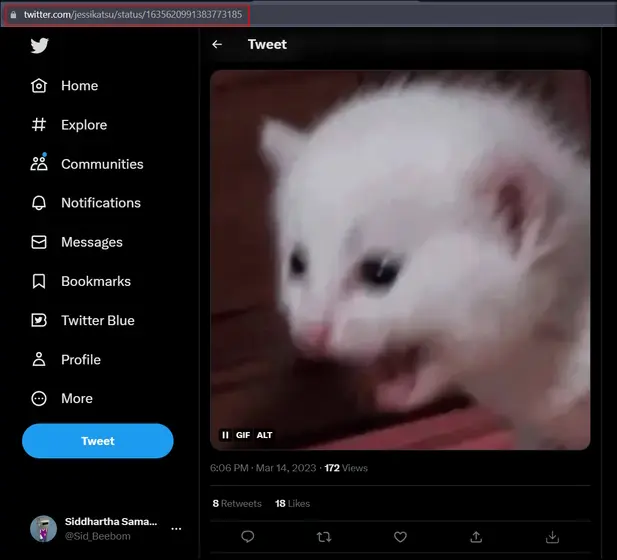
- Locate the tweet containing the GIF you wish to save, and copy the tweet’s address.
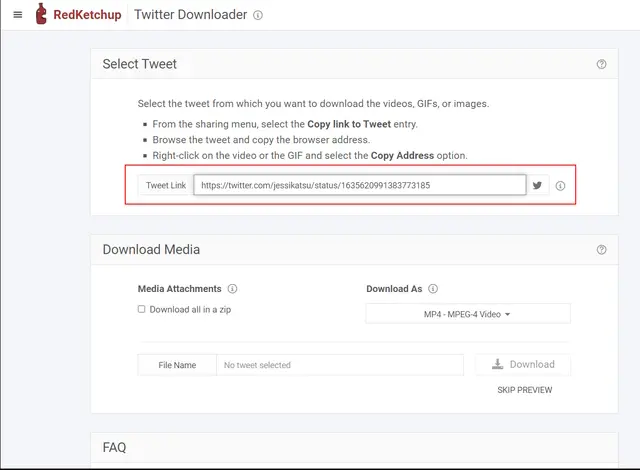
- Copy the URL from the tweet, then paste it into the RedKetchup.io portal.
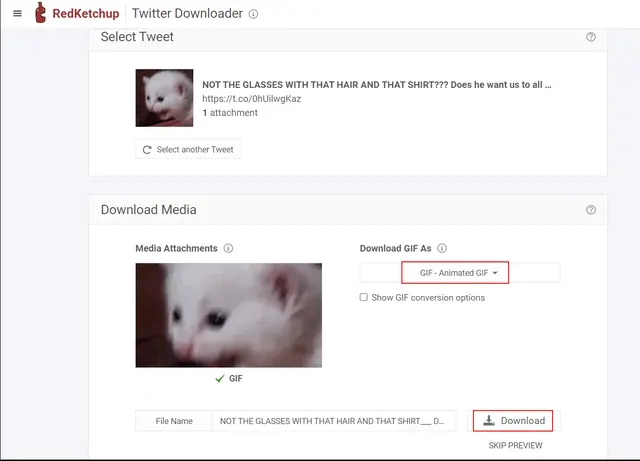
- The file will be processed, and a preview will be displayed for inspection.
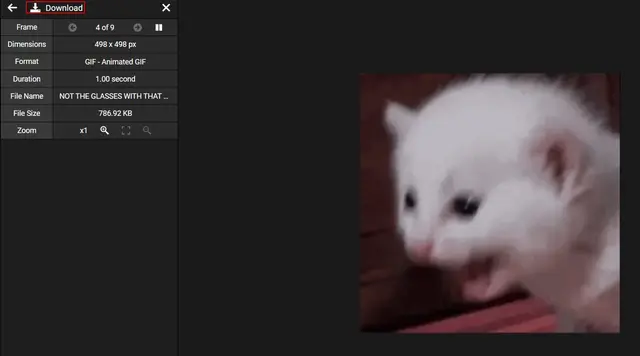
- If this is the desired file, select the Download option.
It’s free to use, but there are ads on it, which could annoy some people. As a match, it will show you how many frames the GIF has, how long it lasts, and more.
Related Read: Twitter is Testing an Edit Button
Once the download has started, it will take time, depending on your equipment’s power and your network’s bandwidth capacity.
With the Twitter Media Assist extension
If you know you’ll have to download many GIFs from Twitter quickly, constantly logging into a portal can be annoying, and the Chrome extension is a somewhat more appealing solution.
Some have been made for this purpose, but Twitter Media Assist is one of the best. It makes downloading this content on several popular social networks much easier.
It’s important to note that this extension hasn’t been updated in a long time, but it still works fine. It is one of the extensions for this task that has the best reviews.
Open Chrome, and in the extensions section, install Twitter Media Assist from this link. Open Twitter immediately and use the new Download button to look for the tweet with the GIF you want to save. You will see that it is right next to the Share button at the top right of Chrome.
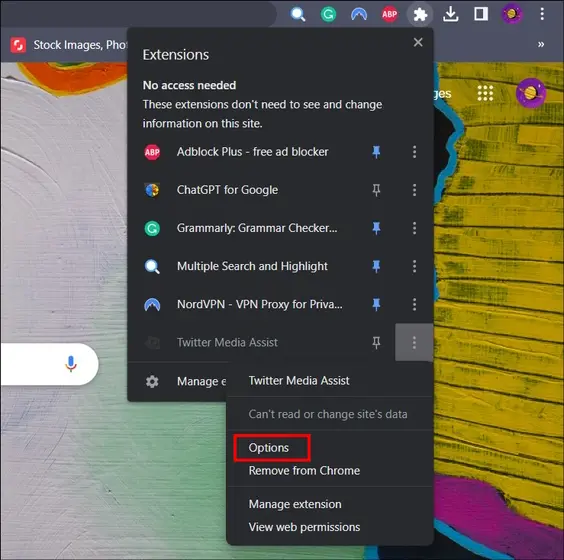
When you click that button, the content will be downloaded in a tweet with GIFs, videos, or images. This means that it works perfectly no matter what you try to download.
But remember that Twitter Media Assist automatically saves GIFs in GIF or MP4 format. If you click the three dots and then Options on the extension icon, you can and should change the settings. You can change it to fit your needs better and won’t have to change formats later. “I want to save the Twitter GIF as…” is where you choose the format.
From then on, you can only download GIFs from Twitter in that format.
How to Download GIFs from Twitter: Useful Tips and Tricks
- Be sure to download GIFs only for personal use, and respect the copyright of the original creators.
- Some Twitter GIF downloader websites offer browser extensions for a more seamless downloading experience.
- If you’re an Android user, you can download third-party apps like “Tweet2gif” or “GIFwrapped” that allow you to download GIFs directly from the Twitter app.
Final Words
Downloading GIFs from Twitter is easy and only takes a few simple steps. This guide easily saves and shows your friends and followers those funny or touching moments. So go ahead and find the GIFs you like and download them.






















