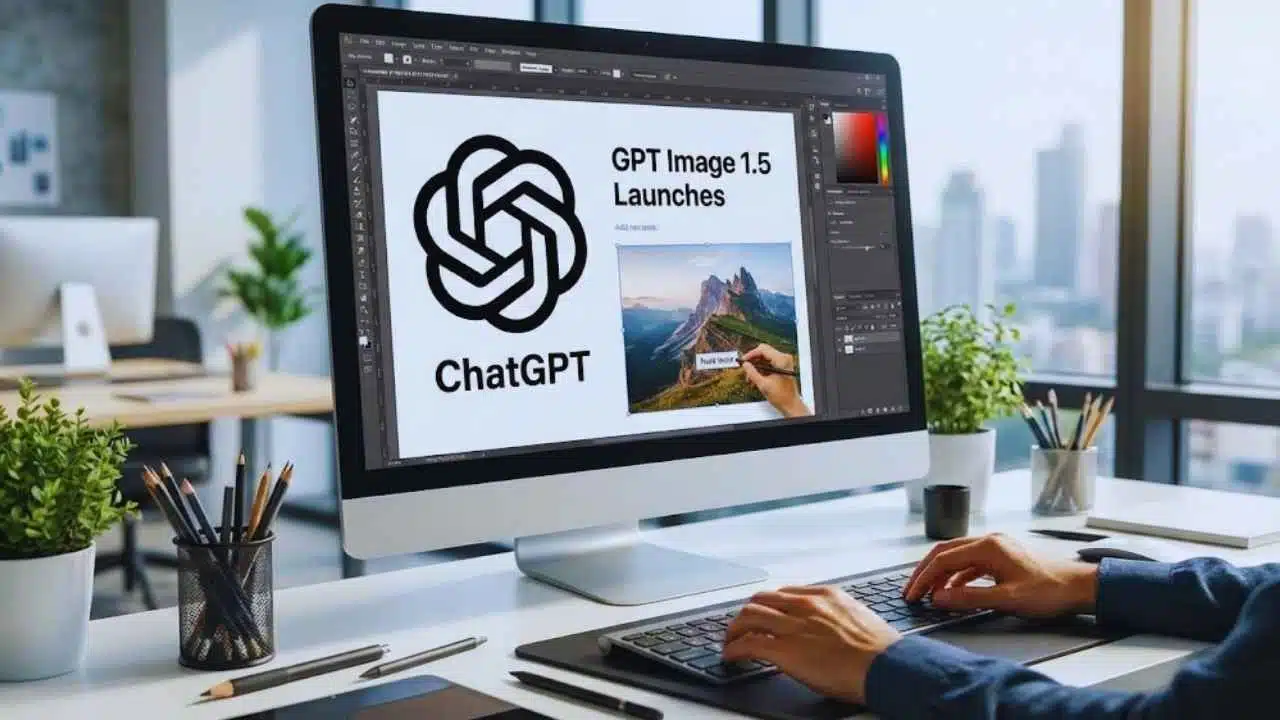
OpenAI has rolled out GPT Image 1.5 via an upgraded “ChatGPT Images” experience and, separately, removed automatic routing into “Thinking” for free and Go users—defaulting them to GPT-5.2 Instant unless they choose otherwise.
What OpenAI launched: GPT Image 1.5 through “ChatGPT Images”
OpenAI’s newest image push is delivered to users as ChatGPT Images, which OpenAI describes as “a new and improved version… powered by our best image generation model yet,” with stronger instruction-following and editing designed to make images “meaningfully more useful.”
OpenAI’s developer platform frames its latest image model as GPT Image (for example, the API model gpt-image-1), a natively multimodal model that accepts text and image inputs and produces image outputs.
Availability: where the upgraded image experience is live
OpenAI says the upgraded ChatGPT Images experience is available on web and mobile (iOS & Android) and is rolling out across Free, Go, Plus, Edu, and Pro plans, with Business and Enterprise “coming soon.”
That matters for publishers and small teams because it places modern image generation and editing into the free funnel, while keeping larger org rollout staged.
A key workflow change: all generated images are now centralized
OpenAI also emphasizes that images created with ChatGPT are automatically saved to a dedicated area:
- Release notes point users to “My images” at a standalone page for browsing and reuse.
- The Help Center describes the ChatGPT Image Library as a unified place to revisit images without searching old chats.
For editorial teams, this is an operational shift: assets become easier to retrieve, compare, and iterate across multiple sessions.
What GPT Image 1.5 is designed to do better
OpenAI’s help documentation highlights three practical capabilities that are central to the “Image 1.5” positioning:
1. More precise instruction-following inside images
The “Creating images in ChatGPT” guide says ChatGPT Images can follow precise instructions to:
- add text,
- add details within the image, and
- make backgrounds transparent.
This is a frequent weakness in older image generators, especially when users want clean labels, legible copy, or brand-style elements.
2. Editing that targets part of an image
OpenAI’s image editor supports:
- selection-based editing (choose an area, then describe the change), and
- conversational editing (describe the edit without selecting).
This approach is aimed at reducing “unwanted rewrites” of the whole image when the user only wants one region updated.
3. Better preservation of details from the original input
OpenAI’s API image generation documentation says gpt-image-1 supports “high input fidelity,” which helps preserve details from input images—useful for elements like faces and logos that users expect to remain consistent.
That “preserve what matters” goal is especially relevant for product visuals, thumbnails, and brand assets where small deviations create rework.
How image generation works in the API
OpenAI’s developer docs describe two main ways to build with GPT Image:
- Image API for dedicated image generation/edit endpoints
- Responses API tool for multi-turn workflows that include images as a tool inside broader conversations
OpenAI also notes that organizations may need to complete API Organization Verification before using gpt-image-1, reflecting additional safeguards around image creation.
ChatGPT vs API (what’s different)
| Area | ChatGPT Images | OpenAI API (gpt-image-1) |
| Main use | Create + edit inside the ChatGPT app | Embed generation/edit into products |
| Editing style | Select-area editing + conversational edits | Edits endpoint + multi-turn via Responses tool |
| Asset management | Built-in Image Library | Developer-managed storage |
| Pricing | Included in plan limits | Billed separately; image tokens priced per OpenAI pricing |
Safety and provenance: OpenAI adds “where this came from” signals
As AI images become harder to distinguish from real photos, provenance becomes a product feature—not just a policy issue.
OpenAI’s Help Center states that images generated via ChatGPT Images include C2PA-related manifests, indicating the content was created using ChatGPT (and illustrating “dual-provenance lineage” in examples).
For publishers, this matters in two ways:
- It supports transparency when images are shared or republished.
- It signals how platforms may (eventually) detect AI-origin media through metadata.
Separately, OpenAI’s usage policies remain the baseline for what types of requests are allowed across its systems.
The second change: OpenAI pulls automatic routing into “Thinking” for free users
Alongside the image upgrade, OpenAI changed how ChatGPT chooses models for many users—especially on the free tier.
OpenAI’s release notes say it is removing automatic model switching for reasoning for free and Go users. Previously, some questions were automatically routed to the “Thinking” model; now, free users use GPT-5.2 Instant by default and can still select Thinking manually from the tools menu.
What users will notice day-to-day
- More predictable speed (Instant by default)
- More explicit control (Thinking is opt-in)
- Less “surprise” switching during a session, especially for borderline complex prompts
OpenAI continues to publish guidance about routing in special cases. For example, it notes that users may sometimes see “Used GPT-5” under a reply when the system routes a sensitive conversation to a model designed to handle those topics with extra care.
Model choices after the change
| Mode | What it is | Who it’s for |
| GPT-5.2 Instant | Fast workhorse model | Default for free/Go; everyday tasks |
| GPT-5.2 Thinking | Deeper reasoning mode | Users manually choose when needed |
| GPT-5.2 Auto | Router that decides Instant vs Thinking | Available as a selectable mode; switches based on complexity |
Why these two updates fit together
Taken together, the moves suggest OpenAI is trying to balance two competing realities:
- Images are becoming mainstream utility: OpenAI’s own earlier announcements describe image generation as moving beyond “surreal” outputs toward practical “workhorse imagery,” with accurate text rendering and prompt adherence as core goals.
- Reasoning compute is expensive and user experience is sensitive: OpenAI’s GPT-5.2 materials emphasize multiple operating modes (Instant/Thinking/Pro) and ongoing tuning for reliability, while the release notes reflect a product decision to make “choice” explicit for free users rather than automatic.
In plain terms: OpenAI is expanding high-visibility creation features (images) while making the core chat experience less surprising for the largest user segment.
Takeaways and what comes next
- GPT Image 1.5 / ChatGPT Images: OpenAI is betting on editing precision + asset organization (Image Library) as the reason people keep using built-in image tools instead of separate generators.
- Routing rollback: Free users get a simpler default (GPT-5.2 Instant), while OpenAI preserves routing and model switching in specific situations and modes like GPT-5.2 Auto.
- For publishers and brands: the biggest near-term improvement is workflow—repeatable edits, quick iterations, and centralized image retrieval—plus provenance signals via C2PA metadata.