You may fear losing crypto to hacks, scams, or a forgotten password. Many people click fake websites, fall for phishing scams, or leave a hot wallet exposed, and then they lose private keys, and money.
Key Takeaways
- Store large holdings in hardware wallets like Ledger Nano S or Trezor and use cold storage, keeping hot wallets only for daily trades.
- Enable two-factor authentication (2FA) with a YubiKey or authenticator app, use a password manager, and pick unique passwords at least 12 characters.
- Keep your seed phrase offline in a safe or steel backup, never share it, and provide clear inheritance instructions to one trusted person.
- In November 2023 three teenagers kidnapped a man at a Las Vegas crypto conference and stole $4 million, and Festo Ivaibi lost about $500,000.
- Use a paid VPN like Kaspersky VPN Secure Connection, avoid public Wi‑Fi for crypto, and keep wallet firmware and anti‑malware updated.
Use a Secure Wallet
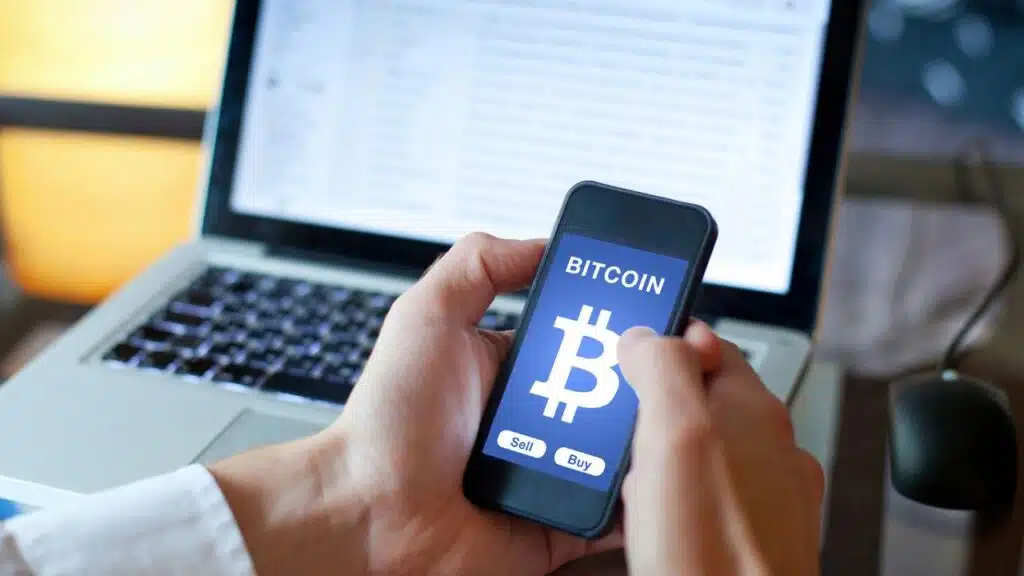
Pick a secure crypto wallet that guards your private keys, like a hardware security module or an air-gapped device. Store backups offline, use a password manager for access, and test recovery on a clean operating system, so your altcoins don’t vanish.
Opt for hardware wallets for long-term storage
Use hardware wallets, a type of crypto wallet like Ledger Nano S or Trezor, for cold storage. They hold private keys offline, which cuts exposure to online threats. These cold wallets beat hot wallets for long-term cryptocurrency security.
Lock each device with a PIN or private key to add theft protection. Keep a hardware security module (HSM) or a paper wallet as an offline backup for recovery. Store the physical device safely, loss or misplacement can cost access to crypto assets.
Understand the difference between hot and cold wallets
Hot wallets are virtual accounts, often run by exchanges, acting as a cryptocurrency wallet. They offer faster transactions, which helps frequent traders and mobile wallet users. They store private keys online, and that raises vulnerability to phishing attacks and other cyber threats.
Cold wallets are physical devices kept offline, like a hardware wallet or a Ledger Nano S, and they place keys in cold storage for stronger security, but you must take extra steps to access funds.
Treat seed phrases and recovery phrases like cash, never type them into browsers or cloud notes. Store them offline, in a password manager, or on a paper wallet kept in a secure place.
For large digital assets or long-term cryptocurrency holdings, move funds to cold wallets and cold storage. Keep hot wallets for everyday trades, enable two-factor authentication (2fa), and keep software updated with security patches.
Add a virtual private network, VPN, on public networks, and run anti-malware on devices that touch your crypto wallets. Consider hardware security modules, HSMs, and key management tools for higher risk accounts, plus backup and recovery plans for key generation and key recovery.
Enable Two-Factor Authentication (2FA)
Turn on two-factor authentication (2FA) for your crypto wallet and exchange accounts. Think of 2FA as a second lock on your digital safe. It requires a one-time code from a device or email, on top of your password.
Most exchanges and wallets offer 2FA, and an authenticator app, like Google Authenticator, delivers those codes.
Use multi-factor authentication for both hot wallets and cold storage, and for custody services that use hardware security modules and public key infrastructure. MFA methods include biometrics, hardware tokens, and time-based codes.
MFA significantly reduces the risk of unauthorized access to cryptocurrencies and private keys.
Create Strong, Unique Passwords
Pick long, complex, unique passwords for each crypto service. Make them at least 12 characters, mix upper and lower case letters, numbers, and symbols. Avoid personal info and common choices like “password123” or “123456.
Strong passwords act as the first line of defense against unauthorized access to your wallet apps and private keys.
Use a password manager to track logins and generate tough phrases. A password manager can also store seed phrase or recovery phrase entries, encrypted, so you do not write them on sticky notes.
Pair passwords with cold storage or a hardware wallet, like Ledger Nano S, for long term holdings. Change passwords after breaches, and avoid reusing them across hot wallets and exchanges.
Secure Your Seed Phrase
Treat your seed phrase like a private key, keep it offline and away from cloud notes, use cold storage or a hardware wallet for key generation, never share copies, and read more.
Store it offline in a safe location
Keep your seed phrase and private keys offline, in a physical safe or a safety deposit box, to stop online thieves.
Write recovery words on a paper wallet, or punch them into a stamped steel plate, then lock that backup away.
Do not keep devices or backups at home, move them to off-site storage or professional custody like hardware security modules or a bank vault.
Off-site storage cuts the risk if burglars target your house.
A hardware wallet such as Ledger Nano S fits cold storage, but keep its recovery phrase separate, offline, and locked.
Avoid sharing it with anyone
Never share your seed phrase or private key with anyone. Sharing the recovery phrase or any recovery information invites theft or loss, like handing your wallet to a stranger.
Only give access to a single trusted person as part of a crypto security inheritance plan, and write clear steps for them to follow. Store the phrase offline in cold storage, use a paper wallet or hardware wallet, and avoid cloud backups, screenshots, hot wallets, or password manager entries that sync to the cloud.
Regularly Update Your Wallet Software
Update your cryptocurrency wallets often, think of updates as vaccines that patch vulnerabilities and add security features. Also update all devices used for crypto transactions, such as mobile wallets, desktop software wallet apps, and hardware wallet devices.
Outdated software increases the risk of exploit or breach, attackers hunt for flaws in hot wallets and cloud-based clients. Turn on automatic updates where possible, or install patches from wallet providers, and run anti-malware software, a password manager, VPNs and regular security audits to protect private keys and boost crypto wallet security.
Beware of Phishing Scams
Scammers use phishing emails and fake phishing sites to trick you into handing over your private key or seed phrase, so don’t take the bait. Check the email sender and web address, open your software wallet or connect your hardware wallet directly, and store logins in a password manager.
Verify website URLs and email senders
Always check that website URLs are correct before logging in. Look for exact domains, not similar spellings, confirm HTTPS and the padlock, and never log in on a phishing site. Use bookmarks for exchanges and official crypto wallet or hardware wallet vendor pages, such as Ledger device pages, to avoid typosquats.
Let a password manager fill fields only on exact domains, so it flags fake pages.
Be wary of scam promotions that mimic exchanges to collect information. Inspect sender addresses for signs of phishing attacks, hover over links, and never paste your private key into a page.
Hackers may impersonate trusted sources to gain access, so call the exchange or check its support portal before you reply. Treat any unexpected email about account changes as suspect, delete it or verify via the official site or support line.
Avoid clicking on suspicious links
Phishing attacks hide in emails and messages, they pose as exchanges, wallet services, or support staff. Avoid clicking on links in unsolicited emails or messages; fake sites often promise high returns, then steal coins or log your private key.
Suspicious links act as a common vector for malware and credential theft, they can capture keystrokes or install remote access tools.
Don’t take the bait, check website URLs and email senders, hover over links and type the address into your browser before logging in. Use a password manager, a VPN, and keep your software wallet and hardware wallet firmware current to reduce security vulnerabilities and boost crypto wallet security.
Use a VPN for Added Privacy
A virtual private network (VPN) encrypts your internet connection, and hides your IP address. That cuts the risk of being tracked or targeted online, and it helps protect private keys, crypto wallet security, and other digital assets.
Paid VPNs are more reliable, so invest in one to strengthen your cryptocurrency security and risk management. Kaspersky VPN Secure Connection is a recommended option for safety, it works with password managers and hardware wallet setups.
Avoid Public Wi-Fi for Crypto Transactions
Public Wi-Fi exposes your crypto to interception. Attackers run man in the middle attacks on open hotspots. They can capture private key data, or siphon transaction details.
Use a VPN for added privacy, and only make crypto transfers over trusted, secure connections. Sign transactions on a hardware device like Ledger Nano S, avoid typing keys on a cafe laptop.
Check crypto wallet security, treat hot wallets as pocket cash, keep most funds in cold storage or an offline software wallet, and watch for phishing attacks on any network.
Utilize Multiple Wallets for Different Purposes
Split your digital assets across wallets, exchanges, and coins to cut risk. Use a hardware wallet for long term cold storage, and a software wallet for daily trades. Keep small amounts in hot wallets for apps and swaps, and move the rest to cold wallets.
Coin Wallet app allows management of multiple wallets, each with unique PINs. Store main holdings on a Ledger device, or on a hardware wallet backed by hardware security modules (hsms), for extra protection.
Add a decoy wallet or fake PIN to trap thieves, it gives an extra security layer for your crypto wallet. Keep private keys and your seed phrase offline, store the recovery phrase in a safe, separate location.
Make it a habit to enable two-factor authentication (2fa), use a password manager, and set strong passwords for every exchange and app.
Verify Transactions Before Confirming
Always double-check the address, amount, fee, and recipient before you tap confirm on any crypto wallet holding your digital assets. Attackers may try to change an address, or swap characters, via phishing attacks or clipboard hijacks.
Use a hardware wallet, like Ledger Nano S, and read the address on the device screen for large transfers.
Careful verification prevents accidental loss from user error or fraud, a typo can cost you a fortune, like leaving money on the street. Confirm recipient addresses are correct, especially with large amounts, and never paste your private key or recovery phrase into a web form.
If something looks off, cancel the transfer, check the address on a different device, and send a small test amount first.
Implement a Crypto Security Inheritance Plan
Write a clear inheritance plan for your digital assets and store the instructions with your backups. Tell a trusted person, like a family member or lawyer, how to access those backups and the recovery phrase.
Most wallets, hardware wallets like Ledger, and paper wallet options supply a recovery phrase, use that seed phrase in legal notes. Store backup information in a safe, offline place, and pair it with legal paperwork or a secure vault.
Consider off-site or professional custody, they can simplify transfers to heirs and reduce the risk of lost private keys. Keep private keys in cold storage or on a hardware wallet for long term holdings, add a password manager for account data, and turn on two-factor authentication (2fa) for exchanges.
Label legal documents so executors can find your crypto wallet and recovery phrase, and let heirs know which custody or wallet service holds each asset.
Stay Informed About Emerging Security Threats
Threats change fast, both online and in the real world. In November 2023, three teenagers kidnapped a man after a Las Vegas crypto conference and stole $4 million, two suspects, 16-year-olds from Florida, faced arrest.
Festo Ivaibi of Mitroplus Labs was abducted in Uganda and forced to transfer about $500,000 in crypto. Attackers often find main funds, even when victims keep decoy wallets.
Subscribe to security alerts, read cyber security blogs, and follow fraud prevention feeds that track phishing attacks, forged airdrops, and fake sites promising high returns. Use a hardware wallet, cold storage, or a Ledger-like device to protect digital assets, keep private keys and recovery phrase offline, and enable two-factor authentication (2fa).
Keep software wallet firmware updated, run a password manager, and test your key generation and key recovery plan. Also track trends in quantum computing and post-quantum cryptography, since changes to cryptographic algorithms can shift crypto wallet security.
Takeaways
14. Conclusion: Follow these habits to guard your digital assets. Practice cold wallets, keep your private key offline. Enable two-factor authentication (2fa), and use a password vault for logins.
Update wallet software often, watch for phishing attacks and social engineering. Use a VPN on public Wi-Fi, avoid hot wallets for large holdings. Split funds across wallets, write a recovery plan for heirs.
Don’t click every link, be picky about security, and act fast on data breaches.
FAQs
1. What is the best way to store my private keys and digital assets?
Use cold storage for long term safety, like a hardware wallet or an offline paper backup. Keep a hot wallet for daily trades, and never mix the two. Back up your seed phrase, and test key recovery.
Never click unknown links, check URLs, and call the sender if a message looks odd. Phishing schemes and social engineering try to trick you, so slow down, and think twice. Use real-time protection on devices, and avoid public Wi Fi.
3. Should I use two-factor authentication (2fa) and a password manager?
Yes, turn on two-factor authentication (2fa), and use a password manager. Pick strong passwords, and use unique passwords for each account. Do not type secrets on public computers, to avoid capturing keystrokes.
4. What is the difference between cold wallets and hot wallets?
Cold wallets sit offline, in cold storage, safe from most hackers, use a hardware wallet for big sums. Hot wallets connect to the web, like a software wallet, they are handy, but they face higher crypto wallet security risks like data breaches and ransomware.
5. How should I protect my seed phrase and recovery phrase?
Treat the seed phrase like a spare house key, keep it offline on a paper backup or metal plate, store copies in different safe places. Do not take photos, do not store it in cloud drives, and practice key generation and key recovery quietly.
6. How do I plan for future threats, like quantum computers?
Follow blockchain technology news, use wallets that move to post-quantum cryptographic standards when they appear. Watch your cryptographic systems, upgrade security architecture, and stay alert to fraud prevention tips, to lower cyber risks and security breaches.