Choosing a CRM can feel confusing because most tools claim they can do everything. In reality, small businesses need a CRM that makes follow-ups easier and keeps customer details in one place. The best results usually come from a simple system your team uses every day. That is why this list focuses on tools that are practical, not just popular.
This guide helps you compare 10 CRM options and pick one that fits how you sell today. It also shows what to look for before you pay, how to set it up, and how to avoid common mistakes. You will get a quick comparison, detailed reviews, and a step-by-step plan to roll it out without stress. By the end, you should feel confident about your shortlist.
Key outcomes you can expect after a good CRM setup include faster response to leads, fewer missed follow-ups, clearer pipeline visibility, and better customer retention. Even if you start with a free plan, building habits around one clean workflow often makes a big difference. When your team knows what to do next, growth feels less chaotic.
| What This Guide Covers | Why It Helps |
| 10 CRM options for small businesses | Saves research time and confusion |
| Quick comparison and best-fit guidance | Helps you shortlist faster |
| Key features that matter for growth | Keeps your choice practical |
| Simple rollout plan | Improves adoption and consistency |
| Common mistakes to avoid | Prevents wasted money and setup time |
Why Small Businesses Outgrow Spreadsheets?
Spreadsheets work fine when business is slow and you only talk to a few leads each week. Once inquiries increase, a spreadsheet becomes a risk. It does not remind you to follow up, it does not track conversations well, and it does not show what is stuck in your pipeline. Important details end up buried in emails, chats, and notes. That is when deals start slipping away.
A CRM fixes this by turning customer information into daily actions. It keeps contact records organized, logs activity, and helps you track deals through clear stages. It also helps your team follow the same process, even when you add new staff. That consistency is what makes growth feel controlled instead of messy.
When you use a CRM correctly, you reduce the mental load of remembering everything. You can see who needs a call today, which deals are waiting on a quote, and which customers need a follow-up. This becomes more valuable as your business grows. A CRM is not just a database. It is a work system.
| Spreadsheet Pain Point | What A CRM Improves |
| Follow-ups depend on memory | Tasks, reminders, and next-step tracking |
| Customer details scattered in many places | One timeline for calls, emails, notes, and files |
| No clear pipeline picture | Stages, deal values, and forecasts |
| Reporting is manual and slow | Dashboards and automated summaries |
The Real Problem Is Not Leads, It Is Follow-Through
Many small businesses can generate leads, but they struggle to follow up consistently. A lead that does not get a reply within a reasonable time often goes cold. A CRM makes follow-ups easier because it shows you what to do next. It also helps you avoid repeated mistakes like forgetting to send a proposal or missing a renewal date.
A good CRM creates a habit loop. New lead comes in, it gets assigned, a task appears, and the next action gets tracked. That simple loop can improve close rates without spending more on marketing. It also protects your brand reputation because customers get timely replies.
What Growth Looks Like Inside A CRM?
Growth inside a CRM looks like clarity. You can see your pipeline at a glance and know where you stand this week. You can measure which lead sources perform best and which stages cause deals to stall. You can also track repeat customers and spot opportunities for upsells or renewals.
Another growth sign is smoother teamwork. When anyone on the team can open a customer record and understand the history, service improves. Customers feel heard because they do not have to repeat themselves. Over time, this improves retention and referrals.
Quick CRM Reality Check
A CRM will not fix a broken process by itself. If your team avoids logging activity, the CRM becomes inaccurate fast. That is why it helps to start with a simple setup and a few non-negotiable rules. For example, every call gets logged, every deal has a next step, and every lead gets a follow-up task.
It also helps to choose a CRM that feels natural for your team. If the tool is hard to use, people will avoid it. The best early win is a CRM that saves time in the first week. After that, you can add automation and reporting.
How We Selected And Ranked These CRMs?
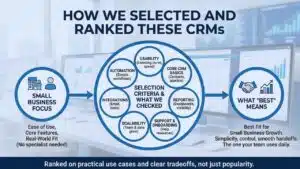
This list focuses on tools that small businesses can adopt without hiring a full-time specialist. We looked at ease of use, strong core features, and real-world fit for common sales styles. Some CRMs work best for quick, short sales cycles. Others work better for long deals, service businesses, or teams that live inside email.
We also considered how well these tools grow with you. A small business CRM should not force a full rebuild when you add two new reps. It should support basic workflows today and allow more structure later. Pricing matters too, but value matters more than the lowest cost.
We did not rank these tools based on popularity alone. We ranked them based on practical use cases and the tradeoffs you should know upfront. A tool can be excellent for one business and a poor fit for another. That is why you will see clear “best for” guidance with each option.
| Selection Criteria | What We Checked |
| Usability | Learning curve, layout, day-to-day speed |
| Core CRM basics | Contacts, pipeline, tasks, activity tracking |
| Automation | Simple workflows that reduce manual work |
| Reporting | Dashboards, filters, and pipeline visibility |
| Integrations | Email, calendar, forms, support, accounting |
| Scalability | Works well when team and data grow |
| Support and onboarding | Help resources and guided setup |
Selection Criteria
We prioritized CRMs that help small teams stay organized without adding extra work. That means clear pipelines, easy contact management, and practical reminders. We also looked at how well each tool supports basic automation. A small business does not need dozens of complex workflows. It needs a few automations that prevent missed follow-ups.
We also paid attention to flexibility. Some teams want a strict sales pipeline. Others want a CRM that can adapt to their own process. We included both types, so readers can choose based on their workflow.
What Best Means In This List?
“Best” means best fit for small business growth. For some teams, that means simplicity and fast adoption. For others, that means strong pipeline control and sales reporting. For service businesses, it can mean smoother handoffs from sales to delivery. The best CRM for small business is the one your team will use daily with minimal friction.
Quick Comparison Table
If you want to shortlist quickly, start here. Use this table to pick two or three tools that match your workflow. Then test them with real data during a trial period. You will learn more in one week of use than in hours of marketing pages.
Keep in mind that most CRMs offer multiple plans. Entry plans usually cover the basics, while higher plans add advanced reporting, automation, and deeper permissions. Your goal is to buy what you need now, not what you might need in two years. You can upgrade later if adoption is strong.
Also think about your team’s habits. If your team lives in email, choose a CRM with strong email sync. If your team needs structure, choose a pipeline-first tool. If you deliver projects after selling, choose a CRM that supports that flow.
| CRM | Best For | Standout Strength | Main Tradeoff |
| Zoho Bigin | Simple startup CRM | Easy pipeline setup and affordability | Can feel limited for advanced analytics |
| Less Annoying CRM | Simplicity | Flat pricing and fast adoption | Fewer advanced features |
| monday CRM | Visual workflows | Flexible customization and collaboration | May feel heavy for very small teams |
| Pipedrive | Sales pipeline focus | Strong pipeline experience | Built-in marketing depth varies |
| HubSpot CRM | Scalable ecosystem | Strong starter features and expansion paths | Costs can rise as you scale |
| Insightly | Sales plus delivery | Deal-to-project flow | Some features require higher tiers |
| Freshsales | Sales execution | Calling, email tools, and automation | Tier features vary |
| Capsule CRM | Lightweight CRM | Clean, user-friendly design | Limited built-in marketing automation |
| Bitrix24 | Budget all-in-one | Many tools in one platform | Can feel busy at first |
| Copper | Email-first teams | Works well with email and calendar | Custom depth varies by plan |
The 10 Best CRM Software For Small Business Growth
This section breaks down each option in a consistent format, so you can compare them easily. Each CRM includes who it fits best, why it supports growth, and what you should watch out for. The goal is clarity, not hype. Try to read this section with your actual workflow in mind.
When you evaluate a CRM, pay attention to the first week experience. Can you import contacts easily. Can you set up pipeline stages quickly. Can your team log activity without effort. If the answer is yes, you have a strong candidate. If the tool feels confusing early, it often gets worse later.
Also remember that the best CRM for small business is not always the most feature-rich. Feature overload can slow adoption. A smaller tool that your team loves can outperform a powerful tool your team avoids. That is why usability matters so much in this list.
| How To Use This Section | Simple Tip |
| Pick two or three that match your workflow | Do not test ten tools at once |
| Run a trial with real leads and deals | Dummy data does not reveal problems |
| Check reporting and automation basics | These drive long-term benefits |
| Ask your team what feels easiest | Adoption is the real win |
1. Zoho Bigin
Zoho Bigin suits small teams that want a clean CRM without heavy setup. It focuses on the basics: contacts, pipelines, tasks, and simple automation. The interface stays fairly straightforward, which helps new users adopt it quickly. It also works well for teams that plan to expand into related tools later.
Bigin can support early growth by keeping deals organized and follow-ups consistent. It helps you run multiple pipelines if you sell different services. That makes it useful for businesses that manage separate sales flows. If your needs are simple today, Bigin can feel like the right size.
You may outgrow it if you need deeper forecasting, complex reporting, or very advanced automation. Some teams also want a wider set of marketing tools inside the CRM. If that is important to you, compare it against a larger platform. Still, for many small businesses, Bigin stays a strong starter CRM.
| Summary Point | Details |
| Best For | Startups, solo owners, small teams |
| Strength | Simple setup and clean pipelines |
| Good Fit When | You want core CRM basics without complexity |
| Watch Out For | Advanced analytics needs may push you to upgrade |
2. Less Annoying CRM
Less Annoying CRM is for owners who want a CRM that feels simple and predictable. The biggest attraction is ease of use. You can get started quickly, and the system stays clean without much effort. It focuses on core CRM needs like contacts, notes, tasks, and basic pipeline tracking.
This tool works well when your sales process is straightforward. If you need a clear place to log conversations and set reminders, it does the job. Many small businesses pick it because the team can learn it fast. That makes adoption easier, and adoption is often the biggest hurdle.
The tradeoff is that it does not try to be an all-in-one suite. If you want advanced automation, deep analytics, or complex workflows, you may feel limited. But for a small team that values simplicity, it can be an excellent match. The main question is whether you need more than the basics.
| Summary Point | Details |
| Best For | Teams that want simplicity and fast adoption |
| Strength | Easy learning curve and clean interface |
| Good Fit When | You need follow-ups and contact history first |
| Watch Out For | Limited advanced automation and reporting |
3. monday CRM
monday CRM fits teams that like visual workflows and flexible customization. It can work well for sales teams, but also for teams that need collaboration across departments. You can shape pipelines, build dashboards, and set simple automations. Many teams like it because it feels like a workspace, not just a CRM.
This tool supports growth by helping you create repeatable processes. You can track leads, deals, tasks, and handoffs in one place. It is also helpful when you want more transparency across the team. Managers can see pipeline progress, while reps can focus on tasks and next steps.
The tradeoff is that flexibility can create complexity. If you build too much too soon, the system can feel cluttered. It also may feel like more than a tiny team needs. The best approach is to start with one pipeline and a few basic views, then expand after habits form.
| Summary Point | Details |
| Best For | Teams that want visual pipelines and collaboration |
| Strength | Customizable views and dashboards |
| Good Fit When | You want a flexible system that adapts to your process |
| Watch Out For | Too much customization can reduce clarity |
4. Pipedrive
Pipedrive is widely known for pipeline-focused selling. It helps you move deals forward with clear stages and simple actions. The layout is built to keep momentum, so reps can see what needs attention today. If your business depends heavily on sales follow-ups, this can be a strong fit.
It supports growth by making pipeline hygiene easier. Deals are visible, next steps are clearer, and it is harder for leads to disappear. It also supports automation for routine tasks like follow-up reminders. Reporting can help owners spot bottlenecks and improve conversion over time.
The tradeoff is that it is built for sales first. If you want deep marketing or customer support inside the same platform, you may need add-ons or other tools. Still, for sales teams that want focus and speed, it often performs well. It is also a good option for owners who want a CRM that feels easy to manage.
| Summary Point | Details |
| Best For | Sales-first teams and pipeline discipline |
| Strength | Simple pipeline control and daily activity focus |
| Good Fit When | You want deals to move consistently and visibly |
| Watch Out For | Marketing and service tools may be lighter |
5. HubSpot CRM
HubSpot CRM is popular because it offers a strong start and clear expansion paths. Many small businesses use it as a foundation for sales, marketing, and service. It can support contact management, pipeline tracking, and basic automation. It also works well if you want a larger ecosystem over time.
It supports growth by helping you keep customer data unified. As you scale, you can connect sales and marketing efforts more easily. You can also improve lead handling with better tracking and structured pipelines. For teams that want a long-term platform, it can feel like a safe choice.
The tradeoff is that costs can rise as you scale into advanced features. That does not mean it is a bad tool. It just means you should price your real needs before committing. If you stay clear on what you use and keep your setup focused, it can be a strong CRM for growth.
| Summary Point | Details |
| Best For | Teams that want a scalable ecosystem |
| Strength | Strong foundation and expansion options |
| Good Fit When | You want sales plus marketing or service growth later |
| Watch Out For | Higher tiers can increase costs |
6. Insightly
Insightly is a useful option for businesses that deliver work after a deal closes. If you sell services, projects, or client work, handoffs matter. Insightly can help link sales activity with delivery work, which reduces confusion and keeps teams aligned. This can be a major benefit for agencies and service companies.
It supports growth by reducing handoff mistakes. When sales and delivery share a system, the customer experience improves. It also helps track customer details and project progress in a structured way. This is helpful when you manage many clients and need consistent delivery.
The tradeoff is that some advanced capabilities can require higher plans. If you only need a simple pipeline, it may feel like more than you need. But if your growth depends on smooth delivery and client management, it can be worth it. The key is to map your workflow from sale to delivery before choosing.
| Summary Point | Details |
| Best For | Service businesses and sales-to-delivery workflows |
| Strength | Helps connect opportunities to delivery work |
| Good Fit When | Handoffs and client work matter after closing |
| Watch Out For | Advanced features may require higher tiers |
7. Freshsales
Freshsales fits teams that want practical sales execution tools. It often appeals to businesses that rely on calls, emails, and consistent follow-ups. It supports contact management, pipelines, and automation, with features designed to keep reps active. It can also be a good fit for teams that want a modern interface without heavy setup.
It supports growth by helping teams work faster. You can track activities, manage deals, and set reminders for follow-ups. Automation can reduce manual tasks, so reps can focus on conversations and closing. For many small businesses, this mix of simplicity and sales strength is useful.
The tradeoff is that plan tiers can change what you get. Some teams may need to upgrade to access deeper automation or reporting. That is why it helps to list your must-have features before you compare plans. If your focus is sales execution and consistent activity, Freshsales can be a strong option.
| Summary Point | Details |
| Best For | Teams focused on calls, email, and follow-ups |
| Strength | Strong daily sales workflow support |
| Good Fit When | You want sales activity tools and automation |
| Watch Out For | Features vary across plan levels |
8. Capsule CRM
Capsule CRM is often chosen for its clean, lightweight feel. It suits small businesses that want structure without overload. It supports contact management, pipelines, tasks, and notes. It can also work well for owners who want a CRM that feels easy to maintain.
It supports growth by helping you stay organized as volume increases. You can track relationships and deals without a messy setup. It also helps teams create consistency in how they store customer history. For many small businesses, that is the biggest early win.
The tradeoff is that it may not include deep marketing automation inside the CRM. If you want advanced campaign management, you may need separate tools. But if your goal is a tidy CRM that keeps relationships and deals clear, Capsule can be a strong choice. It is especially useful when your team values simplicity.
| Summary Point | Details |
| Best For | Teams that want a clean and easy CRM |
| Strength | Simple organization and relationship tracking |
| Good Fit When | You want clarity and low maintenance |
| Watch Out For | Limited built-in marketing automation |
9. Bitrix24
Bitrix24 is closer to a business platform than a pure CRM. It includes CRM features plus collaboration tools, tasks, and communication features. This can appeal to teams that want many functions in one place. It is also attractive for budget-focused teams because it offers entry options for small businesses.
It supports growth by bringing multiple workflows together. You can track leads and deals while also managing tasks and internal communication. That can reduce tool switching. It can also help when your team needs more structure, especially if you work with remote staff.
The tradeoff is complexity. Because it includes many features, it can feel busy at first. The best approach is to keep your setup simple and only use what you need. Start with CRM basics and add extra tools later. If your team likes all-in-one systems, Bitrix24 can be worth considering.
| Summary Point | Details |
| Best For | Teams that want CRM plus collaboration features |
| Strength | Many tools in one platform |
| Good Fit When | You want to reduce tool switching |
| Watch Out For | Learning curve due to feature volume |
10. Copper
Copper suits teams that work heavily in email and calendar. It aims to reduce friction by keeping relationship tracking close to where you already work. If your team spends most of the day in inbox conversations, this can improve adoption. It can also be useful for businesses that want a CRM that feels natural and fast.
It supports growth by keeping customer details organized without extra effort. You can track deals, follow-ups, and relationships with fewer clicks. This helps owners and reps stay consistent. When the CRM fits into daily habits, data stays cleaner, and reporting becomes more reliable.
The tradeoff is that some teams may want deeper customization depending on their process. If your sales process is complex, compare it against pipeline-heavy tools. But for email-first teams, Copper can be a strong option. It often works best when you want simplicity with a strong relationship focus.
| Summary Point | Details |
| Best For | Email-first teams and relationship selling |
| Strength | Low friction workflow close to daily habits |
| Good Fit When | Your team lives in inbox and calendar |
| Watch Out For | Custom depth may vary by plan |
Best CRM For Small Business: Which One Should You Choose?
The easiest way to choose is to match the CRM to your business type. Start with how you sell, how long your deals take, and how your team works daily. Then pick a tool that supports those habits. A CRM should make your work easier, not add extra steps.
Also consider your growth plan for the next six months. Are you hiring sales reps. Are you adding a support team. Are you planning to run more marketing campaigns. These choices affect what CRM features matter most. The best CRM for small business growth is the one that supports today’s workflow and can expand slowly.
Do not chase the tool with the longest feature list. Many small businesses win by choosing a simple CRM and using it consistently. The next best move is to test two or three options with real deals. Your team’s feedback matters because adoption decides success.
| Your Situation | Best Starting Options |
| Solo owner or tiny team | Bigin, Less Annoying, Capsule |
| Sales pipeline needs discipline | Pipedrive, Freshsales |
| You want an ecosystem that grows | HubSpot CRM |
| You deliver work after closing | Insightly |
| You want many tools in one place | Bitrix24 |
| You work mainly in email | Copper |
If You Are A Solo Founder Or Tiny Team
Keep the setup small. Choose a CRM that makes it easy to log notes and set follow-ups. Your first goal is consistency, not perfection. When you build the habit of tracking every lead and next step, your results improve quickly.
Start with one pipeline, simple stages, and a few required fields. Avoid custom fields that no one uses. After a month, review what you wish you had tracked. Then add only the fields that support real decisions.
If Your Business Runs On Email And Calendar Workflows
Choose a CRM that fits your daily routine. If your team lives in email, you want easy logging and quick access to contact history. This reduces friction and increases adoption. It also helps keep customer conversations organized and searchable.
A tool that supports strong email sync can help you respond faster and keep conversations consistent. This matters when multiple people talk to the same customer. The record becomes a shared memory, which helps service quality.
If You Need Sales Pipeline Discipline
If deals stall often, you need pipeline clarity. Choose a CRM that makes stages clear and encourages next steps. Then create a simple weekly routine where you review stuck deals. This keeps your pipeline healthy and improves forecasting.
Also set rules like every deal must have a next activity scheduled. That one rule prevents a lot of lost revenue. Your CRM should make it easy to see what needs attention today.
If You Need Sales Plus Support Or Marketing Later
If you plan to add marketing automation or customer support workflows, choose a CRM that can expand. Ecosystem-style CRMs can help you unify customer data. That makes it easier to run consistent outreach and track customer experience across teams.
Still, start simple. Build a clean sales workflow first. Then add marketing or support tools after your team is comfortable. Growth works better when your foundation is stable.
Pick In 60 Seconds Checklist
- If you want the simplest tool to start fast, pick a simple CRM that your team can learn in one day.
- If you need strong pipeline control, pick a pipeline-first CRM.
- If you want to scale into more departments, pick a platform that can expand over time.
- If you deliver client work after closing, pick a CRM that supports handoffs and delivery tracking.
What Features Matter Most For Small Business Growth?
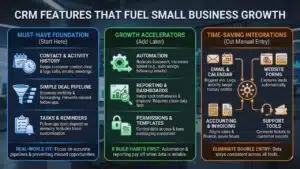
Many CRMs have similar labels on their feature lists. What matters is how those features work in real life. The most important features for small businesses are the ones that prevent missed follow-ups and keep the pipeline accurate. If you get those right, your CRM already pays off.
Start by focusing on contact management, activity history, and a simple deal pipeline. Then add reminders and basic automation. After you build habits, reporting becomes useful because the data is reliable. Without clean data, dashboards are just decoration.
Integrations also matter because small teams cannot afford double entry. A CRM that connects with email, calendar, forms, and invoicing can save hours each week. That time savings is often the biggest hidden benefit. It also reduces mistakes because data stays consistent across tools.
| Feature Category | Why It Matters For Growth |
| Contact history and notes | Keeps customer context clear |
| Deal pipeline stages | Improves visibility and forecasting |
| Tasks and reminders | Prevents missed follow-ups |
| Automation | Reduces busywork and increases speed |
| Reporting | Helps you spot bottlenecks and improve |
| Integrations | Cuts manual entry and errors |
Must Have Features
A small business CRM should handle contacts, companies, and deals in a clean way. It should log activity such as calls, emails, and meetings. It should support tasks and reminders so follow-ups do not depend on memory. It should also support a basic dashboard so you can see pipeline value and deal progress.
It should also allow simple customization. Every business has a few unique fields, such as service type, region, or lead source. You should be able to add those fields without breaking the system. Just keep the field list short at the start.
Growth Features That Start Paying Off Later
Once your team uses the CRM daily, automation becomes more valuable. Examples include auto-assigning new leads, sending follow-up reminders, and moving deals based on actions. You can also use templates for quotes and outreach to keep messaging consistent. Some CRMs also offer smart suggestions, but your process still matters most.
Permissions can also become important as you grow. You may want managers to see more data than junior reps. You may also want to control who can export contacts. These details matter when your customer list becomes a core asset.
Integrations That Save Time
For many small businesses, email and calendar integration is the biggest win. It makes activity logging easier and keeps history in one place. Website form integration also matters because it helps capture leads automatically. Accounting and invoicing connections can help align sales and finance. If you use support tools, connecting service tickets to customer records improves customer experience.
CRM Costs, Value, And Hidden Traps
CRM pricing can be confusing because plans differ by features, user limits, and add-ons. A common mistake is choosing the cheapest plan and then discovering that automation, reporting, or email sync requires an upgrade. Another common mistake is buying a high plan before the team even adopts the CRM. You should budget based on what you will use in the next 90 days.
Also look for limits that affect growth, such as automation caps, reporting limits, or contact storage rules. These limits can matter more than the sticker price. The best approach is to compare plans with a simple checklist of must-have features. If two tools meet your needs, pick the one your team prefers.
Value is not only about price. It is also about time saved and revenue protected. If a CRM prevents missed follow-ups and keeps deals moving, it can pay for itself quickly. Focus on adoption, because a CRM with poor adoption has zero value, even if it is cheap.
| Cost Factor | What To Check Before Buying |
| Per user pricing | How costs change as you hire |
| Feature limits | Automation, reporting, and integrations |
| Onboarding needs | Time required to set up and train |
| Add-ons | Email tools, calling, and extra storage |
| Support level | Access to help when you need it |
What You Actually Pay For?
You pay for seats, features, and convenience. Entry plans often cover contact management and pipelines. Higher plans often add automation, advanced reporting, and permissions. Some tools also charge extra for calling features, advanced analytics, or premium support.
If you plan to grow, check how pricing scales. A plan that looks affordable for two users may become expensive at eight users. That is not always a deal-breaker. It just helps to plan before you commit.
How To Think About Value And Return?
The real return comes from better follow-up, faster response times, and fewer dropped deals. It also comes from better retention because you can track customer history and deliver better service. Another value driver is time saved through automation and integrations. If your team saves even a small amount of time daily, that adds up over a month.
To estimate value, track simple metrics after implementation. Examples include lead response time, number of follow-ups completed, conversion rate by stage, and deals lost due to no response. These metrics show whether the CRM is improving your process.
A Simple Budget Framework
Start with a plan that supports adoption. Pay for usability and the core features your team needs. After 30 to 60 days, evaluate whether automation or reporting upgrades will save time. Upgrade only when the team is consistent. This avoids paying for features no one uses.
Also consider the cost of switching later. A CRM migration can take time, so it can be smart to pick a tool that can grow with you. Still, do not overpay for future features you are not ready to use.
Implementation Plan So Your CRM Gets Used
Many CRMs fail because businesses set them up with too many fields and no clear routine. A better approach is to launch a simple version, train the team, and improve over time. Your first month should focus on habits, not perfection. When habits stick, everything becomes easier.
Think of implementation as a four-week process. Week one sets the structure. Week two cleans and imports data. Week three adds small automation. Week four builds routines and reporting. This pace keeps the team from feeling overwhelmed. It also keeps the CRM clean.
Training matters, but it does not need to be long. The best training is often real work with guidance. Show the team how to log a call, move a deal, and schedule a follow-up. Then set clear rules for what must be logged. A CRM becomes valuable when it becomes routine.
| Week | Goal | What You Deliver |
| Week 1 | Build the basics | Pipeline stages, required fields, roles |
| Week 2 | Clean and import data | Duplicates removed, tags, verified contacts |
| Week 3 | Add light automation | Lead assignment, reminders, templates |
| Week 4 | Create habits and reporting | Weekly review, dashboards, ownership rules |
Week 1 Set Up The Basics
Create pipeline stages that match your real sales process. Keep stages simple and clear, such as New Lead, Contacted, Qualified, Proposal Sent, Negotiation, Won, Lost. Add only a few required fields like phone, email, lead source, and deal value. Decide who owns leads and how handoffs work.
Also define one or two rules that keep data clean. For example, every deal must have a next step, and every customer conversation must be logged. These rules matter more than fancy customization.
Week 2 Import Data And Clean It Once
Before importing, clean your spreadsheet. Remove duplicates, standardize names, and decide how you will label lead sources. Import in batches and review a sample to ensure fields map correctly. It is easier to fix problems early than later.
After import, test your workflow. Create a few deals, move them through stages, and make sure tasks and reminders work. Fix the pipeline stage names if they do not match how you sell.
Week 3 Automate Only What Repeats
Start with automation that prevents common failures. Examples include assigning new leads to an owner, creating a follow-up task after a new inquiry, and sending a reminder when a deal sits too long in one stage. Add a small set of email templates for repeated scenarios, such as first reply, follow-up, and proposal reminder.
Avoid building too much automation at once. Too many rules can confuse users and create messy data. Keep it simple and expand based on real needs.
Week 4 Build Habits And Review
Set a short daily routine for reps, such as checking tasks and updating deals for 10 minutes. Run a weekly pipeline review where you remove dead deals and confirm next steps for active ones. Use a simple dashboard to track pipeline value, new leads, and deals won.
Assign ownership. Decide who cleans duplicates, who updates fields, and who checks reporting. A CRM stays healthy when someone owns the basics.
Common Mistakes When Choosing A CRM
Most CRM problems come from human behavior, not software. Businesses often pick a tool that looks impressive but feels hard to use. Or they customize too much before the team forms habits. Another mistake is ignoring integrations until after purchase, which creates manual work. These mistakes can kill adoption.
A smart approach is to choose a CRM based on daily workflow. If your team works in email, prioritize email integration. If your team needs structure, prioritize a strong pipeline. If you deliver projects, prioritize handoffs. Then keep setup lean for the first month.
Also remember that adoption needs leadership. If the owner or manager does not use the CRM, the team will not either. The CRM should be part of weekly reviews and daily habits. When leadership uses the CRM, the team follows.
| Common Mistake | Better Approach |
| Buying for future needs only | Buy for today, expand later |
| Over-customizing too early | Start lean, add fields slowly |
| Ignoring integrations | Check must-have tools first |
| No ownership rules | Define who updates what and when |
| Treating CRM like storage | Use tasks, stages, and routines |
Buying For Future You Instead Of Today
A complex CRM can slow you down early. Choose a CRM your team can learn fast. If the team likes it, you can expand features later. If the team dislikes it, features will not matter.
Over-Customizing Before Adoption
Too many fields and stages create friction. People stop updating records. Keep fields minimal and stages clear. Expand after users tell you what they need.
Ignoring Integrations
Manual entry is a silent adoption killer. If your CRM does not connect to key tools, your team will do extra work. Confirm email, calendar, forms, and invoicing needs early.
No Ownership Rules
Without ownership, the CRM gets messy. Define simple rules for who owns leads, who updates deals, and who cleans duplicates. These rules protect data quality.
Treating CRM As A Database
A CRM should drive action. Use tasks, reminders, and clear next steps. When the CRM becomes the place where work happens, it becomes valuable.
Final Thoughts
If you want faster growth, start by choosing a CRM your team will use daily. The best CRM for small business growth is the one that makes follow-ups easy, keeps your pipeline clear, and helps you build consistent habits. Choose two or three options from this list and test them with real work for a week. Pay attention to what feels easiest for your team.
Once you pick a CRM, keep your setup lean for the first month. Build one pipeline, set clear rules, and run weekly reviews. Then add automation and reporting only after habits form. This approach keeps adoption high and data clean. When your CRM becomes part of daily work, it becomes a real growth tool.