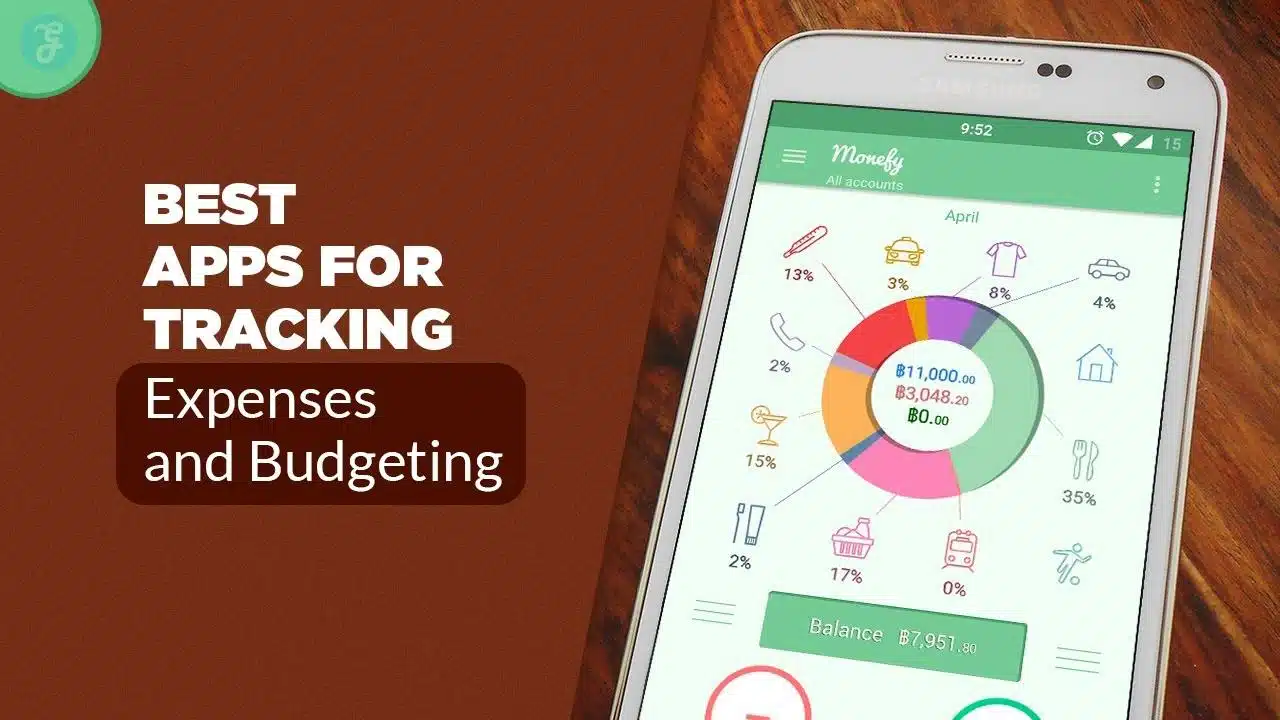
Dedicated apps for tracking expenses and budgeting have quietly become one of the most useful tools in personal finance. Where spreadsheets once demanded manual updates and constant discipline, modern apps automate data, categorize spending, and show in seconds what once took an evening with a calculator.
At the same time, the market has grown crowded. Long-time favorites have shut down or shifted direction, while newer platforms compete with slick interfaces, advanced analytics, and subscription models. For anyone trying to pick the right tool, the choice can feel overwhelming.
This editorial guide takes a closer look at how apps for tracking expenses and budgeting actually help, what to consider before choosing one, and a curated list of 15 standout options available today. The aim is not to crown a single winner, but to help you match an app’s strengths to your own habits and priorities.
Why Apps for Tracking Expenses and Budgeting Matter
Budgets do not fail because people cannot add. They fail because daily life is messy. Unplanned deliveries, rising subscription fees, small treats, and seasonal expenses all erode good intentions.
Apps for tracking expenses and budgeting step into that chaos with three big advantages.
First, they automate the routine work. Most leading apps connect directly to bank accounts, credit cards, and sometimes even investment platforms. Transactions flow in, categories get applied, and recurring payments are recognized without constant manual entry. That reduces friction and keeps your financial picture fresh.
Second, they provide real-time visibility. Instead of waiting for a monthly statement, you see where your money is going as the month unfolds. A quick glance can show whether dining out is creeping up, whether you are on pace with savings goals, or whether an upcoming bill might push you into overdraft.
Third, many budgeting apps now link short-term spending to long-term goals. They blend everyday categories with targets like emergency funds, debt payoff, home deposits, or retirement contributions. That helps move budgeting away from guilt and toward strategy.
In short, good apps for tracking expenses and budgeting turn your money from a vague mental fog into a clear dashboard.
How to Choose the Right App for Tracking Expenses and Budgeting
Clarify Your Budgeting Style
Before comparing features, it helps to ask a basic question: How do you prefer to manage money?
Some people want a strict framework. Zero-based budgeting assigns every unit of income a clear job—spending, saving, or paying down debt. Apps like YNAB and EveryDollar are built around this style. They expect you to plan before you spend and to check in regularly. For people who like detail and structure, it can be transformative.
Others want a lighter touch. They prefer guidance, not strict rules. Tools such as PocketGuard, Rocket Money, and Wallet by BudgetBakers emphasize cash flow, trends, and “safe to spend” figures. They are still serious apps for tracking expenses and budgeting, but they ask less of your time.
Then there are users who primarily care about the bigger picture. They want budgets, yes, but they also want to see net worth, investments, and progress toward long-term goals. Platforms like Monarch Money and Empower Personal Dashboard address that need.
Understanding which group you fall into narrows the field and prevents you from choosing an app that fights your natural rhythm.
Check Syncing, Security, and Platforms
The next filter is practical: Will this app actually fit into your daily life?
Most modern apps for tracking expenses and budgeting support:
-
Secure bank and card connections
-
Two-factor authentication
-
Data encryption
-
Mobile apps, often with a web dashboard
But the quality of these features varies. Some apps cover a wide range of institutions; others are more limited in certain regions. A few are mobile-only, while others offer robust desktop and web interfaces.
Consider:
-
Do you need web access during work hours, or is mobile enough?
-
Are all your main banks and cards supported?
-
Can you export data if you switch platforms later?
Security is equally important. Budgeting apps work with sensitive data. Look for clear privacy policies, transparent explanations of how your data is stored and used, and the ability to secure your account with strong authentication.
Understand Pricing and Free vs Paid Trade-Offs
There is a noticeable trend away from purely free apps. While free tools still exist, many of the most capable apps for tracking expenses and budgeting now use subscription models.
You will typically see:
-
Free tiers with manual entry or limited syncing and fewer advanced features
-
Mid-priced subscriptions that include automatic imports, category rules, richer reports, and shared access
-
Premium tiers that add more accounts, deeper analytics, coaching, or financial advisory services
A free plan may be enough in the early stages. As your finances become more complex, a modest subscription can pay for itself if it prevents overdrafts, highlights waste, or keeps you on track with debt payoff.
Rather than focusing only on price, consider value: will this app help you save or protect more than it costs?
15 Best Apps for Tracking Expenses and Budgeting
The following apps appear regularly in independent rankings and user discussions. Each occupies a slightly different niche, but all serve the core goal of tracking expenses and budgeting with clarity.
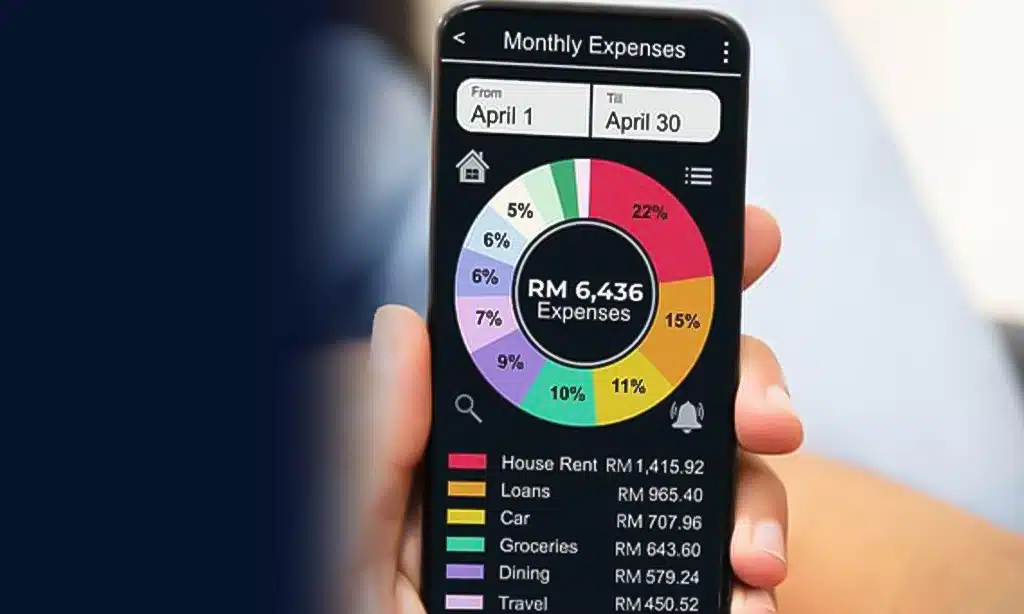
1. YNAB (You Need a Budget) – Best for Zero-Based Budgeters
YNAB is often the first name raised in conversations about structured budgeting. The entire app revolves around the idea that every unit of income must be assigned to a job. Nothing should sit idle.
Key characteristics:
-
Strong zero-based budgeting framework
-
Live syncing with linked accounts and option for manual entry
-
Goal tracking and category targets
-
Extensive education through guides, videos, and workshops
YNAB rewards users willing to engage frequently. It is one of the more intensive apps for tracking expenses and budgeting, but that intensity is often what makes it effective for people who want to change habits, crush debt, or build savings from scratch.
2. Monarch Money – Best for All-in-One Financial Planning
Monarch Money presents itself as a central command center for your finances. Beyond basic budgets, it offers detailed views of cash flow, assets, debts, and investments.
Highlights:
-
Customizable dashboard with tiles for budgets, goals, and net worth
-
Multiple aggregators to improve account connections
-
Collaboration features that let partners or advisers access shared views
-
Long-range planning tools alongside month-to-month budgets
Monarch suits users who want their budgeting app to double as a full financial overview. It is positioned as a premium service, so it is best for those who will make use of the rich analytics.
3. Quicken Simplifi – Best for Simple, Guided Budgeting
Simplifi aims to offer clarity without overwhelming detail. It focuses on upcoming bills, projected balances, and guided spending plans.
Core features:
-
Personalized spending plan built around your income and obligations
-
Forecasts showing how much you can spend while still hitting goals
-
Clean visuals for cash flow and category trends
-
Mobile and web access backed by a long-standing finance brand
Simplifi is ideal if you want help understanding what is safe to spend, but do not need a strict zero-based method.
4. Rocket Money – Best for Subscription and Bill Management
Rocket Money, previously known as Truebill, built its reputation by hunting down recurring charges. It still offers full budgeting features, but its standout strength remains subscriptions and bills.
Key points:
-
Identifies recurring subscriptions, free trials, and regular charges
-
Offers tools to cancel or renegotiate selected bills in some regions
-
Provides budgets, spending reports, and net-worth tracking
-
Supports both free and paid plans
If your biggest frustration is “Where did all these subscriptions come from?”, Rocket Money is one of the most practical apps for tracking expenses and budgeting.
5. EveryDollar – Best for Ramsey-Style Budgeting
EveryDollar translates Dave Ramsey’s teaching into a straightforward budgeting app. It uses a monthly plan and zero-based approach but presents it in a simple, guided way.
Features:
-
Monthly budget built category by category
-
Free version that relies on manual entry
-
Paid version that adds automatic bank syncing and more tools
-
Integration with Ramsey’s Baby Steps framework
EveryDollar works best for users who appreciate clear, moral-tinged guidance around debt and savings and want their app to echo that philosophy.
6. Wallet by BudgetBakers – Best for Cash-Flow and Multi-Device Use
Wallet by BudgetBakers is a visually rich app built around tracking everyday expenses and cash flow.
Notable features:
-
Automatic transaction imports from connected accounts
-
Support for manual cash entries, which is helpful in cash-heavy economies
-
Multiple accounts, categories, and goals
-
Access on web, Android, and iOS
Wallet is a strong choice if you want to see your spending patterns over time and appreciate chart-driven insights without stepping into full investment management.
7. Lunch Money – Best for Data Nerds and Multi-Currency Users
Lunch Money feels like a modern, automated spreadsheet. It is web-first, with a focus on flexibility and data control.
Key features:
-
Support for multi-currency budgets, useful for remote workers and frequent travelers
-
Rules for transaction categorization and cleanup
-
Net-worth tracking and rich trend analysis
-
Some support for crypto and alternative assets
Lunch Money will appeal to people who enjoy tinkering with categories, rules, and custom views. It is one of the more technical apps for tracking expenses and budgeting, but that detail is exactly what its fans love.
8. PocketGuard – Best for “What Can I Spend Today?”
PocketGuard tackles a simple, daily question: after bills and goals, what is left?
Highlights:
-
“In My Pocket” figure that shows available funds after obligations
-
Budgeting based on income, bills, savings targets, and desired spending
-
Subscription tracking and high-level debt tools
-
Free tier with paid upgrade for more control
If you often impulse-spend because you are unsure what is truly affordable, PocketGuard’s real-time guidance can be more helpful than a traditional static budget.
9. Goodbudget – Best for Envelope Budgeting Fans
Goodbudget brings the envelope system into the digital age. Instead of stuffing cash into physical envelopes, you allocate money to virtual ones.
Key aspects:
-
Envelope-based planning that encourages intentional choices before spending
-
Shared budgets for households and partners
-
Free plan with limited envelopes plus a paid tier for larger setups
-
Simple, structured interface
Goodbudget suits users who like the discipline of envelopes and do not mind a little manual work to stay on track.
Spendee combines friendly design with flexible sharing options. It is often recommended to beginners and families.
Features:
-
Shared wallets for couples, families, or roommates
-
Multiple currency support, helpful for travelers
-
Category-based budgets and visual spending insights
-
Free and paid tiers with different feature sets
If you want a colorful, approachable way to track both personal and shared spending, Spendee deserves a look.
11. Honeydue – Best for Couples Who Chat About Money
Honeydue is designed specifically for couples. It emphasizes transparency, communication, and collaboration.
Key features:
-
Option to connect accounts and choose which balances to share
-
In-app chat and reactions tied to specific transactions
-
Bill reminders and category views
-
Mobile apps focused on ease of use
For partners who want to stay informed about money without merging every account, Honeydue provides a structured yet flexible approach.
12. Zeta – Best for Couples and Young Families
Zeta serves couples and families who want to manage both joint and individual finances in one place.
Highlights:
-
Tools for splitting expenses and tracking who paid what
-
Joint and individual accounts under a unified view (where available)
-
Goals and budgets tailored to shared priorities
-
Emphasis on financial teamwork rather than complete pooling
Zeta aligns well with modern households that mix shared bills, personal spending, and long-term family goals.
13. Copilot Money – Best for Automation and Design
Copilot Money stands out for its polished interface and automation. It tries to make budgeting feel smooth rather than tedious.
Key features:
-
Smart categorization powered by machine learning
-
Clear visuals for spending, subscriptions, and net worth
-
Excellent experience on Apple devices, with broader support expanding
-
Focus on minimal friction and attractive design
Copilot is one of the apps for tracking expenses and budgeting that might appeal to people who usually avoid finance tools but enjoy well-designed software.
14. Empower Personal Dashboard – Best for Budgeting Plus Investing
Empower Personal Dashboard (originally Personal Capital) positions itself as a hybrid between budgeting software and a wealth-management platform.
Core strengths:
-
Aggregates checking, savings, credit, loan, and investment accounts
-
Offers tools for cash-flow tracking, net-worth analysis, and fee review
-
Includes retirement and long-term planning calculators
-
Free dashboard, with optional paid advisory services
Empower is ideal if you want everyday budgets to sit alongside serious investment planning without juggling multiple apps.
15. Wally – Best for Goal-Driven Budgeters on Mobile
Wally is a mobile-centric personal finance app aimed at users who want an approachable way into budgeting.
Features:
-
Expense tracking and budgets on smartphones
-
Goal-setting tools for savings and major purchases
-
Category and trend views to highlight problem areas
-
A design that tries to make money management less intimidating
Wally is well-suited for students and younger professionals building their first consistent budgeting habit.
Are Free Apps for Tracking Expenses and Budgeting Enough?
What You Usually Get on a Free Plan
Many apps for tracking expenses and budgeting offer free tiers. These often include:
-
Manual transaction entry or limited syncing
-
Basic category and envelope budgets
-
Simple reports and pie charts
-
Some alerts and reminders
Free plans can be more than adequate when:
-
Your finances are simple
-
You are still experimenting with budgeting styles
-
You are focused on awareness rather than deep analytics
For a first step into digital budgeting, starting with a free tier is usually sensible.
When a Paid Budgeting App Can Justify Its Cost
A subscription starts to make sense when the app begins saving you more than it costs.
That might mean:
-
Avoiding repeated overdraft or late fees
-
Identifying unused subscriptions and recurring services you can cancel
-
Keeping you consistently on pace to repay debt or hit savings targets
-
Reducing the time and stress spent wrestling with spreadsheets or half-working systems
For people who rely on their app several times a week, a modest subscription becomes part of their financial toolkit rather than a luxury.
How to Make Any Budgeting App Work Harder for You
Set Realistic Categories and Targets
Even the most sophisticated apps for tracking expenses and budgeting cannot fix unrealistic expectations. If you usually spend a certain amount on food, it is unlikely that cutting the number in half overnight will succeed.
A better approach:
-
Start with broad categories: housing, food, transport, debt, savings, fun
-
Use a month or two of real data to set baselines
-
Tighten gradually rather than enforcing extreme cuts immediately
Apps with strong goal and target features—such as YNAB, EveryDollar, Wallet, and Lunch Money—help you make these adjustments visible.
Use Alerts and Reports to Catch “Silent” Overspending
Modern budgeting apps can nudge you before problems grow.
Practical uses include:
-
Transaction alerts for unusually large purchases
-
Warnings when a category is close to exceeding its limit
-
Monthly summaries that highlight overspending or underused budgets
-
Subscription lists that reveal forgotten services
By paying attention to these small prompts, you can catch “silent” overspending—streaming services, takeaway habits, or impulse buys—before they become a pattern.
Review Your Budget Monthly and After Life Changes
An app is not a one-time setup. It should evolve with your life.
Two simple routines help:
-
Monthly review: Look back at the month, adjust categories, refine goals, and note where reality differed from expectations.
-
Life-event review: Revisit your setup after a new job, move, major purchase, new family member, or shift in income.
Apps that combine budgets with broader financial planning—like Monarch, Empower, or Lunch Money—are especially valuable in these moments, but the principle applies across all tools.
Final Thoughts on Apps for Tracking Expenses and Budgeting
The landscape of apps for tracking expenses and budgeting keeps changing. Some names fade; others emerge with fresh ideas. Against that backdrop, the most important decision is not which platform a reviewer likes best, but which one fits your habits, devices, and goals.
If you crave discipline, a zero-based tool such as YNAB or EveryDollar may be the right partner. If you prefer a guiding overview, options like PocketGuard, Wallet, Rocket Money, or Simplifi offer strong cash-flow insights. Couples might find Honeydue or Zeta better suited to shared decisions, while long-term planners may gravitate to Monarch or Empower.
Whatever you choose, the real value comes from consistent use. Check in, adjust, and let the app turn scattered transactions into a coherent story about your money. When that story becomes clear, better decisions follow naturally.