The remote work landscape has shifted. In 2026, “productivity” is no longer about how many hours you’re logged into Slack; it’s about how effectively you use AI agents to reclaim your time.
Today’s best AI productivity tools for remote teams don’t just “help” you work—they execute tasks, bridge time-zone gaps, and eliminate the “meeting about the meeting.” Whether you are a startup of five or a global enterprise, this guide breaks down the essential AI stack to keep your remote team fast, focused, and future-proof.
Quick Answer: Top Picks by Category
Short on time? Here are the elite tools for remote teams in 2026.
| Category | Top Pick | Why It Wins |
| Best Overall | Notion AI | A “central brain” that combines docs, tasks, and autonomous agents in one UI. |
| Meeting Intelligence | Otter.ai | 95%+ accuracy with agents that join calls and sync action items to your PM tool. |
| Project Management | Asana AI | Predicts project risks and automates status reporting across complex workflows. |
| Automation & Ops | Zapier Central | Allows non-technical teams to build “AI employees” that talk to 6,000+ apps. |
| Knowledge & Docs | NotebookLM | The gold standard for turning messy internal PDFs and docs into a searchable expert. |
What “AI Productivity” Means for Remote Teams in 2026
In the early 2020s, AI was a gimmick—a way to write a faster email or generate a fun image. In 2026, AI productivity is infrastructure. For remote teams, it specifically addresses the three “Remote Tax” burdens:
- The Death of the Status Meeting: AI agents now “lurk” in your channels and documents. Instead of a 30-minute sync, you ask an agent, “What did the design team decide on the hero section yesterday?” and get a cited answer instantly.
- Async Handoff Clarity: When a developer in London finishes a task, the AI automatically creates a loom-style summary, updates the Jira ticket, and pings the QA lead in New York with exactly what needs testing.
- Context Switching is Optional: Advanced “Enterprise Search” (like Slack AI or Microsoft Copilot) means you never have to leave your chat app to find a file buried in a folder from three years ago.
The outcome? Teams are moving away from “activity” and toward “outcomes.” In 2026, the best teams aren’t the ones working the longest; they are the ones with the best-tuned AI workflows.
How to Choose the Right Tools
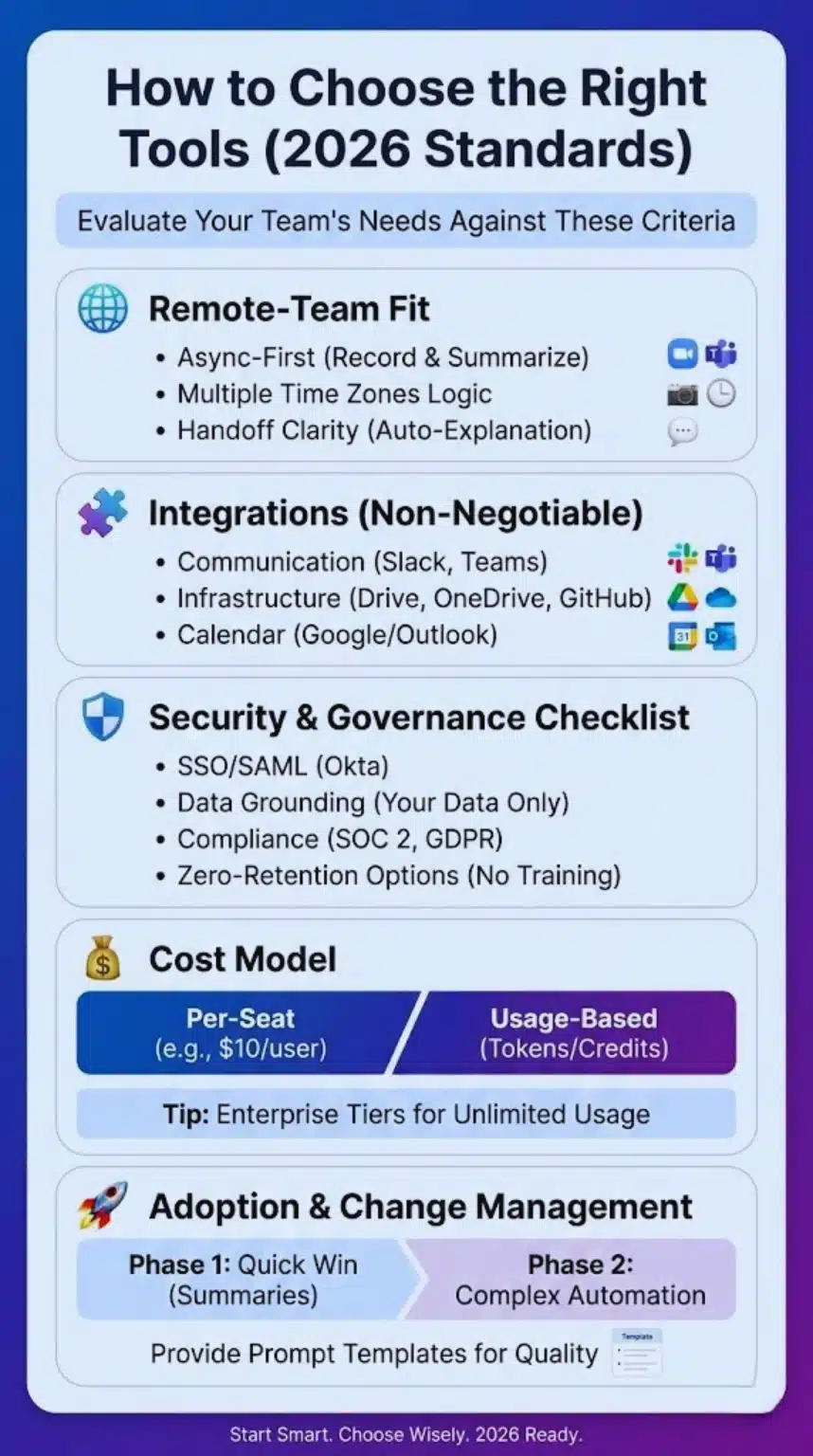
Before you start entering credit card details, evaluate your team’s needs against these 2026 standards.
Remote-Team Fit
A tool might be great for an office, but for remote teams, it must be async-first. Does it offer “Record and Summarize” features?
- Can it handle multiple time zones in its scheduling logic?
- Does it provide “Handoff Clarity” (automatically explaining why a task was moved)?
Integrations (Non-Negotiable)
An AI tool that doesn’t talk to your other apps is just another tab you have to manage. Your stack must integrate with:
- Communication: Slack or Microsoft Teams.
- Infrastructure: Google Drive, OneDrive, or GitHub.
- Calendar: Google/Outlook.
Security & Governance Checklist
In 2026, “shadow AI” (employees using unapproved tools) is a massive security risk. Ensure your tools provide:
- SSO/SAML: Centralized login via Okta or similar.
- Data Grounding: Can the AI stay restricted to only your company’s data?
- Compliance: SOC 2 Type II and GDPR are baseline requirements.
- Zero-Retention Options: For sensitive industries (legal/fintech), ensure the provider doesn’t use your data to train their models.
Cost Model
The 2026 market has split into two models:
- Per-Seat: Standard monthly fee (e.g., $10/user).
- Usage-Based/Credit: You pay for “AI Credits” (e.g., tokens or agent runs).
Tip: For large teams, look for “Enterprise Tiers” that offer flat rates for unlimited AI usage.
Adoption & Change Management
Don’t roll out five tools at once. Start with a Phase 1 “Quick Win” (like meeting summaries) before moving to Phase 2 (complex automation). Provide your team with “Prompt Templates” to ensure everyone gets high-quality outputs.
Features That Matter Most
| Tool | Best for… | Key AI Feature | Price Range (Monthly) |
| Otter.ai | Meeting Notes | AI Chat across all past meetings | $10 – $20 /user |
| Slack AI | Chat Recaps | Thread and channel summaries | Add-on to Pro/Bus |
| Notion AI | Knowledge | Autonomous “Page Agents” | $8 – $10 /user |
| Asana AI | Project Ops | Smart Status & Risk Alerts | $10 – $25 /user |
| Motion | Personal Focus | Auto-rescheduling Tasks | $19 – $34 /user |
| Zapier | Automation | Natural Language “Zaps” | Free – $50+ |
The 15 Best AI Productivity Tools for Remote Teams
AI Meeting Assistants (Reduce Meeting Overload)

Otter.ai
- Best for: Multi-platform teams (Zoom/Meet/Teams) needing high accuracy.
- Standout AI features: The “Otter AI Chat” allows you to ask questions about current or past meetings in real-time.
- Integrations: Slack, Salesforce, HubSpot, Zoom, Teams.
- Pricing snapshot: Free tier available; Pro starts at ~$10/mo.
- Limitations: Can sometimes struggle with very thick accents or heavy crosstalk.
Fireflies.ai
- Best for: Sales and CRM-heavy teams.
- Standout AI features: “Soundbites” (sharable audio clips) and sentiment analysis to track meeting “vibes.”
- Integrations: 40+ CRMs, including Salesforce and Pipedrive.
- Pricing snapshot: Pro tier starts at $10/mo.
- Limitations: The UI can feel cluttered for teams who just want simple notes.
Fathom
- Best for: Zoom-centric teams on a budget.
- Standout AI features: Instant “clip” generation—just click a button to save a 30-second highlight.
- Integrations: High-tier sync with Slack and major CRMs.
- Pricing snapshot: Generous free version; Premium ~$15/mo.
- Limitations: Primarily optimized for Zoom; lacks the deep “chat” history of Otter.
Meeting AI Best Practice: Always name a “Human Pilot.” Even with AI, one person should be responsible for clicking “approve” on the AI-generated action items before they sync to your project board.
Team Chat & Collaboration AI (Find Answers Fast)

Slack AI
- Best for: High-volume teams drowning in messages.
- Standout AI features: “Channel Recaps” that summarize the last 24 hours of conversation into a few bullet points.
- Integrations: Everything in the Slack ecosystem.
- Pricing snapshot: Available as a paid add-on for Pro and Business+ plans.
- Limitations: Primarily “internal” focus; doesn’t help much with external data.
Microsoft Teams + Copilot
- Best for: Organizations already “all-in” on Microsoft 365.
- Standout AI features: The ability to draft documents in Word based on a Teams conversation you had 10 minutes ago.
- Integrations: Seamless across Excel, Word, PowerPoint, and Outlook.
- Pricing snapshot: $30/user/month (standard for enterprise).
- Limitations: Steep price point; requires M365 environment.
Knowledge & Documentation (Stop Re-Explaining Everything)
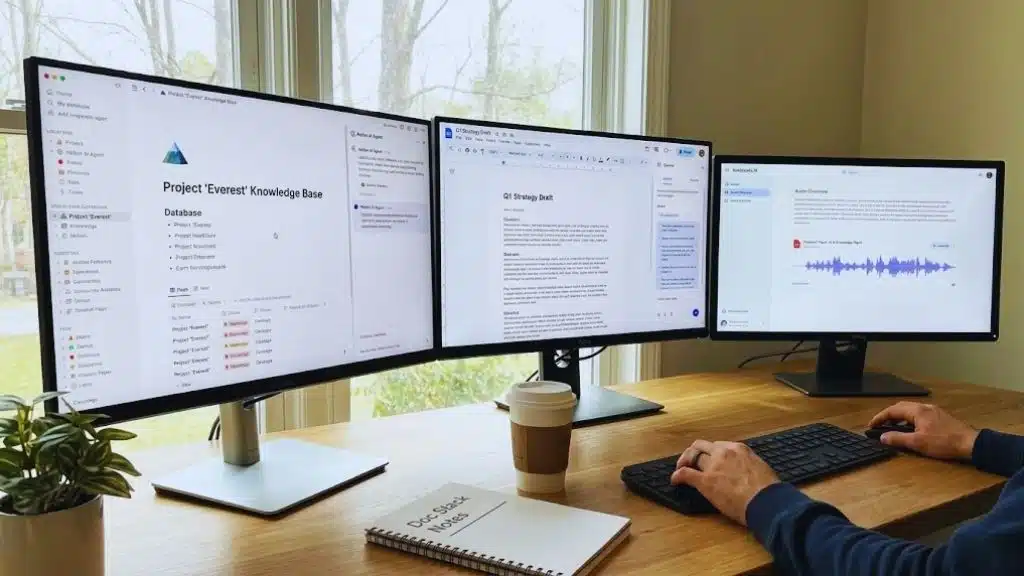
Notion AI (and Agents)
- Best for: Teams using Notion as their “Single Source of Truth.”
- Standout AI features: AI Agents that can update a project database based on a meeting note without you touching a button.
- Integrations: Slack, GitHub, Jira, Google Drive.
- Pricing snapshot: $8–$10 per member/month.
- Limitations: Can get expensive for very large teams.
Google Workspace + Gemini
- Best for: Google-native teams (Drive/Gmail/Docs).
- Standout AI features: “Help me write” in Gmail and side-panel synthesis in Google Docs.
- Integrations: Native across all Google Apps.
- Pricing snapshot: ~$20–$30/user/month for Business/Enterprise.
- Limitations: Gemini is powerful but sometimes feels less “integrated” than Copilot is with Windows.
NotebookLM
- Best for: Research, training, and “Deep Knowledge” synthesis.
- Standout AI features: The “Audio Overview”—it creates a podcast-style discussion between two AI hosts about your uploaded documents.
- Integrations: Google Drive.
- Pricing snapshot: Currently free (Google experimental).
- Limitations: Not a “writing” tool; it’s strictly for understanding information.
Project & Task Management (Turn Work Into Execution)

Asana AI
- Best for: Complex, cross-functional projects.
- Standout AI features: “Smart Status” generates instant progress reports that include potential risks (e.g., “This project is at risk because the designer is overbooked”).
- Integrations: 500+ apps, including Slack, GitHub, and Adobe.
- Pricing snapshot: AI features generally require the “Starter” tier ($10.99+) or higher.
- Limitations: Might be “overkill” for very simple teams.
ClickUp Brain
- Best for: Small-to-mid teams who want “everything in one app.”
- Standout AI features: A unified AI that can answer questions about tasks, docs, and people simultaneously.
- Integrations: 1,000+ native integrations.
- Pricing snapshot: $7 add-on per user/month.
- Limitations: High learning curve; the “everything” approach can feel overwhelming.
Smartsheet
- Best for: Operations-heavy or finance teams who live in spreadsheets.
- Standout AI features: Formula assistant—describe what you want to calculate in plain English, and the AI writes the complex formula for you.
- Integrations: Microsoft, Google, AWS.
- Pricing snapshot: Enterprise pricing varies; typically $25+/user.
- Limitations: Not very “creative”; strictly focused on structured data.
Automation & Ops (Connect Tools, Trigger Actions)

Zapier Central
- Best for: Non-developers who want to build custom AI assistants.
- Standout AI features: “AI Agents” that can listen for a Slack message, research a company on the web, and draft a response in your CRM.
- Integrations: 6,000+ apps.
- Pricing snapshot: Tiered pricing; many AI features are in the “Professional” tier (~$20/mo).
- Limitations: Can get expensive if you have thousands of “runs” per month.
n8n
- Best for: Technical teams and developers who want privacy (self-hosting).
- Standout AI features: Deep integration with LangChain, allowing you to build complex AI chains with your own LLM keys.
- Integrations: 400+ nodes, but very flexible via API.
- Pricing snapshot: Free (self-hosted); Cloud starts at ~$20/mo.
- Limitations: Requires a high level of technical knowledge.
Make
- Best for: Visual thinkers who need complex “branching” logic.
- Standout AI features: Visual mapping of AI steps, making it easier to debug complex data transformations.
- Integrations: 1,000+ apps.
- Pricing snapshot: Free tier; “Core” starts at ~$9/mo.
- Limitations: Slightly steeper learning curve than Zapier.
Time, Scheduling & Focus (Protect Deep Work)
Motion
- Best for: Individual contributors and leaders with chaotic schedules.
- Standout AI features: “Intelligent Rescheduling”—if a meeting runs over, Motion automatically moves your afternoon tasks to the next best available slot.
- Integrations: Google Calendar, Outlook, Siri, Zapier.
- Pricing snapshot: Individual ~$19/mo; Team ~$12/user/mo.
- Limitations: Expensive compared to a basic calendar, and “Google Calendar” is a hard requirement.
Suggested “Stacks” (Pick Your Remote Team Setup)
The “Slack-First” Stack
For teams that live in chat and value speed.
- Slack AI (Chat context)
- Notion (Docs & Tasks)
- Otter.ai (Meetings)
- Zapier (Connecting the dots)
Why it works: Everything feeds back into Slack, reducing the need to check multiple dashboards.
The “Microsoft-First” Stack
For established enterprises and heavy IT oversight.
- MS Teams + Copilot (Communication & Search)
- Asana (Project management)
- Fireflies.ai (Sales/CRM recording)
- Power Automate (Internal workflows)
Why it works: Maximizes the $30/user investment in Copilot while adding “Best of Breed” PM tools.
The “Lean & Fast” Stack
For startups and creative agencies.
- Google Workspace + Gemini (Docs/Email)
- Fathom (Free meeting clips)
- ClickUp (One-stop-shop PM)
- Motion (Focus protection)
Why it works: Low overhead, high automation, and keeps the team focused on shipping.
Implementation Playbook (Get ROI in 14–30 Days)
Phase 1: Days 1–7 (The “Low Hanging Fruit”)
- Goal: Meeting notes and action items.
- Action: Deploy Otter or Fathom to all recurring team syncs.
- Success Metric: Zero time spent manually writing meeting recaps by Day 7.
Phase 2: Days 8–21 (The “Team Brain”)
- Goal: Centralize knowledge.
- Action: Import “Old Docs” and PDFs into Notion or NotebookLM. Train the team to “Ask the AI” before asking a colleague a basic question.
- Success Metric: 20% reduction in “Where is the file for X?” Slack messages.
Phase 3: Days 22–30 (The “Automation Layer”)
- Goal: Connect the dots.
- Action: Set up a Zapier or Make workflow. (Example: When a meeting ends in Otter, create a task in Asana).
- Success Metric: High-priority tasks are created with zero manual data entry.
Final Thoughts: The Shift from “Remote” to “Augmented”
As we move through 2026, the distinction between “working from home” and “working in an office” is blurring. The real divide is now between traditional teams and augmented teams.
The tools listed above are no longer just software; they are the digital glue that holds a borderless workforce together. By 2026, the “Remote Tax”—the time lost to chasing updates and sitting in redundant meetings—has been largely abolished by AI agents that handle the execution while humans provide the strategy.
The 2026 Productivity Mindset
To thrive in this new era, remember:
-
Prompting is the New Managing: Your ability to clearly define outcomes for an AI agent is as important as your ability to lead people.
-
Outcome Over Activity: In an AI-driven world, “being busy” is easy to fake. Focus your team on high-value results that AI cannot yet replicate: empathy, creative leaps, and ethical judgment.
-
Security is a Culture, Not a Setting: With AI having access to your entire company brain, ensure your team understands the “why” behind data governance.
The most successful remote teams of 2026 won’t be the ones with the most tools, but the ones with the most integrated tools. Start small, automate the “boring” stuff first, and give your team the space to do what they do best: innovate.