

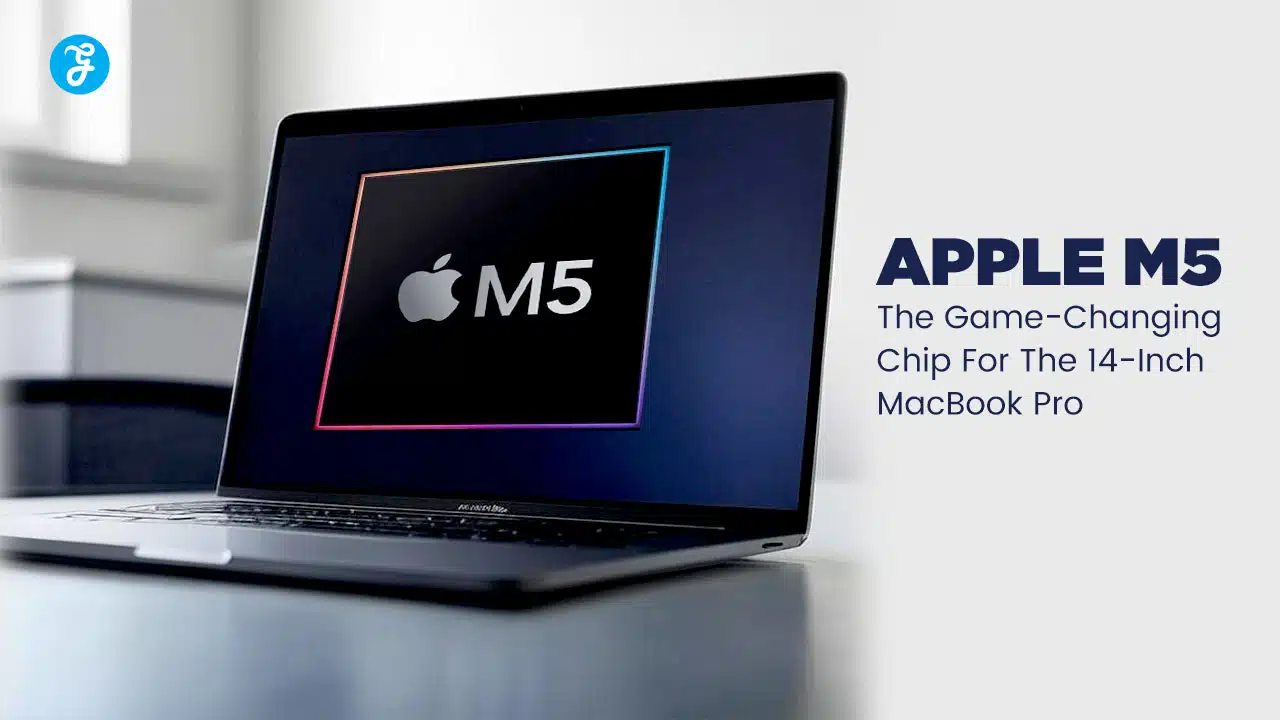
Is your current MacBook starting to feel just a little bit sluggish? Are you noticing that spinning beachball more than you’d like when editing videos or diving into a game?
You’re not imagining it.
The new Apple M5 chip has arrived in the 14-inch MacBook Pro, and it’s a genuine game-changer, especially when it comes to speed and artificial intelligence. This quick guide will walk you through exactly how this new machine can supercharge your work, creativity, and gaming, leaving frustrating lag times behind.
So, let’s explore what makes the Apple M5 so special.
Key Takeaways
- The Apple M5 chip is built on a cutting-edge 2nm process, featuring a 10-core CPU and 10-core GPU that deliver up to 20% faster multi-core performance than the M4.
- Its 16-core Neural Engine is designed for the next big leap in AI, making AI-driven tasks in apps like Final Cut Pro and Adobe Photoshop up to 3.5 times faster.
- With support for up to 24GB of unified memory and a nearly 30% increase in memory bandwidth (up to 153GB/s), multitasking with intensive applications is smoother than ever.
- The M5’s efficiency, driven by six dedicated efficiency cores, pushes battery life to new heights, offering up to 22 hours of video playback on a single charge.
- According to tests from October 2025, the M5 chip is powerful enough to rival high-end desktop processors from competitors like Intel and AMD in single-core tasks.
Key Features of the Apple M5 Chip

The Apple M5 isn’t just a small step forward; it’s a significant leap in processing power and on-device intelligence. This new silicon powerhouse, at the heart of the latest 14-inch MacBook Pro, combines smarter AI processing with a more powerful graphics architecture, creating a seamless experience for creators and professionals.
10-Core CPU and 10-Core GPU Architecture
At its core, the Apple M5 chip is built using TSMC’s groundbreaking 2nm process technology. This advanced manufacturing allows for a huge jump in transistor density and energy efficiency compared to the 3nm process used for the M4.
The CPU has 10 cores, split between four high-performance cores for demanding tasks and six high-efficiency cores for everyday operations. This hybrid design is what allows the MacBook Pro M5 to handle intense jobs like compiling code in Xcode or editing 4K video in Final Cut Pro while staying cool and preserving battery life.
The 10-core GPU is also a major upgrade. It includes hardware-accelerated ray tracing and mesh shading, features that dramatically improve graphics in both creative applications and games. This means rendering 3D models in an application like Blender is not only faster but also produces more realistic lighting and shadows.
16-Core Neural Engine for Enhanced AI Tasks

The 16-core Neural Engine is where the M5 truly shines, making it a powerhouse for artificial intelligence. It’s designed to accelerate machine learning tasks, making features powered by Apple Intelligence feel instantaneous.
What does this mean for you?
- Smarter Photo Editing: In Adobe Photoshop, features like “Generative Fill” run faster, allowing you to seamlessly add or remove objects from images with simple text prompts.
- Intelligent Video Tools: Final Cut Pro now includes AI tools like “Magnetic Mask,” which automatically isolates subjects, and “Transcribe to Captions,” which saves hours of manual work.
- Enhanced On-Device Siri: With macOS Tahoe, Siri can handle more complex, context-aware requests directly on your device without needing to connect to the cloud, ensuring privacy and speed.
This leap in AI performance makes the MacBook Pro with the M5 chip a smarter, more responsive tool for students and professionals alike, especially when compared to older Apple silicon like the M1.
Performance Upgrades with the M5 Chip
The M5 is all about speed you can feel. Thanks to its new CPU and GPU architecture, everyday tasks are snappier, and demanding workloads are completed faster. Even graphically intense games like Cyberpunk 2077 feel incredibly smooth on this laptop.
Up to 20% Faster Performance Compared to M4

The new M5 chip delivers a significant performance boost, clocking in with up to 20% faster multi-core performance than the Apple M4. This isn’t just a number on a spec sheet; it translates to real-world speed improvements that you’ll notice immediately.
For example, early Geekbench 6 benchmarks show the M5 in the 14-inch MacBook Pro achieving multi-core scores around 17,862, a noticeable jump from the M4’s score of 14,726. This extra power means apps launch faster, and projects in creative software like Adobe Premiere or Logic Pro finish sooner.
The M5’s single-core performance is so impressive that it rivals high-end desktop chips from competitors like Intel’s Core Ultra 9 and beats AMD’s Ryzen 9 9950X3D in some tests. This shows just how much power Apple has packed into this efficient laptop chip.
This speed makes upgrading from an M4, and especially an M1 or M2 MacBook, a very compelling option.
Improved Efficiency with Six Efficiency Cores
Power isn’t just about raw speed; it’s also about efficiency. The Apple M5 chip features six dedicated efficiency cores that handle background tasks and less demanding processes. This smart design allows the high-performance cores to rest, which dramatically extends battery life.
As a result, the 14-inch MacBook Pro can run for up to 22 hours while watching videos or 15 hours of web browsing on a single charge. This incredible stamina means you can get through a full day of work or classes without ever reaching for a power adapter. The chip’s efficiency also keeps the laptop cool and quiet, even when you’re pushing it hard.
Enhanced Graphics and AI Capabilities

With the M5, creative tools in apps like Adobe Photoshop feel incredibly responsive, and AI-powered tasks are faster than ever. The new GPU and Neural Processing Unit push 3D graphics and language model processing so far ahead that previous chips feel slow in comparison.
Next-Generation GPU Optimized for AI and Creative Workflows
The Apple M5 chip introduces a next-generation GPU that’s specifically built for AI and creative workflows. A key innovation is the inclusion of a Neural Accelerator in each of the 10 GPU cores. This allows the GPU to handle machine learning tasks directly, leading to what Apple claims is over 4x the peak GPU compute performance for AI compared to the M4.
This new architecture brings tangible benefits:
- Better Gaming: With support for hardware-accelerated ray tracing and Dynamic Caching, games look more realistic and run smoother. Titles like Cyberpunk 2077 can achieve frame rates of 60 FPS or higher.
- Faster Rendering: 3D artists will see a significant speed-up in rendering times. In Blender, for example, rendering with ray tracing is up to 1.7x faster than on the M4.
- Smarter Creative Tools: The GPU works with the Neural Engine to accelerate AI-powered features in apps from Adobe, making your creative process faster and more intuitive.
AI-Driven Rendering for Complex Tasks
AI-driven rendering on the M5 chip leverages the 16-core Neural Engine to accelerate demanding graphics tasks. This means that processes like real-time video editing and applying complex visual effects feel incredibly fluid.
The benefits extend beyond traditional creative work. For those working with the Apple Vision Pro, the M5 provides the necessary power to create and interact with high-fidelity mixed-reality content without lag. In fact, Apple updated the Vision Pro with the M5 chip to handle more demanding spatial computing workloads and reduce the heat and battery drain issues of the original model. This power ensures that even the most complex jobs run quietly and efficiently.
Unified Memory Innovations

Unified memory is one of Apple silicon’s secret weapons, and the M5 takes it a step further. By creating a single, high-speed pool of memory accessible to the entire chip, tasks feel exceptionally smooth. With increased bandwidth, apps like Photoshop and Final Cut Pro run faster and more efficiently than ever before.
24GB Unified Memory for Seamless Multitasking
With up to 24GB of unified memory, the new 14-inch MacBook Pro with M5 makes multitasking a breeze. You can effortlessly switch between demanding applications like Final Cut Pro, Safari with dozens of tabs, and Adobe Photoshop without experiencing slowdowns.
Unlike traditional computer hardware where the CPU and GPU have separate memory pools, Apple’s unified memory architecture allows all parts of the M5 chip to access the same data without copying it. This dramatically reduces latency and boosts performance across the entire system. It’s a key reason why everything from creative work to AI-driven tasks feels so responsive, even when you’re pushing the machine with heavy workloads.
Bandwidth Improvements for Intensive Applications
Demanding tasks like 8K video editing, 3D rendering with ray tracing, and running large AI models require incredibly fast memory. The M5 chip delivers a huge boost here, offering up to 153 GB/s of memory bandwidth. That’s nearly a 30% increase over the M4.
This increased bandwidth means data moves between the processor and GPU almost instantly.
- For Video Editors: You can scrub through multiple 4K or 8K video streams in real-time without dropped frames.
- For 3D Artists: Large texture files and complex geometries load faster, making your workflow smoother.
- For Developers: Running local large language models (LLMs) becomes more feasible and faster, as the chip can access the model’s data at incredible speeds.
These gains, combined with fast Thunderbolt ports for external drives, place the MacBook Pro M5 well ahead of older models and set a new standard for professional laptops.
Battery Life with M5: A New Standard

Apple has achieved something remarkable with the new Apple MacBook Pro M5. Thanks to the chip’s incredible efficiency, this powerful laptop doesn’t gulp down power, it sips it. The 14-inch MacBook Pro with M5 can run all day and into the night on just a single charge.
You get up to an incredible 22 hours of video playback or 15 hours of wireless web browsing. That’s enough to get you through a cross-country flight with time to spare. This new standard is possible because the M5 chip includes six efficiency cores that handle everyday tasks, like editing documents in Pages or crunching numbers in Excel, using very little power.
When you do need to charge, it’s quick and easy with MagSafe. This new pro laptop is ready for creative professionals, students, or anyone tired of constantly searching for an outlet. It’s all about less waiting and more doing.
macOS Tahoe and the M5 Chip
The latest operating system, macOS Tahoe, is designed to work in perfect harmony with the M5 chip. This tight integration makes every click and swipe feel instant and incredibly smooth. For creative professionals, this means more powerful AI tools and graphics features are built right into their workflow, whether they’re on a 14-inch MacBook Pro or an iPad Pro.
Optimized Integration for Faster Processing
The new M5 chip and macOS Tahoe are perfectly paired for speed. The operating system is built to take full advantage of the chip’s architecture, making everything from launching apps to rendering complex graphics feel faster. This tight integration between hardware and software is what sets the Mac experience apart.
macOS Tahoe introduces enhanced Apple Intelligence features that run directly on the M5’s powerful Neural Engine. For example, the system can now manage power more intelligently during demanding tasks, shifting resources to where they’re needed most. This means you can run creative workflows or process large AI jobs without your system slowing down, even when you’re on battery power.
Enhanced Features for Creative Professionals
With the M5 chip and macOS Tahoe, creative professionals get a suite of new features designed to speed up their work. The M5’s powerful media engine now includes AV1 decode and encode support, which is a major benefit for video editors working with high-quality streaming content from platforms like YouTube and Netflix.
The performance uplift is substantial. For example, enhancing video with AI tools in Topaz Video is up to 1.8x faster on the M5 compared to the M4, and a staggering 7.7x faster than on a 13-inch MacBook Pro with an M1 chip. With up to 24GB of unified memory, artists can seamlessly switch between demanding apps like Photoshop, Logic Pro, and Final Cut Pro without the system breaking a sweat.
Environmental Impact of the M5 Chip

Apple has designed the M5 chip to be not only powerful but also incredibly power-efficient. This focus on efficiency helps reduce energy consumption for the 14-inch MacBook Pro and iPad Pro. By optimizing the chip design and leveraging smart software integration, this new processor extends battery life and generates less heat, making every Apple device better for both you and the planet.
Energy Efficiency and Sustainability Enhancements
The new 14-inch MacBook Pro with M5 is designed with the environment in mind. Its six efficiency cores and smart power management significantly reduce energy consumption, extending battery life far beyond older models. According to Apple’s 2025 Environmental Progress Report, the company is on track to be carbon neutral across its entire footprint by 2030.
This commitment is reflected in the materials used.
- In 2024, 24% of materials in Apple products came from recycled or renewable sources.
- The M5 MacBook Pro uses 99% recycled rare earth elements in all its magnets.
- The enclosure is made with recycled aluminum, and the logic board uses 100% recycled gold plating and tin soldering.
When you’re ready to upgrade, you can use Apple’s Trade In program, which gives you credit toward a new Mac for your old device. This helps ensure that valuable materials are recovered and reused, supporting a cleaner future.
Comparisons: M5 vs. M4 and M1 Chips

Side-by-side comparisons show the MacBook Pro with M5 handling complex rendering and AI-driven tasks significantly faster than M4 or M1 models. Wondering how this 14-inch powerhouse really compares to previous Apple silicon? Let’s break it down.
Real-World Benchmarks and Key Differences
The real story of the M5’s power is told in the numbers. It represents a significant step up from previous generations, particularly for those using an M1 or M2-based machine. The performance gains over the M4 are more incremental but still meaningful for professional users.
Here’s a quick look at how the chips stack up based on available data and benchmarks from late 2025.
| Feature | Apple M1 (2020) | Apple M4 (2024) | Apple M5 (2025) |
|---|---|---|---|
| CPU Cores | 8-Core (4P + 4E) | 10-Core (4P + 6E) | 10-Core (4P + 6E) |
| GPU Cores | 8-Core | 10-Core | 10-Core |
| Manufacturing Process | 5nm | 3nm (2nd Gen) | 2nm (TSMC N2) |
| Max Unified Memory | 16GB | 24GB | 24GB |
| Memory Bandwidth | 68.25 GB/s | 120 GB/s | 153 GB/s |
| Geekbench 6 (Multi-Core) | ~8,400 | ~14,700 | ~17,900 |
The leap from M1 is massive across the board, with AI workflows running up to 6 times faster on the M5. Compared to the M4, the M5 offers about a 15-20% boost in multi-core CPU performance and a nearly 30% increase in memory bandwidth, which is a huge advantage for creative apps and multitasking.
Takeaways
The Apple M5 chip truly delivers a powerful punch in the new 14-inch MacBook Pro.
Whether you’re editing high-resolution video, designing in 3D, or just want a laptop that flies through everyday tasks, the speed is undeniable. You get smoother graphics, smarter AI-powered tools, and a battery that will keep up with you all day long.
For anyone coming from an older MacBook, the leap in performance is stunning. If you’re looking for a professional laptop that handles both work and play without compromise, the MacBook Pro M5 should be at the top of your list.
FAQs
1. What makes the Apple M5 chip special in the 14-inch MacBook Pro?
The Apple M5 chip features a next-generation Neural Engine, delivering 3.5x the AI performance for tasks like real-time video editing. Its architecture provides hardware-accelerated support for demanding ray tracing in graphics and complex rendering. This enhanced compute performance for AI compared to older chips makes it incredibly powerful.
2. How does Thunderbolt interface work with the new MacBook Pro using M5?
The M5-powered MacBook Pro likely uses the Thunderbolt 5 interface, providing up to 80Gb/s of bandwidth for incredibly fast data transfers. This allows you to connect multiple high-resolution displays and storage devices without any performance lag.
3. Can I use my favorite apps like Objective-C tools or IOS 11 features on this machine?
Absolutely, there is full support from Apple for apps built with Objective-C, and it offers deep integration with the latest iPhone and iPad apps. Features like using your Apple Watch to unlock your Mac or extending your display to an Apple TV are smoother than ever.
4. Is there a difference between choosing pro or max versions of the M4 series versus getting an M5?
Yes, while Apple offers powerful M4 Pro and M4 Max chips, the M5 represents the next leap in architecture, offering greater efficiency and processing power. The base M5 is designed to outperform even the high-end M4 Pro or M4 Max in specific multicore and graphics tasks.
5. How do I buy a MacBook Pro with an M5 chip?
You can order the MacBook Pro with M5 starting today directly from Apple’s website or retail stores, with options for Apple Card Monthly Installments.




























