If you have been watching the headlines lately, you know the crypto world can feel like a minefield. Exchanges crash, platforms get hacked, and people lose their life savings overnight simply because they trusted the wrong third party with their funds. The old saying “not your keys, not your coins” isn’t just a catchy slogan anymore; it is the only rule that matters for survival in this space. If you are serious about protecting your digital wealth, you need to take custody into your own hands immediately.
But where do you actually start? The market is currently flooded with options, ranging from USB sticks that look like sophisticated spy gear to mobile apps that promise the world. Finding the Best Crypto Wallets for Security isn’t just about picking the most expensive gadget on the shelf; it’s about finding the right balance between bulletproof protection and actual daily usability. Whether you are a “HODLer” sitting on Bitcoin for the next decade or a DeFi trader chasing the latest yields, your storage needs are fundamentally different.
In this guide, we are cutting through the noise to give you the real answers. We have tested and analyzed the top contenders to bring you a definitive list of the 12 safest wallets available right now. We will break down the differences between hardware and software storage, dig into the security specs that actually matter (like EAL ratings and open-source code), and give you the practical tips you need to sleep soundly at night.
Hardware vs. Software Wallets: Which is Right for You?
Before we dive into the specific brands, you have to decide on the “form factor” of your security, as this is the biggest decision you will make. Wallets generally fall into two main camps: Cold (Hardware) and Hot (Software). Understanding the difference is critical because it dictates how accessible your money is versus how exposed it is to hackers. A Hardware Wallet (Cold Wallet) is a physical device that keeps your private keys—the secret passwords to your funds—offline at all times. Even when you plug it into a computer to make a transaction, the signing happens inside the device, so viruses on your laptop can’t touch your keys. This is the gold standard for large amounts. Conversely, a Software Wallet (Hot Wallet) is an app connected to the internet. It is incredibly convenient for swapping tokens and buying NFTs quickly, but because it lives on a connected device, it is theoretically vulnerable to online attacks and malware.
| Feature | Hardware Wallets (Cold) | Software Wallets (Hot) |
| Connection Status | Offline (Air-gapped options available) | Online (Always connected) |
| Security Level | Maximum (Best for life savings) | Moderate (Good for “pocket money”) |
| Cost | $50 – $250+ | Typically Free |
| Recovery Method | Physical Seed Phrase + Device | Seed Phrase or Cloud Backup |
| Primary Risk | Physical loss or theft of device | Malware, Phishing, Online Hacks |
The 6 Best Hardware Wallets for Maximum Security
If your priority is keeping your assets safe from remote hackers, you need hardware. These devices provide a physical barrier between your digital wealth and the internet. We have selected the top six based on their security certifications, track record, and build quality. When we talk about the Best Crypto Wallets for Security, these devices are the heavy hitters.
1. Ledger Nano X – The Industry Standard
The Ledger Nano X is arguably the most recognizable name in crypto storage, and for good reason—it strikes a fantastic balance between rigid security and modern convenience. Unlike older models that required a cable for everything, the Nano X features Bluetooth connectivity. This allows you to manage your portfolio via the Ledger Live mobile app on the go, which is a massive quality-of-life improvement for active users. Security-wise, it uses a Certified Secure Element (CC EAL5+), the same type of chip used in high-security passports and credit cards. This chip protects your keys even if the device itself is compromised or stolen. Ledger supports over 5,500 coins, making it a versatile choice for diverse portfolios. While some purists dislike the Bluetooth feature due to theoretical attack vectors, Ledger has engineered the connection so that private keys never leave the secure chip, maintaining high safety standards.
| Feature | Detail |
| Security Chip | CC EAL5+ Secure Element |
| Connectivity | Bluetooth & USB-C |
| Coin Support | 5,500+ Assets |
| Battery Life | 8 Hours (Standby), rechargeable |
| Mobile App | Ledger Live (iOS & Android) |
2. Trezor Model T – The Open-Source Titan
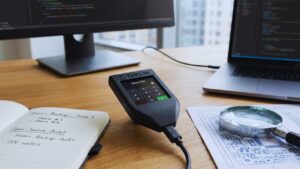
Trezor, created by SatoshiLabs, was the first hardware wallet ever made, and the Model T is their premium flagship device. The biggest selling point for Trezor is trust through total transparency. The hardware and software are fully open-source, meaning security researchers around the world can audit the code to ensure there are no backdoors or hidden vulnerabilities. The Model T features a large color touchscreen, which is a massive security upgrade over button-based models. On devices without screens, you might have to type your recovery phrase into a computer keyboard, which could be tracked by keyloggers. With the Model T, you enter your PIN and recovery phrase directly on the device’s screen, keeping it away from your computer entirely. It also supports Shamir Backup, a feature that lets you split your recovery seed into multiple unique shares for redundancy.
| Feature | Detail |
| Security Type | Open Source Firmware & Hardware |
| Interface | Color Touchscreen |
| Backup Type | Shamir Backup (SLIP-39) |
| Connectivity | USB-C (No Bluetooth) |
| Price Tier | Premium ($200+) |
3. Tangem Wallet – The Card-Shaped Innovator
Tangem is shaking up the market with a wallet that looks exactly like a generic bank card, offering a refreshing take on usability. There are no batteries to charge, no cables to lose, and no fragile screens to break. You simply tap the card against your smartphone using NFC (Near Field Communication) to access your funds and sign transactions. It is incredibly durable—you can practically run it over with a car or submerge it in water, and it will still work perfectly. The security lies in its simplicity and its chip; the card contains an EAL6+ certified chip, which is an even higher standard than many competitors. When you set it up, the card generates the keys, and for maximum security, Tangem offers an option where even you don’t see the seed phrase—the keys live and die on the card, preventing phishing attacks completely.
| Feature | Detail |
| Form Factor | Credit Card Size (NFC) |
| Security Chip | EAL6+ Certified |
| Durability | IP68 (Water & Dust Proof) |
| Backup | Additional Backup Cards (2 or 3 pack) |
| Battery | None (Powered by NFC) |
4. Ngrave Zero – The “Coldest” Wallet
If you are paranoid about security, the Ngrave Zero is your device; it markets itself as the “coldest wallet” because it is 100% air-gapped. It has no USB port, no Bluetooth, and no WiFi capability whatsoever, meaning it physically cannot connect to the internet. The only way it communicates with the outside world is through QR codes. You scan a code on the device with your phone to initiate a transaction, and scan a code on your phone with the device to sign it. Built with high-end materials, it feels like a premium military gadget and boasts an EAL7 certification—the highest in the industry. It also comes with the “Graphene” backup system, which consists of two stainless steel plates that allow you to punch in your recovery seed, making your backup fireproof and water-resistant right out of the box.
| Feature | Detail |
| Air-Gap Tech | 100% Offline (QR Codes only) |
| Security Certification | EAL7 (Highest in industry) |
| Build Quality | Military Grade Metal |
| Operating System | Custom Secure OS (No Android) |
| Biometrics | Fingerprint Scanner |
5. Ellipal Titan 2.0 – The Air-Gapped Fortress
Similar to Ngrave, the Ellipal Titan 2.0 is designed to be completely isolated from the internet, functioning as a true air-gapped device. It resembles a small, rugged smartphone and is built with a solid metal casing that is fully sealed to prevent physical tampering. There are no ports to plug anything in; it relies solely on its camera and QR codes for data transmission. A standout feature is its anti-tamper self-destruct mechanism. If the sensors detect that someone is trying to physically force the case open to mess with the circuits, the device will automatically wipe all data inside. This makes physical theft much less valuable to a hacker. It offers a smooth user experience with a large touchscreen, making it easy to verify transaction details visually before you sign anything.
| Feature | Detail |
| Tamper Proofing | Anti-disassembly Self-Destruct |
| Connectivity | None (QR Code Air-gap) |
| Housing | Fully Sealed Metal Case |
| Screen | 4-inch IPS Touchscreen |
| Backup | Mnemonic Phrase + Passphrase |
6. SafePal S1 – The Budget-Friendly Choice
Backed by Binance Labs, the SafePal S1 brought hardware security to the masses at an incredibly low price point, often retailing under $50. Despite the low cost, it doesn’t skimp on safety protocols. It is a completely air-gapped device that uses a camera and screen for QR code communication, similar to the more expensive Ellipal. It supports an enormous range of cryptocurrencies, specifically excelling with tokens on the Binance Smart Chain and Ethereum networks. The device itself is credit-card sized and light, feeling a bit more “plasticky” than a Ledger or Trezor, but it includes a self-destruct mechanism against malware and physical attacks. For beginners who want to get their coins off an exchange without spending hundreds of dollars, this is a solid, functional entry point into cold storage.
| Feature | Detail |
| Price Point | Budget (<$50) |
| Backing | Binance Labs |
| Air-Gap | Yes (QR Code mechanism) |
| Mobility | Ultra-thin and portable |
| Self-Destruct | Yes (Anti-tamper sensors) |
The 6 Best Software Wallets for Speed and Utility
Sometimes you need speed and flexibility more than deep cold storage. If you are buying an NFT during a mint, trading on Uniswap, or just want quick access to your balance, a hardware wallet can feel clunky. Software wallets live on your phone or browser, making them the “daily drivers” of crypto. While they are inherently riskier than cold storage because of their internet connection, the ones listed below have implemented robust features to make them the Best Crypto Wallets for Security in the software category.
7. MetaMask – The Gateway to Web3
MetaMask is the undisputed king of Ethereum and EVM-compatible chains, boasting millions of monthly active users. It is available as a browser extension and a mobile app, and nearly every Decentralized Application (dApp) connects to MetaMask by default. While it is a hot wallet, its security features are robust if used correctly. It allows you to adjust gas fees and, crucially, connects seamlessly with hardware wallets like Ledger and Trezor. This means you can use the smooth MetaMask interface for its convenience while keeping your keys safe on a hardware device—a “hybrid” setup that offers the best of both worlds. However, because it is so popular, it is also the biggest target for phishing scams, so users must be hyper-vigilant about which websites they connect to.
| Feature | Detail |
| Platform | Browser Extension & Mobile |
| Network | Ethereum & EVM Chains |
| Hardware Support | Ledger, Trezor, Keystone, Lattice |
| License | Open Source elements |
| Primary Use | DeFi & NFT Minting |
8. Exodus – The Best Design for Beginners
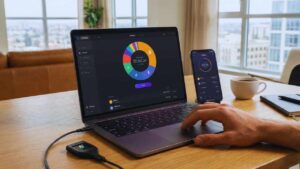
Exodus is visually stunning, designed specifically to be the most user-friendly wallet on the market. The interface is sleek, dark-mode friendly, and incredibly intuitive, making it perfect for people who find crypto charts and numbers confusing. It runs on desktop and mobile and syncs between the two effortlessly. Security is handled via local encryption, meaning your private keys and transaction data are stored on your device, not in the cloud. Exodus also integrates with the Trezor hardware wallet, allowing for a safer storage option within the same pretty interface. It has a built-in exchange feature, so you can swap Bitcoin for Ethereum without leaving the app, though the fees for this convenience can be slightly higher than a regular exchange.
| Feature | Detail |
| User Interface | Award-winning design |
| Customer Support | 24/7 Human Support |
| Asset Support | 260+ Cryptocurrencies |
| Exchange | Built-in Swap feature |
| Encryption | Local Client-Side Storage |
9. Trust Wallet – The Mobile Powerhouse
Acquired by Binance, Trust Wallet is a mobile-first wallet that supports a staggering number of blockchains—over 65 distinct chains and millions of assets. If you hold a variety of obscure altcoins or meme coins, this is likely the wallet you need. Trust Wallet is open-source and non-custodial, giving you full control. It includes a built-in Web3 browser (on Android) and interacts easily with WalletConnect on iOS. Security features include biometric authentication (FaceID/TouchID) to open the app and sign transactions. It also has a recently added built-in security scanner that warns you if you are interacting with a known malicious address or high-risk contract, helping you avoid common scams.
| Feature | Detail |
| Chain Support | 65+ Blockchains (Multi-chain) |
| Ownership | Official Binance Wallet |
| Features | Staking, Swapping, NFT support |
| Access | Biometric Security |
| Scanner | Built-in Risk Scanner |
10. Coinbase Wallet – Secure & Standalone
Do not confuse this with the standard Coinbase app (the exchange). The Coinbase Wallet is a standalone, self-custody product where Coinbase has no access to your funds. It leverages “Secure Enclave” technology on mobile devices to protect your private keys at a hardware level within your phone. It also offers support for Ledger hardware wallets, adding another layer of safety. One of its standout features for security is the ability to back up your recovery phrase to Google Drive or iCloud—encrypted with a password only you know. This is helpful for users who are terrified of losing their piece of paper, though it does add a slight theoretical risk if your cloud account is compromised, so use a strong password.
| Feature | Detail |
| Custody | Self-Custody (Not the Exchange) |
| Security Tech | Secure Enclave |
| Backup | Encrypted Cloud Backup Option |
| Hardware | Ledger Support |
| Assets | Supports ETH, BTC, SOL, and more |
11. Zengo – The Keyless Security Model
Zengo is fascinating because it eliminates the biggest headache in crypto: the seed phrase. Instead of a list of 24 words that you can lose or have stolen, Zengo uses Multi-Party Computation (MPC). With MPC, the private key is split into two secret “shares.” One share is stored on your device, and the other is stored on Zengo’s servers. Both are needed to sign a transaction, but they never meet, meaning there is no single point of failure. If you lose your phone, you can recover your wallet using a 3-factor authentication process involving your email, a recovery file, and a face scan. It is a brilliant solution for people who don’t trust themselves to safeguard a physical paper backup.
| Feature | Detail |
| Key Management | MPC (No Seed Phrase) |
| Recovery | 3FA (Email + File + FaceScan) |
| Support | 24/7 In-app support |
| Security | Firewall & Web3 Shield |
| Ease of Use | Beginner Friendly |
12. Rabby Wallet – The Security-First Browser Extension
Rabby is quickly becoming a favorite for DeFi power users, often replacing MetaMask for those who transact frequently. Created by the DeBank team, it was built specifically to solve the “blind signing” problem where users agree to transactions they don’t understand. Before you sign anything, Rabby scans the transaction and tells you exactly what it will do in plain English (e.g., “You are giving this contract permission to spend all your USDC”). It alerts you if the contract has been hacked previously or if the address is new and untrusted. For active traders, this pre-transaction screening is a game-changer for avoiding phishing scams and draining contracts.
| Feature | Detail |
| Focus | Pre-transaction Security |
| Simulation | Shows balance change before signing |
| Chain Switch | Automatic chain switching |
| Audit | Security Audited |
| Platform | Browser Extension / Desktop |
Critical Security Factors We Ranked These Wallets By
You might be wondering how we actually ranked these. It’s not just about which one has the coolest design or the best marketing. When evaluating the Best Crypto Wallets for Security, we looked at five non-negotiable criteria. Understanding these will help you spot a good wallet from a bad one in the wild.
- Private Key Ownership (Non-Custodial): This is the baseline requirement. If the wallet does not give you full control over your private keys (or seed phrase), it is not a wallet; it is a bank account. All 12 wallets listed above are non-custodial. You are the only person on earth who can access the funds.
- Security Certifications (EAL Ratings): For hardware wallets, we look for Evaluation Assurance Level (EAL) ratings. This is an international standard for security chips. EAL5+ is the standard for banking and credit cards (Ledger, SafePal), while EAL6+/7 represents military-grade protection (Tangem, Ngrave). The higher the number, the harder it is for a sophisticated hacker to physically extract data.
- Open Source Code: In crypto, “proprietary” is often a dirty word. If the code is open source (like Trezor or Trust Wallet), thousands of developers can review it to ensure there are no hidden backdoors or bugs. Closed-source wallets (like Ledger) require you to trust the company’s reputation.
- Supply Chain Integrity: How does the device get to you? We favor companies that have tamper-evident packaging and strict shipping protocols. Some high-end wallets even verify the firmware authenticity the moment you turn them on to ensure the device wasn’t intercepted.
- Reputation and History: Time is the ultimate test. A wallet that has existed for ten years without a critical hack scores higher than a brand-new release. We also consider how companies handle controversies and vulnerabilities.
| Factor | Description | Why It Matters |
| Non-Custodial | You hold the keys. | Prevents 3rd party seizure. |
| EAL Rating | Chip hardness level. | Prevents physical hacking. |
| Open Source | Code is public. | Verifies “no backdoors”. |
| 2FA / Bio | FaceID or PINs. | Stops unauthorized access. |
5 Golden Rules for Securing Your Crypto in 2025
Buying one of the Best Crypto Wallets for Security is only half the battle. The other half is you. Most crypto is lost not because the device failed, but because the human made a mistake. Here are the rules you must live by to ensure your funds stay yours.
- Rule 1: The Seed Phrase is God. Your 12 or 24-word recovery phrase is your money. If you lose the device, the phrase brings your money back. If you lose the phrase, the money is gone forever. Never type this phrase into a computer, take a photo of it, or save it in a password manager. Write it on paper (or steel) and lock it away.
- Rule 2: Use a “Burner” Wallet. Don’t connect your life savings to a random NFT website. Keep your main holdings in a “Cold” hardware wallet that never touches dApps. Send small amounts to a separate “Hot” wallet (like MetaMask) for daily trading. If the hot wallet gets drained, your savings remain untouched.
- Rule 3: Verify the Device Source. Never, ever buy a hardware wallet from eBay, Amazon, or a third-party reseller. Scammers can open the box, tamper with the device, and reseal it. Always purchase directly from the manufacturer’s official website.
- Rule 4: Test Your Backup First. When you get a new wallet, set it up, generate a seed phrase, and send $5 to it. Then, wipe the device completely. Try to restore it using your seed phrase. If the $5 reappears, your backup works. Do not load your life savings until you have done this fire drill.
- Rule 5: Use Passphrases (The “25th Word”). Most hardware wallets allow you to add a custom passphrase to your seed phrase. This creates a completely hidden wallet. Even if someone finds your 24 words, they can’t access your funds without the passphrase you memorized. It is an advanced feature, but it offers the ultimate protection against physical wrench attacks.
| Rule | Action Required | Risk Mitigated |
| Seed Phrase | Store offline on paper/steel. | Cloud hacks & Malware. |
| Burner Wallet | Separate savings from spending. | Malicious Smart Contracts. |
| Source Check | Buy from Official Site only. | Supply Chain Attacks. |
| Wipe Test | Restore wallet before loading. | User Error / Bad Backup. |
Final Thoughts
The journey to finding the Best Crypto Wallets for Security ultimately leads to a personal choice about trade-offs. If you want a fortress that rivals a Swiss bank vault and you have significant assets to protect, go with a Trezor Model T or Ngrave Zero. If you want a balanced device that lets you move fast in the market while staying safe, the Ledger Nano X is hard to beat.
And if you are just starting out, getting comfortable with Exodus or Tangem is a massive step up from leaving your coins on an exchange. The crypto market in 2025 is more mature, but the predators are smarter too. Security isn’t something you do once; it’s a habit. Take the time to set up your wallet correctly, secure your seed phrase like it’s a family heirloom, and never get complacent. Your future self will thank you for taking action today.