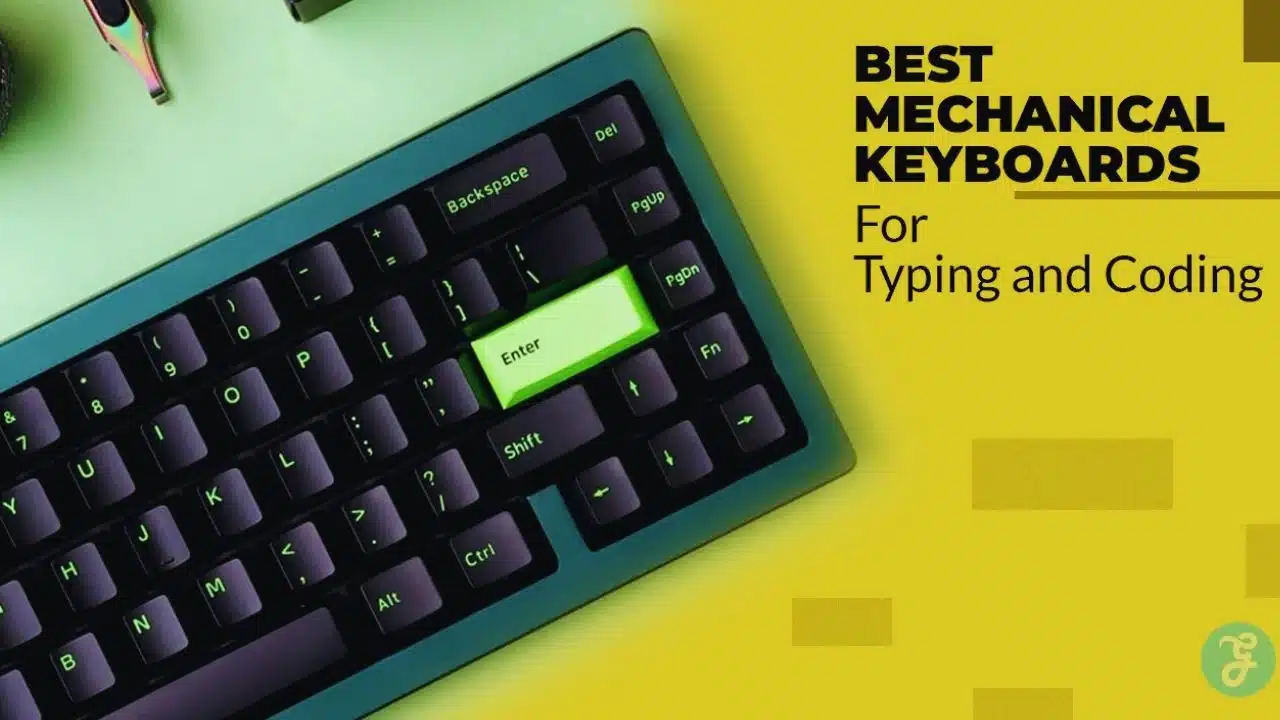
If you code for hours, your keyboard shapes your whole day. A good one makes typing feel steady, keeps mistakes down, and helps you stay in flow. A bad one turns small annoyances into constant distractions. This guide is for people who want a clean, work-first keyboard. No flashy gamer design. No loud, attention-grabbing sound. Just solid typing, smart layouts, and features that help in real work.
If you are hunting for the best mechanical keyboard for programming, start with the basics. Pick a layout you can live with. Choose a switch that matches your workspace. Then look at build quality and remapping. You will find 10 strong options below, plus clear buying advice so you do not waste money on the wrong size or the wrong feel.
How We Chose the Best Mechanical Keyboards for Typing and Coding?
A keyboard review should not be a beauty contest. For coding and writing, the best board is the one that feels consistent, stays comfortable, and does not fight your workflow. That is why we focused on practical details that show up during daily use. First, we looked at typing feel over long sessions. A keyboard can feel nice for five minutes and still tire your hands after two hours. Key stability, smooth travel, and clean stabilizers matter more than fancy marketing terms.
Second, we considered layout choices that programmers actually use. Many people want arrow keys, quick access to function keys, and a navigation cluster. Others need a numpad for data work. We included a range of layouts so you can match the board to your routine. Third, we weighed noise and office-friendliness. Clicky switches can be fun, but they can also annoy coworkers or family fast. We favored boards that offer tactile, linear, or quiet switch options, and we noted where you may need a quieter setup.
Fourth, we checked build and keycap quality. Better cases reduce flex. Better keycaps keep their texture longer. Better stabilizers stop the spacebar from sounding cheap. Finally, we looked at productivity features. Remapping, layers, macros, and multi-device support can save time every single day. Those features matter most when they are simple and reliable.
| Selection Factor | What We Looked For | Why It Helps Daily Work |
| Typing feel | Stable keys, smooth travel, good stabilizers | Less fatigue and fewer distractions |
| Layout | Useful arrows, function row options, smart compact sizes | Faster navigation in code and documents |
| Noise | Quiet-friendly switches and cleaner sound | Better for shared spaces and calls |
| Build quality | Solid case, decent mounting, consistent fit | More comfort, fewer rattles |
| Productivity features | Remapping, macros, multi-device support | Saves time and supports workflow habits |
Quick Comparison Table
This section helps you shortlist fast. Do not treat it like a final answer. Use it to pick two or three candidates, then read the detailed notes below. You will notice a pattern. Compact productivity sizes often win for coding because they free desk space for your mouse and reduce shoulder reach. Full-size wins when you need a numpad daily. Low-profile wins when you travel or prefer a slimmer typing angle.
Also remember this. Two keyboards can share the same size and still feel different. Keycaps, stabilizers, plate design, and factory tuning change the final experience more than most beginners expect.
| Model | Best For | Layout | Connection Type | Hot Swap | Noise Range |
| Keychron Q5 Max | Best all-round work board | 96% | Wired, Bluetooth, 2.4 | Yes | Low to medium |
| Keychron Q1 Max | Premium compact setup | 75% | Wired, Bluetooth, 2.4 | Yes | Low to medium |
| NuPhy Air75 V2 | Portable low-profile work | 75% | Wired, Bluetooth, 2.4 | Varies | Low to medium |
| Logitech MX Mechanical | Office simplicity | Full or compact | Bluetooth | No | Low |
| Leopold FC750R | Pure typing reliability | TKL | Wired | No | Low to medium |
| Ducky One 3 TKL | Easy switch changes | TKL | Wired | Yes | Medium |
| Varmilo VA87M | Great caps and feel | TKL | Wired | No | Low to medium |
| Das Keyboard 4 Pro | Full-size productivity | Full | Wired | No | Medium |
| Realforce R3 | Quiet premium feel | TKL | Wired, Bluetooth | No | Low |
| Keychron Q11 | Split ergonomics | Split 75% | Wired | Yes | Low to medium |
| Quick Tip | What It Means | Simple Action |
| Pick layout first | Size decides comfort and speed | Choose 75%, TKL, 96%, or full-size |
| Pick switch second | Switch decides feel and noise | Tactile or quiet is safest |
| Features last | Do not pay for what you will not use | Focus on remapping if you need it |
Best Mechanical Keyboard for Programming: What to Look For?

If you want one rule that saves you money, it is this. Choose the keyboard around your work habits, not around hype. The “best” board is the one that fits your daily tasks and your environment. Start with layout. If you use arrow keys constantly, do not buy a tiny board that hides them behind a layer. If you do number work, do not force yourself into a layout without a numpad. Layout is the biggest comfort decision you will make.
Then pick your switch style. Tactile switches give feedback that many typists like for accuracy. Linear switches feel smooth and fast, but you might press keys by accident until you adjust. Quiet switches help the most in shared spaces, especially during calls. After that, check remapping and shortcuts. Many programmers remap Caps Lock, change layers, or set macros for repeated commands. If you enjoy that kind of setup, choose a keyboard that makes remapping easy and stable.
Next, pay attention to keycaps and stabilizers. Keycaps affect grip, sound, and long-term wear. Stabilizers affect the feel of the spacebar and large keys. Those big keys get pressed all day. If they rattle, the whole board feels worse. Finally, consider comfort and posture. A keyboard that sits too high can strain wrists. A compact board can reduce shoulder reach. A split board can help some people keep a more natural arm position.
| What To Look For | Why It Matters | Best Choice For Most People |
| Layout fit | Reduces strain and speeds navigation | 75% or TKL |
| Switch noise | Keeps your space calm | Tactile or quiet |
| Remapping | Improves shortcuts and workflow | Easy remap support |
| Keycaps | Better grip and longer wear | Durable textured caps |
| Stabilizers | Stops rattles on big keys | Clean, stable large keys |
The 10 Best Mechanical Keyboards for Typing and Coding (Non-Gaming)
This list focuses on real work. Each pick aims to give you a better typing day, not a louder desk. You will see options for compact desks, quiet offices, travel setups, and ergonomic needs. If your main goal is the best mechanical keyboard for programming, you should also think long-term. A great keyboard is one you keep enjoying after the first week. That means stable feel, reliable connection, and a layout you do not resent. Below, each model includes a clear fit and a clear trade-off. No keyboard is perfect. The goal is to pick the one that fits your priorities.
| Model | Best Use Case | Strong Point | Trade-Off |
| Keychron Q5 Max | Mixed coding and number work | Great all-round balance | Heavy on a backpack |
| Keychron Q1 Max | Compact premium desk | Strong feel and features | Not the cheapest |
| NuPhy Air75 V2 | Travel and laptop pairing | Slim and flexible | Low-profile feel is unique |
| Logitech MX Mechanical | Office plug-and-play | Quiet, simple multi-device | Limited deep customization |
| Leopold FC750R | Pure typing focus | Reliable feel and caps | No wireless, no hot swap |
| Ducky One 3 TKL | Switch experimenting | Hot swap and solid build | Wired only |
| Varmilo VA87M | Comfort plus style | Great keycaps and sound | Less focus on power features |
| Das Keyboard 4 Pro | Full-size desk hub | Media control and hub | Large footprint |
| Realforce R3 | Quiet premium | Soft, controlled feel | Higher cost |
| Keychron Q11 | Ergonomic split | Flexible positioning | Takes time to adapt |
1) Keychron Q5 Max
Why It Works for Typing and Coding?
The Q5 Max suits people who want one keyboard for everything. It keeps a compact footprint but still gives you a numpad, which is useful for data work, spreadsheet shortcuts, and quick numeric entry. That layout also helps when you code and do admin tasks in the same day.
Typing Feel and Daily Comfort
This keyboard tends to feel stable and consistent across the board. Large keys feel more controlled than many stock boards, which matters when you hit Enter and Backspace all day. The weight helps it stay planted, so it does not slide around during fast typing.
Features That Help Work
It supports multiple connection modes, which is handy if you switch between a laptop and desktop. Remapping support also matters for coding habits, like changing Caps Lock, setting a navigation layer, or building a macro row for frequent commands.
Who Should Buy It?
Choose this if you want a premium work board that can handle both coding and numbers. It is also a good fit if you like compact boards but refuse to give up a numpad.
| Key Points | Summary |
| Layout value | Compact board with numpad |
| Comfort | Stable typing feel for long sessions |
| Workflow help | Strong remapping and shortcut potential |
| Best fit | Coders who also do number-heavy tasks |
2) Keychron Q1 Max
Why It Works for Typing and Coding?
The Q1 Max is a 75% layout, which many programmers love. You keep arrows and key functions in a tidy footprint. It feels natural for coding because you can navigate lines and files without awkward layers for basic movement.
Typing Feel and Sound
A well-tuned 75% board can sound cleaner than budget boards, even without modifications. This model often aims for a more controlled sound profile, which makes it easier to live with during calls or shared rooms.
Daily Features
The 75% size also reduces mouse reach, which can help shoulder comfort over time. Remapping support is useful if you want a custom layer for navigation, window control, or editor commands.
Who Should Buy It?
Pick this if you want a compact premium keyboard that still feels “complete” for work. It is ideal for people who want a neat desk and a serious typing experience.
| Key Points | Summary |
| Layout | 75% with practical keys |
| Sound | Cleaner, more controlled typing tone |
| Comfort | Less mouse reach on smaller desks |
| Best fit | Coders who want a compact premium board |
3) NuPhy Air75 V2
Why It Works for Typing and Coding?
The Air75 V2 targets people who want a slim keyboard for work, travel, or laptop setups. Low-profile boards sit closer to the desk, which can feel more natural if you do not like tall key heights.
Typing Experience
Low-profile switches feel different from standard switches. The travel is shorter, and the bottom-out feels quicker. Some people type faster on this style. Others need a week to adjust. It works best when you type lightly and prefer a crisp, quick press.
Work-Friendly Value
It pairs well with multi-device setups, so you can move between machines without changing your routine. That matters if you work on a laptop, then dock at a desk later.
Who Should Buy It?
Choose this if you want a portable work keyboard that still feels mechanical. It is also a strong pick for minimalist desk setups where space and cable control matter.
| Key Points | Summary |
| Profile | Slim and travel-friendly |
| Feel | Short travel, quick bottom-out |
| Flexibility | Great for multi-device work |
| Best fit | People who travel or use laptops often |
4) Logitech MX Mechanical
Why It Works for Typing and Coding?
This keyboard is built for office routines. It is easy to set up, easy to switch between devices, and usually quieter than many enthusiast boards. It is not meant to be a hobby project. It is meant to be a daily tool.
Typing Comfort
The low-profile design can reduce wrist extension for some users. That can make long typing sessions feel easier if you dislike tall keyboard frames. Many people also like the predictable feel, especially if they do not want to think about tuning or modifications.
Workflow Benefits
Fast device switching helps when you use a laptop and a desktop or when you jump between work and personal devices. It also fits well in clean, professional desks without drawing attention.
Who Should Buy It?
Pick this if you want a dependable office keyboard with a mechanical feel and simple controls. It is a strong option for people who value convenience over deep customization.
| Key Points | Summary |
| Setup | Simple and fast |
| Noise | Generally office-friendly |
| Multi-device | Easy switching between machines |
| Best fit | Office users and minimalist setups |
5) Leopold FC750R
Why It Works for Typing and Coding?
Leopold boards have a reputation for reliability and strong typing feel. This TKL layout keeps your desk cleaner than full-size and still gives you arrows and function access without heavy reliance on layers.
Typing Feel
Many people buy Leopold for the “just type” experience. Keys feel stable, and the overall sound is often more controlled than typical entry-level boards. It is a good choice if you want a steady, classic keyboard for years.
What You Give Up?
You will not get wireless, and you will not get easy switch swapping. That is the trade. This is for people who want consistency more than experimentation.
Who Should Buy It?
Choose it if you want a work-focused TKL with strong key feel and long-term dependability. It is especially good if you do not need wireless.
| Key Points | Summary |
| Focus | Typing quality and stability |
| Layout | TKL for coding comfort |
| Trade-off | Fewer modern extras |
| Best fit | People who want a reliable daily driver |
6) Ducky One 3 TKL
Why It Works for Typing and Coding?
The One 3 series is a popular step into enthusiast-friendly features without being complicated. TKL fits coding well, and hot swap makes it easier to tailor the keyboard later.
Hot Swap Advantage
Hot swap matters if you are still learning your preferences. You can try tactile, linear, or quiet switches without buying a new keyboard. It also helps if a switch ever fails, since replacement is simpler.
Typing and Build
This model aims to balance mainstream build quality with a solid typing feel. Many users also like the included caps and the general fit of the board for daily use.
Who Should Buy It?
Pick this if you want a safe, well-known TKL that you can adjust over time. It is a practical choice for people who want flexibility without diving into custom builds.
| Key Points | Summary |
| Flexibility | Hot swap supports switch changes |
| Layout | TKL suits coding and typing |
| Comfort | Balanced daily typing experience |
| Best fit | Beginners and switch explorers |
7) Varmilo VA87M

Why It Works for Typing and Coding?
Varmilo is popular among typists who care about feel and keycap quality. This keyboard often appeals to people who want something that looks calm and feels premium without needing modifications.
Typing Feel
A good VA87M setup feels steady and satisfying. The sound is often smoother than basic boards, and many users like the texture of the caps for long typing sessions. It also tends to feel “complete” out of the box.
Work Style Fit
It fits offices well because many designs avoid loud styling. It works for programmers, writers, and editors who want a pleasant keyboard that does not scream for attention.
Who Should Buy It?
Choose it if you want a typing-first TKL with great keycaps and a refined feel. It is ideal for people who want comfort and aesthetics together.
| Key Points | Summary |
| Keycaps | Strong texture and comfort |
| Feel | Smooth, stable typing experience |
| Look | Calm, work-friendly designs |
| Best fit | Typists who want comfort and style |
8) Das Keyboard 4 Professional
Why It Works for Typing and Coding?
Some people still prefer full-size, especially if they do more than code. This model suits desk setups where the keyboard acts like a control center. Extra controls can speed up media and daily desk tasks.
Typing and Desk Utility
Full-size gives you a numpad and familiar spacing. That helps if you use numeric entry, shortcuts, or certain software workflows. Desk utilities like dedicated controls can also reduce mouse movement for volume and playback.
Who It Fits Best?
This is for people who want a full-size board that feels like a serious office tool. It is less about customization and more about daily utility.
Trade-Off
It takes space. If your desk is small, the wider footprint can push your mouse farther out and increase shoulder reach.
| Key Points | Summary |
| Layout | Full-size productivity |
| Desk value | Extra controls for daily use |
| Trade-off | Larger footprint |
| Best fit | Desk users who want full-size utility |
9) Realforce R3
Why It Works for Typing and Coding?
This is a premium option for people who want a quieter, refined feel. The key press sensation differs from typical mechanical switches, and many typists describe it as controlled and smooth, especially over long sessions.
Typing Comfort
The feel can reduce harsh bottom-out for some users. That can make long writing or coding sessions feel less tiring. It also tends to suit people who want a cleaner sound profile.
Who Should Buy It?
Choose it if you want a quiet, high-end keyboard and you care more about typing comfort than customization. It is not the cheapest route, but it can be a long-term favorite.
Trade-Off
The feel is unique. If you can, test this style before committing, or buy from a place with an easy return process.
| Key Points | Summary |
| Feel | Premium and controlled key press |
| Noise | Often quieter than many boards |
| Value | Long-term comfort focus |
| Best fit | Typists who want a quiet premium board |
10) Keychron Q11
Why It Works for Typing and Coding?
The Q11 gives you a split layout without forcing you into a complex build. Split keyboards let you place each half where your arms naturally rest. That can help shoulder position and wrist angle for some people.
Adjustment Period
Split typing takes time. Your brain and hands need a few days to a few weeks, depending on how you type. Once it clicks, many users find it easier to stay comfortable during long sessions.
Work Benefits
A split board can also create more space in the center for trackpads, notebooks, or a pointing device. It can feel cleaner and more flexible on a busy desk.
Who Should Buy It?
Choose this if comfort is your top priority and you are willing to adapt. It is a strong option for people who type all day and want a more natural arm position.
| Key Points | Summary |
| Ergonomics | Split layout supports better positioning |
| Learning curve | Takes time to adapt |
| Desk use | Flexible placement and more center space |
| Best fit | People with long typing days |
Common Mistakes to Avoid
Most keyboard regrets come from three issues. The layout does not match your work. The switches are too loud for your environment. Or the keyboard feels cheap because large keys rattle. Do not buy a tiny layout if you rely on arrows and function keys daily. Layers can work, but they slow you down if you constantly reach for them. Start with a balanced size and only go smaller if you truly want it. Do not buy loud switches for shared spaces. Even if you love the sound, other people may not. Quiet or tactile options usually keep peace without ruining typing feedback.
Do not ignore stabilizers and keycap quality. A keyboard can have good switches and still feel annoying if the spacebar shakes or the Enter key rattles. Finally, do not overpay for features you will never use. If you never remap keys, you do not need deep customization. If you do remap, make sure it is easy to do without fighting software.
| Mistake | Why It Hurts | Better Choice |
| Too-small layout too soon | Slows navigation and editing | Start with 75% or TKL |
| Loud switches in shared spaces | Distracts others and you | Use tactile or quiet switches |
| Ignoring stabilizers | Big keys feel cheap | Look for stable large keys |
| Paying for unused features | Wasted budget | Match features to habits |
Final Thoughts
If you want the best mechanical keyboard for programming, do not chase one perfect model. Chase the best fit for your routine. Layout comes first because it shapes comfort and speed. Switches come next because they shape feel and noise. Build and remapping come last because they shape long-term satisfaction. For many people, a compact work layout like 75% or TKL hits the sweet spot.
It keeps arrows and common keys while freeing desk space. If you do numeric work, a compact board with a numpad can be the smarter long-term choice. Also think about your environment. If you take calls or share a room, quieter setups will make your workdays smoother. If comfort is a concern, a split option can be worth the learning curve.