Cloud gaming looks simple from the outside. You press a button, the game runs on a server, and a video stream comes back to your screen. But the “feel” of the game depends on one thing more than almost anything else: cloud gaming latency in 2026. People are not asking for magic. They want the game to respond at the moment they act.
So, did we finally “solve” the speed of light? No. Physics still sets a hard floor, especially when the server is far away. Light travels slower in fiber than in a vacuum, and a common engineering rule of thumb is about 5 microseconds per kilometer, which becomes about 5 milliseconds one-way per 1,000 kilometers before you even add routing and equipment delays.
What has changed is everything around that floor. Better edge networks, smarter congestion control, improved Wi-Fi, and tighter video pipelines can make cloud gaming feel dramatically better for many players. In some homes and some cities, it can feel close to local play. In others, it still feels mushy, especially in competitive shooters and fighting games.
This article breaks down what is happening now, what is marketing, what is measurable, and what you can do at home to get the best results.
Quick Reality Check: Is Cloud Gaming “Low Latency” Yet In 2026?
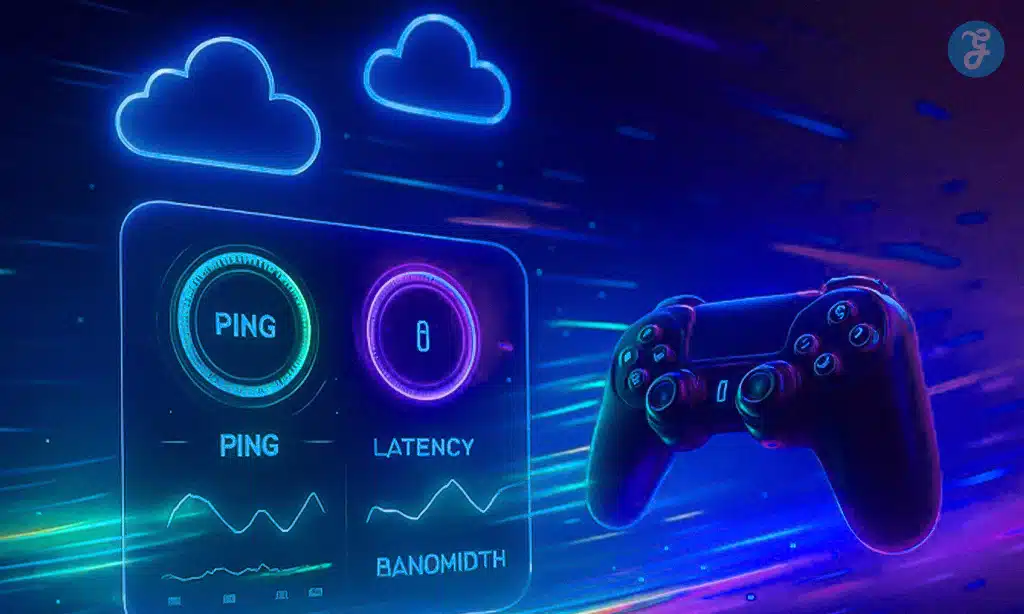
Cloud gaming can be low latency today for the right person in the right place. But it is not universally low latency, and it does not behave like a console in every scenario.
The big shift is consistency. Many users are no longer fighting constant spikes caused by home Wi-Fi chaos, overloaded routers, or bufferbloat. Network-level ideas like L4S aim to reduce queueing delay under load while keeping throughput high. The IETF’s L4S architecture is designed specifically around low queueing latency and scalable throughput.
Still, physics and geography matter. If you are far from a service region, the best tuning in the world cannot remove propagation delay. What it can do is stop the delay from getting worse when the network is busy.
What “Good” Looks Like In Practice
| Question People Ask | What Matters Most | Plain Answer |
|---|---|---|
| “Is my internet fast enough?” | Stability, not peak Mbps | A stable line beats a fast but spiky one |
| “Why do I feel lag at 15 ms ping?” | Encode, decode, display lag | Ping is only one slice of total delay |
| “Can cloud feel like a console?” | Server distance + jitter control | Sometimes, in the best paths and setups |
The Latency Pipeline: Where Delay Actually Comes From
Most people reduce the problem to ping. That is understandable. Ping is visible. But cloud gaming latency is a chain. Every link adds time, and a few links are outside your control.
A useful way to think about it is “button to pixels.” Your input travels out, the game simulates a new state, a frame gets rendered and encoded, and the video frame travels back, gets decoded, and is shown on your display. If any part stalls, your brain notices.
Button-To-Pixels, Step By Step
Key contributors usually include:
-
Input device delay (wired vs Bluetooth, polling rate, firmware)
-
Local device overhead (OS scheduling, background tasks)
-
Home network delay (Wi-Fi interference, router buffering)
-
ISP last-mile behavior (congestion at peak hours)
-
Wide-area routing (distance and peering choices)
-
Data center or edge node queueing
-
Game simulation tick and render pipeline timing
-
Video capture and encoding time
-
Transport buffering to smooth jitter
-
Video decoding time
-
Display latency (TV processing, refresh rate, game mode)
Academic work on cloud gaming latency highlights that many factors combine, not just the network path.
The Metrics People Confuse
-
Ping or RTT tells you round-trip network delay, not the full experience.
-
Jitter tells you how much that delay varies.
-
Packet loss tells you how often data has to be resent or concealed.
-
Motion-to-photon tells you what you feel, because it covers the pipeline end to end.
Latency Components And What You Can Control
| Component | Typical Cause | Can You Improve It? |
|---|---|---|
| Wi-Fi jitter | Interference, weak signal | Yes, often a lot |
| Router queueing | Bufferbloat under load | Yes, with QoS/SQM |
| Server distance | Geography, region support | Sometimes, by choosing regions |
| Encode/decode time | Hardware and settings | Sometimes, with device upgrades |
| Display lag | TV processing | Yes, via game mode or monitor |
The Physics: Have We “Solved” The Speed Of Light?
We have not. What we have done is shrink the parts we can shrink, and hide the parts we cannot.
Light travels slower in optical fiber than in a vacuum because of the fiber’s refractive index. A common rule of thumb in single-mode fiber is roughly 4.9 to 5 microseconds per kilometer. That becomes:
-
100 km one-way: about 0.5 ms propagation
-
1,000 km one-way: about 5 ms propagation
-
2,000 km one-way: about 10 ms propagation
That is just propagation. Real internet routes are not straight. They detour through metro hubs. They cross peering points. They add router and switch delays. And under load, queues build and add extra time.
Why A “Great Ping” Can Still Feel Bad
Ping does not include:
-
Video encoding time
-
Video decoding time
-
Buffering used to smooth jitter
-
Display processing delay
A fast connection paired with a slow TV can still feel laggy. A solid wired home setup paired with a distant server can also still feel laggy.
Propagation Reality In Plain Numbers
| Distance To Server (One Way) | Fiber Propagation Rule Of Thumb | What It Means For Feel |
|---|---|---|
| 300 km | ~1.5 ms | Often fine if stable |
| 1,000 km | ~5 ms | Still workable, depends on game |
| 2,000 km | ~10 ms | Competitive games get harder |
| 4,000 km | ~20 ms | Many players feel it clearly |
These are best-case propagation estimates based on common fiber latency rules of thumb.
What Changed From 2024 To 2026 That Actually Helped
The biggest improvements are not one “silver bullet.” They are multiple smaller wins that stack.
Edge Compute And MEC: Moving The Game Closer
Edge computing reduces distance by placing compute nearer to users, often in metro areas rather than a few giant central data centers. The closer the server, the lower the propagation delay, and the more room you have for encode, decode, and buffering without making the game feel sluggish.
This is one reason some users report big differences between regions, even within the same country. It is also why you may see a service feel great in one city and mediocre in another.
L4S And Queueing Control: Fighting Latency Spikes
Many “lag spikes” come from queueing delay when networks get busy. L4S is an IETF architecture aimed at low queueing latency with scalable throughput. It is designed so real-time applications can stay responsive even when there is traffic contention.
Some operators and vendors have discussed L4S as a path for better real-time performance, and public reporting has connected it to cloud gaming use cases.
Wi-Fi 7 And Better Home Wireless
Wi-Fi 7, also known as IEEE 802.11be, targets higher throughput and lower latency, with features like Multi-Link Operation that can improve reliability and responsiveness. Cisco’s overview highlights lower latency as part of Wi-Fi 7’s goals. Research literature also frames Wi-Fi 7 as supporting low-latency video applications.
For cloud gaming, this matters because many homes are not limited by ISP speed. They are limited by unstable Wi-Fi and interference.
Smarter Video Pipelines And Encoding Research
Cloud gaming is video first. Better encoding efficiency can reduce required bitrate, which can reduce buffering under weak networks. Research continues to target more efficient encoding pipelines for cloud gaming workloads.
2024–2026 Improvements That Move The Needle
| Improvement Area | What It Fixes | Why It Matters For Cloud Gaming |
|---|---|---|
| Edge compute | Too much distance | Cuts the physics floor |
| L4S-style queue control | Lag spikes under load | Improves consistency |
| Wi-Fi 7 and 6 GHz | Home jitter and interference | Reduces “random” stutter |
| Better encoding pipelines | Bitrate pressure | Less buffering, smoother play |
Cloud Gaming Latency In 2026: What It Feels Like By Game Type
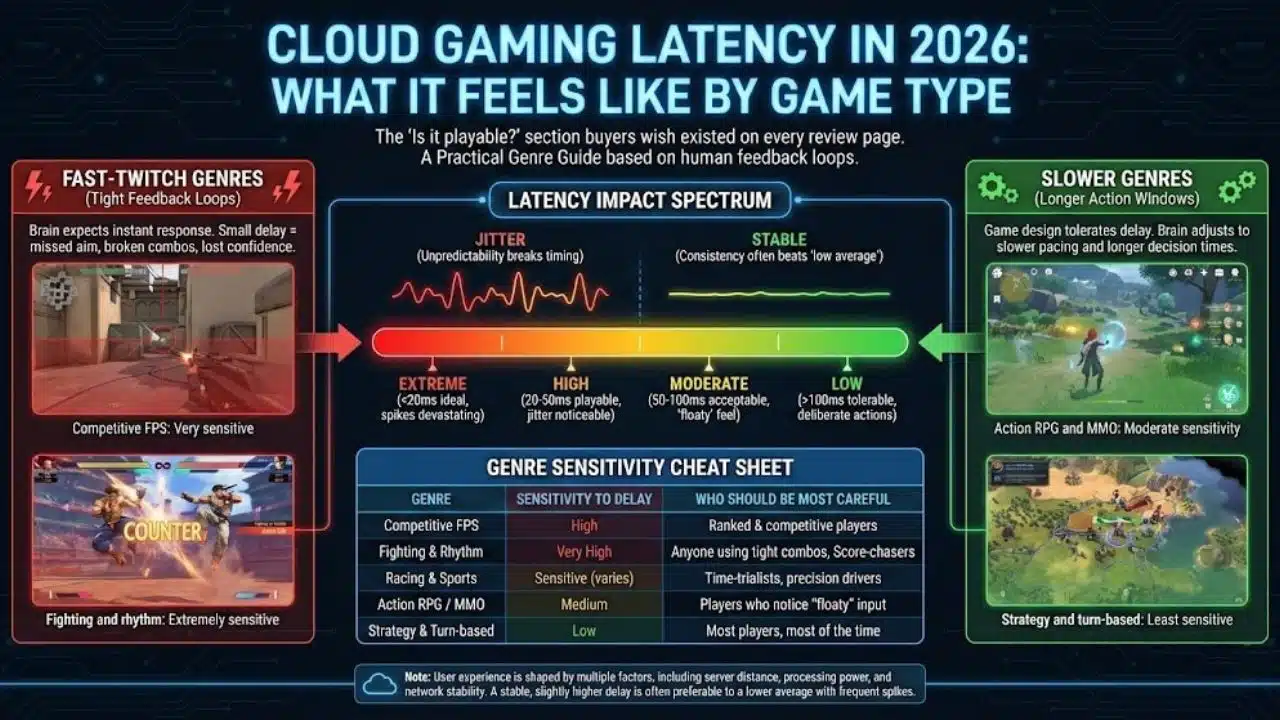
This is the section most buyers wish existed on every review page. “Is it playable?” depends on what you play.
Fast-twitch genres punish delay because your brain uses tight feedback loops. A small delay can change aim, timing, and confidence. Slower genres can tolerate higher latency, especially when the game design has longer action windows.
Studies on cloud gaming and latency commonly show that user experience changes with delay, and that multiple pipeline factors matter, including distance and processing.
A Practical Genre Guide
-
Competitive FPS: very sensitive
-
Fighting and rhythm: extremely sensitive
-
Racing and sports: sensitive, but varies by player
-
Action RPG and MMO: moderate sensitivity
-
Strategy and turn-based: least sensitive
Why Consistency Often Beats “Low Average”
A stable experience at a slightly higher delay often feels better than a lower average with frequent spikes. Jitter creates unpredictability, and unpredictability breaks timing.
Genre Sensitivity Cheat Sheet
| Genre | Sensitivity To Delay | Who Should Be Most Careful |
|---|---|---|
| FPS | High | Ranked and competitive players |
| Fighting | Very high | Anyone using tight combos |
| Rhythm | Very high | Score-chasers and perfectionists |
| RPG / MMO | Medium | Players who notice “floaty” input |
| Strategy | Low | Most players, most of the time |
Real-World Results: Why Numbers Differ So Much
People share wildly different experiences with the same service. That is not always fan bias. It is often geography and network path.
Here is why results differ:
-
Different distance to the nearest server region
-
Different ISP routing and peering
-
Different home network quality
-
Different device decoding speed
-
Different display latency
-
Different measurement methods
Cloud gaming research and measurement discussions often emphasize that the pipeline includes network, encoding, and decoding effects.
A Neutral Way To Compare Services
Instead of asking “which is best,” ask:
-
Does it offer a server region near me?
-
Does it show network stats like RTT, jitter, and packet loss?
-
Does it let me set resolution and bitrate?
-
Does it support wired controller input cleanly?
-
Does it hold quality steady at peak hours?
A Fair Comparison Checklist
| What To Compare | Why It Matters | What To Look For |
|---|---|---|
| Closest region options | Distance is a floor | Multiple metro regions |
| Stability under load | Spikes feel worse than steady delay | Fewer stutters at peak |
| Codec and bitrate control | Affects buffering | Manual controls and good “auto” |
| Controller path | Input delay adds up | Wired support, low overhead |
| Transparency | Helps troubleshooting | Clear stats overlays |
The Hidden Killers: Jitter, Packet Loss, Buffering, And Frame Pacing
Many complaints that sound like “latency” are actually something else.
Jitter: The Lag That Feels Random
Jitter is variation in delay. When jitter rises, streaming systems buffer more to avoid stutter. That buffering adds delay. Players then feel “input lag” even when average ping looks fine.
Packet Loss: The Silent Quality Killer
Packet loss forces retransmissions or concealment. The stream may:
-
Drop resolution to survive
-
Stutter when it cannot
-
Add buffer to reduce visible errors
Loss is often worse on Wi-Fi than Ethernet, especially with interference or weak signal.
Frame Pacing: Smoothness Changes Perceived Responsiveness
Even if average delay is acceptable, uneven frame delivery can feel “sticky.” You react, but the visuals do not update in a steady rhythm. This is why stable delivery matters as much as raw speed.
Symptoms And Likely Causes
| What You Feel | Likely Cause | First Fix To Try |
|---|---|---|
| Random stutters | Jitter, Wi-Fi interference | Ethernet or 6 GHz Wi-Fi |
| Sudden mushy controls | Buffer increase under load | Reduce bitrate, fix queueing |
| Blurry image during fights | Packet loss or congestion | Improve signal, reduce load |
| “Sticky” motion | Frame pacing issues | Lower settings, stabilize FPS |
How To Measure Cloud Gaming Latency At Home
If you cannot measure it, you end up guessing. The good news is you can learn a lot without fancy tools.
Level 1: Built-In Overlays And Simple Network Tests
Many services show:
-
RTT or ping to the server
-
Packet loss
-
Stream bitrate and resolution
-
Frame rate
You can pair this with basic tests:
-
Ping to common endpoints
-
Bufferbloat tests
-
Wi-Fi signal strength checks
Level 2: High-FPS Phone Video Method
A practical method:
-
Record your screen and your input action at high frame rate
-
Press a button that causes an obvious on-screen change
-
Count frames between press and reaction
This measures a rough “button to pixels” time, which is closer to what you feel.
Level 3: Capture Card And High-Speed Camera
Enthusiasts can use:
-
A capture card for frame timing
-
A high-speed camera for controller and display timing
Academic and engineering discussions often use “motion-to-photon” style measurement because it captures the whole pipeline.
Measurement Options
| Method | Cost | What You Learn |
|---|---|---|
| Service overlay | Free | Network and stream behavior |
| Ping + jitter tests | Free | Network stability trends |
| High-FPS phone video | Low | End-to-end feel estimate |
| Capture card + camera | Medium to high | Best end-to-end accuracy |
Practical Fixes: How To Reduce Lag In 2026
This is where most readers get value. Start with the changes that usually matter most.
The “Big Wins First” Checklist
-
Use Ethernet if possible
-
If you must use Wi-Fi, improve signal quality
-
Reduce router queueing under load
-
Pick the nearest server region
-
Tune stream settings for stability
Home Network Moves That Often Work
-
Place your router in a central, open location
-
Prefer 5 GHz or 6 GHz over crowded 2.4 GHz
-
Avoid Wi-Fi extenders that add latency, unless they are good mesh systems with wired backhaul
-
Limit heavy uploads while gaming
-
Consider QoS or SQM features if your router supports them
Queueing control matters because even a fast line can build delay when the router buffers too much under load. L4S is one approach at a broader network level, and home routers often solve similar pain with QoS or SQM.
Controller And Display Fixes
-
Use a wired controller when you can
-
Turn on Game Mode on your TV
-
Disable heavy image processing on displays
-
If you can, use a monitor known for low input lag
Service Settings That Reduce Delay
-
Lower resolution if it reduces buffering
-
Prefer higher FPS when stable, because it reduces time between visual updates
-
Use “balanced” modes that prioritize stability over peak image quality if your network is variable
Fixes Ranked By Impact
| Fix | Typical Impact | Who Benefits Most |
|---|---|---|
| Ethernet | High | Everyone |
| Better Wi-Fi band and placement | High | Wi-Fi users |
| Router QoS/SQM tuning | Medium to high | Busy households |
| Nearest server region | Medium to high | Players far from hubs |
| Lower bitrate or resolution | Medium | Unstable connections |
| Low-lag display settings | Medium | TV users |
What Cloud Gaming Still Cannot Fix Yet
Even in 2026, some limits stay stubborn.
Physics And Geography Stay In Charge
Propagation delay remains. If the nearest region is far, you start from a higher baseline. Fiber delay rules of thumb make this easy to understand, and the numbers add up fast over long distances.
Internet Routing Is Not Always Rational
Two users in the same city can take different routes to the same service, depending on ISP peering. Sometimes traffic takes a longer path because of business agreements, not engineering elegance.
Fairness And Competitive Integrity
Aggressive prediction and “latency hiding” techniques can reduce perceived delay, but they can also raise fairness concerns in competitive play. The more the system guesses, the more it risks mismatches between what you did and what the server confirms.
Hard Limits And Soft Limits
| Limit Type | Example | Can It Improve Over Time? |
|---|---|---|
| Hard limit | Speed of light in fiber | Only by reducing distance |
| Soft limit | Queueing delay spikes | Yes, via congestion control |
| Soft limit | Home Wi-Fi jitter | Yes, via better Wi-Fi standards |
| Soft limit | Encoding overhead | Yes, via better hardware and codecs |
What To Watch Next After 2026
The next phase is less about headline speeds and more about reliability in real conditions.
-
More metro edge nodes, which reduce distance for more people
-
Better route control and peering, which reduces “mystery detours”
-
Wider adoption of low-latency congestion control ideas, including L4S-related approaches
-
New Wi-Fi work that emphasizes reliability and worst-case latency, not just peak throughput
Near-Future Latency Drivers
| Trend | What It Targets | Why It Helps |
|---|---|---|
| Edge expansion | Distance | Lowers baseline delay |
| Congestion control upgrades | Queueing | Fewer spikes |
| Reliability-first Wi-Fi direction | Worst-case latency | Better “real life” performance |
| Smarter adaptation and prediction | Variability | Fewer bad moments |
Final Thoughts
Cloud gaming did not solve physics. The speed of light still sets a limit, and fiber propagation delay remains a real floor. But cloud gaming latency in 2026 is meaningfully better for many players because the industry has reduced avoidable delays. Edge compute cuts distance. Wi-Fi 7 improves home reliability. Better congestion handling aims to reduce lag spikes under load.
If you want the best results, focus on stability. Use Ethernet if you can. Fix your Wi-Fi if you cannot. Choose the closest region. Lower bitrate if buffering appears. And remember that “good enough” depends on what you play and how sensitive you are.