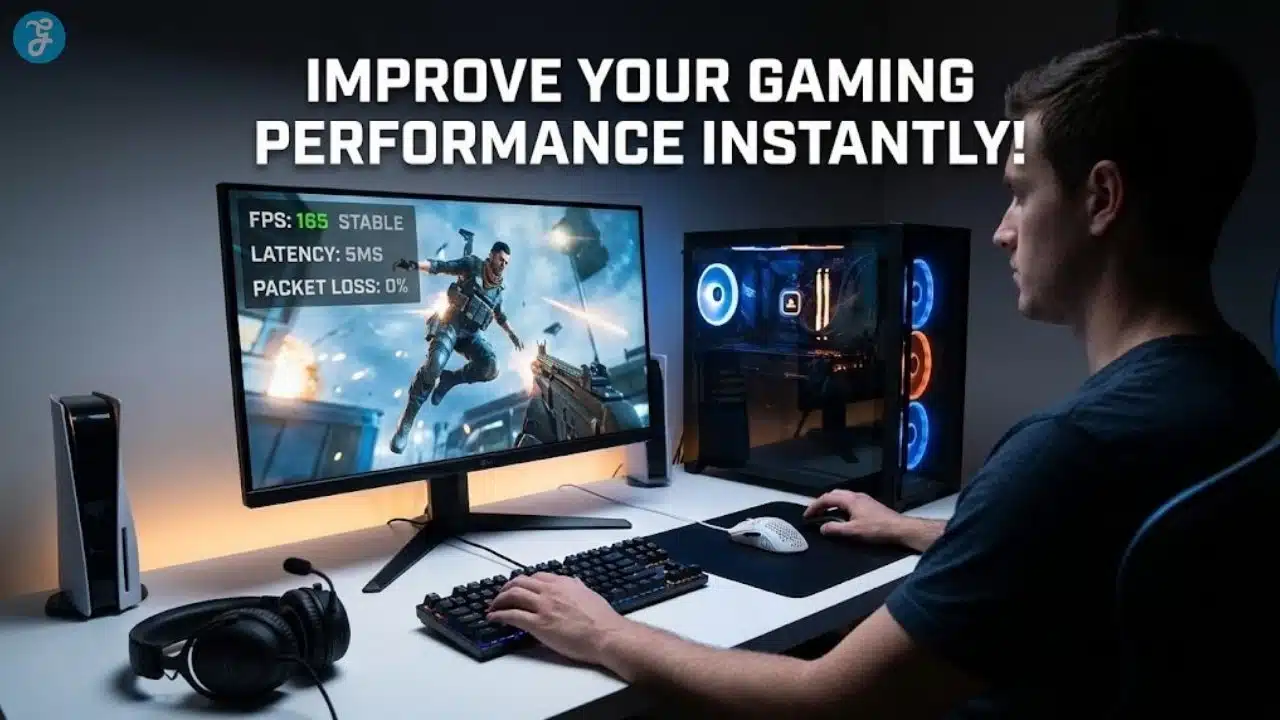
If your matches feel harder than they should, you’re not alone. A lot of players blame “bad aim” or “not enough practice,” but the real issue is often friction: unstable frames, delayed inputs, messy controls, poor visibility, and small habits that sabotage consistency. Improve Your Gaming Performance Instantly by removing those obstacles so your inputs land cleanly, and your decisions happen on time.
This is a true how-to guide. It’s built for fast results you can feel today, without upgrades, without complicated tools, and without turning your setup into a science project.
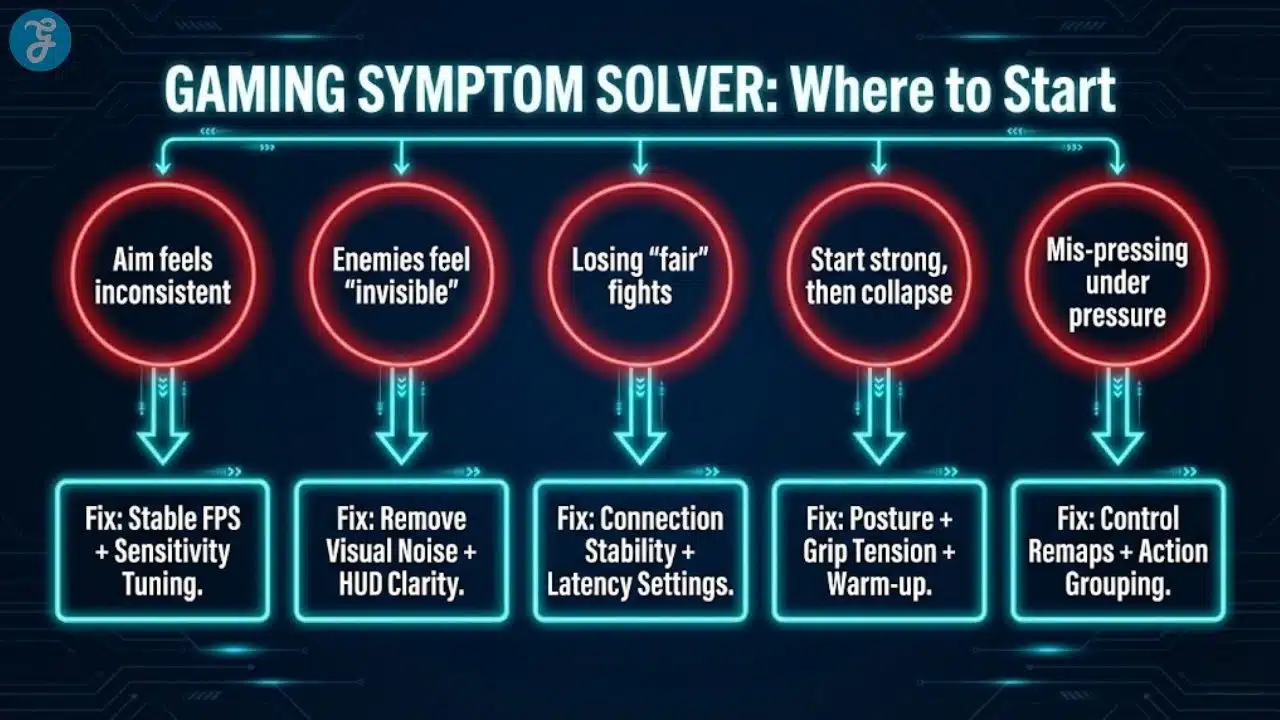
What to Fix First Based on Your Symptoms
If you want instant results, start where the pain is most obvious:
-
If aim feels inconsistent: stable FPS + input delay + sensitivity
-
If enemies feel “invisible”: visual noise removal + brightness + HUD clarity
-
If you lose “fair” fights: connection stability + latency settings
-
If you start strong, then collapse: posture + grip tension + 5-minute warm-up
-
If you mis-press under pressure: control remaps + action grouping
This prevents random tweaking and makes improvements feel immediate instead of confusing.
10 Fast Fixes to Improve Your Gaming Performance Instantly
Here are 10 practical ways to do it quickly. Each one is designed to make your gameplay feel more responsive and consistent right away.
1. Lock In Stable FPS Instead Of Chasing Pretty Graphics
A stable frame rate matters more than a beautiful one. When FPS swings, your aim timing changes, and your tracking feels inconsistent. That’s why “high settings” can make you play worse, even if the game looks better.
Drop the settings that usually cause the biggest performance hits: shadows, reflections, volumetrics, motion blur, and high-level post-processing. Keep resolution realistic for your system so you’re not forcing your GPU into constant spikes. If you have a frame cap option, set a cap that your system can hold consistently.
When your frames stop jumping around, your crosshair control and movement timing feel immediately more predictable.
2. Turn Off Motion Blur, Film Grain, And Visual Noise
A lot of “cinematic” settings make competitive visibility worse. Motion blur and film grain can hide fine detail, reduce clarity during fast turns, and make targets harder to track. You don’t need perfect graphics. You need readable information.
Disable motion blur, film grain, depth of field, chromatic aberration, and any “camera shake” options. Then adjust sharpness carefully so the image is clear without looking overly harsh. If the game has a visibility preset, choose the one meant for clarity.
This is a fast fix because you’ll feel it instantly in target acquisition and tracking, especially in close-range fights.
3. Reduce Input Delay With The Right Performance Toggles
Even if your FPS looks “fine,” your input can still feel delayed. Many games and systems include toggles that reduce latency, but they’re easy to miss. On console, performance mode often lowers delay by prioritizing responsiveness over visuals.
In-game, look for low-latency or reduced buffering options. On PC, ensure your system isn’t prioritizing background tasks over the game, and avoid stacking multiple overlays that add delay. If you use a wireless controller or mouse, confirm you’re in a low-latency mode if one exists.
Lower input delay doesn’t make you smarter. It makes your actions happen closer to when you intended them to happen.
4. Fix Your Sensitivity So You Stop Fighting Your Own Aim
Bad sensitivity settings cause constant correction. If you overshoot targets, you chase them. If you undershoot, you panic-flick. Either way, your aim becomes reactive instead of controlled.
For mouse users, turn off acceleration and aim for a sensitivity that lets you track smoothly without micro-jitter. For controller users, reduce dead zones carefully so inputs register sooner, but not so low that your stick drifts. Then keep the setting steady for at least a few sessions so your brain adapts.
This is one of the fastest improvements because once your aim feels predictable, you start winning fights you were already “almost” winning.
5. Set Your Display Correctly To Improve Tracking And Reactions
Many players own a high refresh rate monitor and never actually enable the refresh rate. Others run the correct refresh rate but use settings that make motion less clear. Both problems reduce performance.
Confirm your display is set to its highest supported refresh rate in your system settings. If your display supports variable refresh features, enable them to reduce tearing and improve smoothness. Keep brightness high enough that shadows don’t hide movement, but not so high that everything looks washed out.
Better motion clarity makes tracking feel easier. It reduces eye strain and improves your ability to read enemy movement.
6. Clean Up Your Audio Mix To Hear What Matters
Audio is information. If your mix is wrong, you miss cues you should have reacted to. Footsteps, reloads, ability sounds, and movement cues often matter more than flashy music or environmental effects.
Lower the music volume and raise the volume of key effects. Use a sound profile that emphasizes clarity instead of “cinematic” depth. If your headset has multiple modes, choose the one that makes positional cues easiest to understand, not the one that sounds the biggest.
When audio becomes clearer, your reactions improve because you’re responding earlier, not guessing later.
7. Stabilize Your Connection Before You Blame Your Aim
If your connection is unstable, your performance becomes inconsistent, no matter how good your mechanics are. Lag spikes create random-feeling losses, delayed hit registration, and unpredictable fights that mess with your confidence.
Use a wired connection when possible. If you must use Wi-Fi, play closer to the router and reduce network congestion. Stop large downloads and streaming on the same network while you play. A quick router restart can also help if your connection feels “off.”
A stable connection doesn’t just reduce lag. It makes the game feel fairer and easier to read.
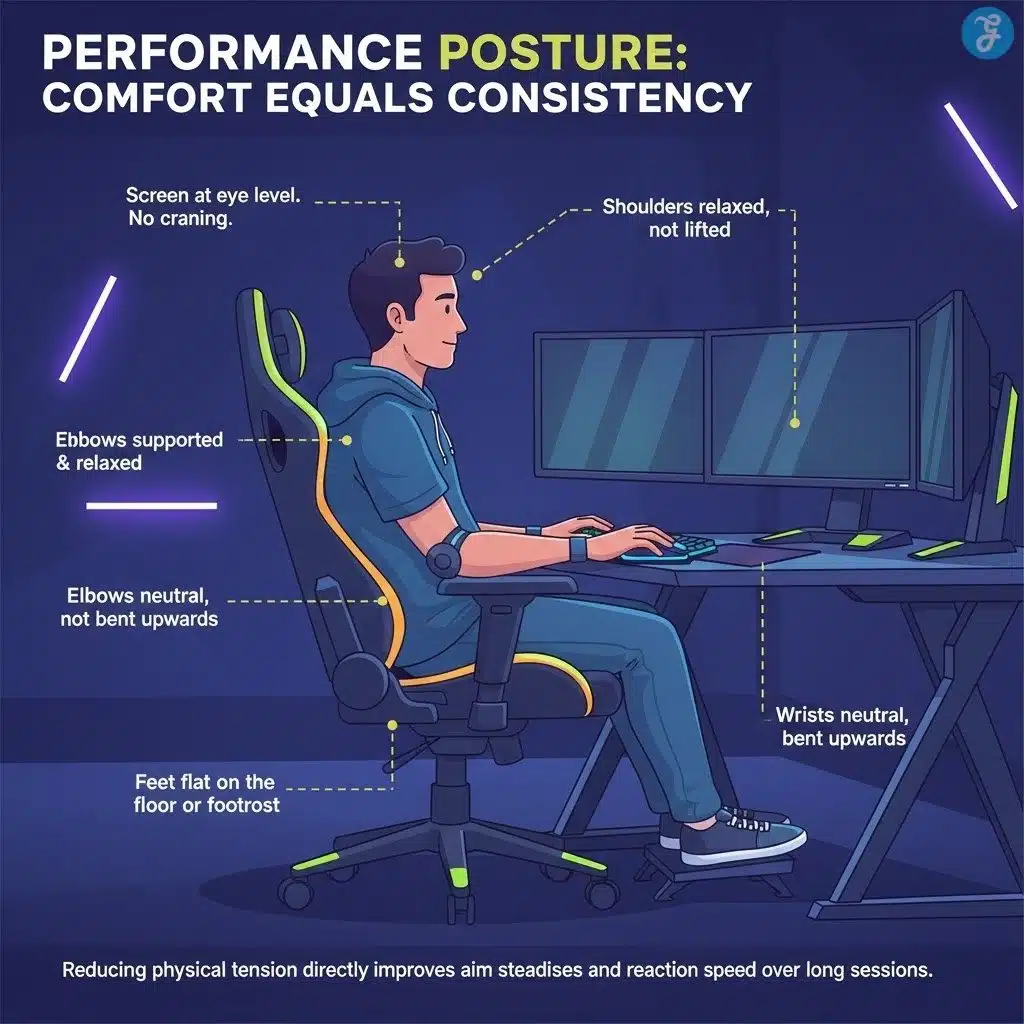
8. Fix Your Posture So Your Inputs Stay Precise Longer
Performance drops when your body gets tense. Tension makes you grip too hard, flick too fast, and overreact under pressure. Comfort is a real performance advantage because it keeps your inputs consistent.
Adjust your chair so your elbows are relaxed, and your shoulders aren’t lifted. Keep your wrist neutral, not bent. Position the screen so you’re not craning your neck. If your forearm floats with no support, add support so you aren’t holding tension for hours.
This feels “simple,” but a proper computer workstation directly affects aim steadiness, reaction speed, and endurance across longer sessions.
9. Remap Controls So Your Fingers Stop Traveling Too Far
Default bindings are made for general use, not speed. If you have to stretch your fingers for common actions, you will hesitate under stress. That cost shows up in real fights.
Rebind high-frequency actions to the easiest keys or buttons you can hit without shifting your hand. Group related actions together so your hand movement is predictable. Keep your most critical actions on the strongest fingers, not the weakest stretch.
This reduces mistakes immediately because you spend less time reaching and more time executing.
10. Warm Up For 5 Minutes, So Your First Games Aren’t Wasted
A warm-up isn’t about grinding. It’s about waking up your coordination so you don’t spend your first matches missing easy shots. Cold hands and cold timing produce sloppy starts.
Do a short aim routine, practice tracking in a training area, or play a quick low-stakes mode. Focus on smoothness, not speed. Once your hands feel steady and your aim feels “awake,” queue into your real matches.
This simple habit improves your first-game performance and reduces the frustration of starting slow.
How To Apply These Fixes Without Overcomplicating Your Setup
You don’t need to do everything at once. The clean way is to start with the highest impact fixes and stack them over a couple of sessions. That prevents you from changing too many variables at once.
A simple order that works for most players:
-
FPS stability and visual noise removal
-
Input delay toggles and sensitivity tuning
-
Display refresh rate and audio clarity
-
Network stability and posture
-
Controls and warm-up habit
If you do it in that order, you’ll feel improvement quickly, and you’ll also know what caused it.
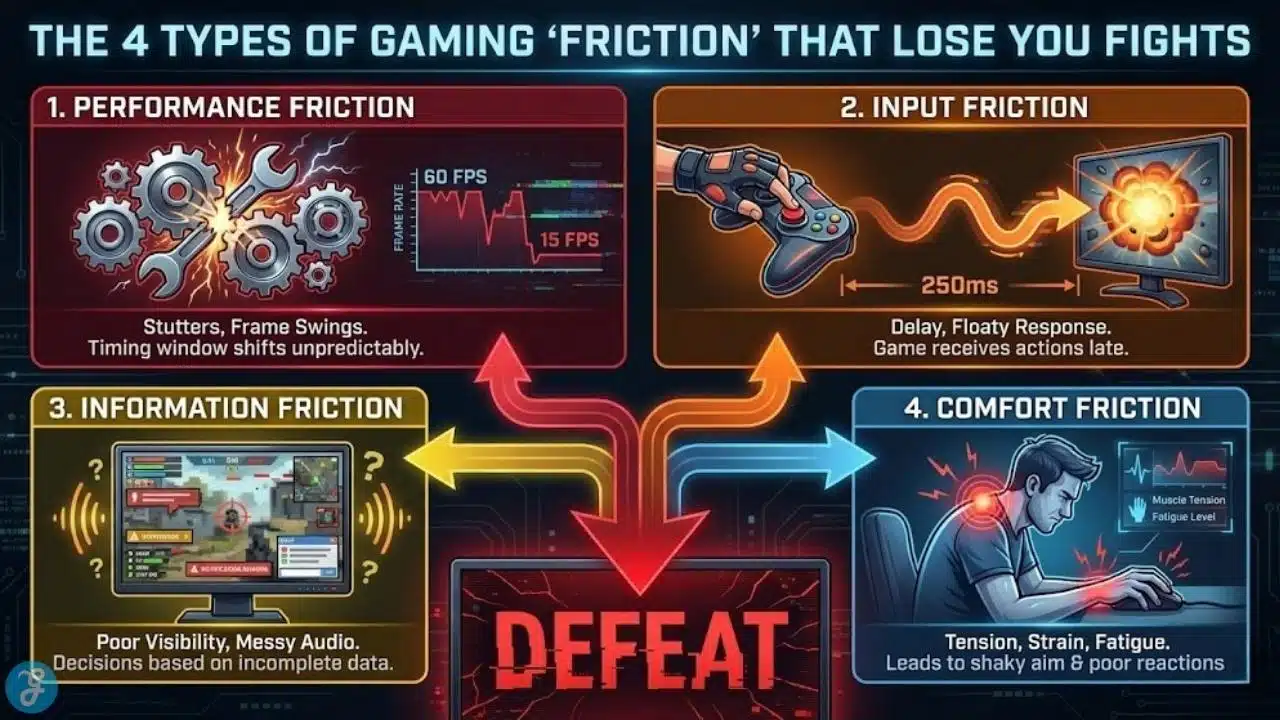
The 4 Types of “Friction” That Secretly Lose You Fights
Use this as a quick diagnostic. When you feel “off,” it’s usually one of these:
1. Performance Friction (stutters, frame swings)
You’re not reacting slower—your timing window is shifting.
2. Input Friction (delay, floaty response, misclicks)
Your hands do the right thing, but the game receives it late.
3. Information Friction (poor visibility, messy HUD, bad audio mix)
You make decisions with incomplete data, so you guess instead of responding.
4. Comfort Friction (tension, posture strain, fatigue)
Even small discomfort makes you grip harder, aim shakier, and tilt faster.
The rest of this guide removes friction in that exact order.
Why Your Gameplay Can Feel Worse Even When You’re Improving
Most games demand quick reactions, but your setup can quietly slow you down. If your frame rate swings, your timing shifts. If your system stutters, you hesitate. If your mouse or controller feels “floaty,” you overcorrect. Those small delays add up to missed shots, poor tracking, and frustrating deaths that don’t match your intent.
There’s also the comfort problem. A stiff wrist, awkward chair height, or a screen that’s slightly too high can make you tense. Tension turns into sloppy inputs, especially late in a session. Fixing comfort isn’t “extra.” It’s part of real performance.
The goal is not perfection. The goal is to remove the biggest bottlenecks that prevent your current skill from showing up consistently.
Track Improvement the Right Way
A lot of players assume a fix “did nothing” because they’re measuring the wrong signal. The goal isn’t to magically hit every shot—it’s to make your performance more repeatable so good games happen more often and bad games are less chaotic.
What to watch for in your next 3–5 matches
-
Fewer “why didn’t that register?” moments (input/latency is cleaner)
-
Cleaner first-bullet accuracy (sensitivity + stability are working)
-
Less panic-correction while tracking (your aim is predictable)
-
More pre-aiming based on sound (audio mix is giving you earlier info)
-
More consistent mid-session performance (posture + tension control are helping)
A simple way to keep score without overthinking
After each match, rate these from 1–5:
-
Responsiveness (did the game feel instant or delayed?)
-
Visibility (could you read the fights clearly?)
-
Control (did your crosshair do what you meant?)
If your average creeps up even slightly, the fixes are working—even if you still have rough games. Consistency is the real “instant improvement.”
Improve Your Gaming Performance Instantly With This 3-Minute Pre-Game Reset
Before you change anything, do a quick reset that removes common performance killers. This is the fastest win because it costs almost nothing.
-
Restart the game if it has been running for hours
-
Pause downloads and close browser tabs
-
Disable heavy overlays you don’t need for the match
-
Switch your system to a performance-focused power mode
-
Confirm your display is running at the correct refresh rate
This alone can reduce stutters and input weirdness. It also gives you a clean baseline so the next fixes actually stick.
A Fast Stack Plan for a 2-Day Skill Jump
If you want noticeable improvement without overwhelm:
Day 1 (Responsiveness + Clarity)
-
Stable FPS + remove visual noise
-
Refresh rate verification
-
Input delay toggles
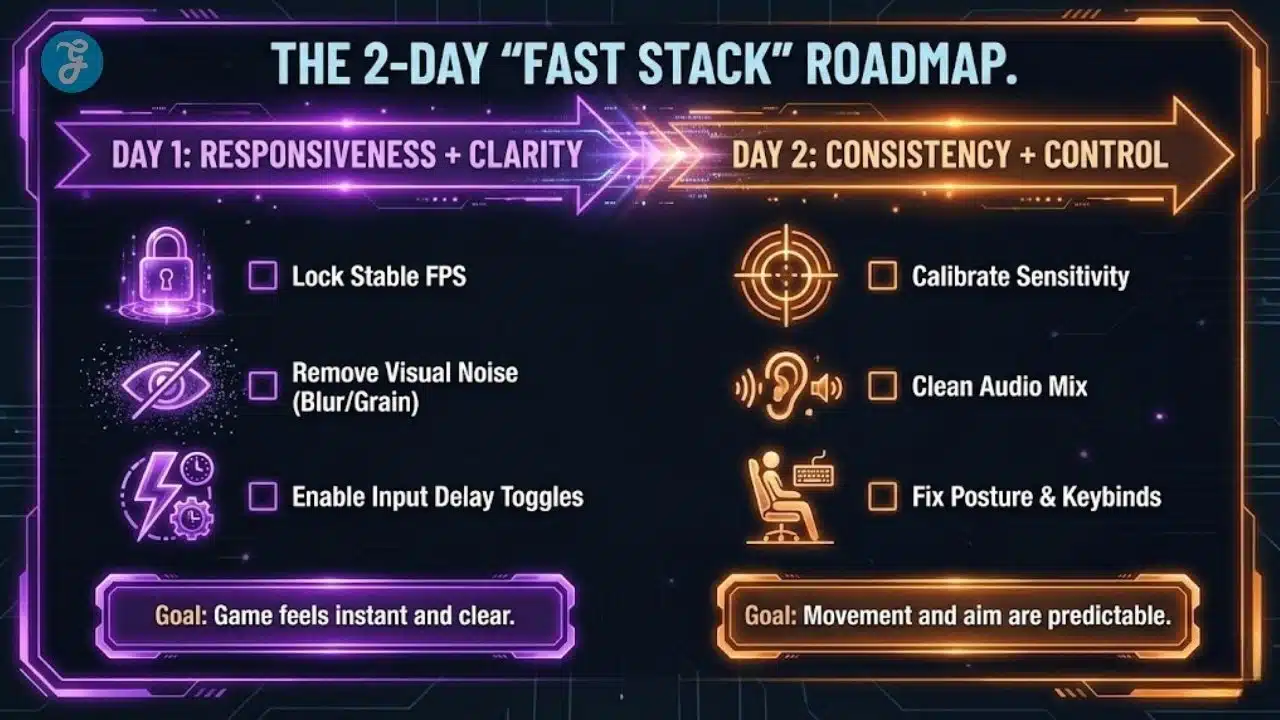
Day 2 (Consistency + Control)
-
Sensitivity calibration
-
Audio clarity
-
Posture + keybind cleanup + 5-minute warm-up habit
Two days is enough to feel a real difference because you’re removing the biggest bottlenecks first.
The 80/20 Fixes That Help Almost Everyone
If you want the fastest returns, prioritize these:
-
Stable FPS cap (not maximum graphics, not peak FPS)
-
Remove motion blur/visual noise
-
Enable performance/low-latency options
-
Lock sensitivity and stop changing it
-
Fix refresh rate
-
Clean audio mix (footsteps and cues first)
-
Comfort posture so you don’t collapse mid-session
These are the “instant feel” changes that make your existing skill show up reliably.
The “One Variable” Rule
If you change too many settings at once, you’ll never know what actually improved your gameplay.
Do it like this:
-
Change one category per session (FPS/visuals → input/sens → audio/network → posture/binds)
-
Play 3–5 matches, then keep what works
-
Only revert one thing at a time if something feels worse
This makes improvement repeatable instead of random.
Common Traps That Make Players Think “Nothing Works”
Some changes fail because people apply them incorrectly. Others fail because players expect the wrong result.
Common traps:
-
Dropping graphics but still letting FPS swing wildly
-
Changing sensitivity every match and never adapting
-
Using “competitive” audio settings, but drowning them with music
-
Fixing the refresh rate in one menu but forgetting another
-
Blaming the aim when the connection is unstable
Avoid those traps and your fixes will actually stick.
What “Instant Results” Looks Like in Gaming
Instant improvement means you feel cleaner control in the same session. Your crosshair settles faster. Your movement feels less chaotic. Your reactions feel more direct because the game responds faster and more predictably.
You’ll notice it most in these areas:
-
Fewer random-feeling misses in close fights
-
More stable tracking on moving targets
-
Better awareness because audio and visuals are clearer
-
Less fatigue because posture and settings reduce strain
That’s what “instant” means here: fewer self-inflicted losses caused by avoidable setup problems.
Final Takeaway
Instant improvement comes from removing friction, not from chasing perfect settings. When your frames are stable, your inputs are direct, and your visibility is clear, you stop fighting the game and start playing it. Improve your Gaming performance instantly by focusing on stability, clarity, responsiveness, and comfort, then let your existing skill do the rest.
Frequently Asked Questions (FAQs)
Here are some of the most frequently asked questions among readers:
Do I Need New Hardware To See Immediate Improvement?
No. Most fast gains come from stabilizing FPS, reducing delay, and improving clarity. Hardware upgrades help later, but they’re not required for better results today.
Should I Always Use The Lowest Graphics Settings?
Not always. The goal is stable performance, not ugly visuals. Use settings that your system can hold consistently without spikes or stutters.
How Do I Know If My Sensitivity Is “Right”?
It should feel predictable and controllable. If you constantly overshoot or undershoot, it’s likely too high or too low. Make one adjustment, then stick with it for a few sessions.
Is Wired Internet Really That Much Better?
In most cases, yes. Wired connections reduce jitter and random spikes. If you can’t go wired, reduce Wi-Fi congestion and play closer to the router.
What Should I Fix First If I Only Have 10 Minutes?
Start with stable FPS and removing visual noise, then confirm refresh rate and close background apps. Those changes usually provide the fastest, most noticeable results.
I have a high-end PC. Should I still lock my FPS?
Yes. Uncapped FPS can cause large fluctuations (e.g., jumping from 300 to 180). These jumps change your input latency millisecond-to-millisecond, messing with your muscle memory. A stable cap (e.g., 240 or 165 locked) is always better than a higher, unstable number.
How long does it take to get used to a new sensitivity?
Profound changes can feel weird for the first hour. Stick with a new sensitivity for at least 3–5 gaming sessions before changing it again. Your brain needs sleep and repetition to rewire its coordination. If you change it every match, you will never build consistency.