
Managing a WordPress site can feel like spinning plates, you write posts, tweak layouts, fight SEO, and patch security. Low search engine traffic, poor user experience, and slow content creation leave many site owners tired.
One fact, AI-powered plugins now automate mundane tasks and optimize complex processes, they save time and add precision. SEO plugins, like a seo plugin (Yoast SEO) and Rank Math SEO, use machine learning for title and meta generation, internal link building, and schema markup.
Page builders, such as a page builder (Elementor AI) and Divi AI, speed layout and design, while content tools like Bertha AI and ContentBot.ai speed content creation. Automation tools, like Uncanny Automator, link plugins and apps, and a malware scanner (Quttera web malware scanner) watches for threats.
This post will show 10 AI plugins that lift your WordPress site, and help you work smarter, not harder. Read on.
Key Takeaways
- AI plugins automate SEO, content, and security tasks, with Yoast, Rank Math, WordLift, Jetpack AI, and Quttera improving indexing and threat detection.
- Notable prices: Link Whisper $77, 10Web $10/month, Divi $18/month or $180/year, Elementor $35.88/year, Uncanny Automator $149/year, WordLift $49/month.
- Content tools like Bertha AI, ContentBot.ai, GetGenie, AltText.ai, Imajinn, and Grammarly ($12/month) speed drafts, alt text, and image creation.
- Chatbots and automation—Tidio, WPBot, HubSpot, Uncanny Automator, SureForms, Formidable, OptinMonster—improve engagement but can affect speed and require privacy checks.
AI-Powered SEO Optimization
AI tools scan your site, read schema markup, and flag pages that drag down search engine rankings. They act like a GPS for your content, push fixes to Search Console, suggest internal linking, and feed an AI engine plugin for fast SEO gains.
Yoast SEO: Simplify on-page SEO with AI insights
Yoast SEO adds AI insights to your WordPress site. It uses machine learning to scan pages, suggest SEO titles, meta descriptions, and schema markups. The plugin flags content optimization and internal linking opportunities, to help search engines index pages better.
Editors can use the block editor, and connect Search Console and analytics for clearer signals. Pick plugins by purpose, compatibility, ease of use, and user reviews, to match your workflow.
AI helps content creation and on-page SEO, which improves indexing and search engine rankings. Yoast gives on-page SEO analysis and readability checks, and it offers clear suggestions you can act on fast.
WordPress AI plugins like this let site owners skip technical headaches, and focus on content, user experience, and higher search results. Try it on landing pages, blog posts, or product pages, and watch your workflow automation and content optimization speed up.
Rank Math SEO: Advanced AI-driven SEO features
Rank Math automates content creation and keyword management, with dynamic suggestions and smart link recommendations. The plugin scans pages for on-page SEO, adds schema markup, and links to Google Search Console and Google Analytics, to guide improvements.
That helps search engine optimization, internal linking, and content optimization, so some AI plugins can improve search engine rankings.
Link Whisper plugin improves internal linking, and it costs $77 for a single-site license. WPBeginner’s keyword tool is free, it generates 300+ keyword ideas with no sign-up. AI Engine plugin offers free and paid versions, it builds chatbots, generates images and content, and it gives SEO recommendations.
Many site owners pick All in One SEO, AIOSEO, as the top choice for AI-driven SEO and internal linking.
Content Creation Tools
AI plugins for content speed up writing, spark fresh ideas, and polish copy with natural language processing for better SEO. Want to see how language model APIs, block editor plugins, schema markup helpers, and internal linking aids fit your WordPress workflow?
Bertha AI: Generate creative content directly within WordPress
Bertha AI helps you create blog posts, product copy, and landing page text inside WordPress. The tool works inside the Gutenberg editor, so you stay in the editor, no tab switching.
It speeds content creation, and it plays well with content optimization and seo tools. 10Web AI Assistant generates, edits, and optimizes content, starts at $10/month, and supports Block and Classic Editors.
GetGenie packs 30+ templates, and offers one click blog generation. AI Power uses GPT-4 and Gemini, and supports multilingual, bulk generation. Grammarly offers free checks, with paid plans at $12/month for grammar, style, and plagiarism scans.
Divi AI produces pages, posts, and design layouts, and costs $18/month for Divi users, or $180/year for the bundle. Bertha fits workflows that want automated content creation, internal linking suggestions, and on-page seo help.
Try Bertha with rank math seo or yoast seo, add OpenAI integration or schema markup, and move faster on content.
ContentBot.ai: AI-powered content writing for blogs and pages
ContentBot.ai writes blog posts and page copy inside WordPress. The plugin helps craft SEO titles, meta descriptions, and drafts, and it works with the Gutenberg editor and OpenAI integration.
Pair the tool with AltText.ai to auto-generate SEO-optimized alt text in 130+ languages, and to bulk process WooCommerce product images for better multilingual support. Add Imajinn for prompt-based image creation, its Prompt Genie and Touchup tools make royalty-free images for unlimited sites.
Website and Page Builders
Elementor trims build time, while Divi visual builder suggests styles and uses an AI image generator for hero shots. Try the block editor or an AI website builder, add schema markup and internal linking, and boost UX and SEO.
Elementor AI: Build pages faster with AI-enhanced design tools
The AI tool integrates with the Elementor builder to speed page creation. It generates content and code with elementor ai features, and it works in more than 20 languages. It feels like a co-pilot for web design, saving time on layouts.
Paid plans start at $35.88 per year, a low cost for teams and freelancers who want an ai website builder.
Starter Templates supply AI-generated layouts for quick site design. They support Spectra, Beaver Builder, and the WordPress editor, including the Gutenberg editor. You can pair templates with an ai image generator and content creation tools to speed website development and lift user experience.
Divi AI: AI-assisted customization for stunning web designs
Divi AI integrates into the Divi Builder, and it generates pages, posts, and design layouts right inside the Divi visual builder. Designers prompt the ai website builder to craft layouts, write short copy, or produce ai-generated images, without leaving the editor, no design degree required.
Pricing runs $18 per month for Divi users, or $180 per year as part of the bundle plan that adds AI-assisted customization tools. Host on WP Engine for best performance, since 1.5 million websites trust that host for faster load times and plugin stability.
Chatbots and Customer Interaction
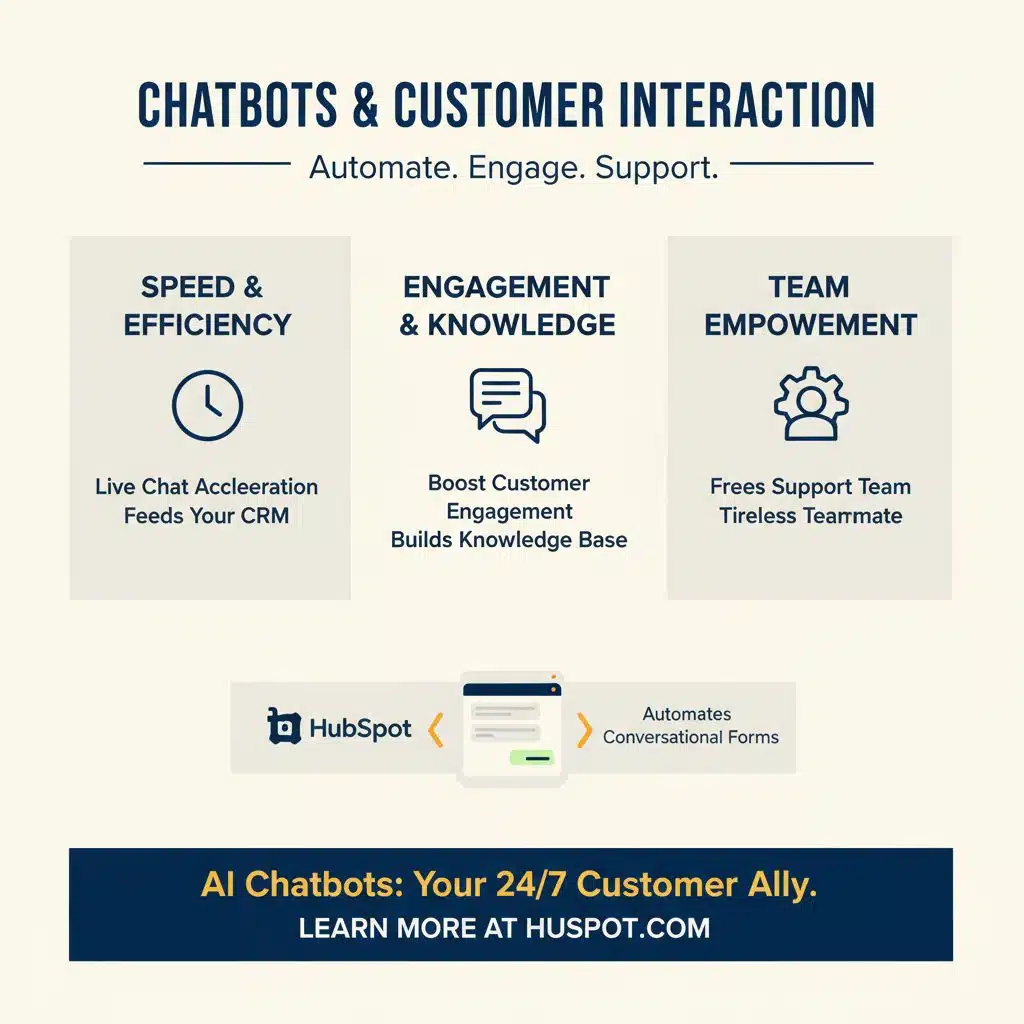
AI chatbots and chat widgets speed up live chat, boost customer engagement, and feed your CRM, like a tireless teammate. Read on to see how HubSpot automates conversational forms, builds your knowledge base, and frees your support team.
Tidio: AI chatbots for improved customer engagement
Plugins like WPBot bring 24/7 ai chatbot support and lead generation to WordPress sites. You can customize the live chat bot from the WordPress dashboard, change greetings, set lead capture fields, and tune responses.
Natural language processing, via an ai engine or OpenAI integration, helps bots answer FAQs and speed up customer support.
These wordpress ai plugins can boost customer engagement and reduce response time, but some may affect website speed. Check user reviews, run speed tests, and trial the chat on a staging site before you publish.
HubSpot: AI-driven CRM and chatbot integration
HubSpot links CRM data to an AI chatbot, giving agents context from past tickets and form entries. The conversational agent pulls from your knowledge base, uses the GPT-4 API or Azure Cognitive Services models, and suggests replies that boost customer engagement and speed up support.
You can run live chat, automated workflows, and conversational forms, while tracking leads inside the CRM for better user experience. Review privacy and data policies, because reputable ai plugins comply with privacy and data regulations, and you should check how data moves between WordPress and external ai engines.
Automation Tools
Use Uncanny Automator to tie plugins, apps, and your AI engine into smooth workflow automation. Let a conversational form builder trigger posts, update internal linking, and boost user engagement, so you cut manual work, and scale content creation.
Uncanny Automator: Automate workflows across plugins and tools
Uncanny Automator offers no-code automation that ties plugins, apps, and services. It enables workflow automation across multiple WordPress plugins and third-party tools, and plans start at $149/year.
Sites use it for forms, CRM, e-commerce, and WordPress AI plugins, to boost user engagement and automate content tasks. Webhooks, REST API calls, and visual flow builders let non-developers and developers glue systems, cutting manual work.
SureForms: Streamline form submissions with AI automation
SureForms streamlines form submissions with AI automation. It acts as an ai form builder, reducing manual entries and errors. Sites can use conversational forms to guide visitors, and tie into ai plugins to lift customer experience.
Formidable Forms, an advanced form builder with OpenAI integration for ChatGPT, lists paid plans from $39.50 per year. OptinMonster, for pop-ups, slide-ins, floating bars and coupon wheels, starts at $9 per month with annual billing.
WordPress users can pair SureForms with workflow automation to cut support load, and speed lead capture.
Security Enhancements
Install a web malware scanner for fast malware detection, and stop threats before they spread. Add AI monitoring like Jetpack AI, pair it with WP Engine hosting, and sleep easier at night.
Quttera: AI-powered malware scanning and security features
The quttera web malware scanner uses a machine learning engine to scan a WordPress site for malware, spotting hidden code and infected files. AI plugins can automate real-time threat detection for WordPress sites, and Quttera flags malicious scripts, suspicious redirects, and compromised themes.
Site owners get clear alerts, simple reports, and step-by-step cleanup tips, so they can fix issues fast and protect user experience. This tool plays well with other security and SEO tools, it supports malware detection while keeping page performance and on-page SEO in mind.
Advanced Website Utilities
Advanced utilities like Jetpack AI and a semantic SEO tool act like a pit crew for your site, add structured data and schema markup, build knowledge graph links, use an AI image generator, and boost website performance—read more.
Jetpack AI: Comprehensive AI tools for performance and functionality
Use its AI copilot inside the Gutenberg editor, to edit blocks and speed content creation. Jetpack AI adds tools for content optimization, schema markup, and natural language processing (NLP).
Developers can hook an OpenAI API integration or Microsoft Azure model to the ai engine plugin. Site owners see gains in website performance and user experience, without deep technical expertise.
You can automate internal linking and build a knowledge graph, to boost on-page SEO. That plugin pairs with workflow automation, live chat, and other ai plugins for content creation.
Small teams cut manual tasks, save time, and improve Google Search Console signals.
WordLift: AI for semantic SEO and content enrichment
WordLift adds structured data and builds knowledge graphs, using AI to add schema markup that enriches content. It helps WordPress sites get better indexed by search engines, boosting search engine optimization (seo) and content optimization.
Pricing runs at $49/month (annual billing).
Editors can use it inside the Gutenberg editor, and the plugin fits the WordPress ai plugins ecosystem. The output works with Google Search Console and supports internal linking, entity maps, and knowledge base growth.
Takeaways
Pick a few AI plugins that match your goals, like Rank Math for SEO and Elementor for page design. Bertha AI and ContentBot speed content creation, while Uncanny Automator automates workflows between plugins.
Quttera scans for malware and raises website security. These artificial intelligence tools lift user experience, cut publishing time, and boost search visibility.
FAQs on WordPress AI Plugins
1. What are AI plugins for WordPress, and why add them to my site?
AI plugins use artificial intelligence and machine learning to boost content creation, website optimization, and user experience. They speed up tasks, automate workflows, and help small teams act like pros, without deep technical expertise.
2. Which plugins help with content creation and SEO?
Use content AI tools for automated content creation, like content AI and content AI tool, plus Rank Math SEO or Yoast SEO for on-page SEO and SEO titles. These plugins link with Google Search Console, add schema markups and structured data, and help with internal linking and knowledge graph signals.
3. Can AI plugins keep my site safe and fast?
Yes, they can. A malware scanner aids malware detection and website security. Other plugins tune website performance, optimize images from an AI image generator, and work with hosts like WP Engine, Inc., and cloud services like Microsoft Azure to speed delivery.
4. Will AI help my customer support and engagement?
Absolutely, AI chatbots and AI live chat handle live chat and customer support, they build a knowledge base, and they use conversational forms or an AI form builder to collect leads. An AI agent can route queries, and templates make responses sound human, for better customer engagement.
5. Do AI plugins make images and page designs?
Yes, AI-generated images and ai image generator tools create visuals, and AI website builder features, plus Elementor AI or Divi visual builder, craft layouts fast. OpenAI integration and natural language processing help turn prompts into content, templates, and page elements.
6. How do I pick and implement the right plugins without a headache?
Start with your goals: content creation, workflow automation, or SEO optimization. Try an AI engine plugin for site-wide features, add uncanny automator for automating tasks, and pick tools that work with Gutenberg editor and your SEO setup, like Rank Math. Test on a staging site, monitor performance, and get help if you lack technical expertise.