

The R6 Marketplace provides a centralized platform for players to buy and sell in-game cosmetic items using R6 Credits. This system, officially operated by Ubisoft, creates a player-driven economy for cosmetic items outside of the traditional in-game store, directly impacting item availability and value. More people buy and trade on this platform each season, making it a core part of the game’s ecosystem.
This guide offers a comprehensive analysis of the R6 Marketplace. It will cover item categories, platform access for PC, Xbox, and PS5, and strategic approaches to purchasing and trading to maximize value and security.
Key Takeaways
- The R6 Marketplace allows for the buying and selling of eligible in-game items like skins and charms using R6 Credits, not real money.
- Access requires a Ubisoft account at Clearance Level 25 or higher with Two-Factor Authentication (2FA) enabled.
- The marketplace is a web-based platform accessible through the official Ubisoft website on PC, Xbox, and PlayStation.
- A standard 10% transaction fee is applied to all sales, deducted from the seller’s final R6 Credit earnings.
- Orders for buying or selling items remain active for up to 30 days, and players can manage up to five active buy orders and five active sell orders simultaneously.
- For security, all trades must be conducted through the official marketplace to avoid scams prevalent on third-party sites.
Understanding the R6 Marketplace

The Rainbow Six Siege Marketplace is an official, web-based platform where players exchange cosmetic items. Unlike the in-game store, this system is a player-to-player market where prices are determined by supply and demand. All transactions are conducted exclusively with R6 Credits, the game’s premium currency.
Ubisoft applies a 10% transaction fee to every sale, which is deducted from the seller’s proceeds. For example, an item sold for 1,000 R6 Credits will net the seller 900 R6 Credits. This fee structure is designed to regulate the in-game economy and encourage the purchase of new credits.
To participate, players must meet specific eligibility criteria.
- Clearance Level: Your account must be at least Level 25.
- Account Security: Two-Factor Authentication (2FA) must be enabled on your Ubisoft account.
- Account Standing: Your account must be free of any current sanctions or bans.
The marketplace is accessed through a web browser on any device, not directly within the game client. Players log in using their Ubisoft Connect credentials. If you encounter any technical issues or bugs with the platform, Ubisoft directs users to report them on the R6Fix website for official support.
Types of Items Available
The R6 Marketplace offers a wide variety of cosmetic items for trade, allowing players to acquire rare and legacy gear. However, not every item in a player’s inventory is eligible for sale. Items from the current season, for instance, are typically not tradable until the following season begins.
Popular Item Categories
The marketplace is primarily focused on visual customization items that do not affect gameplay.
- Weapon Skins: This is one of the most popular categories. Highly sought-after skins like “Black Ice” and the rare “Glacier” skin command high prices due to their iconic status and scarcity.
- Headgear and Uniforms: These items alter the appearance of specific Operators. Full bundles or rare individual pieces can be valuable.
- Weapon Charms: These are decorative trinkets that hang from a player’s weapon. Exclusive charms, such as the “Frost Raptor” or those from early Six Invitational events, are among the most expensive items on the market.
- Attachment Skins: These change the look of weapon attachments like scopes, grips, and barrels.
- Event-Specific Items: Cosmetics from limited-time events, such as Outbreak or Doktor’s Curse, are often available and can be valuable to collectors who missed the initial event.
A key restriction to note is that items purchased on the marketplace are subject to a 15-day cooldown period before they can be resold. This measure is in place to prevent rapid price manipulation.
How to Access the R6 Marketplace
Accessing the R6 Marketplace is a straightforward process handled entirely outside of the game client. The platform is available to players on PC, Xbox, and PlayStation (PS5) through a web browser.
Follow these steps to log in and begin trading.
- Navigate to the Official Website: Open a web browser on your computer or mobile device and go to the official Rainbow Six Marketplace website. The correct URL is rainbow6.com/marketplace. Be cautious of phishing sites and always verify you are on the official Ubisoft domain.
- Log In with Ubisoft Connect: Click the login button and enter your Ubisoft account credentials. This is the same account you use to play Rainbow Six Siege on your respective platform.
- Fulfill Eligibility Requirements: The system will automatically check if your account meets the criteria: Level 25, 2FA enabled, and no active sanctions. If you do not meet the level requirement, you will need to play matches to gain XP.
- Accept Terms of Service: First-time users will be prompted to accept the marketplace’s terms of service before proceeding.
- Start Browsing: Once logged in, you can navigate between the “Buy” and “Sell” tabs to view available items or list your own.
If you encounter login problems, ensure your Ubisoft account details are correct and that 2FA is properly configured in your account management settings. For security reasons, recently changing your account’s email or password may result in a temporary inability to purchase items.
Purchasing and Trading Items
The R6 Marketplace operates on a system of buy and sell orders rather than direct player-to-player trades. This ensures all transactions are secure and processed through Ubisoft’s official system. All trades are final once completed.
Placing a Purchase Order
To buy an item, you place a “Purchase Order” specifying the maximum amount of R6 Credits you are willing to spend.
- Find the item you wish to purchase in the “Buy” tab.
- In the purchase section, enter the highest price in R6 Credits you will pay.
- Confirm your order. You can have up to five active purchase orders at once.
The system will then search for a matching sell order. It prioritizes the oldest active order, meaning the person who has had their purchase order active the longest gets the item if a sale matches multiple buyers. If a seller lists an item for a price at or below your maximum bid, the transaction completes automatically.
Selling Your Items
To sell an item, you create a “Sale Order” from your eligible inventory.
- Navigate to the “Sell” tab to view your tradable items.
- Select the item and set your desired sale price in R6 Credits. The minimum sale price is 120 R6 Credits.
- Confirm the order. Remember, a 10% transaction fee will be deducted upon sale.
Security Warning: Only use the official R6 Marketplace for transactions. Avoid any third-party websites or direct arrangements with other players, as these are common sources of scams, including price manipulation and impersonation of Ubisoft staff.
For secure transactions when buying R6 Credits, use approved payment options like credit cards or PayPal through the official Ubisoft or console stores. Never engage in trades that require you to send money outside of the platform.
Tips for Maximizing Your R6 Marketplace Experience
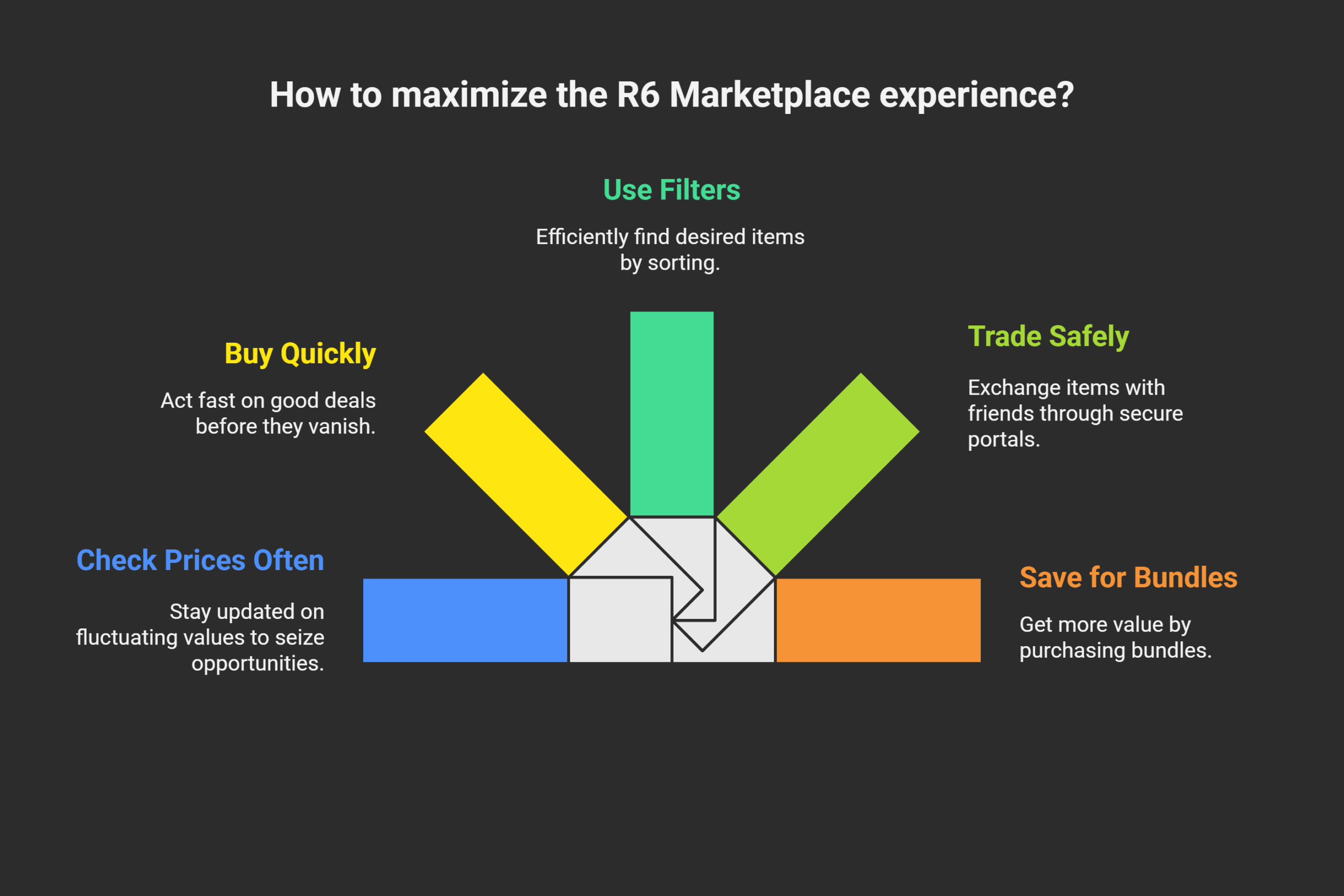
Strategic use of the R6 Marketplace can help you acquire desirable items for less and maximize the credits earned from your sales. Success depends on market awareness and smart decision-making.
One powerful strategy is known as “line sniping,” where a seller lists an item for one R6 Credit less than the current lowest price. Because the system prioritizes the lowest-priced sale order, this small undercut ensures your item sells before others listed at a slightly higher price.
For buyers, placing a low purchase order and waiting is a common tactic. Instead of buying at the current market price, you can set a lower bid and wait for a seller to list the item at your desired price, which often happens when new players join the market and sell items below their typical value.
Advanced Trading Strategies
- Monitor Price History: The marketplace interface includes a 30-day price history graph for every item. Analyze these trends to identify when an item’s value is low for buying or high for selling. External tools, such as the website Stat.cc, can also provide more detailed graphs and price change percentages.
- Time Your Sales: Item prices often drop when they become widely available, such as during “Celebration Pack” events where many players acquire the same items at once. Selling before or long after these events can yield a higher return.
- Focus on High-Demand Items: Items like Black Ice skins, seasonal cosmetics, and event-exclusive items tend to have consistent demand. Trading these items is often more profitable than dealing with common, low-value cosmetics.
- Understand Market Fluctuations: In-game events and operator balancing changes can impact item popularity. A buff to an operator may increase demand for their skins. A 2024 analysis noted that after the operator Wamai was nerfed, demand for Jäger’s Black Ice skin spiked.
Takeaways
To effectively use the R6 Marketplace, a strategic and informed approach is essential. By understanding its systems, from transaction fees to order queues, you can make smarter decisions. Analyzing price trends and recognizing the value of different item categories are key to building a valuable cosmetic collection.
The official platform provides a secure environment for these exchanges. Prioritizing security by avoiding third-party sites ensures your account and items remain safe. With these principles, you can confidently engage with the marketplace to customize your Tom Clancy’s Rainbow Six Siege experience.
Jump in and start building your ideal loadout. The R6 Marketplace offers something for every type of player.
FAQs on R6 Marketplace
1. What is the R6 Marketplace, and how does it work for Rainbow Six Siege items?
The R6 Marketplace is an official Ubisoft platform that allows players to buy and sell in-game cosmetic items like weapon skins and charms using R6 Credits. Sellers list items from their inventory, and buyers place orders. The system automatically matches a buyer’s order with the lowest-priced available item.
2. How do I access Ubisoft features through the marketplace?
Access is granted through the official Rainbow Six Siege Marketplace website by logging in with your Ubisoft account. To be eligible, you must be at least Level 25 in-game, have two-factor authentication enabled, and have no active sanctions on your account.
3. Are all Rainbow Six Siege items available on the marketplace?
No, not all items are available for trade. For example, items from the current season are typically not tradable until the next season. Additionally, some exclusive items like certain esports cosmetics or premium bundles may be ineligible for sale.
4. Is trading safe on the R6 Marketplace?
Yes, trading on the official marketplace is secure because all transactions are managed by Ubisoft’s system. It is critical to avoid third-party sites or direct deals with other players, as these carry a high risk of scams and are not supported or protected by Ubisoft.






























