Have you ever spent twenty minutes digging through folders just to find one specific document? Your school or business probably has tons of information scattered everywhere. Books sit on physical shelves, and documents live in overflowing filing cabinets. Digital files hide in random folders across different computers. Finding what you need takes forever. Sharing resources with others feels nearly impossible. You are definitely not the only one facing this struggle. Many organizations deal with this exact problem every single day.
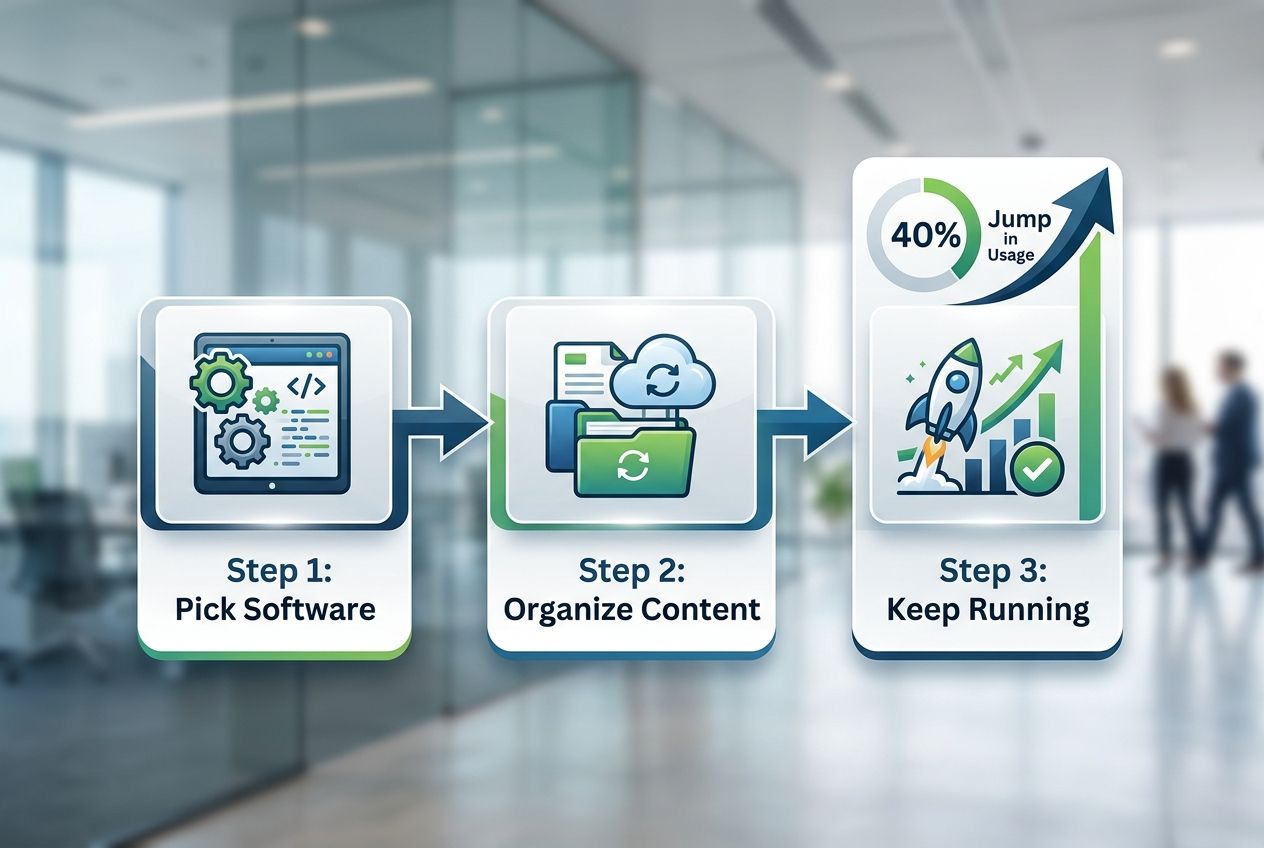
Here is a fascinating secret I discovered. Schools and businesses that switch to digital libraries report a 40% jump in how often people actually use their learning materials. That is a massive difference. When you learn how to build an e-library for your school or business, you create one central hub. Everyone can find exactly what they need, exactly when they need it.
I am going to walk you through the exact steps I use to set these up. We will look at picking the right software, organizing your content, and keeping it running smoothly.
What Is an E-Library?
An e-library is a digital collection of books, articles, videos, and other learning materials stored online. Schools and businesses use these platforms to give people instant access to information. You completely skip the need for physical books or paper documents.
Think of it as a virtual library that lives on the internet. It stays open 24/7 from any device with an internet connection. Digital libraries hold everything from heavy textbooks to complex research papers. This makes resource accessibility incredibly simple and fast.
For example, many US schools use platforms like OverDrive’s Sora app. According to recent 2025 industry data, students checked out over 130 million digital books through Sora in a single year. That shows just how popular digital reading has become.
Organizations build these virtual learning hubs to support their educational technology goals. They also drastically improve how teams share knowledge. E-libraries work by organizing digital content so users find what they need instantly.
An online catalog lets people search for ebooks, PDFs, videos, and other file types all in one place. Information management becomes much easier because everything gets tagged with metadata and clear descriptions.
The system stores content on secure cloud servers. Multiple users can easily access the same resources without annoying conflicts. Building a digital library creates a knowledge base that grows right alongside your US school or business. It directly supports user engagement and collaborative learning across your entire team.
Benefits of Building an E-Library
Building an e-library cuts your costs way down. It saves physical space and gets resources into people’s hands incredibly fast. Your team members and students gain instant access to materials anytime, anywhere.
They stop wasting time hunting through filing cabinets or waiting for physical books to arrive.
“Switching to a digital library model saves the average US school thousands in lost book fees alone.”
Improved accessibility to resources
Your staff and students gain instant access to digital resources from anywhere. An e-library breaks down the old walls that kept people from getting what they needed. No more waiting for physical books to ship.
Nobody has to hunt through crowded shelves anymore. Your team can pull up ebooks, PDFs, videos, and other digital content right from their phones. They can be sitting in the office, working from home, or traveling across the country.
This kind of resource accessibility changes how people work. Students finish projects much faster. Teachers prepare lessons with far less stress.
Let’s look at a few quick accessibility tools:
- Screen Readers: Tools like NVDA read text aloud for visually impaired users.
- Text-to-Speech: Built-in features help students process information faster.
- Adjustable Fonts: Ebooks let readers increase text size instantly.
Mobile device compatibility makes your digital library work on phones and tablets perfectly. Your users search for materials using simple tools. They find exactly what they need in seconds.
An online catalog organizes everything with metadata, tags, and clear categories. People with different learning styles all find what works for them. Some prefer videos, while others grab ebooks.
A great e-library also helps you meet US digital accessibility laws. By following the Web Content Accessibility Guidelines (WCAG 2.2), you ensure everyone can use your platform. Information management stops being a headache and quickly becomes one of your biggest strengths.
Cost-effectiveness
Building an e-library cuts your spending dramatically compared to traditional options. Physical books cost real money to buy, store, and maintain over time. Digital resources eliminate those ongoing expenses almost entirely.
Schools and businesses save thousands of dollars every single year. You simply switch to online catalogs and ebooks instead of buying printed materials. You completely avoid shipping costs and replacement fees for damaged books.
Library management becomes surprisingly cheap when you go digital. Consider the average US high school textbook. A physical copy easily costs $80 to $100 today.
A digital license for the exact same text often runs between $15 and $40. That difference adds up fast when you buy for hundreds of students. Cloud-based services make e-library setup affordable for organizations of all sizes.
Many platforms offer low-cost options that scale as your needs grow. Content curation happens much faster and costs much less when your team works with digital files. Educational technology solutions provide videos, PDFs, and ebooks through one easy system.
Businesses benefit from reduced overhead costs, and employees gain instant access to powerful information management tools. The money you save gets redirected toward better projects.
Space-saving solution
Physical libraries consume massive amounts of valuable real estate. Shelves stretch across entire floors. Storage rooms overflow with old books, and climate-controlled spaces constantly drain your monthly budget.
An e-library makes this problem disappear entirely. Your school or business eliminates the need for sprawling buildings dedicated to paper files. Digital resources live on servers, not heavy shelves.
You reclaim valuable floor space for classrooms, modern offices, or community areas. Staff members work much more efficiently. They access ebooks and online resources from any desk or any room.
Your organization saves a fortune on construction and maintenance costs. In the US, building new school library space costs roughly $250 to $350 per square foot. That is a massive expense just to hold paper.
No more paying for expensive warehouse space to house thousands of physical documents. Virtual learning platforms host your entire collection securely on cloud-based services. These services scale up or down based on your actual, current needs.
Content curation happens completely digitally. Librarians organize materials without ever moving heavy boxes. Educational technology solutions let you store millions of pages in a digital space smaller than a shoebox.
Enhanced collaboration and sharing
An e-library changes how teams work together across your school or business. Staff members access the exact same digital resources from totally different locations. This eliminates confusion and keeps everyone on the same page.
Teachers share lesson materials with colleagues instantly. Managers distribute new company policies to all departments at once. Students collaborate on big projects using shared documents and research materials.
This level of resource sharing breaks down isolated walls between departments. People contribute their own helpful content, which enriches your entire collection effortlessly. Your organization builds a powerful knowledge base that grows stronger every single week.
Mobile device compatibility means your team members engage with shared materials anywhere. A teacher can easily pull up an ebook during their lunch break. A manager can review training videos on the train ride home.
Digital libraries also support “concurrent licensing.” This means twenty students can check out the exact same digital book at the same time. You could never do that with a physical copy.
Your e-library becomes the central hub where true collaboration happens naturally. User engagement increases when people find what they need without feeling frustrated.
Key Steps to Build an E-Library
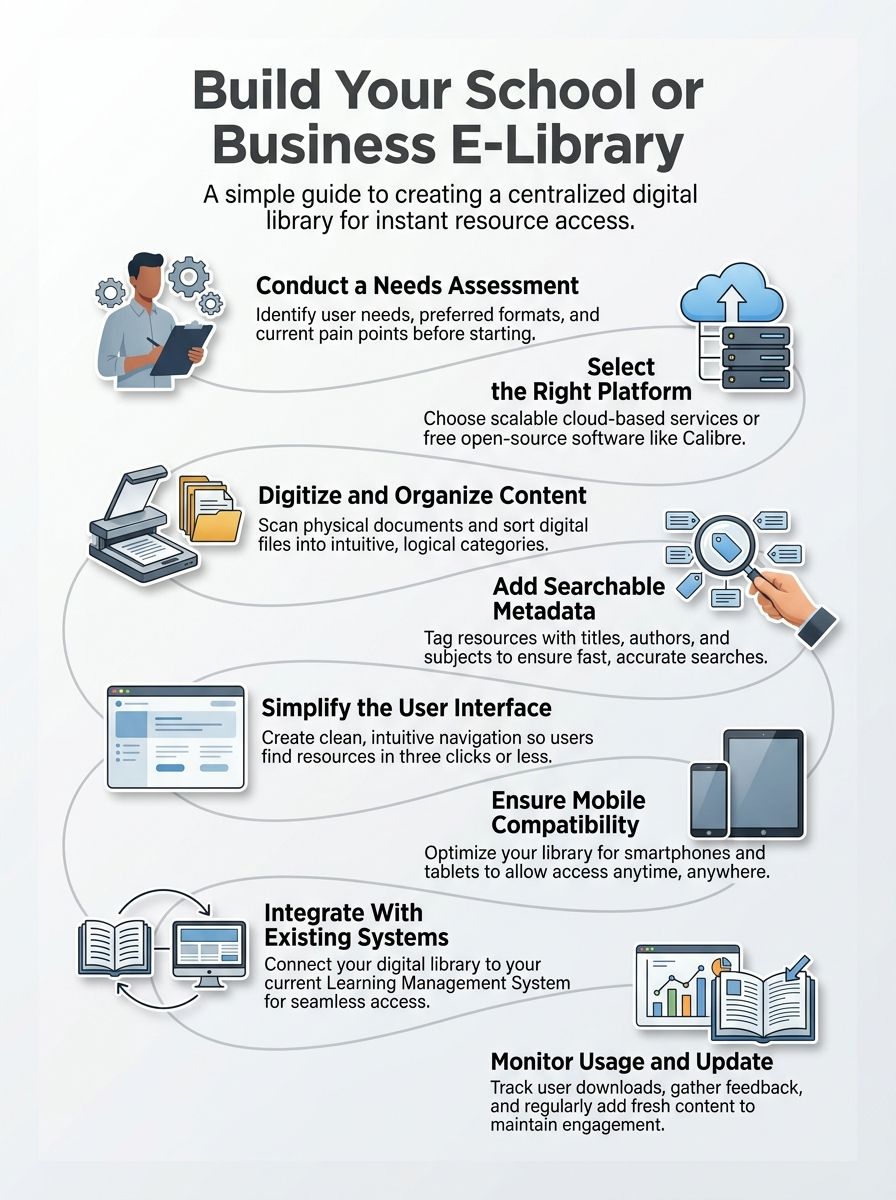
Building an e-library requires you to follow a clear, proven roadmap. This plan transforms your big vision into reality. You will move through practical steps that set your digital library up for massive success.
Conduct a needs assessment
Start by asking yourself what your school or business actually needs from a digital library. Talk directly to teachers, students, staff members, and everyone who will use the system. Find out what specific types of digital resources they want most. Do they need ebooks, training videos, policy PDFs, or something else entirely?
Ask your team these specific questions:
- Do you currently struggle to find important information fast?
- Do you waste hours searching through scattered computer files?
- Do you need to access content on your phone while traveling?
These conversations reveal the real gaps in your current setup. Many US businesses use simple tools like Google Forms or SurveyMonkey to gather this feedback quickly. Next, count exactly how many users you will have.
Look at your tight budget constraints. Identify which helpful content you already own and what you need to create. Think about linking this to existing systems.
For example, most US schools require Single Sign-On (SSO), so students only need one password. This assessment phase takes a little time up front. It absolutely prevents you from building something nobody wants to use.
You gather incredibly honest feedback about resource accessibility needs. You understand user engagement patterns before you spend a single dime on your e-library project.
Select the right platform or software
Picking the right platform makes all the difference in your e-library’s success. You need software that actually fits your school or business. Some platforms offer open-source solutions like Calibre.
These cost nothing and give you total control over your files. Others provide cloud-based services that scale easily as your digital library grows. Think hard about what formats you will store and how many users you expect.
A small private school might thrive with free software. A large US corporation will definitely benefit from paid solutions with 24/7 customer support. For instance, many US K-12 schools use Follett Destiny because it integrates perfectly with their grading systems.
If you want a free, open-source option that handles massive catalogs, Koha is a global favorite. Your choice directly shapes how users interact with your digital resources. Cloud-based platforms let your busy team access the online catalog from anywhere.
Open-source solutions give you massive flexibility. They do require a bit more technical knowledge to maintain properly. Look closely at whether the software supports multiformat content like eBooks, PDFs, and training videos.
Check if it works flawlessly on mobile devices. The absolute best library management system perfectly matches your budget, your technical skills, and your long-term goals.
Digitize and organize content
Transforming your paper materials into digital resources opens massive doors. Your team can scan documents, convert files, and prepare everything for your digital library platform.
- Start by inventorying all the physical materials you want to convert right now.
- Scan documents using high-quality scanners or mobile apps to capture clear images.
- Convert scanned images into searchable PDF files using OCR software like Adobe Acrobat Pro.
- Organize files into logical folders that exactly match your institution’s structure.
- Name files consistently using clear, highly descriptive titles with dates.
Here is an insider tip I always share. When using OCR to make PDFs searchable, always manually check about 10% of your pages.
OCR often misreads numbers or odd fonts. A small typo can make a file completely unsearchable later. Remove any duplicate files and outdated materials from your collection to keep your digital resources completely fresh.
Establish a smart filing system that reflects how your users naturally think about information. Create secure backup copies of all digitized content on external drives or cloud storage. This completely protects your information management system from disasters.
Test all converted files to verify they open correctly and display perfectly on different devices. Prepare your valuable content for metadata tagging. This makes your online catalog highly searchable.
Add metadata for easy search and classification
Metadata acts as the central backbone of your entire e-library system. It includes titles, authors, publication dates, subject tags, and short descriptions. Your team creates these helpful labels for every single item you add to your library.
Good metadata means your users find what they need incredibly fast. Search functions work much better when your metadata is completely accurate. Your staff should standardize how you tag content.
This ensures everyone follows the exact same tagging rules. In the US, the most common standard for this is called Dublin Core. It uses 15 basic elements, like “Title,” “Creator,” and “Format,” to keep everything incredibly organized.
This consistency helps people locate ebooks, videos, and PDFs without any frustration. Your information management strategy improves dramatically when you organize metadata thoughtfully. Users can easily filter their results by subject, file format, or publication year.
Clever tags and keywords make your online catalog searchable across dozens of topics. Your content curation efforts pay off, and people actually discover the resources they desperately need. Modern library software often includes built-in tools.
These automatically pull metadata directly from the publisher. You save countless hours using these features instead of typing information manually.
Structure the user interface for simplicity
Now your metadata system guides people perfectly through your digital resources. Your user interface needs to make finding those resources feel completely effortless. A clean, very simple interface wins every single time.
Strip away the confusing clutter. Focus entirely on what matters most to your readers. Your users should land on your e-library and instantly know exactly where to click.
Big buttons work so much better than tiny, hidden links. Clear labels always beat confusing, abstract icons. Think of your interface like a beautifully organized bookstore.
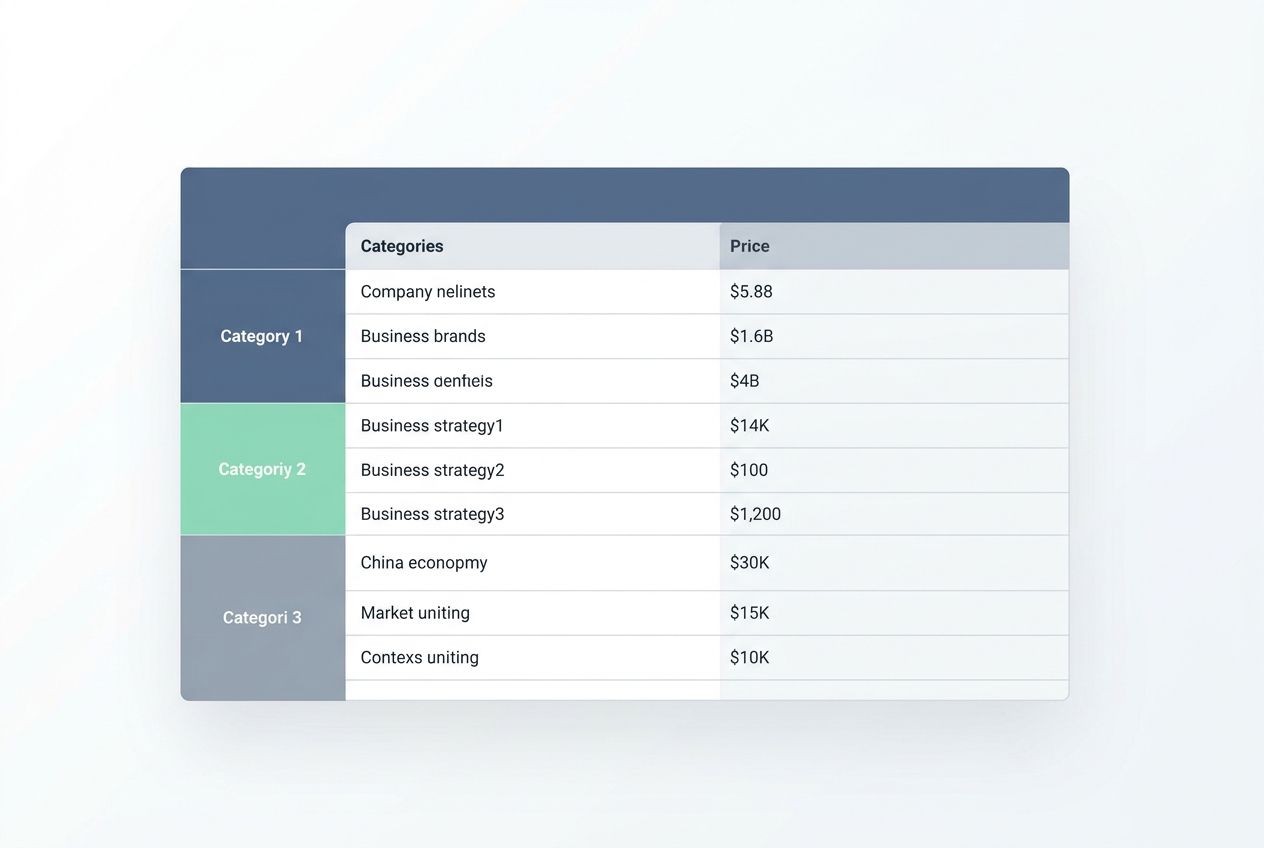
| Design Element | Best Practice |
|---|---|
| Search Bar | Place it front and center at the top of the page. |
| Colors | Use high contrast to meet US accessibility standards. |
| Navigation | Follow the “three-click rule” for reaching files. |
Group your ebooks, videos, and PDFs into logical categories. These should match how your school or business actually talks about information. Test your bold design with real people from your organization.
Watch closely where they stumble, and fix those spots immediately. Mobile device compatibility matters heavily. Your team will actively search for resources on the go, not just from their office desks. A simple, clean interface keeps user engagement high and daily frustration low.
Features to Include in Your E-Library
Your e-library needs features that make people genuinely want to use it every single day. The right mix of smart tools keeps students and staff coming back for more information. They enjoy faster searches and much smoother learning experiences.
Multiformat support (eBooks, videos, PDFs)
People consume helpful information in many different ways. Some prefer reading eBooks quietly on their tablets. Others watch instructional videos to learn complex skills faster.
Your e-library absolutely must support all these formats to reach everyone effectively. PDFs work great for static documents, financial reports, and printables. Videos help visual learners grasp tough concepts very quickly.
EBooks offer amazing flexibility for busy readers on the go. When choosing formats, remember that EPUB3 is the current gold standard for ebooks. Unlike a rigid PDF, an EPUB file automatically adjusts its text size to fit a phone screen perfectly.
By offering multiple, flexible formats, you make your digital library so much more useful. This thoughtful approach keeps your audience engaged and deeply satisfied. Content curation becomes much easier when you support many file types.
Staff members can quickly upload materials in whatever format makes the most sense. A math teacher might add a helpful video lesson. A busy researcher could contribute a dense PDF paper.
Someone else shares a reflowable eBook on a specific management topic. This huge variety strengthens your knowledge base. It strongly encourages people to contribute their own resources.
Your e-library lives or dies by how incredibly easy it is to use. Users need to find exactly what they want fast. They shouldn’t be pulling their hair out in frustration.
Good navigation means organizing your content into very clear categories. You should label sections with simple, everyday words. Avoid confusing corporate jargon entirely.
Create a logical, smooth flow from one area to the next. Think of it exactly like a modern grocery store. Shoppers do not want to hunt for fresh milk in the frozen food section.
Your digital library should guide people naturally. Search tools absolutely deserve your serious attention. They are the essential backbone of user engagement.
Your platform must let people search by exact title, author, or keyword. The best systems use “faceted search.” This lets users check little boxes on the side of the screen to filter by date or format.
Advanced users also love Boolean operators. Being able to type “Marketing AND 2026” saves them massive amounts of time. Fast loading times keep your visitors happy.
Your information management system should index everything properly. Searches pull up relevant results instantly. Train your team to add strong, accurate metadata to each item.
Mobile device compatibility
People access important information on phones and tablets now more than ever before. Your e-library must work flawlessly on these smaller devices. If it doesn’t, you will lose half your audience right from the start.
Recent 2026 data shows that over 60% of all web traffic now comes from mobile devices. Your digital resources must be ready for them. Mobile device compatibility means your digital library functions perfectly on any operating system.
Whether someone uses an Apple iPhone, a Samsung Galaxy, or an iPad, it needs to work. Screens shrink, but your great content shouldn’t suffer. Text stays highly readable.
Images load incredibly fast. Buttons respond perfectly to taps without causing frustration. This smart, mobile-first approach completely transforms how students and employees interact with educational technology.
Building an e-library that works on mobile opens major doors for people on the go. Someone can pull up an engaging ebook during their lunch break. They can search the online catalog from the company parking lot.
Cloud-based services make this possible by storing everything safely online. The interface naturally adapts to fit smaller screens. It keeps navigation simple and search tools within very easy reach.
Integration with existing systems
Your e-library software absolutely should talk directly to the systems you already use. Your learning management system, student database, and HR tools need to work together smoothly. Integration seamlessly connects everything.
It saves time and drastically cuts down on annoying data entry mistakes. Staff members won’t need to log into five completely different platforms just to find one file. Your digital library connects directly to your school or business infrastructure.
This makes information management incredibly simple. Cloud-based services work beautifully for this job. They easily link up with many popular platforms automatically.
For US schools, you want to look for tools that support “LTI integration.” This is a special standard that lets your library plug directly into systems like Canvas or Blackboard. Teachers, students, and employees access ebooks and digital resources through one central hub.
This smart approach massively boosts user engagement. People find content much faster. Your resource sharing becomes totally seamless.
Your educational technology stack suddenly runs like a well-oiled machine. Choose modern library software that plays nicely with what you have now. You will completely skip the massive headache of starting from scratch.
Tips for Effective E-Library Management
You will keep your fantastic e-library running smoothly by staying highly proactive. Stay on top of vital software updates. Train your eager team well, and always listen to what people actually want from the system.
Regularly update and maintain content
Your e-library needs completely fresh content to stay alive and useful. Stale, old materials drive busy users away instantly. Schedule regular content updates at least once a month.
Pull out outdated resources that absolutely no longer serve your school or business. Add brilliant new ebooks, engaging videos, and fresh PDFs. Your digital library thrives when you treat it like a living, breathing thing.
Staff members should easily flag older materials that need swift removal or replacement. This keeps your beautiful online catalog sharp and highly relevant. Maintenance absolutely goes beyond just adding new stuff.
Your team should rigorously check external links regularly. “Link rot” is a huge problem in digital libraries. Pages disappear, leaving your users staring at an annoying 404 error screen.
Catch those broken links before your users hit dead ends. Verify that all metadata stays totally accurate. Test the user interface on a few different devices to spot small visual problems early.
Broken software features frustrate people incredibly fast. Set up a very simple tracking spreadsheet. Log exactly what gets updated and when to keep your virtual learning platform running flawlessly.
Provide training for users
Your team members genuinely need hands-on training to use the e-library effectively. Schedule fun, interactive sessions. Walk staff and students through basic daily tasks.
Show them exactly how to search for ebooks, access PDFs, and filter their search results. Show people how to easily navigate the online catalog. Teach them to bookmark vital resources and download content correctly.
Short, highly practical demonstrations work so much better than long, boring lectures. People learn by actively doing, not just sitting and listening. Make your clear training materials available in multiple formats.
Let learners reference them later. Create quick, two-minute video tutorials. Tools like Loom are perfect for recording your screen quickly to show them how a search works.
This is called “microlearning,” and it is incredibly effective for busy professionals. Offer friendly, one-on-one help for users who might struggle with the platform. Good user engagement happens naturally when people feel completely confident using the system.
Monitor usage and gather feedback
Track exactly how people use your fantastic e-library. Real data tells you exactly what works and what definitely does not. Check which helpful resources get downloaded the most.
Look closely at daily search patterns to see exactly what content people hunt for constantly. This vital information helps you build a much better digital library over time.
“If a search term shows up constantly but yields zero results, that is your immediate signal to buy an ebook on that specific topic.”
Usage statistics easily show glaring gaps in your collection. You can quickly add more ebooks and educational technology that perfectly match what users actually need. Most modern platforms integrate easily with Google Analytics 4 (GA4).
This powerful tool shows you exactly how long people stay on specific pages. Feedback from your amazing audience is absolute gold. Ask students and staff what they genuinely think about the online catalog.
Ask about the search tools and their daily experience as a whole. Simple, anonymous surveys work beautifully for this. Listen closely to any complaints about slow browsing.
Take their honest suggestions very seriously. Make smart changes, and let them know you truly value their direct input. This healthy cycle keeps your information management system totally fresh and useful.
Recommended Tools and Software for E-Libraries
You will find plenty of great software options out there. These range from free open-source platforms to premium paid cloud services. The absolute right tool matches your exact budget and your content types.
Utilize Open-Source Solutions Like Calibre
Calibre stands out as an incredibly powerful open-source tool. It helps US schools and businesses build amazing digital libraries without spending a single dime on expensive software licenses. This completely free platform lets you manage, convert, and organize ebooks beautifully.
It handles multiple formats effortlessly. This makes it absolutely perfect for smart content curation and information management. Calibre handles PDFs, EPUB files, and MOBI documents with total ease.
You can easily catalog thousands of unique digital resources. Add rich metadata to each specific item. Create a highly searchable online catalog that your users will actually want to browse.
- Download the free software directly from their official website.
- Import your ebooks and digital content into the main library.
- Use the built-in tools to grab cover art and descriptions automatically.
- Connect it to free databases like Project Gutenberg to import classic books.
The software runs smoothly on Windows, Mac, and Linux computers. The open-source community constantly improves Calibre. They add brilliant new features and fix minor problems incredibly fast.
Setting up Calibre for your new digital library takes just a few quick steps. The initial learning curve is very gentle for most everyday users. Calibre lets you easily organize materials by exact author, title, or your own custom categories.
The platform’s fast search tools work brilliantly. You can easily convert files between different formats. If someone prefers a PDF over an EPUB document, you can change it with one click.
Employ Scalable Cloud-Based Services
Open-source tools easily give you a very strong foundation. Cloud-based services, though, take your professional e-library to the absolute next level. Cloud platforms effortlessly grow right alongside your busy school or business.
You never need to worry about running out of expensive server space. Services like Google Drive, Microsoft OneDrive, and specialized platforms host your digital resources securely. Your team securely accesses ebooks, training videos, and important PDFs from anywhere in the world.
Cloud storage means you strictly pay only for exactly what you use. This makes it highly cost-effective for rapidly growing institutions. Here is a quick look at how basic cloud storage costs compare in 2026:
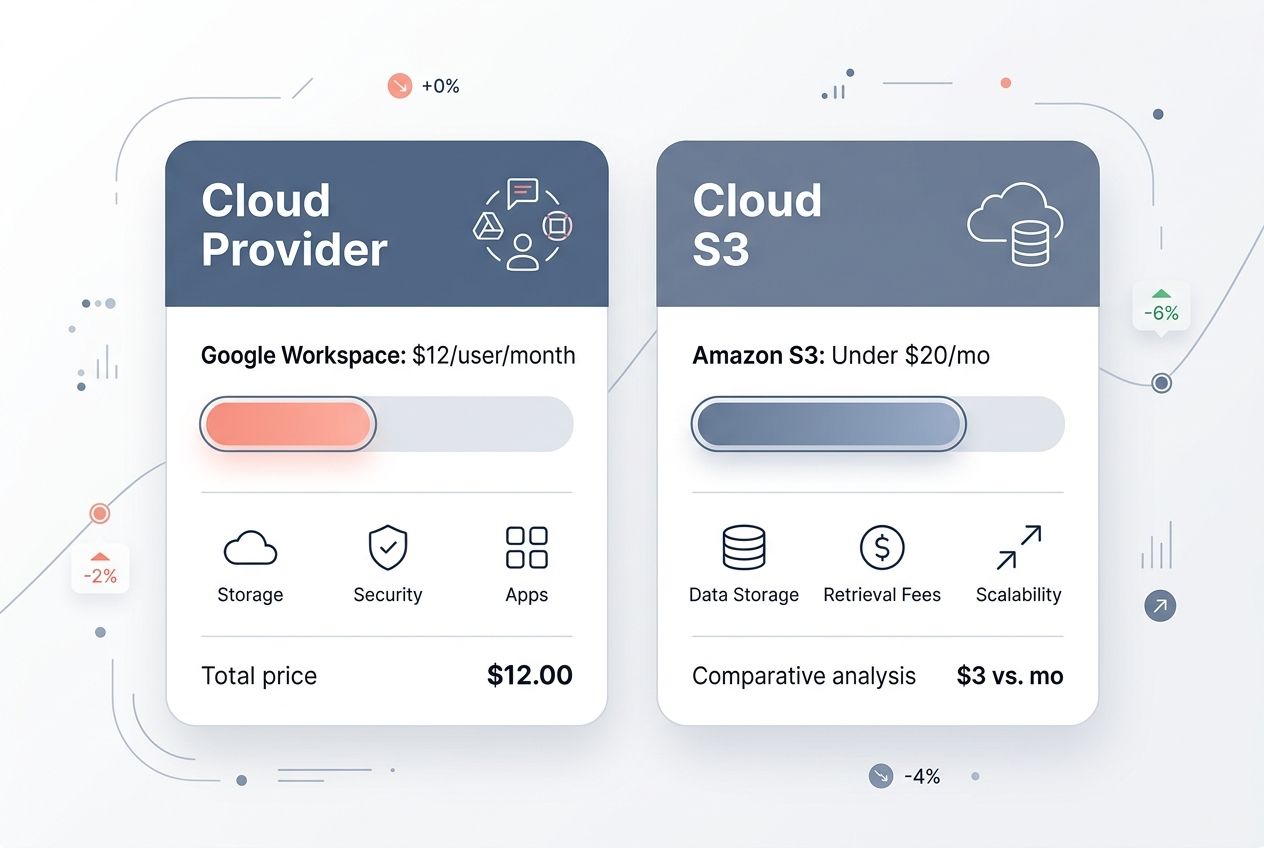
| Cloud Provider | Basic Business Tier Cost | Best For |
|---|---|---|
| Google Workspace | Roughly $12/user/month | Schools are already using Google Docs and Drive. |
| Amazon S3 | Pay-per-GB (Often under $20/mo) | Tech-savvy teams need massive file storage. |
Scalable cloud-based services seamlessly integrate with your existing US systems. Your staff quickly trains on these fast platforms because they look like familiar tools. Mobile device compatibility comes completely built-in.
Students and busy employees access your entire online catalog directly from their phones. You easily monitor daily usage patterns through detailed built-in analytics. Gather helpful feedback from real users, and adjust your entire library management strategy fast.
Cloud services handle annoying software updates automatically behind the scenes. This brilliantly frees your tech team to focus entirely on content curation and boosting user engagement.
Integrate with Learning Management Systems
Your beautiful cloud-based e-library works absolutely best when it connects smoothly with your other systems. Learning Management Systems, often called LMS platforms, hold all your vital student and employee data safely in one exact place. Linking your e-library directly to your LMS saves massive time.
It drastically reduces daily confusion. Teachers and managers can easily pull digital resources directly into their existing daily workflows. Students seamlessly access materials without ever logging into separate, annoying accounts.
This smart integration cuts down on daily frustration. It keeps absolutely everyone focused on learning. In the US, massive platforms like Canvas and Blackboard dominate this space.
Your library management software absolutely must talk to your chosen LMS perfectly. Look for tools that are “SCORM compliant.” This is a technical standard ensuring that your e-library content plays perfectly inside your LMS courses.
This vital connection lets you easily track user engagement across both big platforms. You clearly see exactly which ebooks eager students download. You know which training videos they actually watch.
Your entire information management strategy becomes crystal clear. The online catalog syncs completely automatically. All software updates appear everywhere instantly.
Staff members spend far less time fixing duplicate entries. Your fantastic content curation efforts pay off heavily. Integration transforms your simple virtual library into the brilliant core of your educational technology setup.
The Closing Thoughts
Building an e-library takes dedicated work, but the massive payoff proves worth every single effort. Schools and businesses that smartly invest in digital resources gain serious competitive advantages over those stuck in the past. Your entire team gets much faster access to vital information. Your tight budget easily stretches further. Your valuable office space fills with actual people instead of dusty bookshelves.
Content curation becomes surprisingly easier. User engagement naturally climbs higher. Knowledge sharing happens across various departments without any friction. How to build an e-library for your school or business is a question you now know exactly how to answer. The smart library management software you carefully select today directly shapes how your organization learns tomorrow.
Start very small if you need to. Test a few different platforms. Scale up quickly as your exact needs grow. Digital resources open massive doors that traditional brick-and-mortar libraries simply cannot match. The real magic completely happens when people actually use what you thoughtfully build.
Frequently Asked Questions (FAQs) on How to Build an E-Library
1. How do I start building an e-library for my school or business?
Start by surveying your teachers, students, or staff to find out what content they actually need. Then pick a digital platform that matches your budget and technical comfort level. Popular options include Follett Destiny for K-12 schools or simple cloud solutions like Google Drive for small businesses.
2. What types of materials should I include in my e-library?
Include a variety of materials like textbooks, research papers, magazines, videos, and audiobooks to accommodate different learning preferences. Audiobooks are especially helpful since some people retain information better by listening than by reading.
3. How can I organize the content so users find what they need fast?
Sort everything into clear categories based on subjects for schools or departments for businesses, and add search tags for quick access. The Dewey Decimal System is still widely used in US libraries and works perfectly for organizing digital collections, too.
4. Is there a way to keep the e-library safe from hackers or data loss?
Choose platforms with built-in security like password protection and user permissions, and set up regular automatic backups. The 3-2-1 backup rule is an industry standard – keep three copies of data in two different formats with one stored offsite.