Have you ever wanted to learn drawing, photography, or graphic design but felt completely stuck on where to begin? Many of us hit a wall because we cannot find good courses that fit our busy schedules, tight budgets, or specific skill levels. You might scroll through dozens of websites and feel completely paralyzed by too many choices. The good news is that the best online creative skills learning platform makes it easier than ever to pick up new talents right from your couch.
Here is a fun fact to consider. Industry projections show the US online learning market will hit an incredible $687 billion by 2030, and 93 percent of companies are switching to digital training methods. This packed internet means you do not need an expensive art school or a fancy studio to become incredibly skilled.
I am going to walk you through the top platforms available today, show you exactly what makes each one special, and help you pick the right fit for your goals and wallet.
Key Features to Look for in a Creative Learning Platform
Picking the right platform makes a massive difference in your creative journey. You want to find one that matches your goals, fits your budget, and actually keeps you motivated to finish what you start.
Course Variety and Specialization
The right platform offers courses that match your creative goals, not just random classes thrown together.
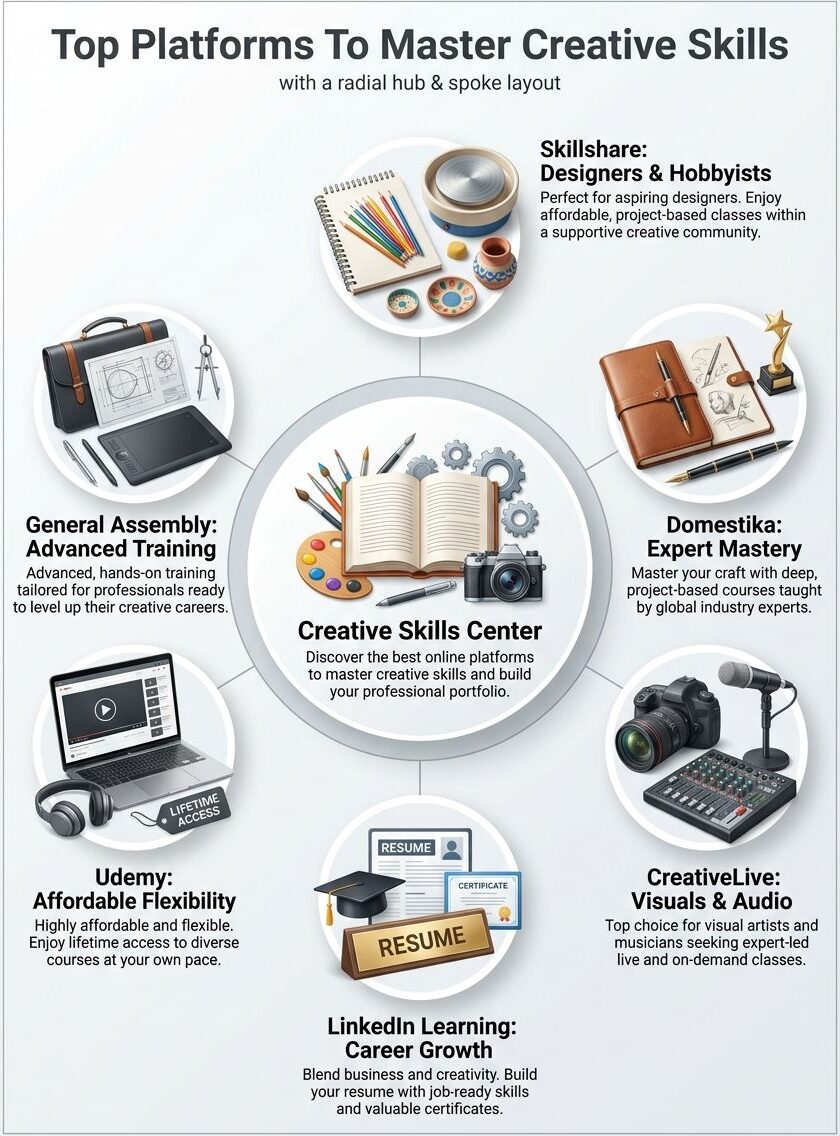
Course variety separates the top educational platforms from the rest. Skillshare, Domestika, CreativeLive, LinkedIn Learning, Udemy, and General Assembly each offer different specializations across digital education.
Some platforms focus heavily on art and design. Others branch into photography, videography, and music production. You get to pick platforms based on what creative skills you actually want to develop.
A graphic designer needs different instructional content than a musician does. The best digital education hubs let you find exactly what you want without wading through hundreds of irrelevant courses.
Specialization matters because it shapes your entire learning experience. Platforms with strong specialization in specific areas hire instructors who know their craft inside and out.
Accessibility and User-Friendliness
A good learning platform should work smoothly on your phone, tablet, or computer. You need to access courses anytime, anywhere, without fighting with clunky interfaces.
- Offline viewing: Download lessons for your commute.
- Adjustable playback: Speed up or slow down the instructor to match your pace.
- Clear navigation: Simple search functions help you find exactly what you need fast.
- Subtitle support: Transcripts support different learning styles, so everyone grasps the material.
User-friendly platforms reduce your learning curve and keep you motivated. Intuitive dashboards show your progress clearly, track completed video lessons, and suggest what to study next.
Community and Collaboration Opportunities
Most creative learning platforms bring people together in real ways. You can share your work, get feedback from other students, and learn from their projects too.
Many platforms host live sessions where instructors answer questions in real time. This means you get to connect with creative professionals and fellow learners who share your interests.
Discussion forums let you ask questions, swap ideas, and build friendships with people from around the world. Some learning community spaces even organize challenges and competitions that push you to try new things and showcase your best work.
Collaboration features make these digital education spaces feel far less lonely. You might team up with other students on projects, critique each other’s craft techniques, and grow together.
Certification and Portfolio Building
Certificates from online learning platforms give your creative resume real teeth. Platforms like LinkedIn Learning and Udemy offer completion certificates that show employers you have finished serious skill development.
You can display these credentials on LinkedIn, your personal website, or job applications. Building a portfolio alongside your online courses matters even more than the certificate itself.
Project-based learning on these platforms lets you create actual work samples instead of just watching instructional videos. Your portfolio becomes your calling card in the creative world.
Employers and clients want to see your craft techniques in action, your design choices, and your creative problem-solving skills. By completing courses on e-learning platforms and documenting your progress, you build a body of work that speaks louder than any certificate ever could.
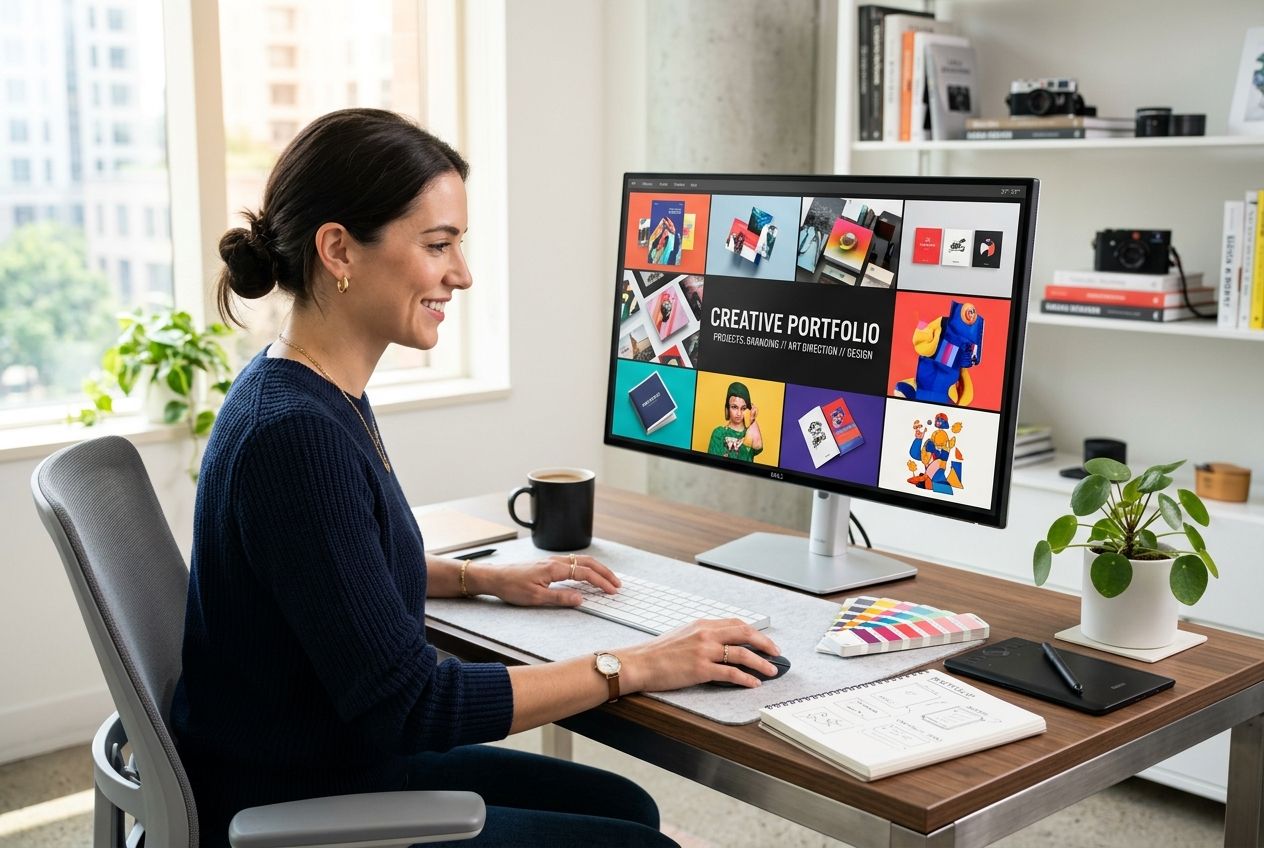
Your portfolio is your voice in the creative industry; let your work do the talking.
Skillshare brings together thousands of creators who share courses on everything from graphic design to animation. It operates as a vibrant hub where you can learn from real professionals and show off your work to a supportive audience.
Overview and Key Courses
Skillshare operates as a massive online learning community where creators share their knowledge with millions of students worldwide. The platform hosts thousands of video lessons across design, illustration, photography, writing, and business topics.
As of 2026, the platform boasts around 1.46 million active paid subscribers. The platform charges a monthly or annual subscription, making digital education affordable for hobbyists and professionals alike.
You gain access to the entire course library once you join, so you can jump between subjects freely. The courses emphasize hands-on skill development through real-world projects.
You will find classes on Adobe Creative Suite, web design, branding, and creative writing. Many instructors are working professionals who share practical techniques they use daily.
Best for Aspiring Designers and Hobbyists
Skillshare offers a perfect landing spot for aspiring designers who want to dip their toes into creative work without spending a fortune. In the US, an annual membership costs about $168, which breaks down to roughly $14 per month.
Most courses cost just a few dollars each if you break down the annual fee. This affordability makes it ideal for hobbyists exploring new interests or testing whether design is truly their passion.
- Pro Tip: Skillshare offers a 7-day or 30-day free trial. You must cancel manually before the trial ends, or the system will automatically charge you the full $168 annual fee.
- Engagement Factor: Skillshare notes that its project-based learning model increases course completion rates by 30 percent compared to passive video platforms.
You finish a class with a real project in your hands, something tangible you can add to your portfolio. The instructional videos keep things simple and visual, perfect for learning craft techniques through watching rather than reading dense textbooks.
Instructors break down complex ideas into manageable steps. For anyone starting their creative journey, this combination of affordability, hands-on skill development, and supportive peers creates the ideal environment to build confidence.
Domestika: Courses by Industry Experts
Domestika brings courses straight from industry pros who know their craft inside and out. Keep reading to discover how this platform can level up your creative game.
Overview and Important Courses
Domestika stands out as a platform where industry experts teach creative skills through high-quality video lessons and project-based learning. The platform offers courses in graphic design, illustration, animation, photography, and digital marketing.
You will find classes taught by working professionals who share real-world techniques and insider knowledge. The course structure keeps things simple. You watch instructional videos, complete projects, and get feedback from instructors and peers.
The platform’s best courses include “Character Design for Animation”, “Digital Illustration Masterclass”, and “Professional Logo Design”. Each class combines video tutorials with hands-on assignments that build your portfolio as you progress. You get access to downloadable resources, design files, and community discussions where creatives share their work and offer constructive criticism.
Best for In-Depth Creative Skill Mastery
These courses go deeper than surface-level tutorials. Domestika instructors bring real-world experience from top creative agencies and studios around the globe.
Course prices vary, but they typically start around $9.99 to $19.99 during frequent sales. For heavier users, they offer a Domestika Plus subscription in the US for about $129.99 a year.
Consumer Warning: Read the checkout page carefully. Many users in recent years reported buying a single discounted $5.99 course, only to realize the checkout process automatically enrolled them in the $129.99 annual Domestika Plus subscription. Always double-check your cart before hitting purchase!
You learn not just what to do, but why professionals make specific choices. The project-based learning approach here sets this platform apart for serious learners.
You complete real assignments that build your portfolio as you progress. Your work gets feedback from instructors and the learning community. If you want to move beyond hobbyist status, this educational platform delivers the depth you need.
CreativeLive: Expert-Led Classes for Creatives
CreativeLive brings you live and on-demand classes taught by working professionals. It serves as a go-to spot for photographers, videographers, and musicians who want to learn from the best in the business.
Overview and Main Courses
This online learning platform brings expert-led video lessons straight to your screen. Photographers, videographers, and musicians flock here to master their craft through instructional content created by industry leaders.
CreativeLive has a fascinating recent history. The platform was scheduled to shut down completely on December 31, 2025. Just two weeks before the deadline, CourseHorse acquired the company and kept it alive for 2026 and beyond.
The platform offers live classes, on-demand video tutorials, and project-based learning opportunities that keep your skills sharp and current. You get access to courses covering everything from photo editing to music production, so you pick what matters most to your creative journey.
Many courses include hands-on projects where you apply what you learn right away. The instructional videos break down complex creative techniques into manageable steps.
Best for Photographers, Videographers, and Musicians
CreativeLive stands out as a powerhouse for visual artists and audio professionals. Photographers gain access to classes on lighting, composition, and post-processing techniques.
Videographers learn editing, cinematography, and storytelling through live and on-demand video lessons. Musicians explore production, mixing, and performance skills from industry experts.
Currently, a CreativeLive subscription costs about $29 per month in the US, giving you unlimited access to their massive on-demand library.
- Live Access Perk: One unique feature is that CreativeLive broadcasts select classes for free while they happen live. If you tune in during the broadcast schedule, you can watch premium content at zero cost.
- Interactive Q&A: You get to interact with instructors in real time during these live sessions, which means you can ask questions and get feedback right away.
The project-based learning approach on CreativeLive keeps you engaged and motivated. You build a portfolio as you complete courses, which matters heavily when you want to showcase your work to clients or employers.
LinkedIn Learning: Professional Skill Development
LinkedIn Learning merges professional development with creative growth. This makes it perfect for people who want to level up their skills while building their career at the same time.
Overview and Courses to Focus
LinkedIn Learning brings professional skill development directly to your daily feed. This platform offers courses from industry experts who teach business professionals and creative workers alike.
You will find video lessons on graphic design, photography, web development, and digital marketing. The platform focuses on helping you build skills that matter in your career.
Courses cover everything from Adobe Creative Suite to branding strategies, and many instructors work at top companies. Project-based learning opportunities let you apply what you learn right away.
Most courses run between one and four hours, making them easy to fit into your busy schedule. The best courses on this platform include Adobe Photoshop training, UX design fundamentals, and social media marketing tactics.
Best for Business and Creative Professionals
LinkedIn Learning stands out as a powerhouse for professionals who blend business acumen with creative talent. In the US, the monthly cost sits at $39.99, or you can pay $239.88 for an annual plan to save money.
You can download certificates upon completion, which adds real value to your professional profile. The platform integrates with your LinkedIn account, so your completed courses show up there automatically for recruiters to see.
Free Access Tip: Before paying the $39.99 monthly fee, check your local US public library or university. Many library cards grant you completely free, unlimited access to the entire LinkedIn Learning catalog.
This platform shines when you need skill development that directly impacts your job performance. You can learn digital education techniques to teach others, master creative techniques for client work, or develop craft techniques that set you apart at your company.
The video lessons fit into your busy schedule since you control when you learn. Project-based learning assignments let you build a portfolio while you study, turning coursework into real work samples.
Udemy: Affordable Courses for All Levels
Udemy puts affordable creative courses right in your hands, letting you learn design, photography, music, and animation on any budget.
Overview and Best Courses
Udemy offers over 210,000 online courses across all fields, making it a powerhouse for learners on a budget. You can find video lessons on graphic design, photography, animation, music production, and digital illustration.
The platform hosts courses from independent instructors and established creative professionals. Learners get lifetime access to course materials, so you can revisit lessons whenever you need them.
The skill development options span from beginner to advanced levels, giving you room to grow at your own pace. Best courses on Udemy include “The Complete Graphic Design for Beginners” by Nick Saporito, which teaches design fundamentals through project-based learning.
“Photography Masterclass” by Phil Ebiner covers everything from camera basics to editing techniques. Musicians find immense value in “Music Production in Logic Pro,” which walks through recording and mixing step-by-step.
Best for Flexibility and Affordability
Udemy stands out as the go-to platform when your wallet feels light, but your creative ambitions run deep. You pick exactly what you want to learn.
You learn at your own pace, pause videos whenever you need, and revisit lessons as many times as you want. This online learning approach works perfectly for people juggling jobs, families, or other commitments.
- The Sales Strategy Tip: Never pay full price for a Udemy course. While courses often list for $100 or more, Udemy runs massive sales almost every week.
- Target Price: Wait for events like the New Year Sale, Back to School, or Black Friday. During these windows, top-rated courses drop to between $9.99 and $14.99 in the US.
Your creative skills grow without the pressure of strict deadlines or rigid schedules. The platform hosts instructional videos on everything from graphic design to music production, so you can find exactly what sparks your interest.
Courses stay in your account forever, meaning you can return to them months or years later if you need a refresher. This combination of low cost, total flexibility, and lasting access makes Udemy a brilliant choice.
General Assembly: Advanced Creative Training
General Assembly pushes your creative skills to the next level with hands-on training that career-focused learners absolutely love. Read on to discover if this premium platform matches your career goals.
Overview and Useful Courses
This platform offers project-based learning through video lessons taught by industry experts who bring real-world experience to every class. Courses span UX design, data science, software engineering, and digital marketing.
You get hands-on skill development across multiple creative tech disciplines. The platform emphasizes learning communities where students share work, get feedback, and grow together through collaborative projects.
Useful courses include advanced digital illustration, motion graphics fundamentals, and professional photography editing. Students tackle real assignments that build portfolios immediately.
This approach turns what they learn into tangible work samples for job applications or freelance pitches. The video tutorials break down complex techniques into manageable steps.
Best for Career-Focused Learners
General Assembly stands out for professionals who want to completely reboot their creative careers. This is a premium educational platform, and the pricing reflects that.
In the US, short part-time courses usually run around $3,500 to $4,500. Full-time, immersive bootcamps can cost up to $16,450.
Because the price tag is steep, learners need to treat this as a serious career investment. Here are a few ways students typically handle the tuition:
- Employer Sponsorship: Ask your company if they have a professional development budget. Many organizations will cover the cost of a short course.
- Flexible Financing: General Assembly offers 0% interest loans through partners like Climb Credit to spread the payments out over 18 to 24 months.
- Income Share Agreements: In some regions, you can defer tuition and pay a percentage of your salary only after you land a high-paying job.
You work on real-world projects, build a strong portfolio, and connect with industry professionals. Many graduates land jobs at top tech companies after completing their intensive courses.
If you want to jump into a new creative career or advance in your current role, this platform delivers the comprehensive goods.
Selecting the Perfect Learning Platform for Creative Skills
Picking the right platform matters because it shapes your entire learning journey. Let’s explore what factors actually move the needle for your creative growth.
Considering Your Budget and Pricing Options
Your budget determines which platform works best for your creative goals. Start by listing how much money you can comfortably spend each month or year on online courses. Free trials help you test platforms before committing your cash. Some e-learning platforms offer payment plans that spread costs over time, reducing the financial burden.
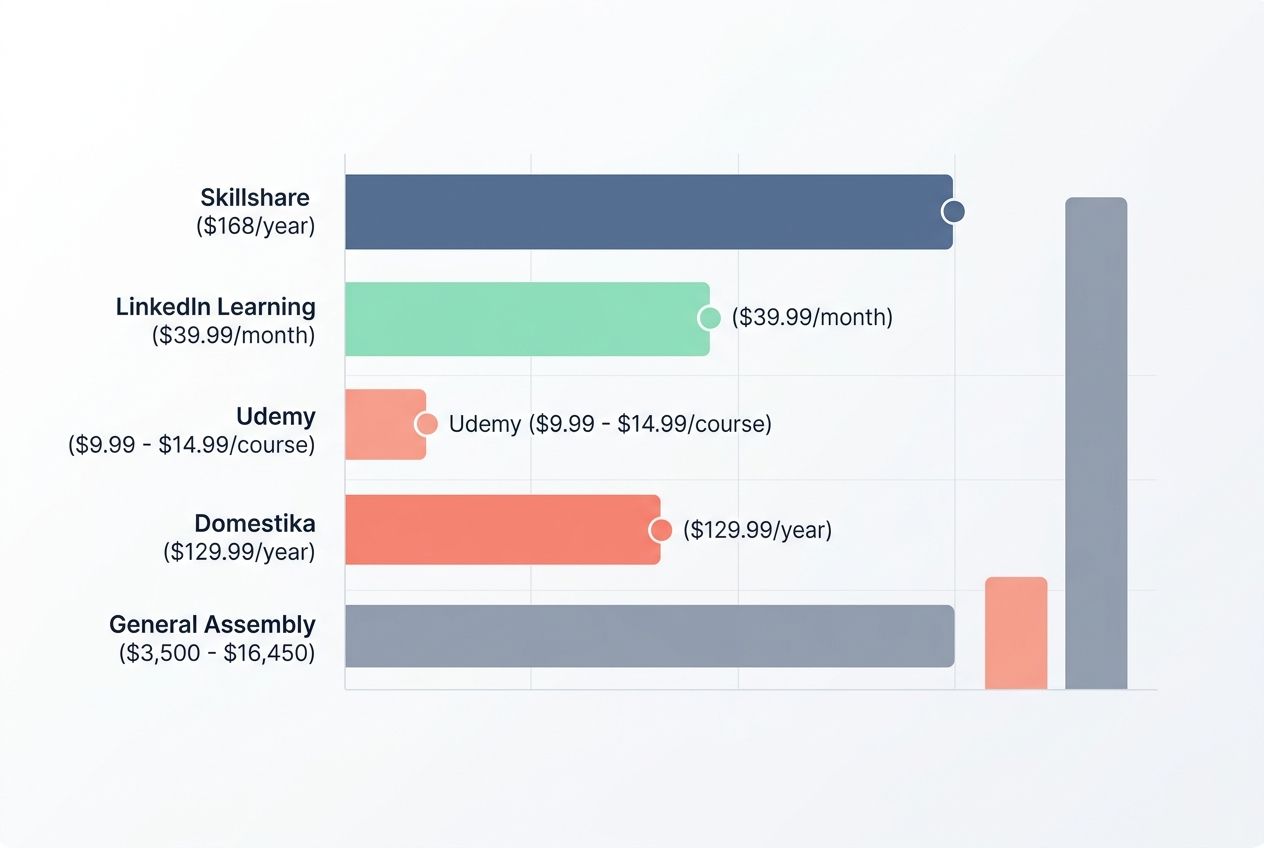
| Platform | Estimated US Pricing (2026) | Best Fit For |
|---|---|---|
| Skillshare | $168/year ($14/month) | Hobbyists and aspiring designers want variety. |
| LinkedIn Learning | $39.99/month (or free via library) | Professionals building their resume and LinkedIn profile. |
| Udemy | $9.99 – $14.99 per course (during sales) | Budget learners want specific, one-off skills. |
| Domestika | $9.99 per course or $129.99/year | Creatives want highly polished, artistic deep dives. |
| General Assembly | $3,500 – $16,450 per program | Career changers seeking a full-time bootcamp experience. |
You might discover that one platform fits your budget perfectly while another drains your wallet fast. Mix and match services too, since combining a cheap subscription with occasional paid workshops often works best.
Your financial situation changes, so revisit your choices every few months to confirm you still get good value from each service you pay for.
Identifying Desired Creative Skills
Now that you have figured out what fits your wallet, you need to pinpoint exactly what creative skills you want to master. Knowing your goals makes picking the right online learning platform so much easier.
- List out the specific creative fields that excite you most, such as graphic design, photography, video production, illustration, animation, or music composition.
- Think about whether you want to learn craft techniques for a hobby or build professional skills for career advancement.
- Assess your current skill level honestly, whether you are a complete beginner or someone with intermediate experience.
- Consider what specific outcomes matter to you, like creating a portfolio, earning a certification, or simply enjoying creative expression.
- Research which instructors or industry experts teach on each platform, since learning from established professionals makes a huge difference.
Evaluating Platform Usability and Access
Platform usability makes or breaks your learning experience, so test drive each site before committing. Access matters too, since you want to learn whenever and wherever you want.
Test the interface on your device before enrolling in any courses. Clunky navigation kills motivation fast, and mobile compatibility deserves serious attention if you plan to learn during commutes.
Video player quality affects how well you absorb information. Check that streaming works smoothly without constant buffering, and verify that subtitle availability opens doors if you prefer reading along with videos.
Course organization should make sense logically, grouping related skills together so you build knowledge step by step. Dashboard layouts reveal how well platforms track your progress.
Account creation should take minutes, not hours, so you start learning without jumping through frustrating hoops. Refund policies protect your investment if a course disappoints you or fails to deliver promised content.
Wrapping Up
Your creative journey starts with choosing the right digital education platform. Each online learning option offers different strengths, so match your goals with what each site provides.
Some platforms excel at affordable courses for all levels, while others focus on advanced creative training. Your budget, desired creative skills, and preferred learning style should guide your final choice.
Skillshare works great for hobbyists exploring design basics. Domestika serves those seeking in-depth creative techniques from industry experts. CreativeLive attracts photographers, videographers, and musicians looking for expert-led classes.
LinkedIn Learning suits business and creative professionals building their portfolios. Udemy delivers flexibility and affordability across countless skill development topics. General Assembly caters to career-focused learners pursuing advanced instruction.
Start exploring these e-learning platforms today and invest in your creative growth. Video lessons, project-based learning, and amazing instructional content combine to transform how you learn.
Take action right now, select your platform, and enroll in that first course. The best platforms for learning creative skills online will open doors you never imagined possible.
Frequently Asked Questions (FAQs) on Online Creative Skills Learning Platform
1. What are the best platforms for learning creative skills online?
Skillshare, Coursera, and YouTube are top choices, with Skillshare offering over 40,000 classes alone. Each has its own style, from video lessons to project guides.
2. How do I pick the right site to learn a new skill?
Start by thinking about what you want to create. If you love hands-on projects, Domestika is great for art and design with its project-based approach. For tech-focused skills like animation or sound editing, LinkedIn Learning is a solid choice.
3. Can beginners join these online courses without any experience?
Absolutely! Most platforms label beginner-friendly content clearly, so you won’t feel lost on your first day.
4. Do I need special tools or software before starting an online creative course?
Not always. Many courses start with basic supplies like pencils or your smartphone, and instructors will recommend apps like Procreate or Canva as you advance.