

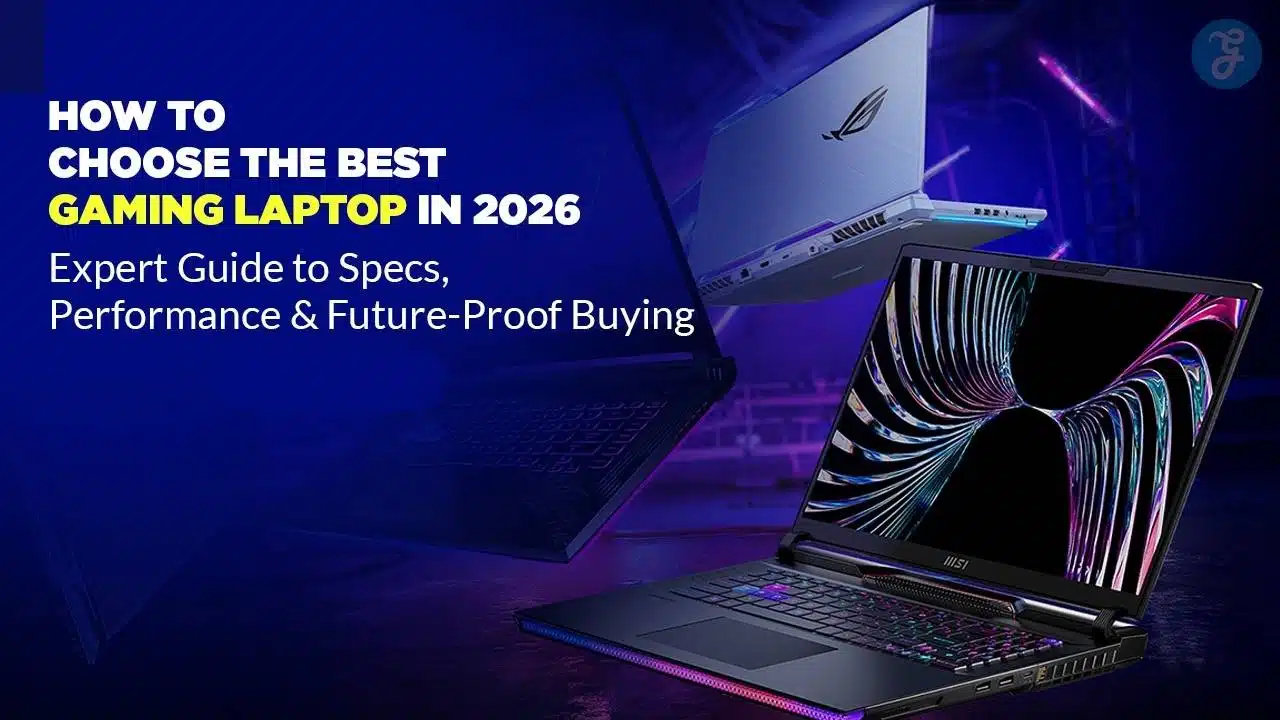
The market for gaming laptops has changed fast. In 2026, you’re not just choosing between a few CPUs and GPUs. You’re deciding on AI-powered features, RTX 50 series graphics, advanced displays like OLED and mini-LED, and much smarter cooling systems.
If you want the best gaming laptop 2026 can offer, you need a clear plan. Let’s walk you through every key decision: budget, GPU, CPU, RAM, storage, display, cooling, portability, and future-proof features. Think of it as your complete gaming laptop buying guide 2026 — designed to keep the information simple, practical, and ready to act on.
What’s New in Gaming Laptops by 2026?
Before you compare models, it helps to understand what has actually changed.
Next-Gen GPUs: RTX 40 vs RTX 50 Series
In 2026, most serious gaming laptops ship with either late-generation RTX 40 series or newer RTX 50 series gaming laptops.
The big differences are:
- Better ray tracing performance
- More efficient power consumption
- Improved support for AI upscaling and frame generation
For most people:
- RTX 40 series GPUs are enough for 1080p or 1440p gaming with high settings.
- RTX 50 series GPUs make more sense if you want 1440p ultra, 4K gaming, heavy ray tracing, or if you play demanding AAA titles long-term.
The key is not to chase the biggest model number blindly. Match the GPU tier to the resolution and frame rate you actually need.
Smarter CPUs and NPUs (AI Engines)
Modern laptop CPUs now include dedicated NPUs (neural processing units).
These AI engines run tasks like:
- Background noise suppression
- AI video upscaling
- Live streaming enhancements
- Smart performance and power management
For gaming, the CPU is still important, but you don’t always need the top chip. A mid-to-high tier CPU with an NPU is usually ideal. Save your money for the GPU unless you also do heavy content creation or 3D work.
Display Evolution: OLED, Mini-LED, and Beyond
Standard IPS panels are no longer the default “best” choice. In 2026, you’ll see:
- OLED – deep blacks, incredible contrast, instant response time
- Mini-LED – high brightness, strong HDR, great for mixed use
- Early MicroLED options at the very top end
These newer panels improve both visual quality and responsiveness — especially important in fast-paced games and cinematic AAA titles.
Design & Cooling Trends
Laptops are thinner, but cooling is smarter:
- Vapor chamber cooling
- Liquid metal on CPU and GPU
- AI-tuned fan profiles
This means you can choose between sleek, portable designs or heavier “desktop replacements” with maximum cooling and performance. Both exist, but the trade-offs are bigger than ever.
Step 1: Define Your Budget and Gaming Profile
You can’t pick the best gaming laptop 2026 has for you unless you’re honest about money and how you play.
Choose Your Budget Bracket
Use these rough price bands as a starting point (actual prices will vary by region and brand):
- Entry-level (~$800–$1,000)
- 1080p gaming, medium to high settings
- Best suited for esports and lighter AAA titles
- Mid-range (~$1,000–$1,600)
- 1080p or 1440p gaming, high settings
- Great balance for most gamers
- High-end (>$1,600)
- 1440p ultra or 4K gaming
- Heavy ray tracing, advanced content creation workloads
You don’t need the top tier if you mostly play competitive esports at 1080p. But if you want a future-proof gaming laptop for 3–5 years, mid-range and above is usually safer.
Identify Your Playstyle
Think about which label fits you best:
- Esports & competitive FPS – Valorant, CS2, Fortnite, Apex
- AAA story-driven gamer – open-world, cinematic titles
- Creator + gamer – streaming, video editing, 3D, design
- Student + gamer – needs portability, battery life, and value
Your playstyle will decide the minimum specs you should accept.
Quick checklist:
- Esports only → Prioritize high refresh rate display + stable FPS
- AAA titles → Strong GPU + good cooling + at least 16–32 GB RAM
- Creator + gamer → High-end CPU, 32 GB RAM, color-accurate display
- Student + gamer → Lighter weight, decent battery, mid-tier GPU
Step 2: GPU – The Heart of Your 2026 Gaming Laptop
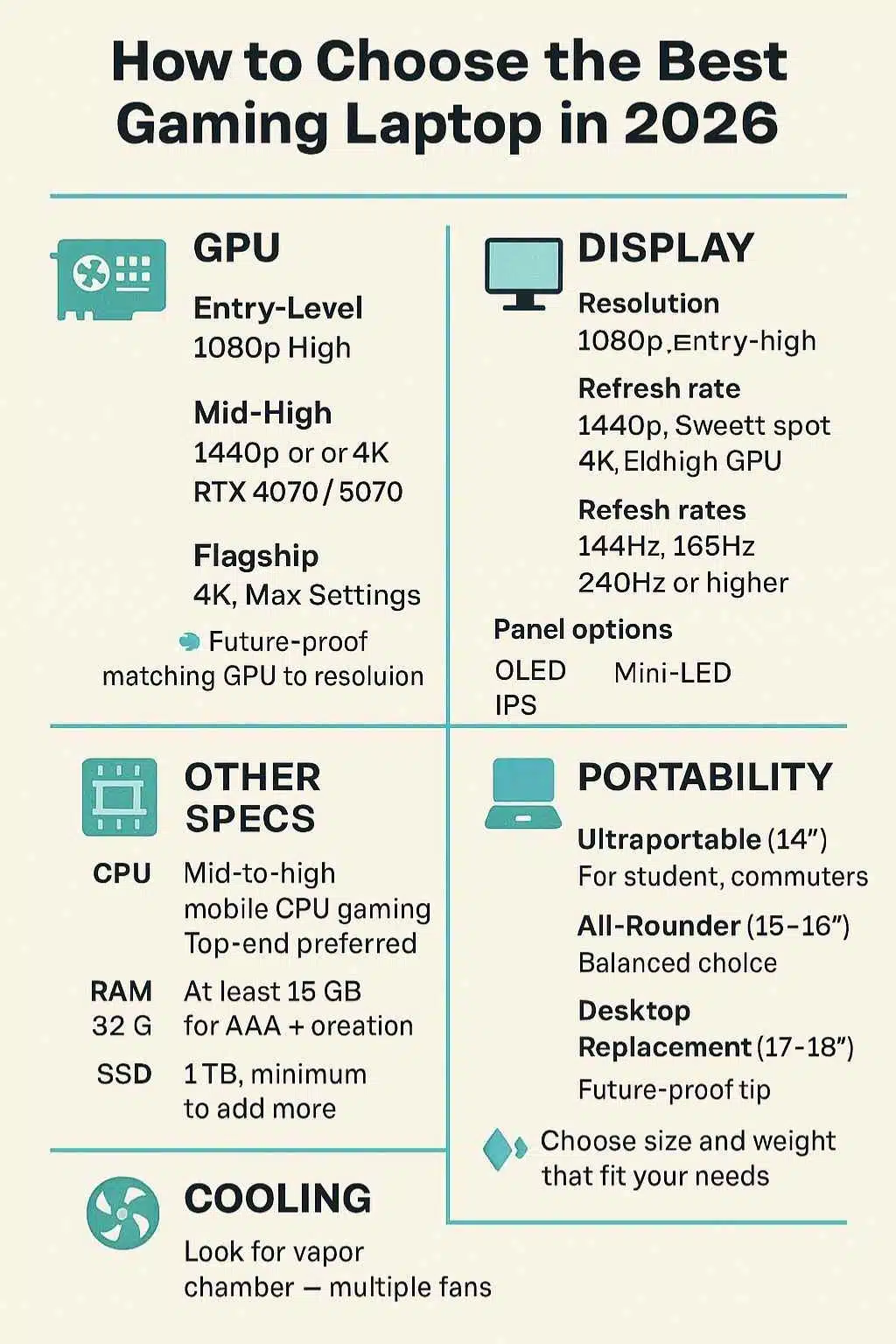
If you’re serious about gaming, the GPU is the most important part. This is where how to choose a gaming laptop becomes very concrete.
Which GPU Tier Do You Really Need?
As a rough guide (names will vary, but tiers are similar):
- Entry GPUs (e.g., RTX 4050 / 4060 tier)
- Great for 1080p high settings
- Handle esports games easily with a high refresh display
- Mid-high GPUs (e.g., RTX 4070 / 5070 tier)
- Strong 1440p performance, even in AAA games
- Good for ray tracing with upscaling
- Flagship GPUs (e.g., RTX 4080 / 4090 / 5080 tier)
- Overkill for 1080p
- Best suited for 1440p ultra, 4K, and serious content creation
Always check two things:
- GPU model (e.g., “4070”)
- Power limit (TGP) – Higher wattage usually means higher performance
Two laptops with the same GPU name can perform very differently if one is heavily power-limited.
Ray Tracing, Upscaling, and Frame Generation
Modern games are built with ray tracing and AI upscaling in mind.
To choose the right GPU, understand three features:
- Ray tracing – enhances lighting and shadows, but is very demanding
- AI upscaling (DLSS / FSR / XeSS) – renders at a lower resolution, then upscales
- Frame generation – inserts extra frames using AI to boost FPS
If you want ray tracing and high resolutions, a stronger GPU (mid-high or flagship) pays off. For competitive players who prioritize raw FPS at 1080p, ray tracing is less important than stable, high frame rates.
Future-Proofing for the Next 3–5 Years
Ask yourself:
- Will you still be happy playing at 1080p medium in three years?
- Do you plan to buy a 1440p or 4K external monitor?
- Do you expect to play newer AAA games at launch?
If yes, moving one tier up in GPU today can keep your laptop relevant longer.
Step 3: CPU, RAM, and Storage – Balancing the Core Specs
Once you’ve locked in the GPU, it’s time to balance the rest.
CPU Choices: Good Enough vs Overkill
For gaming, you rarely need the absolute top CPU.
- Mid-to-high mobile CPUs are enough for most gamers.
- Top-end CPUs matter more for streaming, 3D rendering, and heavy multitasking.
When reading spec sheets, focus on:
- Core count (more helps with multitasking and creation)
- Efficiency (affects heat and battery life)
- Presence of an NPU for AI tasks
For a pure gaming laptop, avoid overspending on the CPU at the cost of a better GPU.
How Much RAM Do You Need in 2026?
Game memory usage keeps rising. As a rule:
- 16 GB RAM – absolute minimum for a gaming laptop in 2026
- 32 GB RAM – ideal for streaming, big AAA titles, modded games, and creators
If your budget allows, 32 GB makes your gaming laptop buying guide 2026-level “future-proof” decision much safer.
Storage: SSD Size and Type
Games are huge now. A single AAA title can exceed 100 GB.
- Avoid 256 GB SSDs; they fill up too fast.
- 1 TB SSD is the realistic minimum for a gaming laptop in 2026.
- If you can, aim for 1 TB + an extra slot for future expansion.
PCIe 4.0 or 5.0 SSDs offer faster speeds, but for most gamers, the big win is enough capacity.
Step 4: Display – Resolution, Refresh Rate, and Panel Tech
The display affects how you see every frame. If you want the best gaming laptop 2026 can offer, don’t treat the screen as an afterthought.
1080p, 1440p, or 4K?
Choose based on GPU strength and your expectations:
- 1080p (Full HD)
- Best match for entry or mid-tier GPUs
- Easier to push very high frame rates
- 1440p (QHD)
- The sweet spot for mid-high and high-end GPUs
- Sharper image without the huge performance cost of 4K
- 4K (UHD)
- Requires a powerful GPU
- Best for cinematic single-player games and creators
If your budget is limited, a fast 1080p panel with a strong GPU is usually better than a 4K panel that your GPU struggles to drive.
Refresh Rate: 120Hz, 144Hz, 240Hz, 360Hz
Higher refresh rates make motion smoother and can give a competitive edge.
- 120–144Hz – great for most gamers
- 165–240Hz – ideal for esports and fast shooters
- 300Hz+ – niche, mainly for pro-level competitive gamers
If you play a lot of fast competitive games, prioritize refresh rate alongside GPU performance.
IPS vs OLED vs Mini-LED vs MicroLED
Each panel type has trade-offs:
- IPS
- Affordable, decent colors, and viewing angles
- Good enough for entry-level gaming laptops
- OLED
- Perfect blacks, outstanding contrast, instant response
- Great for RPGs, cinematic games, and content consumption
- Mini-LED
- High brightness and strong HDR
- More balanced for mixed work, content creation, and gaming
- MicroLED (early premium models)
- Very bright, high contrast, long lifespan
- Currently limited and expensive
If you care about visuals as much as performance, an OLED or mini-LED panel can be a game-changer.
Step 5: Cooling, Noise, and Build Quality
You can’t have top performance without good cooling.
Why Thermals Matter
A laptop that runs too hot will:
- Throttle the CPU and GPU
- Reduce your FPS under sustained load
- Feel uncomfortable using
Look for:
- Larger heatsinks and multiple heat pipes
- Vapor chamber designs in mid-to-high-end models
- Multiple fans and visible exhaust vents
A slightly thicker laptop that runs cool can outperform a thinner one with the same specs.
Noise Levels vs Performance
Quiet laptops sound nice on paper, but silence often means lower performance.
- Most gaming laptops offer fan profiles like Quiet, Balanced, and Performance.
- For long gaming sessions, Balanced or Performance modes are usually best.
If you play with a headset, fan noise is less of a problem. If you stream with a mic, consider noise levels and mic noise cancellation.
Chassis Quality and Durability
Build quality directly affects how long your laptop lasts.
- Metal or metal-reinforced chassis feel sturdier
- Strong hinges prevent wobble over time
- Minimal keyboard flex is a good sign
If you travel often, durability should be part of your decision, not an afterthought.
Step 6: Portability vs Power – Finding the Right Size
Form factor is a big part of how to choose the best gaming laptop in 2026. The right one depends on where and how you use it.
14-Inch and “Ultraportable” Gaming Laptops
These are ideal for:
- Students
- Commuters
- People who travel frequently
They’re lighter and easier to carry, but:
- Cooling is more constrained
- GPUs are usually mid-tier
- Upgrade options may be limited
If you play mostly esports or lighter games and value portability, this category is strong.
15–16-Inch All-Rounders
This is the most balanced class:
- Plenty of performance
- Decent cooling
- Comfortable keyboard and screen size
For many readers, the best gaming laptop buying guide 2026 recommendation lands here: a 15–16-inch machine with a solid GPU, 16–32 GB RAM, and a QHD 144–165Hz display.
17–18-Inch Desktop Replacements
These are built for maximum performance:
- Bigger cooling systems
- Higher-wattage GPUs and CPUs
- Often, the best choice for 4K gaming and creators
The trade-offs:
- Heavy and bulky
- Shorter battery life
- Not friendly for daily backpack use
Pick this if your laptop rarely leaves your desk and you want a near-desktop experience.
Step 7: Battery Life, Charging, and Everyday Usability
Specs are important, but daily comfort matters too.
Realistic Gaming Battery Life
Even in 2026, most gaming laptops:
- Deliver strong battery life for web, office, and media
- It drops sharply when gaming on battery power
Expect the game to be plugged in most of the time for full performance. Consider battery life more for productivity and travel than for gaming.
Fast Charging, USB-C, and Power Bricks
Modern gaming laptops increasingly support:
- Fast charging, which is useful during short breaks
- USB-C charging, handy for travel and light use
However:
- USB-C adapters often can’t provide full gaming power
- For maximum FPS, you’ll still need the original high-wattage brick
Think of USB-C power as a convenience, not a full replacement.
Keyboard, Trackpad, and Audio
Don’t ignore input and sound:
- A comfortable keyboard with good key travel and anti-ghosting is crucial
- A responsive trackpad matters if you also use the laptop for work or study
- Decent speakers and mic quality improve meetings, calls, and casual gaming
If possible, prioritize laptops with well-reviewed keyboards and solid audio, especially if you plan to use them without peripherals.
Step 8: Connectivity, Ports, and Future-Proof Features
A future-proof gaming laptop should stay useful even as standards evolve.
Essential Ports for 2026
Look for:
- USB-C / USB 4 / Thunderbolt for fast data and external GPUs/monitors
- HDMI 2.1 or newer for high-refresh external displays
- An Ethernet port is required if you play competitive games and prefer wired internet
- Headphone jack for headsets
- SD card reader if you do photography or video work
Having the right ports can save you from carrying multiple adapters.
Wi-Fi and Bluetooth Standards
At a minimum, aim for:
- Wi-Fi 6E or Wi-Fi 7 for smoother online play and less congestion
- Recent Bluetooth versions for reliable controller and headset connections
Better networking hardware reduces lag and improves overall experience.
Upgradability and Repairability
Upgradability is a big plus in a gaming laptop buying guide 2026:
- Check if RAM is upgradable or soldered
- Confirm how many SSD slots are available
- Look for models with easy access panels
Being able to add RAM or SSD storage later extends the life of your machine and can save money long-term.
Step 9: Recommended Spec Profiles by Use Case
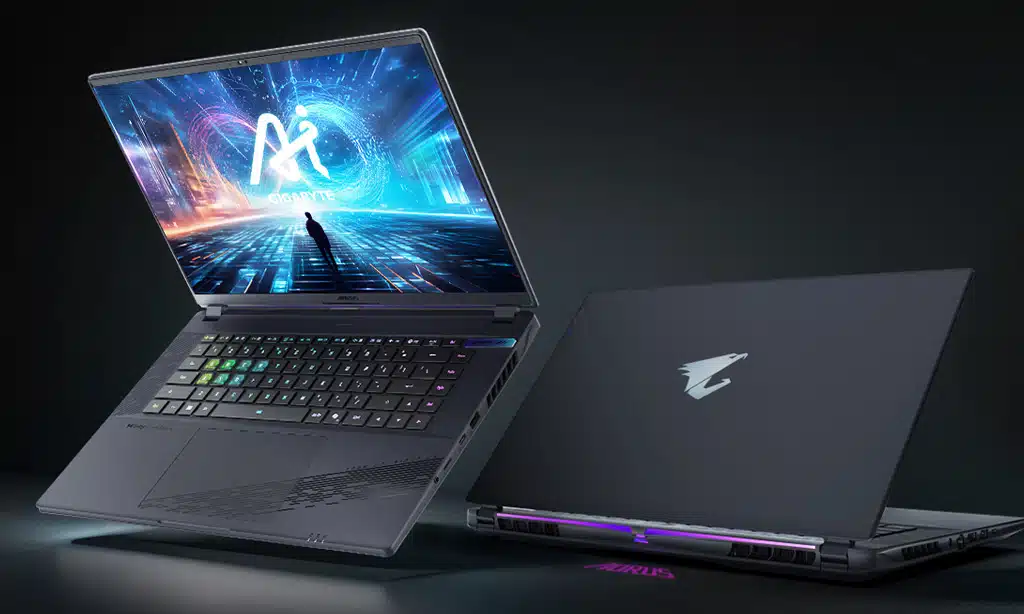
Instead of specific brands, here are evergreen spec templates you can use.
Budget Esports Gamer (1080p, High FPS)
- CPU: Mid-tier mobile CPU
- GPU: Entry-level RTX tier (e.g., 4050/4060 class)
- RAM: 16 GB
- Storage: 512 GB–1 TB SSD
- Display: 1080p, 144–240Hz
Perfect if you mostly play competitive shooters and MOBAs.
Mid-Range AAA + Esports Hybrid (1440p)
- CPU: Mid-high mobile CPU
- GPU: Mid-high RTX tier (e.g., 4070/5070 class)
- RAM: 16–32 GB
- Storage: 1 TB SSD
- Display: 1440p (QHD), 144–165Hz
Great balance for players who mix esports with heavy AAA titles.
Creator + Gamer (4K Video and Design Work)
- CPU: High-end mobile CPU with strong multi-core performance
- GPU: Mid-high or flagship RTX tier
- RAM: 32 GB or more
- Storage: 1 TB or 2 TB SSD
- Display: 1440p or 4K, with high color accuracy (OLED/mini-LED preferred)
Ideal for YouTubers, streamers, designers, and editors who also game.
Hardcore Enthusiast (4K, Max Settings)
- CPU: Top-tier mobile CPU
- GPU: Flagship RTX tier (4080/4090/5080 class)
- RAM: 32 GB
- Storage: 2 TB SSD
- Display: 1440p high refresh or 4K, with excellent HDR
Built for those who want the best gaming laptop 2026 can offer and won’t compromise on visuals or frames.
Common Mistakes to Avoid When Buying a Gaming Laptop in 2026
Steer clear of these pitfalls:
- Chasing the biggest GPU name without checking thermals
- Ignoring RAM and storage, and ending up with 8 GB RAM or 256 GB SSD
- Paying for 4K on a weak GPU that can’t drive it properly
- Overlooking the keyboard, trackpad, and speakers
- Choosing a size or weight that doesn’t suit your daily routine
- Not checking real-world benchmarks and user feedback
A balanced machine beats an unbalanced “spec monster” every time.
Quick Shopping Checklist
Use this as a final filter before buying:
- Budget range decided
- Primary use: esports / AAA/creator/student
- Target resolution: 1080p / 1440p / 4K
- Target refresh rate: 120 / 144 / 240Hz+
- GPU tier matched to resolution
- CPU level: mid/high / creator-grade
- RAM: at least 16 GB (ideally 32 GB)
- SSD: minimum 1 TB
- Panel type chosen: IPS / OLED / mini-LED
- Size and weight that fit your lifestyle
- Must-have ports (HDMI, USB-C, Ethernet, SD, audio)
- Upgradability options confirmed
If a laptop fails several of these checks, keep looking.
Final Takeaways
Choosing the best gaming laptop 2026 is less about chasing the most expensive model and more about aligning specs with the way you actually play and work.
Remember these simple rules:
- Start with your budget and playstyle, not with brand names.
- Prioritize the GPU, but keep CPU, RAM, and SSD balanced.
- Match your display resolution and refresh rate to your GPU’s capabilities.
- Don’t underestimate cooling, build quality, and ports — they define long-term comfort.
- Think 3–5 years ahead so your laptop stays relevant as games evolve.
Follow this framework, and you’ll not only find the right gaming laptop — you’ll invest in a machine that can handle both your favorite titles and your everyday life with ease.




























