

If you own a PlayStation 5, you are already intimately familiar with the everyday struggle of managing your digital library. The console ships with a phenomenally fast internal drive, but once the system files and operating system take their mandatory cut, you are left with a surprisingly small amount of usable space. Modern game developers are pushing the boundaries of graphics and audio, which means game files frequently push past the 100GB or even 150GB mark without breaking a sweat.
It only takes four or five massive blockbuster titles to completely max out your system out of the box. Nobody wants to finish a long day of work, sit down to play a new release, and realize they have to spend an hour deciding which of their favorite games to delete just to make room. This is exactly why picking up the best external SSD for PS5 is a total game-changer for your setup. An external solid-state drive lets you massively bump up your storage capacity in a matter of seconds without taking a screwdriver to your console. You simply plug it into a USB port on the back of your system, let the PlayStation format it, and suddenly you have terabytes of extra breathing room to work with.
While Sony has specific rules about what you can play directly from an external drive, having a high-speed digital vault sitting next to your console saves you tons of time, internet bandwidth, and daily headaches. In this massive guide, we are going to break down exactly why you need one of these drives, how to choose the right model for your specific gaming habits, and the absolute top ten options worth your hard-earned money right now.
Why You Absolutely Need an External SSD for Your PS5?
Gaming in 2026 is an incredible experience, but the sheer size of game files has spiraled completely out of control over the last few years. With massive open-world environments, uncompressed high-fidelity audio, and incredibly detailed 4K textures, your console’s factory storage fills up faster than you might expect. When you only have roughly 600GB to 800GB of actual usable space depending on which model you own, hitting that annoying digital ceiling is completely inevitable.
An external SSD solves this bottleneck immediately by giving you a dedicated, massive parking lot for the games you are not actively playing today but might want to jump back into tomorrow. Think of it as a localized cloud server sitting right on your TV stand. Instead of relying on your internet service provider every time you want to revisit an older title, you have everything safely stored offline and ready to transfer at lightning speeds.
| Feature Comparison | Life Without an External SSD | Life With an External SSD |
| Storage Management | Constant anxiety over deleting and redownloading files. | Keep dozens of massive games safely stored offline. |
| Internet Bandwidth Usage | High usage from constantly redownloading massive game files. | Low usage since you only move files locally via USB cables. |
| PS4 Game Compatibility | Older games take up premium internal PS5 space meant for new titles. | Play your entire PS4 catalog directly from the external drive natively. |
| Time Saved | Hours spent waiting for downloads depending on your internet speed. | Minutes spent moving files back and forth between internal and external drives. |
Say Goodbye to the Dreaded Storage Full Screen
There is nothing more frustrating than buying a brand-new game, hitting the download button on the PlayStation Store, and getting immediately hit with a storage error notification. Instead of agonizing over which multiplayer shooter or massive role-playing game to delete, an external drive lets you offload those titles quickly and painlessly.
You get to keep your entire digital library on standby without sacrificing the ultra-fast internal storage you desperately need for the games you play on a daily basis. This is especially useful for live-service games that receive massive updates every few weeks, as you no longer have to juggle storage blocks just to download a seasonal patch.
Faster Game Transfers Than Redownloading
Moving a massive 100GB game from your console to an external SSD takes just a few minutes of your time. That is drastically faster than downloading the entire file all over again from the PlayStation Network, especially if you deal with slower internet speeds, unstable Wi-Fi connections, or strict monthly data caps from your provider.
It is a simple one-time purchase that pays off every single time you want to switch up your gaming rotation for the weekend. You simply select the game from your dashboard, hit move to USB storage, and go grab a snack while the drive does all the heavy lifting.
Internal NVMe vs. External USB SSDs: What is the Difference?
Before you rush out and spend your money, you really need to understand how the PlayStation 5 handles different types of storage expansion. Sony engineered the console to treat internal and external drives very differently, and buying the wrong piece of hardware for your specific needs will leave you highly disappointed.
Internal expansion requires a specific type of drive called an M.2 NVMe SSD that you actually have to physically install inside the plastic casing of the console. External USB SSDs, on the other hand, prioritize ease of use and simply plug right into the outside ports of the system. Let us break down the specific rules and limitations for each type so you know exactly what you are getting into.
| Storage Metric | Internal M.2 NVMe SSD Architecture | External USB Solid State Drives |
| Installation Process | Requires removing the console faceplate and using a screwdriver. | Simple plug-and-play setup via the console USB ports. |
| Play PS5 Games Directly | Yes, functions exactly like the factory storage drive. | No, you must transfer next-gen games to the internal drive first. |
| Play PS4 Games Directly | Yes, works flawlessly with older titles. | Yes, plays older generation titles flawlessly with fast load times. |
| Hardware Speed Limitations | Requires 5,500 Megabytes per second or much higher speeds. | Capped at roughly 1,000 Megabytes per second via the PS5 USB ports. |
Internal Storage Limits and Benefits
Internal drives connect directly to the motherboard using a highly advanced, ultra-fast PCIe 4.0 interface. Because these specialized drives perfectly match the extreme speed of the console’s built-in storage, you can download, store, and actually play next-generation PS5 games directly from them without any performance hiccups.
They are fantastic pieces of technology, but they do require a bit of do-it-yourself work with a small Phillips-head screwdriver, a compatible third-party heatsink, and a steady hand to get them properly installed inside the console shell.
External Storage Limits and Benefits
External drives are entirely about user convenience and total portability. You connect them using the standard USB ports located on the front or back of the console casing. Because standard USB data transfers are inherently slower than direct motherboard connections, Sony simply does not allow you to play intensive PS5 games directly from them.
You can easily store your massive PS5 game files there, but you absolutely have to move them back over to the internal drive when you are ready to launch them. However, you can freely store and play all of your older PS4 titles directly from the external drive without a single issue, which frees up tons of internal space.
How We Picked the Best External SSD for PS5?
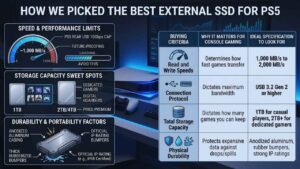
Finding the absolute right drive is not just about grabbing the very first box you see with a flashy gaming logo slapped on the front. You have to carefully balance sequential read and write speeds, physical ruggedness, and overall retail price based on how you actually plan to use your console day to day. We looked closely at real-world data transfer speeds rather than just trusting the theoretical maximums printed on the packaging.
We also heavily factored in the enclosure build quality, thermal management to prevent overheating during massive transfers, and the overall value you get per terabyte of space. The ultimate goal is to find a drive that moves your gaming data fast enough so you are not sitting around staring at a loading bar all night long.
| Buying Criteria | Why It Matters for Console Gaming | Ideal Specification to Look For |
| Read and Write Speeds | Determines exactly how fast your games transfer back and forth. | Anywhere between 1,000 Megabytes per second to 2,000 Megabytes per second. |
| Connection Protocol | Dictates the maximum bandwidth the drive can handle. | USB 3.2 Gen 2 or higher using either Type-C or Type-A cables. |
| Total Storage Capacity | Dictates exactly how many massive games you can keep offline. | 1TB for casual players and 2TB or more for dedicated hardcore gamers. |
| Physical Durability | Protects your expensive data against accidental drops or spills. | Anodized aluminum casings, thick rubberized bumpers, and strong IP ratings. |
Speed and Performance Limits
Even though you physically cannot play next-generation games directly from these external enclosures, the underlying speed of the drive still matters a great deal. You want a storage solution that maxes out the bandwidth limits of the PS5’s rear USB ports. The console specifically supports SuperSpeed USB 10Gbps architecture, meaning your drive will effectively cap out at roughly 1,000 Megabytes per second during transfers.
Buying a crazy-fast 2,000 Megabytes per second drive is perfectly fine and heavily future-proofs the hardware if you ever plug it into a high-end gaming PC, but just know the PlayStation 5 console itself will bottleneck those absolute top speeds.
Storage Capacity Sweet Spots
Deciding on total capacity is an entirely personal choice based on your daily internet habits and gaming backlog. For the average casual player, a standard 1TB drive perfectly hits the sweet spot, holding roughly fifteen to twenty massive blockbuster games at any given time. If you consider yourself a digital hoarder who absolutely refuses to ever delete anything from your library, pushing your budget up to a 2TB or even a 4TB drive makes a lot of sense. Just keep in mind that as the total storage capacity goes up, you will pay a significantly hefty premium for that luxury convenience.
Durability and Portability Factors
If your storage drive is just going to sit safely tucked away behind your living room television forever, a basic lightweight plastic shell is perfectly fine for your needs. But if you frequently take your console over to a friend’s house for multiplayer sessions, or you plan to use the SSD for a laptop on the side, you really need something tough enough to survive the real world.
We highly prioritize drives that feature military-grade drop protection, thick metal enclosures for proper heat dissipation, and official IP ratings that protect the internal flash memory against dangerous dust ingress and accidental liquid spills.
Top 10 Picks for the Best External SSD for PS5
Now that you thoroughly understand exactly what hardware specifications to look for, let us get into the actual physical products available right now. The tech market is completely flooded with hundreds of portable storage options, but these ten specific drives consistently stand out from the rest of the pack in 2026.
They perfectly balance fast real-world transfer speeds, incredibly solid manufacturer warranties, and great external build quality. Whether you want a rugged, indestructible tank of a drive for traveling or a tiny, invisible powerhouse for a clean entertainment center, there is an option here tailored for every single budget.
1. WD Black P40 Game Drive
Western Digital absolutely rules the dedicated gaming storage space, and the P40 is a prime example of exactly why they dominate the market. It is heavily purpose-built for dedicated players, featuring an aggressive, forged metal design and fully customizable RGB lighting strips that look absolutely awesome sitting next to your sleek console. It uses a high-end USB 3.2 Gen 2×2 interface, reaching peak sequential speeds of up to 2,000 Megabytes per second under the right conditions.
The thick aluminum enclosure essentially acts as a massive thermal heatsink to keep the internal flash memory incredibly cool during long, grueling game transfers. The only minor downside is that the retail price is quite premium, and you actually need to plug it into a Windows PC to fully customize the lighting software before hooking it up to your PlayStation.
| Specification | Details |
| Maximum Transfer Speed | Up to 2,000 MB/s |
| Connection Interface | USB 3.2 Gen 2×2 |
| Standout Feature | Fully customizable RGB LED lighting |
| Enclosure Material | Forged aluminum heatsink design |
| Best Target Audience | Gamers wanting aggressive aesthetics and fast speeds |
2. Samsung T9 Portable SSD
Samsung is a legendary powerhouse in the global flash memory industry. While the T9 model is heavily marketed toward professional video editors and photographers, it actually makes a phenomenally reliable PS5 companion. It features a unique, rugged rubberized outer shell that not only feels incredibly premium to the touch but offers excellent, military-grade drop protection if it falls off your TV stand.
It effortlessly sustains top-tier data speeds without breaking a sweat or dangerously overheating, making it an incredibly reliable choice for moving massive files every single day. The overall form factor is slightly bulkier than older Samsung generation drives, but that extra thickness houses better thermal padding that extends the overall lifespan of the storage chips inside.
| Specification | Details |
| Maximum Transfer Speed | Up to 2,000 MB/s |
| Connection Interface | USB 3.2 Gen 2×2 |
| Standout Feature | 3-meter drop resistance rating |
| Enclosure Material | Thick, grippy rubberized outer shell |
| Best Target Audience | Users demanding premium build quality and longevity |
3. Crucial X10 Pro
If you absolutely hate cable clutter and bulky electronics, the Crucial X10 Pro is ridiculously small, measuring roughly the exact size of an average car key fob. Despite weighing almost practically nothing in your hand, it miraculously packs blistering data speeds up to 2,100 Megabytes per second inside its tiny shell. It features a smooth anodized aluminum body, respectable water resistance ratings, and even a convenient lanyard hole milled right into the corner.
It is the absolute perfect choice if you want to seamlessly toss your entire digital game library into a travel backpack or pocket without thinking twice about the weight. The only frustrating point is that the included USB-C cable is remarkably short, meaning the drive will literally dangle in the air if your console is placed vertically on a high shelf.
| Specification | Details |
| Maximum Transfer Speed | Up to 2,100 MB/s |
| Connection Interface | USB 3.2 Gen 2×2 |
| Standout Feature | Integrated lanyard hole for keychains |
| Enclosure Material | Anodized aluminum with IP55 rating |
| Best Target Audience | Commuters needing maximum portability in a tiny footprint |
4. Adata SD810
The Adata SD810 is arguably the absolute best overall value pick on the entire storage market right now for savvy shoppers. It boldly boasts a certified IP68 rating, meaning it is completely dustproof and can actually survive being fully submerged in deep water for extended periods without losing your precious data. On top of that remarkable physical toughness, it expertly sustains peak read and write transfer speeds for a very long time without thermally throttling down.
This sustained performance is exactly what you need when casually dumping 300GB of assorted games onto it all at once during a massive digital spring cleaning session. The exterior design aesthetic is admittedly a bit plain and boring compared to the flashy gaming drives, but the internal hardware performance totally speaks for itself.
| Specification | Details |
| Maximum Transfer Speed | Up to 2,000 MB/s |
| Connection Interface | USB 3.2 Gen 2×2 |
| Standout Feature | Fully submersible underwater (IP68) |
| Enclosure Material | Aluminum alloy core with silicone bumper |
| Best Target Audience | People needing extreme weather and dust resistance |
5. SanDisk Extreme PRO Portable V2
SanDisk has a long history of building tough gear for people who work outside in harsh natural environments, and that extreme durability translates perfectly to a busy, chaotic living room full of kids or pets. The Extreme PRO V2 features a heavily forged aluminum chassis safely wrapped in a thick, shock-absorbing silicone shell. It is incredibly tough, highly water-resistant, and easily handles the absolute maximum bandwidth the PS5 USB ports can throw at it during heavy transfers.
It even includes a highly convenient forged carabiner loop so you can physically clip the drive securely to the inside of your luggage or backpack. You do end up paying a noticeable price premium for the Pro moniker compared to their standard editions, but the vastly improved thermal management is worth the extra cash.
| Specification | Details |
| Maximum Transfer Speed | Up to 2,000 MB/s |
| Connection Interface | USB 3.2 Gen 2×2 |
| Standout Feature | Built-in forged carabiner loop |
| Enclosure Material | Forged aluminum chassis with silicone wrap |
| Best Target Audience | Outdoor enthusiasts wanting professional-grade ruggedness |
6. Seagate Game Drive for PS5
If you are a total purist who absolutely loves matching all your tech accessories, this is undeniably the best external SSD for PS5 for your setup. Officially licensed by Sony, this specific drive is heavily engineered to perfectly mimic the PS5’s sleek, futuristic white and black aesthetic, complete with a subtle, glowing blue LED light strip at the base.
It purposely tops out at around 1,000 Megabytes per second, which is a smart manufacturing choice because that perfectly matches the console’s hardwired port limits without making you overpay for unusable speed. It works completely flawlessly right out of the retail box with zero guesswork, complex formatting, or compatibility anxiety required on your part.
| Specification | Details |
| Maximum Transfer Speed | Up to 1,000 MB/s |
| Connection Interface | USB 3.2 Gen 2 |
| Standout Feature | Official Sony PlayStation licensing |
| Enclosure Material | Sleek plastic matching the console’s colorway |
| Best Target Audience | Purists who want their setup to look uniform |
7. Crucial X9 Standard Edition
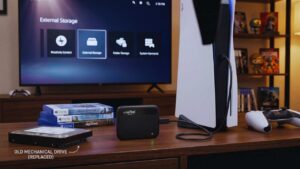
When you are simply on a very strict entertainment budget but absolutely refuse to deal with the agonizing load times of a spinning mechanical hard drive, the baseline Crucial X9 is the perfect answer. It technically caps out at around 1,050 Megabytes per second, which is perfectly adequate and fast enough for quickly archiving PS5 game data and playing backward-compatible PS4 titles natively.
It is remarkably simple to use, highly affordable during holiday sales, and gets the storage job done efficiently without relying on any flashy marketing gimmicks or RGB lights. The external shell is made of lightweight plastic rather than forged aluminum, so it certainly feels a bit less premium in the hand, but it still easily survives standard daily bumps and bruises on a desk.
| Specification | Details |
| Maximum Transfer Speed | Up to 1,050 MB/s |
| Connection Interface | USB 3.2 Gen 2 |
| Standout Feature | Highly affordable price-per-terabyte |
| Enclosure Material | Lightweight, minimalist plastic shell |
| Best Target Audience | Budget-conscious buyers wanting simple extended storage |
8. LaCie Rugged SSD Pro
You can always spot a LaCie drive from across the room by its signature, thick bright orange rubber bumpers. This specific drive is admittedly complete overkill for most casual people playing games in a quiet living room, but if you travel constantly for competitive esports tournaments or frequently move your setup between dorm rooms, it is an absolute physical fortress.
It miraculously delivers top-tier desktop NVMe speeds inside a heavily crush-resistant, highly water-resistant outer shell that can survive being run over by a lightweight vehicle. You will pay a truly massive retail premium to acquire this level of professional-grade protection, but you can sleep soundly knowing your digital game files will survive almost any realistic physical disaster imaginable.
| Specification | Details |
| Maximum Transfer Speed | Up to 2,800 MB/s |
| Connection Interface | Thunderbolt 3 (Backwards compatible with USB) |
| Standout Feature | Extreme crush-resistance |
| Enclosure Material | Thick orange rubber shock bumper (IP67) |
| Best Target Audience | Esports pros needing the most indestructible drive possible |
9. PNY RP60 Portable Drive
The PNY RP60 is a genuinely fantastic underdog in the highly competitive portable tech market. It features a great looking tactical, heavily rubberized design paired with a certified IP65 rating to thoroughly protect against common daily hazards like spilled coffee or dusty floors. It performs brilliantly across the board, cleverly utilizing high-speed data protocols to ensure your massive game files move quickly and smoothly without any sudden data drops.
Because the PNY brand often flies completely under the radar compared to massive marketing giants like Samsung or Western Digital, you can very frequently find this specific model on deep discount at major online retailers. It is a brilliant, highly reliable piece of hardware that securely punches way above its actual price tag.
| Specification | Details |
| Maximum Transfer Speed | Up to 2,000 MB/s |
| Connection Interface | USB 3.2 Gen 2×2 |
| Standout Feature | Integrated tactical clip loop |
| Enclosure Material | Rugged silicone outer wrap (IP65) |
| Best Target Audience | Shoppers looking for under-the-radar value and durability |
10. Kingston XS2000
Kingston somehow managed the incredible engineering feat of cramming desktop-level file performance into a tiny drive that looks exactly like an oversized standard thumb drive. The XS2000 is incredibly light, taking up practically zero physical space, and generously comes with a removable rubber sleeve in the box for extra drop protection when traveling.
It effortlessly hits that magic 2,000 Megabytes per second performance mark, making it a tiny but mighty powerhouse that securely tucks away totally invisibly behind your massive console. The only real caveat is that because the physical footprint is so remarkably small, the tiny metal casing can get quite warm to the touch under very heavy, sustained data transfers if you choose not to use the included rubber cooling sleeve.
| Specification | Details |
| Maximum Transfer Speed | Up to 2,000 MB/s |
| Connection Interface | USB 3.2 Gen 2×2 |
| Standout Feature | Extremely tiny, pocket-sized form factor |
| Enclosure Material | Metal/plastic core with removable rubber bumper (IP55) |
| Best Target Audience | Minimalists wanting big speeds in the smallest shell possible |
Step-by-Step Guide: How to Format and Set Up Your Drive
Getting your brand new external storage running flawlessly is incredibly simple and completely stress-free. Sony purposely designed the software user interface to be as foolproof and streamlined as absolutely possible. You never need to plug the drive into a desktop computer to format it first; the console software intuitively handles everything natively in the background.
If you carefully follow just a few very basic, straightforward menu steps, you will be successfully moving your massive game files back and forth in well under two minutes flat.
| Setup Step | Specific Action Required | Technical Result of the Action |
| 1. Physical Connection | Plug the USB cable firmly into one of the rear USB ports. | Ensures you are utilizing the required SuperSpeed 10Gbps bandwidth connection. |
| 2. Menu Navigation | Go to the main dashboard Settings and click on the Storage tab. | Safely accesses the console’s internal and external file management systems. |
| 3. Drive Formatting | Highlight the drive and select Format as USB Extended Storage. | Completely preps the raw drive architecture to accept encrypted PlayStation game files. |
| 4. Final Configuration | Toggle the setting to install all PS4 games externally. | Automatically saves precious internal space by routing older games to the new SSD. |
Plugging it into the Right Port
This is surprisingly the absolute most common mistake people make when upgrading their system for the first time. You absolutely must plug your new solid-state drive into one of the blue-colored SuperSpeed USB ports located on the back of your PS5 console. The standard USB Type-A port situated right on the front glossy panel does not possess the high bandwidth required to run extended storage properly.
If you mistakenly try to use that front port, the console operating system will literally reject the drive instantly, throw an error code on your television, and politely ask you to move the cable around to the back of the machine.
Once the drive is physically connected to the rear port, turn on the console normally and click the small gear icon located in the top right corner of the home screen to open the main Settings hub. Scroll down until you see Storage, then select USB Extended Storage from the available options. You will clearly see your brand new drive listed right there on the screen.
Click the button that says Format as USB Extended Storage, but be aware that the system will entirely wipe any pre-existing factory software on the drive. Once formatted, you can use this exact same menu page to quickly set a convenient toggle that automatically forces all future PS4 game downloads directly to the external drive, perfectly preserving your internal space forever.
Final Thoughts
Expanding your premium console storage setup shouldn’t feel like a stressful, highly technical chore. Finding the best external SSD for PS5 ultimately comes down to taking a good look at your personal gaming budget and figuring out exactly how often you actively play massive blockbuster games. If you really want top-tier transfer performance and aggressive physical ruggedness, premium options like the Samsung T9 or the WD Black P40 are genuinely incredible choices that will last for years.
Conversely, if you just need a cheap, reliable digital parking lot for your massive gaming backlog, the baseline Crucial X9 gets the job done brilliantly without emptying your wallet. No matter what piece of hardware you ultimately choose from this list, adding high-speed solid-state storage will instantly improve your daily setup, completely removing the persistent anxiety of constantly deleting your favorite games just to try something brand new.




























