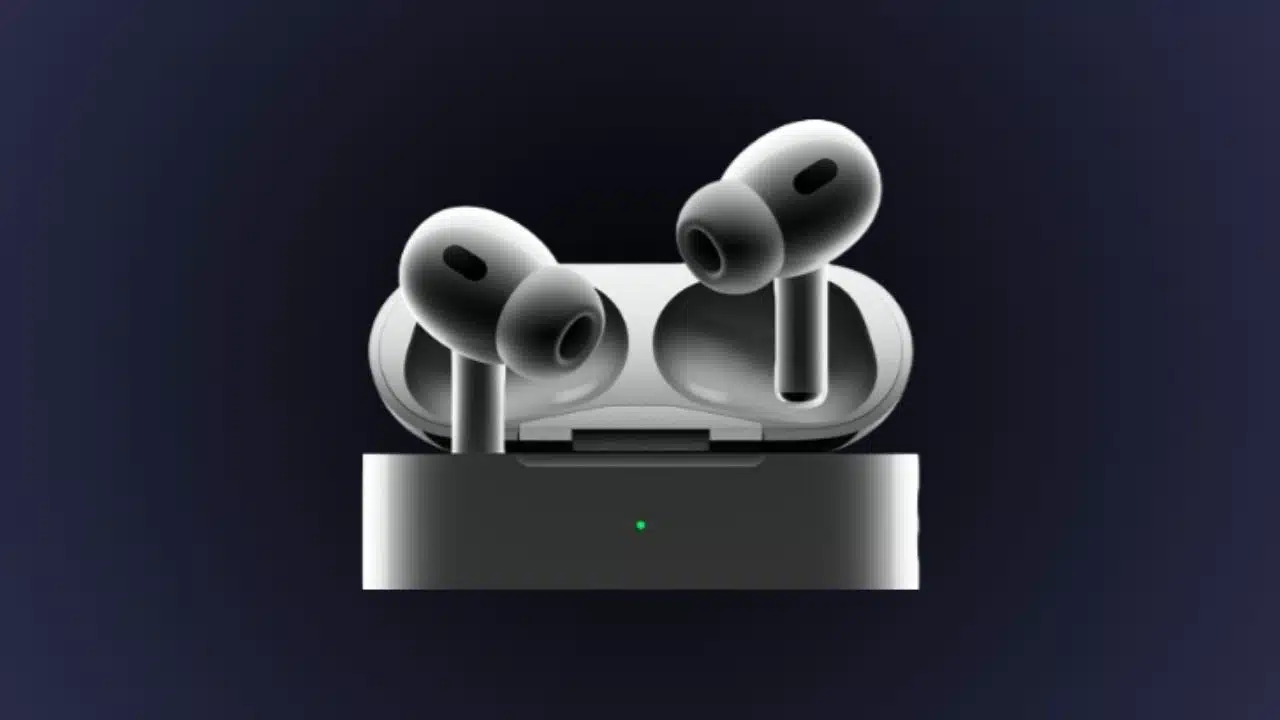
AirPods Pro 2 Get Smarter with New Features in iOS 17

AirPods Pro 2

Apple is bringing some exciting new capabilities to its flagship wireless earbuds, the AirPods Pro, with the iOS 17 update. While no new hardware is required, users can enjoy five fresh features that make these earbuds even smarter and more adaptive.

Hear the World Like Never Before with Adaptive Audio 

A new Adaptive Audio mode aims to provide the best listening experience possible in any environment. It dynamically shifts between Transparency mode, which lets in ambient sound, and Active Noise Cancellation, which blocks external noise. This means you’ll get an optimized blend based on your surroundings – from tuning in to chatter at a cafe to focusing on your music at the gym. The transitions between modes happen seamlessly, resulting in consistent, uninterrupted audio.

Converse with Ease Through Conversation Awareness

The new Conversation Awareness feature helps you engage in discussions without fiddling with your earbuds. When you speak to someone, it automatically turns down your audio volume and enhances their voice. It also minimizes background noise behind you for clearer dialogue. So you can effortlessly join in a chat at a loud party or respond to someone while running – no taps or gestures required. Additionally, you can also read about- How to Find AirPods: A Guide to Track, Locate, Retrieve

Mute Yourself With a Single Stem Press

A simple new way to mute yourself is coming to phone calls. By pressing the stem of either earbud, you can now mute your microphone mid-call. Then press again to unmute when you’re ready to rejoin the conversation. No need to pull out your phone anymore!

Personalized Volume Learns Your Preferences

Using machine learning, your AirPods Pro will now understand your typical listening habits and environment over time. With this data, the new Personalized Volume feature can automatically fine-tune audio levels to suit your preferences. So you get a customized experience every time you put on your earbuds.

Faster, Smoother Device Switching 

Already, AirPods can switch between Apple devices you’re using – like iPhone, iPad, or Mac. But improvements to Automatic Switching mean connection times between devices will be even quicker and more reliable. So you can effortlessly transition your earbuds as you move between gadgets.

To access all these handy upgrades for your AirPods Pro 2, simply update to iOS 17. With more adaptive audio, easier conversations, personalized volume, and smoother switching, your wireless listening experience just leveled up. If you want you can also read- How to Check AirPods Battery: Maximizing Music Time.


Subscribe to Our Newsletter

Related Articles

Top Trending

subscription tracker apps
10 Subscription Tracker Apps: What They Find, or Miss, or Which Can Help You Cancel
Wearable Devices for Health Monitoring
7 Ways Wearable Devices Help People Monitor Their Health
Vietnam Travel Connectivity Guide
Your Vietnam Travel Connectivity Guide: Staying Online From Hanoi to Phu Quoc
AI-assisted portfolio
10 Ways to Make a Portfolio Credible When You Used AI in the Work
86th birth anniversary of pele
The Pele I Inherited: A Son’s Tribute on the King’s 86th Birth Anniversary

Technology & AI

subscription tracker apps
10 Subscription Tracker Apps: What They Find, or Miss, or Which Can Help You Cancel
Vietnam Travel Connectivity Guide
Your Vietnam Travel Connectivity Guide: Staying Online From Hanoi to Phu Quoc
AI-assisted portfolio
10 Ways to Make a Portfolio Credible When You Used AI in the Work
Legal Steps After a Cyberattack What Businesses Should Do
10 Legal Steps Businesses Should Take After a Cyberattack
AI Privacy Settings
8 AI Privacy Settings to Check Before Uploading Personal or Work Files

GAMING

Why Payment Convenience Matters When Choosing an Online Casino
Loot Box Legal Questions Issues Gamers and Developers Should Know
8 Legal Questions Surrounding Loot Boxes and Gaming Rewards
Who Owns In-Game Items Skins, Purchases, and Virtual Assets
Who Owns In-Game Skins, Purchases and Virtual Assets?
Mobile Gameplay Recording Apps
8 Apps for Recording and Editing Mobile Gameplay
Esports Legal Issues Every Player Should Understand
9 Legal Issues Every Esports Player Should Understand

Business & Marketing

Legal Steps After a Cyberattack What Businesses Should Do
10 Legal Steps Businesses Should Take After a Cyberattack
Dickie Shearer’s Global South Storytelling Now Reaches Up to 10 Million Viewers a Month
Books Understand Comfort Women Issue
Which Books Should I Read to Understand the Comfort Women Issue: A Guide to History, Testimony, and Reconciliation
Apps for Investing in Gold and Silver
10 Best Apps for Investing in Gold and Silver
Nicole Junkermann's Case for Investing in Italy's Aging Population

EdTech & E-Learning

tablet vs laptop vs console for kids
Tablet, Laptop, or Console: Which Is Right for a Young Learner?
free ai courses for beginners
10 Free AI Courses for Beginners: What You Learn and Whether Certificates Cost Extra
Student Data Privacy Rules
10 Student Data Privacy Rules Edtech Companies Should Follow
How To Evaluate An EdTech Tool
How to Evaluate an EdTech Tool Before You Commit
how to homeschool with apps
How to Homeschool With Apps: Build a Digital Curriculum

Software & Apps

subscription tracker apps
10 Subscription Tracker Apps: What They Find, or Miss, or Which Can Help You Cancel
Real Estate CRM Software for Agents
10 Best Real Estate CRM Software for Agents
flight price tracker apps
10 Best Flight Price Tracker Apps for International Travelers
Best Car Maintenance Tracker Apps
10 Best Car Maintenance Tracker Apps
moving apps for planning stress-free relocation
10 Best Moving Apps for Planning a Stress-Free Relocation