
If you’ve ever forgotten your iPhone passcode, bought a second-hand device still locked to someone else’s Apple ID, or struggled with iOS restrictions, you know how frustrating it can be. That’s where AnyUnlock can help you. Designed by iMobie, this tool aims to give you control over your iOS devices again. In this review, you’ll find out what AnyUnlock offers, its advantages, drawbacks, and whether it’s the right solution for your needs.
What Is AnyUnlock?
AnyUnlock is a third-party iPhone unlocker software developed by iMobie. It’s built to help you bypass different types of locks and restrictions on your iPhone, iPad, or iPod Touch. Whether you’re locked out of your device, stuck with a second-hand phone you can’t access, or dealing with mobile management restrictions, AnyUnlock is designed to help you solve those problems.
Key Features You’ll Get with AnyUnlock
Here’s what AnyUnlock lets you do:
- Unlock Screen Passcodes: You can remove 4-digit/6-digit codes, custom passcodes, Touch ID, and Face ID locks.
- Remove Apple ID: Forgot your Apple ID password? AnyUnlock can help you unlock the device without it, even if it’s still linked to the previous owner’s account.
- Bypass iCloud Activation Lock: Especially useful if you own a second-hand iPhone or iPad, this feature lets you bypass iCloud Activation Lock (note: this usually requires jailbreaking).
- Bypass/Remove MDM Restrictions: Got a work or school device under MDM control? AnyUnlock can bypass or remove those restrictions without erasing your data.
- Remove Screen Time Passcodes: If you’ve forgotten your Screen Time password, you can disable it without losing your data.
- Remove iTunes Backup Encryption: If you forgot your iTunes backup password, AnyUnlock can help you remove or recover it.
- Manage iOS Passwords: You can view and export passwords stored on your device, including Wi-Fi and app login details.
- Extra Features: Options like SIM unlocking (in some cases requiring jailbreak), disabling iPhone camera sounds, and generating detailed device reports are also included.
How You Use AnyUnlock
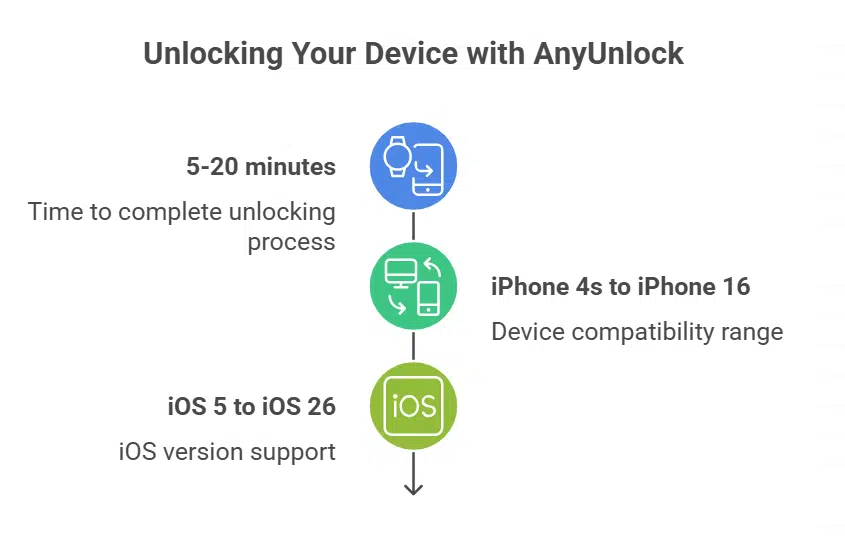
To get started with AnyUnlock, you’ll need to install the software on your Windows or Mac. After connecting your iPhone, iPad, or iPod Touch via USB, you simply choose the function you need from the clean, straightforward interface. Follow the guided steps to complete the unlocking process. Depending on your task and device model, this can take anywhere from 5 to 20 minutes. AnyUnlock supports a wide range of devices—from the iPhone 4s up to the latest iPhone 16, and from iOS 5 to iOS 26.
Why You Might Like AnyUnlock
- Easy to Use: Even if you’re not tech-savvy, you’ll find AnyUnlock’s interface simple and clear.
- All-in-One Solution: It handles various iOS lock problems within a single tool.
- High Success Rates: Most users report good results across all core features.
- Safe & Trusted: Developed by iMobie, the software is considered secure, with no known privacy risks.
- Broad Compatibility: Supports a huge range of Apple devices and iOS versions.
- Free Trial Option: You can try a limited version for free before buying.
What You Should Watch Out For
- Risk of Data Loss: For passcode removal and iCloud bypass, your device will usually be erased. Always back up when possible.
- Paid License Needed: You’ll need to purchase a license to unlock full features—the free trial is quite limited.
- Jailbreak Required for Some Features: Bypassing iCloud Activation Lock or SIM locks often requires jailbreaking your device, which could void warranties and affect future updates.
Pricing Overview
AnyUnlock works on a premium model. While a free trial is available, full access requires buying a license. Pricing generally starts at around $39.99 for basic unlocking, with more expensive plans covering multiple features or devices. You can choose between quarterly, yearly, or lifetime plans based on how often you think you’ll need it.
Is It Safe and Legal?
Yes—AnyUnlock is considered safe software from a reputable company. Using it to unlock your own devices is legal in most regions. However, unlocking stolen devices or using it for unauthorized purposes is illegal and strongly discouraged.
How to Use AnyUnlock (Step-by-Step)
- Download and Install: Obtain AnyUnlock from iMobie’s official website to ensure you get a legitimate and safe version. Install the software on your Windows or macOS computer.
- Connect Device: Connect your iOS device to your computer using a reliable USB cable.
- Select Feature: Launch AnyUnlock and choose the specific unlocking feature you need from the main interface (e.g., “Unlock Screen Passcode,” “Bypass iCloud Activation Lock”).
- Follow Instructions: The software will then provide on-screen instructions tailored to your selected feature. This might involve putting your device into recovery mode, downloading the appropriate firmware for your device model and iOS version, or confirming device information.
- Initiate Unlock: Once all prerequisites are met, initiate the unlocking process. Wait for AnyUnlock to complete the operation.
Final Thoughts
If you’re locked out of your Apple device or dealing with restrictions you can’t remove, AnyUnlock offers you a practical, easy-to-use solution. Its versatility and success rate make it a useful tool for personal and professional use alike. AnyUnlock could be exactly what you need to regain control of your iPhone or iPad.