
Video editing serves as the pivot to a multitude of modern-day media and entertainment concerns. Likewise, the software market endorses a host of free video editing software to walk through the concern. Talking of the popular names, you might be familiar with Adobe Premiere Pro, which is an excellent utility to work towards footage customization. Expanding your choices; the following article talks about Wondershare Filmora as a reliable alternative. Keep reading to understand the credibility that puts Filmora as an outstanding video editor for users at all levels.
Filmora video editor is widely appreciated for its intuitive and easy-to-use working interface. The learning curve and layout of the program have been generously improved to facilitate quick navigation and high-speed performance. You will never need a tech-savvy background to work with Filmora. The class-wise arrangement of features and interface tools guarantees a seamless video editing process.
The drag-and-drop navigation enhances your video editing experience to the next level. Mentioning some of the major attractions, you can work with motion tracking, split screen, AI Portrait, and a host of advanced features. The bottom line is, that you can work with Filmora to transform the footage edits into trendy masterpieces of artwork.
Some Key Features:
1. An Enormous Library of Video Effects
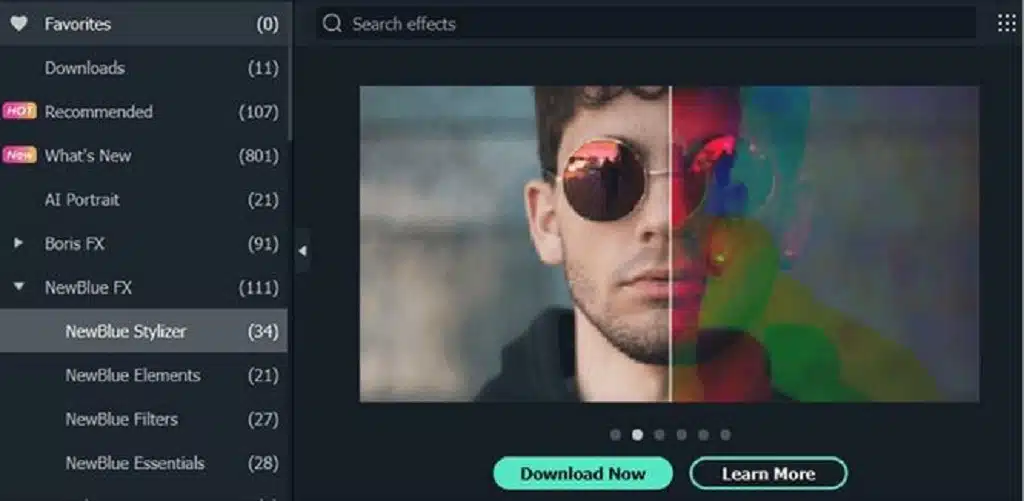
The latest version of Filmora is loaded with tons of advanced video effects to facilitate high-end video customization. The prominent ones are new OpenFX Plug-ins that support a huge variety of openers, title selections, and lower-thirds. You can work with Boris FX and NewBlue FX for advanced and professional settings, styles, and lighting effects for the customized videos.
2. Speed Ramping
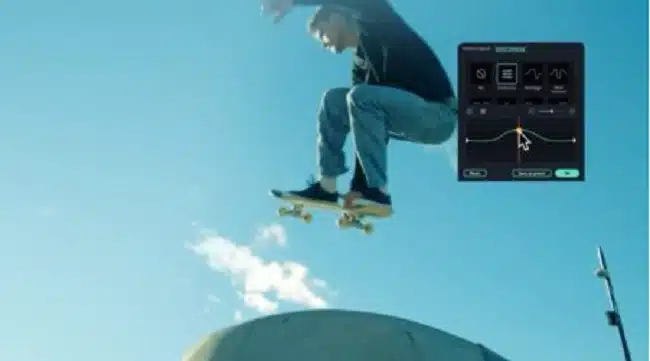
The speed ramping functionality allows you to facilitate the speed adjustments for video keyframes. You can try a host of speed variations in line with your keyframing project. The feature is dedicated to providing excellent scope for designing and editing video effects. You are free to include single as well as multiple keyframes and spark up the video movements with variable speed transitions.
3. Instant Mode
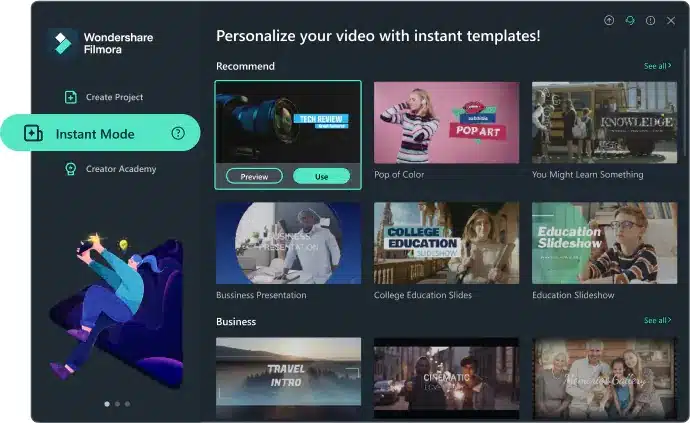
The Instant Mode makes Wondershare Filmora the best video editor for PC, with its remarkable utility of creating quick and classy video edits. The functionality allows you to create amazing video edits by customizing more than 100 pre-set templates. The flexibility comes in handy when you need a stunning edit but have quick deadlines. You can uplift your creations with transitions, overlays, and special effects to give them a jaw-dropping professional outlook.
4. Masks
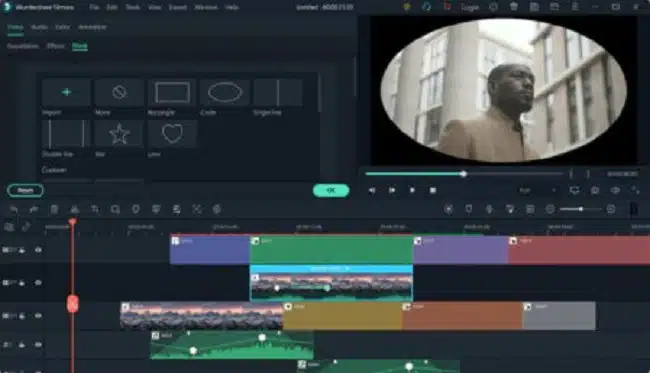
The Masking option is dedicated to conveniently masking keyframes with different assets. You are further allowed to work towards combining and adding a host of media types to the edited footage. The masking accuracy can be enhanced with the inclusion of transitions and blends in the video edits. Filmora currently provides 18 types of masking effects to work with.
5. Speech-to-text & Text-to-speech
Another attraction of Filmora is the audio-to-text converting feature, which transforms the voice elements in your clips to corresponding text through an automatic recognition capability. The functionality promises a high-precision speech-to-text conversion advantage. You can customize the converted text as required.
Filmora is also compatible with the effective recognition and conversion of text elements in video edits to exact speech. The accuracy constraints are maintained here as well. The converted speech works to improvise the customized footage.
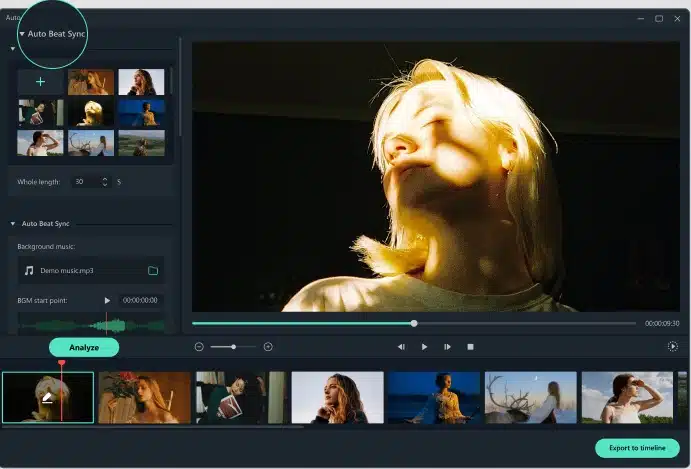
6. Auto Montage
Filmora facilitates a high-quality synchronization of videos with audio tracks while analyzing beat points to modify footage viewing. The functionality promotes a quick identification and removal of unwanted or faulty sections, such as overexposure, added darkness, jitters, etc., from the videos. This leads to a perfect sync between the video and audio components.
7. AI Portrait
Filmora video editor comes with an AI portrait functionality to recognize and replace the human elements of video footage with a customized background. You can quickly drag and drop the selected elements for applying the effect. There is also an appealing set of utilities, such as stunning portrait effects and AR stickers to turn your footage into classic artwork.

Availability and Tech Specifics
|
|
Windows |
Mac |
|
OS |
Windows 7/Windows 8.1/Windows 10/Windows 11 (64-bit OS). |
macOS V12 (Monterey), macOS v11 (Big Sur), macOS v10.15 (Catalina), macOS v10.14 (Mojave). |
|
CPU |
Intel i3 or better, 2GHz or above. |
Intel i5 or better, 2 GHz or above |
|
RAM |
4 GB RAM (8GB required for HD and 4K videos) |
8 GB RAM (16 GB required for HD and 4K videos) |
|
Disk |
At least 10GB of free hard disk space for installation (SSD-Solid State Disk recommended for editing HD and 4K videos). |
At least 10 GB of free hard-disk space for installation |
Verdict
Wondershare Filmora is a dedicated and mainstream video editing utility for Windows-compatible devices. The huge library of new and exciting features keeps this program way ahead of its video editing counterparts, like the Adobe software. The software’s user-cohesive interface further adds to the program’s credibility in customizing videos. Working with the tool is a sure-shot guarantee of creating outstanding video edits with professional expertise.