

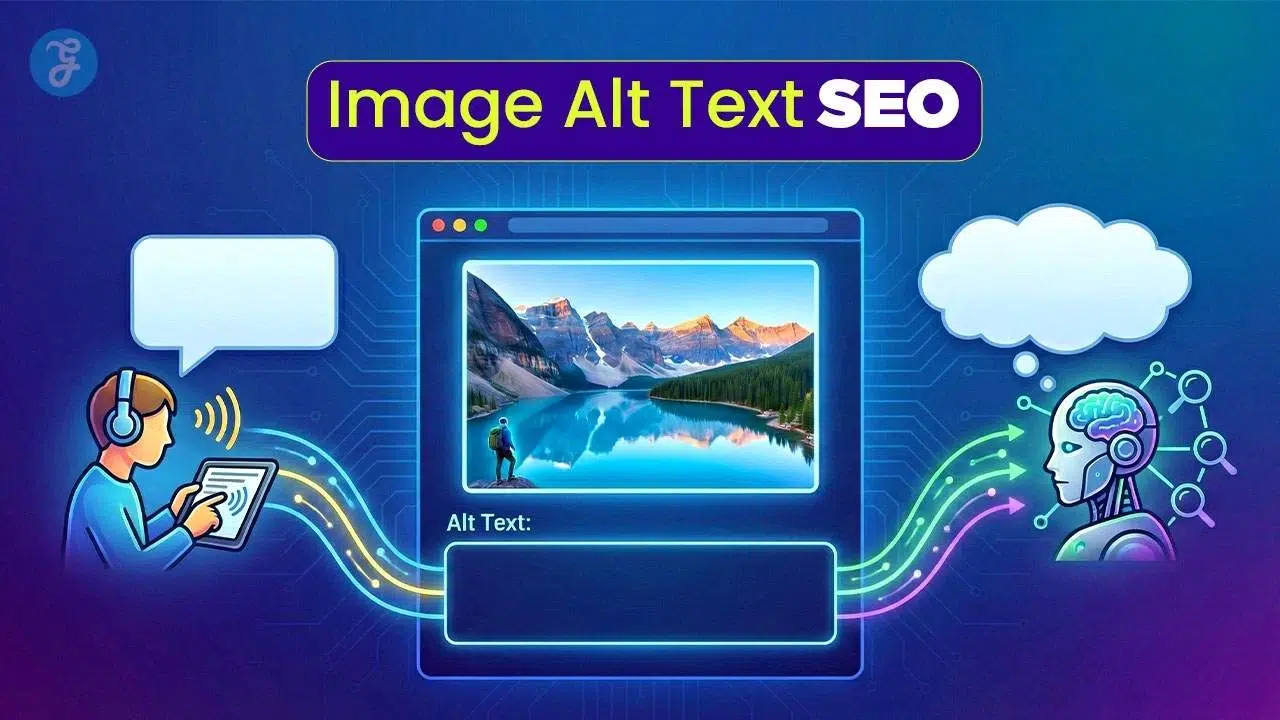
You upload a nice photo to your website, but not many people can see or find it. Maybe some users cannot even understand what the picture shows because their devices cannot read images. This is a common headache for those wanting better reach and search results. Over 250 million people worldwide have trouble seeing screens, so image alt text helps them “read” photos using screen readers. Adding good descriptions also helps Google and other search engines know what your pictures show.
This blog post will explain how proper image alt text SEO boosts site visibility and makes content accessible for all users, including both humans and smart computers. Curious about easy ways to improve your website? Keep reading!
What is Alt Text?
Alt text gives meaning to images for people who may not see them. Some folks confuse it with other image tags, but each one has its own job.
Definition of alt text
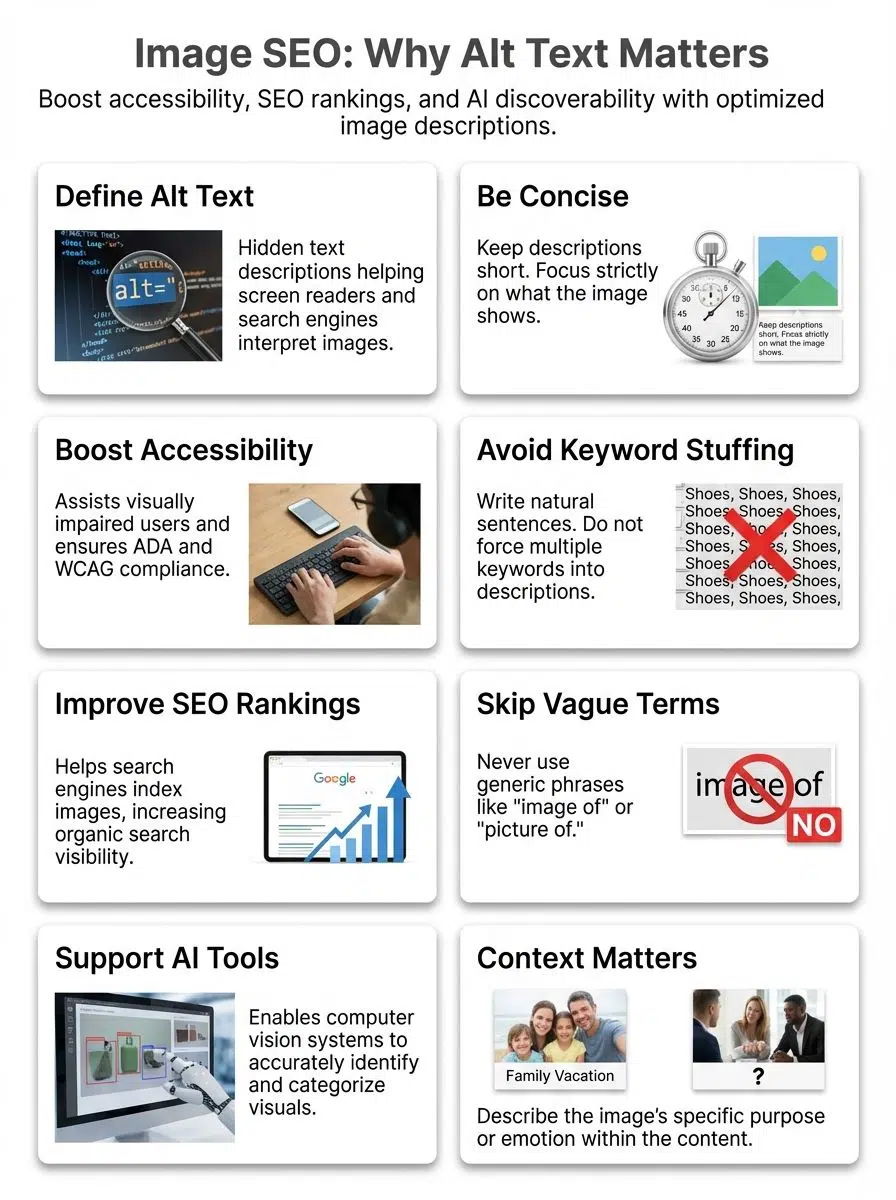
Alternative text, or alt text, is the short description added to an image’s code on a website. It lives inside the HTML
Search engines like Google also use these words to figure out what is in the picture. In fact, the 2024 WebAIM Million report found that 18.5% of images on home pages were missing this crucial text. That is a lot of blank space where helpful information should be.
“Alt text is like giving eyes to those who can’t see your images, simple yet powerful.”
This bit of writing sits behind every meaningful image, quietly helping with website usability and SEO. Alt text does not appear unless the image fails to load or a user needs it read aloud by screen readers.
Clear and simple descriptions improve accessibility and boost discoverability through AI artificial intelligence tools.
Difference between alt text and image description
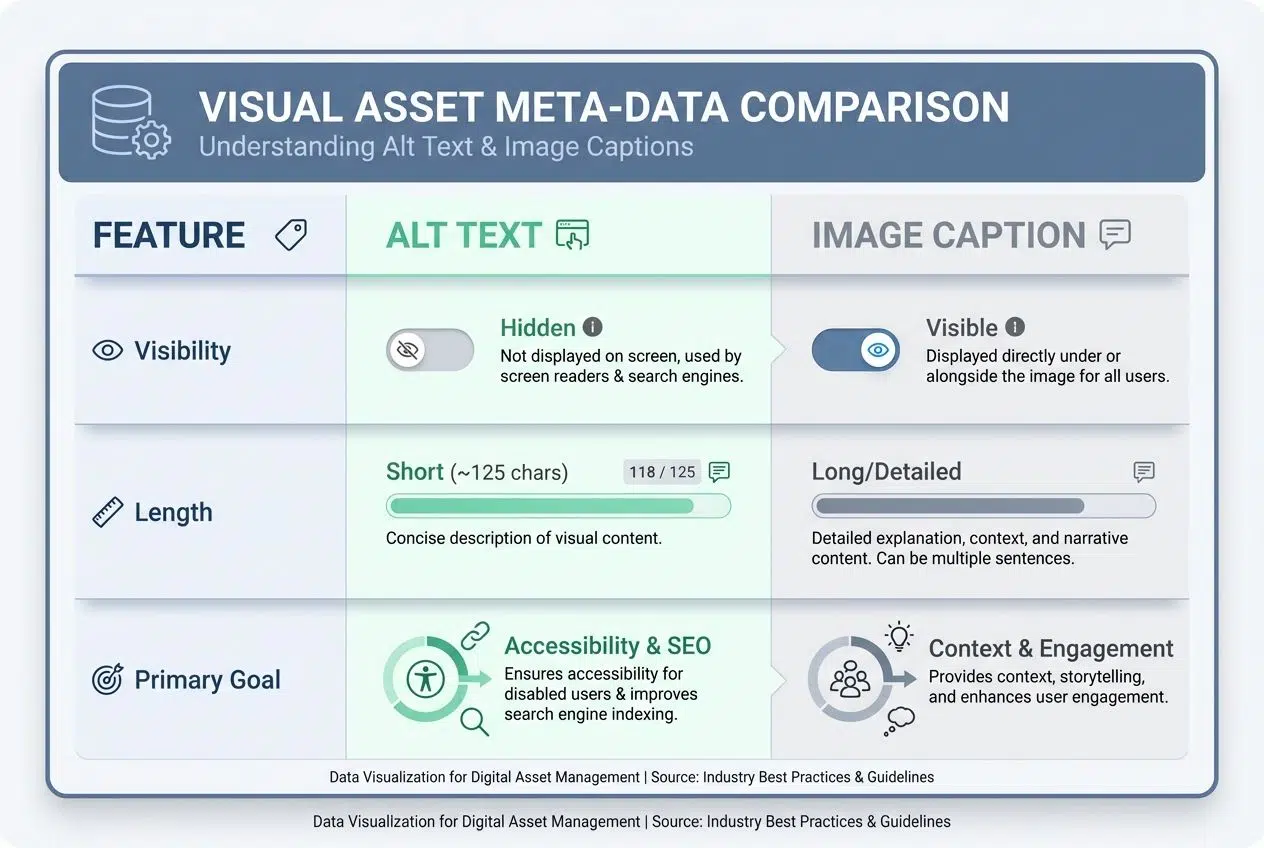
Alt text sits behind an image, almost like a hidden helper for screen readers and search engines. It pops up if the picture fails to load or if someone uses assistive technology. Alt text must be short and straight to the point, describing only what is shown in the image.
For example, “A brown dog jumping over a log.”
Image description gives more details than alt text. It appears near the image or in captions, offering extra context that helps all users understand complex visuals such as charts or infographics.
| Feature | Alt Text | Image Caption/Description |
|---|---|---|
| Visibility | Hidden (unless image breaks) | Visible to everyone |
| Length | Short (approx. 125 characters) | Can be long and detailed |
| Primary Goal | Accessibility & SEO | Context & User Engagement |
While alt text boosts SEO and web accessibility by focusing on discoverability for AI and computer vision tools, image descriptions help humans get more out of each visual moment online. Now let’s look at how alt text matters for users with visual impairments and supports screen readers.
Why Alt Text Matters for Accessibility
Alt text opens doors, giving people who cannot see images a way to understand what’s on the screen. It helps make websites friendlier and easier for everyone, keeping things fair.
Assisting users with visual impairments
Screen readers depend on alternative text to describe images. People who are blind or have low vision cannot see photos or graphics, so they rely on these descriptions. Simple phrases matter; for instance, writing “girl holding a red balloon” paints a clear image in their minds. Without descriptive tags, users may miss key info and get left out of the conversation.
Web accessibility rules require sites to use alt text for important visuals. The Americans with Disabilities Act (ADA) and Web Content Accessibility Guidelines (WCAG) set these standards. Legal pressure is real, too. In 2024 alone, over 2,400 website accessibility lawsuits were filed in federal courts, with thousands more in state courts like New York and California.
Good alt text helps make websites fair for everyone and improves user experience across the board.
Good web design does not discriminate, says Tim Berners-Lee, inventor of the World Wide Web.
Enhancing compatibility with screen readers
Alt text acts as a bridge for people who depend on screen readers. Tools like NVDA (NonVisual Desktop Access) and JAWS (Job Access With Speech) are the most popular choices for desktop users.
These tools read out the alt text, helping users understand images on a website. For example, someone with low vision can hear “A red apple on a wooden table” instead of missing the image completely. Clear alternative text makes websites friendlier and easier to use for everyone. Web standards like WCAG 2.1 require this step for better accessibility.
Good alt text also helps those using voice-controlled devices or other assistive technology. Websites that follow these steps offer smoother experiences to all visitors, no matter how they browse content. Adding strong descriptions improves both usability and compliance, making sites open to more users every day.
Why Alt Text is Important for AI and SEO
Alt text acts like a road sign for search engines and smart tools, showing them what your images mean. It helps your pictures show up in more searches, making your website easier to find.
Providing context for search engines
Search engines cannot see images as people do. They rely on alt text and content descriptions to figure out what an image shows. Good alt text helps Google, Bing, or other tools understand the image’s topic, purpose, and how it fits with your page’s main idea.
Useful details make your visual content more discoverable in image search listings. Screen readers use this information too, but search engines use it to decide if a picture matches a user’s question or keyword. Clear alt text can turn one simple photo into web gold by boosting SEO and increasing site visitors. Now, let’s look at how strong alt text even improves your rankings in image searches.
Improving image search rankings
Strong alt text boosts how your images appear in search results. Google and Bing scan this alternative text to learn what each picture shows. With clear image descriptions, your site can rise higher on the list for people searching related topics.
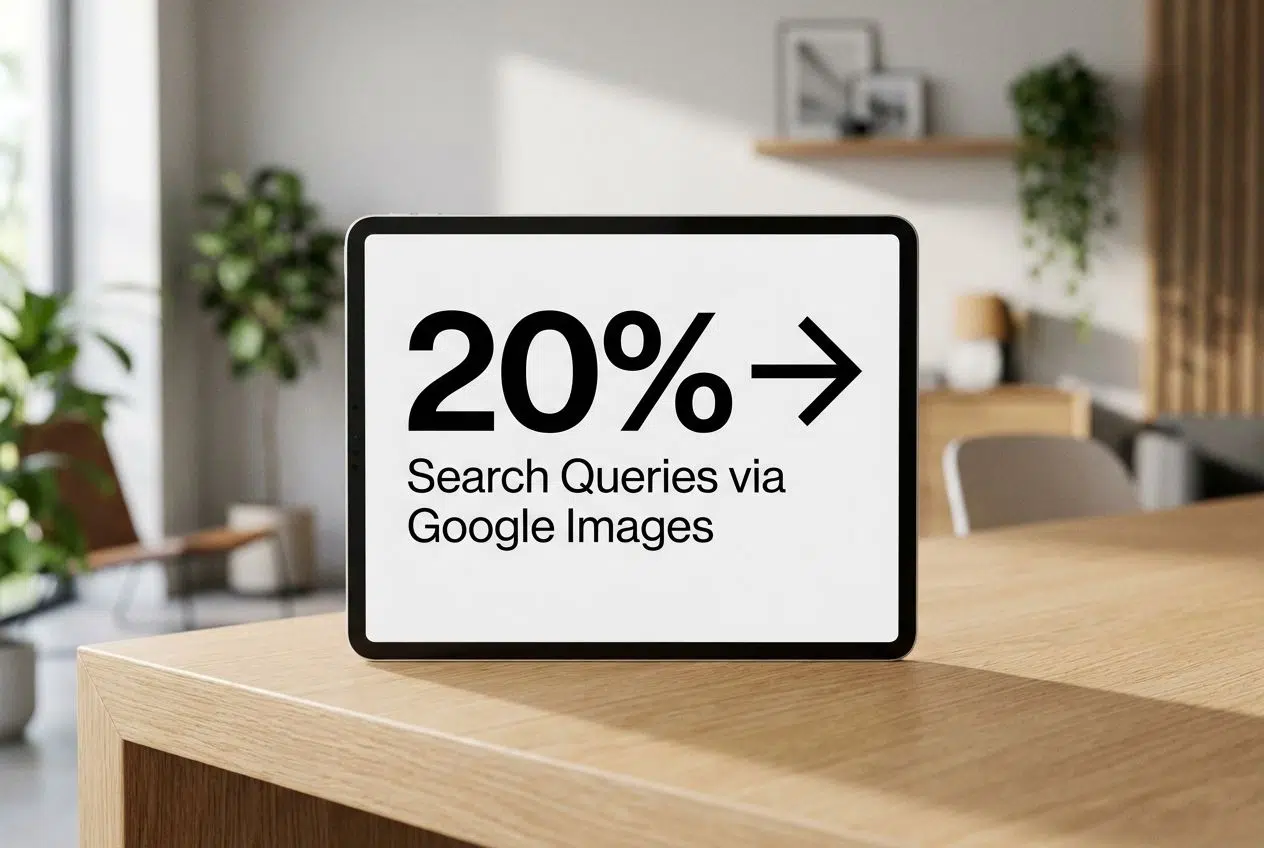
If a user types something into an image search box, well-written alt text helps your content show up before others. That means more eyes on your pictures and possibly more website visits from curious users. Google Images is a massive traffic source, driving roughly 20% of all search queries according to industry data from SparkToro and Moz.
Accurate descriptions help AI match photos with keywords like “Accessibility” or “Image Optimization.” Sites that use good alt text follow web standards and make their pages easy for computer vision tools to understand.
Even a simple change, like saying “red apple on the table” instead of just “fruit,” opens the door to better discoverability through SEO Search Engine Optimization techniques.
Supporting AI in processing visual content
After boosting image search rankings, alt text steps up to help artificial intelligence. AI models, like Google’s computer vision systems, use alt text to identify what an image shows.
Without clear descriptions, AI can miss details or misunderstand the content. This tiny line of text lets smart software “see” photos with words.
Take shopping sites, for example. Alt text helps product images appear in visual searches and voice results. Tools like Google Lens now handle over 20 billion visual searches every month. These systems rely on your text labels to connect a user’s camera photo with your product.
The better these clues are, the smarter image optimization becomes for everyone, humans and machines side by side on the web!
Best Practices for Writing Alt Text
Writing good alt text feels a bit like telling your friend about a picture they can’t see. Short words, clear meaning. Think of it as giving quick directions instead of writing a story.
Keep it concise and descriptive
Use short, clear alt text. It should tell what the image shows in a few words. Simple works best for screen readers and computer vision tools. For example, “Red apple on white plate” is clear and gives context.
Avoid long sentences or extra detail that can confuse users. Most accessibility experts, including those at Semrush, recommend keeping alt text under 125 characters. This prevents screen readers from cutting off the description mid-sentence.
Search engines need this kind of straightforward language to understand your site’s images. Quick, easy-to-read content description boosts discoverability and supports both accessibility and SEO goals.
Avoid keyword stuffing
Cramming too many SEO keywords into your alt text can make it sound odd and confusing. Search engines may lower your ranking if they detect keyword stuffing. Instead, write a short, clear sentence that describes the image and its role on the page.
A photo of a dog wagging its tail does not need every possible term squeezed in; “Happy brown dog wagging tail” works much better.
Readers using screen readers want helpful descriptions, not long lists of words jammed together for discoverability or computer vision bots. Keep alt text natural and stick to words that matter most for accessibility and user experience.
Focus on the image’s purpose and context
Think about what the picture shows and why it is there. If a photo displays a happy child holding an umbrella, your alt text should capture both actions and feelings, like “smiling child holding red umbrella in rain.” This helps people using screen readers understand the image’s meaning.
Search engines also use this information to offer better results for similar queries. Rare paintings need clear tags, but so does something simple like a logo or button. Instead of writing “photo” or “image,” say what it actually does or means on your page. Good alternative text makes images useful for everyone and boosts SEO at the same time.
Common Mistakes to Avoid with Alt Text
Writing alt text isn’t rocket science, but small missteps can trip you up. Catch these errors early, and keep reading for easy fixes.
Using vague or irrelevant descriptions
Vague alt text like “image” or “photo here” leaves people and search engines in the dark. If someone uses a screen reader, those words do not help them understand your content at all.
Google’s bots also get lost without clear image descriptions, which means poor Image SEO and less discoverability.
Let’s say you upload a picture of a black dog playing fetch at the park. Calling it “dog” skips key details that matter for both AI and accessibility tools. Descriptions should be specific, like “black Labrador catching a red ball in city park.” That way, everyone gets what they need, whether they’re using alt text for accessibility or trying to find images through search engines.
Leaving alt text blank for meaningful images
Just as off-topic words can confuse, empty alt text for important images creates silent gaps. Search engines and screen readers hit a wall; information gets lost in the shuffle. Someone using a screen reader will miss key details if the image’s alternative text box is empty.
Google’s crawlers also struggle to know what your content means, which hurts SEO and discoverability.
Imagine an online store with pictures of shoes but no alt descriptions. A user who cannot see the photo has no clue what kind of shoe is on sale, its color, or its style. It is just silence where context should be.
Missed opportunities like this lower website usability and web accessibility, block traffic from image searches, and break compliance with basic web standards set out by ADA guidelines since 1990. Even artificial intelligence needs those clues to process visual content efficiently.
Overloading alt text with unnecessary details
Too much detail in alt text can make it confusing. For example, writing “A bright red apple on a wooden kitchen table next to three green pears and a small blue ceramic bowl under the sunlight from a window at 8:00 AM” is hard for screen readers and users.
Stick to what matters most for user experience and search engines, like “Red apple on table.”
- Do: Describe the main subject and action.
- Don’t: Include “Image of” or “Photo of” (screen readers say this automatically).
- Don’t: Describe background details that are not relevant to the story.
Long descriptions slow down screen readers and frustrate users with visual impairments. Google’s AI also prefers clear, simple content descriptions for the best SEO results. Focus only on key objects or actions shown in the image, not every color or background item, unless they matter for understanding the purpose of the image.
How to Add Alt Text in Popular CMS Platforms
Adding alt text can be quick and simple in many website editors. Each platform has its own spot for this, making it easy to boost your site’s image optimization with just a few clicks.
WordPress
WordPress makes it simple to add alternative text for images. After uploading your image, click on it in the Media Library. Type a short and clear description in the “Alternative Text” box. This helps people who use screen readers understand what is shown. Search engines also use this information to rank your content higher.
Keep alt text relevant and direct, like “brown dog catching a red frisbee.” The right words boost accessibility and drive SEO results. Skip stuffing the box with random keywords; focus on describing the picture’s purpose or message instead.
Popular plugins like Yoast SEO or RankMath will often remind you if you forget this step. WordPress support pages give extra tips if you need step-by-step help.
Shopify
Shopify makes it easy to add alt text for your product images. Click the image in your product admin, and you see an option called “Edit Alt Text.” Write a short description that fits what someone might say out loud if they could not see the picture.
Clear alt text helps boost SEO (search engine optimization), supports accessibility with screen readers, and improves your shop’s discoverability.
Filling in this field is quick. You help computer vision tools understand your products while also improving website usability for everyone. Use simple words; keep details brief but useful. Good alt text paints a clear mental picture for both people and AI on Shopify stores.
Additional Benefits of Optimized Alt Text
Clear alt text can make your website friendlier and draw in more curious visitors. Even small changes here can open new doors for people to find your content.
Better user experience
Alt text supports a smoother user experience for everyone, not just those using screen readers. Images with strong alternative text load meaningfully even if the picture fails to show up, keeping your website clear and helpful.
People browsing on slow internet or old devices see what matters fast without missing key information. Even with 5G networks expanding, many rural areas still struggle with connection speeds that might fail to load heavy images.

Sites that follow web accessibility standards often have happier visitors who stay longer and return more. Helpful image descriptions can guide shoppers through products in Shopify stores or improve blog posts for students doing research.
Search engines also reward these sites by showing them higher in results, meaning more people will find what you share.
Increased website traffic from image searches
Strong alt text puts your images in front of more people. Search engines can show your pictures to users who type in a related search, and this boosts click-throughs. For example, Google Images gets billions of visits each day. Well-written alternative text means your photos might turn up for those searches.
Brands like Target and IKEA use image SEO to appear higher on search results, pulling in shoppers who look for specific items by photo instead of words alone. Adding smart descriptions opens fresh doors so new visitors find you from image searches, not just normal web links or ads. This helps grow your audience with less effort than traditional marketing tricks.
Wrapping Up
Alt text acts like a bridge between your images and everyone using the internet. It helps screen readers turn pictures into words, making web accessibility possible for all, including people who have trouble seeing.
Google and other search engines also depend on this extra bit of content to understand website photos better. This boosts Image Alt Text SEO and discoverability.
Well-written alt text works wonders. It helps computers use artificial intelligence to process visual content with more accuracy. Smart choices in simple image descriptions support both user experience and compliance with web standards while growing site traffic from image searches.
Keep your pages friendly for people and machines alike, one short description at a time!






















