Know that feeling when you just need to get a task done, but the “approved” software is too slow or clunky? We’ve all been there. Find a free online tool, sign up with your work email, and finish the job in half the time. That small decision seems helpful in the moment. But when you multiply that choice by every employee in your organization, you create a massive, invisible network of risk.
This is Shadow IT.
In 2026, the stakes are higher than ever because it’s not just about PDF converters or file sharers anymore. Now, your team is bringing their own artificial intelligence to work. From engineers pasting code into chatbots to sales teams recording calls with unvetted AI notetakers, “Shadow AI” has outpaced IT governance.
Let’s look at the real data behind this trend, the specific risks that cost companies millions, and the practical steps you can take to regain control without killing innovation.
What Is Shadow IT?

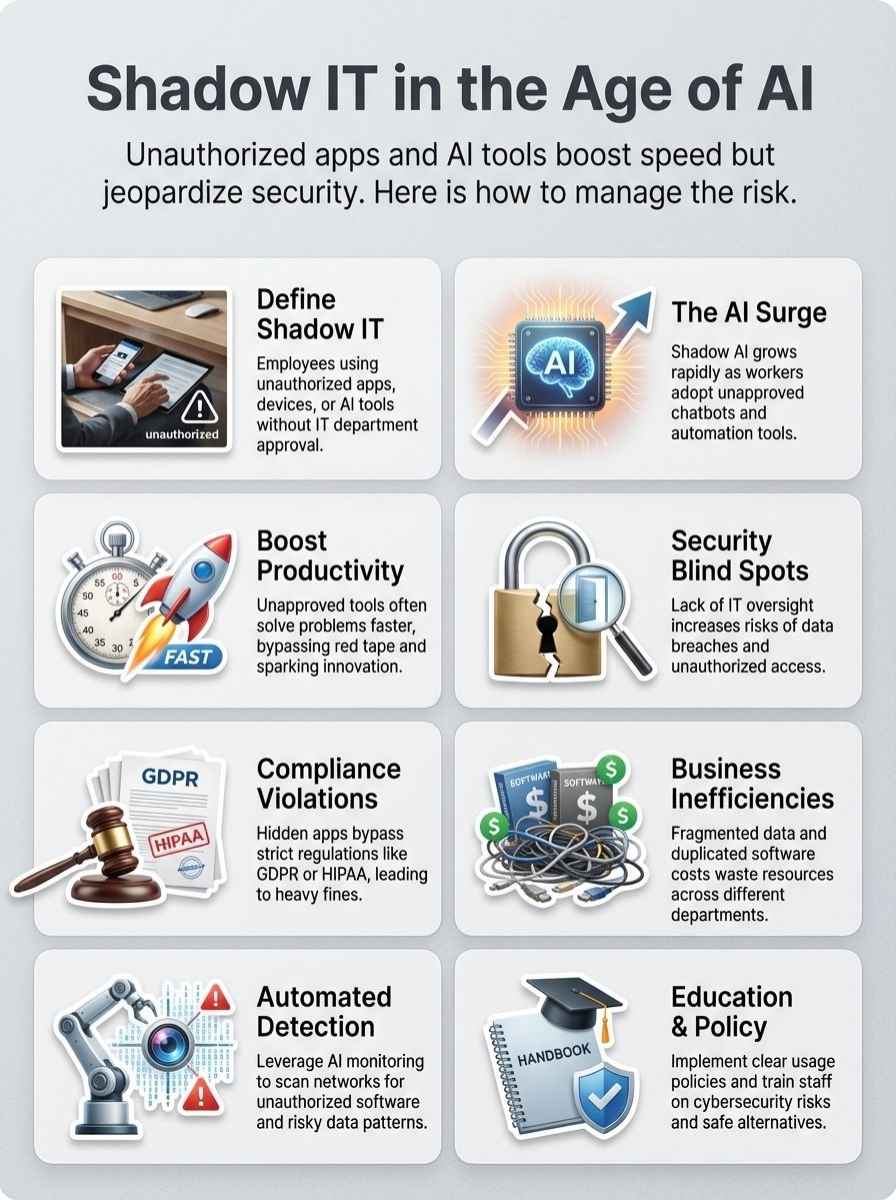
Shadow IT refers to any software, device, or cloud service used by employees without the explicit approval or knowledge of the IT department. While the term sounds ominous, it usually stems from good intentions: employees want to be more productive.
However, the scale of this “hidden stack” is often shocking to business leaders.
Definition of Shadow IT
Shadow IT occurs when staff bypass official procurement channels to use tools they prefer. This includes everything from a marketing manager buying a $20/month SaaS subscription on a corporate card to a developer setting up a personal cloud server for testing.
The gap between perception and reality is wide. According to Productiv’s 2024 State of SaaS report, the average company uses 342 different SaaS applications. Here is the kicker: 48% of those apps are unmanaged, meaning IT has no visibility into them.
Origins and Evolution of Shadow IT
In the early 2000s, Shadow IT was mostly about hardware. People brought their own smartphones or laptops (BYOD) because consumer tech became better than enterprise gear.
By 2015, the focus shifted to “Shadow SaaS.” Teams started using Dropbox instead of file servers or Trello instead of Jira. It was easy to sign up with a credit card and get started instantly.
Today, we have entered the era of “Shadow AI.” This is the most dangerous phase yet. Unlike a static file storage app, AI tools process and generate data. When an employee pastes sensitive customer data into a public AI model to “summarize” it, that data leaves your control immediately.
The Rise of AI in the Workplace
The explosion of Generative AI has turned every browser into a powerful workstation. Adoption is moving faster than any corporate policy can track.
Integration of AI Employees
Workforce adoption of AI is not slowing down. Gallup’s Q3 2025 report indicates that 45% of US workers now use AI tools, with daily usage rising steadily. Employees aren’t waiting for permission; they are finding tools that help them write emails, analyze spreadsheets, and generate code right now.
This creates a “Shadow AI economy” inside your business. While your official IT roadmap might be stuck in a pilot phase, your employees are already running full-speed with personal accounts on tools like Jasper, Midjourney, or Claude.
How AI Amplifies Shadow IT
AI tools are unique because they often require data input to provide value. This changes the risk profile significantly.
“The scale is remarkable. While only 40% of companies say they purchased an official LLM subscription, workers from over 90% of companies reported regular use of personal AI tools.” — MLQ.ai 2025 Report
This mismatch creates three specific amplification effects:
- Data Training Leaks: Many free AI tools claim the right to use your input data to train their future models. Your proprietary strategy document could become part of a public model’s learning set.
- Browser-Based Frictionless Adoption: You don’t need to install software to use ChatGPT or Perplexity. This bypasses traditional endpoint protection that scans for installed .exe files.
- Viral Spread: AI tools grow through word-of-mouth. If one sales rep closes deals faster using an AI email writer, the entire department will likely adopt it within a week, regardless of security status.
Benefits of Shadow IT
We need to be honest: Shadow IT exists because it works. If corporate tools were perfect, nobody would look for alternatives. Understanding these benefits helps you design better official solutions.
Increased Productivity and Innovation
Employees use these tools to remove drudgery from their day. For example, a 2024 GitHub study found that developers using AI coding assistants completed tasks 55% faster than those who didn’t. When the official IT stack doesn’t offer a tool like GitHub Copilot, developers will turn to unauthorized alternatives to maintain that speed.
This signals a “market demand” inside your company. High usage of a specific shadow tool is often the best indicator of what your teams actually need to succeed.
Faster Problem-Solving
Shadow IT allows teams to react to market changes instantly. Procurement processes can take weeks or months. Signing up for a tool like Canva takes five minutes.
| Feature | Official Procurement | Shadow IT Approach |
|---|---|---|
| Time to Value | 3-6 Months (Vetting, Contracts) | 5 Minutes (Credit Card/Free Tier) |
| Customization | Limited by Enterprise Config | High (User selects exact tool needed) |
| Cost | Capital Expenditure / Budget Cycle | Expensed or Free (Hidden Cost) |
For a marketing team that needs to launch a campaign tomorrow, the “Shadow” route is the only one that meets their deadline. The challenge for IT is to match this velocity without sacrificing security.
Risks and Challenges of Shadow IT
While the speed is addictive, the hangover can be brutal. The risks of Shadow IT have evolved from simple “wasted budget” to existential threats involving data privacy and legal liability.
Loss of IT Visibility and Control
You cannot secure what you cannot see. When data lives in apps that IT doesn’t know exist, you lose the ability to manage access, retention, and deletion.
This creates “Zombie Accounts.” When an employee leaves the company, IT revokes their Microsoft 365 or Google Workspace access. But that employee may still have access to the company’s Trello board, Dropbox folder, or Airtable database because those accounts were created with a personal login or never connected to the central identity provider.
Data Security and Privacy Concerns
The “Samsung Incident” of 2023 serves as the ultimate warning. Three separate engineers at Samsung accidentally leaked sensitive data to ChatGPT. One pasted source code to check for errors, and another uploaded a recording of a confidential meeting to generate minutes.
Once that data was entered, it became part of OpenAI’s system (at the time). This highlights the core risk: Consumer-grade AI tools often treat your data as their property.
Another emerging risk is the “AI Notetaker” problem. In 2025, Otter.ai faced a class-action lawsuit alleging that its tool recorded private conversations without proper consent from all parties. If your employees use unapproved recording tools, your company could be liable for violating wiretapping laws.
Compliance Issues
Regulated industries face massive fines for Shadow IT. If a healthcare employee puts patient notes into a non-HIPAA compliant translation tool, that is a direct violation.
New regulations like the EU AI Act and the NIST AI Risk Management Framework require companies to know exactly where their data goes. Shadow AI makes compliance with these frameworks impossible because you cannot map data flows you are unaware of.
Business Inefficiencies
Shadow IT is expensive. Gartner estimates that Shadow IT accounts for 30-40% of IT spending in large enterprises. This happens through:
- Duplicate Licenses: Marketing buys Asana, Sales buys Monday.com, and IT provides Microsoft Planner. You pay for three tools that do the same thing.
- Lost Data Silos: Critical project data gets trapped in a personal Notion account. If that employee leaves, the institutional knowledge disappears with them.
- Lack of Volume Discounts: Instead of negotiating an enterprise rate for 1,000 users, the company pays the full retail price for 1,000 individual subscriptions.
How Organizations Can Detect and Manage Shadow IT

You can’t just ban everything. The modern approach is to discover, assess, and then decide whether to sanction or block.
Implementing a Shadow IT Policy
A policy is only useful if it is realistic. A rule that says “No unapproved software” will be ignored. Instead, build a policy that defines “Safe Harbors.”
- Define High-Risk Categories: explicitly ban putting PII (Personally Identifiable Information) or source code into free, public AI tools. Make this a “fireable offense” level rule.
- Create a “Fast Track” for Approval: If a tool costs under $50/month and doesn’t store customer data, allow a simplified 24-hour review process.
- Use “Block and Redirect”: If you block a tool, your firewall should display a message telling the user why and suggesting the approved alternative. (e.g., “ChatGPT is blocked. Use Microsoft Copilot Enterprise here.”)
- Conduct Quarterly “Amnesty” Audits: Ask departments to list their tools without fear of punishment so you can bring them into the fold.
Leveraging AI for Shadow IT Detection
Ironically, you need AI to catch Shadow AI. Modern security tools analyze network traffic patterns to spot unauthorized apps.
Tools like Microsoft Defender for Cloud Apps use a feature called “Cloud Discovery.” It ingests logs from your firewalls and endpoints to identify which cloud apps are being accessed. It compares this traffic against a catalog of over 30,000 apps to assign a “Risk Score.”
Other platforms like Zscaler and Netskope perform similar functions, inspecting SSL/TLS traffic to see exactly what data is being uploaded to these sites, not just which sites are visited.
Enhancing Employee Awareness and Training
Training needs to move beyond generic videos. It must address specific, modern threats.
- Simulate “Consent Phishing”: Attackers use fake OAuth apps (like a malicious “Calendar Optimizer”) to trick users into granting access to their email. Run simulations to teach staff not to click “Allow” on unknown app permissions.
- Show the “Terms of Service”: Highlight the specific clause in free tools that says “we own your data.” This often scares employees more than a generic policy warning.
- Identify “Shadow IT Champions”: Find the power users in each department who are testing new tools. Make them your “Beta Testers” so they bring tools to you first.
Examples of Shadow IT in Action
Seeing real-world comparisons clarifies why employees choose these tools and where the risks lie.
Common Shadow IT Applications
Here is a breakdown of common shadow tools and their enterprise-ready alternatives.
| Category | Common “Shadow” Tool | Primary Risk | Secure Alternative |
|---|---|---|---|
| Generative AI | ChatGPT (Free/Plus) | Data used for model training | Copilot / ChatGPT Enterprise |
| Messaging | WhatsApp / Telegram | No data retention/audit trail | Teams / Slack Enterprise |
| Design | Canva (Personal) | Unlicensed assets / IP leaks | Canva for Enterprise / Adobe Express |
| Meeting Notes | Otter.ai (Free) | Recording without consent | Teams Intelligent Recap |
Risks Posed by OAuth-Enabled Applications
The most subtle form of Shadow IT is the “Sign in with…” button. This is OAuth (Open Authorization).
Attacks like Midnight Blizzard have shown how dangerous this can be. Hackers don’t need your password if they can trick you into authorizing a malicious app. Once an employee clicks “Accept,” that app gets a token that allows it to read emails or download files indefinitely, even if the employee changes their password.
This is often called “Consent Phishing.” The app might look like a harmless “PDF Editor” or “Email Sorter,” but in the background, it is siphoning off your corporate directory and sensitive files.
The Future of Shadow IT in the Age of AI
As we look toward 2026 and beyond, the line between “user” and “developer” will blur.
Balancing Innovation and Security
We are moving toward “Agentic AI”—autonomous AI agents that can perform multi-step tasks. An employee might soon set up a personal AI agent to “monitor my inbox, research these 50 clients, and draft outreach emails.”
This agent will be running 24/7, processing massive amounts of data. Managing this will require a shift from “Application Control” (blocking apps) to “Data Control” (monitoring where data flows, regardless of the app). Leaders must adopt “Zero Trust” principles for data, verifying every data transfer.
Predictions for Shadow IT TrendsGartner and other analysts predict that by 2027, organizations that fail to manage “BYOAI” will face data breaches at double the rate of their peers. We will likely see:
- “Shadow Ops”: Entire departmental workflows built on low-code/no-code platforms that IT doesn’t know how to fix when they break.
- The Rise of “Clean” AI Models: Companies will pay a premium for AI models that contractually guarantee zero data retention, specifically to combat shadow usage.
- Browser-Based Governance: Security will move into the browser (Enterprise Browsers like Island or Talon) to control what happens inside the SaaS session itself.
Final Thoughts
Shadow IT is no longer just about rebellious employees. It is a signal that your workforce is trying to move faster than your current tools allow.
You cannot win by blocking everything. The winning strategy for 2026 is visibility. Shine a light on the hidden apps, audit the risks, and then offer a better, safer path. When you turn Shadow IT from a threat into a feedback loop, you stop fighting your employees and start innovating with them.