You work with people from across the globe, but meetings fill your calendar. Someone is always asleep when you need help, or messages get buried in long chats. Time zones feel like walls, making teamwork slow and frustrating. But does it have to be this way? That’s where the term “asynchronous work” came to the rescue.
In this new era, the biggest barrier to success isn’t a lack of talent; it’s the outdated idea that we all need to be online at the exact same moment. One 2025 study from Linearity found that organizations embracing asynchronous work see 29% higher productivity levels. It lets team members choose when to respond or share updates, no matter where they are in the world.
In this guide, I will break down what asynchronous work means and how it helps global teams win at productivity and balance. You’ll discover simple tips to make remote collaboration smoother than ever before.
What is Asynchronous Work?
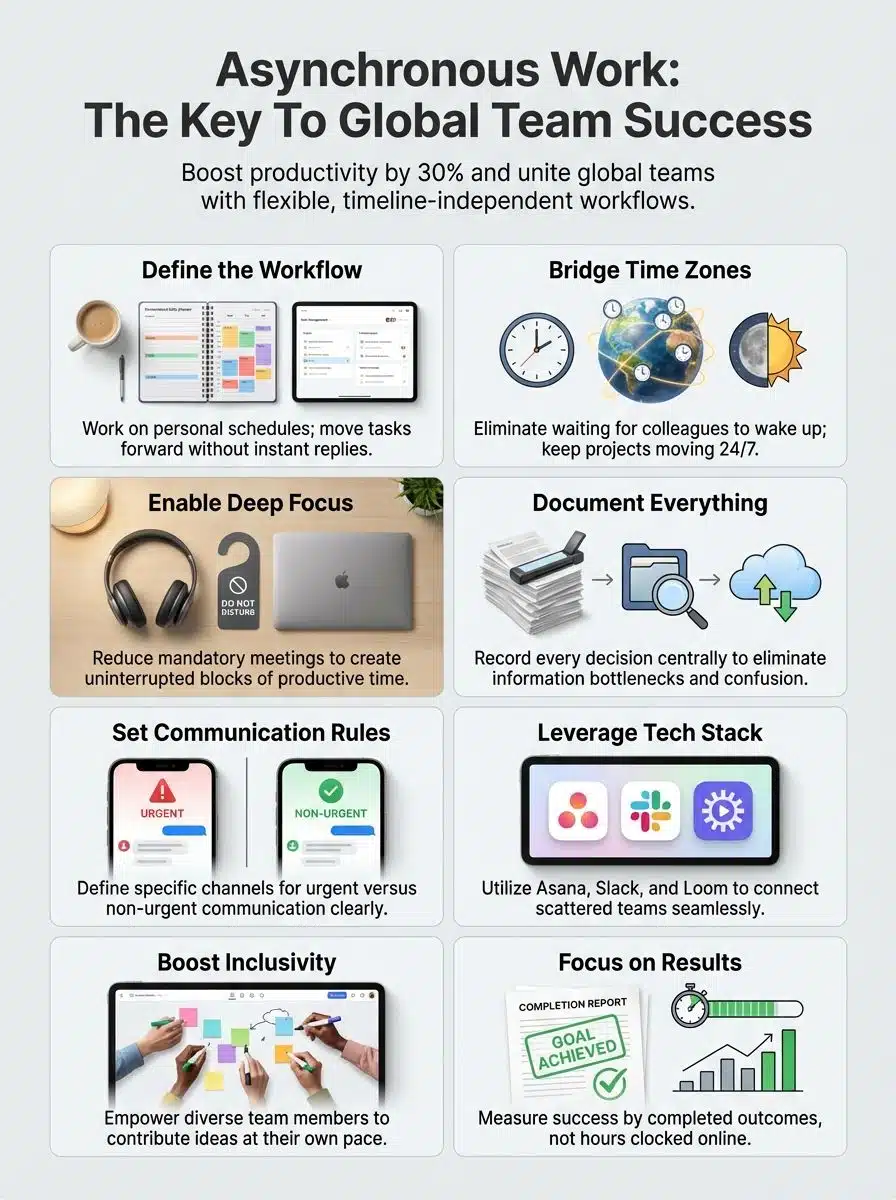
At its core, asynchronous work means people do not have to be online at the same time to get things done. Tasks and messages move forward without instant replies, allowing team members to answer when it fits their schedule.
Think of it like a relay race where the baton is passed smoothly, rather than a three-legged race where everyone has to move in perfect sync.
For example, a developer in Austin, Texas, can push code before dinner, and their colleague in London can review it the next morning. This style helps global teams blend different time zones into smooth teamwork rather than a logistical nightmare.
“Asynchronous work keeps projects moving even while teammates sleep, says our expert Mitaly Roy.”
This method takes pressure off live meetings and makes room for deep focus. It is the strategy used by remote-first pioneers like GitLab, whose famous “handbook-first” culture has allowed them to scale globally with a fully distributed team. Collaboration tools like email, shared docs, and project boards help everyone stay on track without waiting for others to be online at the same moment.
Key Differences Between Asynchronous and Synchronous Work
In asynchronous work, your team does not have to be online at the same time to get things done. Synchronous work, like a group chat or video call, means everyone is present together and communicates in real-time.
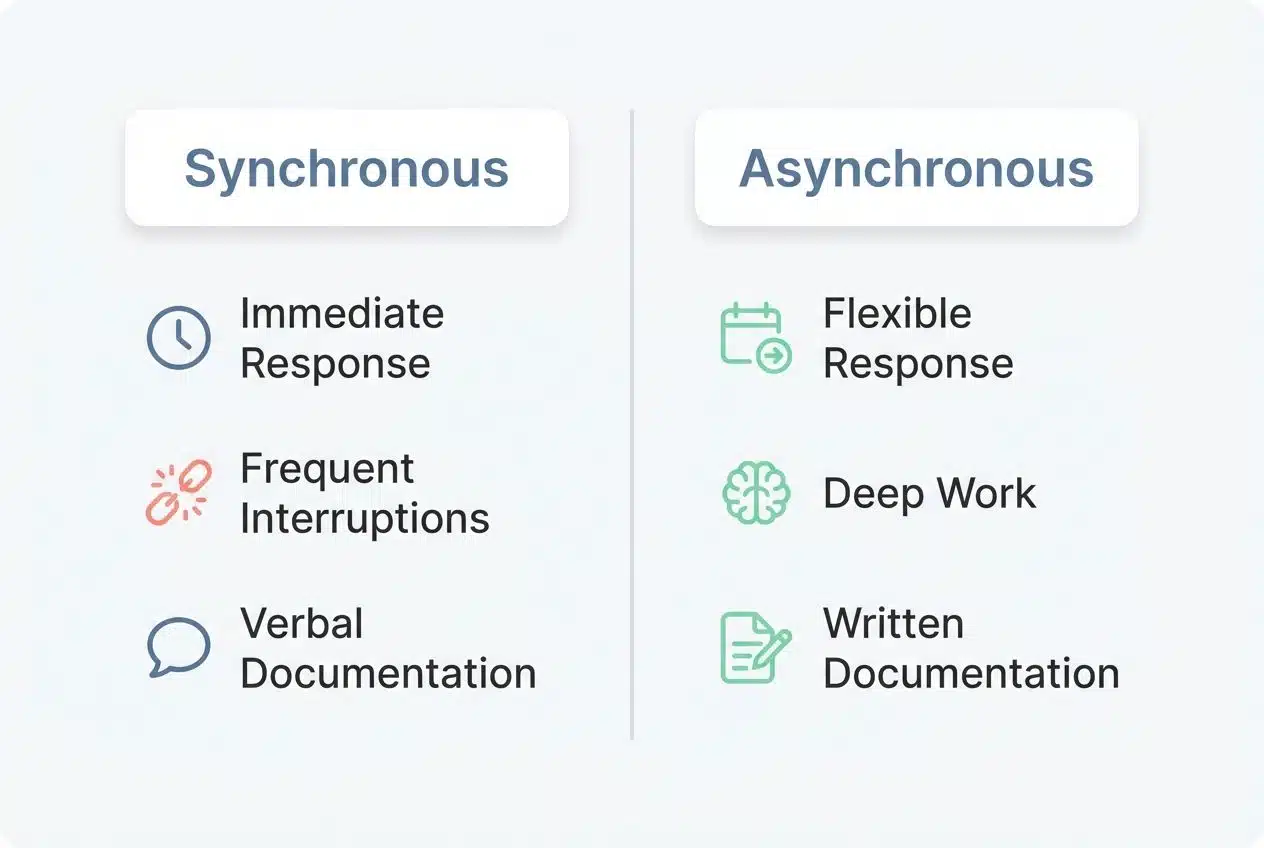
To help you see the difference clearly, here is a quick comparison of how these two styles impact your workday:
| Feature | Synchronous (Real-Time) | Asynchronous (Flexible) |
|---|---|---|
| Response Time | Immediate (e.g., Zoom, Slack calls) | Delayed/Flexible (e.g., Email, Asana) |
| Focus Level | Frequent interruptions | Deep work and “flow state.” |
| Documentation | Often verbal and lost | Written, searchable, and permanent |
| Best Used For | Emergencies & Team Bonding | Status Updates & Project Work |
Communication Styles
Messages do not need fast replies. People can read and respond on their own time. This keeps things calm, cuts down stress, and helps people in different time zones work together. Written notes, chat apps, and project boards lead the way. Most teams use tools like Slack or Google Docs for easy sharing. However, the way you use them matters.
Tone matters a lot online. Sometimes words seem harsh without body language or voice hints. Team members must write clearly and kindly to avoid mix-ups. Short updates help everyone stay in the loop without long meetings eating up their day. Nobody wants more video calls than needed!
Workflow and Task Management
Teams working across time zones need clear plans to track work and tasks. Project management tools, like Trello or Asana, help organize jobs so everyone sees what needs doing next.
Team members update their progress online. Each person can pick up a task as their day starts, even if others are sleeping. This pattern keeps work flowing day and night.
Clear deadlines set expectations for each project step. Shared checklists show who finished which part already. Managers use brief comments instead of long meetings to answer questions quickly. Digital boards keep all files in one place; people do not have to search through emails or get lost in chat threads.
“Great things in business are never done by one person; they’re done by a team of people.” — Steve Jobs
Benefits of Asynchronous Work for Global Teams
Global teams thrive when people can work at their own best times, with fewer roadblocks. This style helps people breathe easier, juggle life and work, and focus on what matters most.
Flexibility Across Time Zones
Team members in New York, Dubai, and Tokyo can work without waiting for each other. Tasks move forward as soon as someone has time, day or night. A designer in the US uploads files while sipping morning coffee; a developer in Japan views them after dinner.
This way, projects progress around the clock. Asynchronous work keeps productivity flowing across continents. People manage tasks at their best hours instead of forcing late nights or early mornings. No missed sleep because of meetings set in one time zone only.
According to the 2025 State of Remote Work report by Neat, this flexibility is a major driver for employee satisfaction, with remote workers reporting they are 35-40% more productive when they control their schedule.
Increased Productivity and Efficiency
People work faster and get more done with asynchronous work. You finish tasks on your own time, without waiting for a reply from someone in another time zone. This smooth workflow helps global teams move projects forward, even while some folks sleep or take care of family needs.
A designer can pass files to the marketing lead at night, who wakes up and reviews them before breakfast. Fewer meetings mean less wasted time; you use project management platforms and collaboration tools like Slack or Trello to track progress instead.
No need to rush answers or sit through endless video calls that sap energy and slow momentum. Communication flows into quick messages or clear documentation, so no one gets stuck waiting for decisions.
Improved Work-Life Balance
Team members can finish tasks at their own pace with asynchronous work. They do not have to log in early or stay late for meetings across time zones. This means they spend more time with family, exercise, or take breaks as needed.
Many remote workers say this freedom lowers stress and helps them focus better during work hours. In fact, legislative trends like California’s proposed Assembly Bill 2751 (the “Right to Disconnect” bill) highlight a growing recognition that clear boundaries between work and rest are essential for mental health.
Flexible scheduling lets everyone plan around children’s needs or doctor visits without guilt. Tools like shared calendars and messaging platforms keep collaboration smooth, even if one person is sleeping while another works.
Enhanced Inclusivity for Diverse Teams
People from different parts of the world have their own ways of working, talking, and thinking. Asynchronous work lets each person share ideas at their own pace. Someone in Tokyo can send an update while another teammate in New York is asleep.
No one feels left out because they could not join a meeting or speak fast enough. Some workers need more time to write, read, or process new things. Others may feel shy during group calls.
With flexible tools like project boards and shared documents, everyone gets a chance to take part, no matter their language skills or background. This kind of remote collaboration helps build trust across cultures and supports true teamwork for distributed teams all over the globe.
Challenges of Asynchronous Work
Some days, messages slip through the cracks or sit unread for hours. Misunderstandings can sneak in, making simple tasks feel like a game of telephone gone wild.
Communication Gaps
Messages can get lost in the shuffle with remote work and flexible scheduling. Team members may wait hours, or even a whole day, before getting answers from colleagues across time zones.
Sometimes instructions are not clear, so projects stall like a car stuck at a red light that never changes. Misunderstandings sneak in when people miss updates buried deep in chat apps or email threads. Team performance can slip if teammates feel left out of key conversations.
Delays in Decision-Making
Working across time zones can slow down decision-making. Answers may take hours to arrive, especially if someone is asleep on the other side of the globe. This pause often means teams wait for input before they move forward with tasks and projects.
Remote collaboration relies on clear information sharing, but details sometimes get lost in messages or project management tools. Lack of instant feedback can cause frustration, hold up progress, or leave people unsure of their next steps.
Difficulty Building Team Rapport
People miss the water-cooler talks and casual jokes during asynchronous work. Quick chats and laughs help teams bond in offices, but remote collaboration often feels silent. Time zones make it tough to share birthdays or celebrate wins together.
This isolation has a real cost; studies estimate that loneliness-related stress costs US employers billions annually in lost productivity and turnover. Trust takes more time to build when people type instead of talking face-to-face.
Best Practices for Implementing Asynchronous Work
Set your team up for smooth sailing by creating clear ways to share information. Use different tech tools, so everyone stays connected and on the same page, no matter the distance.
Set Clear Communication Guidelines
Clear rules shape good remote work. Everyone should know how, where, and when to send messages. Use simple words and stick to the point. Mark urgent news so no one misses out across different time zones or virtual workspaces.
- The “No-Hello” Rule: Don’t just message “Hi” and wait. State your question clearly in the first message to avoid time-wasting back-and-forth.
- The 24-Hour Standard: Adopt a policy like the remote company Doist, where the expectation is to respond within 24 hours, not immediately. This removes the anxiety of being “always on.”
- Context is King: When assigning a task, include links, background info, and deadlines upfront. Assume the person reading it won’t be able to ask follow-up questions for another 8 hours.
Utilize Collaborative Tools Effectively
Slack, Trello, and Google Docs help global teams work together easily. They cut down long email threads and mix up ideas in real time or later. One person in Tokyo can write updates after breakfast, while a teammate in New York checks them before bed.
Using these platforms keeps tasks clear and saves everyone from repeating the same question twice. Tools like Loom let you show your screen with a quick video if typing takes too long. In 2025 alone, Loom users recorded over 93 million videos, replacing an estimated 245 million meetings. Simple checklists smartly break big jobs into smaller steps for anyone to pick up at any hour of the day.
Document Processes and Decisions
Clear records help all remote teams stay on the same page. Write down every step, decision, and change using shared documentation tools like Google Docs or Confluence. That way, people in different time zones can catch up without waiting for live meetings.
Create easy-to-follow guides for each workflow. Add dates to decisions and list who approved them. These simple habits build trust, cut confusion, and keep everyone moving forward together, even if someone works while others sleep.
Foster a Culture of Trust and Transparency
Solid documentation sets the stage for open work. People need to feel safe speaking up and sharing ideas in remote collaboration. Trust builds as leaders give everyone space to do their job without hovering or doubting every move.
Open chats help bridge time zones, so no one feels left out or unheard. Simple updates about goals, wins, and misses let teams stay on the same page even across continents. Honest feedback goes both ways; workers can share issues, while managers listen with care and act fast.
Establish Clear Deadlines and Expectations
Clear deadlines stop tasks from dragging on. Each person knows what to finish and by when. This matters even more in global teams, where people log in at different hours and juggle projects across time zones.
Share timelines for each task using collaborative tools, like project management platforms or shared calendars. Spell out expectations upfront, who does what, how to hand off work, and what quality looks like.
Missed deadlines can slow the group down fast. Use friendly reminders if needed, but keep the tone supportive; no one likes feeling called out over chat halfway across the world! Set rules about responding to messages within a set period, so no update sits unread for days.
Asynchronous Workflows in Action
Ever wonder how teams juggle work while scattered across the globe? Watch as daily routines shift, and teamwork still hits its mark, without anyone losing sleep.
Multiplexing for Task Prioritization
Multiplexing helps teams handle many tasks at once without dropping the ball. Team members in different time zones can focus on urgent work first, then switch to less pressing jobs as updates roll in.
For example, a project manager in Dubai might assign tasks overnight, and a designer in the US can jump right into high-priority items by morning. This back-and-forth flow boosts productivity and keeps projects moving, even as people sleep or relax across the globe.
Prioritizing with clear lists or digital boards makes task swapping easy for distributed teams. Tools like Trello or Asana let everyone see what comes next and who does what. Multiplexing creates smoother collaboration by allowing each person to grab their top job without waiting for round-the-clock meetings or emails to catch up.
Structured Communication Channels
Clear channels make remote collaboration feel smooth and easy, even with team members miles apart. Group chats in apps like Slack help everyone stay connected without waiting for scheduled meetings.
Project management tools such as Trello or Asana keep tasks front and center, making sure nothing slips through the cracks. Shared folders on Google Drive store documents where each person can find them at any time.
A simple rule helps: use email for important updates, chat apps for quick questions, and video messages to explain more complex ideas. These habits save hours usually lost hunting down information or chasing replies across different time zones.
Balancing Asynchronous and Synchronous Interactions
Mixing remote work styles helps global teams stay connected. People use asynchronous tools like Slack, Trello, or emails to handle tasks across time zones. These allow each team member to check updates and share progress at a pace that fits their workday.
Synchronous meetings on Zoom or Google Meet, then give everyone space to talk live, build team spirit, and clear up quick questions. Leaders plan regular video huddles for urgent topics but avoid too many long calls that zap energy.
Tools to Support Asynchronous Work
With the right mix of digital tools, global teams can break free from time limits. Here are the ones that actually pull their weight.
Project Management Platforms
Project management platforms help teams work together, even from different corners of the world. Tools like Trello, Asana, and Monday make it easy to track tasks, set deadlines, and spot bottlenecks before they slow things down.
In 2025, tools like Asana Intelligence have introduced features like “Smart Chat,” which lets you ask AI questions about project status instead of pestering a coworker. Clear dashboards sort projects by urgency or team member. Simple drag-and-drop features let people move tasks or leave comments anytime, day or night.
Documentation Tools
Next to managing tasks, teams need strong documentation tools. Tools like Google Docs, Notion, and Confluence let people create, edit, and find documents at any hour. These apps help remote work feel less scattered.
You can track updates, add notes for others across time zones, and pull up clear instructions with a click. Distributed teams rely on these systems to keep everyone on the same page. With shared wikis or folders, nobody wastes time digging through emails for last week’s feedback or guidelines.
Video Recording Software
Teams use video recording software to share updates, teach new skills, and record meetings. It helps remote teams work across different time zones with ease. Someone in New York can record a message at noon, and a teammate in Dubai can watch it after dinner.
Tools like Loom and Vidyard let people add voice notes or screen recordings to explain things better. These tools support communication by showing both work processes and personal touches, sometimes even office pets make a cameo! Video messages give everyone a chance to pause, think, replay, and reply when ready.
Messaging and Collaboration Apps
After using video recording software for sharing ideas, messaging, and collaboration apps, keep the conversation moving. Apps like Slack, Microsoft Teams, and WhatsApp help people talk without waiting for others to be online at the same time.
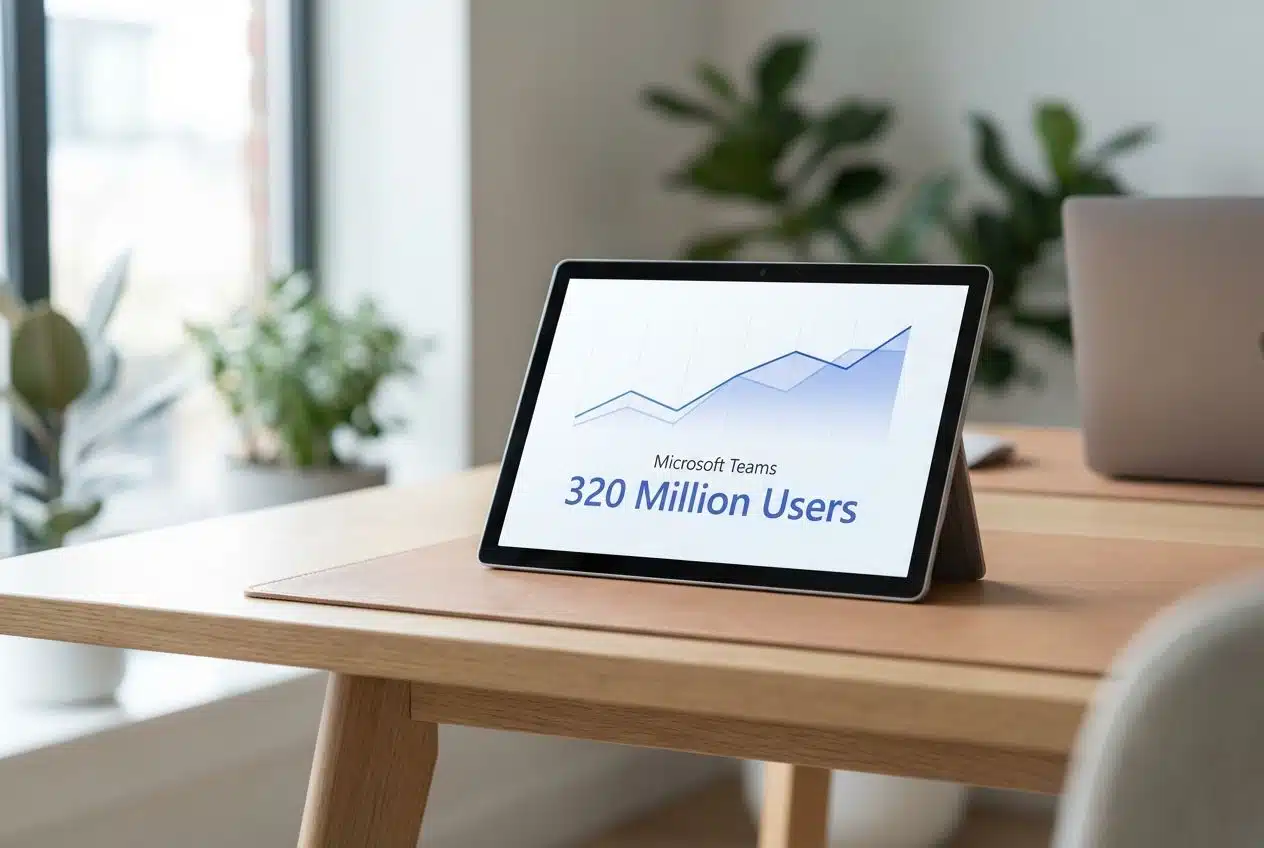
While Microsoft Teams dominates the corporate market with 320 million users in 2025, many agile teams prefer Slack for its flexible integration with over 2,600 other apps. These tools let you create channels for projects, track conversations easily, and tag coworkers as needed.
Clear chat histories help everyone stay on the same page without endless meetings. Stickers or reactions even add some fun to tough workdays, sometimes all it takes is a high-five emoji after finishing a big project!
How to Transition to an Asynchronous Work Model
Shifting to asynchronous work can feel like switching from a busy airport to a quiet, well-oiled train station. You tweak habits, update tools, and before you know it, teams spread across time zones start moving in harmony.
Gradual Adoption Strategies
Start with small steps. Try one project in an asynchronous way before applying it to the whole team. Use remote collaboration tools like Slack or Trello for just a few tasks at first.
This helps people get used to flexible schedules and different time zones, without feeling lost. Switch meeting times slowly or shorten video calls. Let some workers reply to messages on their own timeline. Share feedback often, so each person feels heard while adjusting.
Training and Onboarding for Teams
Moving from a slow rollout to hands-on support, teams benefit most from clear onboarding steps. New members need basic instructions for remote work, tools, and workflow. Use short video guides and written checklists so everyone stays on track.
Assign mentors or “buddies” who help with questions about collaboration or time zone differences. Share simple guides on how your team uses messaging apps like Slack or project software such as Trello.
Encourage feedback after the first week of training to catch gaps early. Offer small group sessions where people ask quick questions without waiting for replies. Keep all resources easy to find in one digital folder so nobody feels lost in the weeds.
Regular Feedback and Policy Refinement
Teams grow stronger with honest feedback. Ask team members to share their thoughts often, using simple surveys or quick weekly check-ins. Change remote work rules as needed, based on this input.
Maybe the time set for updates does not work across all time zones; shift it if many people mention the same issue. Use tools like short polls in collaboration apps or monthly review chats to keep ideas flowing both ways.
Measuring the Success of Asynchronous Work
Want to see if your team is hitting the mark? Find out how by reading more!
Tracking Productivity Metrics
Leaders count completed tasks, response times, and project deadlines to monitor productivity. Tools like Asana or Trello show everyone’s progress in real time. Some teams use weekly scorecards or simple graphs for a quick check-in on goals.
This helps remote workers spot slowdowns early, even across different time zones. Sharing clear data gives global teams a sense of control and fairness. People see how their work fits with the group effort.
Monitoring Team Satisfaction
After tracking productivity metrics, checking how team members feel matters just as much. Happy teams work better and stick together longer. Quick surveys help spot stress from remote work or trouble with communication tools.
Short polls every week can catch problems before they get big. Anonymous feedback gives everyone a safe way to speak up about their workload, teamwork, or flexible scheduling needs. A simple chat group where workers share thoughts supports open communication and trust across different time zones and cultures.
Addressing Workflow Bottlenecks
Teams spot workflow bottlenecks by keeping an eye on project management tools and tracking key productivity metrics. For example, if tasks pile up in one step for too long, the issue becomes easy to see.
Managers can use feedback from remote collaboration sessions or review time zone handoffs to fix slow spots fast. They might adjust deadlines, tweak task assignments, or introduce better communication tools.
Final Thought
Asynchronous work is more than just a trend; it’s a way to reclaim your time and sanity. By letting people work when they are most focused, you build a team that is happier, faster, and more resilient. With clear rules, the right tools, and a little trust, you can stop watching the clock and start seeing real results. It might take a moment to adjust, but the freedom is worth it.
Once your team switches to async methods, you’ll finally get to eat dinner with your family and still hit every deadline. Give it a try, and you might find it changes everything for you, too.