You face a tough choice. You need tracking software for your business or personal use, but options overwhelm you. Free ones tempt with no cost, while paid versions promise more power.
This dilemma hits many people, like small business owners juggling time management and GPS tracking for field employees. Picture yourself staring at a screen, wondering if that free tool will cut it or if you should splurge.
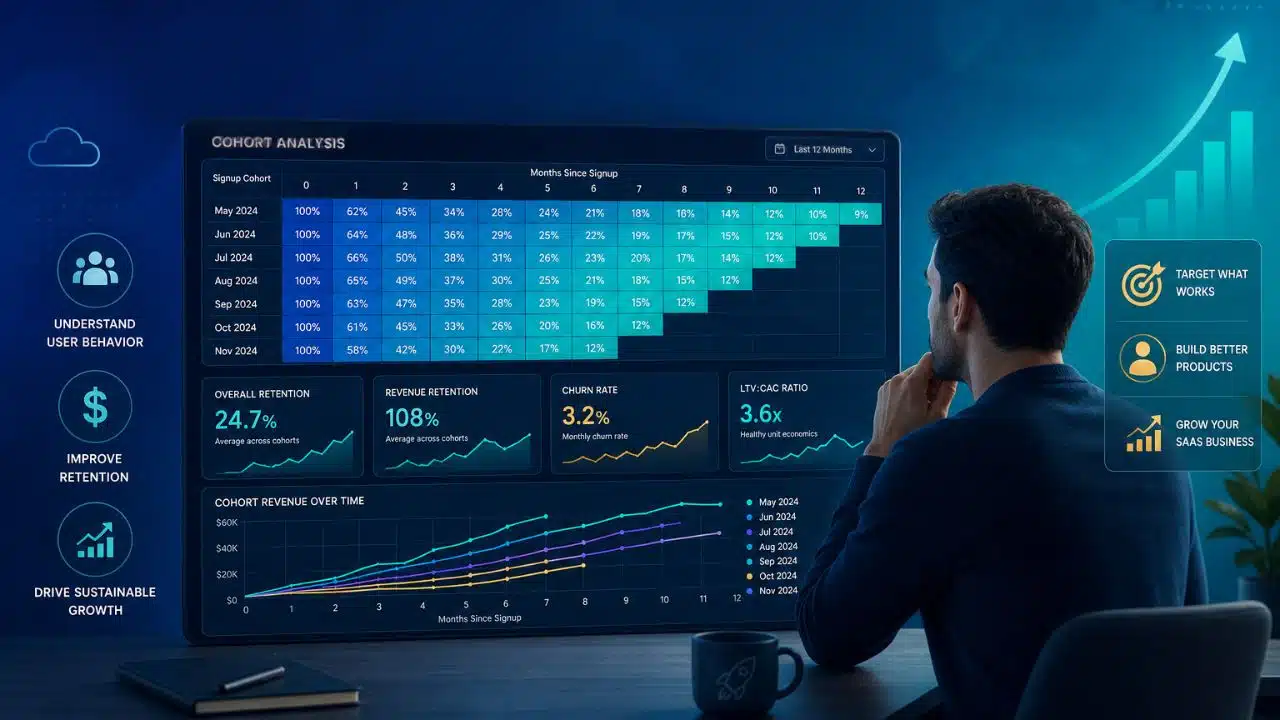
Did you know over 70% of users start with free tracking software, but half switch to paid within a year? That fact shows how needs evolve fast.
This blog breaks it down for you. We compare top free and paid options, weigh features like analytics platforms and productivity tools, and guide your decision on budget options versus premium functionality.
We even toss in tips for software evaluation to match your preferences.
Stick around, you might find your perfect fit.
Key Takeaways
- Over 70% of users start with free tracking software, but half switch to paid within a year.
- Paid tracking software costs $10 to $50 per user each month and can boost productivity by up to 20%.
- Free options like Clockify and Toggl Track offer basic time tracking for small teams under five people.
- Paid tools like Hubstaff and Time Doctor provide advanced GPS tracking and real-time alerts for growing businesses.
- Freelancer Jane uses free software for easy hour tracking on projects.
Key Factors to Consider When Choosing Tracking Software
Choosing tracking software feels like picking the right tool for a big job. You want something that fits your needs without breaking the bank.
- Cost plays a big role in your decision for tracking software. Think about your budget options first. Free versions save money upfront, but paid ones might offer better cost-effectiveness over time. For example, if you run a small team, free tools handle basic time management and GPS tracking. Yet, larger operations often need the extra features in paid plans. Weigh what you can afford against long-term value. This step keeps you from overspending on productivity tools you don’t need.
- Features comparison tops the list when you evaluate tracking software. Look at what each option provides, like analytics platforms for data insights or field employee monitoring for on-the-go teams. Free software might give basic functionality, such as simple tracking and reports. Paid versions add advanced usability, with custom dashboards and real-time alerts. Ask yourself what your daily tasks require. A good match boosts efficiency and accessibility for everyone involved.
- Usability matters a lot for smooth adoption. Pick software that’s easy to learn and use every day. Complicated interfaces frustrate users and waste time. Test the interface during software evaluation. Free options sometimes lack polish, leading to steeper learning curves. Paid tools often include tutorials and intuitive designs. Imagine your team struggling with clunky menus, that’s no fun. Choose based on your group’s tech comfort level to keep things running smooth.
- Functionality covers how well the software meets your specific needs. Explore preferences like integration with other productivity tools or customizable reports. Free tracking software might limit you to core basics, fine for simple setups. Paid ones expand with strong analytics and automation. Consider your industry’s demands, say GPS tracking for logistics or time management for remote workers. This factor ensures the tool aligns with your workflow, making life easier.
- Limitations can make or break your choice. Free versions often cap users, data storage, or advanced features. You might hit walls on scalability as your business grows. Paid software reduces these barriers but watch for hidden fees. Think ahead about potential growth. A story from a friend: he started with free, then switched to paid to avoid constant headaches. Evaluate these drawbacks early to pick wisely.
- Efficiency ties into how the software improves your operations. Good tracking tools streamline tasks and provide clear insights. Compare how each option handles data processing and reporting. Free might suffice for basic monitoring, but paid excels in speed and accuracy. Aim for software that saves time, not adds to your workload. This boosts productivity without extra effort.
- Accessibility ensures everyone can use the software anytime, anywhere. Check for mobile apps and cloud-based access. Free options sometimes lack strong mobile support, limiting field employee monitoring. Paid tools often shine here with seamless cross-device functionality. Imagine checking reports on your phone during a commute, that’s handy. Factor in your team’s mobility needs for the best fit.
- Comparison of support levels helps too. Free software might offer community forums or basic help. Paid versions provide dedicated customer service, like live chat or phone support. You need reliable help when issues pop up. Without it, downtime hurts productivity. Choose based on how much hand-holding you want. This keeps your tracking software running without major hiccups.
What Are the Best Free Tracking Software Options?
You need solid free tracking software to boost your time management and productivity. These options pack useful features without breaking the bank, like GPS tracking for field employee monitoring and analytics platforms for data insights.
- Clockify stands out as a top free tracking software for teams and solo users. It tracks time on projects with simple start and stop buttons. You get reports on work hours and productivity. This tool helps with budget options by offering unlimited users at no cost. Many praise its usability for quick setup. Imagine juggling tasks like a circus performer; Clockify keeps you from dropping balls. It includes features for categorizing time entries by client or task. Users love the export options for invoices. Clockify fits well for efficiency in small businesses.
- Toggl Track offers free time tracking with strong functionality. Start timers for tasks and see where time goes. It provides colorful charts for analytics. This software suits productivity tools needs, especially for freelancers. You can tag activities and review weekly summaries. Picture time slipping away like sand in an hourglass; Toggl catches every grain. It integrates with calendars for seamless use. The free version limits some advanced reports, but basics shine. Toggl boosts accessibility for remote workers.
- Google Analytics serves as a free tracking software for website traffic. It monitors visitor behavior and sources. You gain insights into page views and bounce rates. This option excels in analytics platforms for marketing teams. Set up goals to track conversions. Think of it as a detective uncovering user patterns, full of clues. It offers real-time data views. Google Analytics aids costeffectiveness by revealing site performance without fees. Businesses use it for features comparison against paid tools.
- Hubstaff provides free tracking for single users with time and GPS features. Track work hours and locations for field employee monitoring. It captures screenshots for accountability. This tool emphasizes efficiency with idle time detection. You receive activity level reports. Envision a watchful eye on your workday, like a helpful coach. Hubstaff includes app usage tracking. The free plan limits teams, yet solos thrive. It supports preferences for simple, no-fuss tracking.
- Trello acts as free tracking software through visual boards. Organize tasks with cards and lists for project management. It tracks progress with due dates and labels. This fits budget options for creative teams. Add checklists and attachments for details. It’s like herding cats into neat rows, making chaos fun. Trello enhances collaboration with comments. Users appreciate its functionality for quick updates. Accessibility comes easy on mobile apps.
- RescueTime runs in the background as free tracking software. It logs app and site usage automatically. You see daily productivity scores. This tool helps with time management by highlighting distractions. Set goals to limit social media time. Imagine a mirror showing your habits, warts and all. RescueTime offers focus time modes. The free lite version covers basics well. It aids in evaluating limitations of your workday.
- Bitrix24 offers free tracking with CRM and task features. Manage leads and track interactions in one place. It includes time tracking for employees. This software suits businesses needing comprehensive tools. You get calendars and reminders. Think of it as a Swiss Army knife for operations, versatile and sharp. Bitrix24 supports file sharing too. The free tier limits storage, but core tracking excels. It boosts efficiency for sales teams.
- Asana provides free project tracking for small groups. Create tasks and assign them with deadlines. It tracks completion status visually. This option enhances productivity tools for agile workflows. Use subtasks for breakdowns. Picture building a puzzle where pieces fit just right. Asana integrates with email for updates. Users value its usability in daily planning. It fits costeffective needs without overwhelming features.
- OpenProject serves as free open-source tracking software. It handles project timelines and budgets. Track milestones with Gantt charts. This tool appeals to developers for its flexibility. Customize workflows to match needs. It’s like a blank canvas for your ideas, ready to paint. OpenProject includes bug tracking. The community version offers strong functionality at zero cost. Accessibility improves with self-hosting options.
- My Hours delivers free time tracking with invoice generation. Log hours on projects and clients. It produces reports for billing. This software aids freelancers in budget management. Categorize time by type. Envision turning hours into cash, smooth as butter. My Hours features simple dashboards. The free plan supports multiple projects. It emphasizes preferences for straightforward interfaces.
What Are the Benefits of Using Free Tracking Software?

Free tracking software saves you money right from the start. Imagine running a small business, and you need GPS tracking for field employee monitoring without breaking the bank. These budget options let you explore time management and productivity tools at no cost.
They offer core features like basic analytics platforms, which boost efficiency for everyday tasks. Folks often say it’s like getting a free lunch that actually fills you up. You gain accessibility on multiple devices, making it easy to track progress on the go.
Plus, with no upfront fees, you test functionality before committing to anything bigger. This cost-effectiveness appeals to startups watching their budget closely.
Many users love the simplicity of free tracking software. Take Jane, a freelance writer, who uses it for software evaluation on her projects. She tracks hours with ease, improving her usability without fancy add-ons.
These tools provide solid features comparison against paid versions, often matching basic needs. Think of it as a trusty sidekick that handles field employee monitoring or simple GPS tracking.
Efficiency skyrockets when you avoid subscription hassles. Preferences lean toward these for quick setups, and they foster productivity in small teams. Accessibility remains a big win, letting anyone jump in without financial barriers.
What Are the Limitations of Free Tracking Software?
You might love the price tag on free tracking software, but it often skimps on key features. Many options cap data storage at low levels, say 5GB, which cramps your style for big projects.
Ads pop up everywhere, distracting you from time management tasks. Support? Forget quick help; you wait days for answers on forums. GPS tracking accuracy dips in remote areas, leaving field employee monitoring spotty at best.
Imagine chasing productivity tools that crash during peak hours – that’s a real headache. Cost-effective sounds great, but these limits hurt efficiency over time.
Paid versions dodge these pitfalls, yet free ones shine for small needs. Scalability falters as your team grows; you hit walls fast. Security risks loom larger without robust encryption, exposing analytics platforms to threats.
Usability suffers with clunky interfaces that confuse new users. Functionality stays basic, missing advanced reports for deep insights. Budget options tempt you, but they force compromises on accessibility.
Think of it like a free bike versus a car; the bike works for short trips, but long hauls demand more power. Features comparison reveals these gaps clearly, guiding your preferences wisely.
What Are the Leading Paid Tracking Software Options?
Paid tracking software steps up your game with premium features. Many users find these tools boost productivity and provide deep insights, like a trusty sidekick in your daily grind.
- Hubstaff tops the list for tracking tools with strong time management and GPS tracking. It tracks employee hours, monitors app use, and even takes screenshots for accountability. Businesses love its integration with project management apps, making it a go-to for remote teams. Say you’re juggling field employee monitoring, and Hubstaff delivers real-time location data without breaking a sweat. Plus, its analytics platforms offer reports that highlight efficiency gaps, all while keeping things cost-effective for growing companies.
- Time Doctor shines in productivity tools by focusing on detailed activity tracking and distraction alerts. This software logs time spent on tasks, flags idle periods, and integrates with payroll systems for seamless payouts. Imagine chatting with a colleague who says, “Hey, this cut my team’s wasted time by 20%,” that’s the kind of anecdote you hear often. It excels in features comparison against free options, offering advanced usability like custom reports and client billing. For those on a budget, its paid plans start low but pack functionality that free versions lack.
- Toggl Track stands out among tracking software for its simple interface and powerful reporting. Users track time across projects, generate invoices, and analyze data with colorful charts that make sense at a glance. It’s like having a personal coach whispering, “Focus here to amp up your efficiency.” Great for freelancers, it supports team collaboration and integrates with calendars for better accessibility. In a cost analysis, its paid tiers unlock unlimited projects and reminders, proving worth it for serious time management needs.
- Harvest leads in budget options with its invoicing and expense tracking combo. This tool tracks billable hours, manages client budgets, and sends professional invoices right from the app. Think of it as your financial watchdog, barking alerts when projects near limits. Teams praise its performance metrics for spotting trends in productivity software use. When evaluating functionality, Harvest’s paid features include team scheduling and forecasting, helping you decide based on preferences and limitations.
- Clockify Pro offers a step up from its free version with unlimited users and advanced audits. It handles time tracking for large groups, includes priority support, and provides detailed export options for analytics. Like a reliable old truck, it hauls heavy loads without fuss, perfect for enterprises needing strong tracking. Users often share stories of how it improved ROI return on investment by revealing hidden time sinks. In software comparison, its paid plan adds kiosk mode for on-site workers, enhancing total efficiency.
- RescueTime Premium helps with personal productivity by automatically categorizing your computer activities. It blocks distracting sites, sets goals, and delivers weekly reports on your habits. Envision a user saying, “This turned my chaotic day into a streamlined machine.” Ideal for individual tracking, it focuses on cost-effectiveness with features like offline tracking and detailed focus sessions. When considering user reviews, many highlight its edge in decision-making for better work-life balance.
- Teramind excels in employee monitoring with AI-driven insights and behavior analytics. This software tracks keystrokes, emails, and web use to prevent data leaks and boost security. It’s like a vigilant guard dog for your company’s digital gates, especially in regulated industries. Paid versions include video recording and live view, making it a top pick for comprehensive field employee monitoring. In terms of features evaluation, it outperforms many in identifying productivity blockers.
- ActivTrak provides cloud-based tracking with user behavior analytics and workload balancing. It monitors app usage, generates productivity scores, and offers benchmarking against industry standards. Consider a manager grinning, “Finally, data that drives real changes.” Suited for hybrid teams, its paid options include alerts for risky behaviors and integration with HR tools. Budget-friendly for midsize firms, it emphasizes accessibility and helps in cost analysis for long-term gains.
- DeskTime Pro focuses on automatic time tracking and project costing for teams. It categorizes productive versus unproductive time, integrates with calendars, and provides absence tracking. Users joke it’s like a nagging but helpful friend, keeping you on track. Strong in GPS tracking for mobile workers, its paid features unlock private time options and custom categories. When looking at comparison, it stands out for usability in fast-paced environments.
- Veriato offers advanced monitoring with cerebral security and insider threat detection. This tool records all user actions, uses AI for anomaly detection, and supports compliance reporting. It’s akin to a detective novel where every clue leads to better security. Paid plans include keyword alerts and video playback, ideal for high-stakes tracking software needs. In productivity tools, it aids in evaluating limitations and pushing for peak efficiency.
What Advantages Do Paid Tracking Tools Offer?
You get top-notch features with paid tracking software. Think advanced GPS tracking that pinpoints field employee monitoring in real time. These productivity tools offer deep analytics platforms for time management.
They boost efficiency with custom reports and alerts. Plus, you enjoy strong customer support, always ready to help. Imagine ditching downtime; these options keep your team on track without hiccups.
Costs might sting at first, but the value shines through. Paid versions deliver better usability and functionality than free ones. They fit your budget options while scaling with business growth.
Users rave about the accessibility, making software evaluation a breeze. In a features comparison, paid tools often win for their robust integrations. You feel the difference in daily operations, like a well-oiled machine.
What Are the Drawbacks of Paid Tracking Software?
Paid tracking software hits your wallet hard. Think about those monthly fees adding up fast, especially for small teams on a tight budget. You pay for features you might never use, like advanced GPS tracking or deep analytics platforms.
This feels like buying a fancy sports car when a bike would do. Costs can soar with extra users or custom setups, draining resources from other productivity tools. Teams often face hidden charges for updates or support, making costeffectiveness a real puzzle.
Lock-in happens too. Vendors tie you to their system, so switching means data headaches and lost time management gains. Paid options demand strong internet, leaving field employee monitoring spotty in remote spots.
Usability suffers if the interface overwhelms beginners, slowing efficiency. Preferences shift, but high prices limit testing other budget options. Limitations pile on when functionality locks behind paywalls, curbing accessibility for casual users.
Feature Comparison: Free vs Paid Tracking Software
Let’s jump right into how free and paid tracking software stack up on key features, so you can see what fits your daily grind.
| Feature | Free Options | Paid Options |
|---|---|---|
| Basic Time Tracking | Clockify offers simple timers for tasks, but caps reports at basic levels. | Harvest provides detailed timers with project budgets, plus automatic reminders to log time. |
| Reporting Tools | Toggl gives you free summaries of hours worked, though exports stay limited without upgrades. | Time Doctor delivers in-depth analytics, including productivity scores and custom charts for teams. |
| Integrations | My Hours connects to a few apps like Google Calendar, yet misses advanced links. | ClickUp integrates with over 50 tools, such as Slack and Trello, for seamless workflows. |
| Team Collaboration | RescueTime tracks solo habits for free, but skips group sharing features. | Hubstaff supports real-time team monitoring, with screenshots and activity levels included. |
| Customer Support | Many free versions rely on community forums, which can feel like hunting for answers in a haystack. | Paid plans often include live chat and phone help, making fixes quick and painless. |
| Data Storage | Free tiers limit history to months, forcing you to archive old info yourself. | Premium choices store years of data securely, with easy access anytime. |
| Customization | Basic setups work for starters, but you miss out on branded reports or custom fields. | Users tweak dashboards and alerts to match exact needs, like a glove fitting your hand. |
Cost Analysis: Is Paid Software Worth It?
Paid tracking software often seems like a big spend at first glance. Think about it as investing in a sturdy toolbox instead of borrowing rusty tools from a neighbor. You pay upfront, say $10 to $50 per user each month for top options like Toggl or Clockify premium tiers.
This cost adds up, but it buys advanced features that free versions lack. For small teams, that might mean saving hours on reports and analytics platforms. Budget options in free software work fine for basics, yet paid ones boost efficiency with custom integrations.
Imagine a field employee monitoring system that tracks GPS without glitches; paid tools deliver that reliability.
Costs vary based on your needs, so run a quick features comparison. Paid productivity tools promise a strong return on investment through better time management. They cut down on manual work, which saves money over time.
A study shows businesses using paid tracking software see up to 20% more productivity. Free versions might limit users or data storage, forcing upgrades anyway. Weigh your budget against long-term gains.
If your team grows, paid options scale without headaches. Usability shines in paid software, making daily tasks smoother and more accessible.
When Should You Choose Free vs Paid Tracking Software?
Pick free tracking software if your team stays small, say under five people, and you just need basic time management or GPS tracking. It fits like a glove for startups on a tight budget, keeping things costeffective without fancy bells and whistles.
You handle simple tasks, track field employees on the go, and skip extra costs. Free options shine in low-stakes setups, where usability trumps deep analytics platforms.
Go for paid tracking tools when your business grows fast, demanding solid features comparison and productivity tools that scale up. Imagine juggling a dozen projects; paid versions offer that extra edge with custom reports and efficiency boosts.
They suit folks chasing high functionality, like monitoring complex operations or examining performance metrics for better ROI. Your preferences lean toward paid if limitations in free versions cramp your style, pushing you toward those budget options with more punch.
How Can You Evaluate Tracking Software for Your Needs?
You want the best tracking software for your setup. Smart evaluation makes the choice easy and fits your goals.
- List your main needs first, like time management or GPS tracking for field employee monitoring, so you spot what matters most in productivity tools.
- Check key features, such as analytics platforms and usability, to see if they boost efficiency and match your functionality preferences.
- Read user reviews online, they often share real stories about cost-effectiveness and limitations, helping you avoid surprises.
- Try free trials or demos, this hands-on test shows how the software works in your daily routine, like a test drive for a car.
- Compare costs against your budget, think about ROI return on investment to decide if paid options justify the extra spend over budget options.
- Look at performance metrics, such as speed and accessibility, because slow tools can drag down your team’s productivity.
- Ask for advice from peers, their anecdotes about tracking tools might reveal hidden gems or pitfalls in software comparison.
- Test scalability, make sure the software grows with you, avoiding swaps later that waste time and money.
- Evaluate customer support, quick help can save headaches, especially with complex features or setup issues.
- Weigh pros and cons, like advantages of paid versus free, to guide your decision-making on what fits best.
Takeaways
Pick the tracking software that matches your daily grind, folks. Free tools like Toggl or Clockify save cash for small teams chasing time management wins, yet paid gems such as Hubstaff or Time Doctor pack GPS tracking punches for big operations.
Weigh those features against your wallet, and you’ll land on a choice that feels just right, like finding the perfect pair of shoes.
FAQs on Free vs Paid Tracking Software
1. What’s the big deal with free tracking software versus paid ones?
Hey, picture this, you’re pinching pennies and just need basic tracking for your small gig; free tracking software fits like a glove, offering core features without the wallet hit. But watch out, they often come with ads or limits that might cramp your style as you grow.
2. How do I pick between free and paid tracking software?
Start by listing what you really need, like advanced reports or team collaboration. If it’s simple stuff, go free to test the waters; paid versions shine when you want top-notch support and extras that save you time in the long run.
You bet, sometimes free means data caps or sneaky upsells that feel like a bait and switch. I’ve seen folks switch to paid after hitting walls, but hey, it’s a smart way to dip your toes without commitment.
4. Why splurge on paid tracking software?
Paid tracking software packs power tools like custom integrations and priority help, turning your workflow into a well-oiled machine. It’s worth it if you’re scaling up and need reliability that freebies can’t match.