

Buying a Budget Gaming Laptop comes down to one thing: buying the right performance parts, not the loudest marketing. A budget gaming laptop can absolutely handle modern games, but only if you prioritize the hardware that actually controls frame rate, stability, and long-term usability. If you pick the wrong combination, you might end up with a machine that looks “gaming” but struggles in real play.
This guide is built around real buying decisions: what matters most, what you can compromise on, and which features protect your money over the next few years. It’s not about chasing the highest numbers. It’s about getting smooth 1080p gaming, fast load times, and a laptop that stays usable after the excitement wears off.
Why Budget Gaming Laptops Are Tricky to Buy
Budget laptops exist because manufacturers have to cut costs somewhere. The problem is that the cuts are not always obvious from the product name or the “gaming” label. Two laptops can look similar, sit in the same price range, and still perform very differently.
The most common traps are unbalanced specs and hidden limitations. A laptop might advertise a strong CPU, but pair it with a weak GPU. Or it might include a decent GPU but ship with single-channel RAM, slow storage, or poor cooling that forces the system to throttle mid-game. These issues do not show up in a spec list headline, but they absolutely show up in performance.
A smarter approach is to shop with a clear priority order and a realistic performance target. For most budget buyers, the goal is stable 1080p gaming at reasonable settings, not maximum settings in every title. When you shop for that target, it becomes easier to tell which compromises are safe and which ones will hurt.
Common Mistakes People Make When Buying on a Budget
Budget buyers often lose money by buying the wrong kind of “upgrade.” Some features look premium but don’t improve gameplay. Other features look minor but make a huge difference.
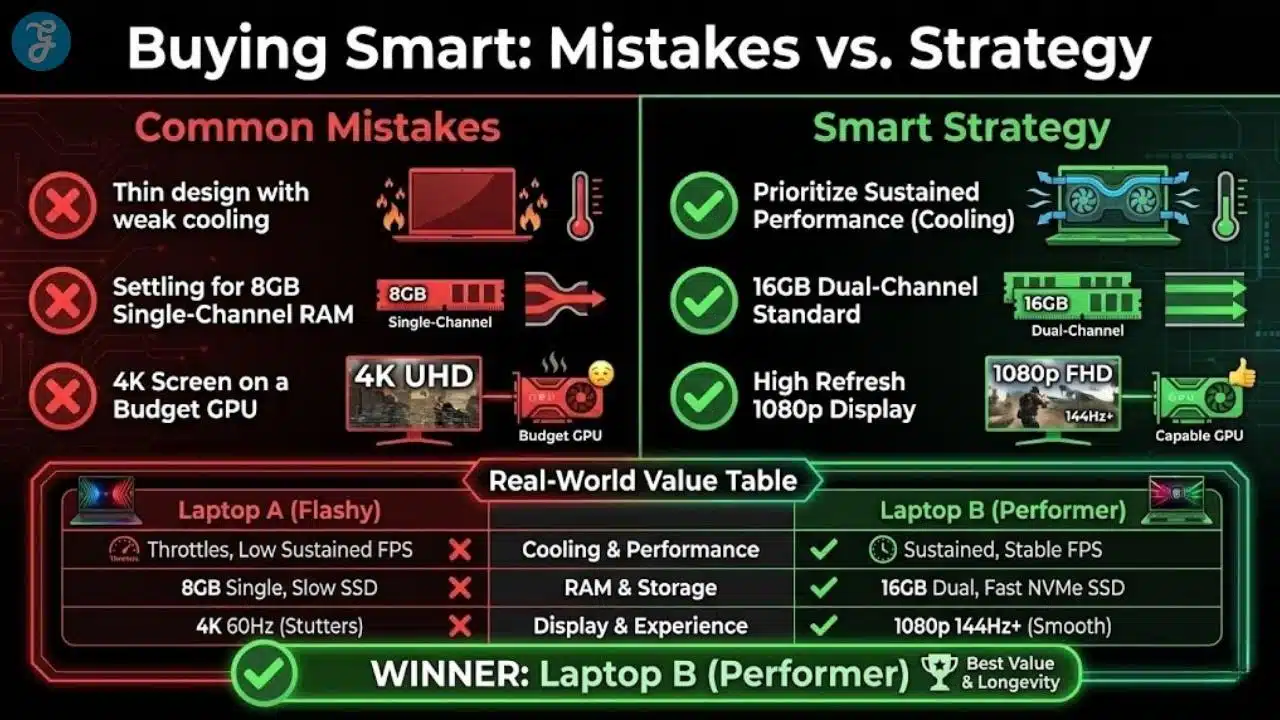
Here are common mistakes to avoid:
-
Choosing a thin, flashy design with weak cooling
-
Settling for 8GB RAM when 16GB is the practical standard now
-
Overpaying for a high-resolution screen that the GPU can’t drive well
-
Ignoring wattage limits, which can make the same GPU perform very differently
-
Buying a laptop with no upgrade path for RAM or storage
A good budget purchase is not about perfection. It’s about avoiding the few mistakes that cause real regret.
What to Look For When Buying a Budget Gaming Laptop?
Here are 10 things to look for when buying a gaming laptop, with practical guidance on what to prioritize and why it matters.
1. Graphics Card That Matches Your 1080p Goal
In most games, the GPU determines your frame rate and graphics quality more than anything else. If you want a laptop that feels like a gaming machine, start here.
What to prioritize:
-
A dedicated GPU (not integrated-only)
-
A GPU tier that supports your target games at 1080p
-
Real-world benchmarks from reviews, not just the model name
A quick reality check: two laptops with the same GPU name can perform differently due to power limits and cooling. That’s why review benchmarks matter. If your budget is tight, a slightly older but higher-tier GPU can outperform a newer low-tier option.
VRAM and Texture Settings — The Hidden Cause of Stutters in AAA Games
VRAM (video memory) is one of the most overlooked specs in budget gaming laptops. When VRAM runs out, games often don’t just lose a few frames—they can stutter, hitch during movement, or drop textures suddenly, even if the average FPS seems okay.
VRAM limits show up more in:
-
Modern AAA games with heavy textures
-
Open-world titles with lots of streaming assets
-
Mods, texture packs, and higher texture presets
-
External monitors or resolutions above 1080p
How to shop smarter:
-
Don’t judge GPUs only by name—consider whether the GPU configuration is known to handle modern texture loads smoothly
-
If AAA games are your focus, prioritize avoiding VRAM bottlenecks over chasing flashy screen specs
Practical takeaway:
VRAM affects stability and smoothness, not just “graphics quality.” If you want fewer stutters over the next few years, this is a key spec to respect.
2. CPU That Won’t Bottleneck Your GPU
A strong GPU paired with a weak CPU can lead to stutters, low minimum frame rates, and inconsistent performance. You don’t need the most expensive CPU, but you do need one that keeps up.
What to prioritize:
-
Modern 6-core CPUs are a strong baseline for many buyers
-
Good single-core performance helps in many esports and open-world titles
-
Efficient thermals matter because overheated CPUs throttle and tank performance
If you play CPU-heavy games (simulation, strategy, large multiplayer), CPU choice becomes even more important.
3. 16GB RAM as the Practical Minimum
Modern games, launchers, voice chat, browser tabs, and background services can eat memory fast. 8GB often works until it doesn’t, and the moment it doesn’t, performance drops in a way you can feel.
What to prioritize:
-
16GB RAM as a starting target
-
Dual-channel memory (two sticks) when possible
-
Upgradeable RAM slots if the base config is weak
This is one of the easiest upgrades in many laptops, but not all models allow it, so check before buying.
4. Fast SSD Storage and Enough Space for Real Libraries
Storage affects load times, patch installs, and daily responsiveness. It also affects how annoying your laptop becomes after you install a few modern games.
What to prioritize:
-
NVMe SSD over older, slower storage options
-
At least 512GB if you play multiple AAA titles
-
Extra M.2 slot or easy upgrade access if possible
Games are huge now. Buying too little storage forces constant uninstalling, which is a time tax you’ll keep paying.
5. Display Specs That Match Your Hardware
Displays are where people overspend. A budget GPU may not deliver consistent high frame rates at high resolutions. For many buyers, a good 1080p display is the best match.
What to prioritize:
-
1080p resolution for budget gaming
-
A refresh rate that matches your game style
-
Solid brightness and acceptable color for general use
If you mainly play esports titles, a higher refresh rate can feel like a real upgrade. If you mostly play AAA games, consistent frame pacing and good contrast matter more than extreme refresh rates.
Power Limits (TGP) — Why the Same GPU Name Can Perform Very Differently
A common budget-laptop trap is assuming two laptops with the same GPU model will perform the same. In reality, laptop GPUs often run at different power limits (commonly listed as TGP or “Total Graphics Power”). A higher-wattage version of the same GPU can deliver noticeably better FPS, better 1% lows, and more stable performance in long sessions.
What to look for when shopping:
-
The GPU’s wattage/TGP in trusted reviews or detailed listings
-
Sustained performance tests (not only short benchmarks)
-
Cooling quality, because higher power only helps if the laptop can actually sustain it
Why it matters:
If a laptop has a low TGP GPU, it can underperform compared to another laptop with the “same” GPU name. This is one of the biggest reasons two similarly priced “gaming” laptops can feel completely different in real gameplay.
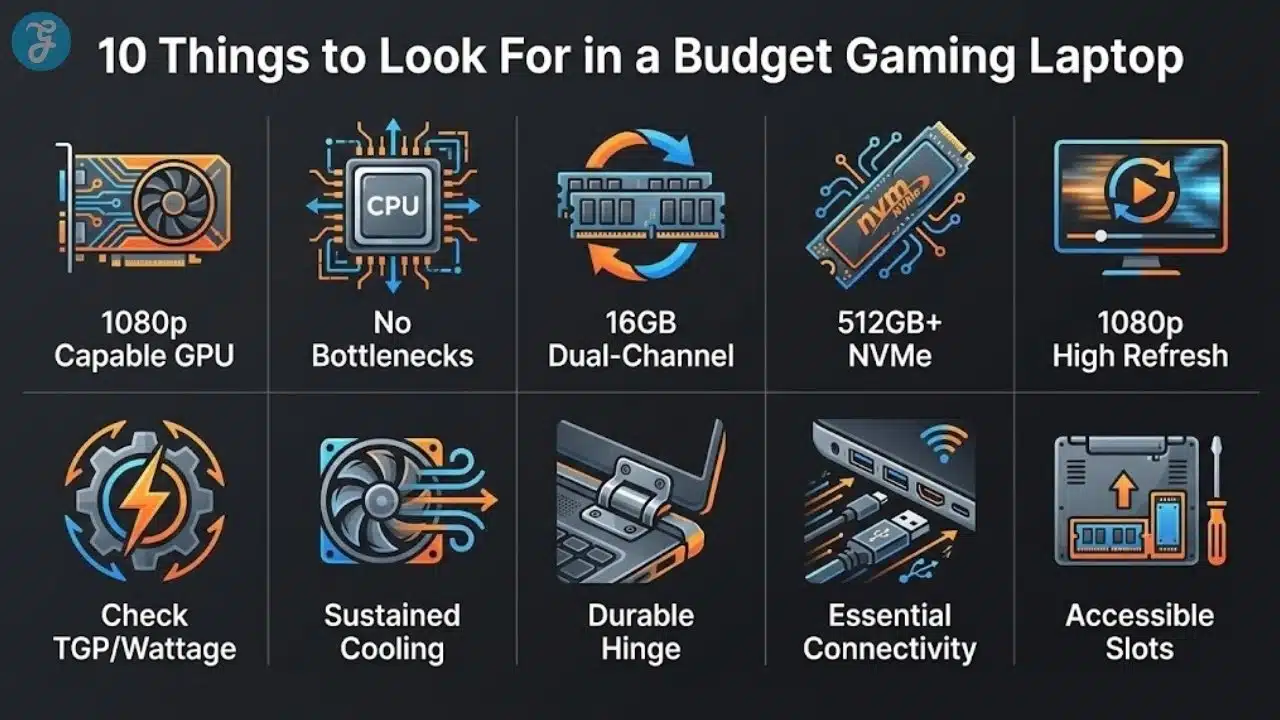
6. Cooling That Holds Performance Over Long Sessions
A laptop that performs well for five minutes but throttles after twenty is not a good gaming laptop. Cooling design matters because sustained performance is what you experience in real sessions.
What to look for:
-
Reviews that test long gaming or stress sessions
-
Stable clocks under load, not just peak numbers
-
Fan noise and heat management that you can live with
A practical sign of good design is consistency. If performance stays steady over time, the laptop is doing its job.
7. Build Quality Where It Matters
Budget laptops can be durable, but they can also cut corners in hinges, keyboards, and chassis rigidity. These issues won’t show up on day one, but they show up after months of use.
What to prioritize:
-
Solid hinge feel with minimal wobble
-
Keyboard comfort if you type or play without an external keyboard
-
Ports that don’t feel loose or poorly placed
You don’t need a premium metal body, but you do need a laptop that doesn’t feel fragile.
8. Ports and Connectivity for Real-Life Use
Gaming laptops often become your main machine for school, work, and entertainment. Ports matter for external monitors, wired internet, controllers, storage drives, and accessories.
What to prioritize:
-
Enough USB ports for your setup
-
HDMI or DisplayPort support for external displays
-
A reliable wireless card and stable connection
-
Ethernet if you play competitive games and want the lowest latency
Ports aren’t exciting, but lacking them becomes annoying fast.
9. Upgradeability That Extends Laptop Lifespan
A budget laptop holds value longer if you can upgrade storage and RAM later. Some models are sealed or soldered, which limits your ability to improve performance over time.
What to prioritize:
-
Accessible RAM and SSD slots
-
Clear documentation or teardown reviews
-
Reasonable warranty terms for upgrades in your region
Even a simple upgrade, like adding a second SSD, can make a laptop feel much more usable.
10. Battery Expectations That Are Honest
Gaming on battery is rarely the plan, but daily battery life still matters for portability. Many gaming laptops can do decent battery life for web and office tasks if you manage settings.
What to prioritize:
-
A balanced expectation: good for everyday tasks, limited for gaming
-
A charger that’s manageable to carry if you travel
-
Power profiles that let you switch between performance and efficiency
If you need strong battery life all day, you may need to accept lower GPU performance or a different class of laptop.
How to Prioritize Specs When Your Budget Is Tight?
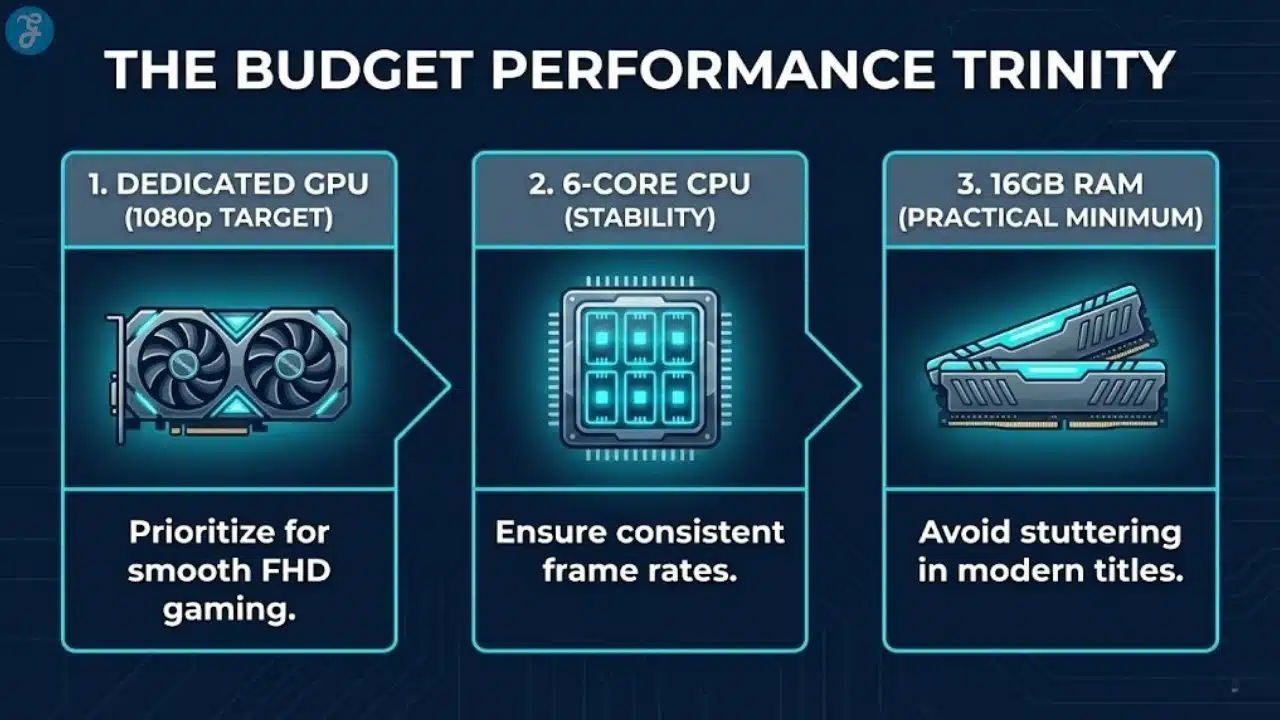
When money is limited, prioritization is everything. A useful order for many buyers is:
-
GPU first (for gaming performance)
-
CPU second (for stability and minimum frames)
-
RAM and SSD next (for smoothness and usability)
-
Cooling and build quality (to protect long-term performance)
-
Display and extras (nice-to-have after the core is strong)
A small, smart compromise can unlock a better overall laptop. For example, choosing a plain screen and chassis can sometimes get you a better GPU tier at the same price.
Pro Tip: If two laptops have similar specs, choose the one with better thermal performance in reviews. Sustained performance matters more than a short burst.
Buying Tips That Save Money Without Hurting Performance
You can often get more value without increasing the budget by shopping strategically:
-
Look for last-generation models with stronger GPUs at discounted prices
-
Avoid paying extra for RGB or “premium” cosmetic upgrades if core parts are weaker
-
Check whether the base model includes single-channel RAM and budget for a quick upgrade
-
Compare review benchmarks, especially for the exact configuration
-
Consider certified refurbished options from reputable sellers when available
Small choices here often create better real-world performance than paying for branding.
Refurbished and Used Budget Gaming Laptops — Save Money Without Getting Burned
Refurbished or used gaming laptops can deliver the best performance-per-dollar, especially if it lets you step up a GPU tier. But you need a quick safety checklist so you don’t accidentally buy someone else’s problems.
Used/refurb checklist:
-
Confirm return policy and warranty coverage
-
Inspect hinge tightness, screen issues, and keyboard wear
-
Check battery condition if possible
-
Verify the exact GPU/RAM/storage configuration (don’t assume)
When is it worth it:
-
You’re buying from a reputable seller or official refurb program
-
The discount is large enough to justify minor cosmetic wear
-
You want more GPU power than your “new” budget allows
How to Compare Two Budget Gaming Laptops Fast
When two laptops look similar on paper, the smartest move is to compare them the way performance reviewers do: focus on sustained gaming results, not marketing highlights. Use the quick framework below to decide in minutes.
Step 1: Compare the GPU and Its Power Limit
Start by confirming three things:
-
The exact GPU model (not just “RTX” branding)
-
The GPU wattage/TGP (higher isn’t always better, but too low can hurt)
-
Whether reviews show stable clocks after 20–30 minutes of gaming
If you can’t find the TGP in the listing, search for reviews of the exact configuration. Two laptops with the “same GPU” can feel like different tiers when power limits and cooling differ.
Step 2: Check RAM and Storage Configurations (The Hidden Budget Cuts)
Budget models often save money in ways that don’t show in the headline.
Look for:
-
16GB dual-channel (or at least upgradeable RAM)
-
NVMe SSD with at least 512GB
-
A second SSD slot if possible (future-proofing matters)
A laptop with a slightly weaker GPU but 16GB dual-channel + fast SSD can feel smoother than a “better GPU” machine crippled by 8GB single-channel RAM.
Step 3: Use This “Real-World Value” Comparison Table
Fill this in when comparing two options:
| What You’re Checking | Laptop A | Laptop B | Winner (Why) |
|---|---|---|---|
| GPU Model + TGP | |||
| Cooling in Reviews (Throttling?) | |||
| RAM (16GB? Dual-channel?) | |||
| SSD Type + Size + Extra Slot | |||
| Display (1080p? Good brightness?) | |||
| Upgrade Access (RAM/SSD) | |||
| Ports (HDMI, USB count, Ethernet) | |||
| Warranty + Return Policy |
This table forces you to compare what actually impacts FPS stability, load times, and long-term usability.
Step 4: Decide Based on Your Game Type
Not all games stress the same parts. Use this quick match:
-
Esports (Valorant/CS/LoL/Fortnite): prioritize CPU performance + high refresh 1080p + good cooling
-
AAA/Open-world (Cyberpunk-style): prioritize GPU + VRAM + SSD space + stable thermals
-
Strategy/sim (Cities/Total War): prioritize CPU + RAM + cooling consistency
-
Mixed use (school/work + gaming): prioritize build quality, keyboard, battery, and ports after core performance
Step 5: Spot “Bad Value” Upgrades Before You Pay
These are common places people waste budget:
-
Paying extra for 1440p/4K on a GPU that’s built for 1080p
-
Overpaying for RGB, thin design, or “creator” screens while RAM/SSD is weak
-
Choosing a laptop with soldered RAM and no SSD expansion at the same price as upgradeable models
Quick Rule
If Laptop A has a slightly weaker spec sheet but better cooling + dual-channel RAM + higher sustained GPU performance, it will usually be the better gaming experience.
Final Takeaway on What to Look for in a Budget Gaming Laptop?
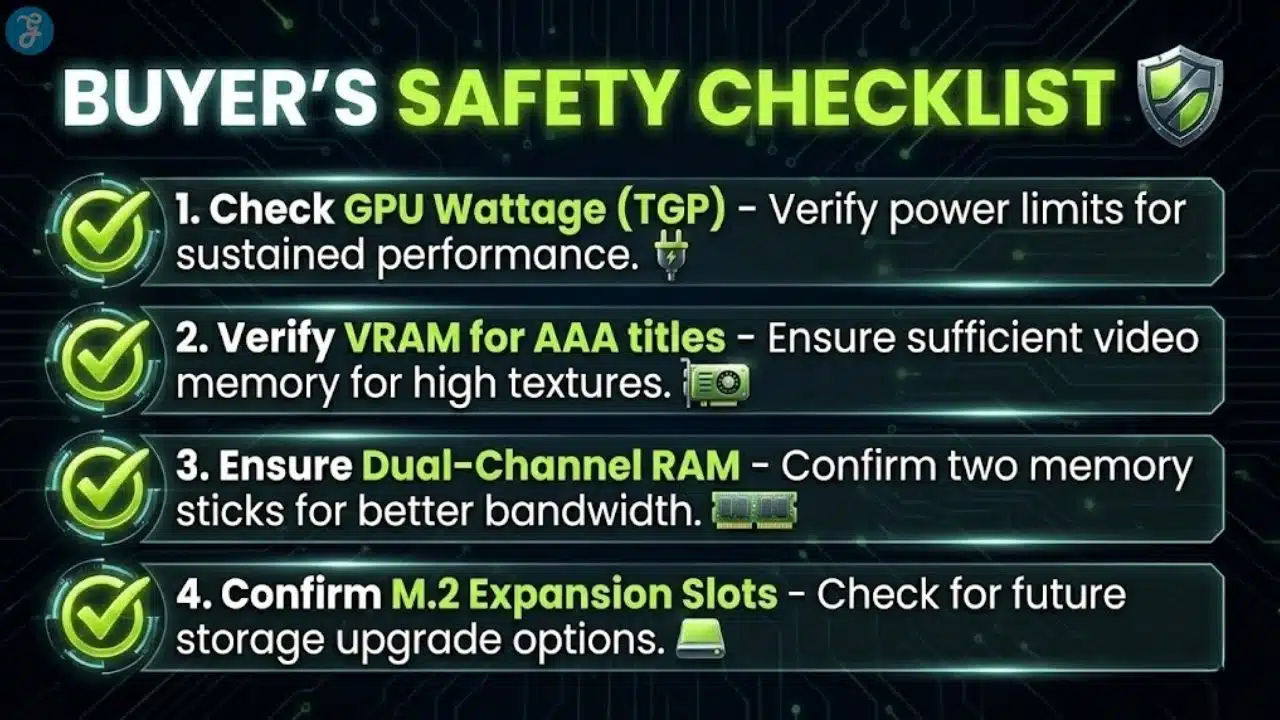
If a laptop checks these boxes, it’s usually a safer buy than a flashier model with hidden compromises.
Quick Buyer Checklist — A 60-Second Filter Before You Hit “Buy.”
Use this checklist to quickly eliminate bad deals and focus on laptops that deliver real gaming value.
-
Dedicated GPU (not integrated-only)
-
Verified sustained performance in reviews (no major throttling)
-
16GB RAM now, or easy upgrade path
-
512GB SSD minimum, or extra slot for expansion
-
Screen matches the hardware (1080p is usually best value)
-
Ports that fit your use (HDMI/USB count, Ethernet if needed)
-
Clear warranty + return policy
The best budget gaming laptop is the one that gets the fundamentals right: a capable GPU, a balanced CPU, 16GB RAM, fast SSD storage, and cooling that keeps performance stable. When you focus on those priorities, you avoid the common traps and get a laptop that feels good to use long after the first week. What to Look for in a Budget Gaming Laptop? Ultimately, it comes down to choosing performance and longevity over marketing and shortcuts.




























