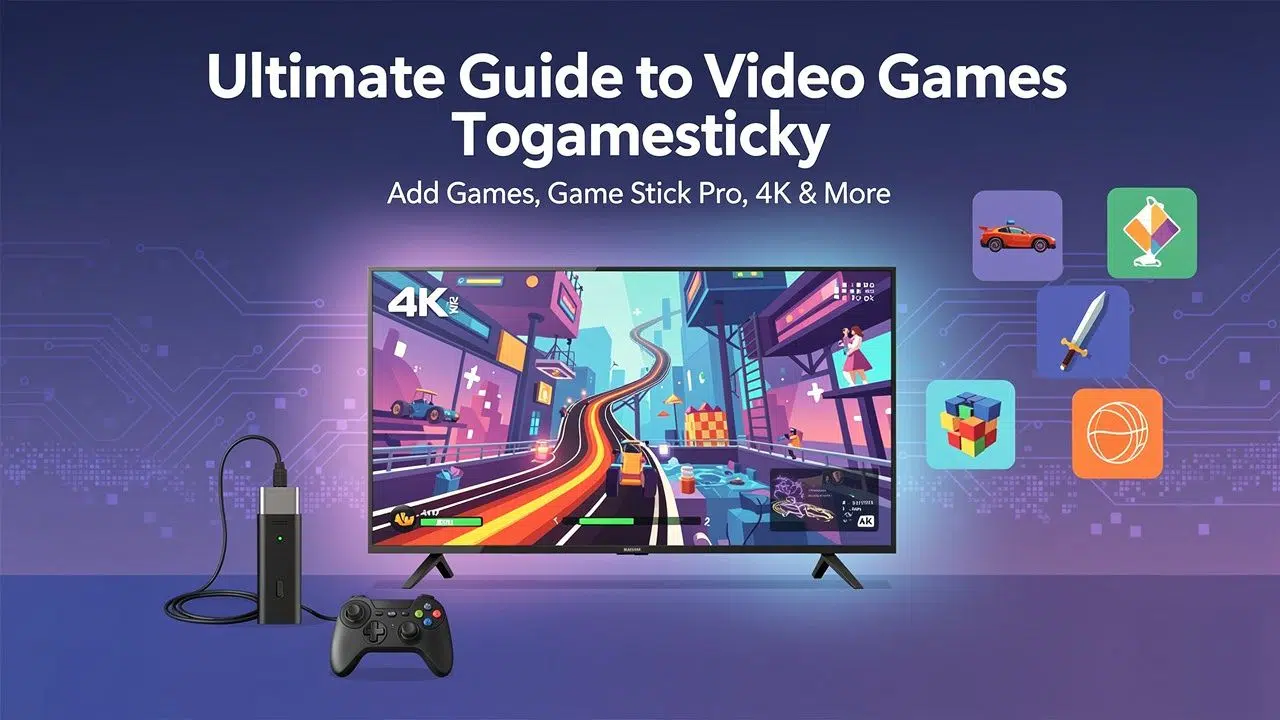
Want to add more games to your Video Games Togamesticky or Game Stick Pro? Many game sticks come with lots of old-school games already installed. But sometimes you want more choices.
This guide shows you simple steps to add games, update your game list, and play smoothly on devices like the Game Stick Lite 4K. Get ready for easy fixes that get you back to playing fast!
How to Add Games to Your Game Stick Pro
Ready to add more games to your Game Stick Pro? Follow this simple guide to add game files called ROMs. You’ll use a USB drive or microSD card. Soon you’ll have hours of retro gaming fun.
Preparing game ROMs and files
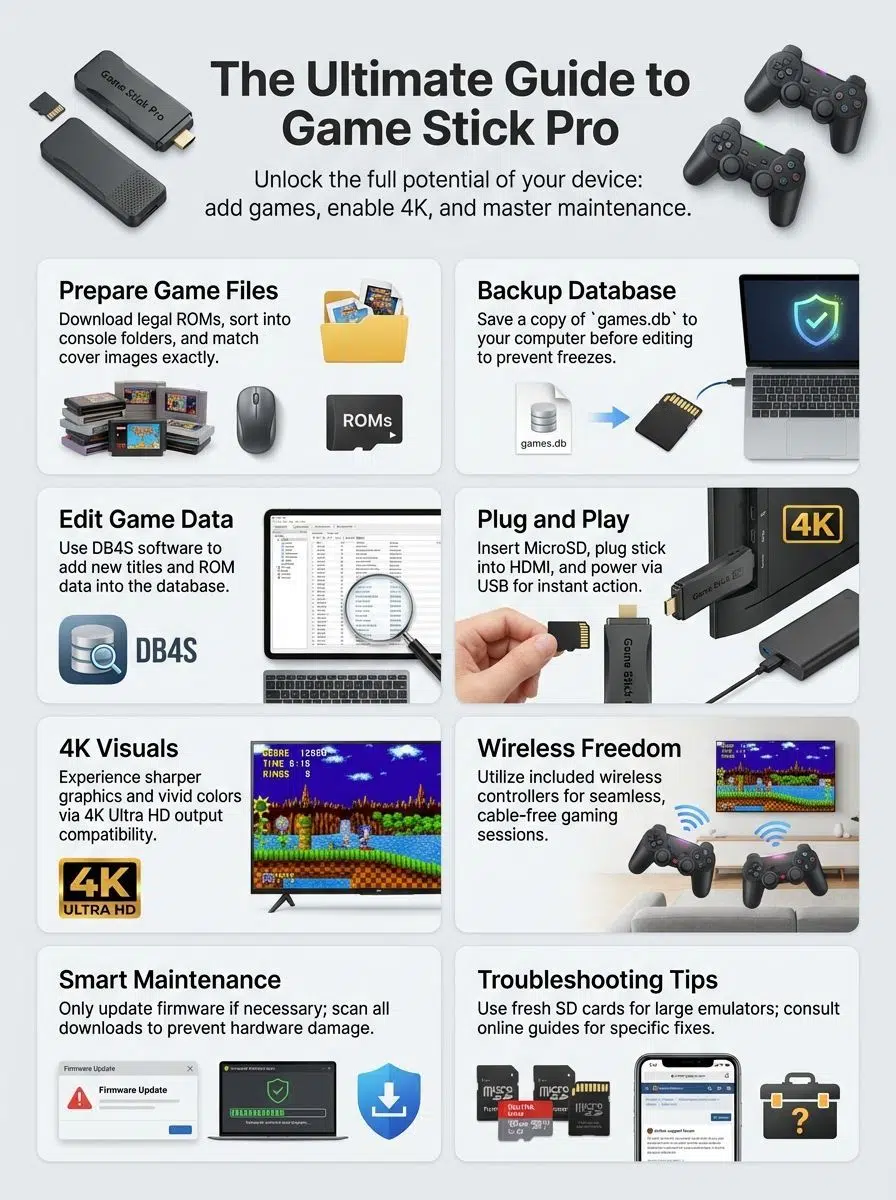
First, download legal ROMs for your games. Sort them into folders by console type. Put NES games in a folder called “fc.” Put Game Boy Color files in “gbc.” Place Atari classics in the “atari” folder.
Each game needs a cover picture that matches its ROM name. If your game file is named “mario.nes,” the picture should be “mario.png.” Put these cover images right next to the game files.
Take out your microSD card from the game stick. Look for a folder called “game.” Inside you’ll see more folders for different consoles. You’ll also find one file called games.db. Copy this database file to your computer. Save it as a backup before you change anything. I skipped this step once and my stick froze completely!
Open the file using DB4S, which is a free database program. Then update or add new entries for each new ROM you add. Some Game Stick Pro models need you to edit favorites. lst in the cubegm folder. This helps titles show up right on your screen.
Keep everything organized. One wrong name or missing file can make loading games really hard. You want classic gaming fun, not frustration!
Step-by-step guide to adding games
Adding games to your Game Stick Pro is easy when you follow these steps. You just need a few tools and some patience.
- Put the microSD card from your game console into a computer. Use a card reader or a phone that works with it.
- Open the folder on your microSD card. Find the file called “games.db.” This file holds your current games.
- Download DB4S. It’s a free program that lets you edit game databases.
- Open “games.db” with DB4S. Add new records in both ‘tbl_en’ for game titles and ‘tbl_game’ for ROM data.
- Save your changes. Move “games.db” back to your MicroSD card. Be careful not to damage anything on the card.
- Safely remove the microSD card. Then put it back into your Game Stick Lite 4K or Game Stick Pro.
- Turn on the game stick through your TV’s HDMI port. Watch as new games appear on screen, ready to play.
- For the favorites. For the last method, first pick a favorite in your menu. Then edit favorites. last. Add the path, game ROM name, and display name. This is quick for adding lots of games.
- Linux systems use the EXT2 file system to access all parts of the card. Windows users might have trouble. Get Paragon Software’s LinuxFS or turn on Windows Subsystem for Linux (WSL) if you get stuck.
- Many people find 4 or 5 odd sections on their cards. Watch carefully so you don’t miss anything important during updates or backups.
- Search YouTube for “add more games to Game Stick Pro.” You’ll find helpful video guides for each model. Real gamers from around the world share step-by-step help.
Plug-and-play fun has never been easier! Whether you want to add SNES emulators or play old multiplayer hits again, this guide brings joy to your living room. Just follow a few steps for smooth gameplay and more replay value!
Features of Game Stick Pro and Game Stick Lite 4K
Game Stick Pro and Game Stick Lite 4K turn any TV into a gaming center. These devices offer sharp graphics that everyone loves. Just plug in a controller, feel the sound effects, and enjoy playing online with friends of all skill levels.
4K Ultra HD compatibility and performance
With 4K Ultra HD output, games look amazing. Colors pop on big screens. Connect the Game Stick Lite 4K or Ultra MAX Pro to your TV through HDMI. You’ll see every detail clearly. This makes each level feel brand new.
On my own TV, switching from regular HD to 4K made a huge difference. Character faces became crystal clear. Even menu text seemed to jump off the screen.
Performance needs some know-how, though. Fast games usually run smoothly. But some PS1 titles might stutter. Try using RetroArch with a fresh microSD card to fix this. If your TV doesn’t see the device or shows a blank screen, check a few things. Make sure you picked the right input source. Use a good charging cord in a nearby USB port for power.
After a firmware update in March 2025, I noticed SD card problems. Restarting fixed it. This reminds me to always back up my files! Some users try custom firmware tricks on r/SBCGaming. These can add features or make games run smoother.
These HDMI sticks give you sharp graphics without costing too much. They’re perfect for both casual players and serious gamers who want a great gaming experience.
Wireless controller support and plug-and-play setup
Game Stick Pro and Game Stick Lite 4K both work with wireless controllers. This means no cables getting in your way during gameplay. Each device usually comes with controllers in the box. Just plug the USB receiver into your TV or game stick’s USB slot.
Plug the console into any HDMI port on your TV. Switch to that input. Then power up using a nearby USB outlet with the charging cord. You’re done in seconds! Swiftrobber from Reddit said he started playing right away. No problems at all.
Setup is so easy that even new gamers or kids can do it. Users say most games start immediately. Some people report rare controller problems after firmware updates, though.
The system supports plug-and-play convenience. You don’t need extra downloads or long installs. Just connect everything and enjoy smooth gameplay. Play every 4K game that comes loaded on your platform for online gaming. It’s even faster than finding your credit card during checkout on Amazon or eBay!
Enhancing Your Video Games Togamesticky
Make your gaming setup better with new releases and multiplayer features. Chat with friends, compete on leaderboards, or change settings to match how you like to play. Do it all from one easy platform.
Expanding game libraries and customization options
Adding new games to your Game Stick Pro feels exciting, like opening a gift. Grow your library by copying game ROMs onto a MicroSD card or USB drive. Check if your model allows this first.
Many gamers like sorting their files into the right folders. Then they edit the games.db or .dat files for a personal touch. Put favorites in the cubegm folder, right in favorites.lst. This puts them on your collected tab for quick play.
Some people run into problems with file formats like EXT2. Older laptops often can’t read these. YouTube tutorials help speed things up and prevent mistakes. On my first try, I only added seven Sega Genesis games. Then I learned about folder rules. Talk about learning the hard way!
Some Game Stick Lite 4K versions don’t work with certain online hacks for adding games. Check if yours is compatible first. You want access to every classic game out there.
Community forums feel like secret clubs. Fans share tips on firmware tweaks. They explain how to make PS1 games run better. Each trick helps you get the gaming experience everyone wants.
Tips for maintaining and updating your game stick
Your Game Stick needs regular care to keep running well. Follow these tips to avoid problems and get the most from your device.
- Always back up important files like “games.db” before changing anything or adding new games.
- Use trusted backup tools. Try Paragon Software’s LinuxFS for Windows or a simple SD card copier.
- Test each new game you download before adding more. This way you’ll catch problems fast.
- Watch out for unsupported models. Adding games on these can damage your hardware or cancel your warranty.
- Keep an extra microSD card ready. RetroArch works better with a fresh card. This helps especially with PlayStation 1 games or other big emulators.
- Only update the firmware when you really need to. Updates can sometimes mess up controller connection. They might also make your SD card disappear from the directory.
- Avoid changing system files like “favorites.lst” unless you made another backup. Things can go wrong fast.
- Check Reddit and YouTube guides when you’re stuck. Gamers post fixes for almost every common error. They even show how to fix bad ROMs for safer gaming.
- Clean your controllers now and then with gentle wipes. Sticky buttons make both casual and competitive play less fun.
- Scan all downloads for viruses. You don’t want to damage your memory or lose half your game library overnight.
Staying careful will keep your Game Stick Pro running strong through every level. No cheat codes needed!
Takeaways
Game Stick Pro and Lite 4K make retro gaming simple and fun. Add games, adjust your setup a little, and watch old favorites come alive in bright 4K. The community at places like Reddit shares new tips for safe gaming every day. No one gets left behind here.
Planning to buy Togamesticky or download more games? Check the price and double-check your receipt. Watch for sales tax too. Enjoy an easy game night with friends or family. And sharing stories is half the fun of playing!